
C#基础用户登陆
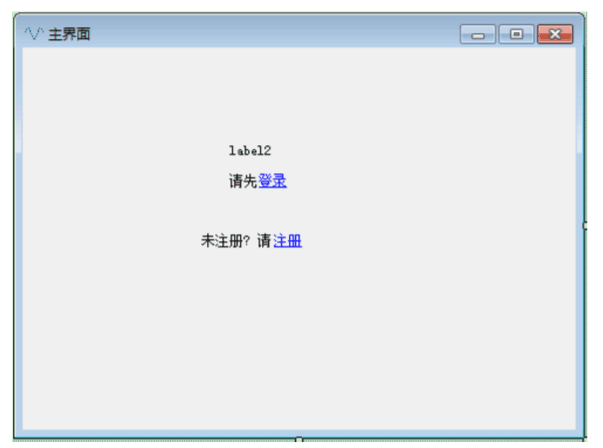
1.主界面代码:

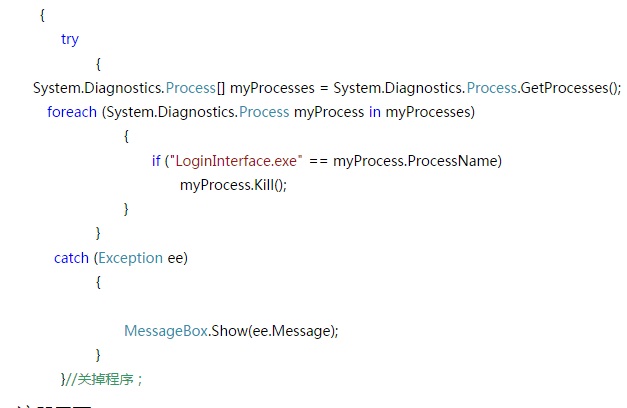
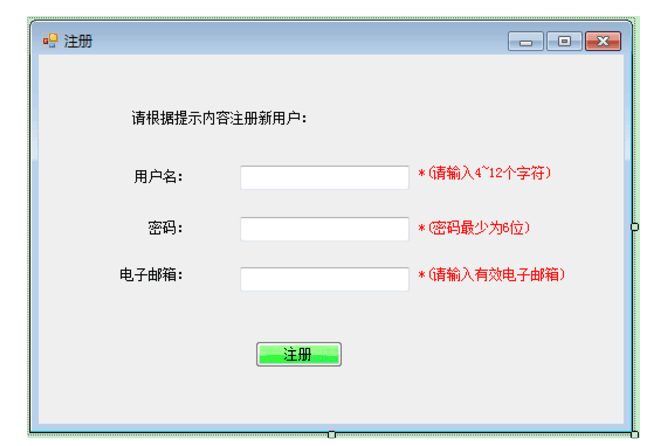
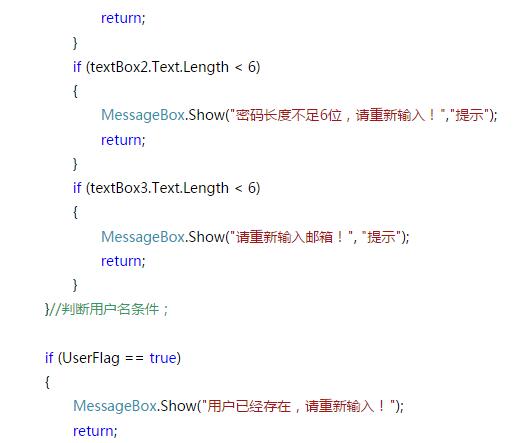
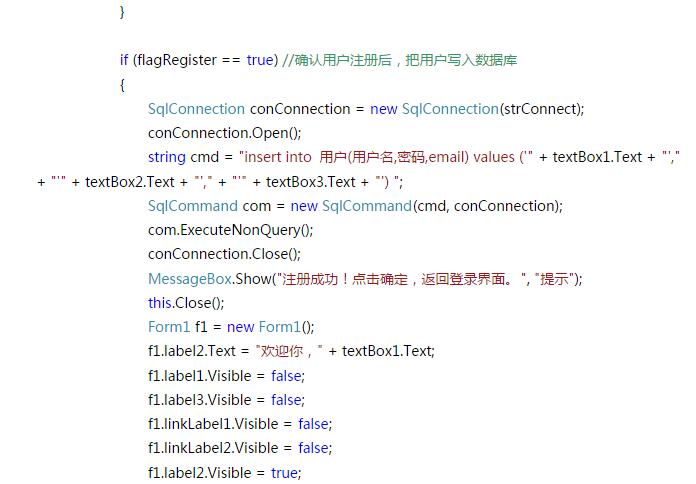
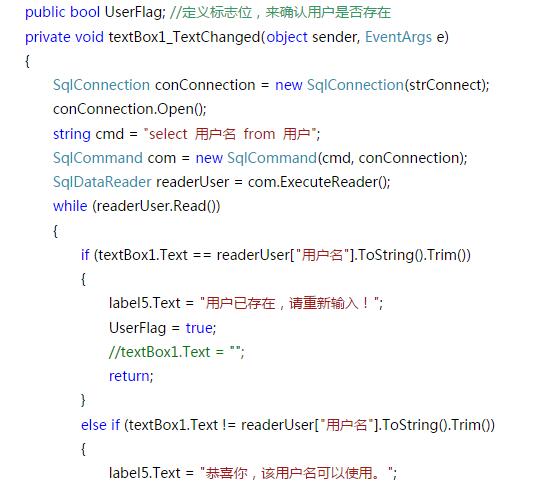
2.注册页面


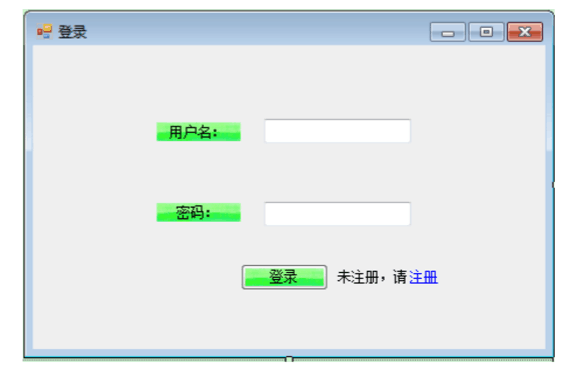
3.登陆界面
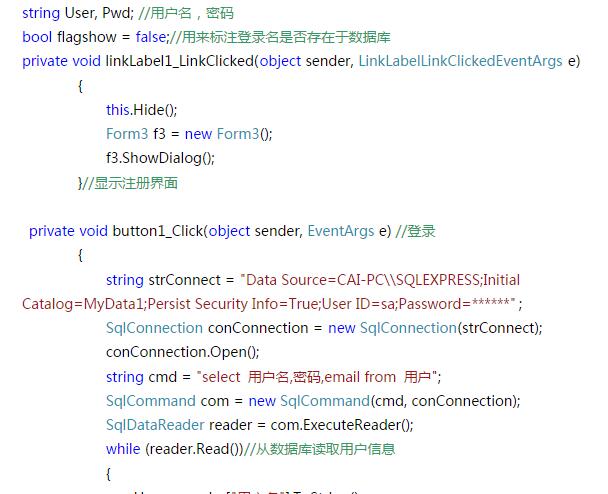
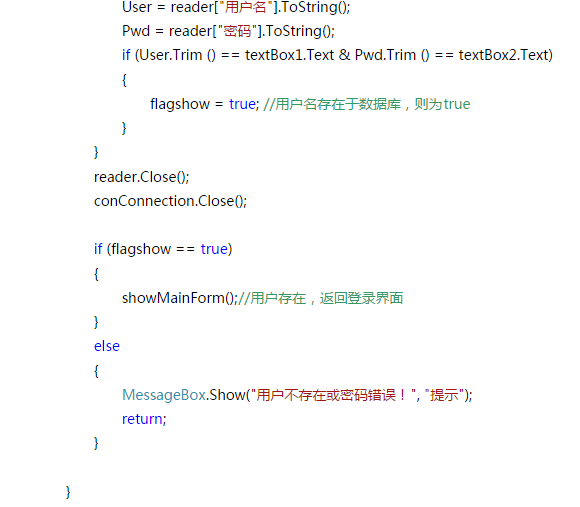
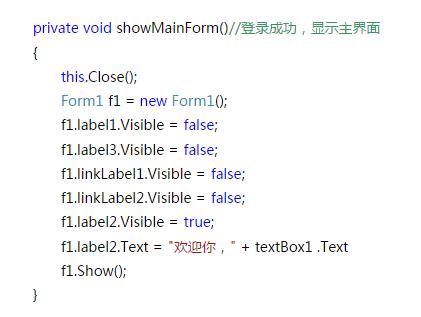
登陆注册代码:
//编写登录界面逻辑

using System;

using System.Collections.Generic;

using System.ComponentModel;

using System.Data;

using System.Drawing;

using System.Linq;

using System.Text;

using System.Threading.Tasks;

using System.Windows.Forms;

using System.Data.SqlClient;

namespace LoginDatabase

{

    public partial class Login : Form

    {

        private int errorTime = ;

        public Login() {

            InitializeComponent();

        }

        private void loginBtn_Click(object sender, EventArgs e) {

            errorTime = errorTime - ;

            string username = txtName.Text.Trim();  //取出账号

            string pw = txtPwd.Text.Trim();         //取出密码

            string constr = "Server=.;DataBase=SU; Integrated Security=True"; //设置连接字符串

            SqlConnection mycon = new SqlConnection(constr);  //实例化连接对象

            mycon.Open();

            SqlCommand mycom = mycon.CreateCommand();         //创建SQL命令执行对象

            string s1 = "select account,password from register where account='" + username + "' and password='" + pw + "'";                                            //编写SQL命令

            mycom.CommandText = s1;                           //执行SQL命令

            SqlDataAdapter myDA = new SqlDataAdapter();       //实例化数据适配器

            myDA.SelectCommand = mycom;                       //让适配器执行SELECT命令

            DataSet myDS = new DataSet();                     //实例化结果数据集

            int n = myDA.Fill(myDS, "register");              //将结果放入数据适配器,返回元祖个数

            if (n != ) {

                if (checkCode.Text == textCheck.Text) {

                    MessageBox.Show("欢迎使用!");             //登录成功

                    this.Close();

                } else {

                    MessageBox.Show("验证码填写错误");

                    textCheck.Text = "";

                }

            } else

                if (errorTime < ) {

                    MessageBox.Show("用户名或密码有错。请重新输入!还有" + errorTime.ToString() + "次机会");

                    txtName.Text = "";   //清空账号

                    txtPwd.Text = "";    //清空密码?

                    txtName.Focus();     //光标设置在账号上

                } else {

                    MessageBox.Show("你输入的用户名或密码已达三次? 将退出程序");

                    this.Close();

                }

        }

        private void cancelBtn_Click(object sender, EventArgs e) {

            Application.Exit();

        }

        private void button1_Click(object sender, EventArgs e) {

            Register register = new Register();

            register.ShowDialog();

        }

        private void checkCode_Click(object sender, EventArgs e) {

            Random random = new Random();

            int minV = , maxV = ;

            checkCode.Text = random.Next(minV, maxV).ToString();

        }

    }

}

.编写注册界面逻辑

using System;

using System.Collections.Generic;

using System.ComponentModel;

using System.Data;

using System.Data.SqlClient;

using System.Drawing;

using System.Linq;

using System.Text;

using System.Threading;

using System.Threading.Tasks;

using System.Windows.Forms;

namespace LoginDatabase

{

    public partial class Register : Form

    {

        public Register() {

            InitializeComponent();

        }

        private void btnRegister_Click(object sender, EventArgs e) {

            //检查是否已经存在

            string userID = userId.Text.Trim();  //取出账号

            /**

             * 连接数据库

             */

            string constr = "Server=.;DataBase=SU; Integrated Security=True"; //设置连接字符串

            SqlConnection mycon = new SqlConnection(constr);                  //实例化连接对象

            mycon.Open();

            //查询新注册的用户是否存在

            SqlCommand checkCmd = mycon.CreateCommand();       //创建SQL命令执行对象

            string s = "select account from register where account='" + userID + "'";

            checkCmd.CommandText = s;

            SqlDataAdapter check = new SqlDataAdapter();       //实例化数据适配器

            check.SelectCommand = checkCmd;                    //让适配器执行SELECT命令

            DataSet checkData = new DataSet();                 //实例化结果数据集

            int n = check.Fill(checkData, "register");         //将结果放入数据适配器,返回元祖个数

            if (n != ) {

                MessageBox.Show("用户名存在");

                userId.Text = ""; userPw.Text = "";

                nickName.Text = "";

            }

            //确认密码

            if (ensurePw.Text != userPw.Text) {

                ensurePw.Text = "";

            }

            //验证码

            if (textCheck.Text != checkCode.Text) {

                textCheck.Text = "";

            }

            //插入数据SQL  逻辑

            string s1 = "insert into Register(account,password,nickname) values ('" + userId.Text + "','" + userPw.Text + "','"

                + nickName.Text + "')";                            //编写SQL命令

            SqlCommand mycom = new SqlCommand(s1, mycon);          //初始化命令

            mycom.ExecuteNonQuery();             //执行语句

            mycon.Close();                       //关闭连接

            mycom = null;

            mycon.Dispose();                     //释放对象

            if (userId.Text == "" || userPw.TextLength <=  || nickName.Text == "" || ensurePw.Text == ""

                || textCheck.Text == "") {

                MessageBox.Show("请将信息填完整");

            } else {

                MessageBox.Show("注册成功");

                this.Close();

            }

        }

        private void checkCode_Click(object sender, EventArgs e) {

            Random random = new Random();

            int minV = , maxV = ;

            checkCode.Text = random.Next(minV, maxV).ToString();

        }

    }
C#基础用户登陆的更多相关文章
- [作业] Python入门基础--用户登陆
让用户输入用户名密码 认证成功后显示欢迎信息 输错三次后锁定登陆 #__author:Mifen #date: 2018/11/28 import time #自定义本地用户名和密码 user_nam ...
- Spring Boot 构建电商基础秒杀项目 (六) 用户登陆
SpringBoot构建电商基础秒杀项目 学习笔记 userDOMapper.xml 添加 <select id="selectByTelphone" resultMap=& ...
- JavaWeb基础之Servlet简单实现用户登陆
学习javaweb遇到了一些坑,一些问题总结下来,记个笔记. 学习servlet遇到的一些坑: servlet实现用户登陆遇到的坑解决办法: https://www.cnblogs.com/swxj/ ...
- Android——用户登陆及用户名和密码的保存
Android——用户登陆及用户名和密码的保存 在之前的学习过程中已经将Android学习完了,但是在后面将近一年的时间里都没有进行过Android开发,所以对Android的所有的知识点又有点忘 ...
- 基于gin框架和jwt-go中间件实现小程序用户登陆和token验证
本文核心内容是利用jwt-go中间件来开发golang webapi用户登陆模块的token下发和验证,小程序登陆功能只是一个切入点,这套逻辑同样适用于其他客户端的登陆处理. 小程序登陆逻辑 小程序的 ...
- JMeter (3) —— JMeter录制脚本并压力测试用户登陆场景以CAS SSO为例(101 Tutorial)
JMeter (3) -- JMeter录制脚本并压力测试用户登陆场景以CAS SSO为例(101 Tutorial) 主要内容 JMeter录制脚本并进行压力测试用户登陆场景,并以CAS SSO单点 ...
- JavaWeb 基于Session的用户登陆注销实现
通过Session来存储用户的部分登陆信息来验证用户是否在线,这应该时最容易实现的一种Web端方案,本文以SSM(Spring.SpringMVC.myBatis)框架为载体,来具体实现这套登陆系统. ...
- Django之博客系统:用户登陆
使用django有一个好处就是有各种各样的框架可以拿来直接使用.相比flask,django自带的框架确实要多很多.比如这一章就要介绍的用户登录.Django拥有一个内置的认证(authenticat ...
- linux查看当前用户登陆信息
@(Linux基础)[linux查看当前用户登陆信息] linux查看当前用户登陆信息 作为系统管理员,你可能经常会(在某个时候)需要查看系统中有哪些用户正在活动.有些时候,你甚至需要知道他(她)们正 ...
随机推荐
- cf909C 线性dp+滚动数组好题!
一开始一直以为是区间dp.. /* f下面必须有一个s 其余的s可以和任意f进行匹配 所以用线性dp来做 先预处理一下: fffssfsfs==>3 0 1 1 dp[i][j] 表示第i行缩进 ...
- cf14d 树的直径,枚举删边
#include<bits/stdc++.h> using namespace std; #define maxn 300 ]; int n,head[maxn],tot,a,b,dis[ ...
- bzoj 2669 题解(状压dp+搜索+容斥原理)
这题太难了...看了30篇题解才整明白到底咋回事... 核心思想:状压dp+搜索+容斥 首先我们分析一下,对于一个4*7的棋盘,低点的个数至多只有8个(可以数一数) 这样的话,我们可以进行一个状压,把 ...
- PXE+HTTP+TFTP+Kickstart实现无人值守部署centos6.10
在联网的状态下安装所需软件: Shell> yum install dhcp httpd tftp-server xinetd syslinux system-config-kickstart ...
- jenkins 实现测试发布、预发布、真实发布、回滚发布
主要思路: 1.做三个文件夹,用于放置不可随意修改的配置文件(测试发布.预发布.真实发布) 2.每次都先修改配置文件再进行构建(构建时会先把配置文件复制到构建的目录,再同步到发布的目录) 3.发布完代 ...
- war的创建
- 虚拟机设置静态IP与配置网络
不废话,直接上图 一:先配置虚拟机的网络 二:配置win10-VM8网络 三:查看以太网的ip信息,直接在管理员命令中输入 ipconfig /all可以到连接信息 四:如果在上面找不到VM8的网络信 ...
- poshytip基本使用
js基本调用方法 $("#tips").poshytip({ content: $this.text(), alignTo: 'target', alignX: direction ...
- python全栈开发day55-mysql外键的三种变种
一.昨日内容回顾 二.今日内容总结 三.mysql应知必会 你可以通过INFORMATION_SCHEMA.KEY_COLUMN_USAGE 表来查看. select * from INFORMATI ...
- SpringBoot Controller接收参数的几种常用方
第一类:请求路径参数 1.@PathVariable 获取路径参数.即url/{id}这种形式. 2.@RequestParam 获取查询参数.即url?name=这种形式 例子 GET http:/ ...