
沿着path路径做动画
沿着path路径做动画

路径
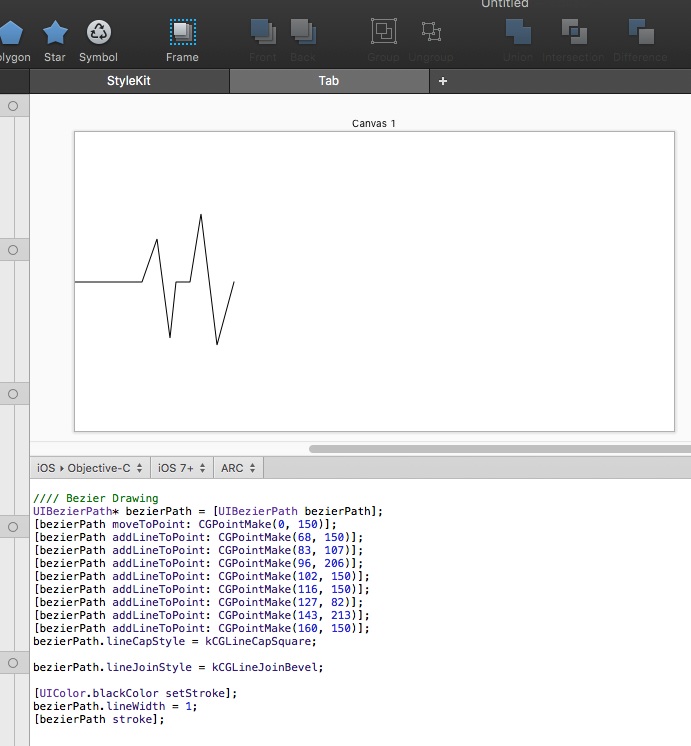
效果

源码
//

//  ViewController.m

//  PathAnimation

//

//  Created by YouXianMing on 16/1/26.

//  Copyright © 2016年 YouXianMing. All rights reserved.

//

#import "ViewController.h"

@interface ViewController ()

@property (nonatomic) CGPoint startPoint;

@property (nonatomic) CGPoint endPoint;

@end

@implementation ViewController

- (void)viewDidLoad {

    [super viewDidLoad];

    // 起始点 结束点

    self.startPoint = CGPointMake(, );

    self.endPoint   = CGPointMake(, );

    // 初始化view

    UIButton *redButton       = [[UIButton alloc] initWithFrame:CGRectMake(, , , )];

    redButton.center          = self.startPoint;

    redButton.backgroundColor = [UIColor redColor];

    [redButton addTarget:self action:@selector(buttonEvent) forControlEvents:UIControlEventTouchUpInside];

    [self.view addSubview:redButton];

    // CAKeyframeAnimation

    CAKeyframeAnimation *animation = [CAKeyframeAnimation animationWithKeyPath:@"position"];

    animation.path                 = [self path].CGPath;

    animation.duration             = .f;

    animation.timingFunction       = [CAMediaTimingFunction functionWithName:kCAMediaTimingFunctionEaseInEaseOut];

    redButton.center               = self.endPoint;

    [redButton.layer addAnimation:animation forKey:nil];

}

- (UIBezierPath *)path {

    UIBezierPath* bezierPath = [UIBezierPath bezierPath];

    [bezierPath moveToPoint:    self.startPoint];

    [bezierPath addLineToPoint: CGPointMake(, )];

    [bezierPath addLineToPoint: CGPointMake(, )];

    [bezierPath addLineToPoint: CGPointMake(, )];

    [bezierPath addLineToPoint: CGPointMake(, )];

    [bezierPath addLineToPoint: CGPointMake(, )];

    [bezierPath addLineToPoint: CGPointMake(, )];

    [bezierPath addLineToPoint: CGPointMake(, )];

    [bezierPath addLineToPoint: self.endPoint];

    return bezierPath;

}

- (void)buttonEvent {

    // todo

}

@end
细节
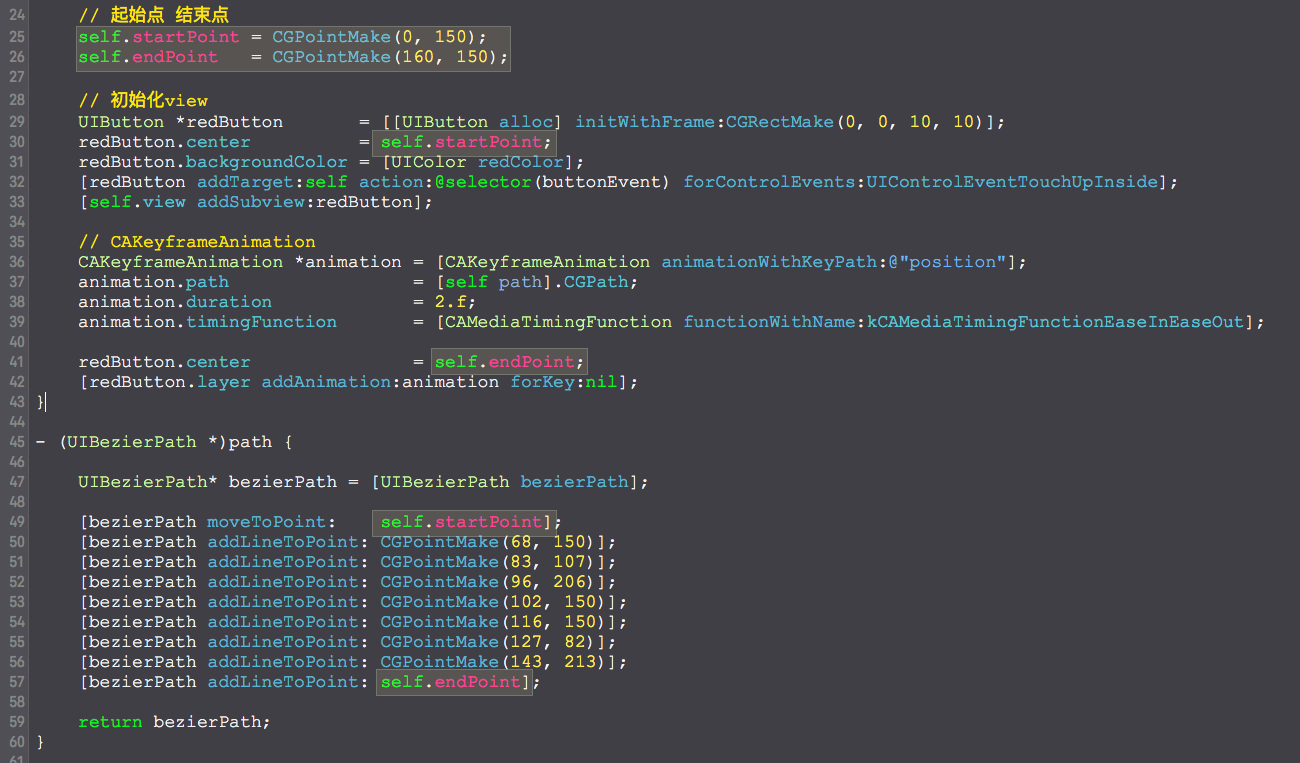
效果
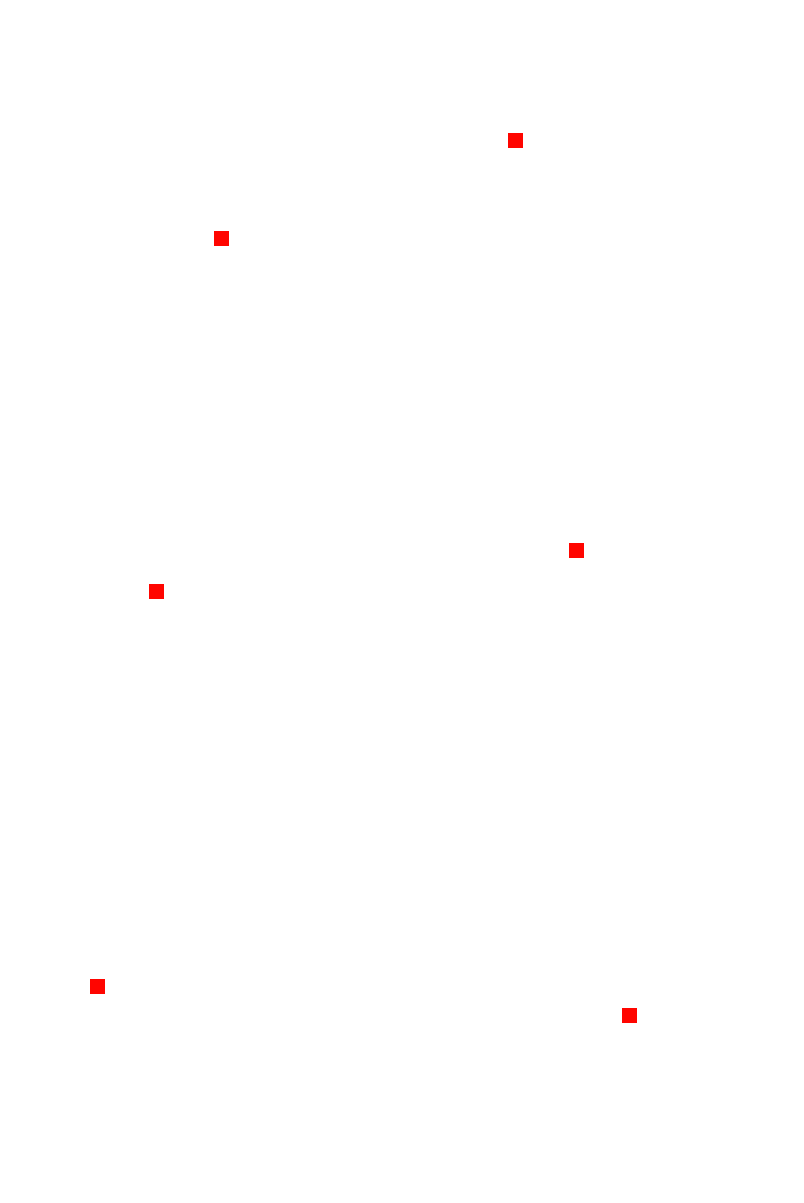
源码
//

//  ViewController.m

//  PathAnimation

//

//  Created by YouXianMing on 16/1/26.

//  Copyright © 2016年 YouXianMing. All rights reserved.

//

#import "ViewController.h"

@interface ViewController ()

@property (nonatomic) CGPoint startPoint;

@property (nonatomic) CGPoint endPoint;

@end

@implementation ViewController

- (void)viewDidLoad {

    [super viewDidLoad];

    // 起始点 结束点

    self.startPoint = CGPointMake(, );

    self.endPoint   = CGPointMake(, );

    // 初始化view

    UIButton *redButton       = [[UIButton alloc] initWithFrame:CGRectMake(, , , )];

    redButton.center          = self.startPoint;

    redButton.backgroundColor = [UIColor redColor];

    [redButton addTarget:self action:@selector(buttonEvent) forControlEvents:UIControlEventTouchUpInside];

    [self.view addSubview:redButton];

    // CAKeyframeAnimation

    CAKeyframeAnimation *animation = [CAKeyframeAnimation animationWithKeyPath:@"position"];

    animation.path                 = [self path].CGPath;

    animation.duration             = .f;

    animation.autoreverses         = true;

    animation.repeatCount          = CGFLOAT_MAX;

    animation.timingFunction       = [CAMediaTimingFunction functionWithName:kCAMediaTimingFunctionEaseInEaseOut];

    [redButton.layer addAnimation:animation forKey:nil];

}

- (UIBezierPath *)path {

    UIBezierPath* bezierPath = [UIBezierPath bezierPath];

    [bezierPath moveToPoint:    self.startPoint];

    [bezierPath addLineToPoint: CGPointMake(, )];

    [bezierPath addLineToPoint: CGPointMake(, )];

    [bezierPath addLineToPoint: CGPointMake(, )];

    [bezierPath addLineToPoint: CGPointMake(, )];

    [bezierPath addLineToPoint: CGPointMake(, )];

    [bezierPath addLineToPoint: CGPointMake(, )];

    [bezierPath addLineToPoint: CGPointMake(, )];

    [bezierPath addLineToPoint: self.endPoint];

    return bezierPath;

}

- (void)buttonEvent {

    // todo

}

@end
细节

沿着path路径做动画的更多相关文章
- 让CALayer的shadowPath跟随bounds一起做动画改变-b
在iOS开发中,我们经常需要给视图添加阴影效果,最简单的方法就是通过设置CALayer的shadowColor.shadowOpacity.shadowOffset和shadowRadius这几个属性 ...
- svg路径蒙版动画
svg路径蒙版动画,是比较实用的一种动画效果,能够绘制如下图所示的动画. 接下来细说这样的动画是如何做成的: 1.准备工作 2.SVG路径动画 3.SVG路径蒙版动画 4.复杂图形的编辑技巧 1.准备 ...
- Linux系统下修改环境变量PATH路径的三种方法
这里介绍Linux的知识,比如把/etc/apache/bin目录添加到PATH中有三种方法,看完之后你将学会Linux系统下如何修改环境变量PATH路径,需要的朋友可以参考下 电脑中必不可少的就是操 ...
- 如何修改Window系统下PATH路径以及win8下masm32V11
如何修改Window系统下PATH路径 //其实这个都是临时性的, 退出dos窗口就没有用了,只是做个笔记罢了 C:\Users\Administrator> set path=E ...
- [UWP]用Shape做动画
相对于WPF/Silverlight,UWP的动画系统可以说有大幅提高,不过本文无意深入讨论这些动画API,本文将介绍使用Shape做一些进度.等待方面的动画,除此之外也会介绍一些相关技巧. 1. 使 ...
- [UWP]用Shape做动画(2):使用与扩展PointAnimation
上一篇几乎都在说DoubleAnimation的应用,这篇说说PointAnimation. 1. 使用PointAnimation 使用PointAnimation可以让Shape变形,但实际上没看 ...
- css3 svg路径蒙版动画
css3 svg路径蒙版动画 具体看https://www.cnblogs.com/oubenruing/p/9568954.html 还有个更好控制的写法<pre><!DOCTYP ...
- canvas做动画
一.绘制图片 ①加载图片 <!DOCTYPE html> <html lang="en"> <head> <meta charset=&q ...
- 使用snapjs实现svg路径描边动画
一,snap.svg插件在近几天,突然接到一个需求,内容是要在网页上写一个路径的动画,还需要可以随意控制动画的速度,开始于结束,本来是一个图片可以解决的问题,结果就这样变难了呀,在网上查一会之后,突然 ...
随机推荐
- 历数依赖注入的N种玩法
历数依赖注入的N种玩法 在对ASP.NET Core管道中关于依赖注入的两个核心对象(ServiceCollection和ServiceProvider)有了足够的认识之后,我们将关注的目光转移到编程 ...
- ubuntu下spark安装配置
一.安装vmware虚拟机 二.在虚拟机上安装ubuntu12.04操作系统 三.安装jdk1.8.0_25 http://www.oracle.com/technetwork/java/javase ...
- JSP中的Java代码和内置对象
一.JSP中的Java代码 (一)JSP页面中有三种方式嵌入java代码: 1.java的表达式 格式:<%= java表达式 %> 2.java的语句 格式:<% java语句&g ...
- Android-语言国际化
Android-语言国际化 参考 http://www.loc.gov/standards/iso639-2/php/code_list.php 各国语言表 Overview Internationa ...
- luoguP4643 阿狸和桃子的挑战 思维
看下数据范围: \(n \leq 14\),emmmm,状压\(dp\)的分 \(n \leq 10000, m \leq 100000\),emmmm.....???,这是什么数据范围? 再观察一下 ...
- KVM基于X86硬件辅助的虚拟化技术实现机制【转】
内存虚拟化 Shadow Paging 作者 Shawn 在其中文博客中很详尽地介绍了 KVM 在只支持一级分页的 x86 平台上用 “Shadow Paging”进行 MMU 虚拟化的实现,由于目前 ...
- java并发基础(四)--- 取消与中断
<java并发编程实战>的第7章是任务的取消与关闭.我觉得这一章和第6章任务执行同样重要,一个在行为良好的软件和勉强运行的软件之间的最主要的区别就是,行为良好的软件能很完善的处理失败.关闭 ...
- 国外IOS UI指南
国外IOS UI指南 众所周知,IOS的界面设计,越来越流行,可以说都形成了一个标准,搜集了一些资料,供自己以后学习使用! iOS Human Interface Guidelines (中文翻译) ...
- 阻止新的csproj工程的dll引用继承
VisualStudio传统的csproj工程中,引用是没有继承功能的.例如,对于如下一个引用关系 App引用Assembly 1 Assembly 1引用Assembly 2 程序App在没有添加A ...
- Polly简介 — 3. 执行策略
执行策略 执行策略的常见方式是调用策略的Execute函数 var policy = Policy.Handle<TimeoutException>().Retry();policy.Ex ...