
Nginx 做JavaWeb负载均衡
随着用户量的增大,单台服务器已经满足不了用户的需求。
准备工作:安装 gcc、pcre-devel、zlib、OpenSSL 一下是在线 离线请戳这里
gcc 安装
安装 nginx 需要先将官网下载的源码进行编译,编译依赖 gcc 环境,如果没有 gcc 环境,则需要安装:
yum install gcc-c++
PCRE pcre-devel 安装
PCRE(Perl Compatible Regular Expressions) 是一个Perl库,包括 perl 兼容的正则表达式库。nginx 的 http 模块使用 pcre 来解析正则表达式,所以需要在 linux 上安装 pcre 库,pcre-devel 是使用 pcre 开发的一个二次开发库。nginx也需要此库。命令:
yum install -y pcre pcre-devel
zlib
zlib 库提供了很多种压缩和解压缩的方式, nginx 使用 zlib 对 http 包的内容进行 gzip ,所以需要在 Centos 上安装 zlib 库。
yum install -y zlib zlib-devel
OpenSSL
OpenSSL 是一个强大的安全套接字层密码库,囊括主要的密码算法、常用的密钥和证书封装管理功能及 SSL 协议,并提供丰富的应用程序供测试或其它目的使用。
nginx 不仅支持 http 协议,还支持 https(即在ssl协议上传输http),所以需要在 Centos 安装 OpenSSL 库。
yum install -y openssl openssl-devel
Nginx 下载地址
1、解压 nginx-1.8.1.tar.gz
tar -zxvf nginx-1.8.1.tar.gz

cd nginx-1.8.1
2、编译、安装nginx
./configure

make

make install
3、启动 nginx
[root@localhost nginx-1.8.1]# whereis nginx

 nginx: /usr/local/nginx

[root@localhost nginx-1.8.1]# cd /usr/local/nginx/

[root@localhost nginx]# ./sbin/nginx     #启动
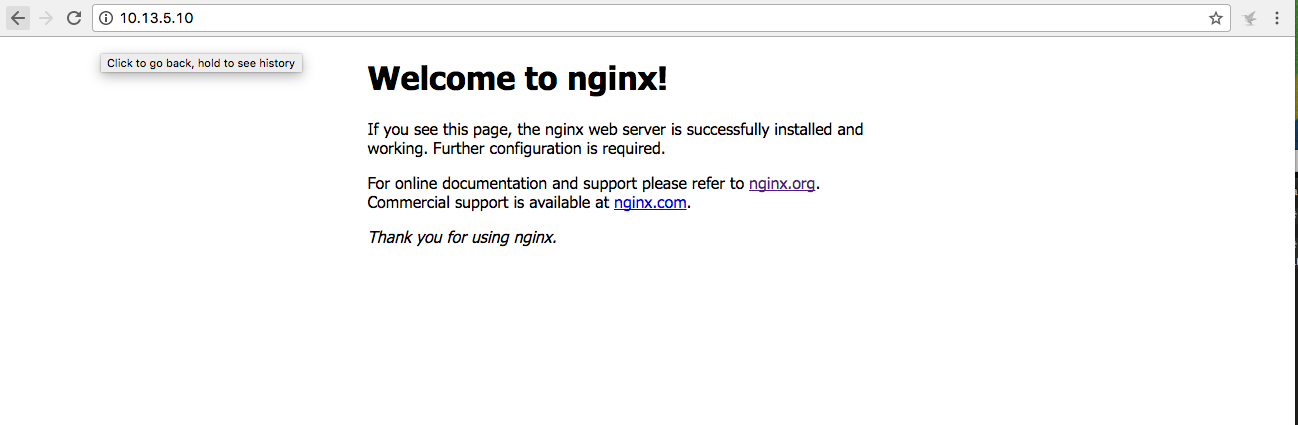
4、可以去访问ip nginx 端口默认是80 看到一下界面就代表成功了一半 PS:如果访问不到,可以试着把防火墙关掉。建议是 开启80 端口
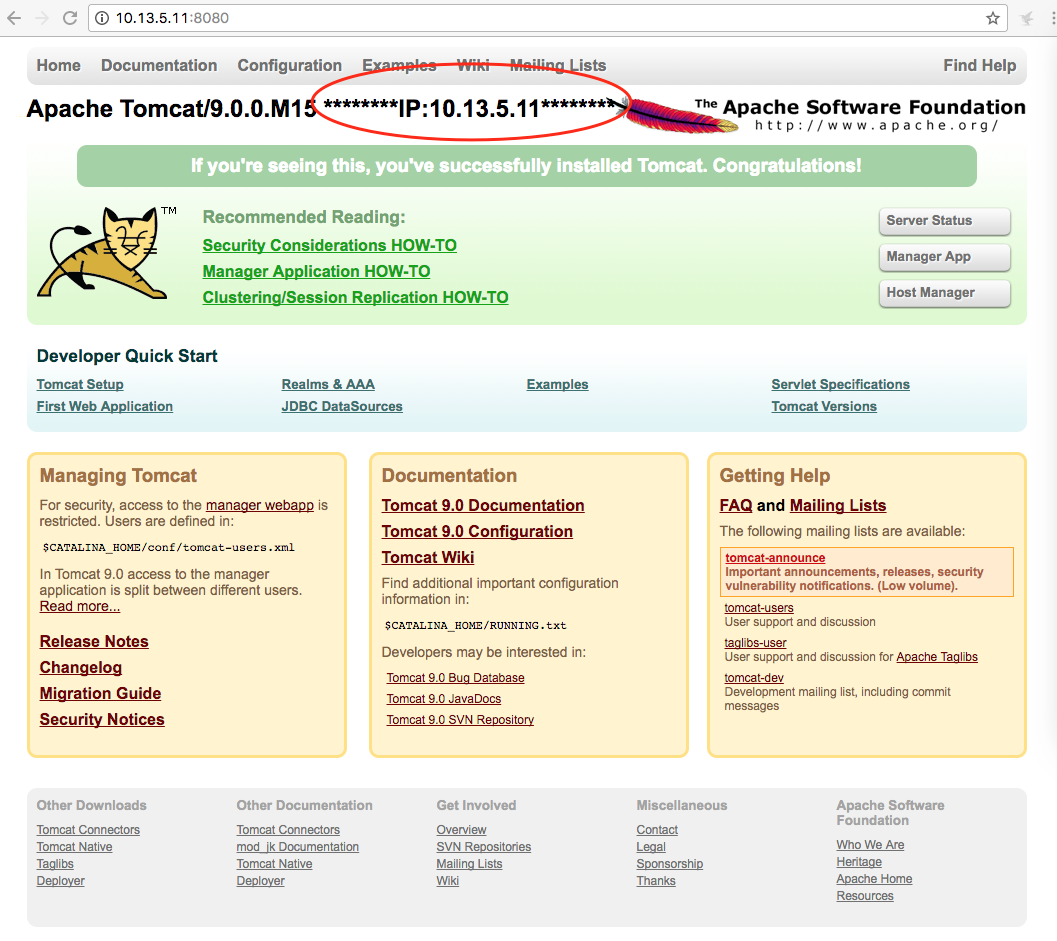
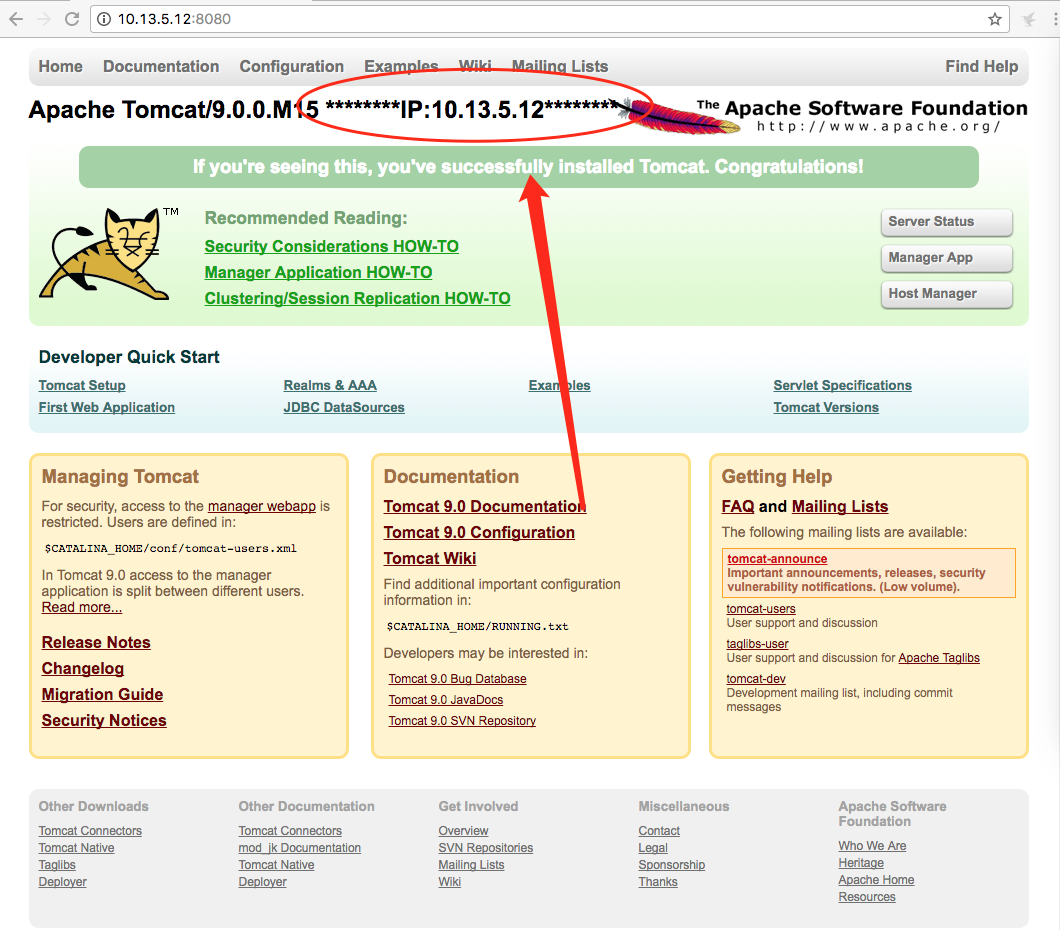
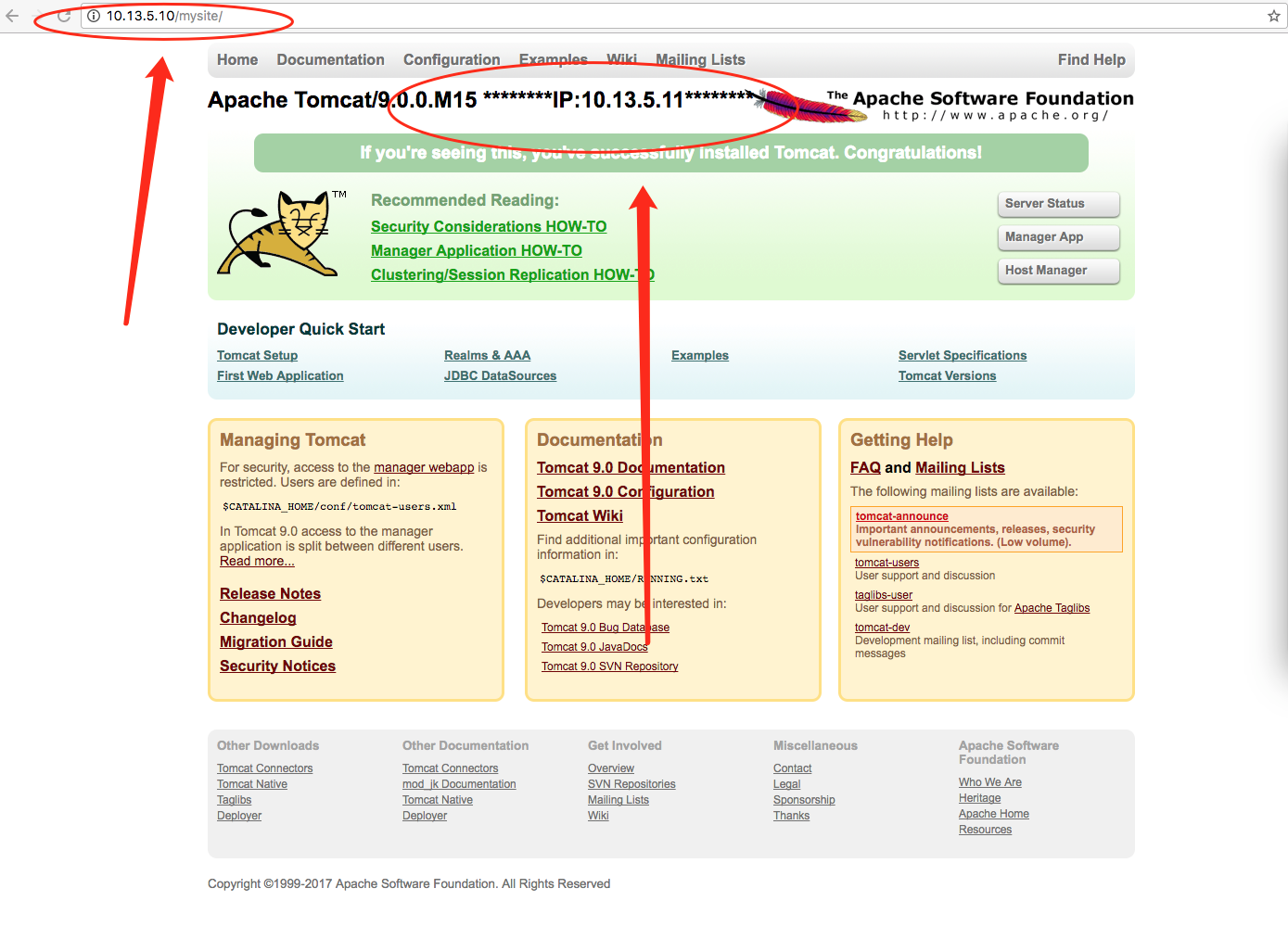
5、准备两个tomcat 当然 你可以在同一台服务器上,然后改成不痛端口。我这边是在两台服务器上。一台IP:10.13.5.11 另一台IP:10.13.5.12。为了方便区别是两个不同的tomcat 我把index.jsp 修改成以下:
第一台IP:10.13.5.11
第二台IP:10.13.5.12
6、配置 nginx configure
[root@localhost nginx]# cd /usr/local/nginx/conf/
a、配置后端服务器组
    upstream testsite.com{

    server 10.13.5.11:8080 weight=1;

    server 10.13.5.12:8080 weight=2;

  }
b、使用服务器组 注意!!!!! 如果 location / { proxy_pass http://testsite.com; } proxy_pass http://testsite.com 末尾可以不用加 / ,但是 location /other_string/ { proxy_pass http://testsite.com/; } proxy_pass http://testsite.com 之后一定要加 /
       location /mysite/ {

        	proxy_pass http://testsite.com/;

	     proxy_redirect default;

  }
c、最后的所有代码
#user  nobody;

worker_processes  1;

#error_log  logs/error.log;

#error_log  logs/error.log  notice;

#error_log  logs/error.log  info;

#pid        logs/nginx.pid;

events {

    worker_connections  1024;

}

http {

    include       mime.types;

    default_type  application/octet-stream;

    #log_format  main  '$remote_addr - $remote_user [$time_local] "$request" '

    #                  '$status $body_bytes_sent "$http_referer" '

    #                  '"$http_user_agent" "$http_x_forwarded_for"';

    #access_log  logs/access.log  main;

    sendfile        on;

    #tcp_nopush     on;

    #keepalive_timeout  0;

    keepalive_timeout  65;

    #gzip  on;

    upstream testsite.com{

	server 10.13.5.11:8080 weight=1;

	server 10.13.5.12:8080 weight=2;

    }

    server {

        listen       80;

        server_name  localhost;

        #charset koi8-r;

        #access_log  logs/host.access.log  main;

        location / {

            root   html;

            index  index.html index.htm;

        }

	location /mysite/ {

        	proxy_pass http://testsite.com/;

		proxy_redirect default;

	}

        #error_page  404              /404.html;

        # redirect server error pages to the static page /50x.html

        #

        error_page   500 502 503 504  /50x.html;

        location = /50x.html {

            root   html;

        }

        # proxy the PHP scripts to Apache listening on 127.0.0.1:80

        #

        #location ~ \.php$ {

        #    proxy_pass   http://127.0.0.1;

        #}

        # pass the PHP scripts to FastCGI server listening on 127.0.0.1:9000

        #

        #location ~ \.php$ {

        #    root           html;

        #    fastcgi_pass   127.0.0.1:9000;

        #    fastcgi_index  index.php;

        #    fastcgi_param  SCRIPT_FILENAME  /scripts$fastcgi_script_name;

        #    include        fastcgi_params;

        #}

        # deny access to .htaccess files, if Apache's document root

        # concurs with nginx's one

        #

        #location ~ /\.ht {

        #    deny  all;

        #}

    }

    # another virtual host using mix of IP-, name-, and port-based configuration

    #

    #server {

    #    listen       8000;

    #    listen       somename:8080;

    #    server_name  somename  alias  another.alias;

    #    location / {

    #        root   html;

    #        index  index.html index.htm;

    #    }

    #}

    # HTTPS server

    #

    #server {

    #    listen       443 ssl;

    #    server_name  localhost;

    #    ssl_certificate      cert.pem;

    #    ssl_certificate_key  cert.key;

    #    ssl_session_cache    shared:SSL:1m;

    #    ssl_session_timeout  5m;

    #    ssl_ciphers  HIGH:!aNULL:!MD5;

    #    ssl_prefer_server_ciphers  on;

    #    location / {

    #        root   html;

    #        index  index.html index.htm;

    #    }

    #}

}
7、重启nginx
[root@localhost conf]# ./sbin/nginx -s reload
8、成功
第一张访问 IP:10.13.5.12 的服务器
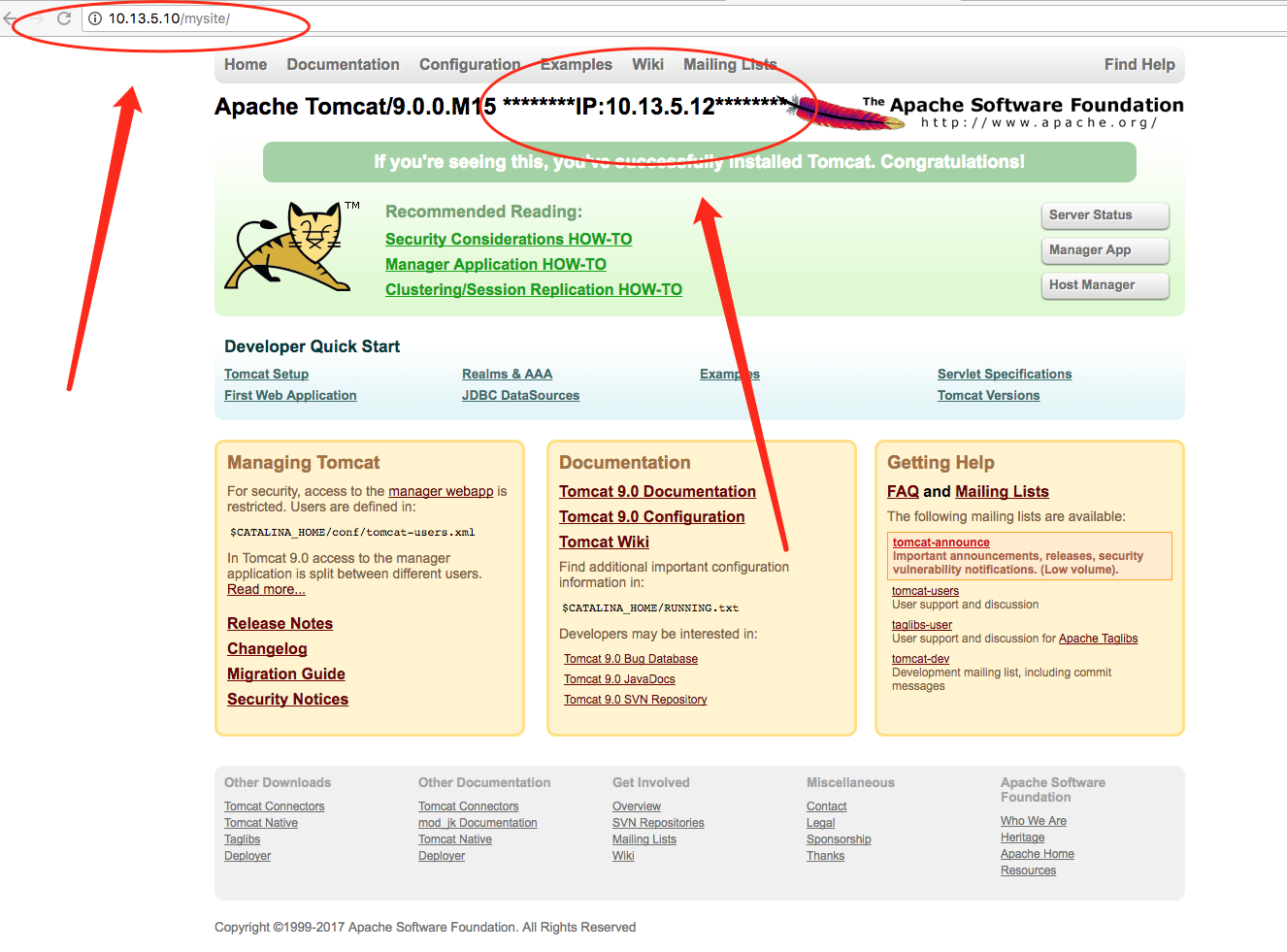
第二张是访问IP:10.13.5.11 的服务器
Nginx 做JavaWeb负载均衡的更多相关文章
- windows下利用nginx 做IIS负载均衡
如果网站流量变大,就想加服务器分担压力,当然就要用到负载均衡,在windows 2003有自带的网络负载均衡,但配置还是挺麻烦的虽然有轮训和iphash的效果,但效果不算好. nginx小巧,下载不到 ...
- 利用nginx做tcp负载均衡
当前nginx-13.1已经支持tcp,ucp,unix域套接字三种负载均衡模式(http肯定支持,这个不用说).最近有需求需要对后端服务做负载均衡,因此考虑使用nginx来做. 1. 下载nginx ...
- nginx做反向负载均衡,后端服务器获取真实客户端ip(转)
首先,在前端nginx上需要做如下配置: location / proxy_set_hearder host $host; proxy_set_header X-forw ...
- nginx做反向负载均衡,后端服务器获取真实客户端ip
首先,在前端nginx上需要做如下配置: location / proxy_set_header host $host; proxy_set_header X-fo ...
- Nginx 简单的负载均衡配置演示样例
近期在做开放查询应用的时候,因为数据两天特别多,两千多万条呢,用户訪问需求也比較大,所以就用nginx做了 负载均衡,以下是改动之后的相关内容. http://www.cnblogs.com/xiao ...
- Nginx 简单的负载均衡配置示例(转载)
原文地址:Nginx 简单的负载均衡配置示例(转载) 作者:水中游于 www.s135.com 和 blog.s135.com 域名均指向 Nginx 所在的服务器IP. 用户访问http://www ...
- 观nginx与lvs负载均衡的较量
在技术工作者中,常用到的就是lvs负载均衡和Nginx负载均衡了.这两者也是比较普及的.那么,根据不同的需求,两者存在着不同的优势.具体选择哪一个,还要看您的要求了.那么我们在此为大家分享一篇文章,对 ...
- Nginx+Tomcat+Memcached负载均衡集群服务搭建
操作系统:CentOS6.5 本文档主要讲解,如何在CentOS6.5下搭建Nginx+Tomcat+Memcached负载均衡集群服务器,Nginx负责负载均衡,Tomcat负责实际服务,Memc ...
- nginx 健康检查和负载均衡机制分析
nginx 是优秀的反向代理服务器,这里主要讲它的健康检查和负载均衡机制,以及这种机制带来的问题.所谓健康检查,就是当后端出现问题(具体什么叫出现问题,依赖 于具体实现,各个实现定义不一样),不再往这 ...
随机推荐
- 长乐培训Day7
T1 删除 题目 [题目描述] 现在,我的手上有 n 个数字,分别是 a1,a2,a3,...,an. 我现在需要删除其中的 k 个数字.当然我不希望随随便便删除,我希望删除 k 数字之后,剩下的 n ...
- go String方法的实际应用
让 IPAddr 类型实现 fmt.Stringer 以便用点分格式输出地址. 例如,`IPAddr{1,`2,`3,`4}` 应当输出 `"1.2.3.4"`. String() ...
- 音视频入门-13-使用开源库生成PNG图片
* 音视频入门文章目录 * RGB-to-PNG 回顾 上一篇 [手动生成一张PNG图片] 根据 [PNG文件格式详解] 一步一步地手动实现了将 RGB 数据生成了一张 PNG 图片. 有许多开源的 ...
- 在论坛中出现的比较难的sql问题:27(字符串拆分、字符串合并、非连续数字的间隔范围、随机返回字符串)
原文:在论坛中出现的比较难的sql问题:27(字符串拆分.字符串合并.非连续数字的间隔范围.随机返回字符串) 在论坛中看到一个帖子,帖子中有一些sql方面的面试题,我觉得这些面试题很有代表性. 原帖的 ...
- 多线程使用libcurl
curl默认情况下有两个地方是线程不安全的, 需要特殊处理, 1是curl_global_init 这个函数必须单线程调用, 2是默认多线程调用https会莫名其妙的挂掉, 以下是网上的解决方案 ht ...
- vue使用阿里矢量图标
官方注册注册 1.加入购物车 在阿里矢量图标库将想要的图标加入购物车,然后在购物车中将图标添加到项目: 2.下载 到我的项目中,将图标下载到本地 3.解压引入 在vue项目的asset ...
- flask-sqlalchemy使用及数据迁移
flask-sqlalchemy是flask框架在sqlalchemy基础上改造的一个orm框架 现在有两个实体Article文章和Category分类 一个分类下可能有多篇文章 相关示例: 项目相关 ...
- SQL SERVER-孤立用户
--SQL SERVER用户管理分为两层,实例级的login和数据库级的用户 --login的SID和数据库用户的SID必须一样才行 --数据库搬迁login在重建时生成新的sid,与原来数据库的用户 ...
- 定制ubuntu镜像
使用ubuntu server 18.04 lts版镜像 作为源镜像定制目标镜像, 工具cubic, 定制目标镜像, 使得一些服务装机后即可使用,例如redis, mysql, monggodb ,s ...
- 【转载】抓包工具tcpdump用法说明
转载地址:http://www.cnblogs.com/f-ck-need-u/p/7064286.html tcpdump采用命令行方式对接口的数据包进行筛选抓取,其丰富特性表现在灵活的表达式上. ...