
【Python】简单实现爬取小说《天龙八部》,并在页面本地访问
背景
很多人说学习爬虫是提升自己的一个非常好的方法,所以有了第一次使用爬虫,水平有限,依葫芦画瓢,主要作为学习的记录。
思路
- 使用python的requests模块获取页面信息
- 通过re模块(正则表达式)取出需要的内容(小说标题,正文)
- 通过MysqlDB模块入库
- 使用webpy模块生成访问页面
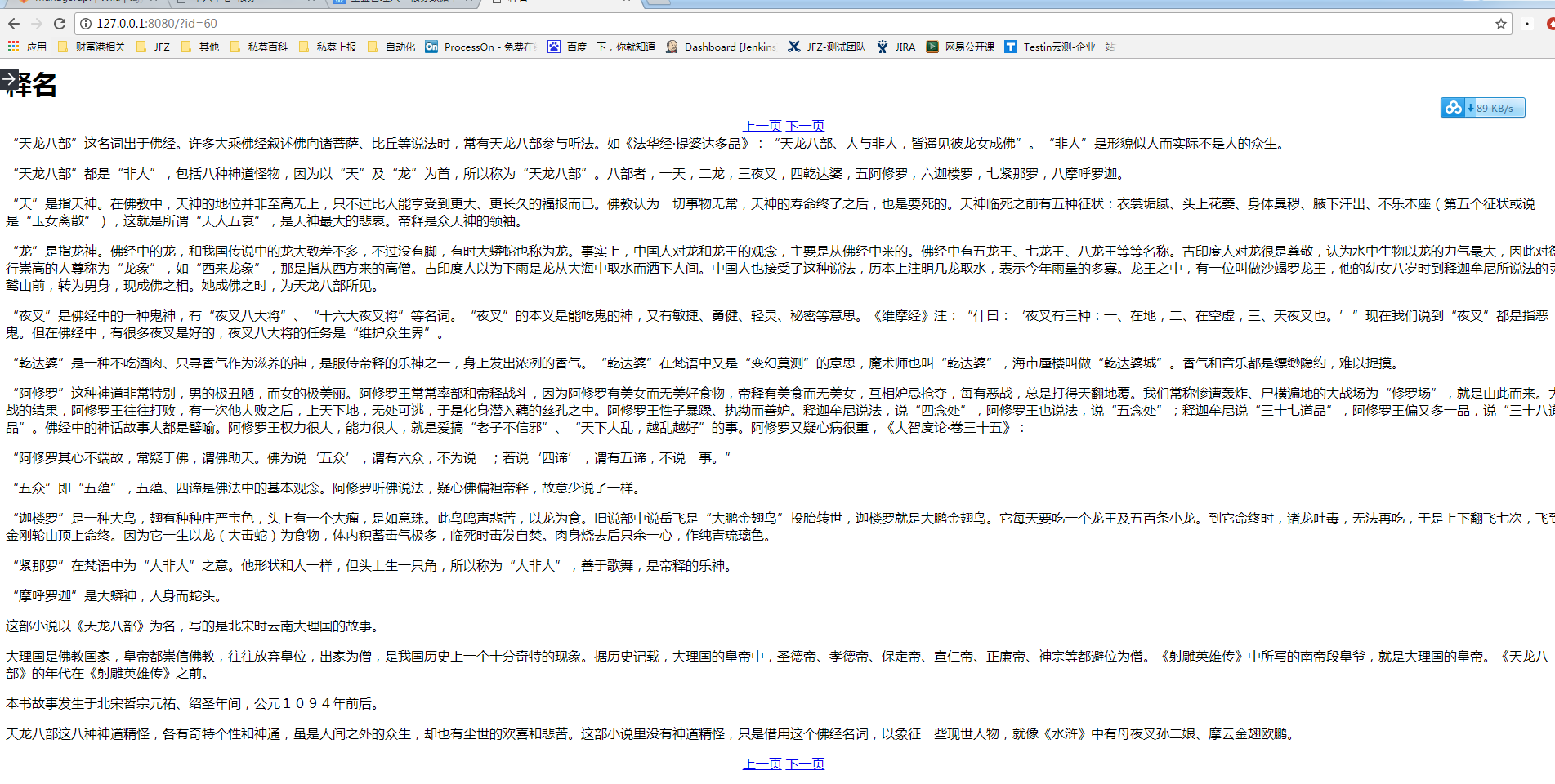
最终的效果图
下面是效果图,简单实现了点击上一页、下一页翻页的功能:
目录结构
目录结构如下:
D:\PROJECT\SPIDER
│ fiction_spider.py
│ webapp.py
│
└─template
index.html
爬取信息及入库示例代码
#coding:utf-8#fiction_spider.py
import requests
import re
import MySQLdb

def get_title():
    html = requests.get('http://www.jinyongwang.com/tian/').content
    rem = r'<li><a href="(.*?)">(.*?)</a>'
    return  re.findall(rem,html)

def get_content(url):
    html = requests.get('http://www.jinyongwang.com/'+url).content
    #print html
    matchs_p = r'<p>(.*?)</p><script.*?'
    data = re.findall(matchs_p, html)
    return data[0]

if __name__ == '__main__':
    a = MySQLdb.connect(host='10.1.*.*', port=3306, user='user', passwd='passwd', db='testdb', charset='utf8')
    for i in get_title():
        cur = a.cursor()
        print i[1]
        print i[0]
        sqli = 'INSERT INTO `fiction` (`title`, `content`) VALUES ("%s","%s" )'%(i[1],get_content(i[0]))
        cur.execute(sqli)
        cur.close()
        a.commit()
    a.close()
生成访问页面示例代码
#coding:utf-8#webapp.py
import web
import re

urls = ('/(.*)','Index')

db = web.database(dbn = 'mysql',host='10.1.*.*', port=3306, user='user', passwd='passwd', db='testdb', charset='utf8')

render = web.template.render('template')

class Index:
    def GET(self,html):
        id = re.findall('(.*?).html',html)[0]
        print id
        data = db.query("select * from fiction where id=%s"%id)
        return render.index(data[0],id)

if __name__ == '__main__':

    web.application(urls,globals()).run()
页面访问的index.html内容如下:
$def with(data,s)
<meta charset="utf-8"/>
<title>$:data.title</title>
<h1>$:data.title</h1>
<div style="margin:0px auto;text-align:center;">
<a href="$:(int(s)-1).html">上一页</a>
<a href="$:(int(s)+1).html">下一页</a>
</div>
$:data.content
<br>
<div style="margin:0px auto;text-align:center;">
<a href="$:(int(s)-1).html">上一页</a>
<a href="$:(int(s)+1).html">下一页</a>
</div>
保存到txt:
if __name__ == '__main__':
    a  = open(u'射雕**传.txt','w')
    m = 0
    for i in get_title():
        #print i[1], get_content(i[0])
        time.sleep(2)
        data = i[1] + '\n' + '\n' + get_content(i[0]).replace('</p><p>','\n\n') + '\n\n' #在标题和内容之间插入换行符,将html中的<p>参数变成换行符
        a.writelines(data)
        m += 1
        print u'正在爬取第%s段内容' % m
        # if m >2:
        #     print u'正在爬取第%s段内容' % m
        #     break
    a.close()
【Python】简单实现爬取小说《天龙八部》,并在页面本地访问的更多相关文章
- 初次尝试python爬虫,爬取小说网站的小说。
本次是小阿鹏,第一次通过python爬虫去爬一个小说网站的小说. 下面直接上菜. 1.首先我需要导入相应的包,这里我采用了第三方模块的架包,requests.requests是python实现的简单易 ...
- Python简单程序爬取天气信息,定时发邮件给朋友【高薪必学】
前段时间看到了这个博客.https://blog.csdn.net/weixin_45081575/article/details/102886718.他用了request模块,这不巧了么,正好我刚用 ...
- python简单爬虫爬取百度百科python词条网页
目标分析:目标:百度百科python词条相关词条网页 - 标题和简介 入口页:https://baike.baidu.com/item/Python/407313 URL格式: - 词条页面URL:/ ...
- 04 Python网络爬虫 <<爬取get/post请求的页面数据>>之requests模块
一. urllib库 urllib是Python自带的一个用于爬虫的库,其主要作用就是可以通过代码模拟浏览器发送请求.其常被用到的子模块在Python3中的为urllib.request和urllib ...
- python爬虫——爬取小说 | 探索白子画和花千骨的爱恨情仇(转载)
转载出处:药少敏 ,感谢原作者清晰的讲解思路! 下述代码是我通过自己互联网搜索和拜读完此篇文章之后写出的具有同样效果的爬虫代码: from bs4 import BeautifulSoup imp ...
- Scrapy爬取小说简单逻辑
Scrapy爬取小说简单逻辑 一 准备工作 1)安装Python 2)安装PIP 3)安装scrapy 4)安装pywin32 5)安装VCForPython27.exe ........... 具体 ...
- Python实战项目网络爬虫 之 爬取小说吧小说正文
本次实战项目适合,有一定Python语法知识的小白学员.本人也是根据一些网上的资料,自己摸索编写的内容.有不明白的童鞋,欢迎提问. 目的:爬取百度小说吧中的原创小说<猎奇师>部分小说内容 ...
- Golang 简单爬虫实现,爬取小说
为什么要使用Go写爬虫呢? 对于我而言,这仅仅是练习Golang的一种方式. 所以,我没有使用爬虫框架,虽然其很高效. 为什么我要写这篇文章? 将我在写爬虫时找到资料做一个总结,希望对于想使用Gola ...
- python之爬取小说
继上一篇爬取小说一念之间的第一章,这里将进一步展示如何爬取整篇小说 # -*- coding: utf- -*- import urllib.request import bs4 import re ...
随机推荐
- Django orm 中 python manage.py makemigrations 和 python manage.py migrate 这两条命令用途
生成一个临时文件 python manage.py makemigrations 这时其实是在该app下建立 migrations目录,并记录下你所有的关于modes.py的改动,比如0001_ini ...
- 使用QJM构建HDFS HA架构(2.2+)
转载自:http://blog.csdn.net/a822631129/article/details/51313145 本文主要介绍HDFS HA特性,以及如何使用QJM(Quorum Journa ...
- 使用curl发送post或者get数据
一. 使用curl可以仿造http的请求,向目标服务器或者是目标IP发送数据,进行操作. (1).使用php操作curl向某个接口上发送GET请求: 下面是写的一个比较简单的请求方式请求数据,传入的参 ...
- PAT 1049 Counting Ones [难]
1049 Counting Ones (30 分) The task is simple: given any positive integer N, you are supposed to coun ...
- docker——镜像(image)
镜像相关命令一览表: docker images docker tag docker inspect docker history docker search docker pull/push doc ...
- npm使用淘宝镜像
淘宝 npm 地址: http://npm.taobao.org/ 如何使用 有很多方法来配置npm的registry地址,下面根据不同情境列出几种比较常用的方法.以淘宝npm镜像举例: 1.临时使用 ...
- 理解js的DOM操作
1.DOM结构——两个节点之间可能存在哪些关系以及如何在节点之间任意移动.document.documentElement 返回文档的根节点<html> document.body ...
- 修改myeclipse字体与操作系统的字体一致
如果你是win7系统,想要修改Myeclipse字体,步骤如下:第一步:C:\Windows\Fonts,找到Courier New,鼠标右键-->显示第二步:Ceneral --> Ap ...
- python-静态方法staticmethod、类方法classmethod、属性方法property
Python的方法主要有3个,即静态方法(staticmethod),类方法(classmethod)和实例方法 1 2 3 4 5 6 7 8 9 10 11 12 13 14 15 16 def ...
- python、pip、whl安装和使用
1 python的安装 首先,从python的官方网站 www.python.org下载需要的python版本,地址是这个: http://www.python.org/ftp/python/2.7. ...