
Spring Boot 基础
Spring Boot 基础
Spring Boot 项目(参考1) 提供了一个类似ASP.NET MVC的默认模板一样的标准样板,直接集成了一系列的组件并使用了默认的配置。使用Spring Boot 不会降低学习成本,甚至增加了学习成本,但显著降低了使用成本并提高了开发效率。如果没有Spring基础不建议直接上手。
1.基础项目
这里只关注基于Maven的项目构建,使用Spring Boot CLI命令行工具和Gradle构建方式请参考官网。
(1)创建项目:
创建类型为quickstart的Maven项目,删除默认生成的.java文件保持默认的Maven目录即可。
(2)修改/pom.xml

 1 <?xml version="1.0" encoding="UTF-8"?>

 2 <project xmlns="http://maven.apache.org/POM/4.0.0" xmlns:xsi="http://www.w3.org/2001/XMLSchema-instance"

 3     xsi:schemaLocation="http://maven.apache.org/POM/4.0.0 http://maven.apache.org/xsd/maven-4.0.0.xsd">

 4     <modelVersion>4.0.0</modelVersion>

 5     <groupId>com.example</groupId>

 6     <artifactId>myproject</artifactId>

 7     <version>0.0.1-SNAPSHOT</version>

 8     <properties>

 9         <java.version>1.8</java.version>

10     </properties>

11     <parent>

12         <groupId>org.springframework.boot</groupId>

13         <artifactId>spring-boot-starter-parent</artifactId>

14         <version>1.3.1.RELEASE</version>

15     </parent>

16     <dependencies>

17         <dependency>

18             <groupId>org.springframework.boot</groupId>

19             <artifactId>spring-boot-starter-web</artifactId>

20         </dependency>

21     </dependencies>

22 </project>
(3)添加/src/main/sample/controller/HomeController.java文件:
 1 package simple.controller;

 2

 3 import org.springframework.web.bind.annotation.*;

 4

 5 @RestController

 6 public class HomeController {

 7

 8     @RequestMapping("/")

 9     public String index() {

10         return "Hello World!";

11     }

12 }
(4)添加/src/main/sample/Application.java文件:
 1 package simple;

 2

 3 import org.springframework.boot.*;

 4 import org.springframework.boot.autoconfigure.*;

 5 import simple.controller.*;

 6

 7 @EnableAutoConfiguration

 8 public class Application {

 9

10     public static void main(String[] args) throws Exception {

11         SpringApplication.run(new Object[] { Application.class, HomeController.class }, args);

12     }

13

14 }
在浏览器中输入http://localhost:8080/,即可直接看到"Hello World"运行结果。
2. 添加数据访问支持
(1)修改pom,添加spring-boot-starter-data-jpa和h2依赖:
 1 <?xml version="1.0" encoding="UTF-8"?>

 2 <project xmlns="http://maven.apache.org/POM/4.0.0" xmlns:xsi="http://www.w3.org/2001/XMLSchema-instance"

 3     xsi:schemaLocation="http://maven.apache.org/POM/4.0.0 http://maven.apache.org/xsd/maven-4.0.0.xsd">

 4     <modelVersion>4.0.0</modelVersion>

 5     <groupId>com.example</groupId>

 6     <artifactId>myproject</artifactId>

 7     <version>0.0.1-SNAPSHOT</version>

 8     <properties>

 9         <java.version>1.8</java.version>

10     </properties>

11     <parent>

12         <groupId>org.springframework.boot</groupId>

13         <artifactId>spring-boot-starter-parent</artifactId>

14         <version>1.3.1.RELEASE</version>

15     </parent>

16     <dependencies>

17         <dependency>

18             <groupId>org.springframework.boot</groupId>

19             <artifactId>spring-boot-starter-web</artifactId>

20         </dependency>

21         <dependency>

22             <groupId>org.springframework.boot</groupId>

23             <artifactId>spring-boot-starter-data-jpa</artifactId>

24         </dependency>

25         <dependency>

26             <groupId>com.h2database</groupId>

27             <artifactId>h2</artifactId>

28             <scope>runtime</scope>

29         </dependency>

30     </dependencies>

31 </project>
如果需要在控制台查看生成SQL语句,可以添加/src/main/resources/application.properties
1 spring.h2.console.enabled=true

2 logging.level.org.hibernate.SQL=debug
(2)添加实体
添加User、Role、Category和Post实体。
User:
package simple.domain;
import java.util.*;
import javax.persistence.*;
@Entity
public class User {
@Id
@GeneratedValue
private Long id;
private String userName;
private String password;
private String Email;
@javax.persistence.Version
private Long Version;
@ManyToMany(cascade = CascadeType.ALL)
private List<Role> roles = new ArrayList<Role>();
public Long getId() {
return id;
}
public void setId(Long id) {
this.id = id;
}
public String getUserName() {
return userName;
}
public void setUserName(String userName) {
this.userName = userName;
}
public String getPassword() {
return password;
}
public void setPassword(String password) {
this.password = password;
}
public String getEmail() {
return Email;
}
public void setEmail(String email) {
Email = email;
}
public List<Role> getRoles() {
return roles;
}
public void setRoles(List<Role> roles) {
this.roles = roles;
}
public Long getVersion() {
return Version;
}
public void setVersion(Long version) {
Version = version;
}
}
Role:
package simple.domain;
import java.util.*;
import javax.persistence.*;
@Entity
public class Role {
@Id
@GeneratedValue
private Long id;
private String roleName;
@ManyToMany(cascade = CascadeType.ALL)
private List<User> users = new ArrayList<User>();
public Long getId() {
return id;
}
public void setId(Long id) {
this.id = id;
}
public String getRoleName() {
return roleName;
}
public void setRoleName(String roleName) {
this.roleName = roleName;
}
public List<User> getUsers() {
return users;
}
public void setUsers(List<User> users) {
this.users = users;
}
}
Category:
package simple.domain;
import java.util.*;
import javax.persistence.*;
@Entity
public class Category {
@Id
@GeneratedValue
private Long id;
private String Name;
@OneToMany
private List<Post> posts = new ArrayList<Post>();
public Long getId() {
return id;
}
public void setId(Long id) {
this.id = id;
}
public String getName() {
return Name;
}
public void setName(String name) {
Name = name;
}
public List<Post> getPosts() {
return posts;
}
public void setPosts(List<Post> posts) {
this.posts = posts;
}
}
Post:
package simple.domain;
import java.util.*;
import javax.persistence.*;
@Entity
public class Post {
@Id
@GeneratedValue
private Long id;
private String Name;
private String Html;
private String Text;
private Date CreateAt;
@ManyToOne
private Category category;
public Long getId() {
return id;
}
public void setId(Long id) {
this.id = id;
}
public String getName() {
return Name;
}
public void setName(String name) {
Name = name;
}
public String getHtml() {
return Html;
}
public void setHtml(String html) {
Html = html;
}
public String getText() {
return Text;
}
public void setText(String text) {
Text = text;
}
public Date getCreateAt() {
return CreateAt;
}
public void setCreateAt(Date createAt) {
CreateAt = createAt;
}
public Category getCategory() {
return category;
}
public void setCategory(Category category) {
this.category = category;
}
}
(3)添加资源库
添加UserRepository、RoleRepository、CategoryRepository和PostRepository接口,无需实现。
UserRepository:
1 package simple.repository;

2

3 import org.springframework.data.repository.*;

4

5 import simple.domain.*;

6

7 public interface UserRepository extends CrudRepository<User, Long> {

8

9 }
RoleRepository
1 package simple.repository;

2

3 import org.springframework.data.repository.*;

4

5 import simple.domain.*;

6

7 public interface RoleRepository extends CrudRepository<Role, Long> {

8

9 }
CategoryRepository
1 package simple.repository;

2

3 import org.springframework.data.repository.*;

4

5 import simple.domain.*;

6

7 public interface CategoryRepository extends CrudRepository<Category, Long> {

8

9 }
PostRepository
package simple.repository;

import org.springframework.data.repository.*;

import simple.domain.*;

public interface PostRepository extends CrudRepository<User, Long> {

}
(4)在控制器中注入资源库接口
 1 package simple.controller;

 2

 3 import org.springframework.beans.factory.annotation.*;

 4 import org.springframework.web.bind.annotation.*;

 5

 6 import simple.repository.*;

 7

 8 @RestController

 9 public class HomeController {

10

11     private UserRepository userRepository;

12     private RoleRepository roleRepository;

13     private CategoryRepository categoryRepository;

14     private PostRepository postReppository;

15

16     @Autowired

17     public HomeController(UserRepository userRepository, RoleRepository roleRepository,

18             CategoryRepository categoryRepository, PostRepository postReppository) {

19         this.userRepository = userRepository;

20         this.roleRepository = roleRepository;

21         this.categoryRepository = categoryRepository;

22         this.postReppository = postReppository;

23     }

24

25

26     @RequestMapping("/")

27     public long index() {

28         return userRepository.count();

29     }

30 }
使用事务时在方法上应用注解@Transactional
3.添加验证和授权支持
(1)添加spring-boot-starter-security依赖
 1 <?xml version="1.0" encoding="UTF-8"?>

 2 <project xmlns="http://maven.apache.org/POM/4.0.0" xmlns:xsi="http://www.w3.org/2001/XMLSchema-instance"

 3     xsi:schemaLocation="http://maven.apache.org/POM/4.0.0 http://maven.apache.org/xsd/maven-4.0.0.xsd">

 4     <modelVersion>4.0.0</modelVersion>

 5     <groupId>com.example</groupId>

 6     <artifactId>myproject</artifactId>

 7     <version>0.0.1-SNAPSHOT</version>

 8     <properties>

 9         <java.version>1.8</java.version>

10     </properties>

11     <parent>

12         <groupId>org.springframework.boot</groupId>

13         <artifactId>spring-boot-starter-parent</artifactId>

14         <version>1.3.1.RELEASE</version>

15     </parent>

16     <dependencies>

17         <dependency>

18             <groupId>org.springframework.boot</groupId>

19             <artifactId>spring-boot-starter-web</artifactId>

20         </dependency>

21         <dependency>

22             <groupId>org.springframework.boot</groupId>

23             <artifactId>spring-boot-starter-data-jpa</artifactId>

24         </dependency>

25         <dependency>

26             <groupId>com.h2database</groupId>

27             <artifactId>h2</artifactId>

28             <scope>runtime</scope>

29         </dependency>

30         <dependency>

31             <groupId>org.springframework.boot</groupId>

32             <artifactId>spring-boot-starter-security</artifactId>

33         </dependency>

34     </dependencies>

35 </project>
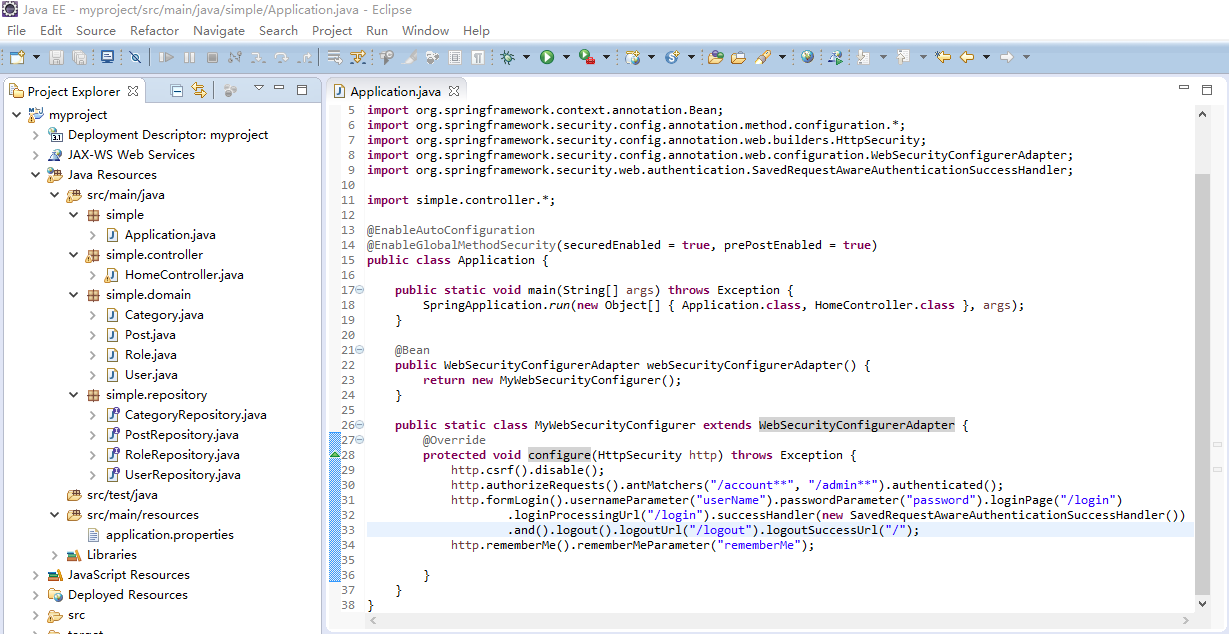
(2)修改Application.java
 1 package simple;

 2

 3 import org.springframework.boot.*;

 4 import org.springframework.boot.autoconfigure.*;

 5 import org.springframework.context.annotation.Bean;

 6 import org.springframework.security.config.annotation.method.configuration.*;

 7 import org.springframework.security.config.annotation.web.builders.HttpSecurity;

 8 import org.springframework.security.config.annotation.web.configuration.WebSecurityConfigurerAdapter;

 9 import org.springframework.security.web.authentication.SavedRequestAwareAuthenticationSuccessHandler;

10

11 import simple.controller.*;

12

13 @EnableAutoConfiguration

14 @EnableGlobalMethodSecurity(securedEnabled = true, prePostEnabled = true)

15 public class Application {

16

17     public static void main(String[] args) throws Exception {

18         SpringApplication.run(new Object[] { Application.class, HomeController.class }, args);

19     }

20

21     @Bean

22     public WebSecurityConfigurerAdapter webSecurityConfigurerAdapter() {

23         return new MyWebSecurityConfigurer();

24     }

25

26     public static class MyWebSecurityConfigurer extends WebSecurityConfigurerAdapter {

27         @Override

28         protected void configure(HttpSecurity http) throws Exception {

29             http.csrf().disable();

30             http.authorizeRequests().antMatchers("/account**", "/admin**").authenticated();

31             http.formLogin().usernameParameter("userName").passwordParameter("password").loginPage("/login")

32                     .loginProcessingUrl("/login").successHandler(new SavedRequestAwareAuthenticationSuccessHandler())

33                     .and().logout().logoutUrl("/logout").logoutSuccessUrl("/");

34             http.rememberMe().rememberMeParameter("rememberMe");

35

36         }

37     }

38 }
访问http://localhost:8080/account会自动跳转到login登录页。Spring Security的具体使用前文已有所述。
参考:
(1)https://github.com/spring-projects/spring-boot
(2)http://projects.spring.io/spring-boot/
(3)https://github.com/qibaoguang/Spring-Boot-Reference-Guide/blob/master/SUMMARY.md
Spring Boot 基础的更多相关文章
- Spring Boot 基础教程系列学习文档
Spring Boot基础教程1-Spring Tool Suite工具的安装 Spring Boot基础教程2-RESTfull API简单项目的快速搭建 Spring Boot基础教程3-配置文件 ...
- spring boot基础 入门
spring boot基础 spring boot 的简单搭建 spring boot 的基本用法 spring boot 基本用法 自动配置 技术集成 性能监控 源码解析 工程的构建 创建一个mav ...
- Spring Boot基础教程》 第1节工具的安装和使用
<Spring Boot基础教程> 第1节 工具的安装和使用 Spring Boot文档 https://qbgbook.gitbooks.io/spring-boot-reference ...
- spring boot基础学习教程
Spring boot 标签(空格分隔): springboot HelloWorld 什么是spring boot Spring Boot是由Pivotal团队提供的全新框架,其设计目的是用来简化新 ...
- Spring Boot 基础,理论,简介
Spring Boot 基础,理论,简介 1.SpringBoot自动装配 1.1 Spring装配方式 1.2 Spring @Enable 模块驱动 1.3 Spring 条件装配 2.自动装配正 ...
- Java Web系列:Spring Boot 基础
Spring Boot 项目(参考1) 提供了一个类似ASP.NET MVC的默认模板一样的标准样板,直接集成了一系列的组件并使用了默认的配置.使用Spring Boot 不会降低学习成本,甚至增加了 ...
- Java Web系列:Spring Boot 基础 (转)
Spring Boot 项目(参考1) 提供了一个类似ASP.NET MVC的默认模板一样的标准样板,直接集成了一系列的组件并使用了默认的配置.使用Spring Boot 不会降低学习成本,甚至增加了 ...
- Spring Boot - 基础 POM 文件
表 1. Spring Boot 推荐的基础 POM 文件 名称 说明 spring-boot-starter 核心 POM,包含自动配置支持.日志库和对 YAML 配置文件的支持. spring-b ...
- Spring Boot学习笔记---Spring Boot 基础及使用idea搭建项目
最近一段时间一直在学习Spring Boot,刚进的一家公司也正好有用到这个技术.虽然一直在学习,但是还没有好好的总结,今天周末先简单总结一下基础知识,等有时间再慢慢学习总结吧. Spring Boo ...
随机推荐
- UVa 10616 - Divisible Group Sums
称号:给你n数字.免去m一个,这使得他们可分割d.问:有多少种借贷. 分析:dp,D01背包. 背包整数分区. 首先.整点d.则全部数字均在整数区间[0,d)上: 然后,确定背包容量,最大为20*10 ...
- 1.SQL统计某张表的列数。
select count(syscolumns.name) from syscolumns , sysobjects where syscolumns.id ...
- PHP SPL他们留下的宝石
Rafael Dohms 上面的篇文章 让我为之惊艳,忍不住就翻译了下来,同一时候补充了部分内容. SPL,PHP 标准库(Standard PHP Library) ,此从 PHP 5.0 起内置的 ...
- 从零开始学C++之动态创建对象
回顾前面的文章,实现了一个简单工厂模式来创建不同类对象,但由于c++没有类似new "Circle"之类的语法,导致CreateShape 函 数中需要不断地ifelse地去判断, ...
- 部署、收回和删除解决方式----STSADM和PowerShell
部署.收回和删除解决方式----STSADM和PowerShell 由于近期总是要部署wsp解决方式,所以常常要用到命令行或者PowerShell.所以有必要将命令集中放在这里.在部署 ...
- cocos2D(三)---- 第一cocos2d的程序代码分析
在第一讲中已经新建了第一个cocos2d程序,执行效果例如以下: 在这讲中我们来分析下里面的代码,了解cocos2d的工作原理,看看屏幕上的这个"Hello World"是怎样显示 ...
- hdu4352(数位dp)
题目连接:http://acm.hdu.edu.cn/showproblem.php?pid=4352 题意:求区间L到R之间的数A满足A的的数位的最长递增序列的长度为K的数的个数. 分析:数位dp, ...
- cocos2d-x 消类游戏,类似Diamond dash 设计
前几天刚刚在学习cocos2d-x,无聊之下自己做了一个类似Diamond dash的消类游戏,今天放到网上来和大家分享一下.我相信Diamond dash这个游戏大家都玩过,游戏的规则是这样的,有一 ...
- 啊我V办我偶看篇未改片考i
http://pan.baidu.com/share/link?shareid=3011665141&uk=338692646&third=15 http ...
- OpenCL 查看设备信息
好久没搞OpenCL了.可是这是个好东西.不能不学,之前发了篇设置OpenCL的文章.看的人还真多,看来大家都知道这个好东西了,都想把OpenCL搞起.只是学习难度还是相当高的. 之前忙搞算法,所以非 ...