
Spring Boot 2.0 整合Thymeleaf 模板引擎
本节将和大家一起实战Spring Boot 2.0 和thymeleaf 模板引擎
1. 创建项目
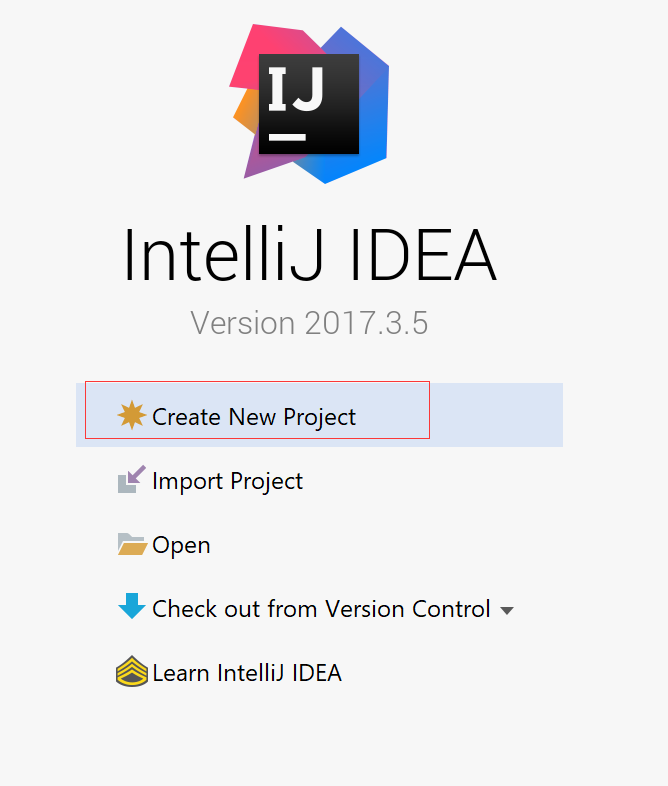
2. 使用Spring Initlizr 快速创建Spring Boot 应用程序
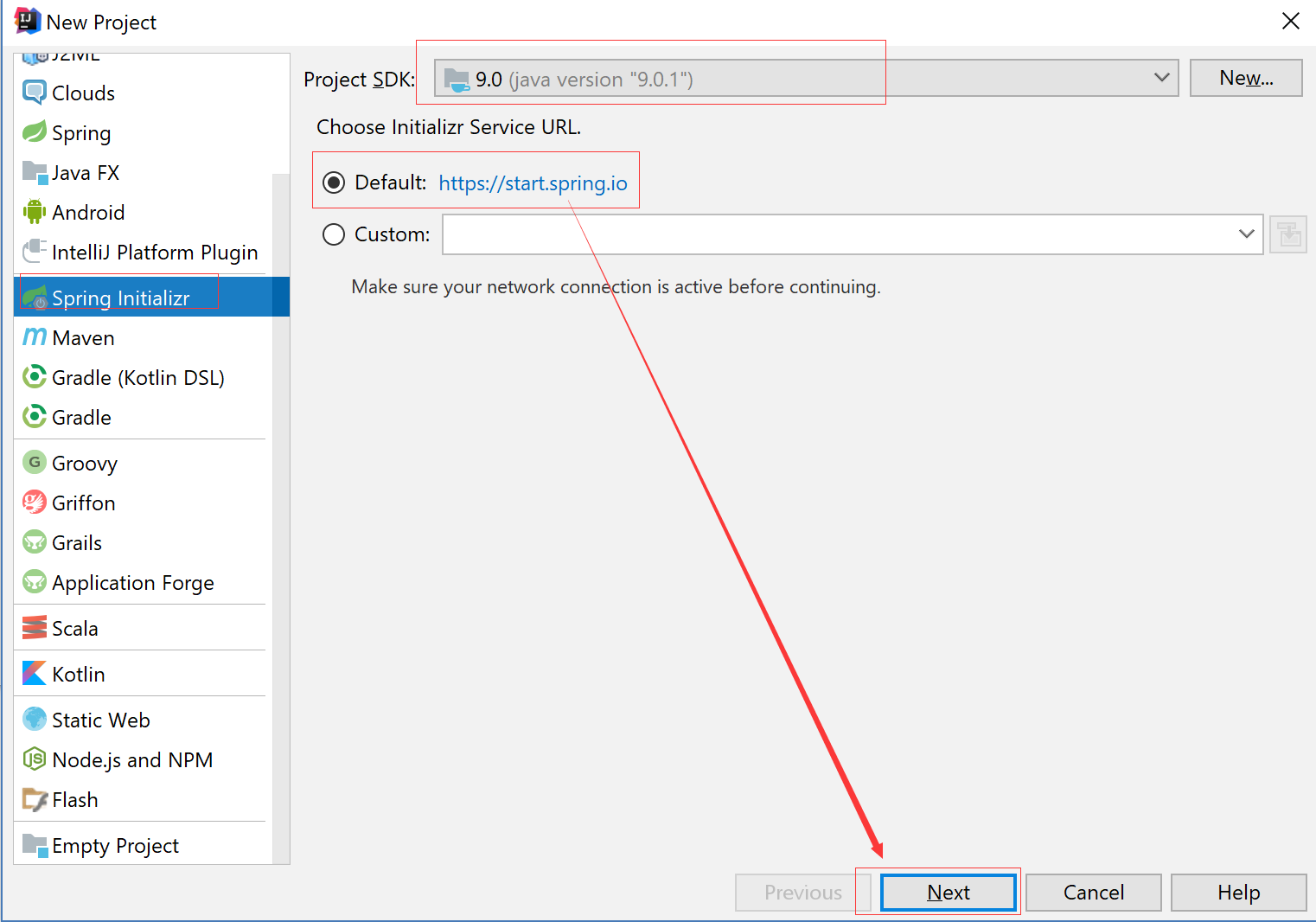
3. 填写项目配置信息

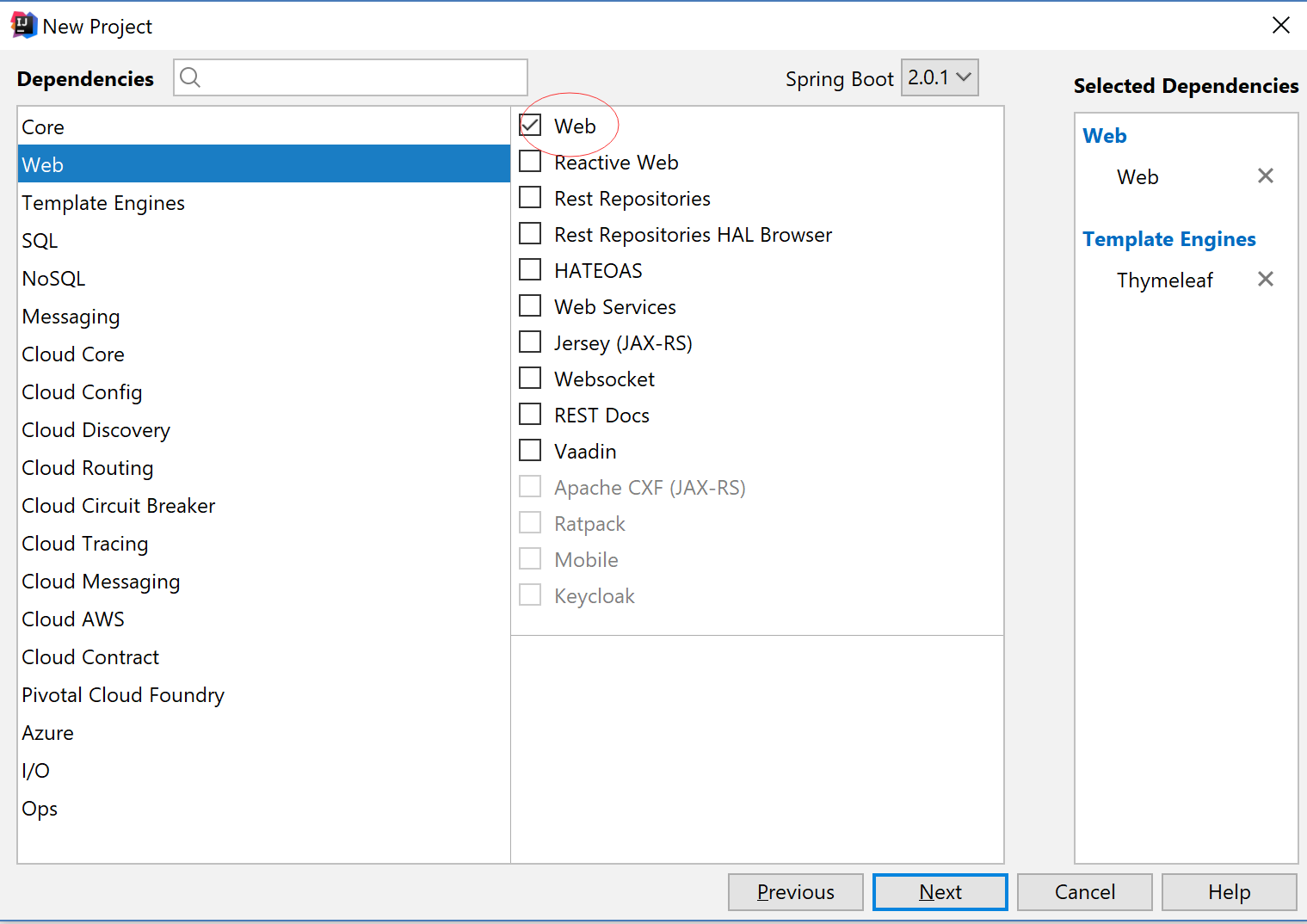
4. 添加Web 模块
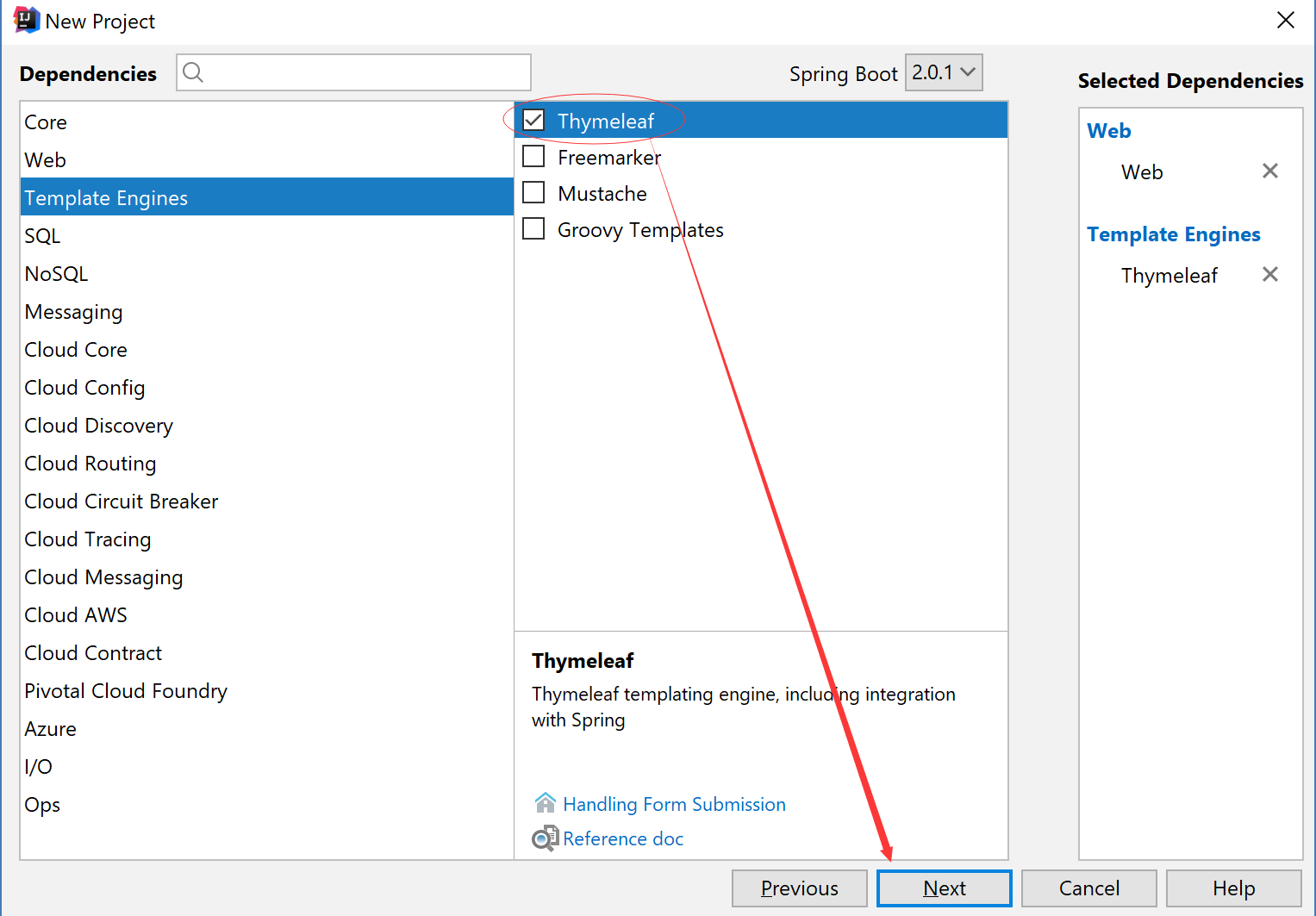
5. 添加thymeleaf 模块
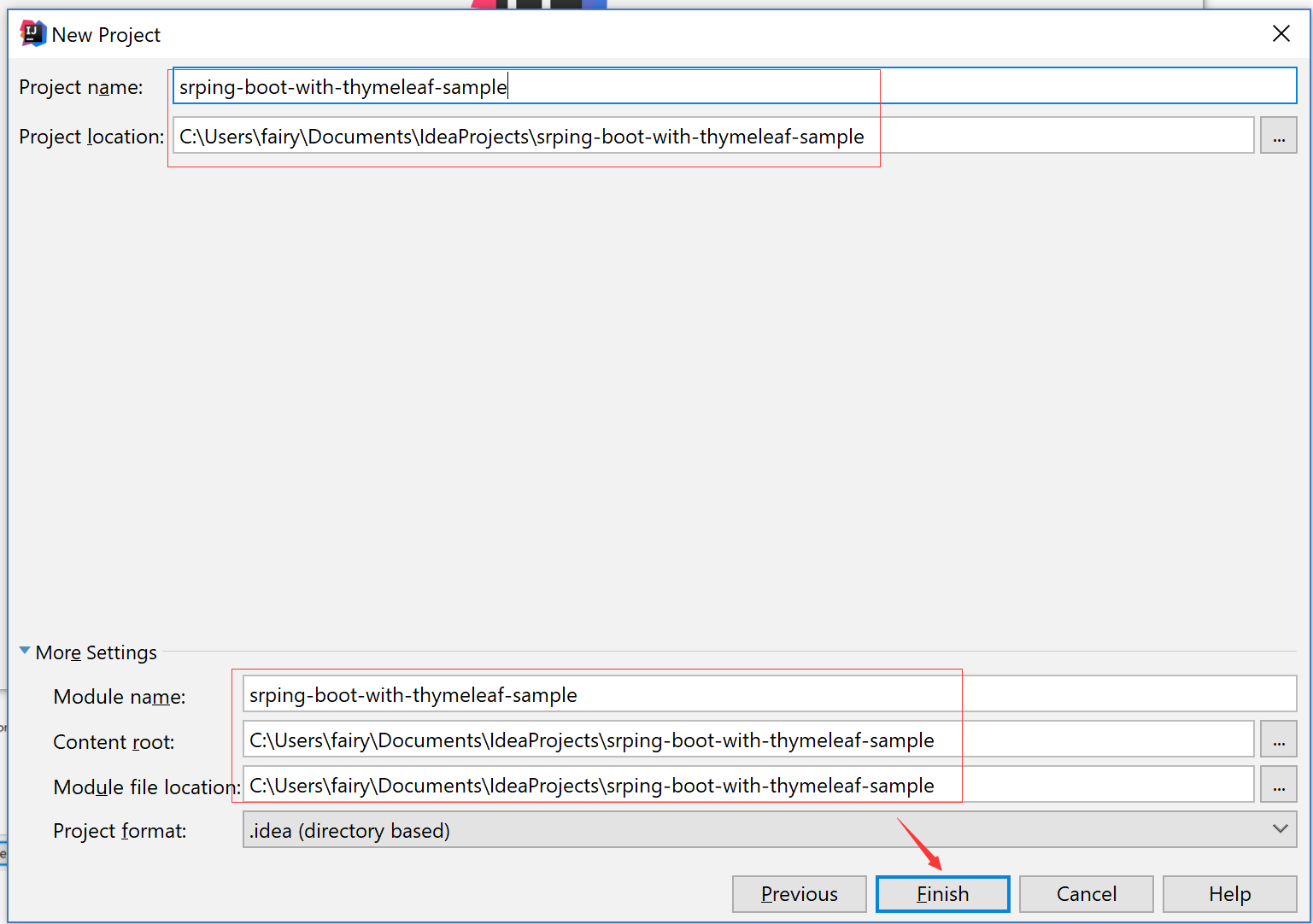
6. 项目保存路径
7. POM.xml 添加thymeleaf依赖
<?xml version="1.0" encoding="UTF-8"?>

<project xmlns="http://maven.apache.org/POM/4.0.0" xmlns:xsi="http://www.w3.org/2001/XMLSchema-instance"

    xsi:schemaLocation="http://maven.apache.org/POM/4.0.0 http://maven.apache.org/xsd/maven-4.0.0.xsd">

    <modelVersion>4.0.0</modelVersion>

    <groupId>com.xingyun</groupId>

    <artifactId>srping-boot-with-thymeleaf-sample</artifactId>

    <version>0.0.1-SNAPSHOT</version>

    <packaging>jar</packaging>

    <name>srping-boot-with-thymeleaf-sample</name>

    <description>Demo project for Spring Boot</description>

    <parent>

        <groupId>org.springframework.boot</groupId>

        <artifactId>spring-boot-starter-parent</artifactId>

        <version>2.0.1.RELEASE</version>

        <relativePath/> <!-- lookup parent from repository -->

    </parent>

    <properties>

        <project.build.sourceEncoding>UTF-8</project.build.sourceEncoding>

        <project.reporting.outputEncoding>UTF-8</project.reporting.outputEncoding>

        <java.version>1.8</java.version>

    </properties>

    <dependencies>

        <dependency>

            <groupId>org.springframework.boot</groupId>

            <artifactId>spring-boot-starter-thymeleaf</artifactId>

        </dependency>

        <dependency>

            <groupId>org.springframework.boot</groupId>

            <artifactId>spring-boot-starter-web</artifactId>

        </dependency>

        <dependency>

            <groupId>org.springframework.boot</groupId>

            <artifactId>spring-boot-starter-test</artifactId>

            <scope>test</scope>

        </dependency>

    </dependencies>

    <build>

        <plugins>

            <plugin>

                <groupId>org.springframework.boot</groupId>

                <artifactId>spring-boot-maven-plugin</artifactId>

            </plugin>

        </plugins>

    </build>

</project>
8. 配置application.properties
spring.thymeleaf.prefix=classpath:/templates/

spring.thymeleaf.suffix=.html

spring.thymeleaf.mode=HTML

spring.thymeleaf.encoding=UTF-8

spring.thymeleaf.servlet.content-type=text/html

# 关闭缓存,即时刷新,上线生产环境需改成true

spring.thymeleaf.cache=false
9. 创建模板文件
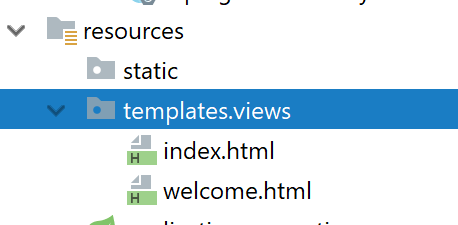
index.html
<!DOCTYPE html>

<html lang="en">

<head>

    <meta charset="UTF-8">

    <title>Title</title>

</head>

<body>

this is index.html

</body>

</html>
welcome.html
<!DOCTYPE html>

<html lang="en">

<head>

    <meta charset="UTF-8">

    <title>Title</title>

</head>

<body>

this is welcome.html

</body>

</html>
10.创建Controller
package com.xingyun.srpingbootwiththymeleafsample;

import org.springframework.stereotype.Controller;

import org.springframework.web.bind.annotation.GetMapping;

import org.springframework.web.bind.annotation.RequestMapping;

@Controller

public class HomeController {

    @GetMapping(value = "/")

    public String index(){

        return "/views/index";

    }

    @GetMapping(value = "/welcome")

    public String welcome(){

        return "/views/welcome";

    }

}
11. 访问 http://127.0.0.1:8080
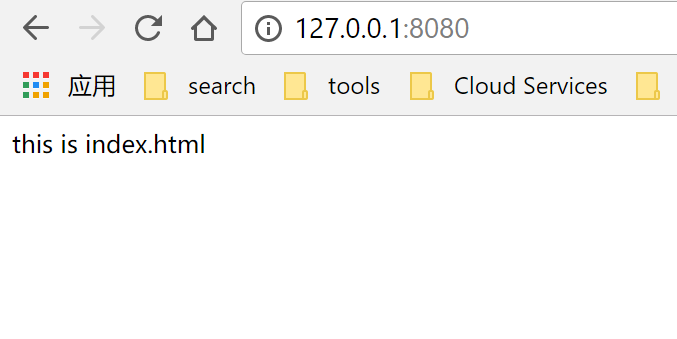
12. 访问http://127.0.0.1:8080/welcome

Spring Boot 2.0 整合Thymeleaf 模板引擎的更多相关文章
- Spring Boot 2.0 整合 FreeMarker 模板引擎
本篇博文将和大家一起使用Spring Boot 2.0 和FreeMarker 模板引擎整合实战. 1. 创建新的项目 2. 填写项目配置信息 3. 勾选web 模块 4. 勾选freemarker模 ...
- Spring Boot Web开发与thymeleaf模板引擎
简介: 使用Springboot应用,选中需要的模块, Spring已经默认将场景配置好了,只需在配置文件中少量配置就可以运行起来 自己编写业务代码 自动配置原理 这个场景Springboot帮我们配 ...
- Spring Boot Web开发中Thymeleaf模板引擎的使用
这里使用的是idea 1.新建Spring Boot项目 File-->New-->Project...,然后选择左边的Spring Initializr-->Next,可根据自己的 ...
- Spring Boot学习记录(二)--thymeleaf模板 - CSDN博客
==他的博客应该不错,没有细看 Spring Boot学习记录(二)--thymeleaf模板 - CSDN博客 http://blog.csdn.net/u012706811/article/det ...
- spring boot 2.0 整合 elasticsearch6.5.3,spring boot 2.0 整合 elasticsearch NoNodeAvailableException
原文地址:spring boot 2.0 整合 elasticsearch NoNodeAvailableException 原文说的有点问题,下面贴出我的配置: 原码云项目地址:https://gi ...
- Spring Boot 2.0 整合携程Apollo配置中心
原文:https://www.jianshu.com/p/23d695af7e80 Apollo(阿波罗)是携程框架部门研发的分布式配置中心,能够集中化管理应用不同环境.不同集群的配置,配置修改后能够 ...
- SpringBoot:2.SpringBoot整合Thymeleaf模板引擎渲染web视图
在Web开发过程中,Spring Boot可以通过@RestController来返回json数据,那如何渲染Web页面?Spring Boot提供了多种默认渲染html的模板引擎,主要有以下几种: ...
- Spring Boot WebFlux-04——WebFlux 整合 Thymeleaf
第04课:WebFlux 整合 Thymeleaf 上一篇介绍的是用 MongoDB 来实现 WebFlux 对数据源的操作,那么有了数据需要渲染到前台给用户展示,这就是本文关心的 View 层,Vi ...
- 【Springboot】Springboot整合Thymeleaf模板引擎
Thymeleaf Thymeleaf是跟Velocity.FreeMarker类似的模板引擎,它可以完全替代JSP,相较与其他的模板引擎,它主要有以下几个特点: 1. Thymeleaf在有网络和无 ...
随机推荐
- 第三章XML简介
概念:XML:提供数据交换.系统配置.内容管理等的功能,可跨平台.跨网络.跨程序的数据描述方式.XSL:依靠XPath定位,提供显示模板,且专门为了显示XML文件信息的语言.CSS(层叠样式表):在网 ...
- poj 3525 半平面交求多边形内切圆最大半径【半平面交】+【二分】
<题目链接> 题目大意:给出一个四面环海的凸多边形岛屿,求出这个岛屿中的点到海的最远距离. 解题分析: 仔细思考就会发现,其实题目其实就是让我们求该凸多边形内内切圆的最大半径是多少.但是, ...
- 洛谷P2347 砝码称重 【多重背包】(方案数)(经典)
题目链接:https://www.luogu.org/problemnew/show/P2347 题目描述 设有1g.2g.3g.5g.10g.20g的砝码各若干枚(其总重<=1000), 输入 ...
- Windows10下 tensorflow-gpu 配置
引言 越来越多的的人入坑机器学习,深度学习,tensorflow 作为目前十分流行又强大的一个框架,自然会有越来越多的新人(我也刚入门)准备使用,一般装的都是 CPU 版的 tensorflow,然而 ...
- 前端解读面向切面编程(AOP)
前言 面向对象(OOP)作为经典的设计范式,对于我们来说可谓无人不知,还记得我们入行起始时那句经典的总结吗-万事万物皆对象. 是的,基于OOP思想封装.继承.多态的特点,我们会自然而然的遵循模块化.组 ...
- iOS 技术篇:从使用到了解block底层原理 (一)
1.概述 block : Object - C对于闭包的实现 . 闭包 = 一个函数(或是指向函数的指针) +该函数执行的外部的上下文变量(自由变量) 2.对block的理解 可以嵌套定义,定义 bl ...
- 利用SQL为Code128码添加起始符和休止符
在利用code128码字体打印条码是,打印出来的条形码,扫描枪会出现认不出的情况,这种情况是由于直接将文本设置为code128字体而没有给他们指定起始符和休止符引起的. 经过查资料获发现好多人遇到这样 ...
- [ 原创 ] Centos7.6安装Mysql5.7
https://blog.csdn.net/shj_php/article/details/86712408 CentOS7下安装MySQL5.7安装与配置(YUM) http://blog.csdn ...
- windows安全配置
比较重要的 1. 更改默认administrator用户名,密码复杂些 2. 开启防火墙(设置入站规则,入站出站默认全部阻止) 3. 杀毒软件 4. 删除默认共享(net share C$ /del) ...
- loj#2128. 「HAOI2015」数字串拆分 矩阵乘法
目录 题目链接 题解 代码 题目链接 loj#2128. 「HAOI2015」数字串拆分 题解 \(f(s)\)对于\(f(i) = \sum_{j = i - m}^{i - 1}f(j)\) 这个 ...