
Angular记录(9)
文档资料
- 箭头函数--MDN:https://developer.mozilla.org/zh-CN/docs/Web/JavaScript/Reference/Functions/Arrow_functions
箭头函数--ES6文档:http://es6.ruanyifeng.com/#docs/function#箭头函数
- Promise 对象--JS教程:https://wangdoc.com/javascript/async/promise.html
- Promise--ES6文档:http://es6.ruanyifeng.com/#docs/promise
- Promise--MDN:https://developer.mozilla.org/zh-CN/docs/Web/JavaScript/Reference/Global_Objects/Promise
Promise.prototype.then()--MDN:https://developer.mozilla.org/zh-CN/docs/Web/JavaScript/Reference/Global_Objects/Promise/then
- 教程:英雄指南:https://www.angular.cn/tutorial#tutorial-tour-of-heroes
- 工作区与项目文件的结构:https://www.angular.cn/guide/file-structure
- 组件简介:https://www.angular.cn/guide/architecture-components
CLI 命令参考手册:https://www.angular.cn/cli
HTTP
HTTP:https://www.angular.cn/tutorial/toh-pt6#http
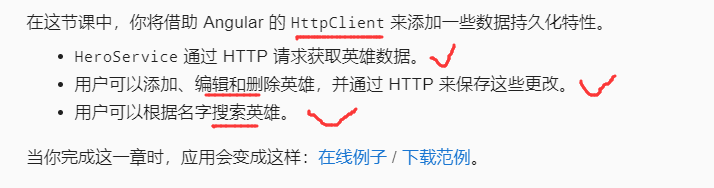
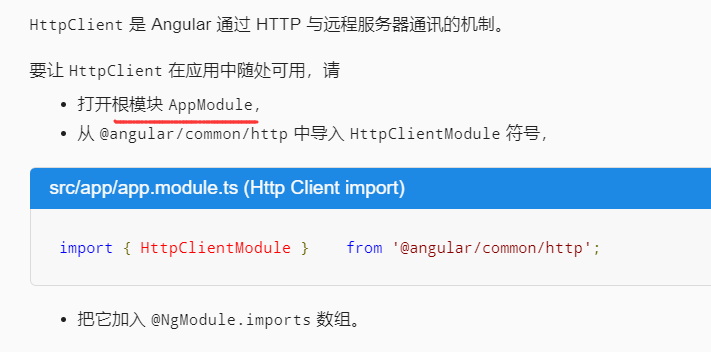
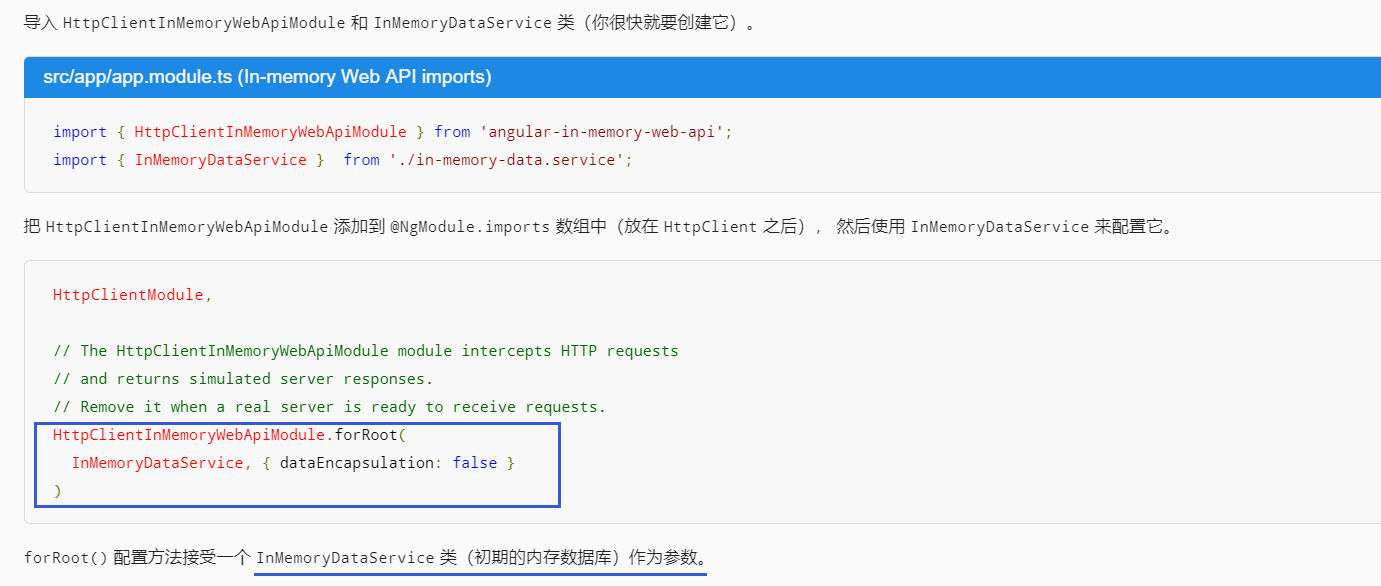
启用 HTTP 服务
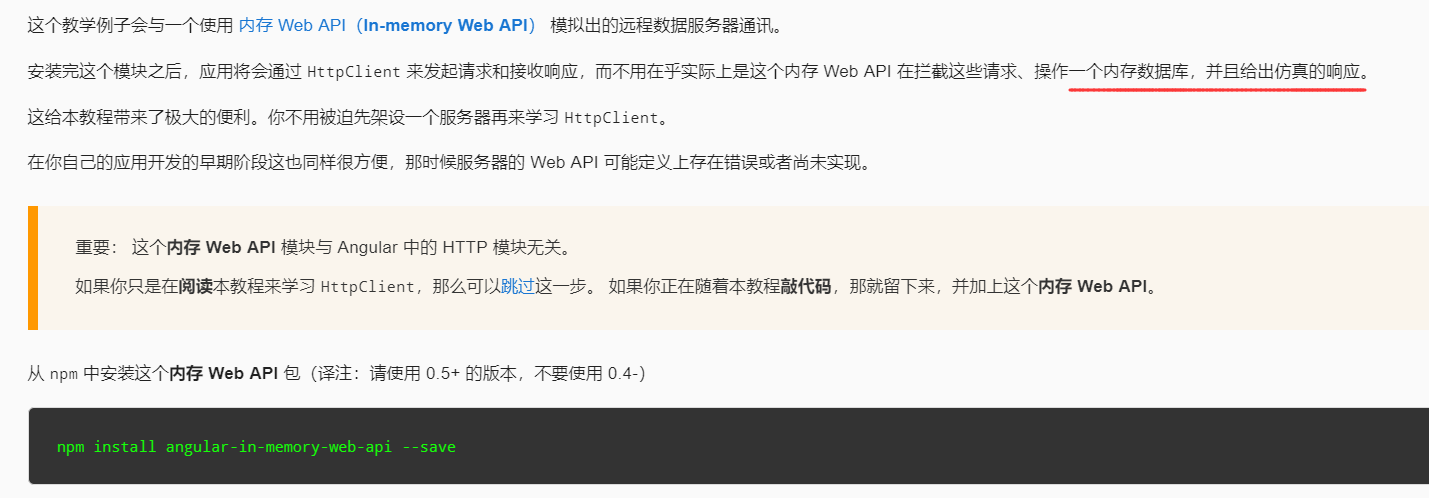
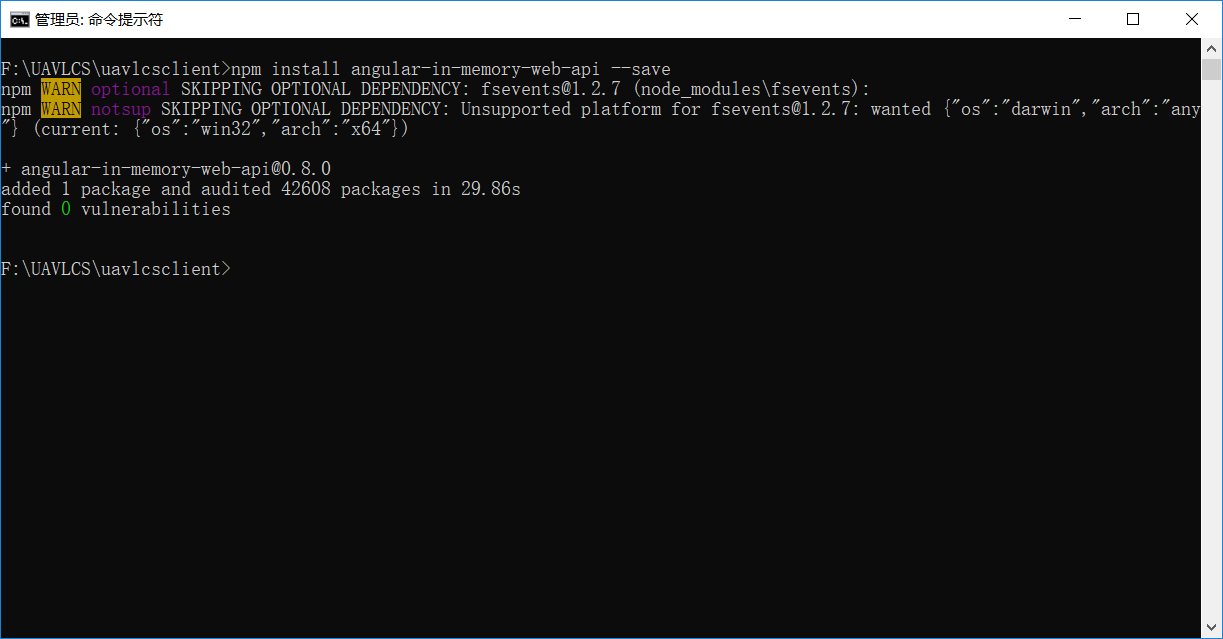
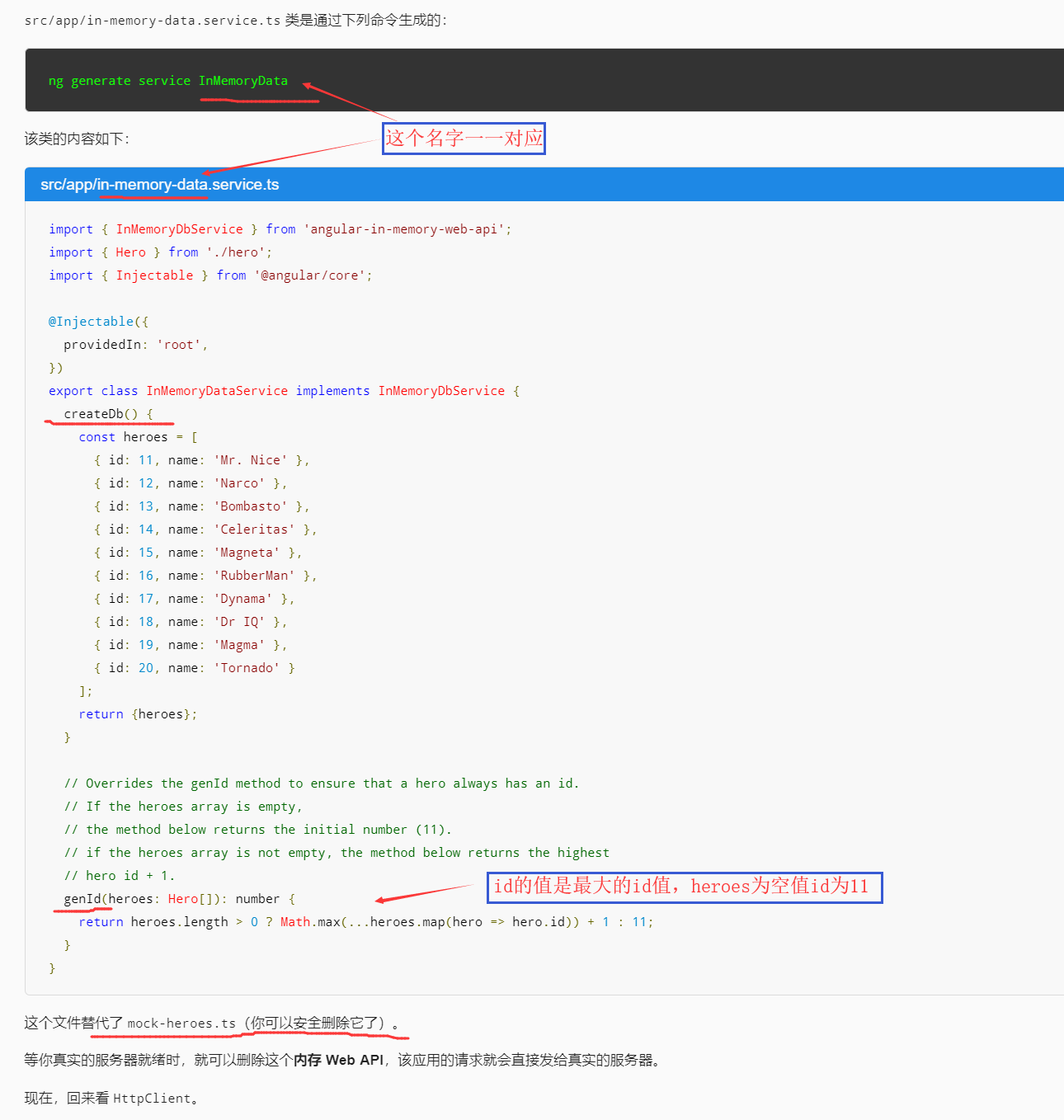
模拟数据服务器
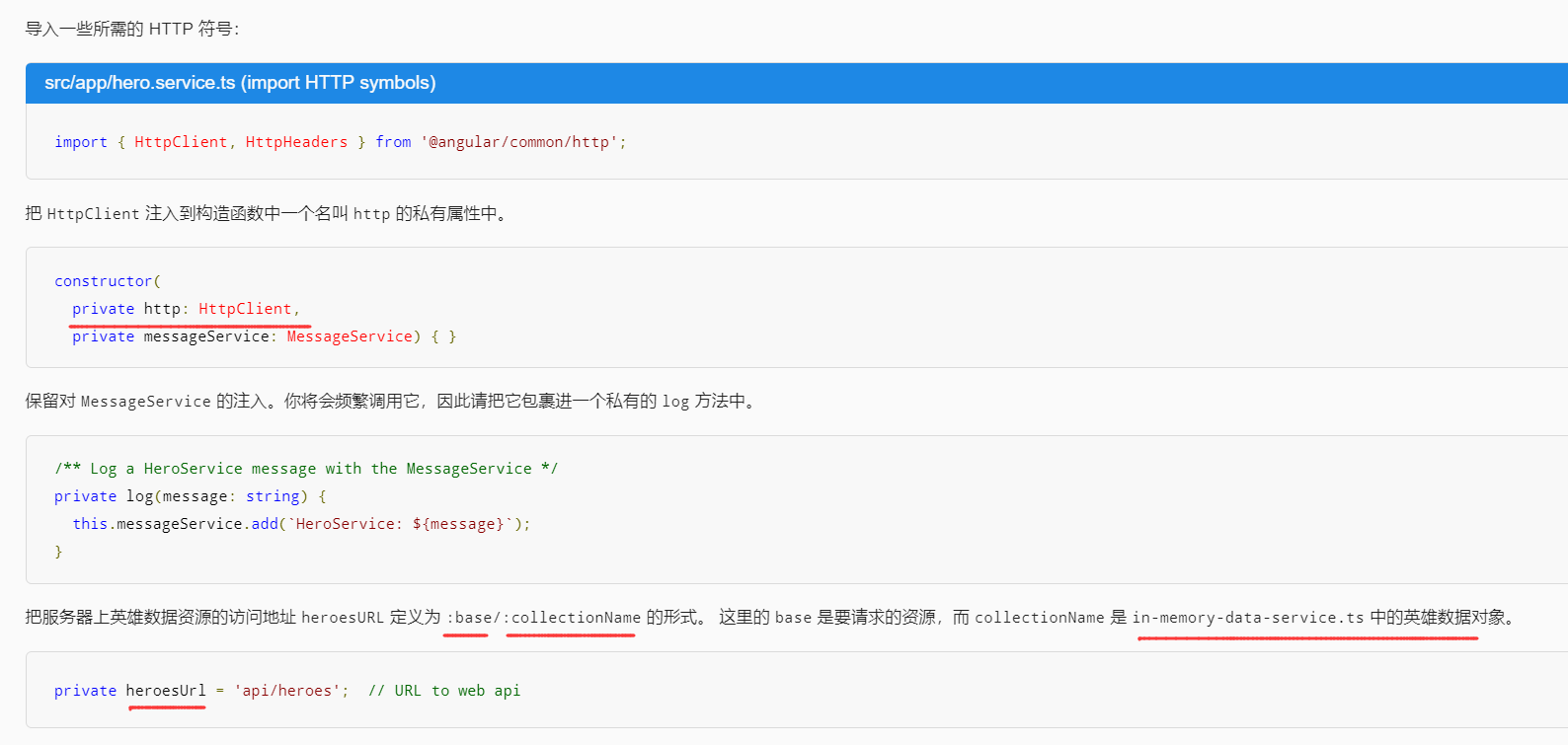
英雄与 HTTP
通过 HttpClient 获取英雄
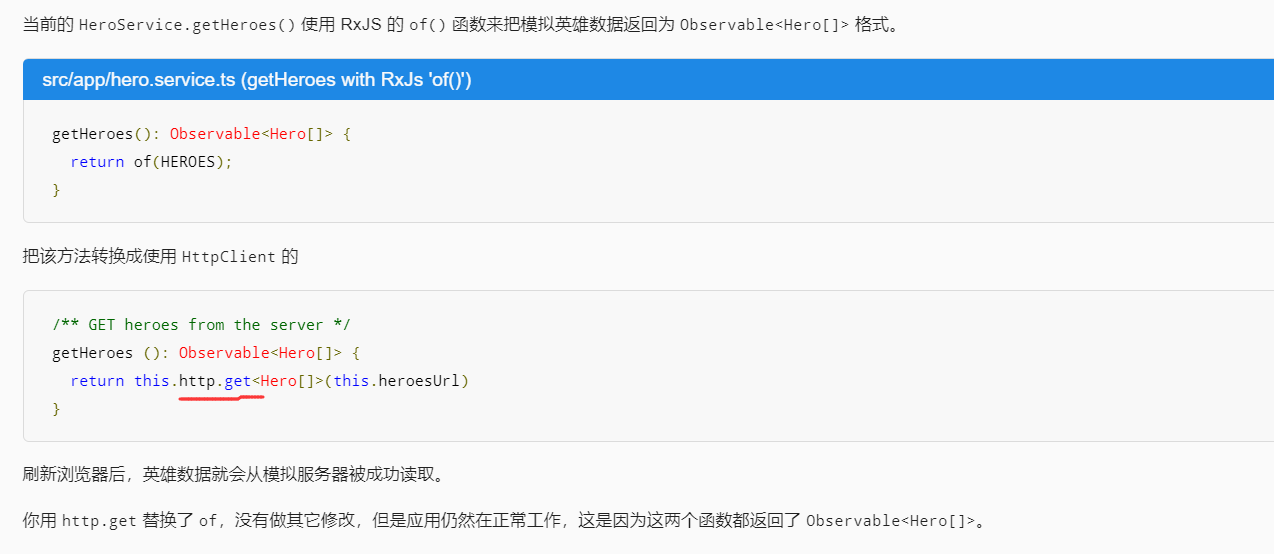
Http 方法返回单个值

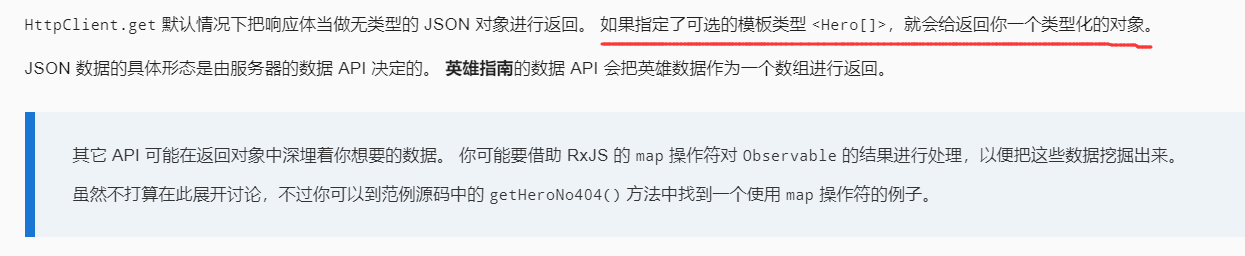
HttpClient.get 返回响应数据
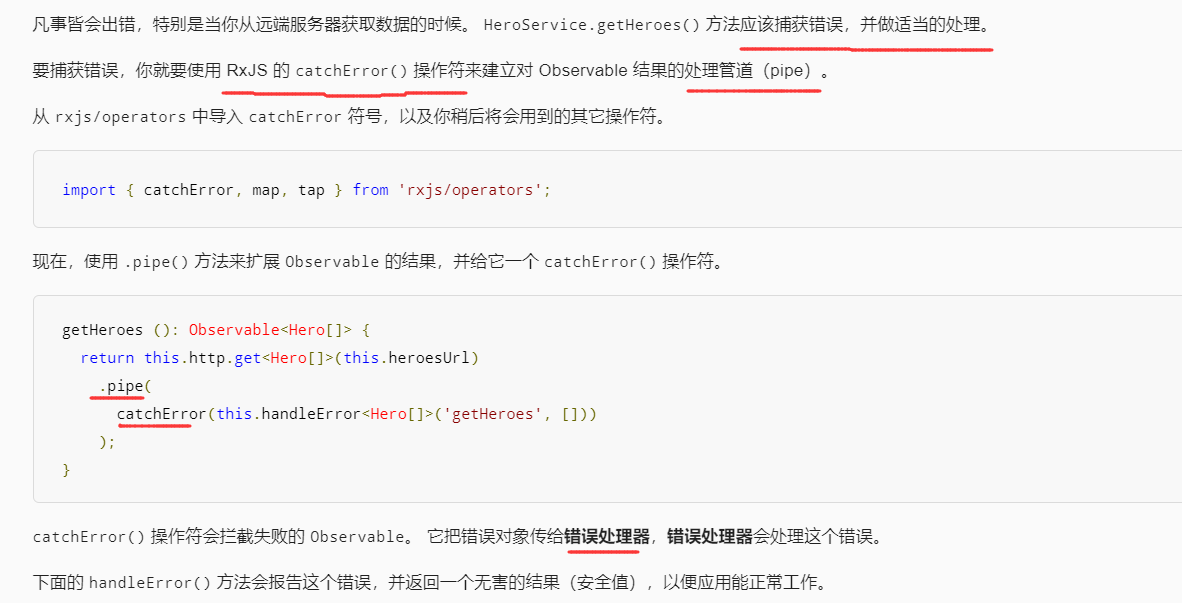
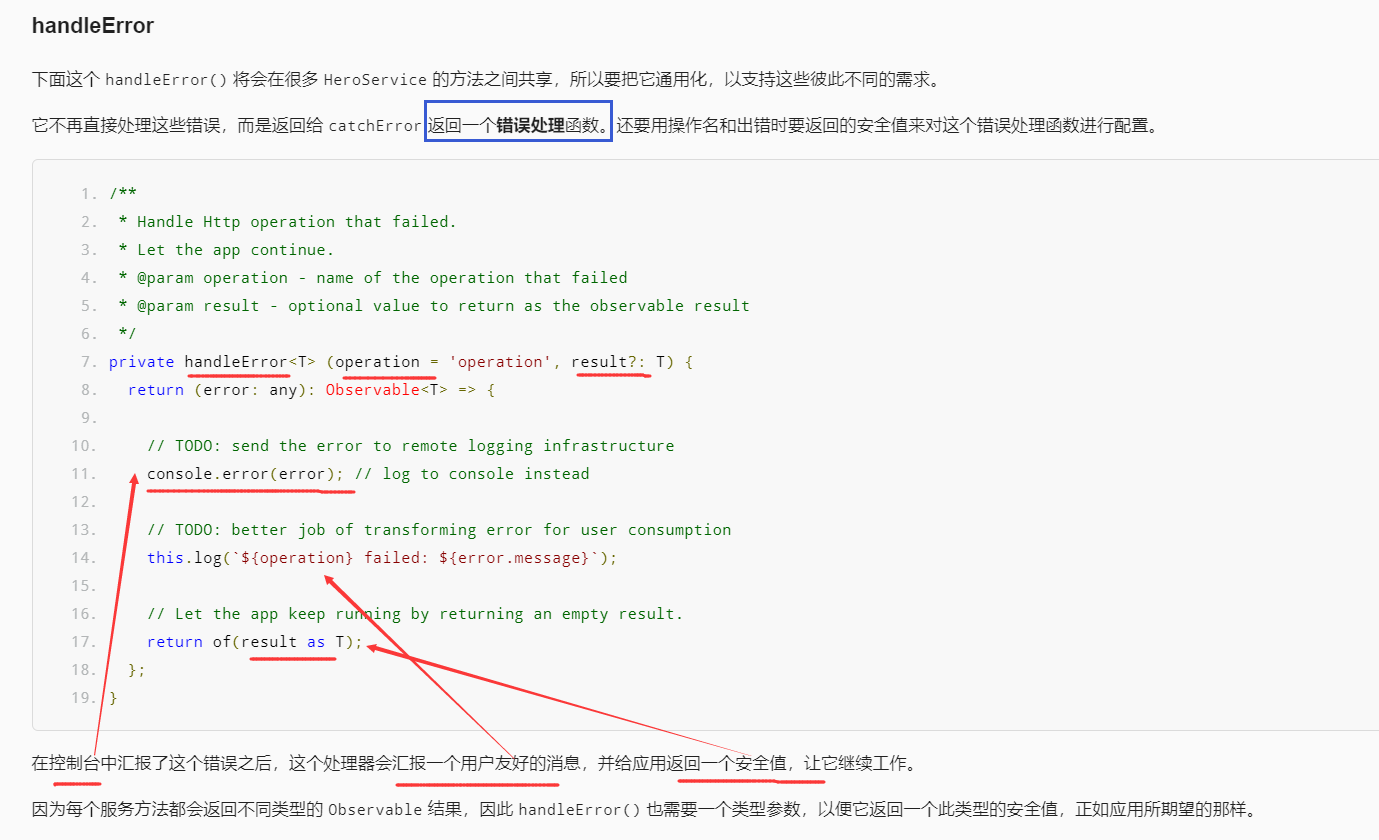
错误处理
窥探 Observable

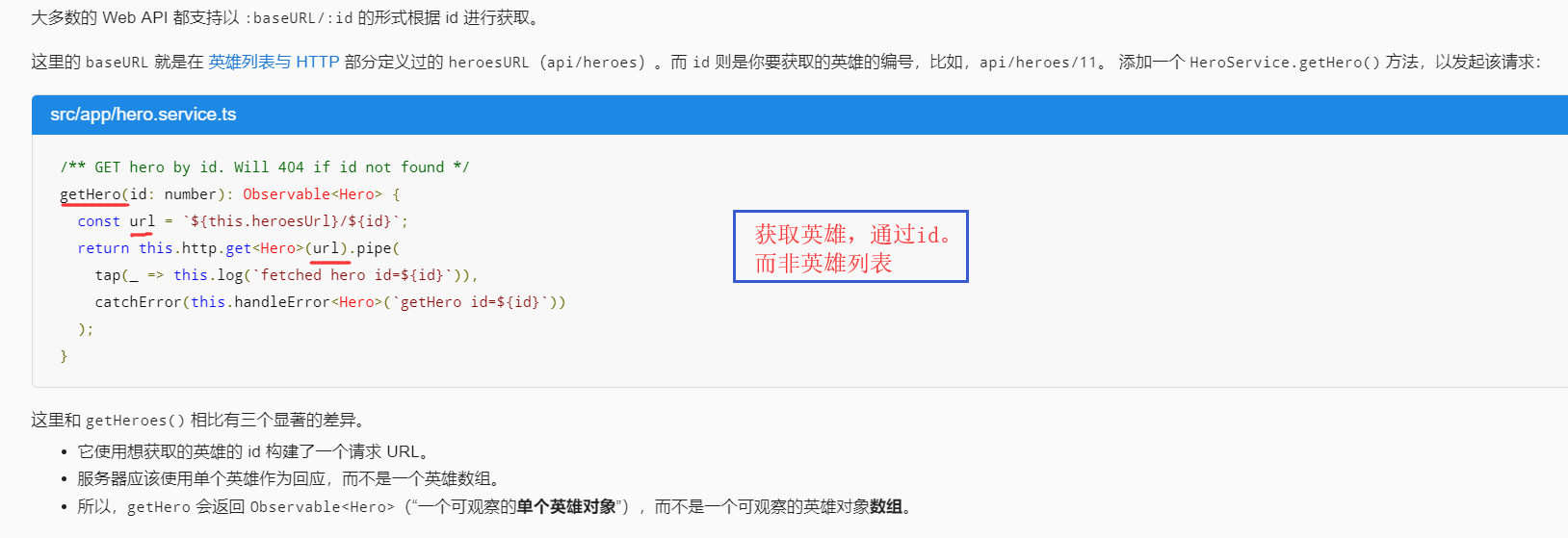
通过 id 获取英雄
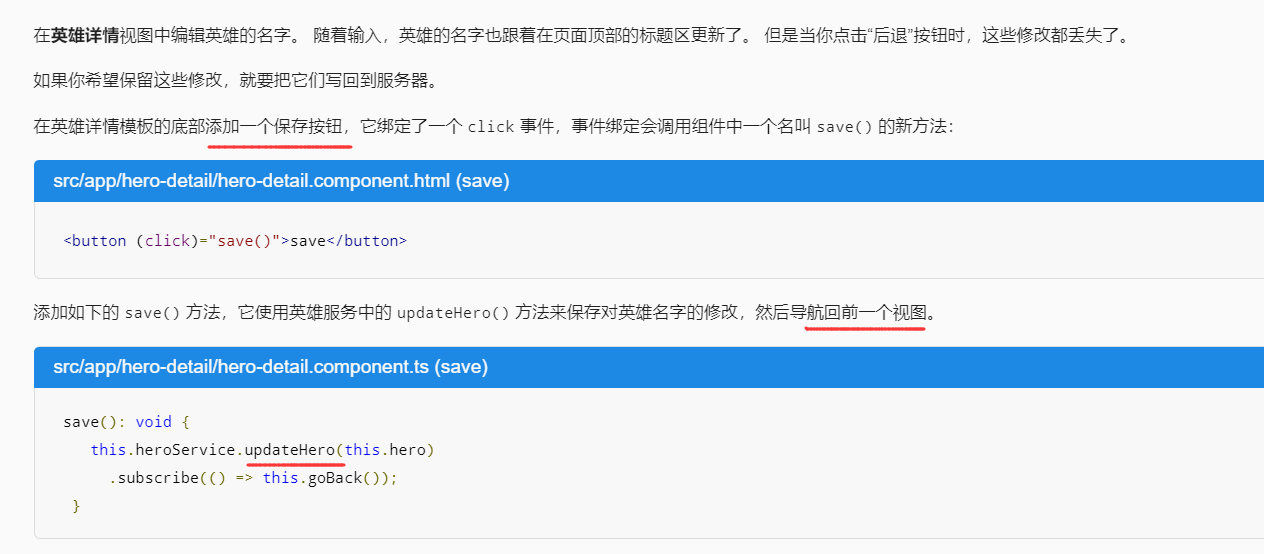
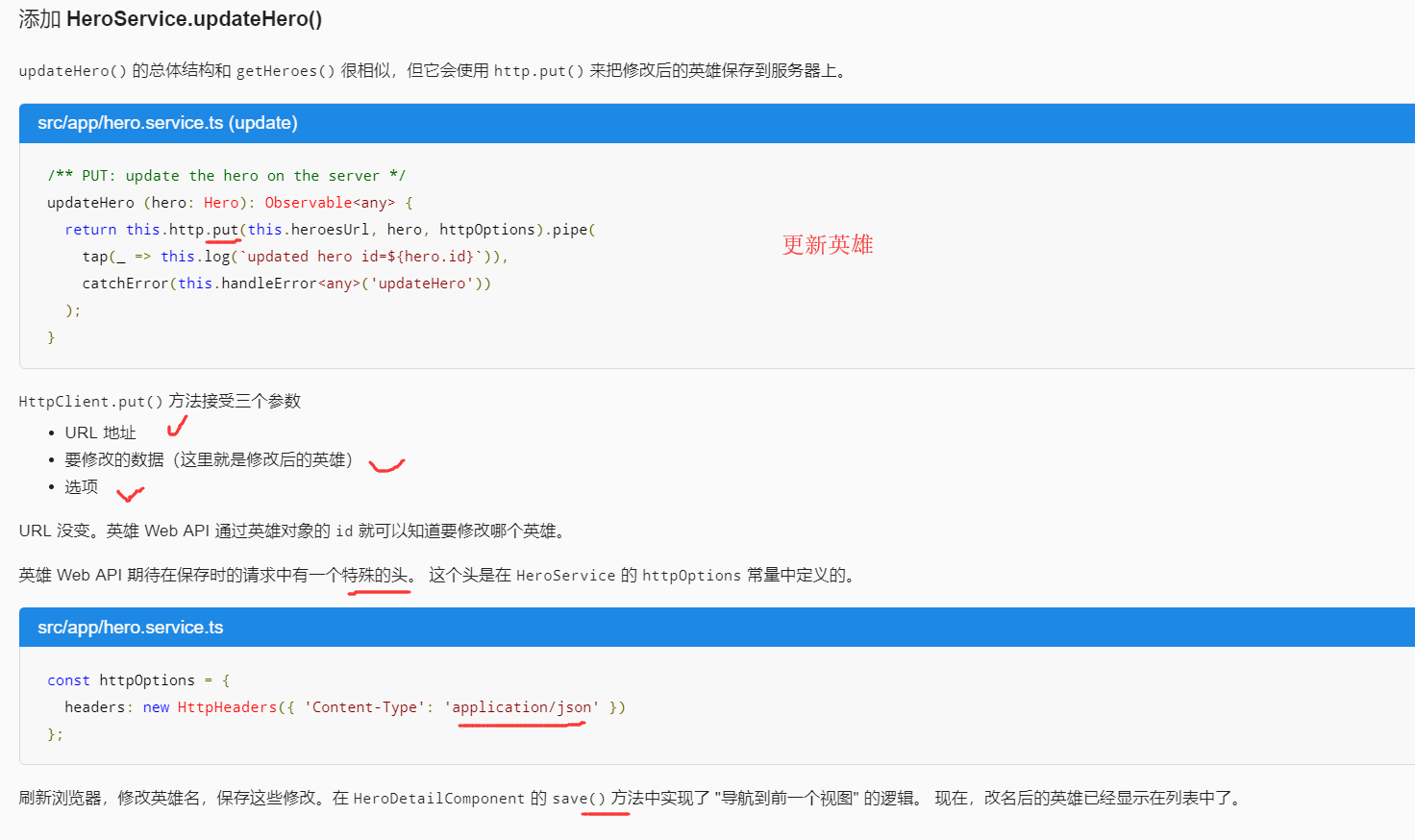
修改英雄
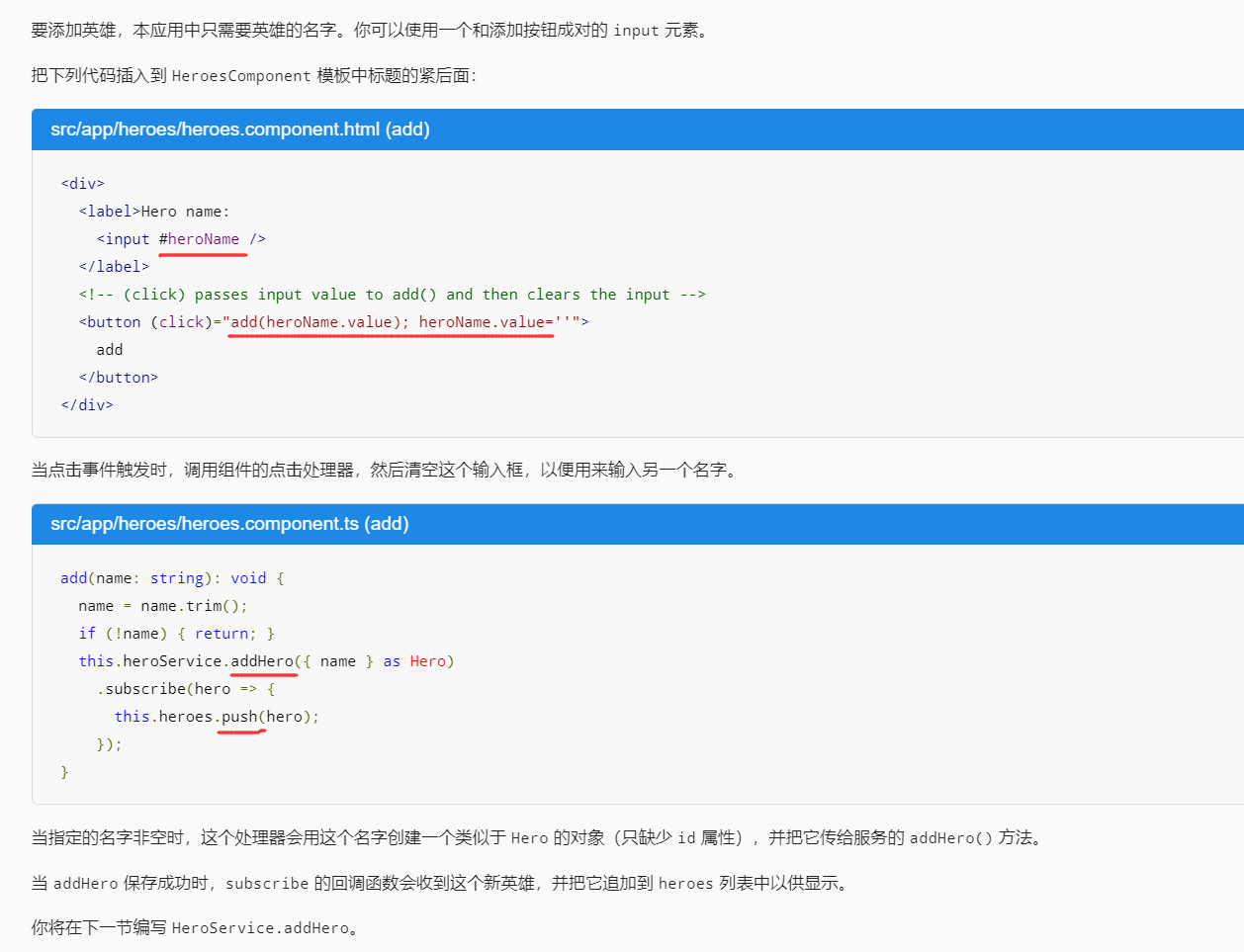
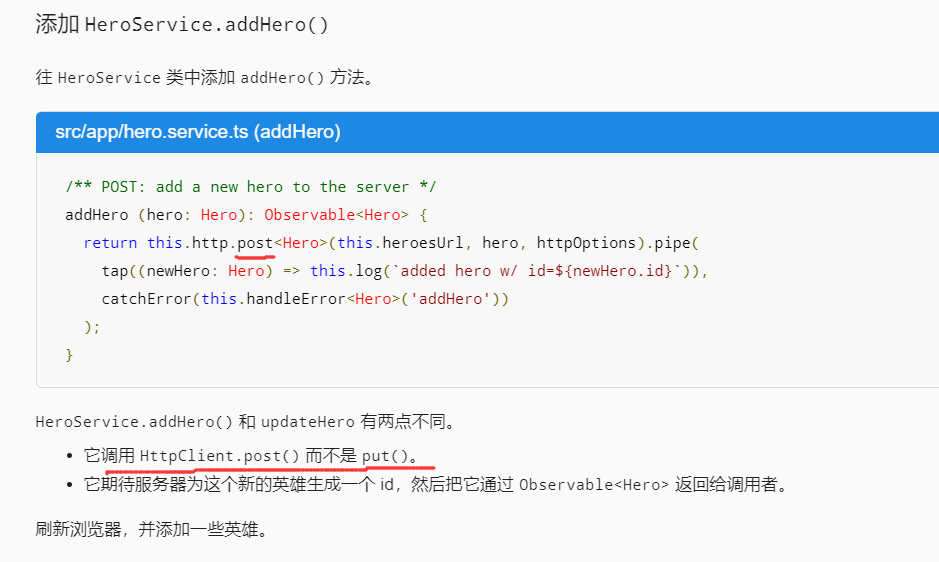
添加新英雄
删除某个英雄
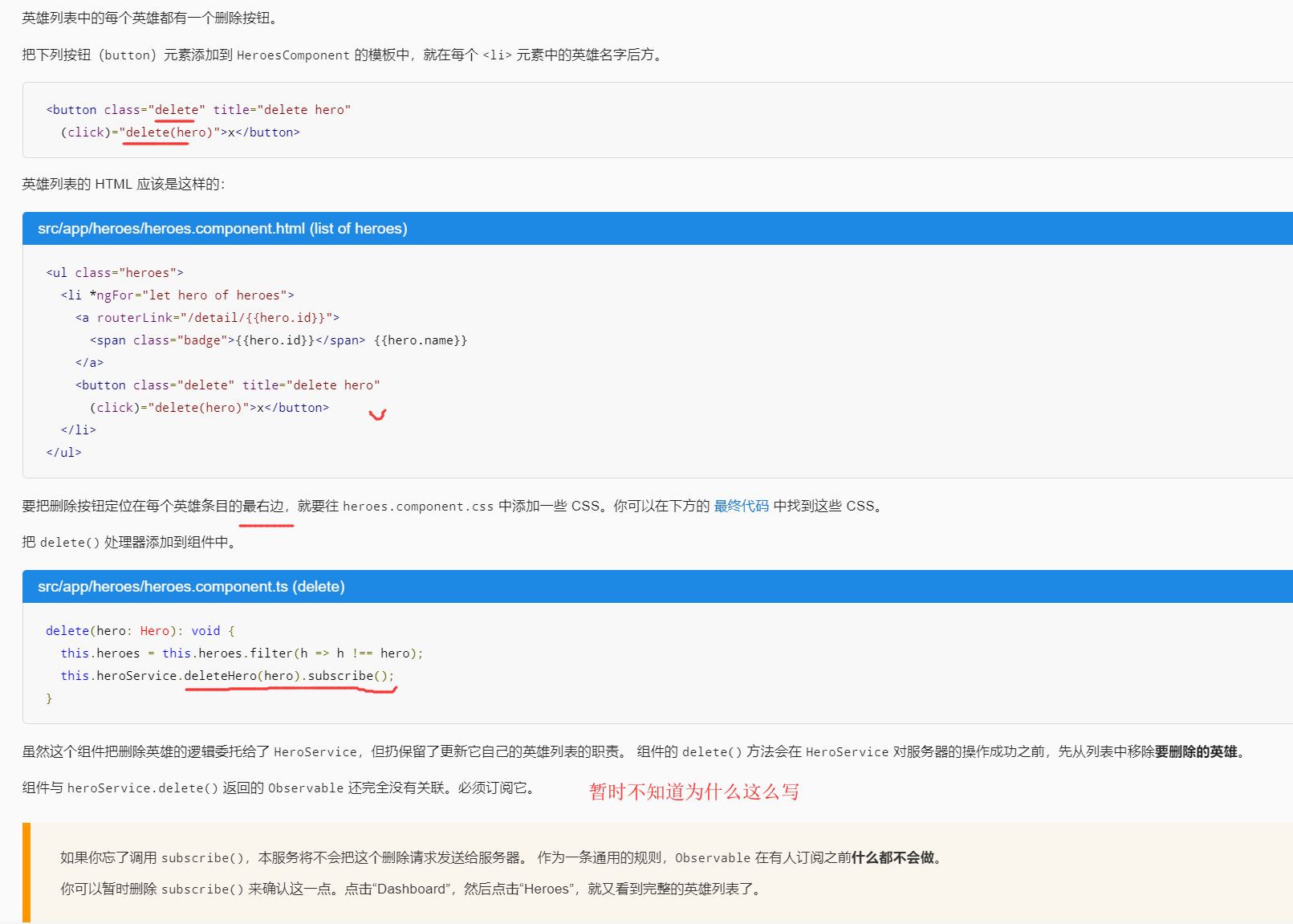

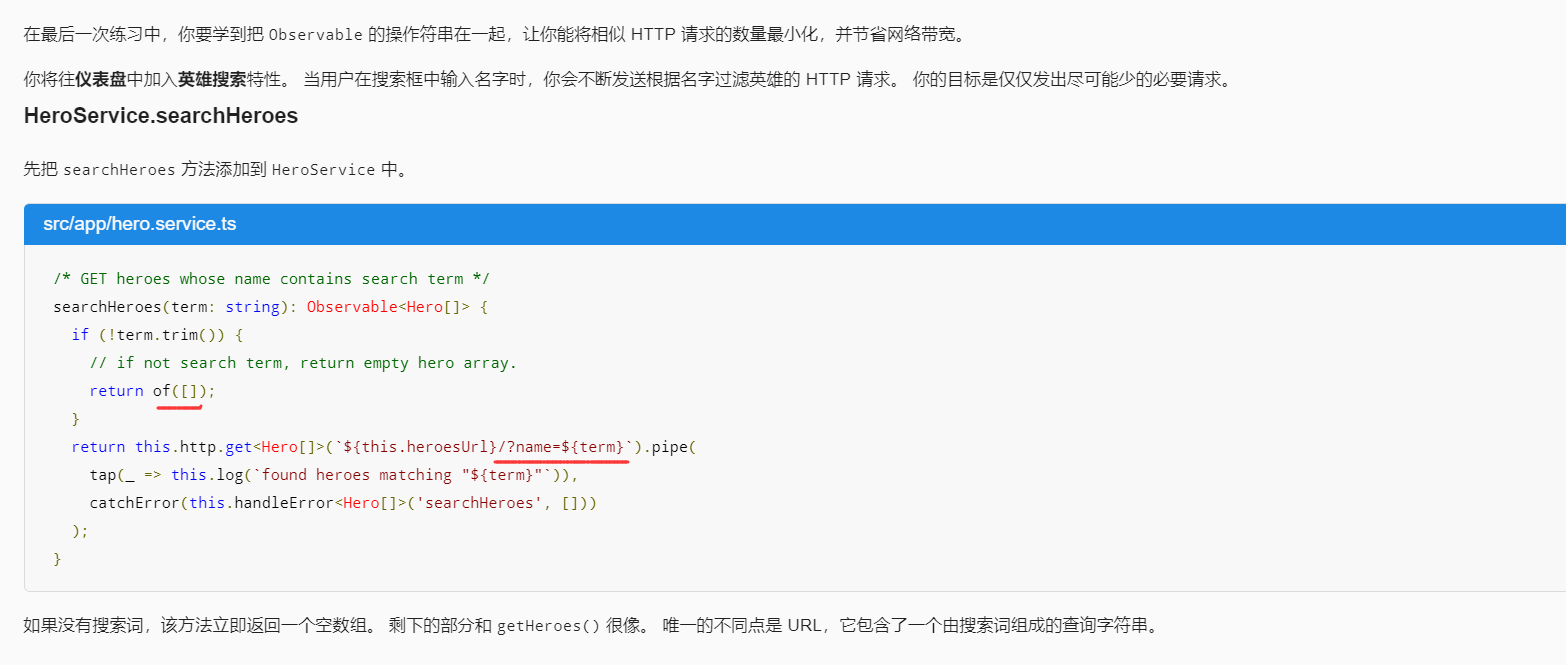
根据名字搜索
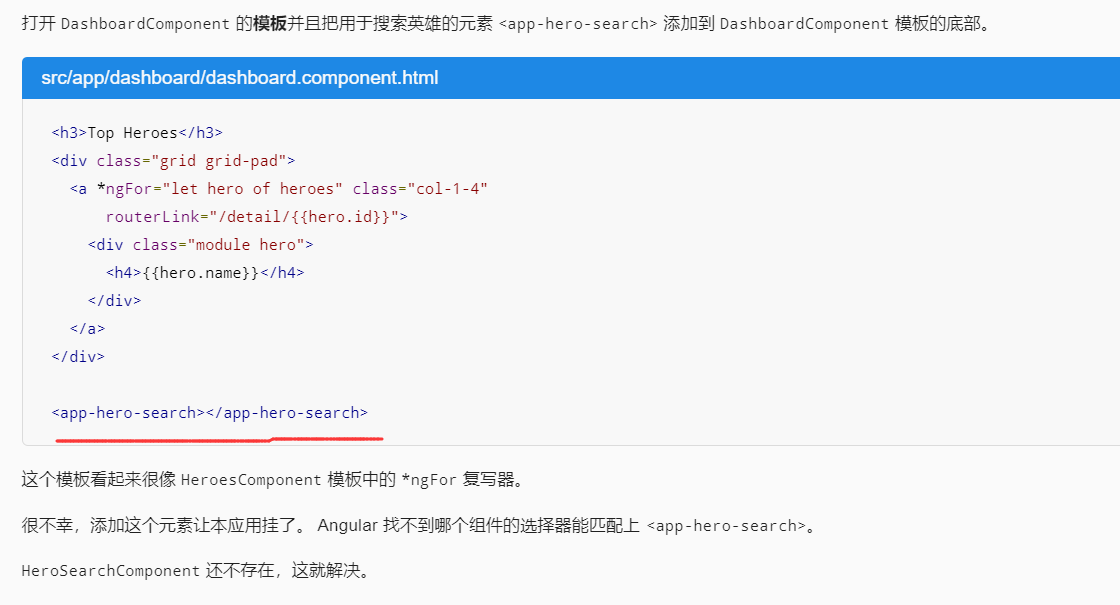
为仪表盘添加搜索功能
创建 HeroSearchComponen
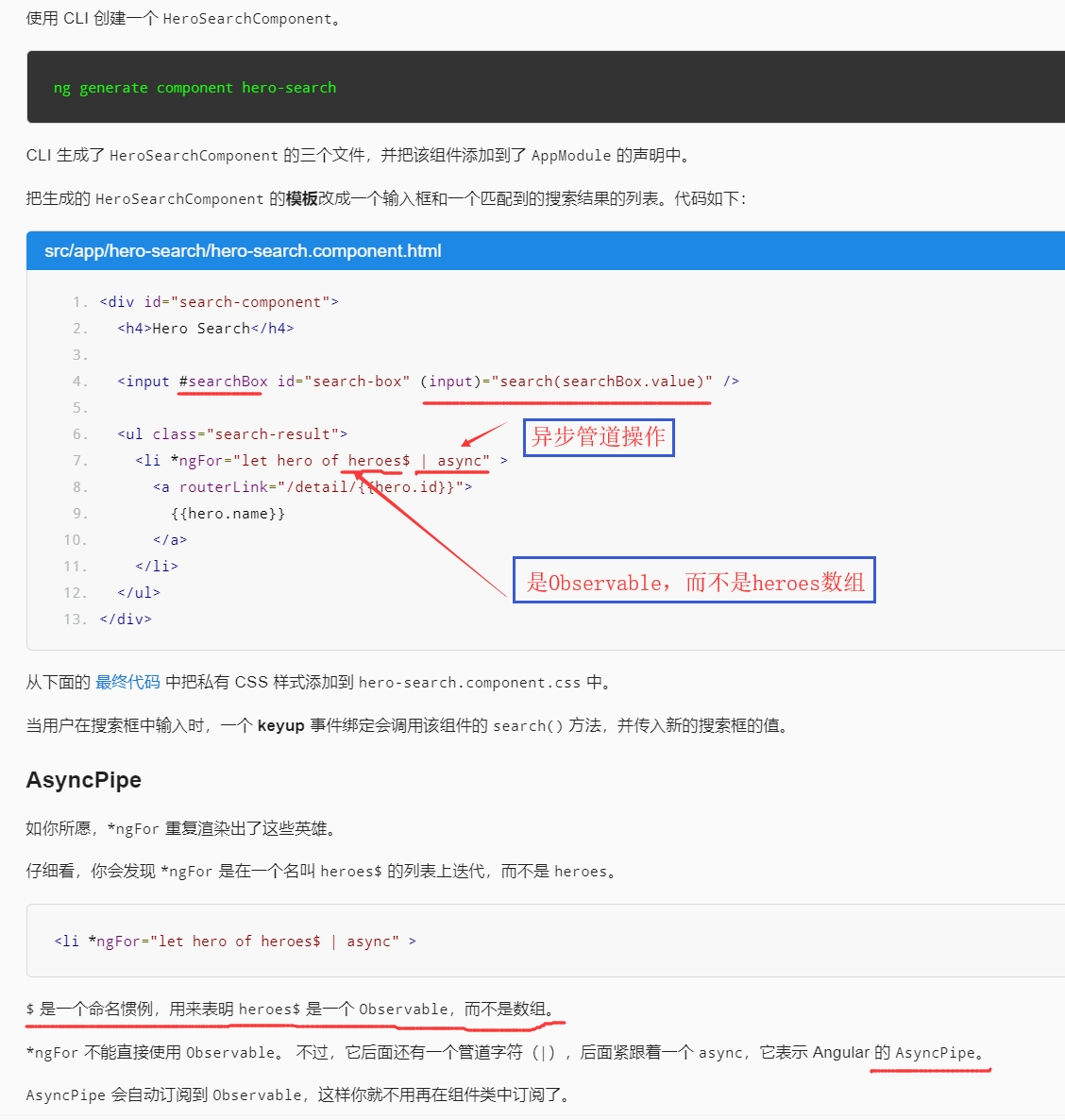
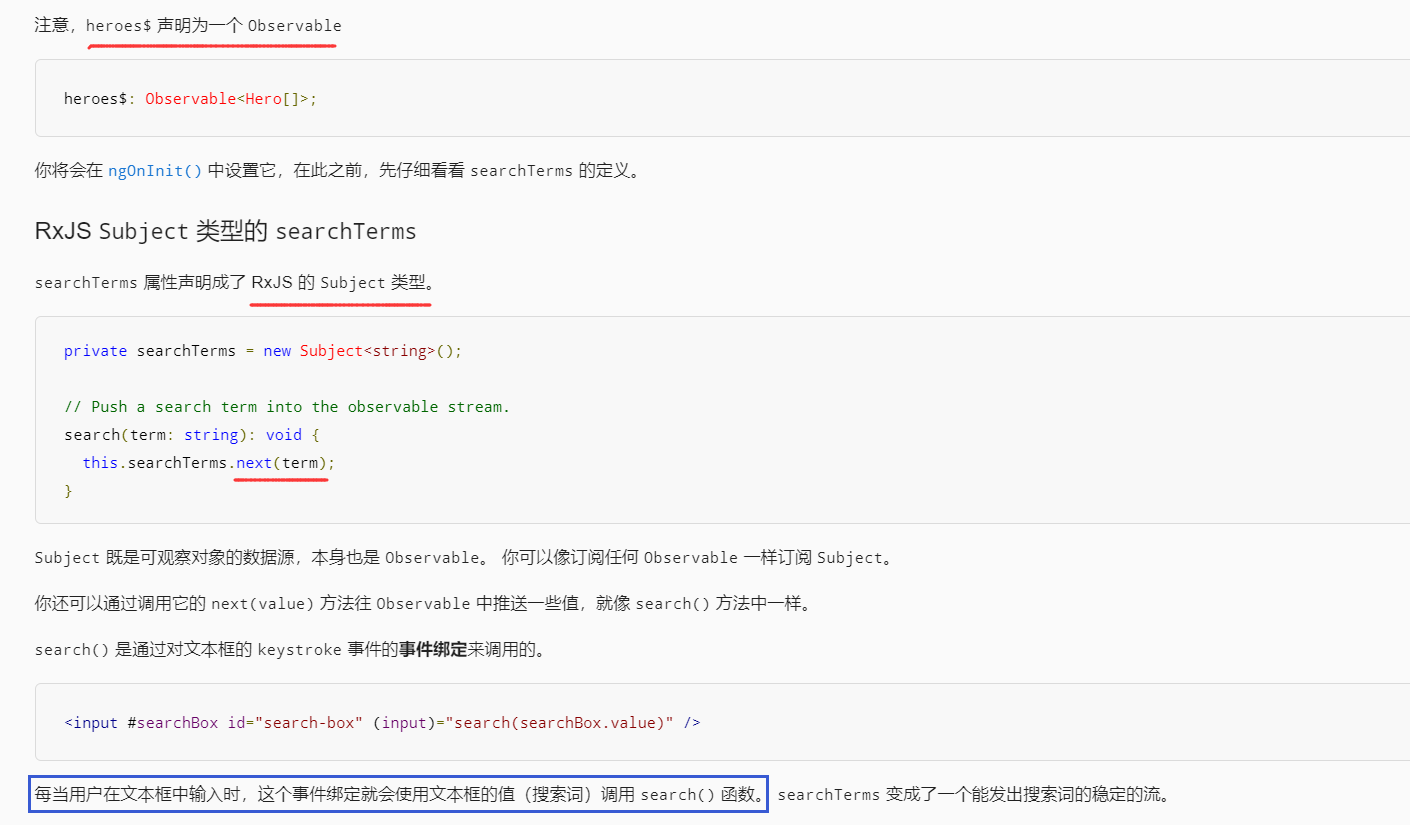
修正 HeroSearchComponent 类,RxJS Subject 类型的 searchTerms
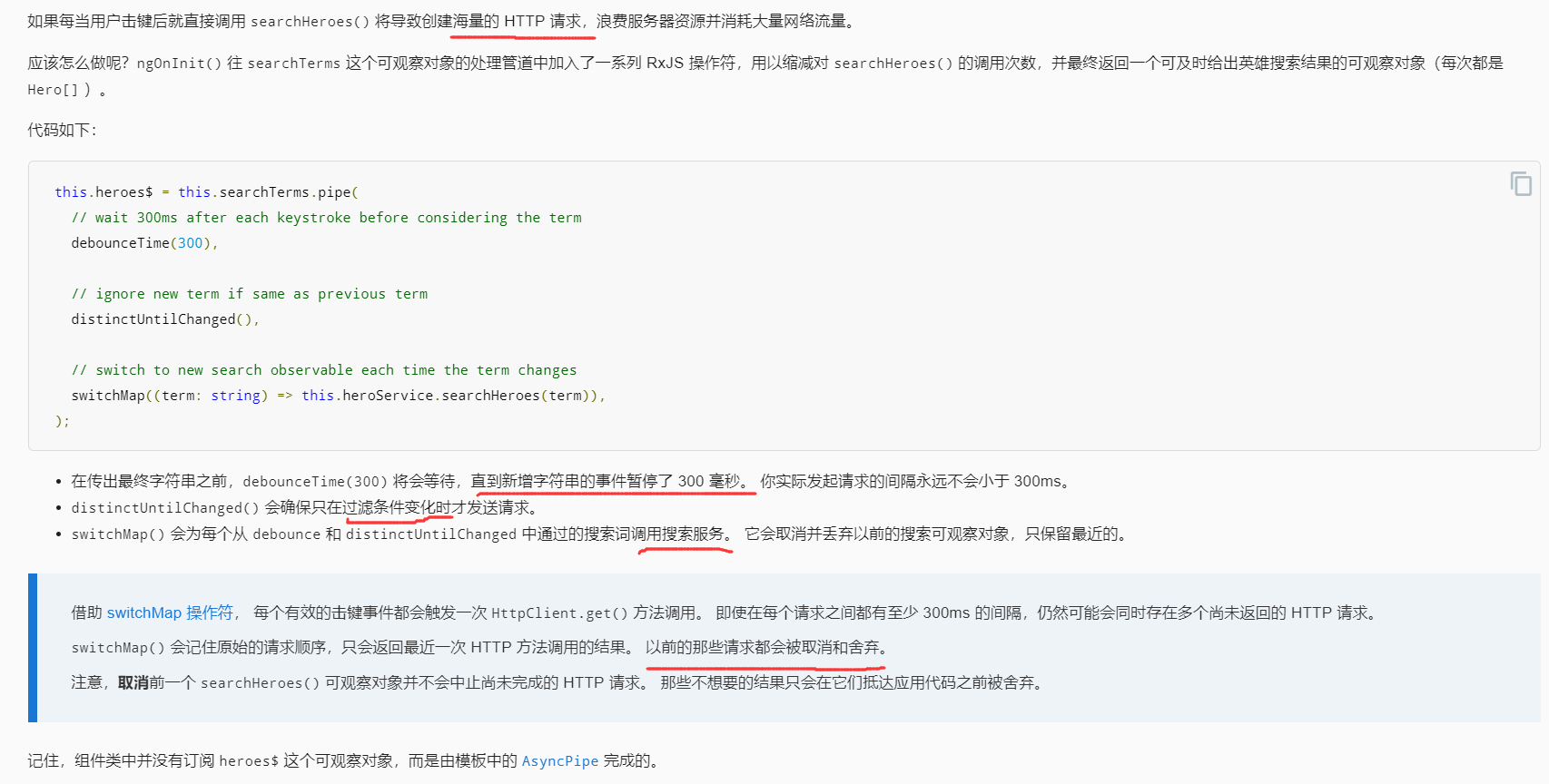
串联 RxJS 操作符
最终代码
hero.service.ts的代码
import { Injectable } from '@angular/core';
import { HttpClient, HttpHeaders } from '@angular/common/http';

import { Observable, of } from 'rxjs';
import { catchError, map, tap } from 'rxjs/operators';

import { Hero } from './hero';
import { MessageService } from './message.service';

const httpOptions = {
  headers: new HttpHeaders({ 'Content-Type': 'application/json' })
};

@Injectable({ providedIn: 'root' })
export class HeroService {

  private heroesUrl = 'api/heroes';  // URL to web api

  constructor(
    private http: HttpClient,
    private messageService: MessageService) { }

  /** GET heroes from the server */
  getHeroes (): Observable<Hero[]> {
    return this.http.get<Hero[]>(this.heroesUrl)
      .pipe(
        tap(_ => this.log('fetched heroes')),
        catchError(this.handleError<Hero[]>('getHeroes', []))
      );
  }

  /** GET hero by id. Return `undefined` when id not found */
  getHeroNo404<Data>(id: number): Observable<Hero> {
    const url = `${this.heroesUrl}/?id=${id}`;
    return this.http.get<Hero[]>(url)
      .pipe(
        map(heroes => heroes[0]), // returns a {0|1} element array
        tap(h => {
          const outcome = h ? `fetched` : `did not find`;
          this.log(`${outcome} hero id=${id}`);
        }),
        catchError(this.handleError<Hero>(`getHero id=${id}`))
      );
  }

  /** GET hero by id. Will 404 if id not found */
  getHero(id: number): Observable<Hero> {
    const url = `${this.heroesUrl}/${id}`;
    return this.http.get<Hero>(url).pipe(
      tap(_ => this.log(`fetched hero id=${id}`)),
      catchError(this.handleError<Hero>(`getHero id=${id}`))
    );
  }

  /* GET heroes whose name contains search term */
  searchHeroes(term: string): Observable<Hero[]> {
    if (!term.trim()) {
      // if not search term, return empty hero array.
      return of([]);
    }
    return this.http.get<Hero[]>(`${this.heroesUrl}/?name=${term}`).pipe(
      tap(_ => this.log(`found heroes matching "${term}"`)),
      catchError(this.handleError<Hero[]>('searchHeroes', []))
    );
  }

  //////// Save methods //////////

  /** POST: add a new hero to the server */
  addHero (hero: Hero): Observable<Hero> {
    return this.http.post<Hero>(this.heroesUrl, hero, httpOptions).pipe(
      tap((newHero: Hero) => this.log(`added hero w/ id=${newHero.id}`)),
      catchError(this.handleError<Hero>('addHero'))
    );
  }

  /** DELETE: delete the hero from the server */
  deleteHero (hero: Hero | number): Observable<Hero> {
    const id = typeof hero === 'number' ? hero : hero.id;
    const url = `${this.heroesUrl}/${id}`;

    return this.http.delete<Hero>(url, httpOptions).pipe(
      tap(_ => this.log(`deleted hero id=${id}`)),
      catchError(this.handleError<Hero>('deleteHero'))
    );
  }

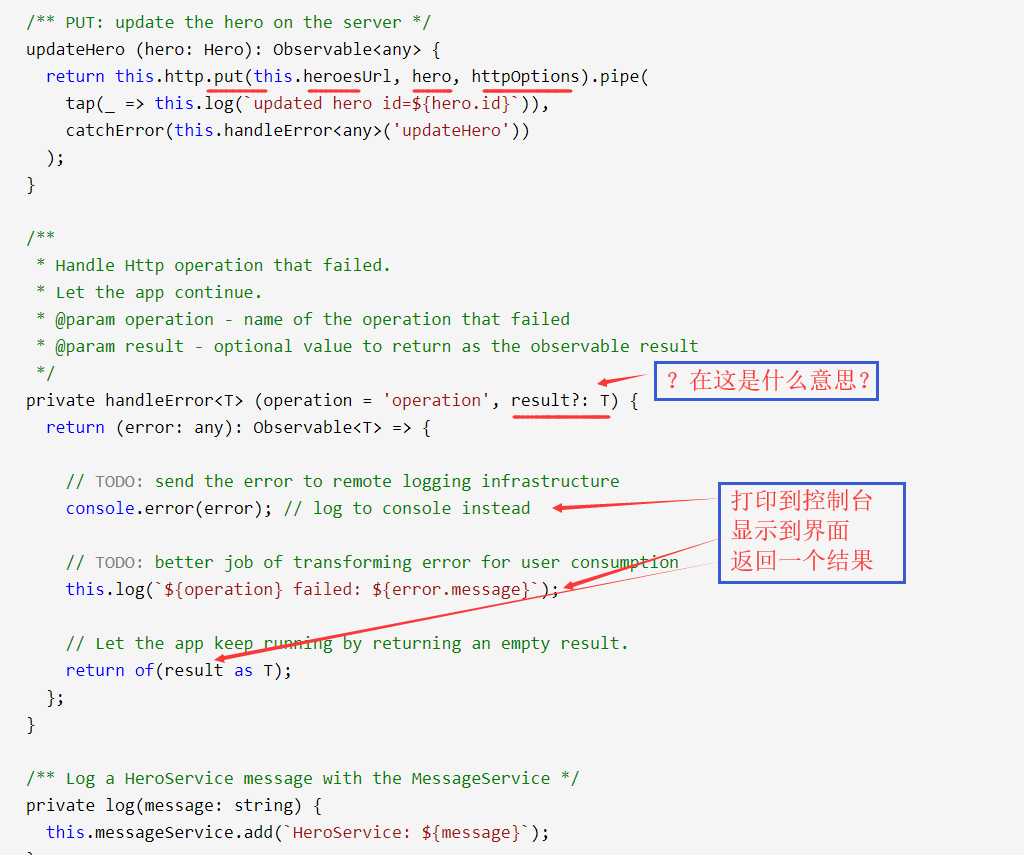
  /** PUT: update the hero on the server */
  updateHero (hero: Hero): Observable<any> {
    return this.http.put(this.heroesUrl, hero, httpOptions).pipe(
      tap(_ => this.log(`updated hero id=${hero.id}`)),
      catchError(this.handleError<any>('updateHero'))
    );
  }

  /**
   * Handle Http operation that failed.
   * Let the app continue.
   * @param operation - name of the operation that failed
   * @param result - optional value to return as the observable result
   */
  private handleError<T> (operation = 'operation', result?: T) {
    return (error: any): Observable<T> => {

      // TODO: send the error to remote logging infrastructure
      console.error(error); // log to console instead

      // TODO: better job of transforming error for user consumption
      this.log(`${operation} failed: ${error.message}`);

      // Let the app keep running by returning an empty result.
      return of(result as T);
    };
  }

  /** Log a HeroService message with the MessageService */
  private log(message: string) {
    this.messageService.add(`HeroService: ${message}`);
  }
}
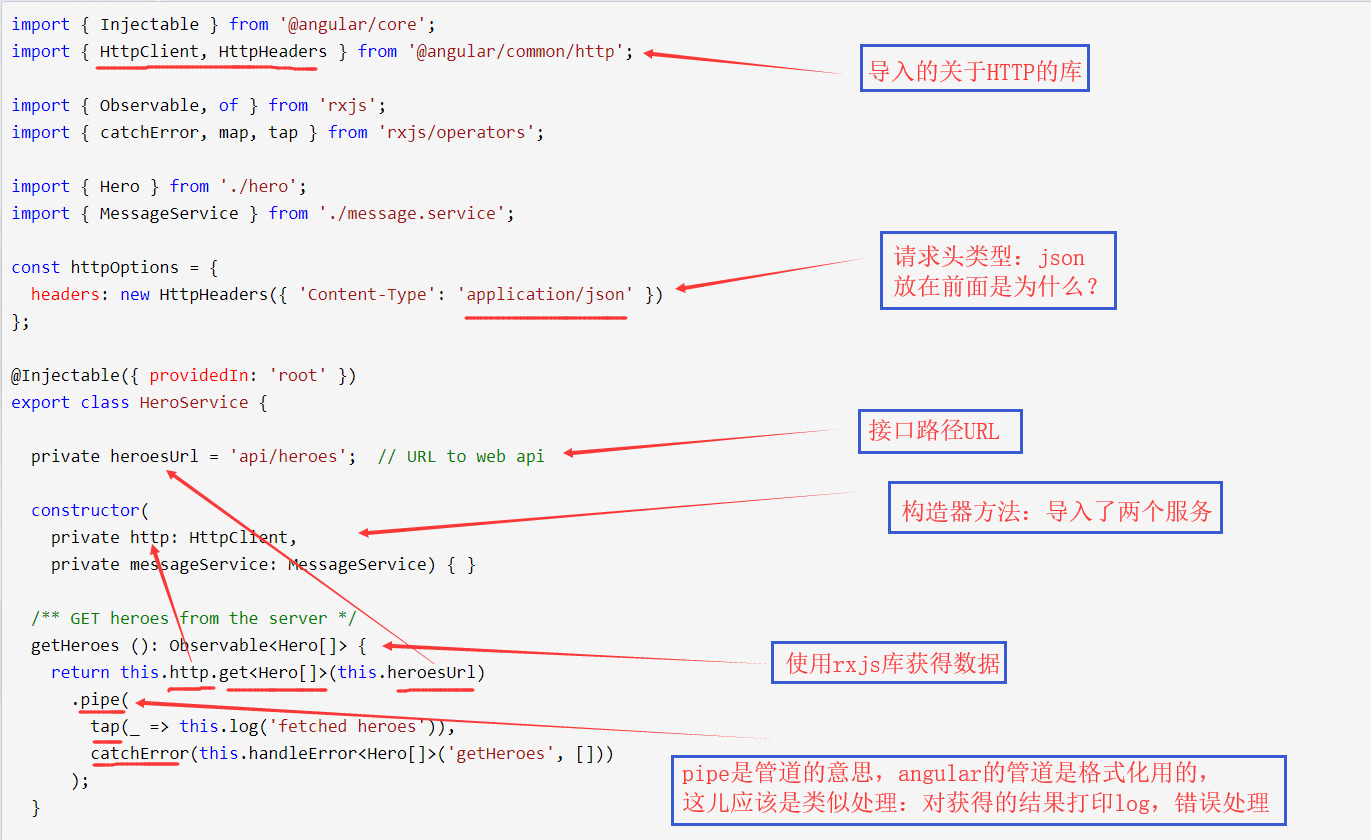
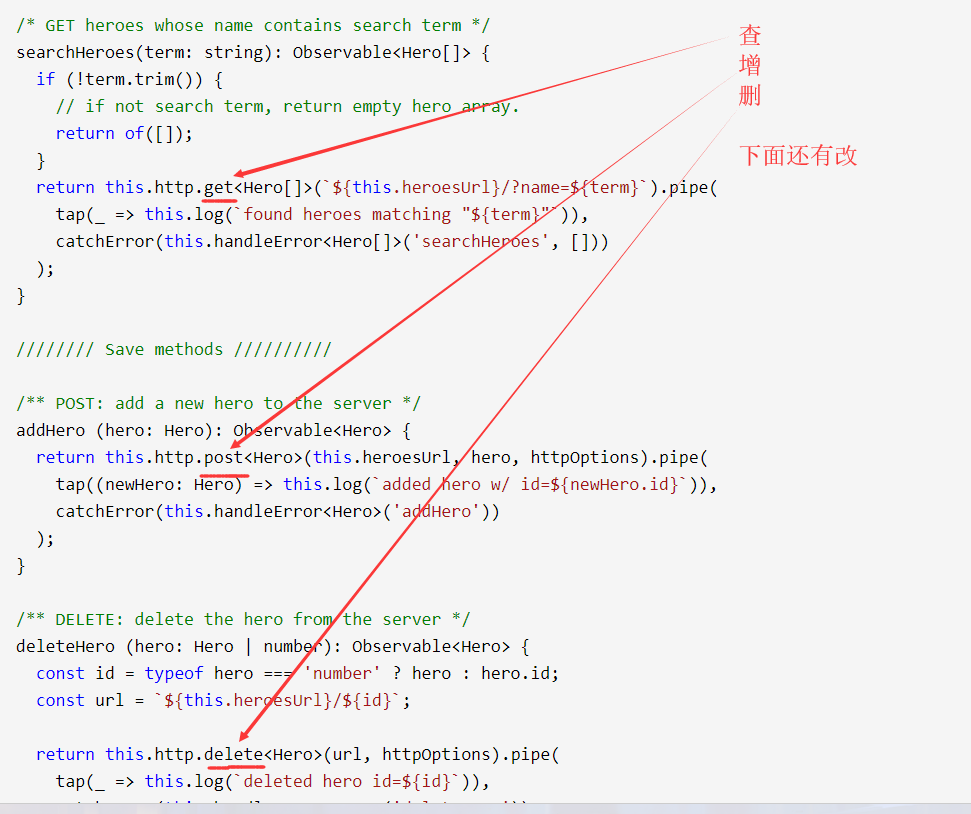
代码理解:hero.service.ts

Angular记录(9)的更多相关文章
- Angular记录(2)
文档资料 箭头函数--MDN:https://developer.mozilla.org/zh-CN/docs/Web/JavaScript/Reference/Functions/Arrow_fun ...
- Angular记录(11)
开始使用Angular写页面 使用WebStorm:版本2018.3.5 官网资料 资料大部分有中文翻译,很不错 速查表:https://www.angular.cn/guide/cheatsheet ...
- Angular记录(10)
文档资料 速查表:https://www.angular.cn/guide/cheatsheet 风格指南:https://www.angular.cn/guide/styleguide Angula ...
- Angular记录(8)
文档资料 箭头函数--MDN:https://developer.mozilla.org/zh-CN/docs/Web/JavaScript/Reference/Functions/Arrow_fun ...
- Angular记录(7)
文档资料 箭头函数--MDN:https://developer.mozilla.org/zh-CN/docs/Web/JavaScript/Reference/Functions/Arrow_fun ...
- Angular记录(6)
文档资料 箭头函数--MDN:https://developer.mozilla.org/zh-CN/docs/Web/JavaScript/Reference/Functions/Arrow_fun ...
- Angular记录(5)
文档资料 箭头函数--MDN:https://developer.mozilla.org/zh-CN/docs/Web/JavaScript/Reference/Functions/Arrow_fun ...
- Angular记录(4)
文档资料 箭头函数--MDN:https://developer.mozilla.org/zh-CN/docs/Web/JavaScript/Reference/Functions/Arrow_fun ...
- Angular记录(3)
文档资料 箭头函数--MDN:https://developer.mozilla.org/zh-CN/docs/Web/JavaScript/Reference/Functions/Arrow_fun ...
随机推荐
- 安装Docker时错误提示 "could not change group /var/run/docker.sock to docker: group docker not found"的解决方案
安装Dock服务,主要命令是 yum install docker. 但是在启动的时候报错:warning msg="could not change group /var/run/doc ...
- Python开发者现实版养成路线:从一无所知到无所不知
初级开发者学Python容易陷入茫然,面对市面上种类众多的编程语言和框架,重要的是坚持自己的选择,宜精不宜杂.本文是一篇指路文,概述了从编程基础.引导.文档阅读.书籍和视频.源代码等学习和积累环节,值 ...
- nginx预防常见攻击
目录 nginx防止DDOS攻击 概述 攻击手段 配置 限制请求率 限制连接的数量 关闭慢连接 设置 IP 黑名单 设置IP白名单 小站点解决方案 nginx防止CC攻击 概述 主动抑制方法 应用举例 ...
- C# Base64方式的编码与解码
编码与解码方法: ///编码 public static string EncodeBase64(string code_type, string code) { string encode = &q ...
- nginx地址代理(2)
本章要讲的是服务器的代理: Nginx是一款轻量级的Web 服务器/反向代理服务器及电子邮件(IMAP/POP3)代理服务器, 一对一代理:就一个服务器监听 server { listen ...
- ASP.NET MVC 自定义模型绑定1 - 自动把以英文逗号分隔的 ID 字符串绑定成 List<int>
直接贴代码了: CommaSeparatedModelBinder.cs using System; using System.Collections; using System.Collection ...
- 分布式存储ceph——(2)openstack对接ceph存储后端
ceph对接openstack环境 一.使用rbd方式提供存储如下数据: (1)image:保存glanc中的image: (2)volume存储:保存cinder的volume:保存创建虚拟机时选择 ...
- maven笔记学习
一.修改setting.xml文件中的镜像 在导入他人项目或者在导入项目时,我们会出现在项目中不能识别maven配置的库文件的情况那么我们可以重新下载本地库, 首先我们可以修改我们安装的maven环境 ...
- Photoshop调出田园照片唯美手绘油画效果
先看看效果图 原片分析:妹子脸上的光不够通透,有些灰暗,整体色调不够分明. 后期思路:色彩往油画风格调整,让画面色彩更加油润.丰富. 基础调整 (1)曝光根据照片的实际情况进行调整 (2)增加阴影部分 ...
- 解决android studio引用远程仓库下载慢(JCenter下载慢)
使用开源中国的maven库 阿里云的(速度飞快):http://maven.aliyun.com/nexus/content/groups/public/ 替换项目根目录下build.gradle中的 ...