
html 绘图渐变和图片填充
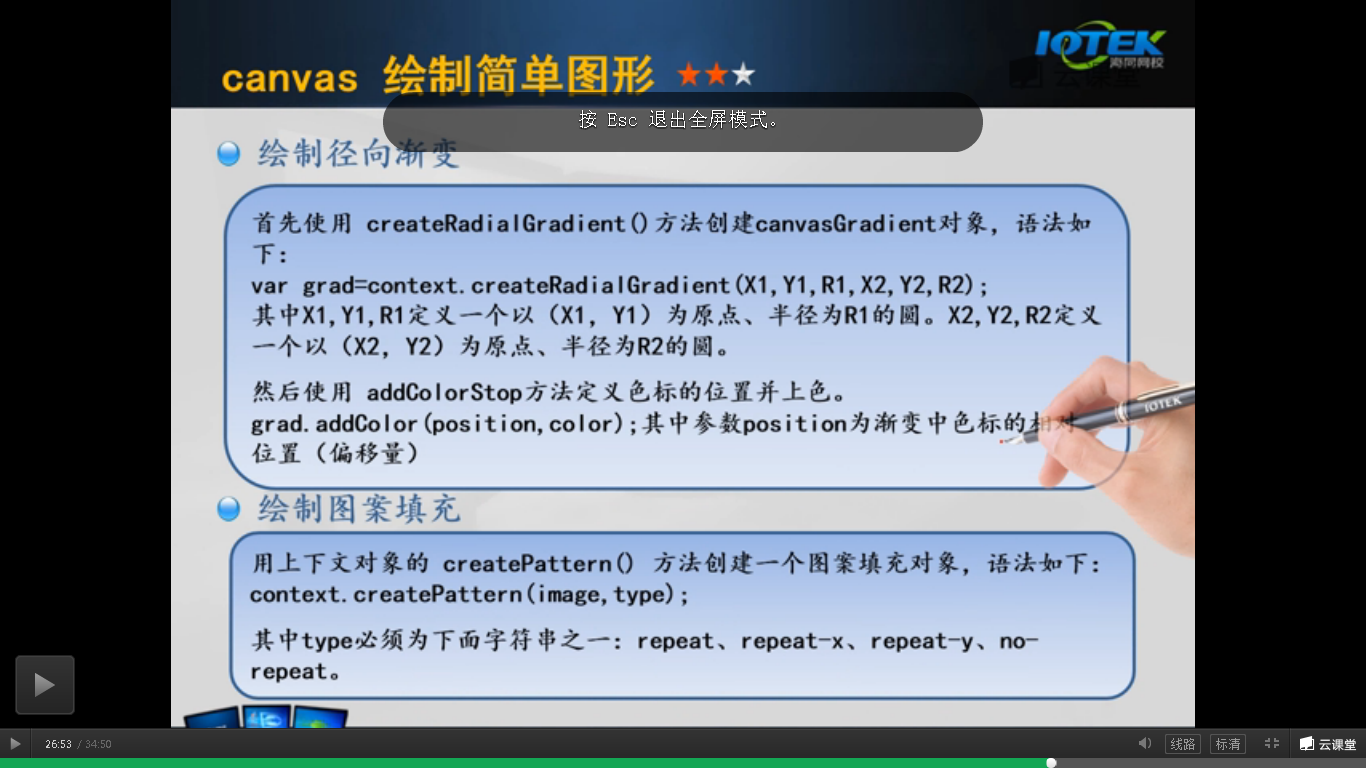
包括线性渐变和径向渐变
<!DOCTYPE html>

<html>

<head lang="en">

    <meta charset="UTF-8">

    <title></title>

    <style>

        #mycanvas{

            border: 1px solid #9c9898;

            background: white;

        }

    </style>

    <script language="JavaScript">

        window.onload=function(){

            var canvas = document.getElementById("mycanvas");

            var contex = canvas.getContext("2d");

            //线性渐变

            var clg=contex.createLinearGradient(0,0,200,0);

            clg.addColorStop(0,"#ff0000");

            clg.addColorStop(0.5,"#00ff00");

            clg.addColorStop(1,"#0000ff");

            contex.fillStyle=clg;

            contex.strokeStyle=clg;

            contex.fillRect(10,10,200,200);

            //径向渐变

            var crg=contex.createRadialGradient(325,100,20,325,100,80);

            crg.addColorStop(0,"#ff0000");

            crg.addColorStop(0.75,"#00ff00");

            crg.addColorStop(1,"#0000ff");

            contex.fillStyle=crg;

            //contex.strokeStyle=crg;

            contex.fillRect(230,10,200,200);

        }

    </script>

</head>

<body>

<canvas id="mycanvas" width="800" height="800"></canvas>

</body>

</html>
填充图片,有四种填充方式
<!DOCTYPE html>

<html>

<head lang="en">

    <meta charset="UTF-8">

    <title></title>

    <style>

        #mycanvas{

            border: 1px solid #9c9898;

            background: blue;

        }

        button{

            height: 80px;

            width: 200px;

        }

    </style>

    <script language="JavaScript">

        function draw(type){

            var canvas = document.getElementById("mycanvas");

            var contex = canvas.getContext("2d");

            contex.clearRect(0,0,500,200);

            var img =document.getElementById("cf");

            var pat = contex.createPattern(img,type);

            contex.rect(0,0,canvas.width,canvas.height);

            contex.fillStyle=pat;

            contex.fill();

        }

    </script>

</head>

<body>

    <img src="1.png" id="cf" width="50 " height="50"><br>

    <button onclick="draw('repeat-x')" >repeat-x</button>

    <button onclick="draw('repeat-y')">repeat-y</button>

    <button onclick="draw('repea')">repeat</button>

    <button onclick="draw('no-repeat'')">no-repeat</button>

    <br>

    <canvas id="mycanvas" width="800" height="800"></canvas>

</body>

</html>
html 绘图渐变和图片填充的更多相关文章
- H5新特性-canvas绘图--渐变对象路径(最复杂)--图片--变形操作
今天的目标 3.1:canvas绘图--(重点掌握:渐变对象.路径.图片.变形) 3.2:canvas绘图--渐变对象 线性渐变: linearGradient 径向渐变: var g = ctx.c ...
- Java设置PPT幻灯片背景——纯色、渐变、图片背景
PPT幻灯片生成时,系统默认是无色背景填充,幻灯片设计需要手动设置背景效果,可设置颜色填充或者图片背景填充.本文将对此介绍具体实现方法. 使用工具:Free Spire.Presentation fo ...
- HTML5 Canvas ( 图片填充样式 ) fillStyle, createPattern
<!DOCTYPE html> <html> <head> <meta charset="UTF-8"> <title> ...
- UI-UIImageView的图片填充方式(contentMode)_图片作为控件背景图的拉伸方式(stretch)介绍
常用图片填充方式 这里只介绍三个最常用的图片填充方式 UIViewContentModeScaleToFill模式会导致图片变形.例如: UIViewContentModeScaleAspectFit ...
- 【pyqtgraph绘图】线条,填充和颜色
解读官方API-线条,填充和颜色 参考: http://www.pyqtgraph.org/documentation/style.html 线条,填充和颜色 Qt依靠其QColor,QPen和QBr ...
- CSS让DIV按照背景图片的比例缩放,并让背景图片填充整个元素(转)
目的是:通过background的一系列属性,让DIV按照背景图片的比例缩放,并让背景图片填充整个DIV 首先我们需要让背景图片在指定的DIV中全部填充显示 之前看有用类似 background-at ...
- 使用Aspose.word (Java) 填充word文档数据(包含图片填充)
Aspose填充word数据 本文介绍了如何使用aspose进行word文档的生成,并提供了工具类供参考. 有问题欢迎 call 微信:905369866,小弟尽力而为..毕竟这玩意没吃透. 目录 A ...
- Qt 2D绘图 渐变填充(三种渐变方式)
在qt中提供了三种渐变方式,分别是线性渐变,圆形渐变和圆锥渐变.如果能熟练应用它们,就能设计出炫目的填充效果. 线性渐变: 1.更改函数如下: void Dialog::paintEvent(QPai ...
- Java基础之在窗口中绘图——渐变填充(GradientApplet 1)
Applet程序. import javax.swing.*; import java.awt.*; import java.awt.geom.*; @SuppressWarnings("s ...
随机推荐
- ssi技术初探
http://blog.sina.com.cn/s/blog_765941620100wiir.html
- UVALive 6124 Hexagon Perplexagon 题解
http://vjudge.net/problem/viewProblem.action?id=37480 East Central Regional Contest Problem C: Hexag ...
- 用Lucene检索数据库
http://blog.sina.com.cn/s/blog_82ac67c101012r9z.html package com.javabean; import java.io.File;impor ...
- ORACLE10G工作原理
数据库查询语句内部执行过程 Select * from xxx 步骤 分析阶段(parse) 1. 共享池库高速缓存有没有该语句.如果有直接返回结果. 2. 语法分 ...
- 【OpenStack】OpenStack系列1之Python虚拟环境搭建
安装virtualenv相关软件包 安装:yum install python-virtualenv* -y 简介,安装包主要包括, python-virtualenv:virtualenv用于创建独 ...
- h5在微信中不允许放大缩小页面
在头部添加 <meta name="viewport" content="width=device-width, initial-scale=1, maximum- ...
- Solr5.3.1 SolrJ查询索引结果
通过SolrJ获取Solr检索结果 1.通过SolrParams的方式提交查询参数 SolrClient solr = new HttpSolrClient("http://localhos ...
- 【转】kettle 的内存设置及输出日志的时间类型
本文转载自:http://blog.csdn.net/dqswuyundong/archive/2010/10/19/5952004.aspx 设置kettle的内存 REM ************ ...
- mysql cluster 运行的必备条件
1.由于同步复制一共需要4次消息传递,故mysql cluster的数据更新速度比单机mysql要慢.所以mysql cluster要求运行在千兆以上的局域网内,节点可以采用双网卡,节点组之间采用直 ...
- HDU 4704 Sum (高精度+快速幂+费马小定理+二项式定理)
Sum Time Limit:1000MS Memory Limit:131072KB 64bit IO Format:%I64d & %I64u Submit Status ...