
RDO快速部署OpenStack
RDO快速部署OpenStack
1.RDO是什么
RDO是红帽Red Hat Enterprise Linux OpenStack Platform的社区版,类似RHEL和Fedora,RHEV和oVirt这样的关系。 说白了,就是红帽支持一个开源项目,让你帮他踩坑,得到成熟稳定的版本,红帽搞一个企业版赚钱。
这个就是红帽的商业模式,其实是多方受益的,用户有一个开源免费的软件工具使用,当然前期可能“坑”比较多,但是和红帽一起磨合,共同提高稳定性,比较典型的就是CentOS。红帽发行商业版,赚去服务费,对可靠性、稳定性、服务要更高要求的用户,就可以购买红帽的服务。
2.RDO准备解决什么问题
OpenStack的安装是一个难题,组件众多,非常麻烦。最早支持OS的是Ubuntu,所以在ubuntu上有方便快捷的OpenStack安装脚本。

OpenStack越来越重要,越来越被大家认可,所以红帽也推出了OpenStack的快捷安装部署项目,这个项目就是RDO。

RDO项目的原理是整合上游的OpenStack版本,然后根据红帽的系统做裁剪和定制,帮助用户进行选择,对用户来说,就是简单的几步,完成了OpenStack的部署。

如果手工部署OpenStack,可能需要好几天,使用RDO,就是几个命令,再加一两个小时的等待。当然,牺牲了灵活性,但是对最终用户来说,要的是简单部署,稳定使用。
3.RDO的快速安装,4步就可以搞定
yum update -y

yum install -y https://rdoproject.org/repos/rdo-release.rpm

yum install -y openstack-packstack

packstack --allinone
根据网速不同,等待2小时,就可以使用OpenStack了:
4.安装过程
[root@linux ~]# packstack --allinone

Welcome to the Packstack setup utility

The installation log file is available at: /var/tmp/packstack/--mxVMDp/openstack-setup.log

Installing:

Clean Up                                             [ DONE ]

Discovering ip protocol version                      [ DONE ]

Setting up ssh keys                                  [ DONE ]

Preparing servers                                    [ DONE ]

Pre installing Puppet and discovering hosts' details [ DONE ]

Preparing pre-install entries                        [ DONE ]

Setting up CACERT                                    [ DONE ]

Preparing AMQP entries                               [ DONE ]

Preparing MariaDB entries                            [ DONE ]

Fixing Keystone LDAP config parameters to be undef if empty[ DONE ]

Preparing Keystone entries                           [ DONE ]

Preparing Glance entries                             [ DONE ]

Checking if the Cinder server has a cinder-volumes vg[ DONE ]

Preparing Cinder entries                             [ DONE ]

Preparing Nova API entries                           [ DONE ]

Creating ssh keys for Nova migration                 [ DONE ]

Gathering ssh host keys for Nova migration           [ DONE ]

Preparing Nova Compute entries                       [ DONE ]

Preparing Nova Scheduler entries                     [ DONE ]

Preparing Nova VNC Proxy entries                     [ DONE ]

Preparing OpenStack Network-related Nova entries     [ DONE ]

Preparing Nova Common entries                        [ DONE ]

Preparing Neutron LBaaS Agent entries                [ DONE ]

Preparing Neutron API entries                        [ DONE ]

Preparing Neutron L3 entries                         [ DONE ]

Preparing Neutron L2 Agent entries                   [ DONE ]

Preparing Neutron DHCP Agent entries                 [ DONE ]

Preparing Neutron Metering Agent entries             [ DONE ]

Checking if NetworkManager is enabled and running    [ DONE ]

Preparing OpenStack Client entries                   [ DONE ]

Preparing Horizon entries                            [ DONE ]

Preparing Swift builder entries                      [ DONE ]

Preparing Swift proxy entries                        [ DONE ]

Preparing Swift storage entries                      [ DONE ]

Preparing Gnocchi entries                            [ DONE ]

Preparing Redis entries                              [ DONE ]

Preparing Ceilometer entries                         [ DONE ]

Preparing Aodh entries                               [ DONE ]

Preparing Puppet manifests                           [ DONE ]

Copying Puppet modules and manifests                 [ DONE ]

Applying 192.168..141_controller.pp

192.168..141_controller.pp:                         [ DONE ]

Applying 192.168..141_network.pp

192.168..141_network.pp:                            [ DONE ]

Applying 192.168..141_compute.pp

192.168..141_compute.pp:                            [ DONE ]

Applying Puppet manifests                            [ DONE ]

Finalizing                                           [ DONE ]

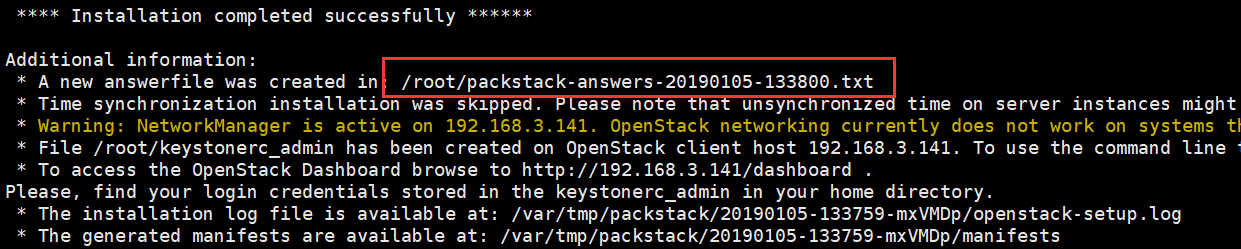
 **** Installation completed successfully ******

Additional information:

 * A new answerfile was created in: /root/packstack-answers--.txt

 * Time synchronization installation was skipped. Please note that unsynchronized time on server instances might be problem for some OpenStack components.

 * Warning: NetworkManager is active on 192.168.3.141. OpenStack networking currently does not work on systems that have the Network Manager service enabled.

 * File /root/keystonerc_admin has been created on OpenStack client host 192.168.3.141. To use the command line tools you need to source the file.

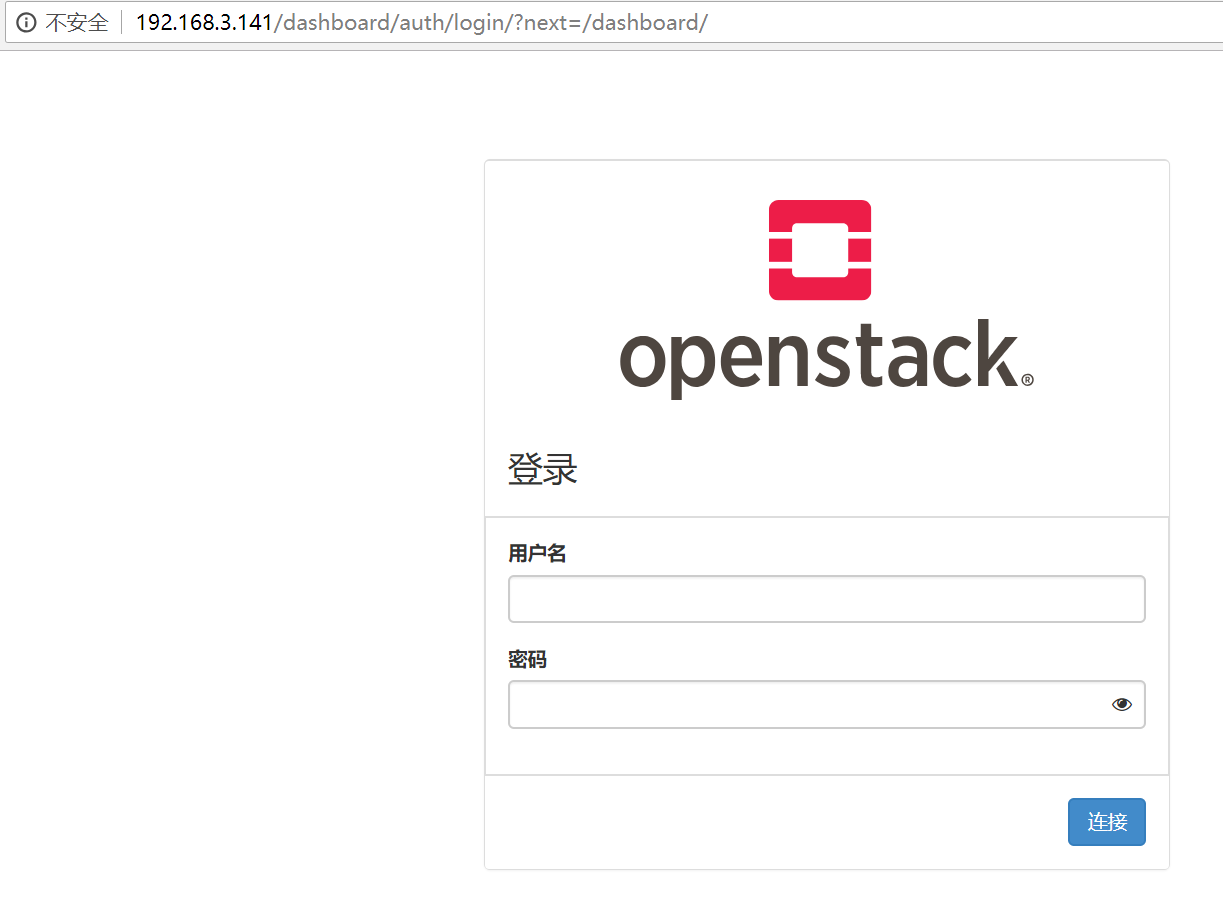
 * To access the OpenStack Dashboard browse to http://192.168.3.141/dashboard .

Please, find your login credentials stored in the keystonerc_admin in your home directory.

 * The installation log file is available at: /var/tmp/packstack/--mxVMDp/openstack-setup.log

 * The generated manifests are available at: /var/tmp/packstack/--mxVMDp/manifests
5.登录地址

6.账号密码
/root/packstack-answers-20190105-133800.txt
7.登录界面
RDO快速部署OpenStack的更多相关文章
- packstack快速部署openstack
环境准备 建议16GB RAM sed -i '/^SELINUX/s/enforcing/disabled/' /etc/selinux/config systemctl stop firewall ...
- CentOS RDO方式快速安装OpenStack
一.了解RDO RDO是什么? RDO是红帽Red Hat Enterprise Linux OpenStack Platform的社区版,类似RHEL和Fedora,RHEV和oVirt这样的关系. ...
- O01-Linux CentOS7中利用RDO部署OpenStack
一.前言 1.RDO是红帽Red Hat 的一个开源项目,全称是RPM Distribution of OpenStack,能够帮助我们快捷部署OpenStack项目. 官方部署文档:https:// ...
- MariaDB Galera Cluster 部署(如何快速部署 MariaDB 集群)
MariaDB Galera Cluster 部署(如何快速部署 MariaDB 集群) OneAPM蓝海讯通7月3日 发布 推荐 4 推荐 收藏 14 收藏,1.1k 浏览 MariaDB 作为 ...
- MariaDB Galera Cluster 部署(如何快速部署MariaDB集群)
MariaDB Galera Cluster 部署(如何快速部署MariaDB集群) [日期:--] 来源:Linux社区 作者:Linux [字体:大 中 小] MariaDB作为Mysql的一个分 ...
- Ubuntu 18.04.1 LTS + kolla-ansible 部署 openstack Rocky all-in-one 环境
1. kolla 项目介绍 简介 kolla 的使命是为 openstack 云平台提供生产级别的.开箱即用的自动化部署能力. kolla 要实现 openetack 部署分为两步,第一步是制作 do ...
- Fuel 30 分钟快速安装OpenStack
一直以来,对于openstack 的初学者来讲,安装往往是入门的头大难题.在E版本之前,要搭建一个基本能用的openstack 环境那是相当麻烦,自己要装机,自己搞源,自己照着文档敲命令,又没有靠谱的 ...
- 使用RKE快速部署k8s集群
一.环境准备 1.1环境信息 IP地址 角色 部署软件 10.10.100.5 K8s Master Etcd.Control 10.10.100.17 K8s Worker1 Worker 10.1 ...
- Linux上oracle精简版客户端快速部署
RHEL6 + Oracle 11g客户端快速部署 需求:只是用到客户端的sqlplus, sqlldr功能. 方案:用精简版实现客户端的快速部署 1.上传oracle精简版客户端到服务器/tmp目录 ...
随机推荐
- The `android.dexOptions.incremental` property is deprecated and it has no effect on the build process.
编译报错:The android.dexOptions.incremental property is deprecated and it has no effect on the build pro ...
- .net asp 实现json 格式跨域访问 的方法
在<configuration> 配置目录下添加允许跨域的头部信息 //webapi 默认的web.config有配置 //1)删除 下面参数 否者WEB API 会 出现405 错误 没 ...
- PAT 1073 Scientific Notation
1073 Scientific Notation (20 分) Scientific notation is the way that scientists easily handle very ...
- 2015-10-21 C#1
C#(一) 一.C#的数值类型 byte----字节型 short---短整型 int------整型 long----长整型 char----字符型 float----单精度型 double--双精 ...
- java常见3种文件上传速度对比和文件上传方法详细代码
在java里面文件上传的方式很多,最简单的依然是FileInputStream.FileOutputStream了,在这里我列举3种常见的文件上传方法代码,并比较他们的上传速度(由于代码是在本地测试, ...
- JQ 关于each() 箭头函数报错的问题
- CentOS 使用yum命令安装出现错误提示”could not retrieve mirrorlist http://mirrorlist.centos.org
CentOS 使用yum命令安装出现错误提示"could not retrieve mirrorlist http://mirrorlist.centos.org这个错误, 在网上找了好多, ...
- redis-cluster配置
为什么要用redis-cluster 1.并发问题 redis官方生成可以达到 10万/每秒,每秒执行10万条命令假如业务需要每秒100万的命令执行呢? 2.数据量太大 一台服务器内存正常是16~25 ...
- AC Challenge(状压dp)
ACM-ICPC 2018 南京赛区网络预赛E: 题目链接https://www.jisuanke.com/contest/1555?view=challenges Dlsj is competing ...
- 基于TCP的安卓客户端开发
一.Socket通信简介 Android与服务器的通信方式主要有两种,一是Http通信,一是Socket通信.两者的最大差异在于,http连接使用的是“请求—响应方式”,即在请求时建立连接通道,当客户 ...