
iOS WKWebView (NSURLProtocol)拦截js、css,图片资源
项目地址github:<a href="https://github.com/LiuShuoyu/HybirdWKWebVIew/">HybirdWKWebVIew</a>
HybridNSURLProtocol
一个基于WKWebView的hybirde的容器。能拦截所有WKWKWebView的的css,js,png等网络请求的demo
NSURLProtocol 子类,就可以对 app 内所有的网络请求进行:
[NSURLProtocol registerClass:[HybridNSURLProtocol class]]
可是在 WKWebView 中的请求却完全不遵从这一规则,只是象征性+ (BOOL) canInitWithRequest:(NSURLRequest *)request 方法,之后的整个请求流程似乎就与 NSURLProtocol 完全无关了。
使我WKWebView 的一度认为请求不遵守NSURLProtocol协议,所以不走 NSURLProtocol。这个也是很苦扰我的问题。导致我们hybird的容器1.0也是是用UIWebVIew实现的。
但在苹果放在gittub的CustomHTTPProtocol,明显感觉到WKWebview的也是遵守NSURLProtocol,要不也不会走+ (BOOL)canInitWithRequest:(NSURLRequest *)request;后来一个每天看博客和gittub的习惯帮助了我,找到一个大神的不久前开源库。
使用了WKBrowsingContextController和registerSchemeForCustomProtocol。 通过反射的方式拿到了私有的 class/selector。通过kvc取到browsingContextController。通过把注册把 http 和 https 请求交给 NSURLProtocol 处理。
[NSURLProtocol wk_registerScheme:@"http"];

[NSURLProtocol wk_registerScheme:@"https"];
下面直接上源代码吧
//FOUNDATION_STATIC_INLINE 属于属于runtime范畴,你的.m文件需要频繁调用一个函数,可以用static inline来声明。在SDWebImage读取内存的缓存也用到这个声明。

FOUNDATION_STATIC_INLINE Class ContextControllerClass() {

static Class cls;

if (!cls) {

cls = [[[WKWebView new] valueForKey:@"browsingContextController"] class];

}

return cls;

}

FOUNDATION_STATIC_INLINE SEL RegisterSchemeSelector() {

return NSSelectorFromString(@"registerSchemeForCustomProtocol:");

}

FOUNDATION_STATIC_INLINE SEL UnregisterSchemeSelector() {

return NSSelectorFromString(@"unregisterSchemeForCustomProtocol:");

}

@implementation NSURLProtocol (WebKitSupport)

+ (void)wk_registerScheme:(NSString *)scheme {

Class cls = ContextControllerClass();

SEL sel = RegisterSchemeSelector();

if ([(id)cls respondsToSelector:sel]) {

// 放弃编辑器警告

#pragma clang diagnostic push

#pragma clang diagnostic ignored "-Warc-performSelector-leaks"

[(id)cls performSelector:sel withObject:scheme];

#pragma clang diagnostic pop

}

}

+ (void)wk_unregisterScheme:(NSString *)scheme {

Class cls = ContextControllerClass();

SEL sel = UnregisterSchemeSelector();

if ([(id)cls respondsToSelector:sel]) {

// 放弃编辑器警告

#pragma clang diagnostic push

#pragma clang diagnostic ignored "-Warc-performSelector-leaks"

[(id)cls performSelector:sel withObject:scheme];

#pragma clang diagnostic pop

}

}
注册后,客户端所有请求走+ (BOOL)canInitWithRequest:(NSURLRequest *)request。下面是打印的请求的log
+ (BOOL)canInitWithRequest:(NSURLRequest *)request

{

NSLog(@"request.URL.absoluteString = %@",request.URL.absoluteString);

NSString *scheme = [[request URL] scheme];

if ( ([scheme caseInsensitiveCompare:@"http"]  == NSOrderedSame ||

[scheme caseInsensitiveCompare:@"https"] == NSOrderedSame ))

{

//看看是否已经处理过了,防止无限循环

if ([NSURLProtocol propertyForKey:KHybridNSURLProtocolHKey inRequest:request])

return NO;

return YES;

}

return NO;

}
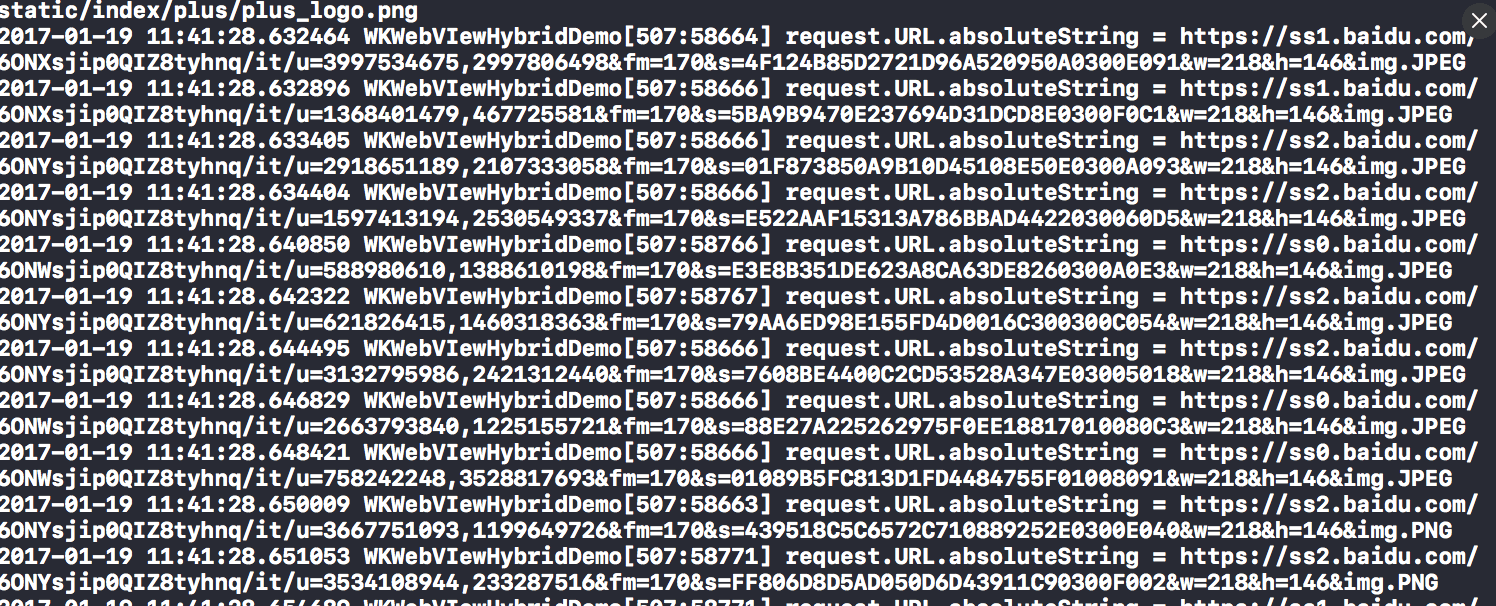
request的重写定向,request的重写定向,替换百度知道的log
+ (BOOL)canInitWithRequest:(NSURLRequest *)request

{

NSLog(@"request.URL.absoluteString = %@",request.URL.absoluteString);

NSString *scheme = [[request URL] scheme];

if ( ([scheme caseInsensitiveCompare:@"http"]  == NSOrderedSame ||

[scheme caseInsensitiveCompare:@"https"] == NSOrderedSame ))

{

//看看是否已经处理过了,防止无限循环

if ([NSURLProtocol propertyForKey:KHybridNSURLProtocolHKey inRequest:request])

return NO;

return YES;

}

return NO;

}
这里最好加上缓存判断,加载本地离线文件, 这个直接简单的例子。
- (void)startLoading

{

NSMutableURLRequest *mutableReqeust = [[self request] mutableCopy];

//给我们处理过的请求设置一个标识符, 防止无限循环,

[NSURLProtocol setProperty:@YES forKey:KHybridNSURLProtocolHKey inRequest:mutableReqeust];

//这里最好加上缓存判断,加载本地离线文件, 这个直接简单的例子。

if ([mutableReqeust.URL.absoluteString isEqualToString:sourIconUrl])

{

NSData* data = UIImagePNGRepresentation([UIImage imageNamed:@"medlinker"]);

NSURLResponse* response = [[NSURLResponse alloc] initWithURL:self.request.URL MIMEType:@"image/png" expectedContentLength:data.length textEncodingName:nil];

[self.client URLProtocol:self didReceiveResponse:response cacheStoragePolicy:NSURLCacheStorageAllowed];

[self.client URLProtocol:self didLoadData:data];

[self.client URLProtocolDidFinishLoading:self];

}

else

{

NSURLSession *session = [NSURLSession sessionWithConfiguration:[NSURLSessionConfiguration defaultSessionConfiguration] delegate:self delegateQueue:nil];

self.task = [session dataTaskWithRequest:self.request];

[self.task resume];

}

}
下面是代码效果图
项目地址:
github:<a href="https://github.com/LiuShuoyu/HybirdWKWebVIew/">HybirdWKWebVIew</a>,对您有帮助,欢迎star。
有问题反馈
在使用中有任何问题,欢迎反馈给我,可以用以下联系方式跟我交流
- github:<a href="https://github.com/LiuShuoyu/">LiuShuoyu</a>
接受启发的作者的github
github:<a href="https://github.com/yeatse/">Yeatse CC</a>
苹果开发者文档:<a href="https://developer.apple.com/library/content/samplecode/CustomHTTPProtocol/Introduction/Intro.html/">apple</a>
作者:刘小弟
链接:https://www.jianshu.com/p/4fc13d4d5607
来源:简书
简书著作权归作者所有,任何形式的转载都请联系作者获得授权并注明出处。
iOS WKWebView (NSURLProtocol)拦截js、css,图片资源的更多相关文章
- iOS WKWebView OC 与 JS 交互学习
我写WKWebView 想让 服务端相应 一个 方法但是不响应,根据 UIWebView 用 JSContext就能拿到响应的处理经验是不是服务端 也需要 对 WKwebView有兼容的一个写法??? ...
- Spring MVC 拦截 js,css,png 等资源
springMVC的<mvc:resources mapping="***" location="***">标签是在spring3.0.4出现的,主 ...
- iOS之在webView中引入本地html,image,js,css文件的方法 - sky//////////////////////////////////////ZZZZZZZZZZZZZZZ
iOS之在webView中引入本地html,image,js,css文件的方法 2014-12-08 20:00:16CSDN-sky_2016-点击数:10292 项目需求 最近开发的项 ...
- iOS 开发中使用 NSURLProtocol 拦截 HTTP 请求
这篇文章会提供一种在 Cocoa 层拦截所有 HTTP 请求的方法,其实标题已经说明了拦截 HTTP 请求需要的了解的就是 NSURLProtocol. 由于文章的内容较长,会分成两部分,这篇文章介绍 ...
- iOS进阶之使用 NSURLProtocol 拦截 HTTP 请求(转载)
这篇文章会提供一种在 Cocoa 层拦截所有 HTTP 请求的方法,其实标题已经说明了拦截 HTTP 请求需要的了解的就是 NSURLProtocol. 由于文章的内容较长,会分成两部分,这篇文章介绍 ...
- iOS应用内抓包、NSURLProtocol 拦截 APP 内的网络请求
前言 开发中遇到需要获取SDK中的数据,由于无法看到代码,所以只能通过监听所有的网络请求数据,截取相应的返回数据,可以通过NSURLProtocol实现,还可用于与H5的交互 一.NSURLProto ...
- iOS中web与Js的交互
问题 感觉到uni-app框架有pit,公司强推该框架的小哥识趣的闭嘴,考虑到全盘替换周期跟成本挺大,基于uni-app能打包成H5,采用webview+js的原生方式集成 基本结构:原生壳 + we ...
- 配置springMVC之后,引入js,css等资源处理
配置了sringMVC之后,要引入js,css处理: 做法1:在<%page %>下面增加: <%@ taglib prefix="yesurl" uri=&qu ...
- springmvc js/css路径问题
①No mapping found for HTTP request with URI[/msm2/css/login2.css] in DispatcherServlet with name 'sp ...
随机推荐
- JS_高阶函数(filter)
//2017/7/18 //高阶函数:filter. //filter也是一个常用的操作,它用于把Array的某些元素过滤掉,然后返回剩下的元素.和map()类似,Array的filter()也接收一 ...
- C#_02.13_基础三_.NET类基础
C#_02.13_基础三_.NET类基础 一.类概述: 类是一个能存储数据和功能并执行代码的数据结构,包含数据成员和函数成员.(有什么和能够干什么) 运行中的程序是一组相互作用的对象的集合. 二.为类 ...
- Idea checkstyle插件的使用
File->Setting 选择Plugins,查询是否已经安装了checkstyle,如果没有安装,可以点击下面的“Browse repositories...”按钮 查询到checkstyl ...
- 推荐系统算法学习(一)——协同过滤(CF) MF FM FFM
https://blog.csdn.net/qq_23269761/article/details/81355383 1.协同过滤(CF)[基于内存的协同过滤] 优点:简单,可解释 缺点:在稀疏情况下 ...
- CVPR论文《100+ Times Faster Weighted Median Filter (WMF)》的实现和解析(附源代码)。
四年前第一次看到<100+ Times FasterWeighted Median Filter (WMF)>一文时,因为他附带了源代码,而且还是CVPR论文,因此,当时也对代码进行了一定 ...
- Nginx——location匹配与在配置中的优先级
1. location表达式类型 location ^~ /api/v7/ { proxy_next_upstream http_404 http_500 http_502 http_503 http ...
- MySQL技术内幕读书笔记(四)——表
目录 表 索引组织表 InnoDB逻辑存储结构 INNODB行记录格式 INNODB数据页结构 约束 视图 分区表 表 表就是关于特定实体的数据集合,是关系型数据库模型的核心. 索引组织表 在 ...
- 【C++】C++中变量的声明与定义的区别
声明(declaration):意味着告诉编译器关于变量名称.变量类型.变量大小.函数名称.结构名称.大小等等信息,并且在声明阶段不会给变量分配任何的内存. 定义(definition):定义就是在变 ...
- 【VS2019】F12跳转到源码,关闭浏览器不停止项目【转】
[VS2019]F12跳转到源码 1.工具->选项 2.文本编辑器->C#->高级->勾选支持导航到反编译源码 3.关闭浏览器不停止项目
- Linux内核调试方法总结
Linux内核调试方法总结 一 调试前的准备 二 内核中的bug 三 内核调试配置选项 1 内核配置 2 调试原子操作 四 引发bug并打印信息 1 BUG()和BUG_ON() 2 ...