
Redis配置文件(2)SNAPSHOTTING快照/APPEND ONLY MODE追加
redis.conf文件
RDB是整个内存的压缩过的Snapshot,RDB的数据结构,可以配置复合的快照触发条件,

默认

是1分钟内改了1万次,

或5分钟内改了10次,

或15分钟内改了1次。
b.如果想禁用RDB持久化的策略,只要不设置任何save指令,或者给save传入一个空字符串参数也可以
 #   Note: you can disable saving completely by commenting out all "save" lines.

 #

 #   It is also possible to remove all the previously configured save

 #   points by adding a save directive with a single empty string argument

 #   like in the following example:

 #

200 #   save ""

 save

 save

 save
set key value1

save

此时立马执行,形成最新的dump文件
# However if you have setup your proper monitoring of the Redis server

# and persistence, you may want to disable this feature so that Redis will

# continue to work as usual even if there are problems with disk,

# permissions, and so forth.

stop-writes-on-bgsave-error yes
yes:出错了就立即停止
# Compress string objects using LZF when dump .rdb databases?

# For default that's set to 'yes' as it's almost always a win.

# If you want to save some CPU in the saving child set it to 'no' but

# the dataset will likely be bigger if you have compressible values or keys.

rdbcompression yes
dbfilename
默认生成的rdb文件名
# The filename where to dump the DB

dbfilename dump.rdb
dir
# Note that you must specify a directory here, not a file name.

dir ./
实战测试:
修改配置文件
 #   save ""

 save

203 save 120 10

 save
两分钟10次操作
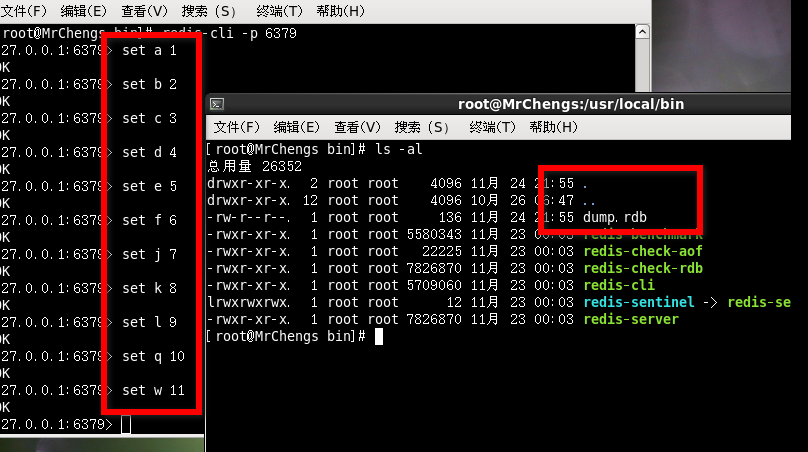
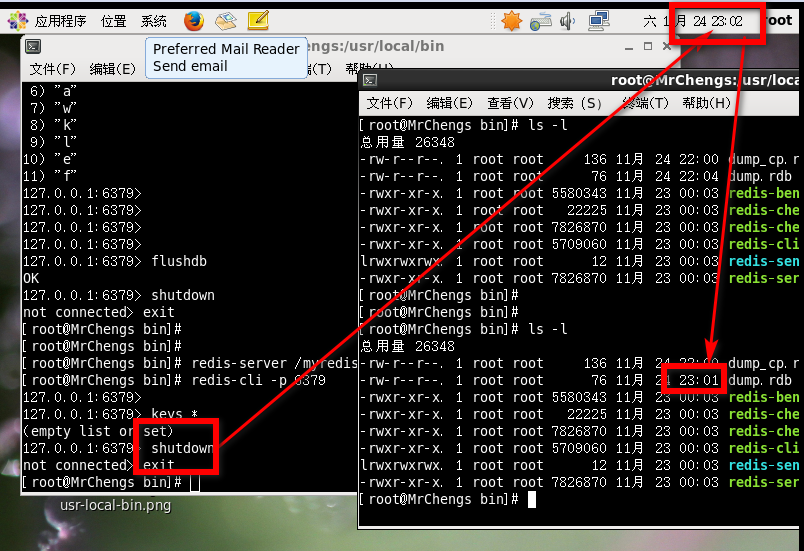
之后会生成一个dump.rdb文件,具体生成文件的默认名请修改:dbfilename
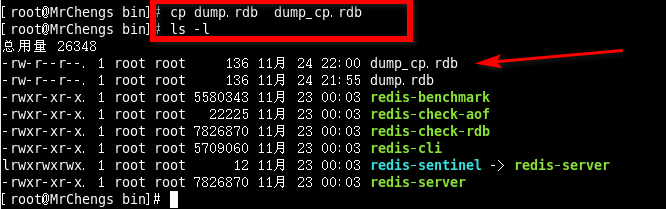
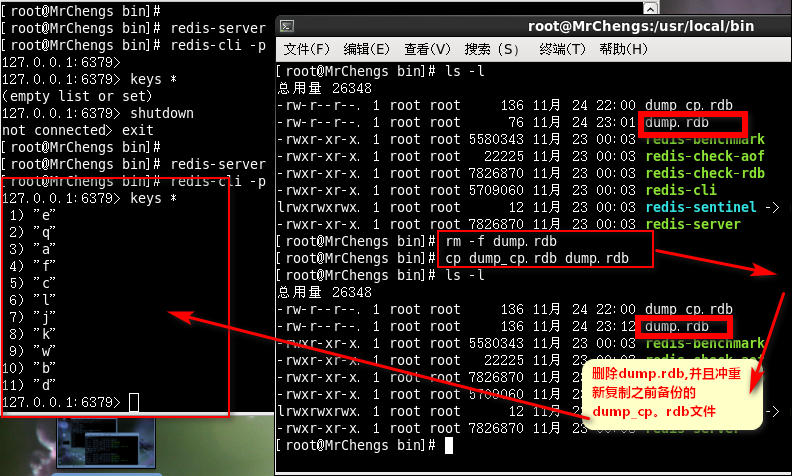
进行复制(备份)
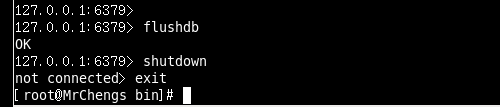
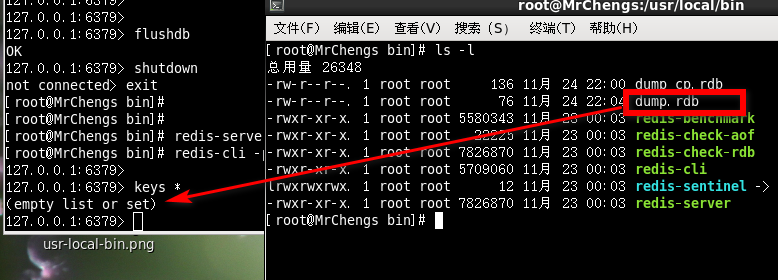
模拟事故:
此时直接删除所有的数据
此时再次重新登陆则是会显示为空,即是存在dump.rdb文件
APPEND ONLY MODE追加
appendonly:默认开关状态,可以同时和RDB一起开着
# AOF and RDB persistence can be enabled at the same time without problems.

# If the AOF is enabled on startup Redis will load the AOF, that is the file

# with the better durability guarantees.

#

# Please check http://redis.io/topics/persistence for more information.

appendonly no

默认是关着的
appendfilename:默认的文件名
# The name of the append only file (default: "appendonly.aof")

appendfilename "appendonly.aof"
appendfsync
# no: don't fsync, just let the OS flush the data when it wants. Faster.

# always: fsync after every write to the append only log. Slow, Safest.

# everysec: fsync only one time every second. Compromise.

always:同步持久话每次发生数据变更立即记录到磁盘,性能比较差但是数据完整性好

everysec:出场默认的推荐的,异步操作,每秒记录,如果一秒内宕机,有数据丢失
# More details please check the following article:

# http://antirez.com/post/redis-persistence-demystified.html

# If unsure, use "everysec".

# appendfsync always

appendfsync everysec
# If you have latency problems turn this to "yes". Otherwise leave it as

# "no" that is the safest pick from the point of view of durability.

no-appendfsync-on-rewrite no
# This base size is compared to the current size. If the current size is

# bigger than the specified percentage, the rewrite is triggered. Also

# you need to specify a minimal size for the AOF file to be rewritten, this

# is useful to avoid rewriting the AOF file even if the percentage increase

# is reached but it is still pretty small.

# Specify a percentage of zero in order to disable the automatic AOF

# rewrite feature.

auto-aof-rewrite-percentage 100

auto-aof-rewrite-min-size 64mb
# Please check http://redis.io/topics/persistence for more information.

appendonly yes
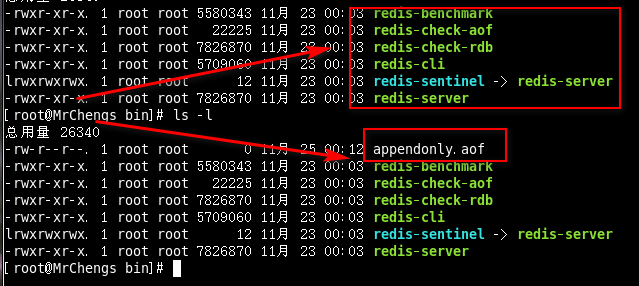
创造性的意外事件
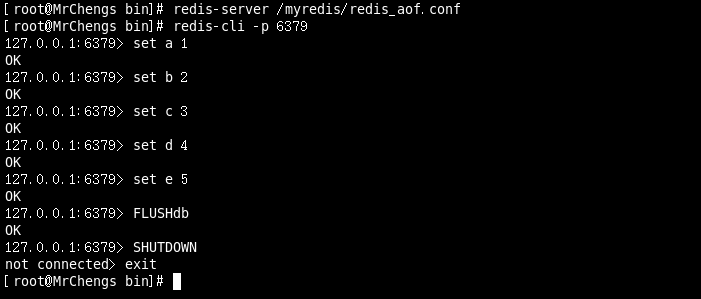
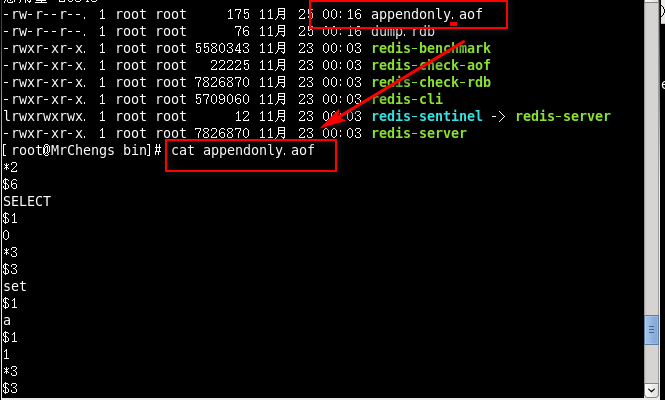
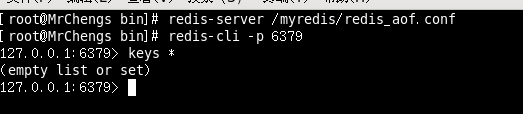

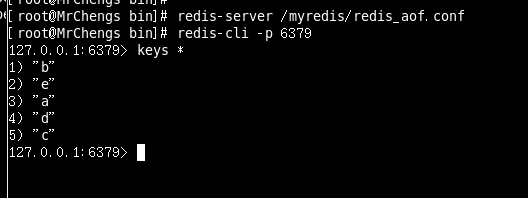

此时RDB和AOF文件都在

此时启动Redis

在dump.rdb文件完整的情况下,appendonly.aof文件出错,说明后者的优先级大于前者
那么此时的处理方式是:
redis-check-aof --fix appendonly.aof
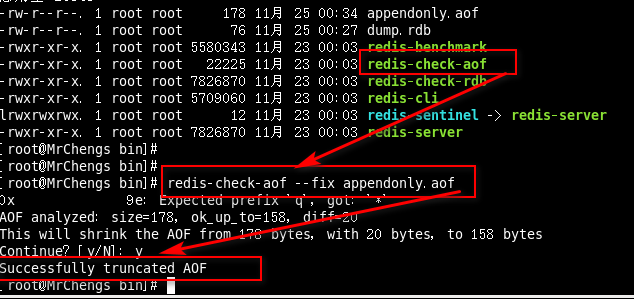
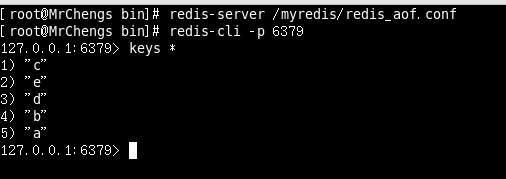
再次重新启动:
Redis配置文件(2)SNAPSHOTTING快照/APPEND ONLY MODE追加的更多相关文章
- Redis 配置文件详解
# Redis 配置文件 # 当配置中需要配置内存大小时,可以使用 1k, 5GB, 4M 等类似的格式,其转换方式如下(不区分大小写)## 1k => 1000 bytes# 1kb => ...
- redis配置文件
# redis 配置文件示例 # 当你需要为某个配置项指定内存大小的时候,必须要带上单位, # 通常的格式就是 1k 5gb 4m 等酱紫: # # 1k => bytes # 1kb => ...
- redis配置文件中文解释
# redis 配置文件示例 # 当你需要为某个配置项指定内存大小的时候,必须要带上单位, # 通常的格式就是 1k 5gb 4m 等酱紫: # # 1k => bytes # 1kb => ...
- Redis配置文件 翻译 V3.2版本
# Redis配置文件例子. # # 注意:为了能读取到配置文件,Redis服务必须以配置文件的路径作为第一个参数启动 # ./redis-server /path/to/redis.conf # 关 ...
- 4 Redis 配置文件介绍
2016-12-22 14:28:39 该系列文章链接NoSQL 数据库简介Redis的安装及及一些杂项基础知识Redis 的常用五大数据类型(key,string,hash,list,set,zse ...
- windows下redis 配置文件参数说明
1.先看redis.windows.conf 文件 # Redis configuration file example # Note on units: when memory size is ne ...
- 最详细最全的redis配置文件解释
转载自:http://www.cnblogs.com/zhang-ke/p/5981108.html #redis.conf# Redis configuration file example.# . ...
- redis 配置文件示例
# redis 配置文件示例 # 当你需要为某个配置项指定内存大小的时候,必须要带上单位,# 通常的格式就是 1k 5gb 4m 等酱紫:## 1k => 1000 bytes# 1kb =& ...
- NoSQL入门第三天——Redis配置文件与持久化
一.解析Redis配置文件redis.conf (Linux下配置多于编码) 1.它在哪 由于我是在root的家目录下载安装的,默认的安装位置就是: conf就在这里: 根据经验,出厂的conf永远不 ...
随机推荐
- B/S结构中页面间的传值
常见的页面间的传值有session,cookie,application,server.transfer(),queryString,今天主要记录一下server.transfer()的用法. 从A页 ...
- Eclipse 常见问题总结
添加包 1.build path 直接添加 2.在windows-->preferences -> Java -> build path -> classpath variab ...
- [javaEE] 数据库连接池和动态代理
实现javax.sql.DataSource接口 实现Connection getConnection()方法 定义一个静态的成员属性LinkedList类型作为连接池,在静态代码块中初始化5条数据库 ...
- mysql自定义变量
mysql可以实现自定义变量,使用方式非常简单,代码如下: SELECT @i:=@i + 1 // 查询变量,值+1 FROM () i // 声明变量,初始值为0 如果有多条数据,那么这个变量就会 ...
- mongodb-mms安装
mms是mongo集群监控软件. mms非常吃内存,虚拟机测试时,3G内存启动成功一次,之后重启时失败,建议不少于4G内存. MMS下载地址: https://downloads.mongodb.co ...
- servlet-mapping元素及其子元素
<servlet-mapping>元素在Servlet和URL样式之间定义一个映射.它包含了两个子元素<servlet- name>和<url-pattern>,& ...
- UNIX 5种I/O模型
Unix 5 I/O模型 I/O操作分为两步: (1)先将数据从 存储介质 (磁盘或者网络等)拷贝到 内核缓冲区,此时称为数据准备好,可以被用户读取. (2)由用户应用程序拷贝内核缓冲区数据 到用户缓 ...
- var a =10 与 a = 10的区别
学习文章------汤姆大叔-变量对象 总结笔记 变量特点: ①变量声明可以存储在变量对象中.②变量不能直接用delete删除. var a =10 与 a = 10的区别: ①a = 10只是为全局 ...
- Python入门-装饰器初始
今天我们就围绕一个来展开,那就是:装饰器 一.装饰器 在说装饰器之前,我们先说一个软件设计的原则:开闭原则,又被称为开放封闭原则,你的代码对功能的扩展是开放的,你的程序对修改源代码是封闭的,这样的软件 ...
- js 两个小括号 ()() 的用法
实现一个函数fn, 使fn(1)(2)的结果为两个参数的和,刚开始没反应过来,其实细细一想第二个括号就是函数再调用的问题,废话不多说,代码奉上: var fn = function(n) { func ...