
SparkR-Install
SparkR-Install
标签:too 下载 安装jdk context writing 磁盘 anti 1.5 products
1.下载R
https://cran.r-project.org/src/base/R-3/

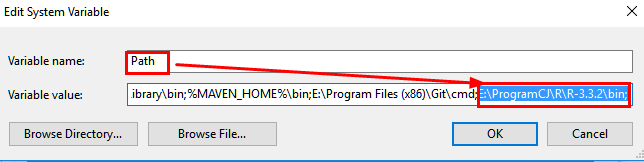
1.2 环境变量配置:
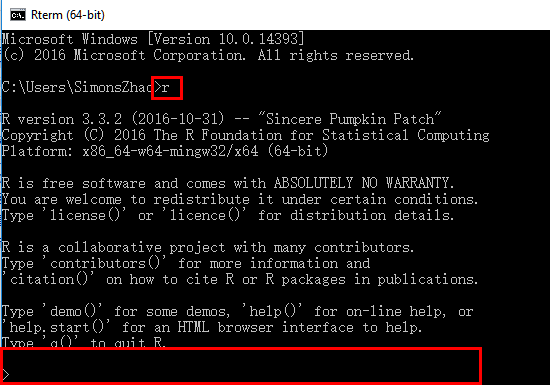
1.3 测试安装:
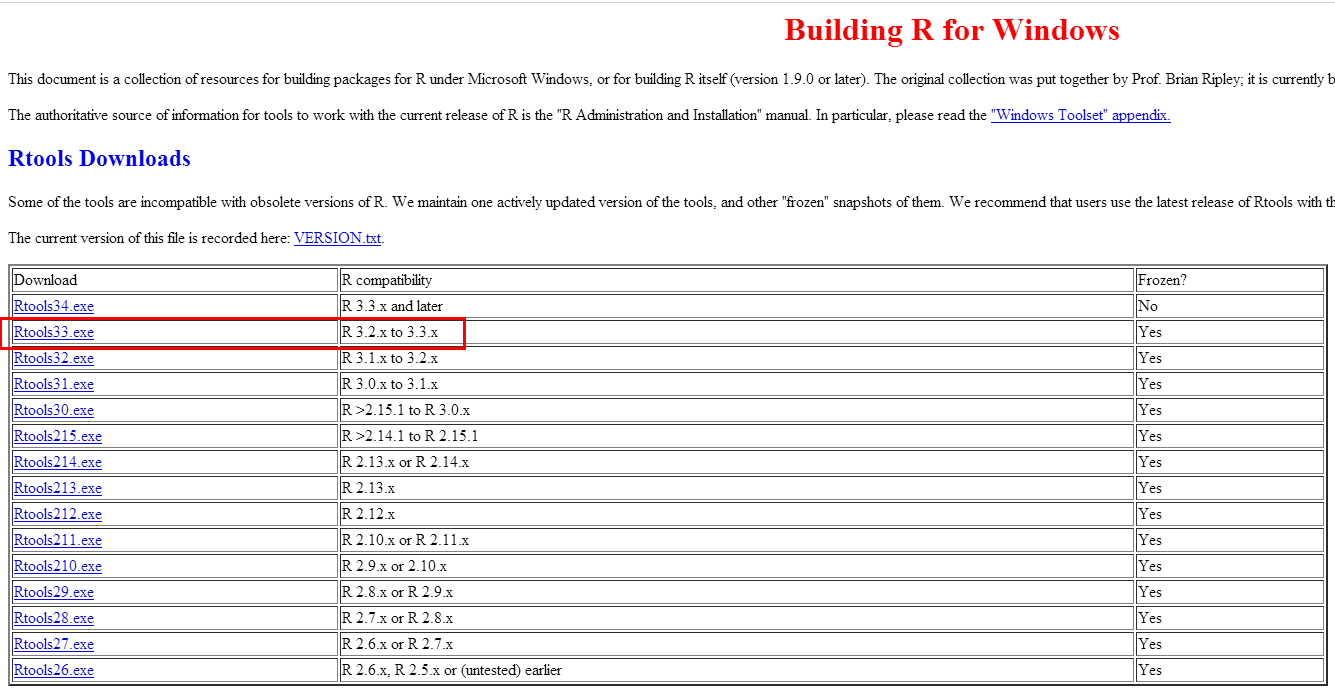
2.下载Rtools33
https://cran.r-project.org/bin/windows/Rtools/
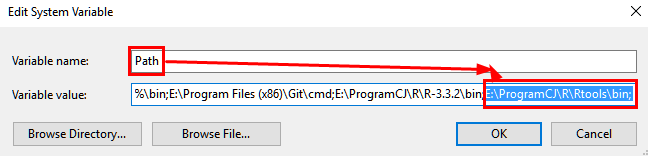
2.1 配置环境变量
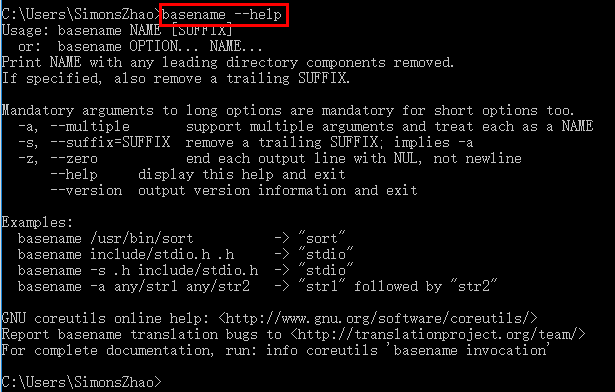
2.2 测试:
3.安装RStudio
https://www.rstudio.com/products/rstudio/download/ 直接下一步即可安装
4.安装JDK并设置环境变量
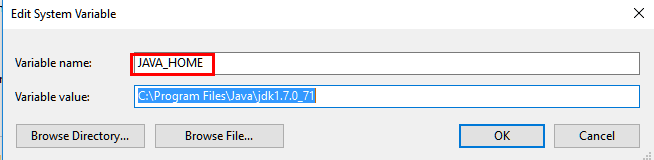
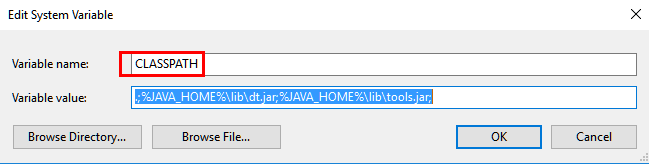
4.1环境变量配置:

4.2测试:
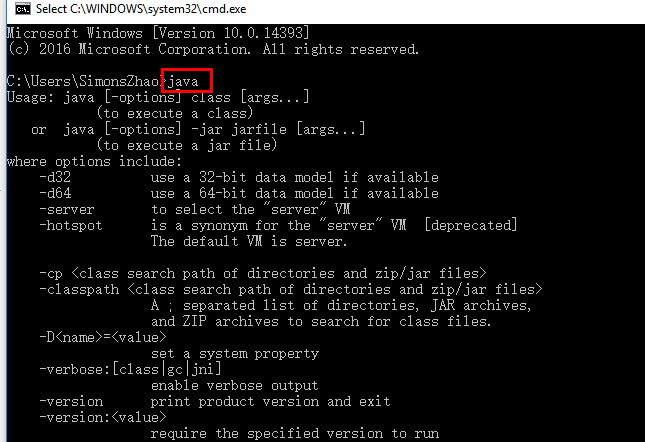

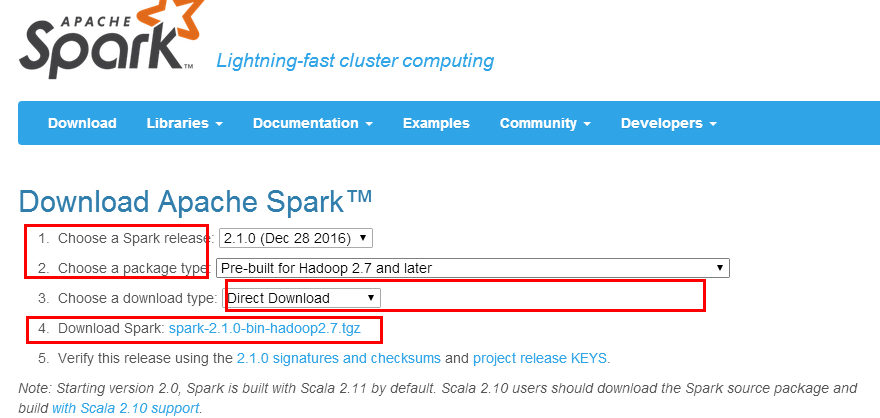
5.下载Spark安装程序
5.1 URL: http://spark.apache.org/downloads.html
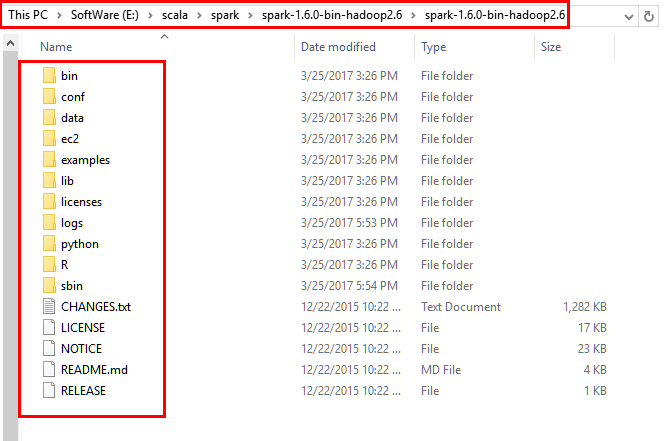
5.2解压到本地磁盘的对应目录
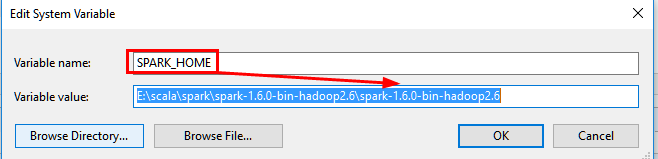
6.安装Spark并设置环境变量

7.测试SparkR
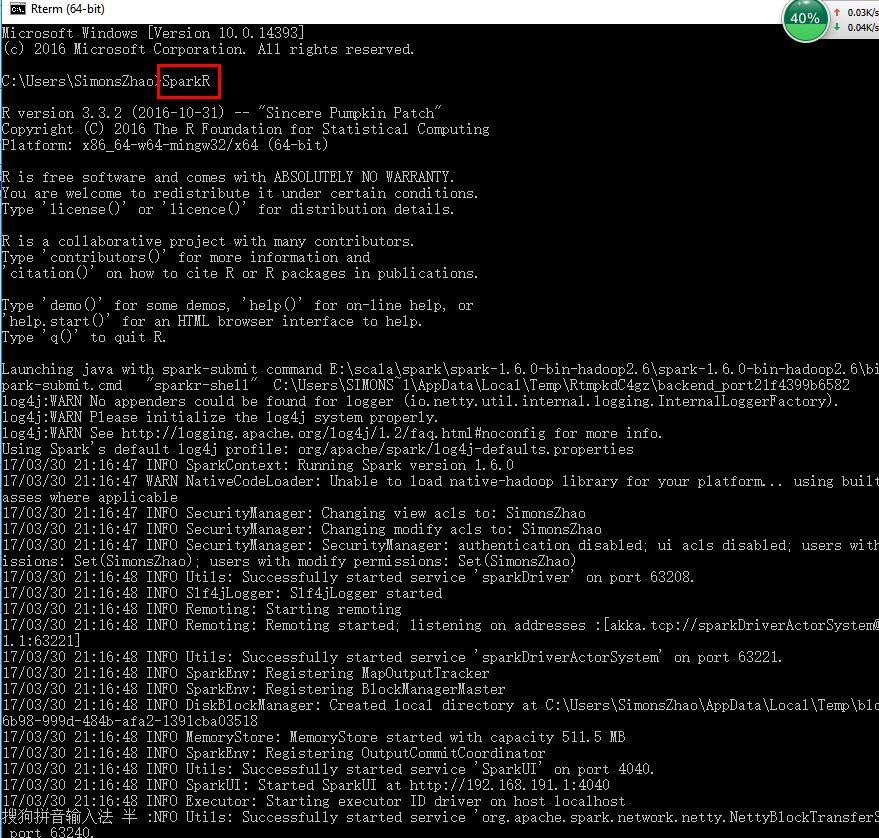
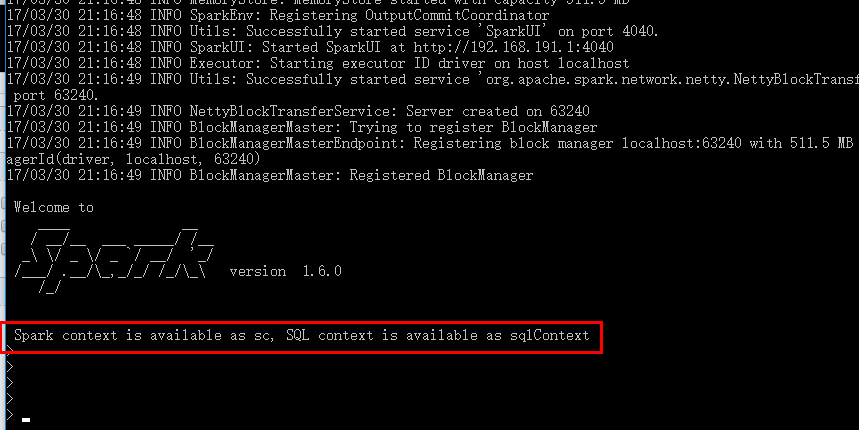
注意:如果发现了提示 WARN NativeCodeLader:Unable to load native-hadoop library for your platform.....using
builtin-java classes where applicable 需要安装本地的hadoop库
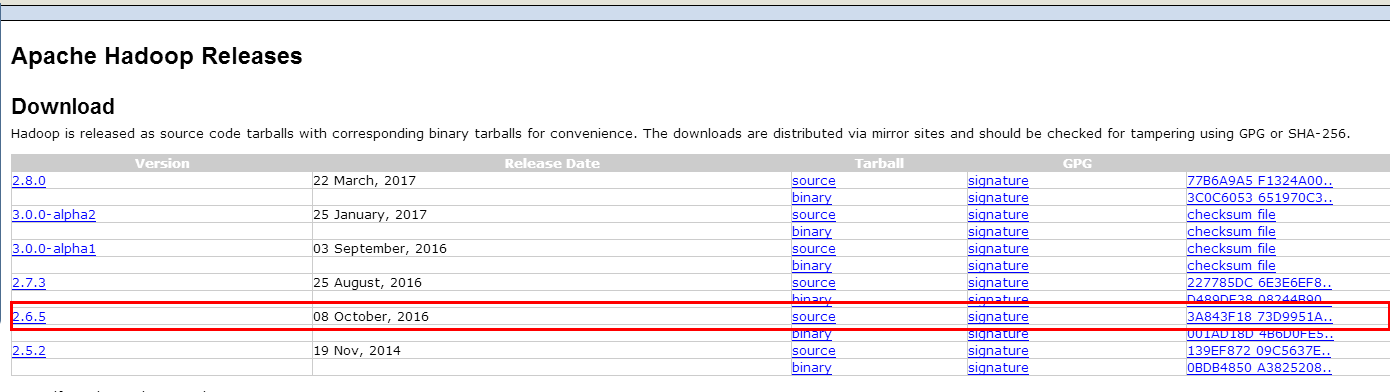
8.下载hadoop库并安装
http://hadoop.apache.org/releases.html
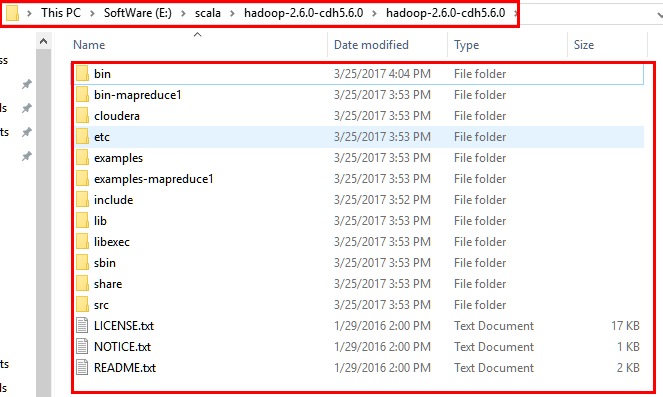
9.设置hadoop环境变量
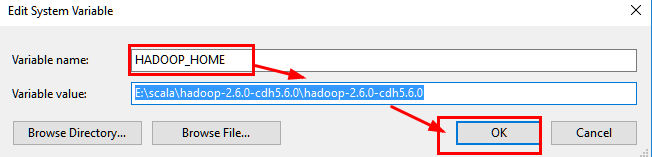
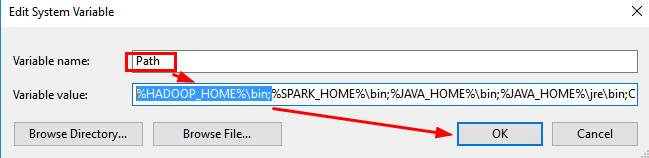
10.重新测试SparkR
10.1 如果测试时候出现以下提示,需要修改log4j文件INFO为WARN,位于\spark\conf下

10.2 修改conf中的log4j文件:
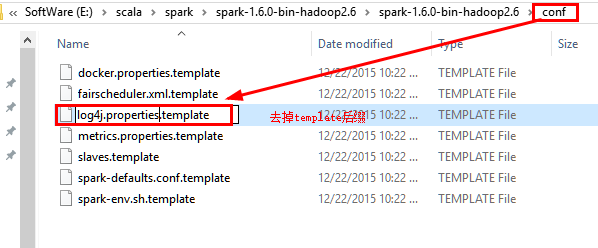
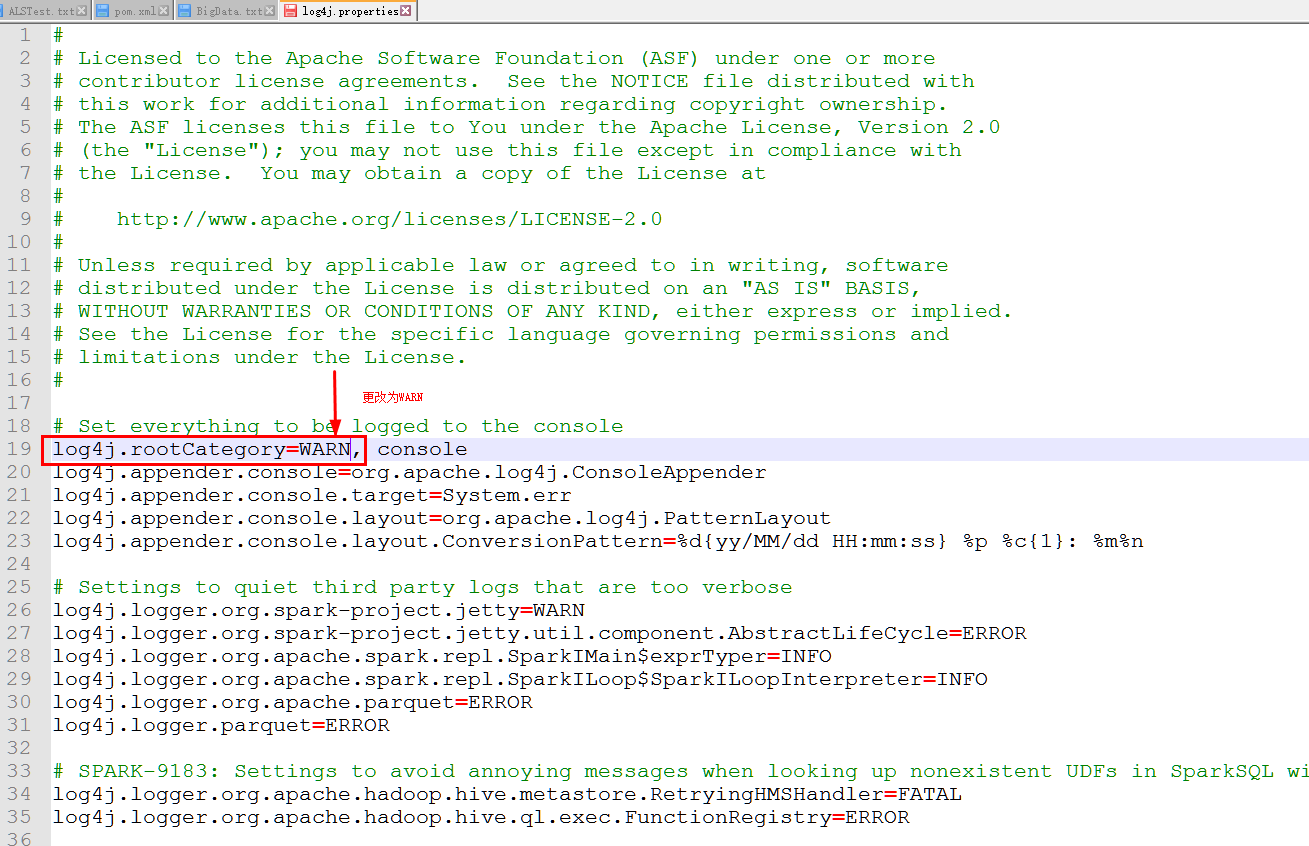
10.3 重新运行SparkR
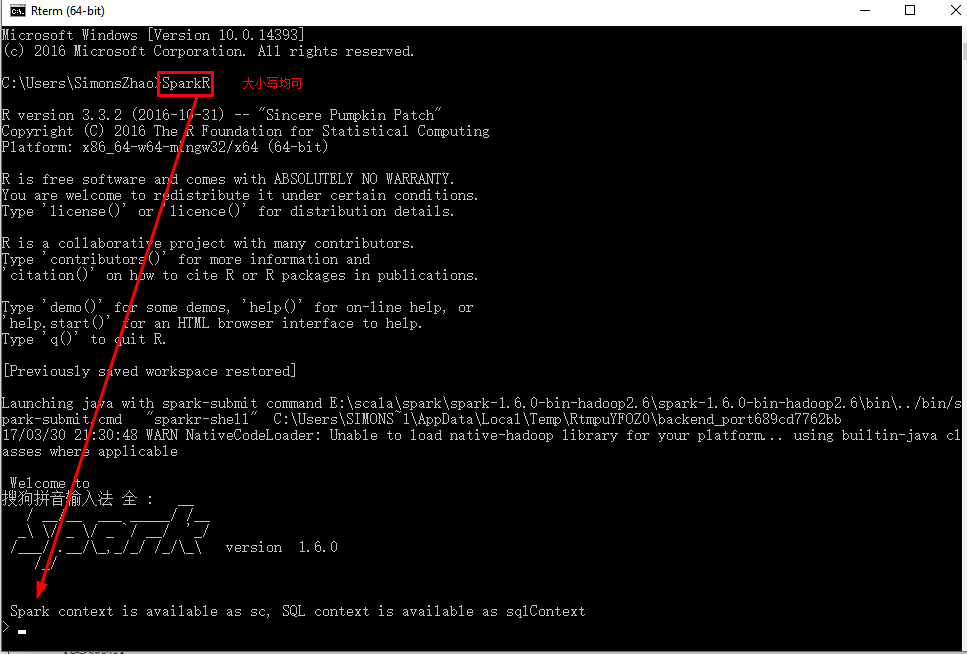
11.运行SprkR代码
在Spark2.0中增加了RSparkSql进行Sql查询
dataframe为数据框操作
data-manipulation为数据转化
ml为机器学习
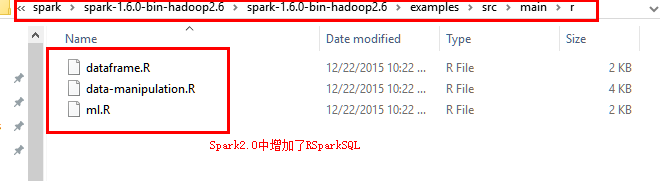
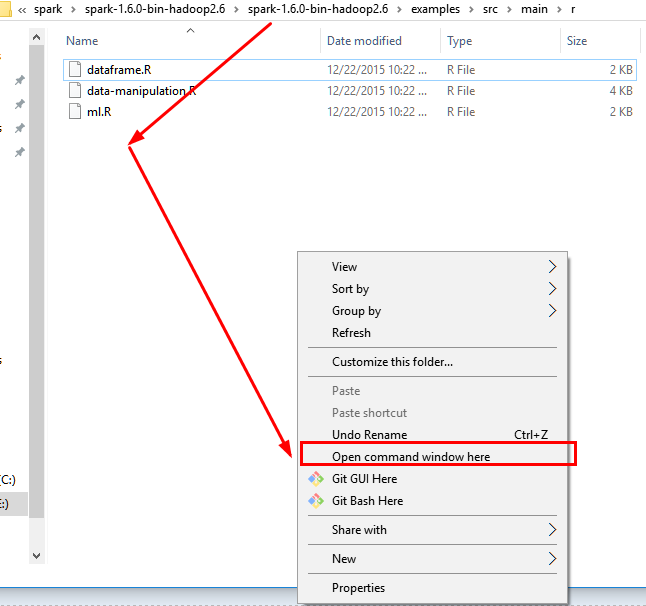
11.1 使用crtl+ALT+鼠標左鍵 打开控制台在此文件夹下
11.2 执行spark-submit xxx.R文件即可
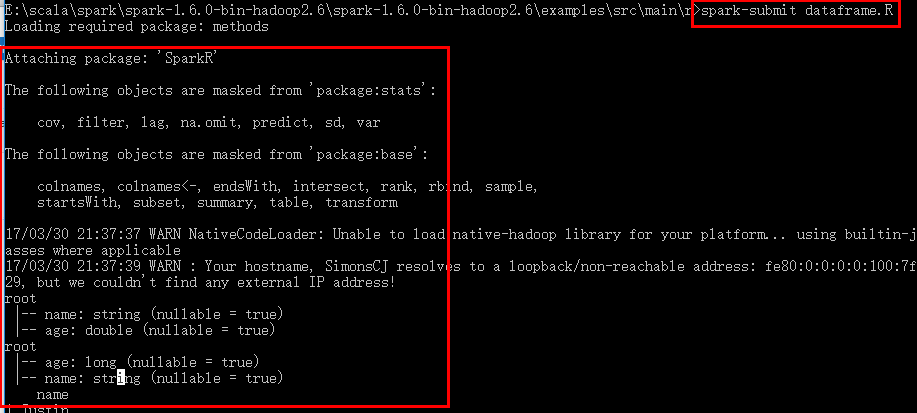
12.安装SparkR包
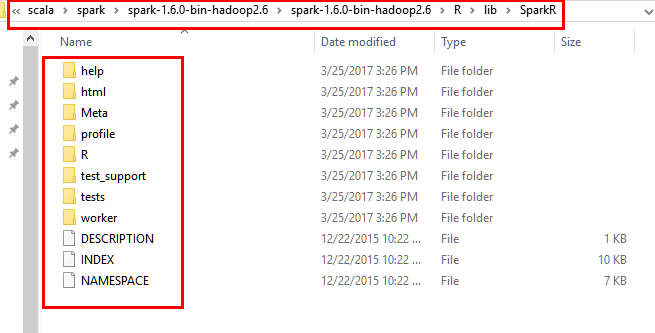
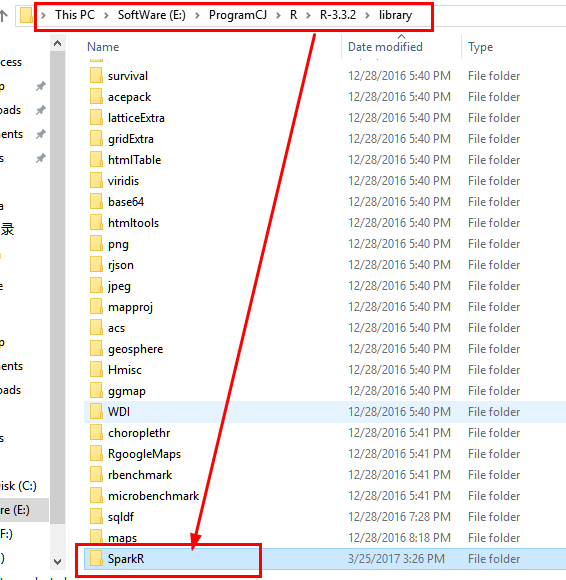
12.1 将spark安装目录下的R/lib中的SparkR文件拷贝到..\R-3.3.2\library中,注意是将整个Spark文件夹,而非里面每一个文件。
源文件夹:
目的文件夹:
12.2 在RStudio中打开SparkR文件并运行代码dataframe.R文件,采用Ctrl+Enter一行行执行即可
SparkR语言的dataframe.R源代码如下
#

# Licensed to the Apache Software Foundation (ASF) under one or more

# contributor license agreements.  See the NOTICE file distributed with

# this work for additional information regarding copyright ownership.

# The ASF licenses this file to You under the Apache License, Version 2.0

# (the "License"); you may not use this file except in compliance with

# the License.  You may obtain a copy of the License at

#

#    http://www.apache.org/licenses/LICENSE-2.0

#

# Unless required by applicable law or agreed to in writing, software

# distributed under the License is distributed on an "AS IS" BASIS,

# WITHOUT WARRANTIES OR CONDITIONS OF ANY KIND, either express or implied.

# See the License for the specific language governing permissions and

# limitations under the License.

#

library(SparkR)

# Initialize SparkContext and SQLContext

sc <- sparkR.init(appName="SparkR-DataFrame-example")

sqlContext <- sparkRSQL.init(sc)

# Create a simple local data.frame

localDF <- data.frame(name=c("John", "Smith", "Sarah"), age=c(19, 23, 18))

# Convert local data frame to a SparkR DataFrame

df <- createDataFrame(sqlContext, localDF)

# Print its schema

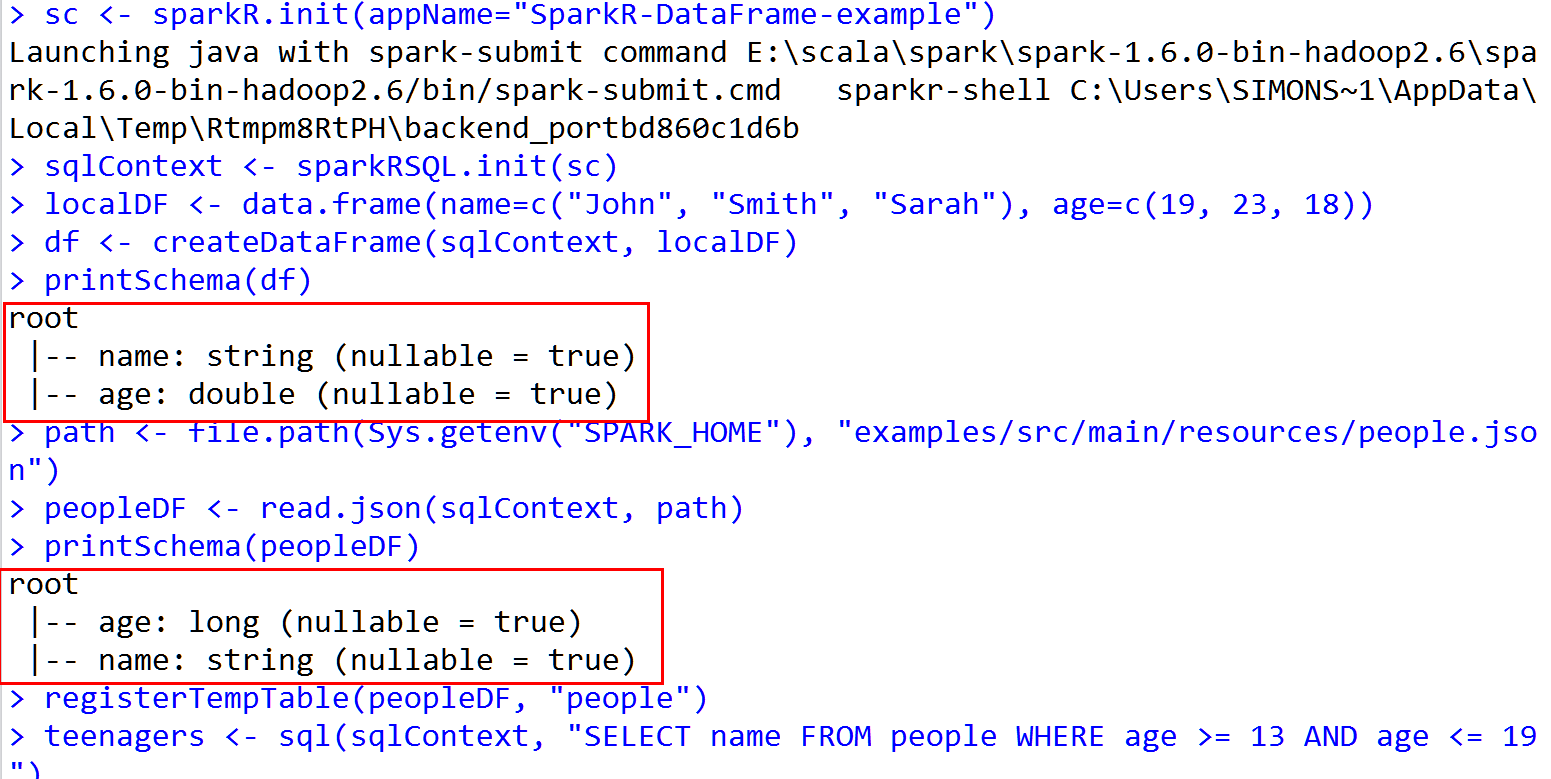
printSchema(df)

# root

#  |-- name: string (nullable = true)

#  |-- age: double (nullable = true)

# Create a DataFrame from a JSON file

path <- file.path(Sys.getenv("SPARK_HOME"), "examples/src/main/resources/people.json")

peopleDF <- read.json(sqlContext, path)

printSchema(peopleDF)

# Register this DataFrame as a table.

registerTempTable(peopleDF, "people")

# SQL statements can be run by using the sql methods provided by sqlContext

teenagers <- sql(sqlContext, "SELECT name FROM people WHERE age >= 13 AND age <= 19")

# Call collect to get a local data.frame

teenagersLocalDF <- collect(teenagers)

# Print the teenagers in our dataset

print(teenagersLocalDF)

# Stop the SparkContext now

sparkR.stop()
13.Rsudio 运行结果
END~
SparkR-Install的更多相关文章
- 在CentOS上安装并运行SparkR
环境配置—— 操作系统:CentOS 6.5 JDK版本:1.7.0_67 Hadoop集群版本:CDH 5.3.0 安装过程—— 1.安装R yum install -y R 2.安装curl-de ...
- Apache Spark技术实战之5 -- SparkR的安装及使用
欢迎转载,转载请注明出处,徽沪一郎. 概要 根据论坛上的信息,在Sparkrelease计划中,在Spark 1.3中有将SparkR纳入到发行版的可能.本文就提前展示一下如何安装及使用SparkR. ...
- shiny server SparkR web展示界面(二)
1. 需要先在Mac OS中安装好R,Rstudio中,这个比较简单,掠过 2. 下载编译好的spark(spark-2.0.0-bin-hadoop2.6.tgz)可以在Spark官网下载到你所需 ...
- shiny server SparkR web展示界面(一)
1. shiny server简介 shiny-server是一种可用把R 语言以web形式展示的服务,下面就讲讲如何在自己的服务器上构建Shiny Server.下一篇主要介绍如何集成sparkR后 ...
- CentOS下SparkR安装部署:hadoop2.7.3+spark2.0.0+scale2.11.8+hive2.1.0
注:之前本人写了一篇SparkR的安装部署文章:SparkR安装部署及数据分析实例,当时SparkR项目还没正式入主Spark,需要自己下载SparkR安装包,但现在spark已经支持R接口,so更新 ...
- SparkR安装部署及数据分析实例
1. SparkR的安装配置 1.1. R与Rstudio的安装 1.1.1. R的安装 我们的工作环境都是在Ubuntu下操作的,所以只介绍Ubuntu下安装R的方法 ...
- Apache Spark 2.2.0 中文文档 - SparkR (R on Spark) | ApacheCN
SparkR (R on Spark) 概述 SparkDataFrame 启动: SparkSession 从 RStudio 来启动 创建 SparkDataFrames 从本地的 data fr ...
- sparkR介绍及安装
sparkR介绍及安装 SparkR是AMPLab发布的一个R开发包,为Apache Spark提供了轻量的前端.SparkR提供了Spark中弹性分布式数据集(RDD)的API,用户可以在集群上通过 ...
- centos 部署 SparkR
---恢复内容开始--- 环境配置—— 操作系统:CentOS 6.5 JDK版本:1.7.0_67 Hadoop集群版本:CDH 5.3.0 安装过程—— 1.(1)安装R yum install ...
- SparkR安装
一.在虚拟机中安装R语言 1.下载R语言压缩包R-3.2.2.tar.gz,放在目标目录下 ★在此特别提醒,尽量安装3.2.?版本的R,更高版本的R容易出现依赖包安装不全的问题. # mv R-3.2 ...
随机推荐
- 2011 ACM 0和1思想
题目:http://acm.hdu.edu.cn/showproblem.php?pid=2011 题意:求1 - 1/2 + 1/3 - 1/4 + 1/5 - 1/6 + ...前n项的和. 思路 ...
- FTL常用标签及语法
判断对象是否存在,若成立说明存在 <#if blockObjList ??></#if> <#if blockObjList ??> <#else> ...
- [P3385]【模板】负环 (spfa / bellman-ford)
终于开始认真对待图论了 因为听说一直是提高组的,动得很少,直到现在机房打提高的氛围下,开始学一些皮毛的东西 模板题目链接 这是一道求负环的题目,照理来说大家都是用spfa来判断负环的 但是我觉得bel ...
- [UVA227][ACM/ICPC WF 1993]Puzzle (恶心模拟)
各位大佬都好厉害…… 这个ACM/ICPC1993总决赛算黄题%%% 我个人认为至少要绿题. 虽然算法上面不是要求很大 但是操作模拟是真的恶心…… 主要是输入输出的难. 对于ABLR只需要模拟即可 遇 ...
- eclipse 导入android 项目重名解决方法
在进行andoid 开发时会用到许多的开源框架,但有时候发现几天框架的项目名字都是 library. 解决方法: 1.如果项目中没有 .project 文件,直接修改项目文件夹的名字即可,注意在你引用 ...
- python网络编程(五)
udp广播 #coding=utf-8 import socket, sys dest = ('<broadcast>', 7788) # 创建udp套接字 s = socket.sock ...
- Making the Grade [POJ3666] [DP]
题意: 给定一个序列,以最小代价将其变成单调不增或单调不减序列,代价为Σabs(i变化后-i变化前),序列长度<=2000,单个数字<=1e9 输入:(第一行表示序列长度,之后一行一个表示 ...
- java第二周的学习知识3(==与equals)
==与equals()的之间的差别1)对于==,如果作用于基本数据类型的变量,则直接比较其存储的 “值”是否相等:如果作用于引用类型的变量,则比较的是所指向的对象的地址 2)对于equals方法,注意 ...
- helm-chart4,流程控制和变量
控制结构(模板说法中称为"动作")提供了控制模板生成流程的能力.Helm的模板语言提供了以下控制结构: if/ else用于创建条件块 with 指定范围 range,它提供了一个 ...
- Python基础-内置函数、模块、函数、json
内置函数 1.id()返回对象的内存地址: 2. type() 返回对象类型: 3.print()打印输出: 4. input()接受一个标准输入数据,返回为string类型: 5. list() ...