
tengine负载均衡高可用配置
环境
Tengine-master:192.168.109.100
Tengine-slave:192.168.109.101
tomcat01:192.168.109.102
tomcat02:192.168.109.104
[Tengine部署]
# yum install -y gcc gcc-c++ make
#mkdir /opt/tengine-packages
#cd /opt/tengine-packages
# for tar in *.tar.gz;do tar xvf $tar;done
# cd /opt/tengine-packages/tengine-2.2.3
# ./configure --prefix=/opt/tengine --with-http_ssl_module --with-openssl=../openssl-1.1.1 --with-pcre=../pcre-8.42 --with-zlib=../zlib-1.2.11 --sbin-path=/opt/tengine/sbin/nginx --conf-path=/opt/tengine/conf/nginx.conf --pid-path=/opt/tengine/logs/nginx.pid
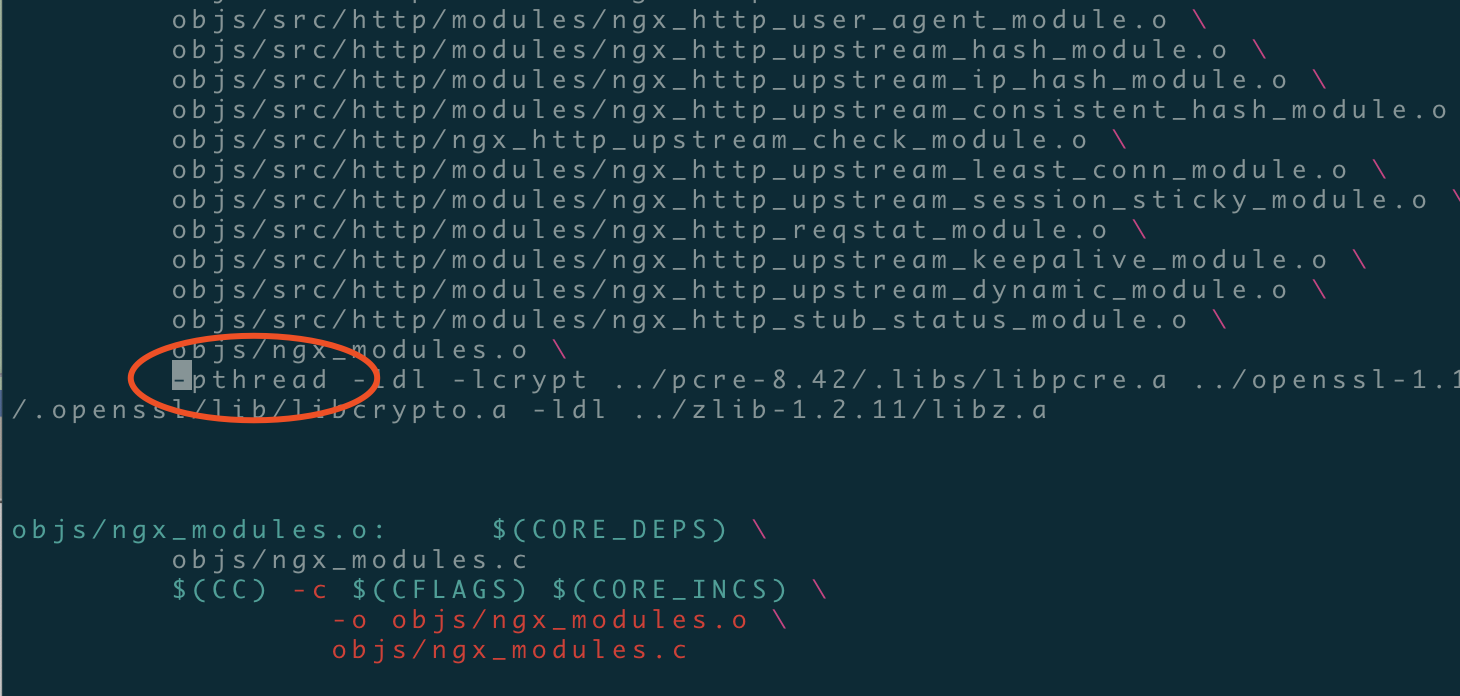
# make #编译的时候出现这个错误不要慌张,

# vim ./objs/Makefile #进入makefile编译makefile文件中将-lpthread修改为-pthread重新编译即可,如下图所示
root@hostname-109102 tengine-2.2.3]#make
root@hostname-109102 tengine-2.2.3]#make install
[root@hostname-109101 conf]# ln -s /opt/tengine/sbin/nginx /usr/local/sbin/
worker_processes  ;

events {

    worker_connections  ;

}

http {

    include       mime.types;

    default_type  application/octet-stream;

    sendfile        on;

    keepalive_timeout  ;

    upstream tomcat_web {

    server 192.168.109.102: weight= max_fails= fail_timeout=30s;

    server 192.168.109.104: weight= max_fails= fail_timeout=30s;

}

    server {

        listen       ;

        server_name  localhost;

        location / {

            root   html;

            index  index.html index.htm;

       proxy_next_upstream http_502 http_504 error timeout invalid_header;

       proxy_set_header Host $host;

       proxy_set_header X-Real-IP $remote_addr;

       proxy_set_header X-Forwarded-For $proxy_add_x_forwarded_for;

       proxy_pass http://tomcat_web;

       expires 3d;

              }

        error_page        /50x.html;

        location = /50x.html {

            root   html;

        }

    }

}
[root@hostname-109101 conf]# nginx -t
nginx: the configuration file /opt/tengine/conf/nginx.conf syntax is ok
nginx: configuration file /opt/tengine/conf/nginx.conf test is successful
[tomcat后端]
[root@tomcat- ~]# mv /usr/src/jdk1..0_75/ /usr/local/java

[root@tomcat- ~]# ln -s /usr/local/java/bin/* /usr/bin/

[root@tomcat-109103 ~]# vim /etc/profile.d/java.sh

export JAVA_HOME=/usr/local/java

export PATH=$PATH:$JAVA_HOME/bin

[root@tomcat-109103 ~]# source  /etc/profile.d/java.sh

[root@tomcat-109103 ~]# java -version

java version "1.7.0_75"

Java(TM) SE Runtime Environment (build 1.7.0_75-b13)

Java HotSpot(TM) 64-Bit Server VM (build 24.75-b04, mixed mode)

[root@tomcat-109103 ~]# cp -r apache-tomcat-7.0.65/ /usr/local/tomcat01

[root@tomcat-109103 ~]# cp -r apache-tomcat-7.0.65/ /usr/local/tomcat02

[root@hostname-109103 ~]# mkdir /www/{web01,web02}

[root@hostname-109103 ~]# vim /usr/local/tomcat01/conf/server.xml

<Context path="/" docBase="/www/web01"  reloadable="true"/>
[root@hostname-109103 ~]# vim /usr/local/tomcat02/conf/server.xml
     <Context path="/" docBase="/www/web02"  reloadable="true"/>
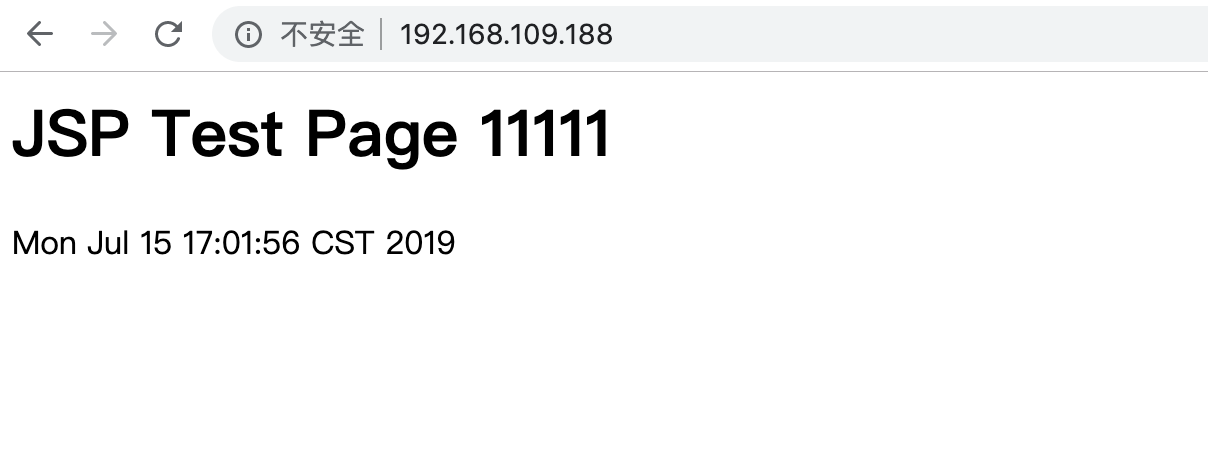
[root@hostname-109102 ~]# cat /www/web01/index.jsp #ps:这里是109.102机器的tomcat访问测试页面
<html>
<body>
<h1>JSP Test Page 11111</h1>
<%=new java.util.Date()%>
</body>
</html>
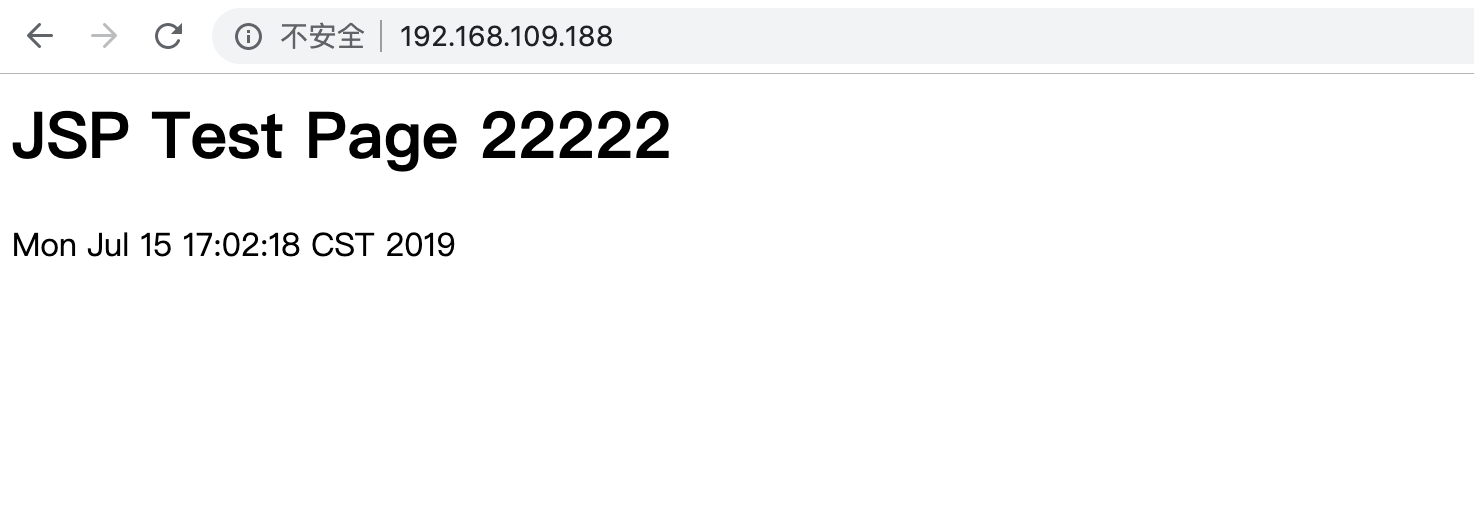
[root@hostname-109104 ~]# cat /www/web02/index.jsp #ps:这里是109.104访问测试页面
<html>
<body>
<h1>JSP Test Page 22222</h1>
<%=new java.util.Date()%>
</body>
</html>
[keepalived]
yum install -y ipvsadm keepalived
! Configuration File for keepalived

global_defs {

   notification_email {

     acassen@firewall.loc

   }

   notification_email_from Alexandre.Cassen@firewall.loc

   smtp_server 127.0.0.1

   smtp_connect_timeout 30

   router_id LVS_HOST

}

vrrp_instance VI_1 {

    state MASTER/BACKUP

    interface eth0

    virtual_router_id 51

    priority 100/50

    advert_int 1

    authentication {

        auth_type PASS

        auth_pass 1111

    }

    virtual_ipaddress {

        192.168.109.188

    }

}

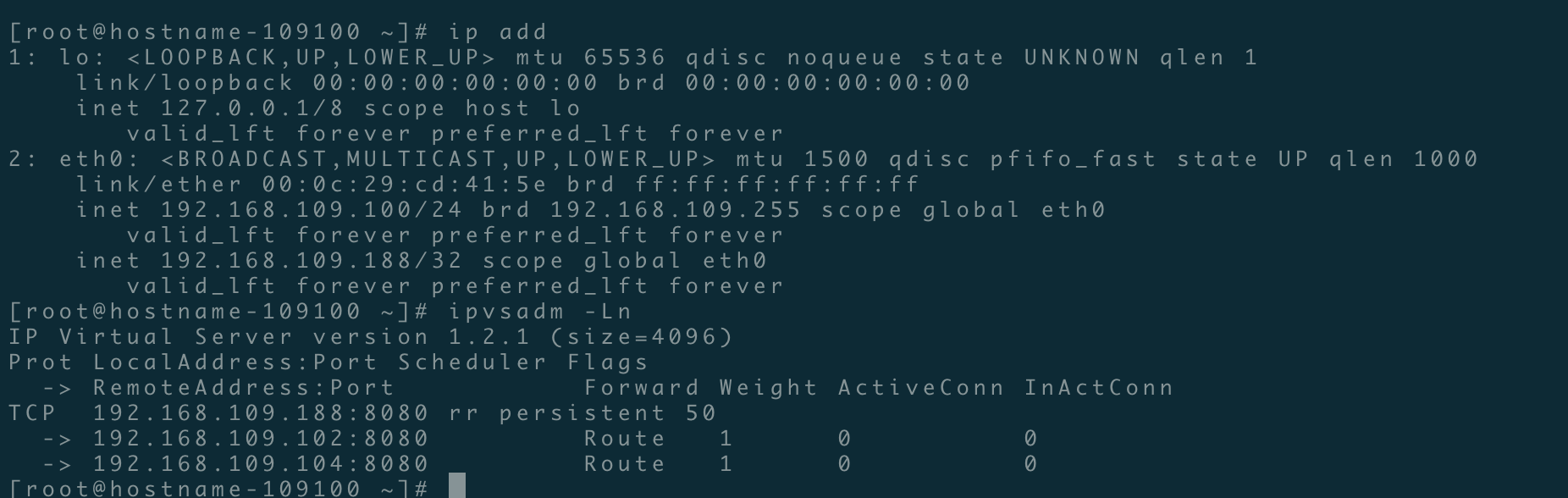
virtual_server 192.168.109.188 8080 {

    delay_loop 6

    lb_algo rr

    lb_kind DR

    persistence_timeout 50

    protocol TCP

      real_server 192.168.109.102 8080 {

        weight 1

        TCP_CHECK {

            connect_timeout 3

            nb_get_retry 3

            delay_before_retry 3

            connect_port 8080

        }

    }

      real_server 192.168.109.104 8080 {

        weight 1

        TCP_CHECK {

            connect_timeout 3

            nb_get_retry 3

            delay_before_retry 3

            connect_port 8080

        }

    }

}
tengine负载均衡高可用配置的更多相关文章
- Nginx+keepalived实现负载均衡高可用配置
1. 什么是负载均衡高可用 nginx作为负载均衡器,所有请求都到了nginx,可见nginx处于非常重点的位置,如果nginx服务器宕机后端web服务将无法提供服务,影响严重. 为了屏蔽负载均衡服务 ...
- nginx负载均衡高可用部署和代理配置
nginx负载均衡高可用配置 服务器A:172.16.100.2 服务器B:172.16.100.3 首先先在两台服务器上分别安装好nginx和keepalived后,再进行下面的操作 配置keepa ...
- linux系统下对网站实施负载均衡+高可用集群需要考虑的几点
随着linux系统的成熟和广泛普及,linux运维技术越来越受到企业的关注和追捧.在一些中小企业,尤其是牵涉到电子商务和电子广告类的网站,通常会要求作负载均衡和高可用的Linux集群方案. 那么如何实 ...
- 实现基于Haproxy+Keepalived负载均衡高可用架构
1.项目介绍: 上上期我们实现了keepalived主从高可用集群网站架构,随着公司业务的发展,公司负载均衡服务已经实现四层负载均衡,但业务的复杂程度提升,公司要求把mobile手机站点作为单独的服务 ...
- Lvs+keepAlived实现负载均衡高可用集群(DR实现)
第1章 LVS 简介 1.1 LVS介绍 LVS是Linux Virtual Server的简写,意为Linux虚拟服务器,是虚拟的服务器集群系统,可在UNIX/LINUX平台下实现负载均衡集群功能. ...
- Nginx+Keepalived负载均衡高可用
Nginx+Keepalived负载均衡高可用方案: Nginx 使用平台:unix.linux.windows. 功能: A.www web服务 http 80 b.负载均衡(方向代理proxy) ...
- Linux下"负载均衡+高可用"集群的考虑点 以及 高可用方案说明(Keepalive/Heartbeat)
当下Linux运维技术越来越受到企业的关注和追捧, 在某些企业, 尤其是牵涉到电子商务和电子广告类的网站,通常会要求作负载均衡和高可用的Linux集群方案.那么如何实施Llinux集群架构,才能既有效 ...
- JAVAEE——宜立方商城03:Nginx负载均衡高可用、Keepalived+Nginx实现主备
1 nginx负载均衡高可用 1.1 什么是负载均衡高可用 nginx作为负载均衡器,所有请求都到了nginx,可见nginx处于非常重点的位置,如果nginx服务器宕机后端web服务将无法提供服务, ...
- Nginx负载均衡高可用
1. Nginx负载均衡高可用 首先介绍一下Keepalived,它是一个高性能的服务器高可用或热备解决方案,Keepalived主要来防止服务器单点故障的发生问题,可以通过其与Nginx的配合实 ...
随机推荐
- el-select和el-cascader的visible-change下拉框隐藏时触发相关事件(下拉框下拉显示时不触发)
原文:https://blog.csdn.net/CarryBest/article/details/79959389 今天做项目时,用elementUI框架,需要下拉框隐藏时出发某个函数,用了vis ...
- 英语foteball足球foteball单词
现代足球起源地是在英格兰.传说在11世纪,英格兰与丹麦之间有过一场战争,战争结束后,英格兰人在清理战争废墟时发现一个丹麦入侵者的头骨,出于愤恨,他们便用脚去踢这个头骨,一群小孩见了便也来踢,不过他们发 ...
- 英语caement水泥
水泥石 又称净浆硬化体.是指 硬化后的水泥浆体,称为水泥石,在英语里是cement有时写作caement [1] ,是由胶凝体.未水化的水泥颗粒内核.毛细孔等组 成的非均质体. 中文名:水泥石 外 ...
- npm 安装、卸载 模块或包的命令(转载)
npm安装卸载命令 来源:https://www.jianshu.com/p/e6ee00ea03cd npm安装模块 [npm install xxx]利用 npm 安装xxx模块到当前命令行所在目 ...
- day 21 作业
定义MySQL类 对象有id.host.port三个属性 定义工具create_id,在实例化时为每个对象随机生成id,保证id唯一 提供两种实例化方式,方式一:用户传入host和port 方式二:从 ...
- 【Iterm2】item2 ssh保持连接
profiles -> sessions -> 勾选 When idel, send ASCII code就可以了
- Unicode字符集的由来
*:first-child { margin-top: 0 !important; } .markdown-body>*:last-child { margin-bottom: 0 !impor ...
- yaml模块
原文链接:https://www.cnblogs.com/fancyl/p/9133738.html 一.安装yaml模块:pip install pyyaml 二.在pycharm里新建.yaml文 ...
- rhce 考试题目总结
rhce 考试题目总结归类 开机需要做的事: 检查系统版本 配置yum源 修改selinux的模式 ping一下server机器 1.分区类题目 1.1 rhcsa 第十五题 添加swap分区 要点: ...
- ASP.NET Core ---- 系列文章
(13)ASP.NET Core 中的选项模式(Options) (12)ASP.NET Core 中的配置二(Configuration) (11)ASP.NET Core 中的配置一(Config ...