
rocketmq-cpp-client Visual Studio 2019 编译
rocketmq-cpp-client Visual Studio 2019 编译
rocketmq-cpp-client 是rocketmq c++版本的 所以我们C++ 开发者使用此项目
构建
- 获取项目
//克隆项目

git clone https://github.com/apache/rocketmq-client-cpp.git
克隆完毕项目后 你会看到如下项目结构
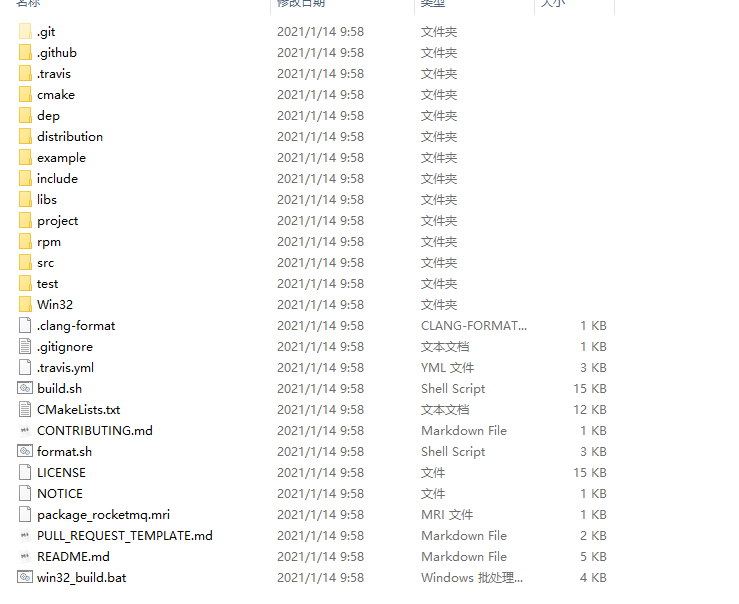
我们打开项目中的 win32_build.bat 以记事本方式打开
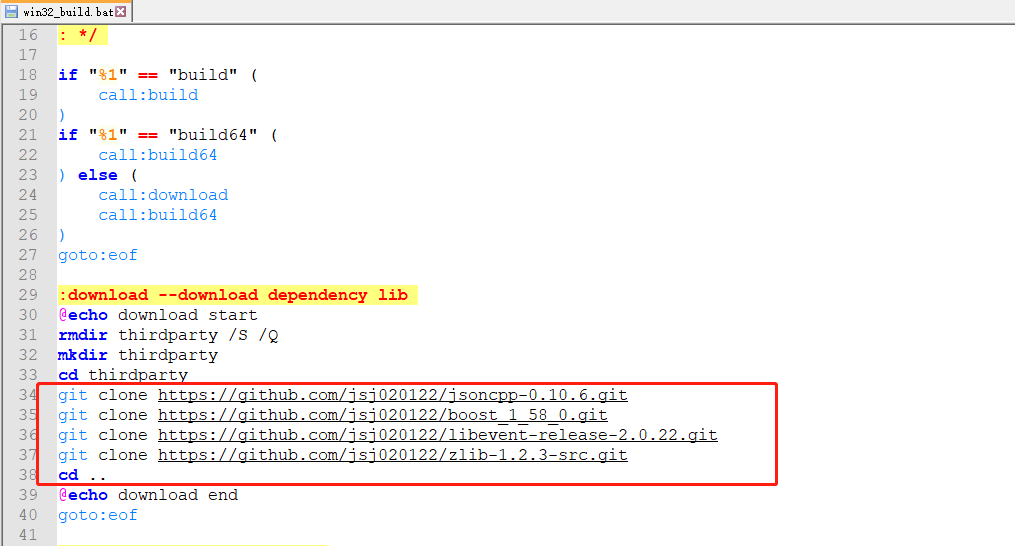
这三个就是依赖的第三方库 我们可以 复制 这三个地址自己手动使用git 克隆下来
- 准备构建依赖的第三方库
在项目根目录下新建一个文件夹来存放第三方库的源码
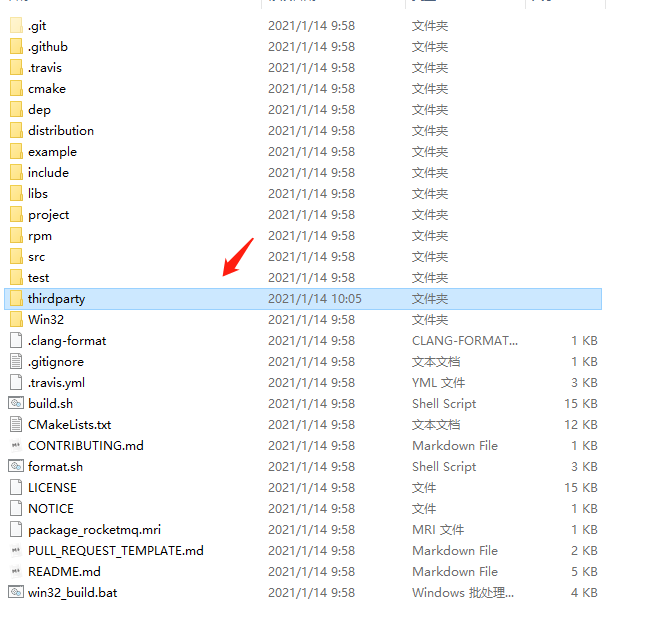
进入thirdparty文件夹 准备克隆 需要的第三方库git clone https://github.com/jsj020122/jsoncpp-0.10.6.git
git clone https://github.com/jsj020122/boost_1_58_0.git
git clone https://github.com/jsj020122/libevent-release-2.0.22.git
git clone https://github.com/jsj020122/zlib-1.2.3-src.git
boost 库比较大 所以花费的时间会比较久一些 耐心等待一段时间即可
- 下载Openssl 库 安装
后续需要用到
https://slproweb.com/products/Win32OpenSSL.html
- 安装vs2015 编译环境
- 下载Openssl 库 安装
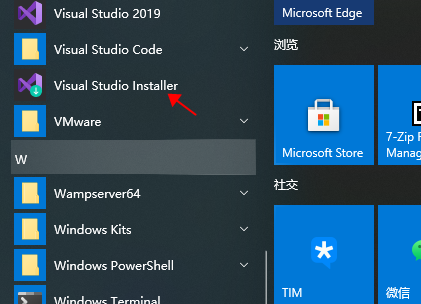
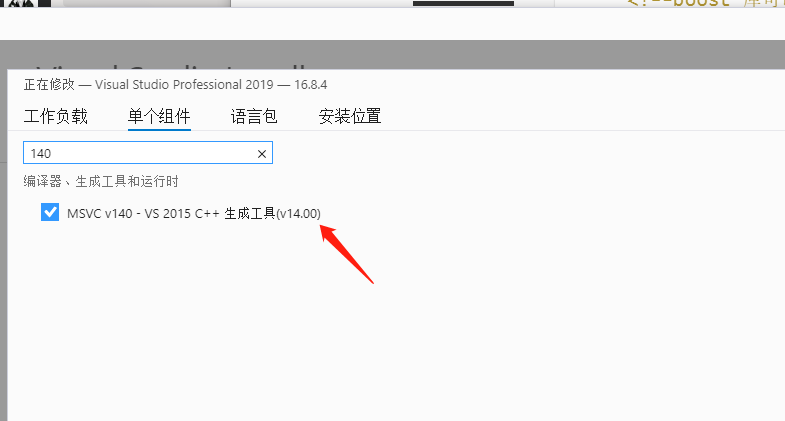
- 编译 boost库
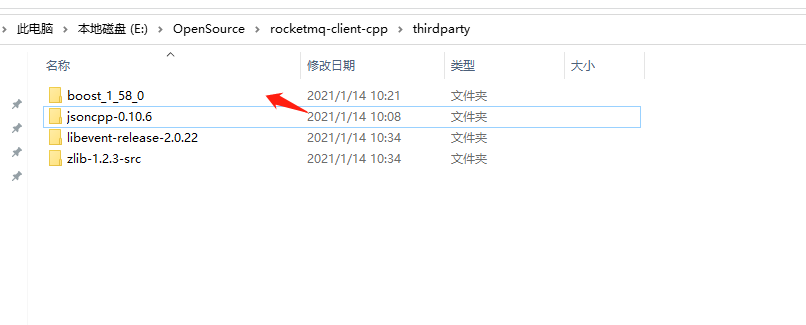
使用 vs2019 x86 tools 命令行工具 进入 boost_1_58_0 目录
开始编译 生成编译工具
bootstrap.bat
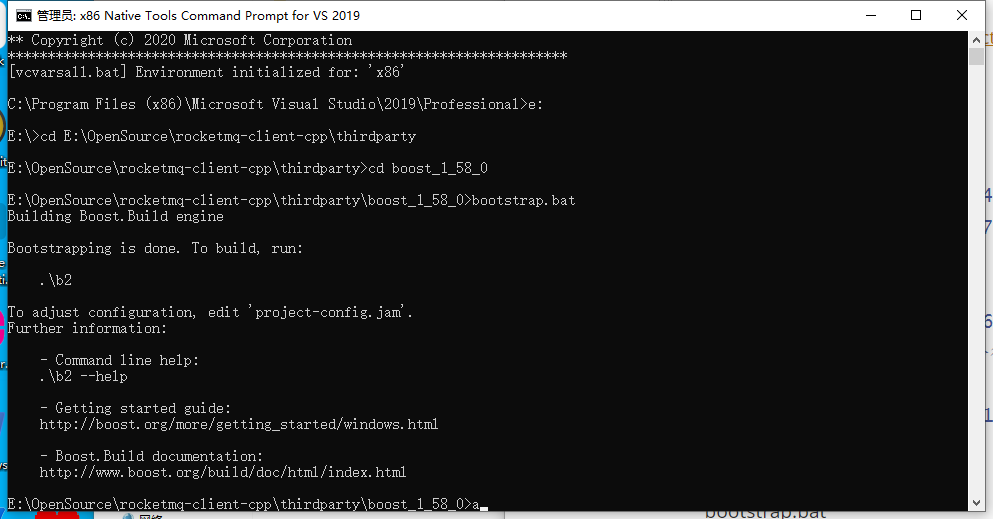
开始编译boost库
debug 编译命令
bjam.exe address-model=32 --with-serialization --with-atomic --with-log --with-locale --with-iostreams --with-system --with-regex --with-thread --with-date_time --with-chrono --with-filesystem link=static threading=multi variant=debug runtime-link=static
release 编译命令
bjam.exe address-model=32 --with-serialization --with-atomic --with-log --with-locale --with-iostreams --with-system --with-regex --with-thread --with-date_time --with-chrono --with-filesystem link=static threading=multi variant=release runtime-link=static
编译完成
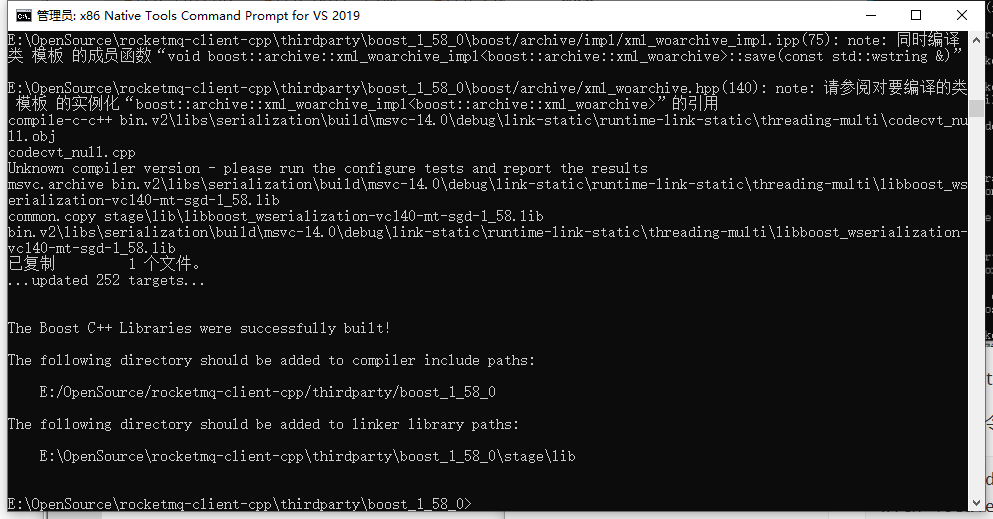
jsoncpp-0.10.6 构建
使用 vs2019 打开jsoncpp_lib_static.vcxproj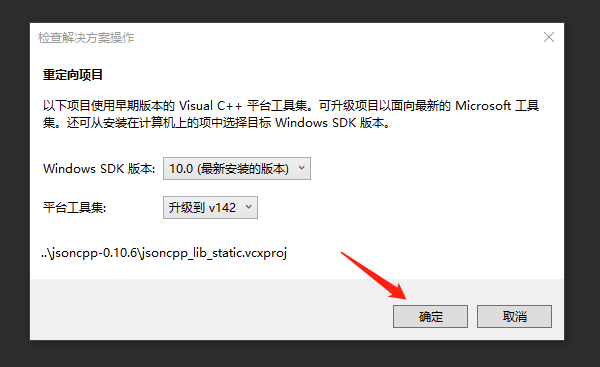
点确定 升级到 v142
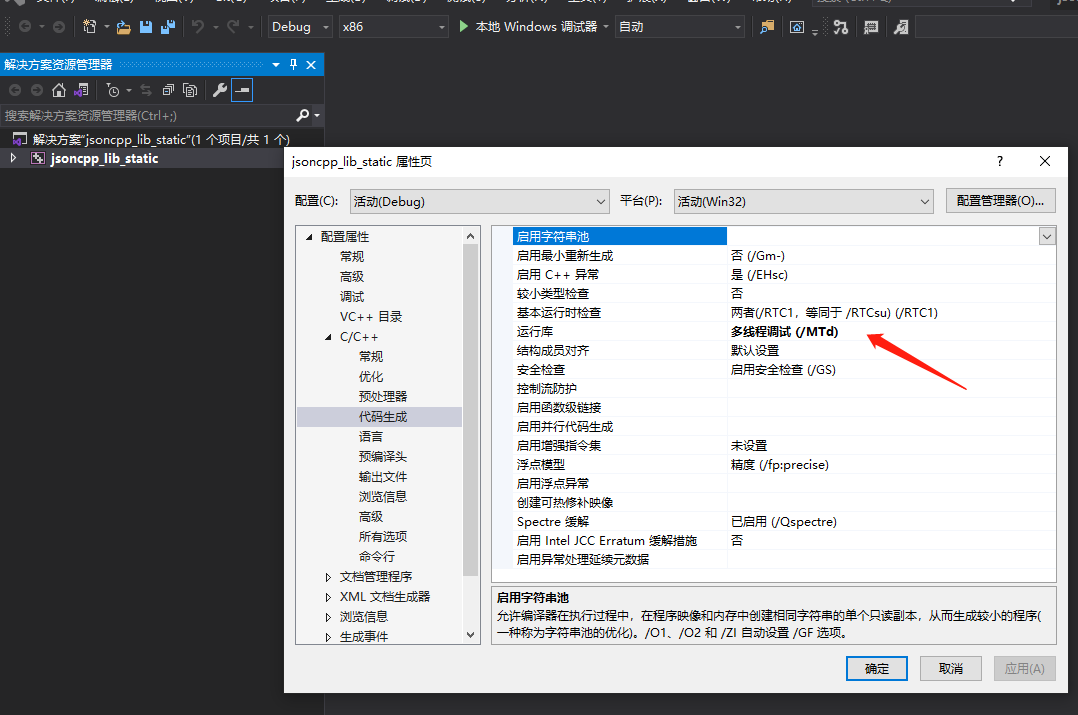
修改运行库
多线程调试 (/MTd)libevent-release-2.0.22 构建
使用vs2019 打开 libevent.vcxproj
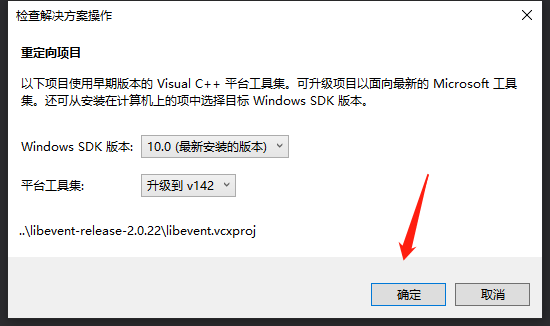
点确定 升级到 v142
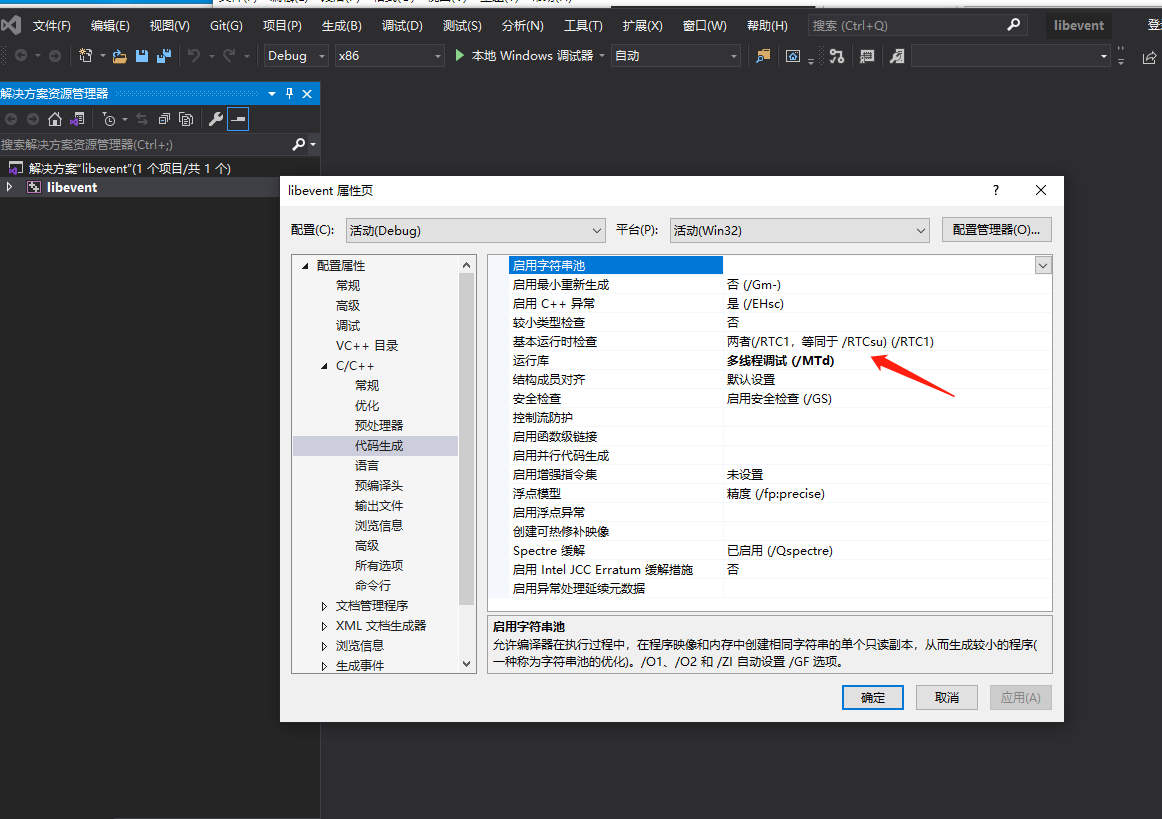
修改运行库多线程调试 (/MTd)编译 rocketmq-client-cpp
进入 项目根目录下的Win32目录下 使用 vs2019 打开rocketmq-client-cpp.sln
和上面的库一样 升级到 v142 修改运行库多线程调试 (/MTd)编译生成 选择静态库lib 默认是动态库
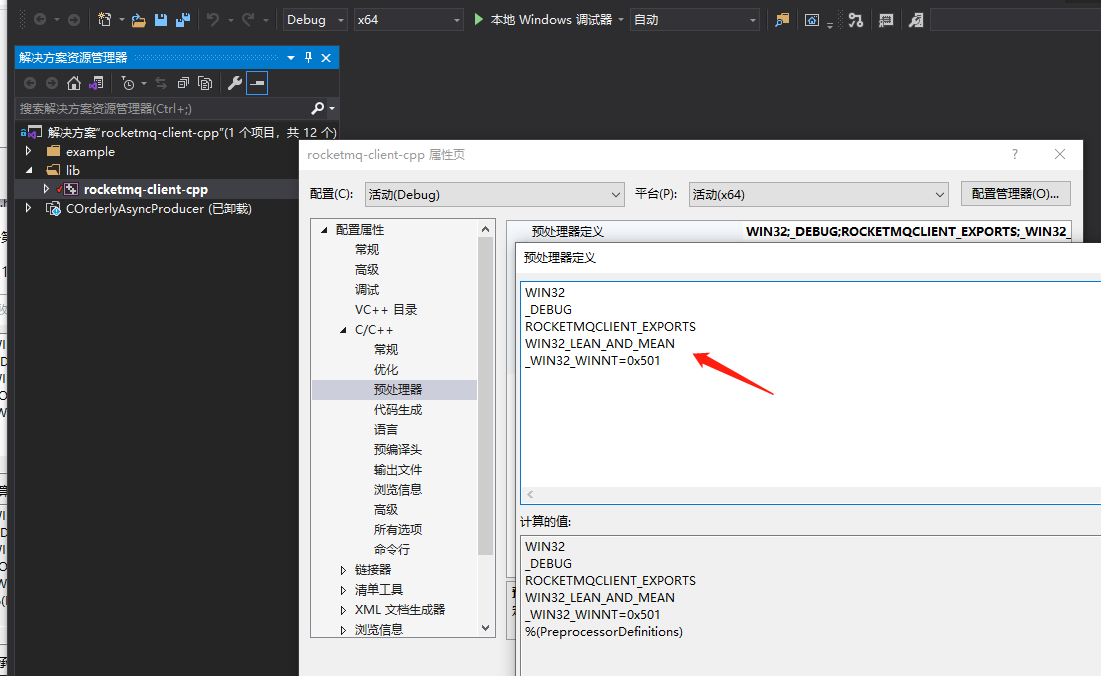
在预处理中添加WIN32_LEAN_AND_MEAN后编译
发现 错误一堆 不要慌让我们一步一步解决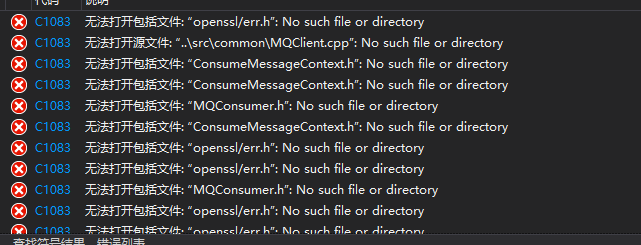
先解决找不到openssl头文件的问题 包含之前安装的openssl 的头文件路径
以及 库文件路径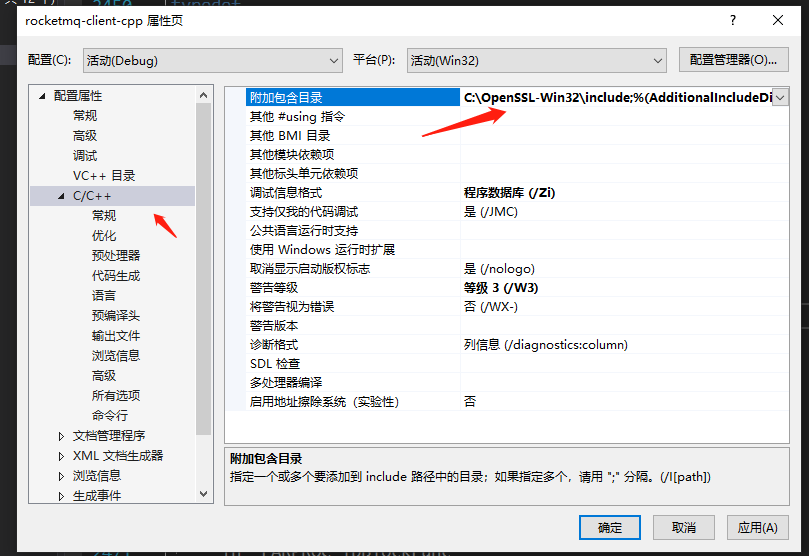
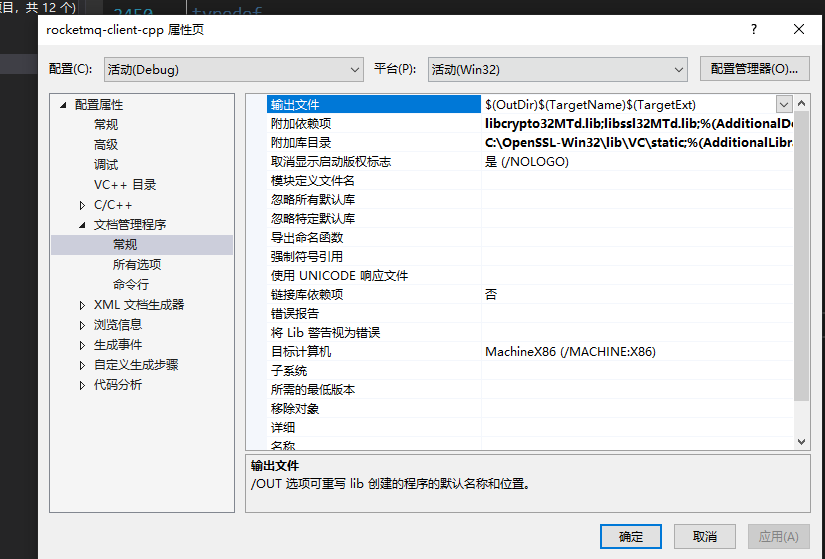
无法打开源文件: “..\src\common\MQClient.cpp”: No such file or directory
从项目源码中排除这个文件 重新添加..\src\common\DefaultMQClient.cpp到项目中
添加附加头文件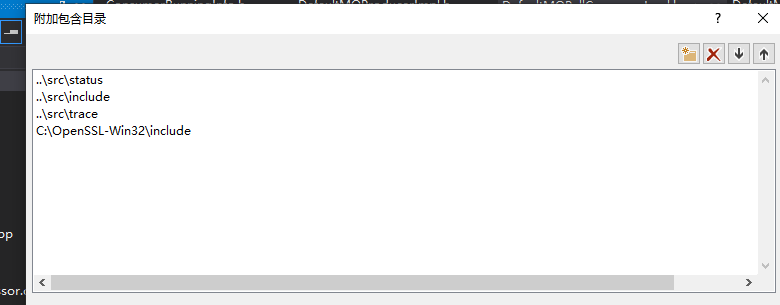
再次重新编译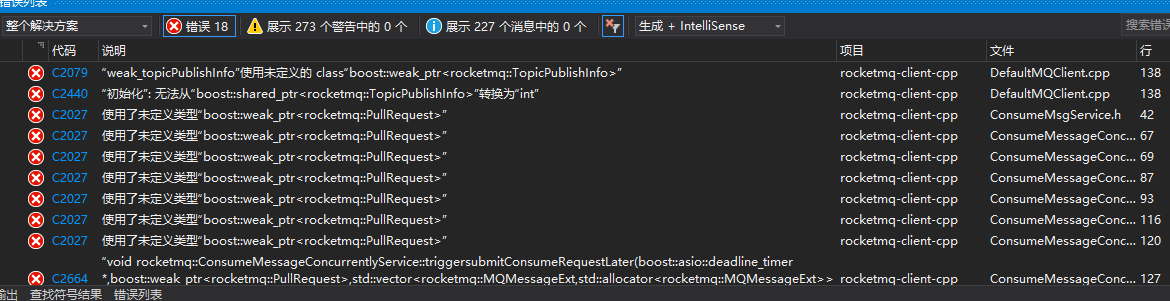
继续报错 根据查看错误原因是找不到 boost::weak_ptr 解决办法引入#include <boost/smart_ptr/weak_ptr.hpp>
再次编译 后继续报错
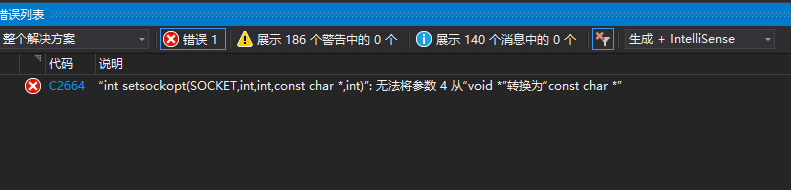
查看原因是 void* 不能转换位 const char* 修改 (const char*)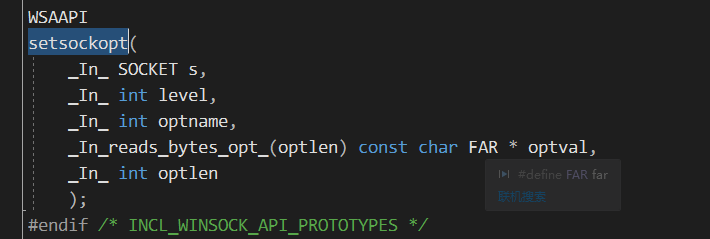
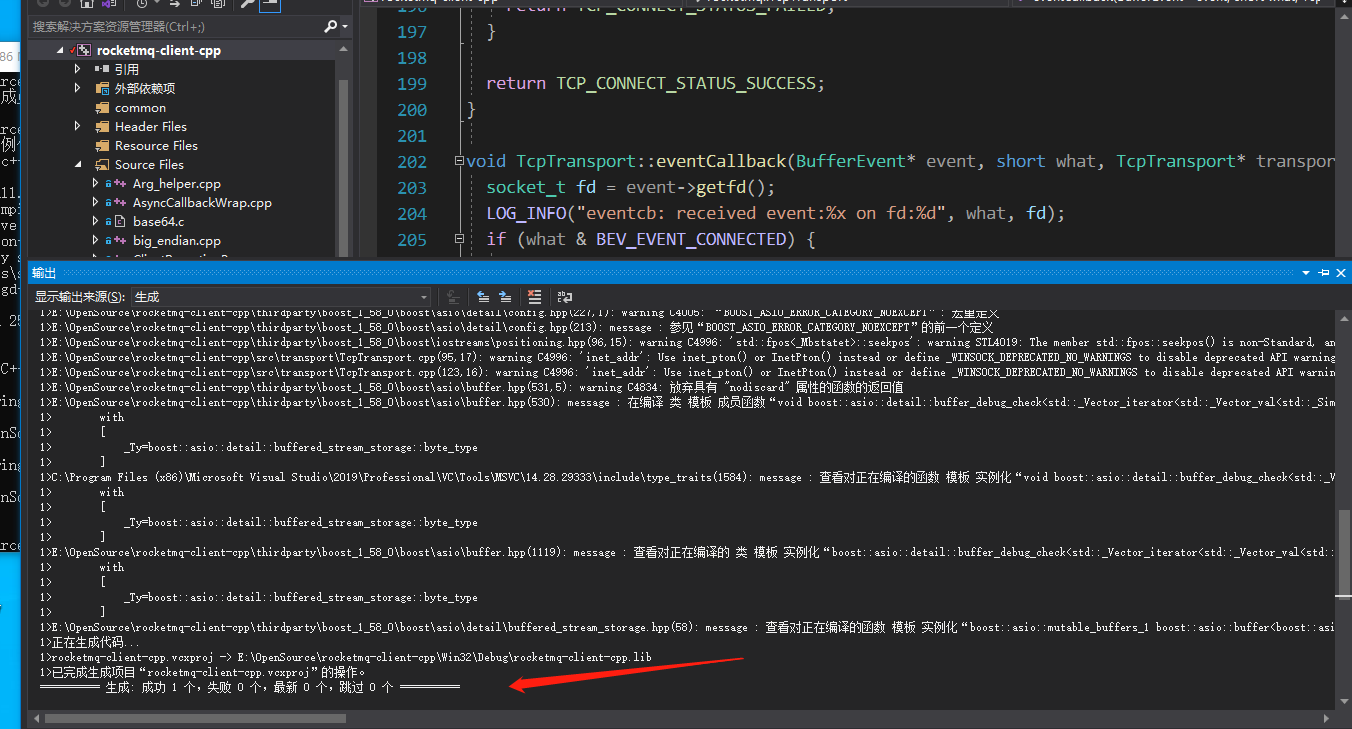
再次编译后 终于正确生成了
rocketmq-cpp-client Visual Studio 2019 编译的更多相关文章
- Visual Studio 2019 编译.Net Core Console项目出现【MSB4018 The "CreateAppHost" task failed unexpectedly】 错误
需要测试一个小东东,使用Visual Studio 2019新建了一个.Net Core的Console程序,但是在编译的时候一直报错,死活编译不通过. 错误信息: Severity Code Des ...
- DX12龙书 00 - 环境配置:通过 Visual Studio 2019 运行示例项目
0x00 安装 Visual Studio 2019 安装 Visual Studio 2019 以及相关组件. 注:安装组件时带的 Windows 10 SDK 可以在 Individual com ...
- 关于Visual Studio 2013 编译 multi-byte character set MFC程序出现 MSB8031 错误的解决办法
转自:http://blog.csdn.net/xiaochunzao/article/details/16987703 Visual Studio 2013 编译旧的 multi-byte char ...
- Visual Studio 2019 preview中体验C# 8.0新语法
准备工作: Visual Studio 2019 Preview版本中并没有包含所有的C# 8.0的新功能,但目前也有一些可以试用了.在开始之前,需要进行入两项设置: 将Framework设置为.ne ...
- Visual Studio 2019 for Mac 离线更新方法
当你打开Visual Studio 2019 for Mac检查更新时,如果下载更新包很慢,可以尝试如下操作: 打开Finder(访达),找到~/Library/Caches/VisualStudio ...
- 如果不用 ReSharper,那么 Visual Studio 2019 能还原 ReSharper 多少功能呢?
原文:https://blog.csdn.net/WPwalter/article/details/100158000 本文的内容分为三个部分: Visual Studio 能完全还原的 ReShar ...
- 使用 visual studio 2019 社区版打开touchgfx工程注意项
@2019-09-23 [环境] touchgfx designer 4.10.0 visual studio 2019 社区版 [问题] #error 1 使用 visual studio 2019 ...
- 【译】Visual Studio 2019 的 Local Process with Kubernetes
今天,我们自豪地宣布 Local Process with Kubernetes 的预览版已加入到 Visual Studio 2019 16.7 Preview 2 中. Local Proces ...
- OpenCV(c++)-1 安装和配置OpenCV4.4(Windows+visual studio 2019)
@ 目录 安装OpenCV4 在Windows系统安装OpenCV4 配置visual studio 2019 配置包含路径 验证配置结果 安装OpenCV4 OpenCV是一个基于BSD许可(开源) ...
随机推荐
- Unity发布WebGL改变鼠标样式
记录:前段时间遇到一个需求,就是打包出来要在某种情况下鼠标的样子要改变成想要的样式. 详细代码如下 public Texture2D[] hand;//小指图标 /// <summary> ...
- nginx学习之——虚拟主机配置
例子1: 基于域名的虚拟主机 server { listen 80; #监听端口 server_name a.com; #监听域名 location / { root /var/www/a.com; ...
- Mysql常用函数合集
1. 字符函数 length(获取字节数,UTF-8编码中 一个汉字占3个字节,GBK编码中一个汉字占2个字节) select length('abc'); #结果:3 select length(' ...
- 3. 搞定收工,PropertyEditor就到这
分享.成长,拒绝浅藏辄止.搜索公众号[BAT的乌托邦],回复关键字专栏有Spring技术栈.中间件等小而美的原创专栏供以免费学习.本文已被 https://www.yourbatman.cn 收录. ...
- 09-flask-蓝图
蓝图 作用:分离前后台 代码截图 运行截图 代码 main.py from flask import Flask from view.admin import admin_blu app = Flas ...
- Sqlmap 学习笔记1:sqlmap参数
SQLMP参数分析 1 目录 1.Target Options 2.Requests Options 3.Injection Options 4.Detection Options 5.Techniq ...
- Appium常用的3种元素定位方式
以最右App为例 .apk文件网盘地址: 链接:https://pan.baidu.com/s/1L4MYkhpb5ECe8XeaneTx_Q 提取码:0jqm 1.find_element_by_i ...
- 【进程/作业管理】篇章一:Linux进程及其管理(进程管理类工具)----pstree、ps、top、htop、kill、(killall、pkill、pgrep、pidof)
主要讲解进程管理类命令及工具的使用:pstree.ps.top.htop.kill.(killall.pkill.pgrep.pidof) pstree 以树状图的方式展现进程之间的派生关系,显示效果 ...
- MongoDB导入bson文件(元数据),mongorestore命令行方式导入
MongoDB导入bson文件(元数据),mongorestore命令行方式导入 不推荐使用MongoDB Compass等图形化数据库管理软件,例如MongoDB Compass只能导入json和c ...
- 学习一下 SpringCloud (二)-- 服务注册中心 Eureka、Zookeeper、Consul、Nacos
(1) 相关博文地址: 学习一下 SpringCloud (一)-- 从单体架构到微服务架构.代码拆分(maven 聚合): https://www.cnblogs.com/l-y-h/p/14105 ...