
SpringBoot源码学习系列之启动原理简介
本博客通过debug方式简单跟一下Springboot application启动的源码,Springboot的启动源码是比较复杂的,本博客只是简单梳理一下源码,浅析其原理
为了方便跟源码,先找个Application类,打个断点,进行调试,如图所示:
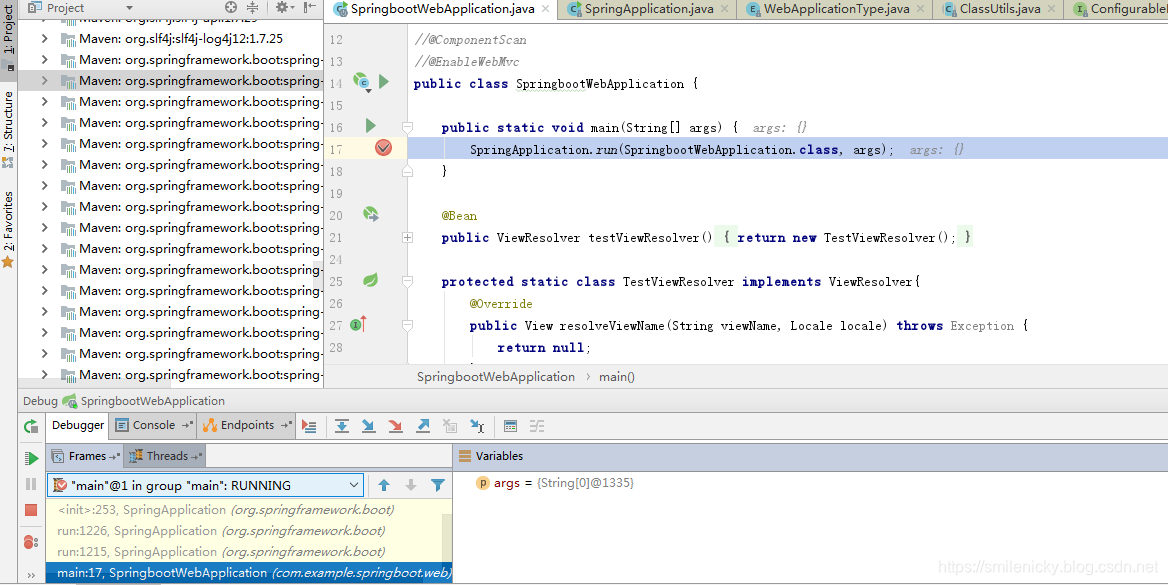
step into,run方法调用了SpringApplication的run方法
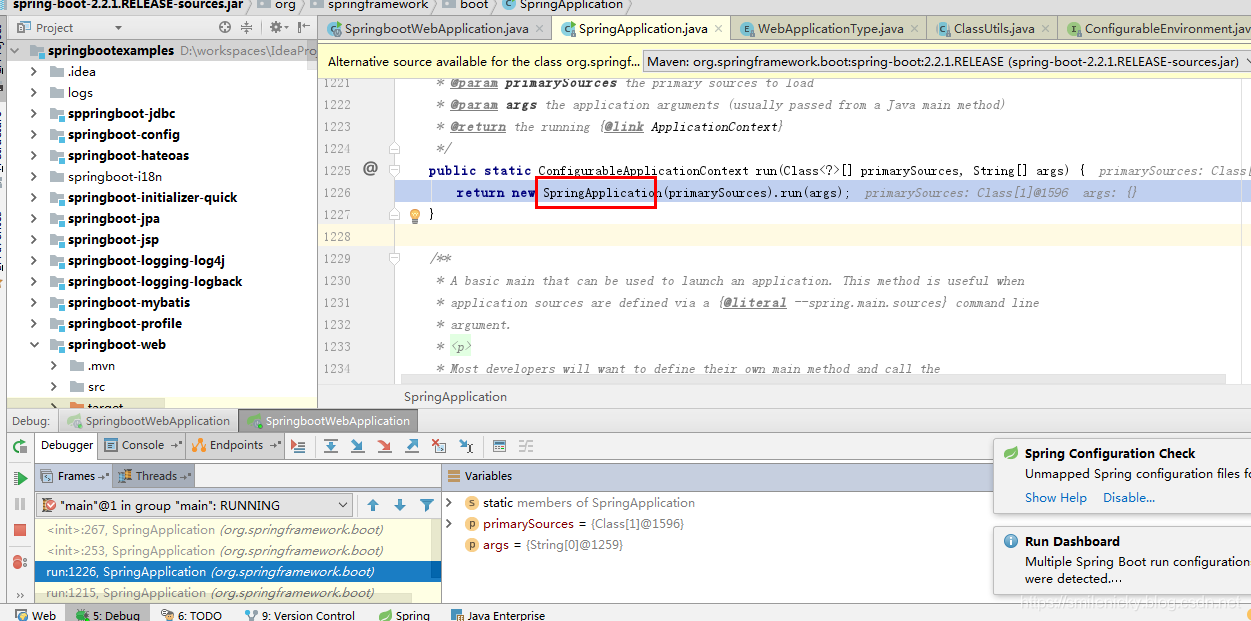
通过debug,Springboot启动过程,会先执行如下关键的构造函数
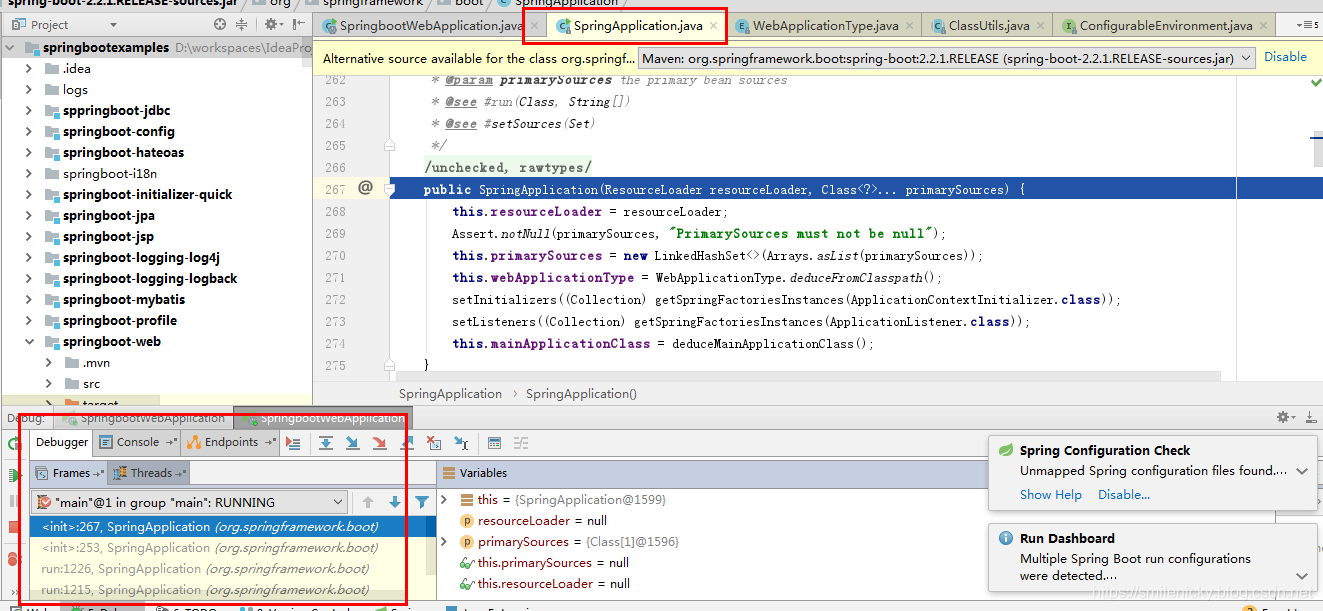
分析构造函数源码:
public SpringApplication(ResourceLoader resourceLoader, Class<?>... primarySources) {

		this.resourceLoader = resourceLoader;

		Assert.notNull(primarySources, "PrimarySources must not be null");

		this.primarySources = new LinkedHashSet<>(Arrays.asList(primarySources));

		// 判断当前的web类型

		this.webApplicationType = WebApplicationType.deduceFromClasspath();

		//设置初始化的ApplicationInitializer类,从类路径下面的META-INF/spring.factories配置文件获取所有的ApplicationInitializer保存起来

		setInitializers((Collection) getSpringFactoriesInstances(ApplicationContextInitializer.class));

		//同理,从类路径下面的META-INF/spring.factories配置文件获取所有的ApplicationListener保存起来

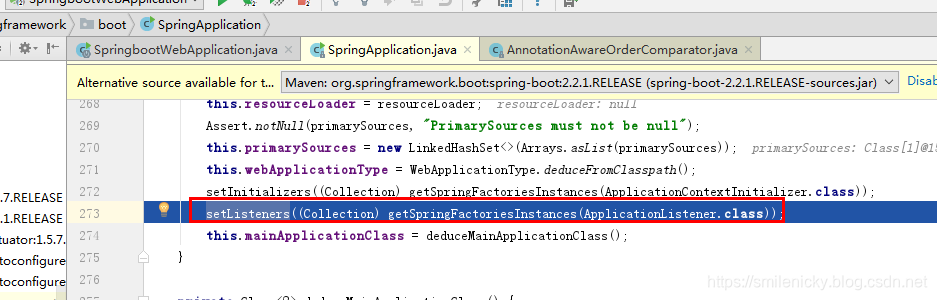
		setListeners((Collection) getSpringFactoriesInstances(ApplicationListener.class));

		//从多个配置类中找到有main方法的主配置类

		this.mainApplicationClass = deduceMainApplicationClass();

	}
注意:上面过程其实就是创建Springboot的Application启动类的过程
deduceFromClasspath方法是判断web类型的
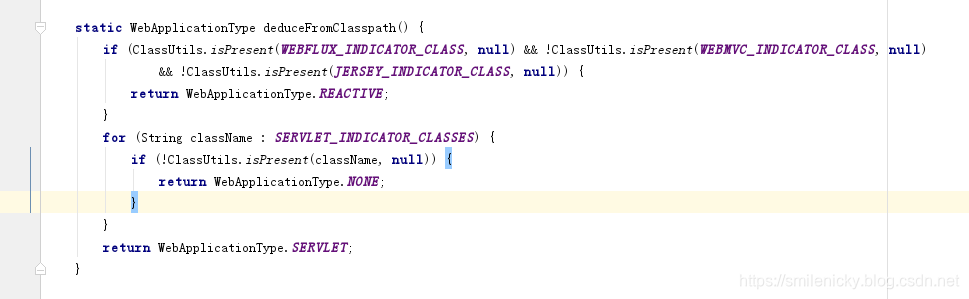
继续debug ApplicationContextInitializer这些Initializer类,可以说是初始化类的设置过程
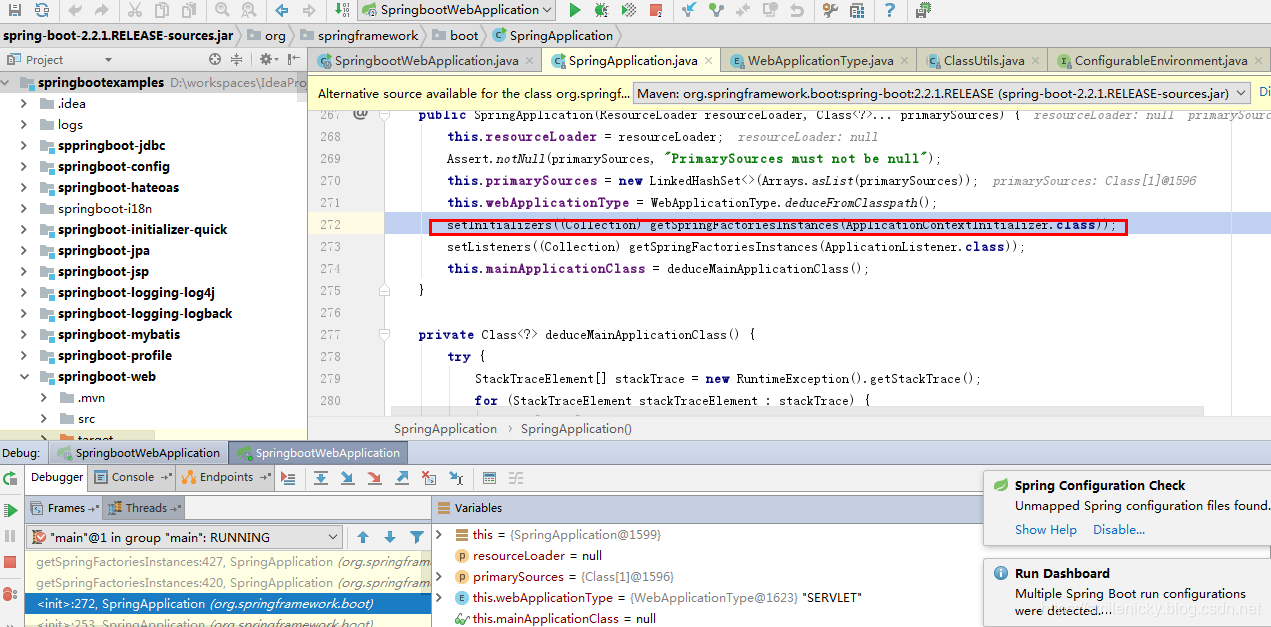
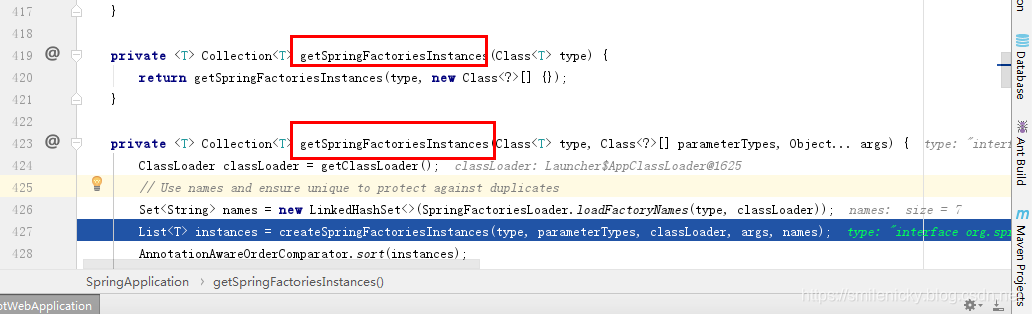
SpringFactoriesLoader.loadFactoryNames(type, classLoader)获取所有的Initializer类的类名
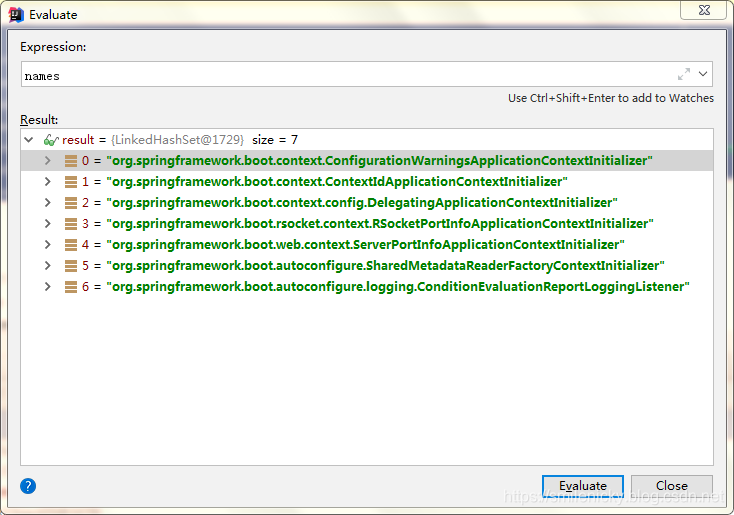
Evaluate可以看出扫描到如下的类
继续debug,这个是Spring框架的底层类
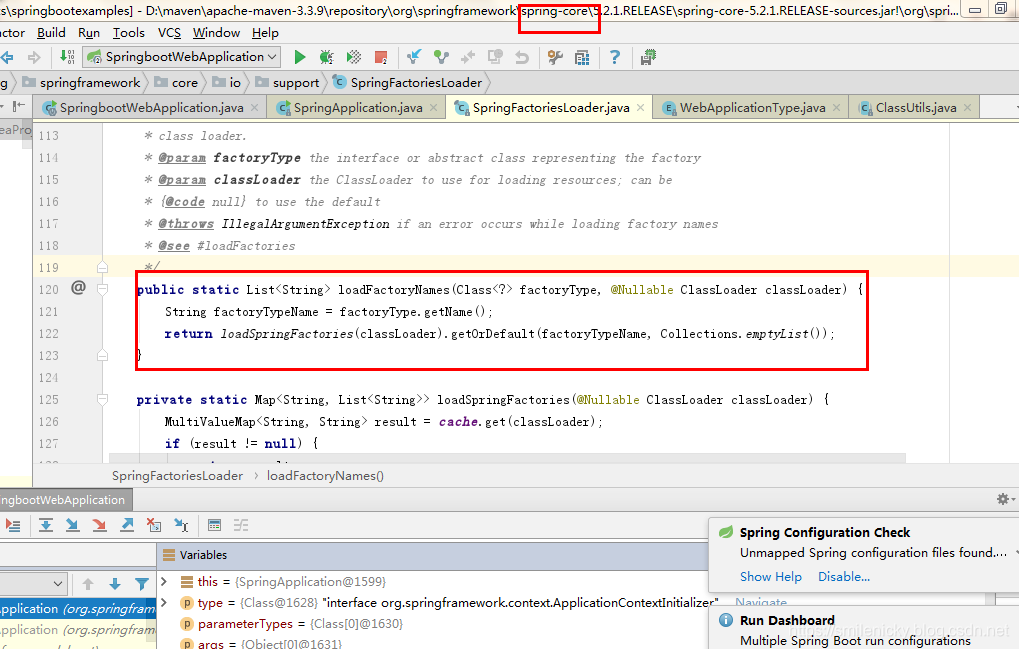
找到主要的源码,loadSpringFactories方法也是从如下的位置获取配置信息的
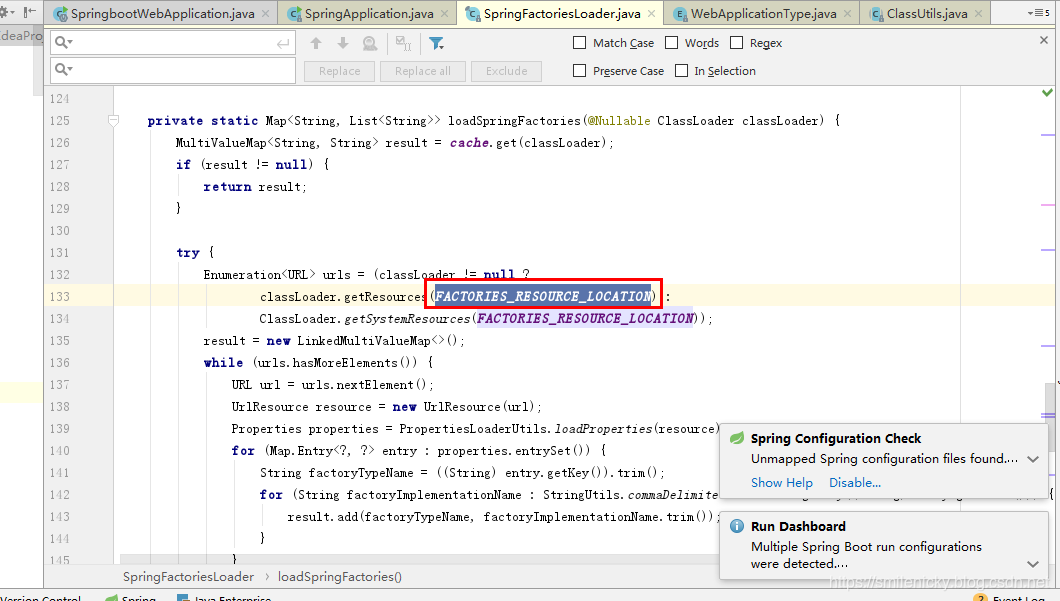
从META-INF/spring.factories获取对应的配置信息
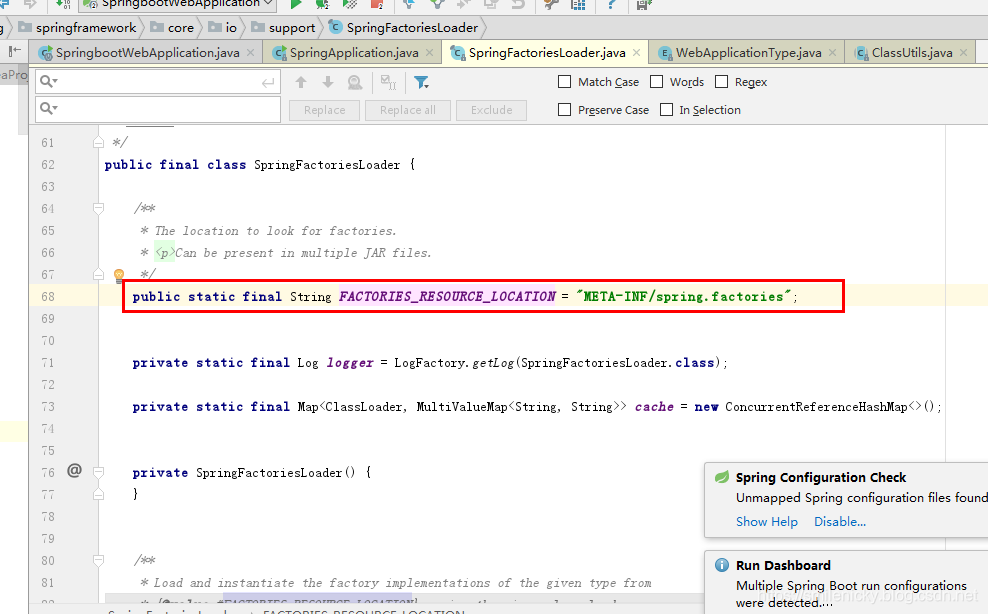
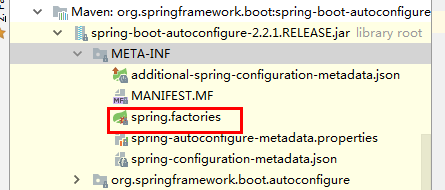
框架的文件位置在autoconfiguration工程里,显然如果要自定义Initializer类的话,自己新建一些Initializer类,然后自己写个META-INF/spring.factories类,也是可以被扫描到的
private static Map<String, List<String>> loadSpringFactories(@Nullable ClassLoader classLoader) {

		//用一个ConcurrentReferenceHashMap来缓存信息

		MultiValueMap<String, String> result = cache.get(classLoader);

		if (result != null) { //缓存读取到配置信息,返回缓存数据

			return result;

		}

		// 缓存读取不到的情况,重新从META-INF/spring.factories配置文件读取

		try {

			Enumeration<URL> urls = (classLoader != null ?

					classLoader.getResources(FACTORIES_RESOURCE_LOCATION) :

					ClassLoader.getSystemResources(FACTORIES_RESOURCE_LOCATION));

			result = new LinkedMultiValueMap<>();

			// 遍历循环读取配置信息

			while (urls.hasMoreElements()) {

				URL url = urls.nextElement();

				UrlResource resource = new UrlResource(url);

				// 用PropertiesLoaderUtils工具类读取资源文件

				Properties properties = PropertiesLoaderUtils.loadProperties(resource);

				for (Map.Entry<?, ?> entry : properties.entrySet()) {

				//获取到Initializer对应的全类名

					String factoryTypeName = ((String) entry.getKey()).trim();

					for (String factoryImplementationName : StringUtils.commaDelimitedListToStringArray((String) entry.getValue())) {

						result.add(factoryTypeName, factoryImplementationName.trim());

					}

				}

			}

			// 重新放在缓存里

			cache.put(classLoader, result);

			return result;

		}

		catch (IOException ex) {

			throw new IllegalArgumentException("Unable to load factories from location [" +

					FACTORIES_RESOURCE_LOCATION + "]", ex);

		}

	}
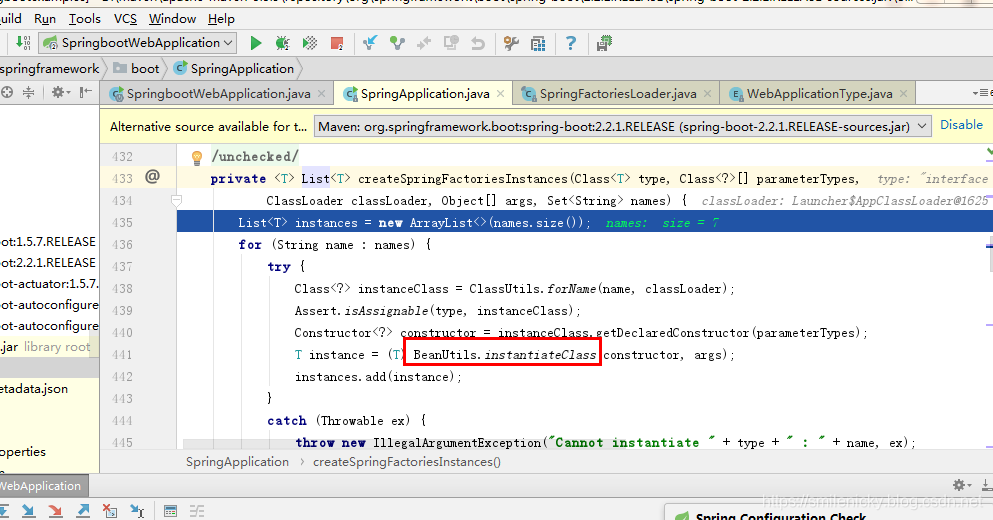
ApplicationInitializer类的全类名都被扫描到之后,返回刚才的源码,继续看看,如图,从命名看应该是进行类的实例化过程
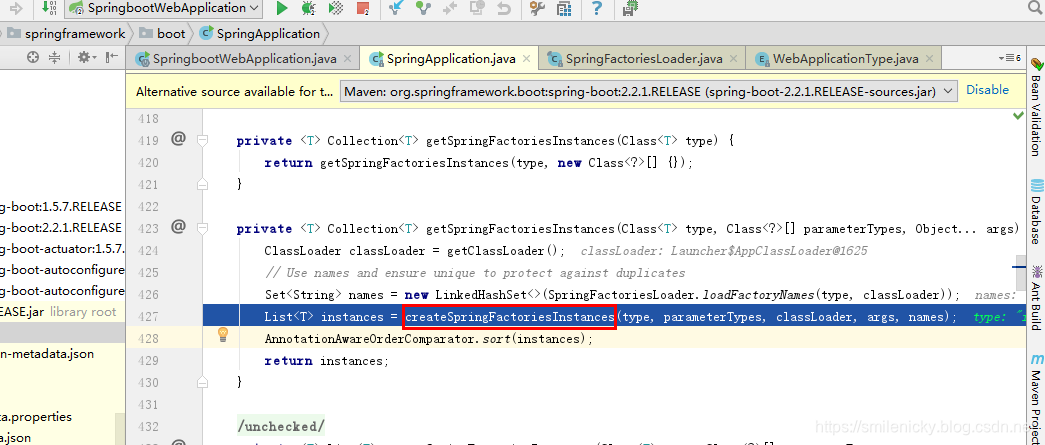
step into,果然是的,还是调用了Spring框架的底层工具类,BeanUtils进行类的实例化过程
setListeners方法的过程同理,本文就不详细分析:
继续往下debug,deduceMainApplicationClass方法
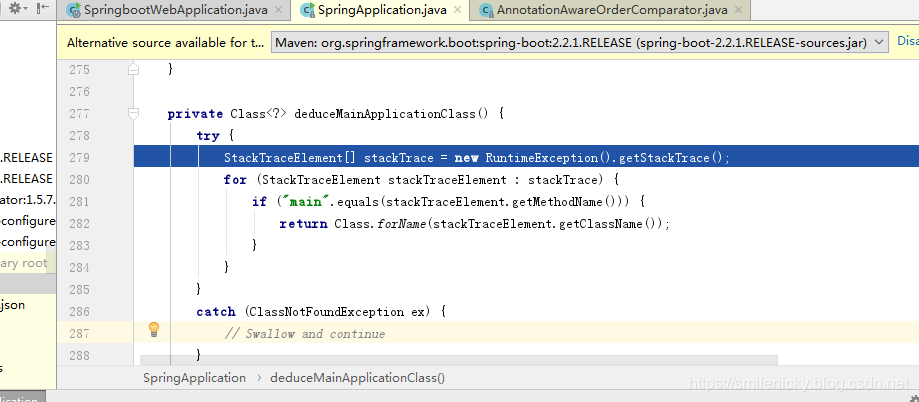
private Class<?> deduceMainApplicationClass() {

		try {

			//获取运行时的堆栈属性数组

			StackTraceElement[] stackTrace = new RuntimeException().getStackTrace();

			for (StackTraceElement stackTraceElement : stackTrace) {

				//有main方法的Application类返回

				if ("main".equals(stackTraceElement.getMethodName())) {

					return Class.forName(stackTraceElement.getClassName());

				}

			}

		}

		catch (ClassNotFoundException ex) {

			// Swallow and continue

		}

		return null;

	}
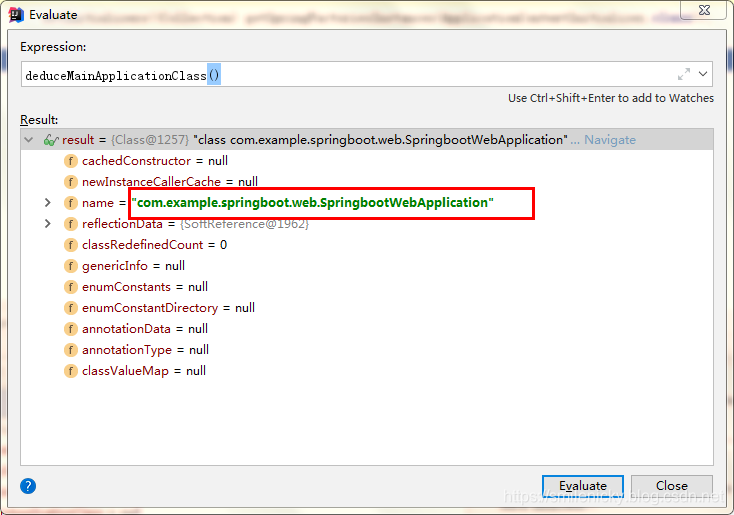
获取到的就是创建Springboot工程时的Application类
Springboot的Application类创建成功之后,才真正开始执行run方法
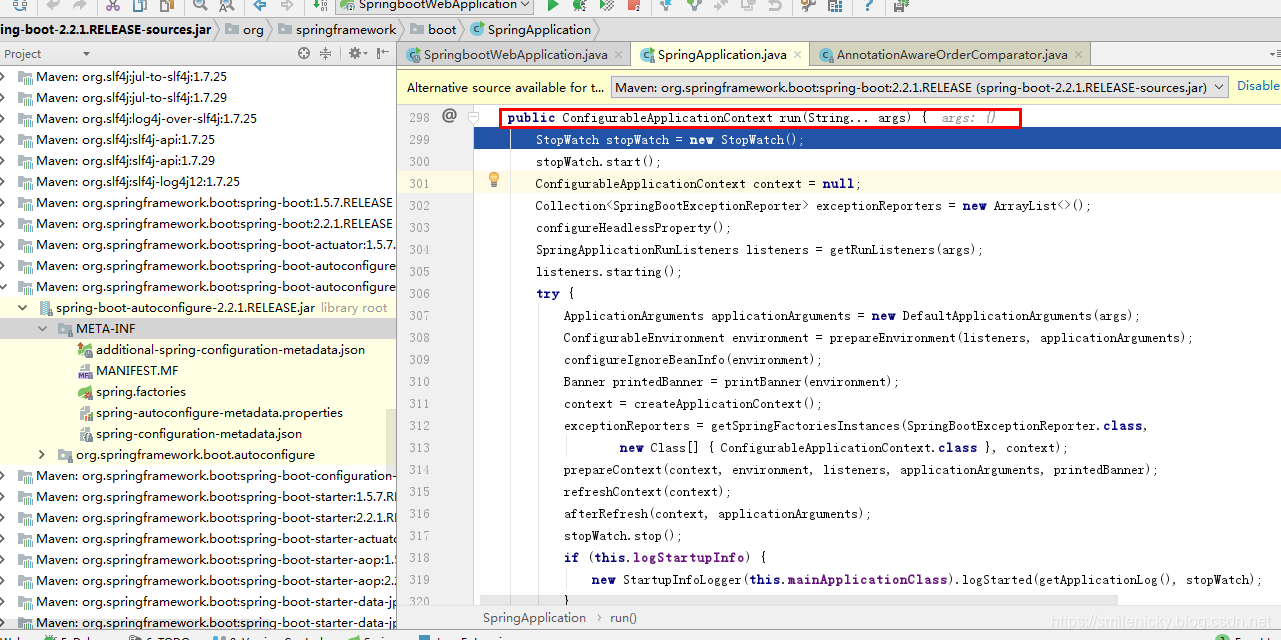
public ConfigurableApplicationContext run(String... args) {

		StopWatch stopWatch = new StopWatch();

		stopWatch.start();

		ConfigurableApplicationContext context = null;

		Collection<SpringBootExceptionReporter> exceptionReporters = new ArrayList<>();

		//校验java.awt.headless的

		configureHeadlessProperty();

		//从META-INF/spring.factories获取SpringApplicationRunListeners,和前面的分析同理,本文就不详细介绍

		SpringApplicationRunListeners listeners = getRunListeners(args);

		//回调SpringApplicationRunListeners 的starting方法

		listeners.starting();

		try {

			//封装命令行参数

			ApplicationArguments applicationArguments = new DefaultApplicationArguments(args);

			//准备环境,环境创建完成之后,再回调SpringApplicationRunListeners 的environmentPrepared方法,表示环境准备好

			ConfigurableEnvironment environment = prepareEnvironment(listeners, applicationArguments);

			configureIgnoreBeanInfo(environment);

			//控制台打印Banner信息的,后面再简单分析

			Banner printedBanner = printBanner(environment);

			// 创建Spring的IOC容器,创建过程比较复杂,会分析是web类型的ioc容器,还是普通的ioc容器等等

			context = createApplicationContext();

			exceptionReporters = getSpringFactoriesInstances(SpringBootExceptionReporter.class,

					new Class[] { ConfigurableApplicationContext.class }, context);

			//将environment保存到ioc,执行applyInitializers方法,applyInitializers方法执行完成之后,再回调SpringApplicationRunListeners的contextPrepared方法

			//applyInitializers方法作用:回调之前保存的所有的ApplicationContextInitializer的initialize方法

			prepareContext(context, environment, listeners, applicationArguments, printedBanner);

			//刷新ioc容器,其实就是ioc容器的初始化过程,还没进行属性设置,后置处理器,仅仅是扫描、创建、加载所有组件等等过程

			refreshContext(context);

			afterRefresh(context, applicationArguments);

			stopWatch.stop();

			if (this.logStartupInfo) {

				new StartupInfoLogger(this.mainApplicationClass).logStarted(getApplicationLog(), stopWatch);

			}

			//回调所有SpringApplicationRunListener的started方法

			listeners.started(context);

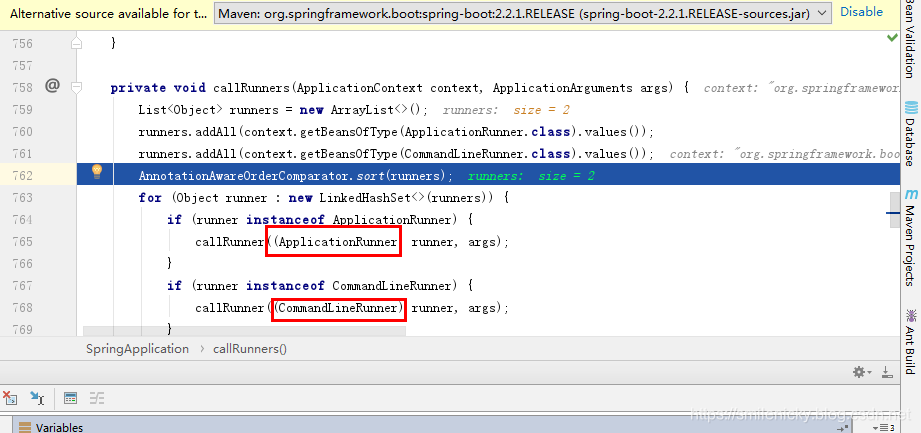
			//从ioc容器中获取所有的ApplicationRunner和CommandLineRunner进行回调,ApplicationRunner先回调,CommandLineRunner再回调

			callRunners(context, applicationArguments);

		}

		catch (Throwable ex) {

			handleRunFailure(context, ex, exceptionReporters, listeners);

			throw new IllegalStateException(ex);

		}

		try {

			//回调所有SpringApplicationRunListener的running方法

			listeners.running(context);

		}

		catch (Throwable ex) {

			handleRunFailure(context, ex, exceptionReporters, null);

			throw new IllegalStateException(ex);

		}

		//Springboot应用启动成功后,才返回启动的ioc容器

		return context;

	}
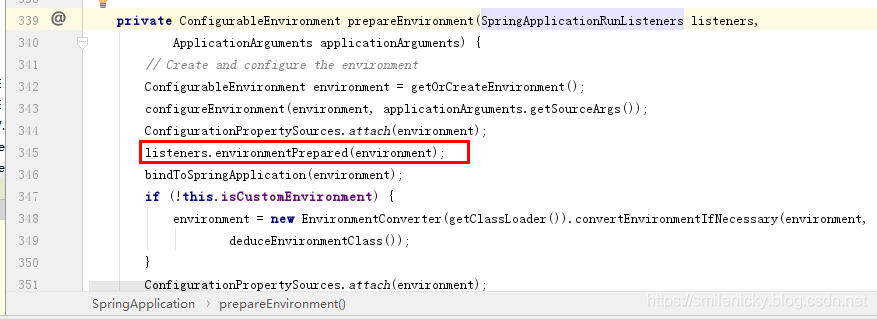
回顾一下前面源码的环境准备方法,找重点代码,如图,可以看出环境准备完成后会回调SpringApplicationRunListener的environmentPrepared方法,表示环境准备完成
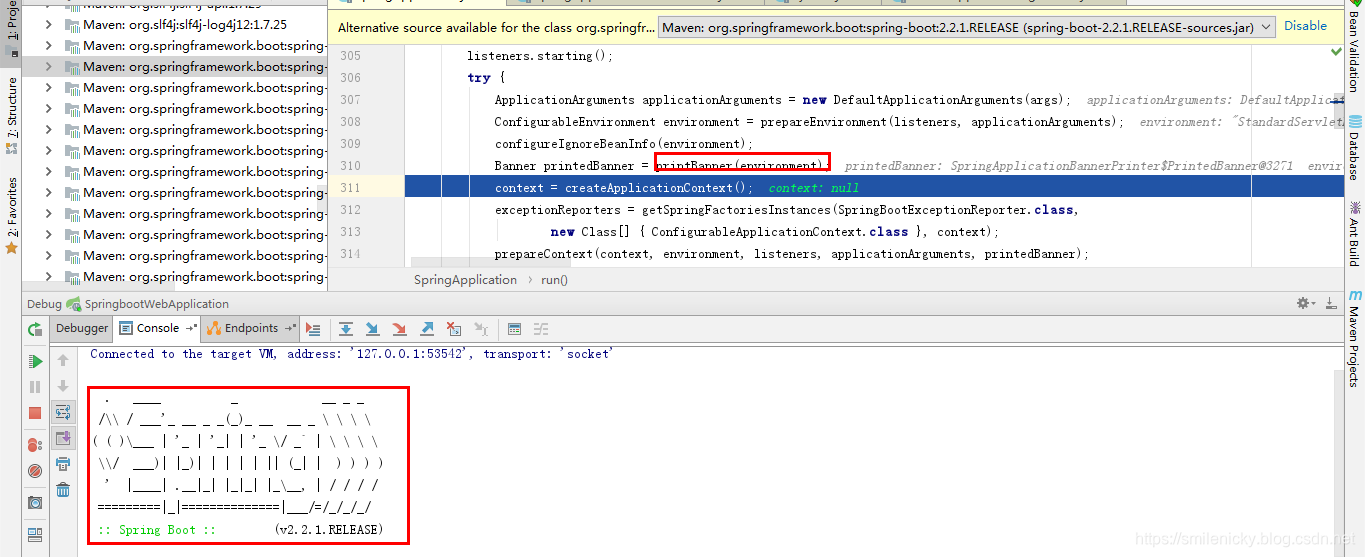
banner打印的方法,如图,执行完成,控制台的banner信息就打印出来了:
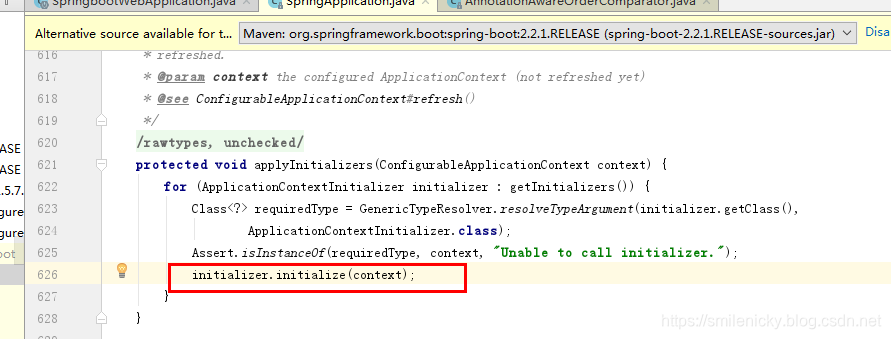
ioc初始化之前,会执行applyInitializers方法,执行完成后,再回调SpringApplicationRunListener的contextPrepared方法
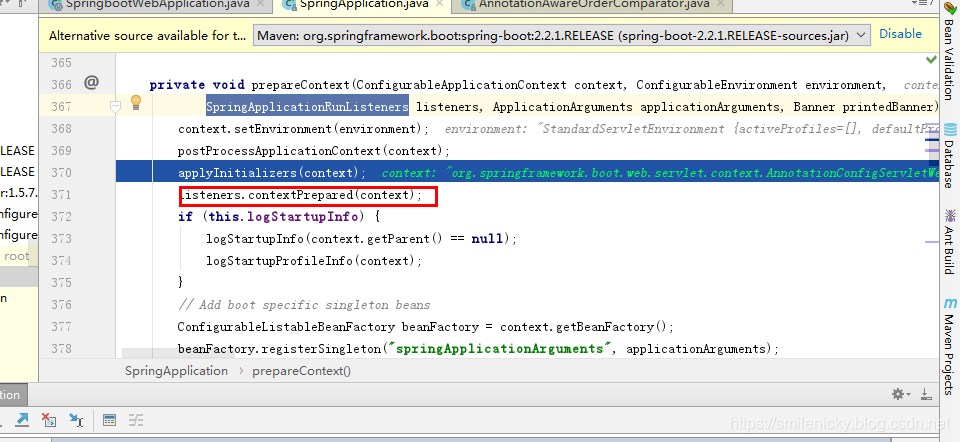
applyInitializers():回调之前保存的所有的ApplicationContextInitializer的initialize方法
从ioc容器中获取所有的ApplicationRunner和CommandLineRunner进行回调
ok,从源码的简单分析,可以看出有几个重要的事件监听机制,下面引用尚硅谷视频的例子:
只需要放在ioc容器中的有:
- ApplicationRunner
@Component

public class HelloApplicationRunner implements ApplicationRunner {

    @Override

    public void run(ApplicationArguments args) throws Exception {

        System.out.println("ApplicationRunner...run....");

    }

}
- CommandLineRunner
@Component

public class HelloCommandLineRunner implements CommandLineRunner {

    @Override

    public void run(String... args) throws Exception {

        System.out.println("CommandLineRunner...run..."+ Arrays.asList(args));

    }

}
配置在META-INF/spring.factories的有:
- ApplicationContextInitializer
public class HelloApplicationContextInitializer implements

ApplicationContextInitializer<ConfigurableApplicationContext> {

    @Override

    public void initialize(ConfigurableApplicationContext applicationContext) {

 System.out.println("ApplicationContextInitializer...initialize..."+applicationContext);

    }

}
- SpringApplicationRunListener
package com.example.springboot.web.listener;

import org.springframework.boot.SpringApplication;

import org.springframework.boot.SpringApplicationRunListener;

import org.springframework.context.ConfigurableApplicationContext;

import org.springframework.core.env.ConfigurableEnvironment;

public class HelloSpringApplicationRunListener implements SpringApplicationRunListener {

    //必须有的构造器

    public HelloSpringApplicationRunListener(SpringApplication application, String[] args){

    }

    @Override

    public void starting() {

        System.out.println("SpringApplicationRunListener...starting...");

    }

    @Override

    public void environmentPrepared(ConfigurableEnvironment environment) {

        Object o = environment.getSystemProperties().get("os.name");

        System.out.println("SpringApplicationRunListener...environmentPrepared.."+o);

    }

    @Override

    public void contextPrepared(ConfigurableApplicationContext context) {

        System.out.println("SpringApplicationRunListener...contextPrepared...");

    }

    @Override

    public void contextLoaded(ConfigurableApplicationContext context) {

        System.out.println("SpringApplicationRunListener...contextLoaded...");

    }

}
配置(META-INF/spring.factories)
org.springframework.context.ApplicationContextInitializer=\

com.example.springboot.web.listener.HelloApplicationContextInitializer

org.springframework.boot.SpringApplicationRunListener=\

com.example.springboot.web.listener.HelloSpringApplicationRunListener
例子下载:github下载链接
SpringBoot源码学习系列之启动原理简介的更多相关文章
- SpringBoot源码学习系列之嵌入式Servlet容器
目录 1.博客前言简单介绍 2.定制servlet容器 3.变换servlet容器 4.servlet容器启动原理 SpringBoot源码学习系列之嵌入式Servlet容器启动原理 @ 1.博客前言 ...
- SpringBoot源码学习系列之异常处理自动配置
SpringBoot源码学习系列之异常处理自动配置 1.源码学习 先给个SpringBoot中的异常例子,假如访问一个错误链接,让其返回404页面 在浏览器访问: 而在其它的客户端软件,比如postm ...
- SpringBoot源码学习系列之SpringMVC自动配置
目录 1.ContentNegotiatingViewResolver 2.静态资源 3.自动注册 Converter, GenericConverter, and Formatter beans. ...
- SpringBoot源码学习系列之Locale自动配置
目录 1.spring.messages.cache-duration 2.LocaleResolver 的方法名必须为localeResolver 3.默认LocaleResolver 4.指定默认 ...
- SpringBoot源码学习系列之@PropertySource不支持yaml读取原因
然后,为什么@PropertySource注解默认不支持?可以简单跟一下源码 @PropertySource源码: 根据注释,默认使用DefaultPropertySourceFactory类作为资源 ...
- JDK源码学习系列05----LinkedList
JDK源码学习系列05----LinkedList 1.LinkedList简介 LinkedList是基于双向链表实 ...
- JDK源码学习系列04----ArrayList
JDK源码学习系列04----ArrayList 1. ...
- 源码学习系列之SpringBoot自动配置(篇一)
源码学习系列之SpringBoot自动配置源码学习(篇一) ok,本博客尝试跟一下Springboot的自动配置源码,做一下笔记记录,自动配置是Springboot的一个很关键的特性,也容易被忽略的属 ...
- 源码学习系列之SpringBoot自动配置(篇二)
源码学习系列之SpringBoot自动配置(篇二)之HttpEncodingAutoConfiguration 源码分析 继上一篇博客源码学习系列之SpringBoot自动配置(篇一)之后,本博客继续 ...
随机推荐
- Python中的socket
socket()模块函数用法 import socket socket.socket(socket_family,socket_type,protocal=0) socket_family 可以是 A ...
- Vue组件跨层级通信
正常组件间通信 父->子组件 是通过属性传递 子->父组件 是通过this.$emit()传递 this.$emit()返回的是this,如果需要一些值 可使用callback方式传递 p ...
- iOS tableView优化
iOS: Autolayout和UITableViewCell的动态高度 http://www.mgenware.com/blog/?p=507 优化UITableViewCell高度计算的那些事 h ...
- iOS 11 适配UIWebView,页面下移20的问题
方案1: AppDelegate文件 didFinishLaunchingWithOptions()中添加如下代码 if (@available(iOS 11.0, *)) { [[UIScrollV ...
- ROS报错:IOError:[Errno 13]permission denied: /home/neousys/.ros/roscore-11311.pid"
在安装ROS后启动ROS,输入:roscore 时报错: 这个问题是由于该路径下ros文件权限造成的. 输入以下命令修改权限: sudo chmod -R ~/.ros/ 修改完成后再次输入rosco ...
- 洞见数据库前沿 阿里云数据库最强阵容 DTCC 2019 八大亮点抢先看
摘要: 作为DTCC的老朋友和全球领先的云计算厂商,阿里云数据库团队受邀参加本次技术盛会,不仅将派出重量级嘉宾阵容,还会为广大数据库业内人士和行业用户奉上8场精彩议题.下面小编就为大家提前梳理了8大亮 ...
- ping的使用
ping -t cnblogs.com 可以一直ping网址显示对应的响应时间
- CentOs7.0安装scrapy (云服务器上)
centos7 默认Python 2.7,支持twisted 首先准备环境 yum install gcc libffi-devel openssl-devel libxml2 libxslt-dev ...
- behavior planning——inputs to transition functions
the answer is that we have to pass all of the data into transition function except for the previous ...
- Android教程-03 常见布局的总结
常见的布局 视频建议采用超清模式观看, 欢迎点击订阅我的优酷 Android的图形用户界面是由多个View和ViewGroup构建出来的.View是通用的UI窗体小组件,比如按钮(Button)或者文 ...