
(转)在SAE使用Apple Push Notification Service服务开发iOS应用, 实现消息推送
在SAE使用Apple Push Notification Service服务开发iOS应用, 实现消息推送
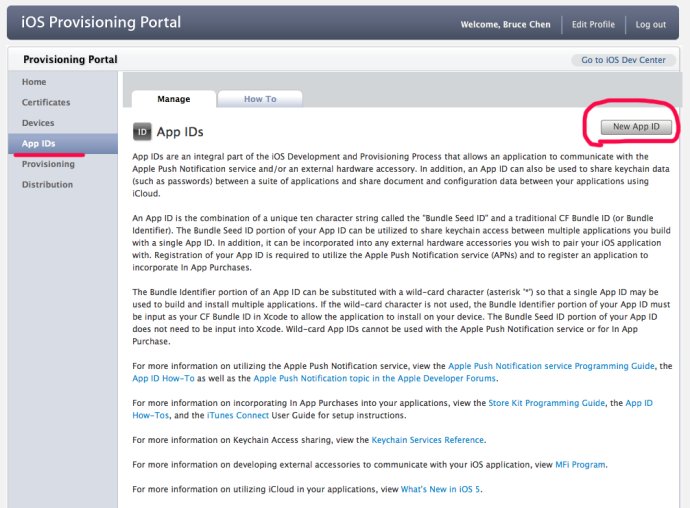
1,在iOS开发者中心: iOS Provisioning Portal 创建一个AppID,如图:
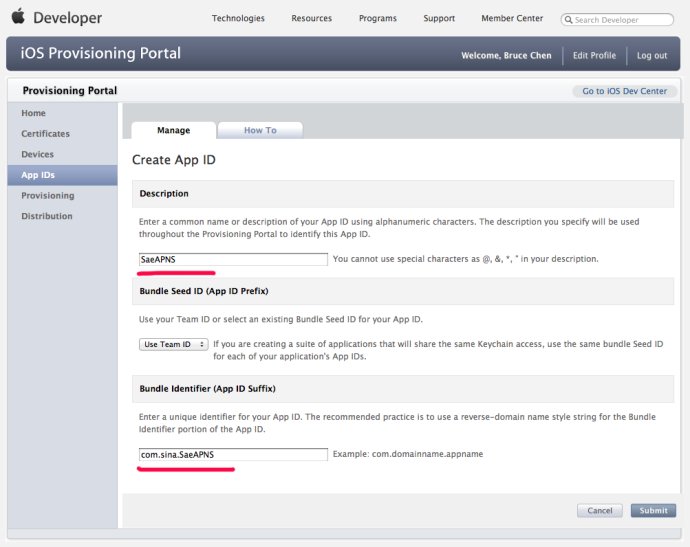
2,生成iOS Push Service证书,如图:


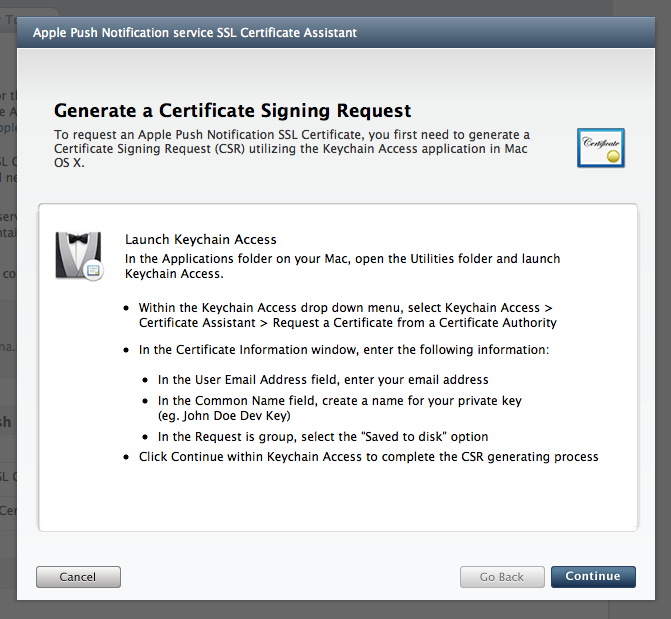
按照上述提示操作:
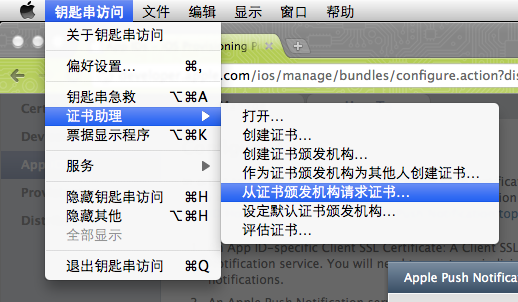
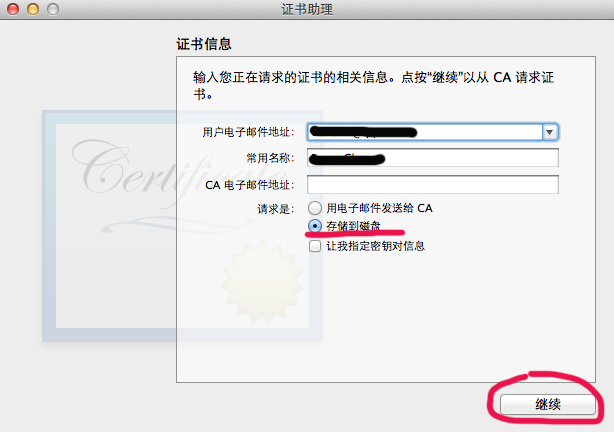
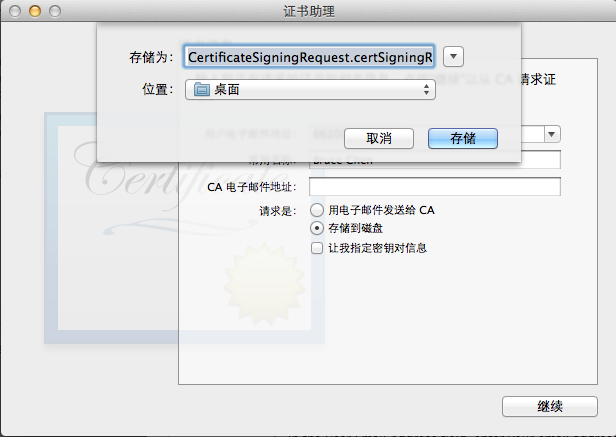
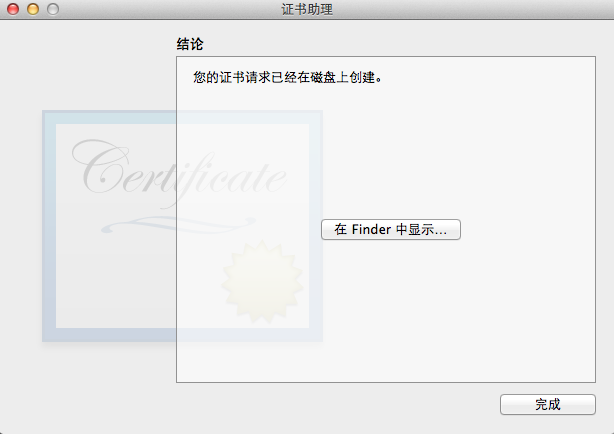
回到iOS Provisioning Portal:
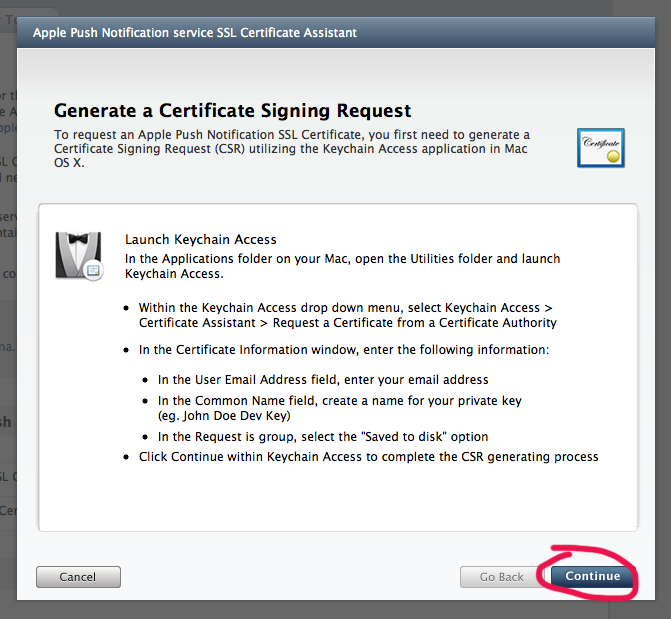
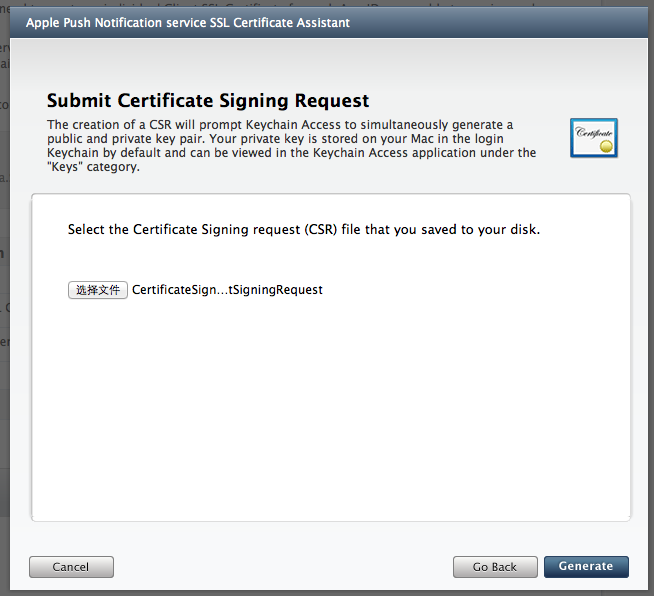
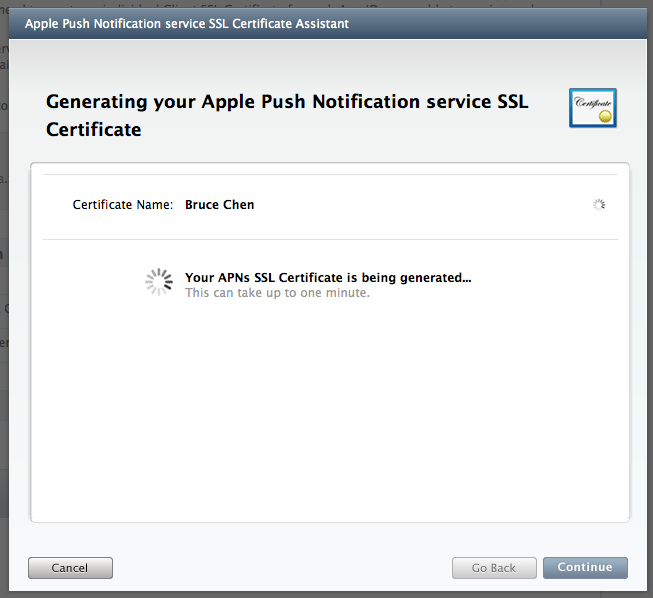
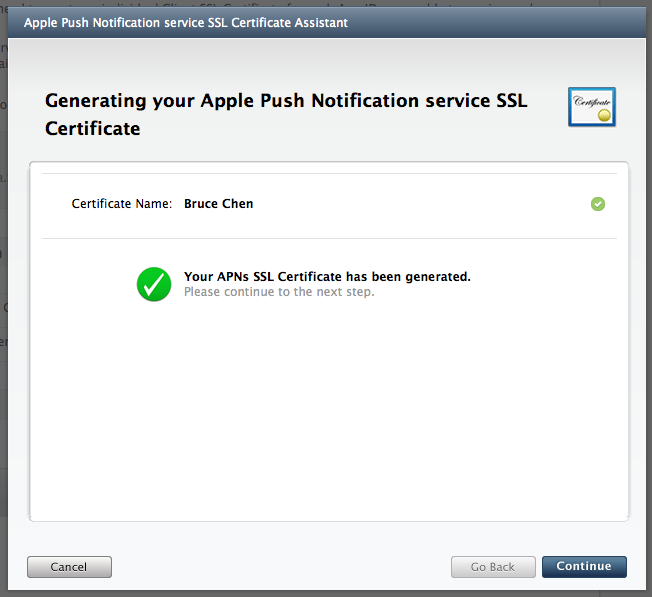
点击“Download”下载iOS Push Service证书文件,如图:
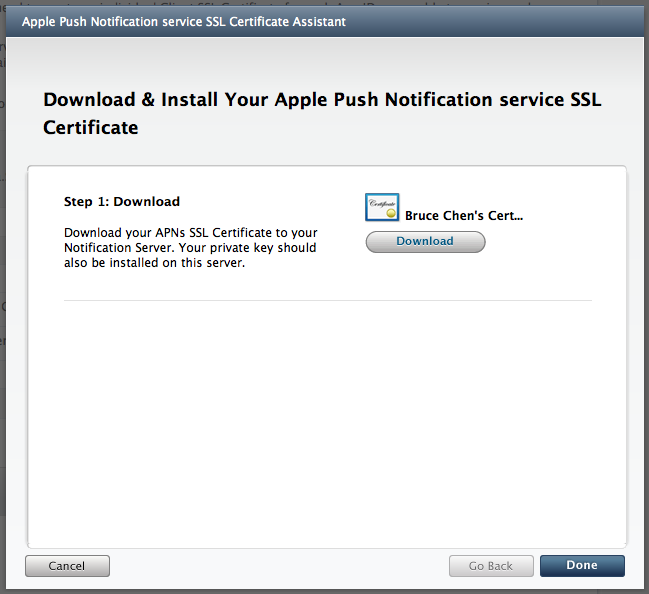
3,导入证书文件到keychain:双击即可
4,生成ck.pem
导出cert.p12:
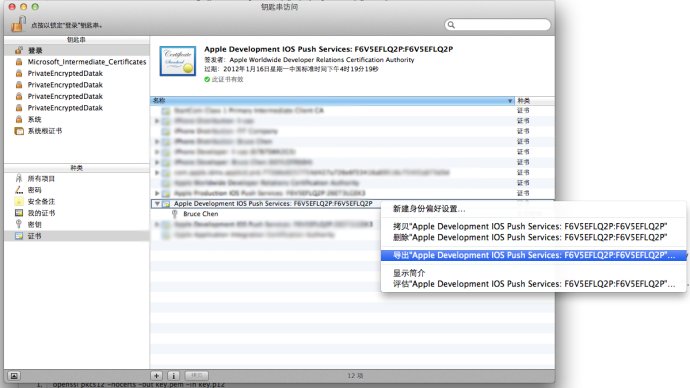

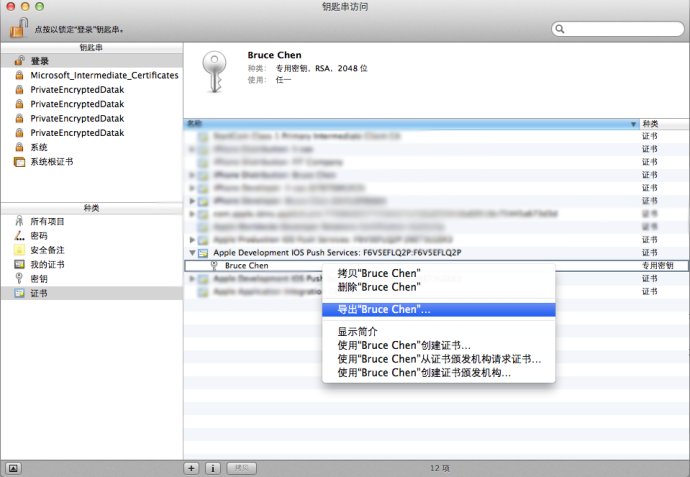
导出key.p12:
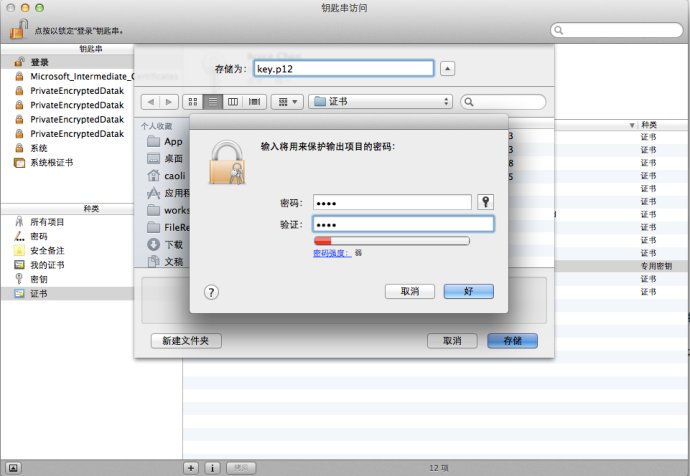
得到这样两个文件:
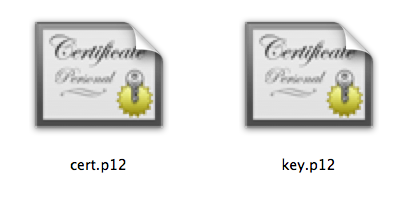
接下来打开终端:
输入命令:openssl pkcs12 -clcerts -nokeys -out cert.pem -in cert.p12

然后输入命令:openssl pkcs12 -nocerts -out key.pem -in key.p12
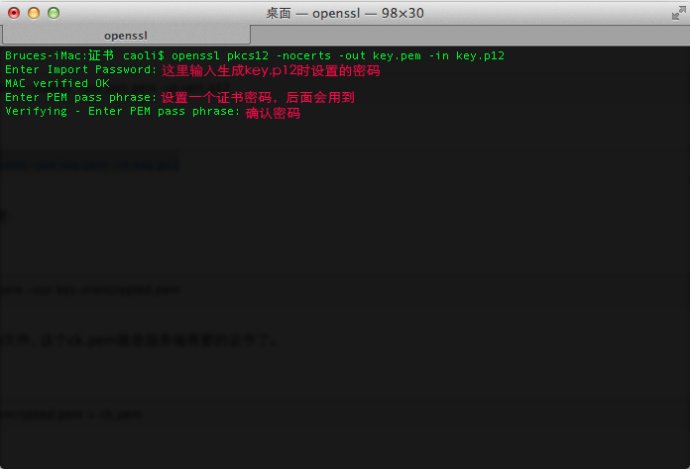
最后合并成一个ck.pem文件:
输入命令:cat cert.pem key.pem > ck.pem
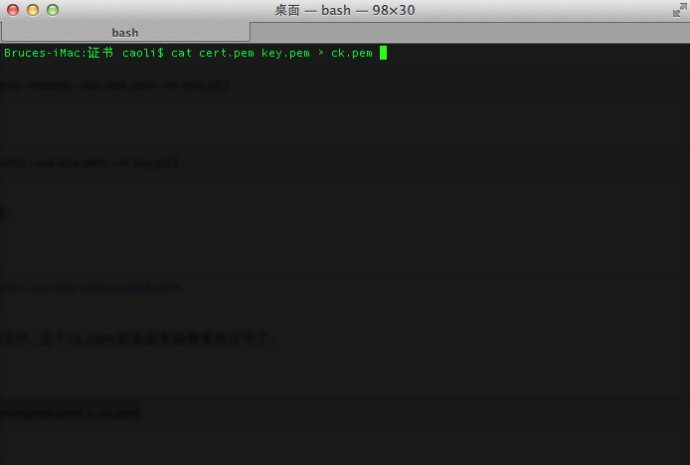
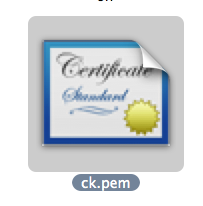
得到一个ck.pem文件:
5, 生成并安装Profile文件:
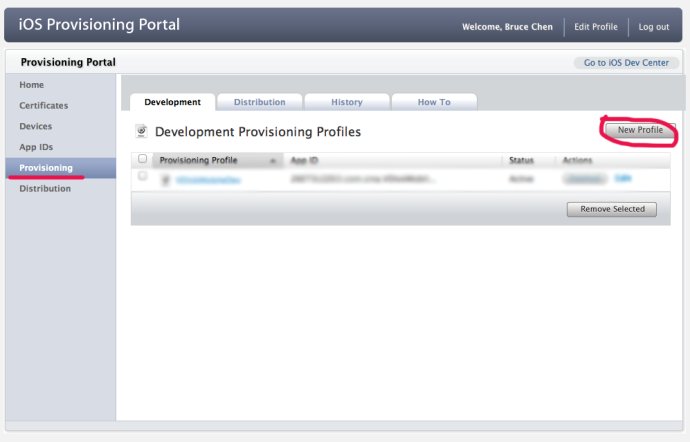
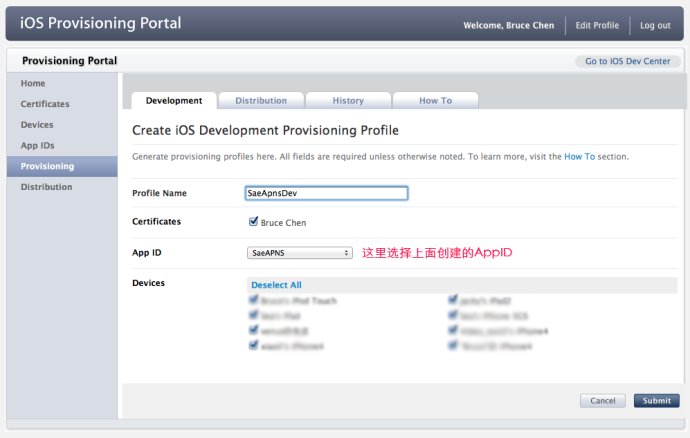
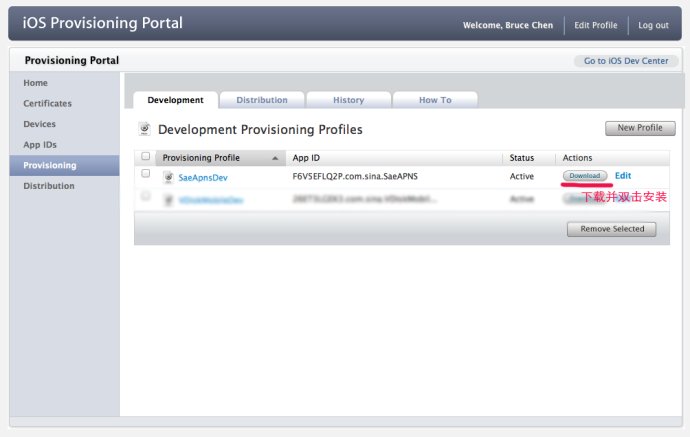
6, 上传ck.pem到SAE, 如图:
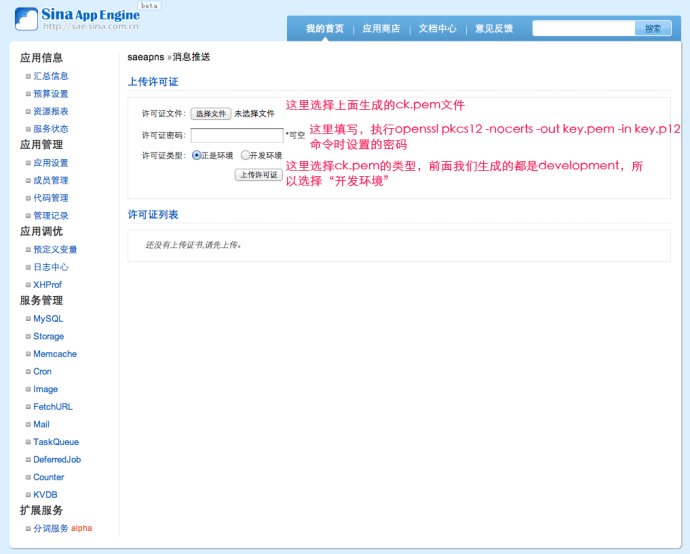
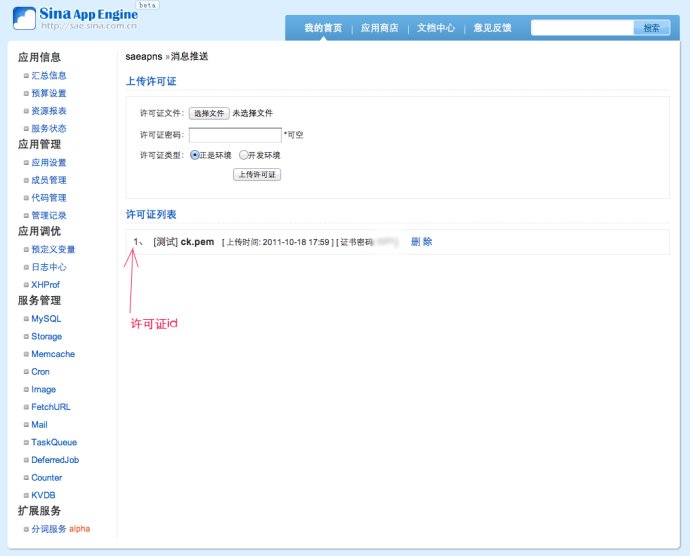
7, 客户端程序:
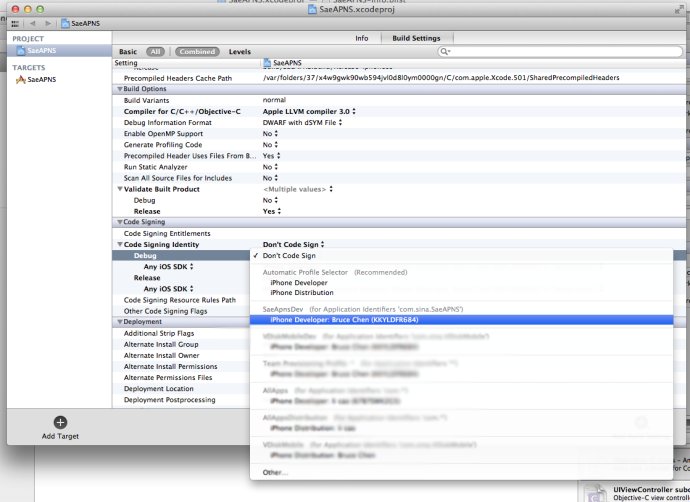
设置profile:
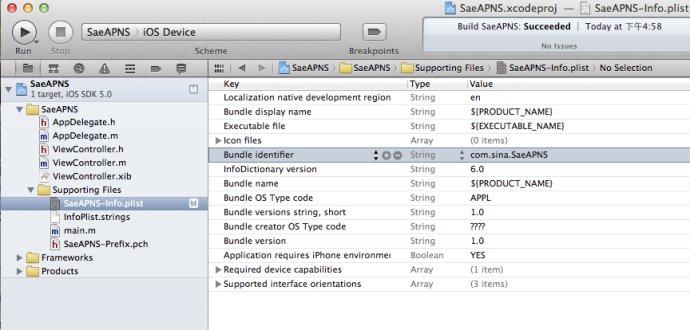
在info.plist中设置Bundle identifier:
在合适的位置加入下面代码,将你的应用注册到消息中心:
- 1234567891011121314
- (IBAction)action:(id)sender {//注册到消息中心:[[UIApplicationsharedApplication]registerForRemoteNotificationTypes:(UIRemoteNotificationTypeBadge|UIRemoteNotificationTypeSound|UIRemoteNotificationTypeAlert|UIRemoteNotificationTypeNewsstandContentAvailability)];} 在AppDelegate中加入下面代码:
- 123456789101112131415161718192021222324252627282930313233343536373839404142434445464748495051525354
#pragma mark -#pragma mark APNS- (void)application:(UIApplication*)applicationdidRegisterForRemoteNotificationsWithDeviceToken:(NSData*)deviceToken {//获得 device tokenNSLog(@"deviceToken: %@", deviceToken);/*. . . . . .在这里把deviceToken和用户信息发送到服务器端. . . . . .*///获得 唯一标示NSLog(@"uniqueIdentifier: %@", [[UIDevicecurrentDevice]uniqueIdentifier]);}- (void)application:(UIApplication*)applicationdidFailToRegisterForRemoteNotificationsWithError:(NSError*)error {NSLog(@"Error in registration. Error: %@", error);}- (void)application:(UIApplication*)applicationdidReceiveRemoteNotification:(NSDictionary*)userInfo {/*收到消息自定义事件*/if([[userInfoobjectForKey:@"aps"]objectForKey:@"alert"] !=nil) {UIAlertView*alert = [[UIAlertViewalloc]initWithTitle:@"通知"message:[[userInfoobjectForKey:@"aps"]objectForKey:@"alert"]delegate:selfcancelButtonTitle:@"确定"otherButtonTitles:nil];[alertshow];[alertrelease];}}
8, 服务器端程序:
- 123456789101112131415161718192021222324252627282930313233343536373839404142434445464748495051525354555657
/**** 实例代码** SaeAPNS调用方法详见API文档:http://apidoc.sinaapp.com/sae/SaeAPNS.html** @author Bruce Chen**/header("Content-Type: text/html;charset=utf-8");include_once("saeapns.class.php");/* int $cert_id 许可证序号(1-10)*/$cert_id= 1;/* string $device_token 设备令牌 */$device_token='xxxxxxxx xxxxxxxx xxxxxxxx xxxxxxxx xxxxxxxx xxxxxxxx xxxxxxxx xxxxxxxx';/* string $message 消息内容 */$message=date('Y-m-d H:i:s') .": \n".'测试消息 from SAE';/*array $body 消息体(包括消息、提醒声音等等),格式请参考示例和{@link http://developer.apple.com/library/ios/#documentation/NetworkingInternet/Conceptual/RemoteNotificationsPG/ApplePushService/ApplePushService.html#//apple_ref/doc/uid/TP40008194-CH100-SW1 Apple官方文档}*/$body=array('aps'=>array('alert'=>$message,'badge'=> 1,'sound'=>'in.caf'),'others'=>array());//实例化SaeAPNS$apns=newSaeAPNS();//推送消息$result=$apns->push($cert_id,$body,$device_token);if($result!== false) {echo'发送成功';}else{echo'发送失败';var_dump($apns->errno(),$apns->errmsg());}
9, 手机收到通知效果:
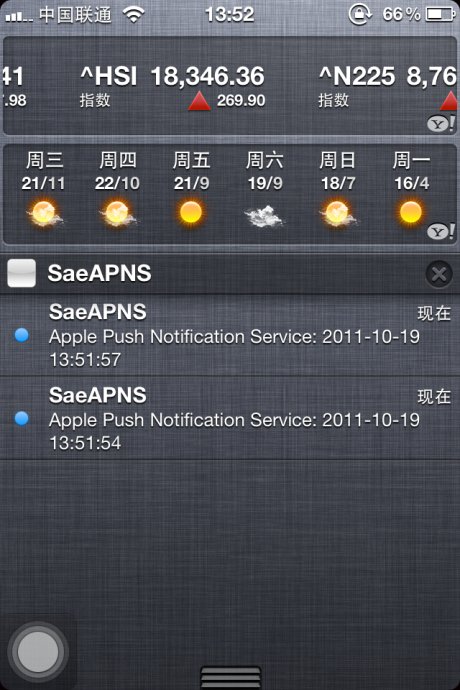
源码实例下载地址: http://vdisk.weibo.com/s/SbY2

转自:http://blog.csdn.net/wave_1102/article/details/7669152
(转)在SAE使用Apple Push Notification Service服务开发iOS应用, 实现消息推送的更多相关文章
- Provider Communication with Apple Push Notification Service
This chapter describes the interfaces that providers use for communication with Apple Push Notificat ...
- 陌陌架构分享 – Apple Push Notification Service
http://blog.latermoon.com/?p=878 先描述下基本概念,标准的iPhone应用是没有后台运行的,要实现实时推送消息到手机,需要借助Apple提供的APNS服务. iPhon ...
- (转)How to build an Apple Push Notification provider server (tutorial)
转自:https://blog.serverdensity.com/how-to-build-an-apple-push-notification-provider-server-tutorial/ ...
- (转)Apple Push Notification Services in iOS 6 Tutorial: Part 2/2
转自:http://www.raywenderlich.com/32963/apple-push-notification-services-in-ios-6-tutorial-part-2 Upda ...
- (转)Apple Push Notification Services in iOS 6 Tutorial: Part 1/2
转自:http://www.raywenderlich.com/32960/apple-push-notification-services-in-ios-6-tutorial-part-1 Upda ...
- (转)苹果推送通知服务教程 Apple Push Notification Services Tutorial
本文译自http://www.raywenderlich.com/.原文由iOS教程团队 Matthijs Hollemans 撰写,经原网站管理员授权本博翻译. 在iOS系统,考虑到手机电池电量,应 ...
- [Erlang 0106] Erlang实现Apple Push Notifications消息推送
我们的IOS移动应用要实现消息推送,告诉用户有多少条消息未读,类似下图的效果(笑果),特把APNS和Erlang相关解决方案笔记于此备忘. 上面图片中是Apple Notif ...
- Push:iOS基于APNS的消息推送
1. Push的三个步骤,如下图所示: (1)Push服务应用程序把要发送的消息.目的iPhone的标识打包,发给APNS: (2)APNS在自身的已注册Push服务的iPhone列表中,查找有相应标 ...
- [置顶] 手把手教你iOS消息推送证书生成以及Push消息
iOS推送消息是许多iOS应用都具备的功能,今天在给应用加推送功能,在生成证书的过程中,发生了各种令人蛋痛的事.下面就把步骤拿出来分享下: iOS消息推送的工作机制可以简单的用下图来概括: Provi ...
随机推荐
- fastUtils学习
比传统java集合工具类速度更快 google的guava也新增了java容器新的功能,功能更加强大,参考文档:http://www.ibm.com/developerworks/cn/java/j- ...
- lucene实战(第二版)学习笔记
初识Lucene 构建索引 为应用程序添加搜索功能 Lucene的分析过程
- js设置元素的onclick传参方法
<!DOCTYPE HTML PUBLIC "-//W3C//DTD HTML 4.0 Transitional//EN"> <HTML> <HEAD ...
- Windows Server 2008关闭internet explorer增强的安全配置
服务器系统要求很高的安全性,所以微软给ie添加了安全增强.这就使得ie在Internet区域的安全级别一直是最高的,而且无法进行整体调整. 关闭IE SEC服务器系统要求很高的安全性,所以微软给ie添 ...
- PHPCMSV9 采集网址后,再采集内容,报错:“采集采集内容 没有找到网址列表,请先进行网址采集”
解决方法:直接清除v9_collection_history 表里的内容.
- php实现网页HTML标签补全方法
如果你的网页内容的html标签显示不全,有些表格标签不完整而导致页面混乱,或者把你的内容之外的局部html页面给包含进去了,我们可以写个函数方法来补全html标签以及过滤掉无用的html标签. php ...
- django初探
如果是自己建站耍的话,还是用Php方便,毕竟Php服务器便宜又到处都是. 但是python毕竟是一个新鲜的东西,特别是django,以前一直东python的语法,而且是我最早学习的语言之一,但是一直停 ...
- C程序设计语言练习题1-14
练习1-14 编写一个程序,打印输入中各个字符出现频度的直方图. 代码如下: #include <stdio.h> // 包含标准库的信息. int main() // 定义名为main的 ...
- C语言初学 给已知公式求圆周率
公式: 圆周率=1-1/3+1/5-1/7+......+1/(4n-3)-1/(4n-1) #include<stdio.h> #include<math.h> main() ...
- MVC 使用AJAX POST上传图片的方式
我们来总结一下使用AJAX以POST方式上传图片的方法. 一.普遍的一种是以file的格式请求.在Request.Files中获取文件. public ActionResult UploadFile( ...