
Using Virtual Serial Ports on Linux (Ubuntu)
A virtual serial port is a redirector without network software support which is usually used to create a pair of back-to-back virtual COM ports on the same computer. Two legacy applications can then communicate using virtual serial ports instead of conventional inter-process communication mechanisms such as named pipes.
This type of software is capable of emulating all serial port functionality, including Baud rate, data bits, parity bits, stop bits, etc. Additionally, it allows the data flow to be controlled, emulating all signal lines (DTR/DSR/CTS/RTS/DCD/RI) and customizing pinout.
Often I write software for embedded devices, and they have to exchange data with a PC. Since the devices often, if we don't want to say "always", aren't available during the development phase I have to simulate the connection in other ways. When I have to use UARTs to communicate, I use a tool which generates 2 virtual ports and then joins them back to back.
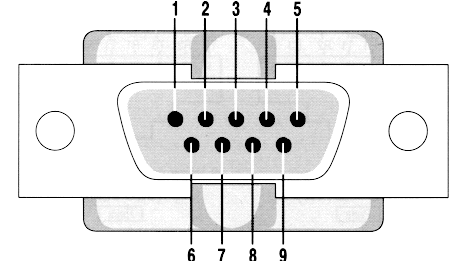
The software I use on Linux is socat, it is a very complex software and it can do a lot of other things, maybe in another article I'll show other functionalities of socat.
Socat Man Page: "Socat is a command line based utility that establishes two bidirectional byte streams and transfers data between them. Because the streams can be constructed from a large set of different types of data sinks and sources (see address types), and because lots of address options may be applied to the streams, socat can be used for many different purposes."
However let's try socat:
Installation on Ubuntu
To install socat on Ubuntu (I'm using 12.04) just run the following command:
# sudo apt-get install socat
Setting up two serial lines
now on a terminal window run socat
# socat -d -d PTY PTY:
The output should look like the following one:
2013/09/20 14:07:10 socat[6871] N PTY is /dev/pts/5

2013/09/20 14:07:10 socat[6871] N PTY is /dev/pts/6

2013/09/20 14:07:10 socat[6871] N starting data transfer loop with FDs [3,3] and [5,5]
Now you have two "serial" ports connected back to back
Testing the ports
open a new terminal and issue the following command
# sudo cat /dev/pts/5
open a new terminal and issue the following command
# sudo echo "Hello World" > /dev/pts/6
On the first terminal you should see the string "Hello World".
That's all, nothing more.
Using Virtual Serial Ports on Linux (Ubuntu)的更多相关文章
- Power OFF and ON USB device in linux (ubuntu)
Power OFF and ON USB device in linux (ubuntu) http://loginroot.com/power-off-and-on-usb-device-in-li ...
- [转]Linux Ubuntu上架设FTP
Linux Ubuntu上架设FTP http://www.blogjava.net/stonestyle/articles/369104.html 操作系统:ubuntu (GNU/Linux) 为 ...
- libserialport: cross-platform library for accessing serial ports
/*********************************************************************************** * libserialport ...
- The Guideline of Setting Up Samba Server on linux(Ubuntu)
The Guideline of Setting Up Samba Server on linux(Ubuntu) From terminate command window, install the ...
- golang 跨平台编译——go 在windows上编译Linux平台的程序(Cross Compilation from Windows to Linux/Ubuntu)
Go Cross Compilation from Windows to Linux/Ubuntu I have GO 1.7 installed on my Windows 10. I create ...
- Arch Linux 安装博通 BCM4360 驱动(Arch Linux, Ubuntu, Debian, Fedora...)
BCM4360 在2010年9月,博通完全开源的硬件驱动[1].该驱动程序 brcm80211已被列入到自2.6.37之后的内核中.随着2.6.39发布,这些驱动程序已被重新命名为 brcmsmac和 ...
- 在Linux(Ubuntu)下搭建ASP.NET Core环境并运行 继续跨平台
最新教程:http://www.cnblogs.com/linezero/p/aspnetcoreubuntu.html 无需安装mono,在Linux(Ubuntu)下搭建ASP.NET Core环 ...
- Linux ubuntu 10.10安装OpenCv
在windows系统下已经成功做出了一个打开摄像头并检测人脸的小程序了. 开始转战linux,因为最终目标是将程序移植到嵌入式开发板上面. 但是,问题接踵而至~ 首先linux上面要安装OpenCv, ...
- windows远程连接Linux(Ubuntu)的方法
需要做的工作: 1.在Linux(Ubuntu)端安装.设置好SSH 2.下载putty,并通过putty的SSH连接登录Linux 一 .如何在Linux(Ubuntu)端安装.设置好SSH,获取I ...
随机推荐
- Atrenta电话面试(C++研发工程师)
1.代码量是多少,你负责哪一块,工作量占%几,改进了什么 2.c++ 和 c 的 区别 3.list 和 vector 的 适用条件 4.hash_map 和 map 的 区别 , 使用h ...
- Android开发——Android的消息机制详解
)子线程默认是没有Looper的,Handler创建前,必须手动创建,否则会报错.通过Looper.prepare()即可为当前线程创建一个Looper,并通过Looper.loop()来开启消息循环 ...
- Python3 中 configparser 模块解析配置的用法详解
configparser 简介 configparser 是 Pyhton 标准库中用来解析配置文件的模块,并且内置方法和字典非常接近.Python2.x 中名为 ConfigParser,3.x 已 ...
- vue.js 利用SocketCluster实现动态添加数据及排序
直接上代码 html: <!DOCTYPE html> <html lang="en"> <head> <meta charset=&qu ...
- Windows 通过 SecureCRT 8.x 上传文件到Linux服务器
1.SecureCRT 连接 Linux 服务器,这一步操作简单: 2.连接并登录成功后,直接在连接成功的页签上 右键 -> Connect SFTP Session 打开SFTP窗口: 3. ...
- wordpress无法登录的解决方法
使用wordpress建站的朋友可能会遇到wordpress管理密码,有时甚至是正确的密码,但是多次尝试输入都无法登录,并且输入用户名和输入电子邮件都无法获取密码,遇到这种情况怎么办,本文教你如何处理 ...
- Working out (DP)
Summer is coming! It's time for Iahub and Iahubina to work out, as they both want to look hot at the ...
- 高精度&&FFT
ACM-高精度模板(综合篇) 时间:-- :: 阅读: 评论: 收藏: [点我收藏+] 标签:高精度 在这里,我们约定,能用int表示的数据视为单精度,否则为高精度.所有函数的设计均采用带返回值的形式 ...
- 3.ruby语法基础,全部变量,实例变量,类变量,局部变量的使用和注意的要点
1.ruby的全局变量的概念和Java的全局变量的概念不同, ruby的全局变量是以$符号开头的,如果给全局变量的初始化值为nil会出现警告. 赋值给全局变量,这是ruby不推荐的,这样会使程序变得很 ...
- [luoguP2805] [NOI2009]植物大战僵尸(网络流)
传送门 结论:这是最大权闭合图的模型 因为可能A保护B,B保护A,出现环. 所以由植物A向植物A保护的植物连边,然后拓扑排序,将环去掉. 然后将拓扑排序的边反向连,建立最大权闭合图的模型. 跑最大流( ...