
springboot配置虚拟路径访问用户上传的附件及图片资源
在springmvc项目中,我们通常把图片及附件存放到WEB-INF/upload类似的路径。
springboot项目是通过jar包方式运行的。
笔者曾尝试以下代码,把图片转成base64格式的图片。
import lombok.extern.slf4j.Slf4j;

import sun.misc.BASE64Decoder;

import sun.misc.BASE64Encoder;

import javax.imageio.ImageIO;

import java.awt.image.BufferedImage;

import java.io.BufferedInputStream;

import java.io.ByteArrayInputStream;

import java.io.ByteArrayOutputStream;

import java.io.IOException;

import java.nio.file.Files;

import java.nio.file.Paths;

@Slf4j

public final class GraphUtil {

    /**

     * Encode Image to Base64 String

     * @param image

     * @param type

     * @return

     */

    public static String encodeToString(BufferedImage image, String type) {

        String imageString = null;

        ByteArrayOutputStream bos = new ByteArrayOutputStream();

        try {

            ImageIO.write(image, type, bos);

            byte[] imageBytes = bos.toByteArray();

            BASE64Encoder encoder = new BASE64Encoder();

            imageString = encoder.encode(imageBytes);

            bos.close();

        } catch (IOException e) {

            e.printStackTrace();

        }

        return imageString;

    }

    /***

     * Decode Base64 String to Image

     * @param imageString

     * @return

     */

    public static BufferedImage decodeToImage(String imageString) {

        BufferedImage image = null;

        byte[] imageByte;

        try {

            BASE64Decoder decoder = new BASE64Decoder();

            imageByte = decoder.decodeBuffer(imageString);

            ByteArrayInputStream bis = new ByteArrayInputStream(imageByte);

            image = ImageIO.read(bis);

            bis.close();

        } catch (Exception e) {

            e.printStackTrace();

        }

        return image;

    }

    public static BufferedImage getBufferedImage(String basePath, String imageSource){

        try {

            return ImageIO.read(new BufferedInputStream(Files.newInputStream(Paths.get(basePath, imageSource))));

        } catch (IOException e) {

            log.error("读取图片出错:{}",e);

            return null;

        }

    }

}
 String url2Base64EncodedImg(String url)

    {

        //根据图片url转成base64格式

        //src="data:image/xxx;base64 xxxxx

        BufferedImage bufferedImage = GraphUtil.getBufferedImage(storageRootFolder, url);

        if(Objects.isNull(bufferedImage)) {

            return ""; //TODO:默认破图base64?

        }

        String type = FilenameUtils.getExtension(url);

        return String.format("data:image/%s;base64,%s",type,GraphUtil.encodeToString(bufferedImage, type));

    }
得到前端图片如下:

不失为一种解决方法,当时当图片大的时候查看源代码,图片经过编码占用大量屏幕,比较麻烦。
于是寻找另外一种办法,使用虚拟路径,映射到文件系统上的目录。
配置方法如下:
@Configuration

public class WebAppConfig extends WebMvcConfigurerAdapter {

    @Value("${spring.servlet.multipart.location}")

    private String storageRootFolder;

    @Value("${spring.servlet.asset.virtual.path}")

    String virtualPath;

/***

     * 配置图片等资源虚拟路径

     * @param registry

     */

    @Override

    public void addResourceHandlers(ResourceHandlerRegistry registry) {

        registry.addResourceHandler(virtualPath).addResourceLocations("file:" + storageRootFolder+"/");

    }

}
application.yml配置文件如下:
spring:

  servlet:

    multipart:

      max-file-size: 100MB

      max-request-size: 100MB

      file-size-threshold: 10MB #maxInMemorySize

      location: ${TEMP}  #使用${}取系统环境变量值

    asset.virtual.path: /asset/**
配置好以后效果如下:

2019-10-18日更新
笔者后的图片路径,一部分地址是/asset/avatar/xxx.png,例如/asset/avatar/default_head.png(默认头像图片),
/asset/avatar/id_card_front.png(身份证正面照样图),/asset/avatar/id_back.png(身份证背面照样图)这些图片是默认的图片,
伴随着jar发布的时候打入jar包了。
例图:

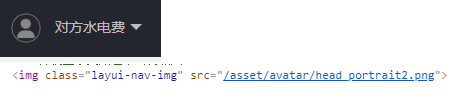
需求:当用户上传身份证照片以后我也想用/asset/**路径,比如

这个时候就要兼容jar中classpath中resources目录下的文件,又要兼容图片上传后的操作系统指向的目录。
修改方法比较简单
registry.addResourceHandler(virtualPath).addResourceLocations("file:" + storageRootFolder+"/");

//改为

registry.addResourceHandler(virtualPath).addResourceLocations("file:" + storageRootFolder+"/","classpath:/asset/");
ResourceHandlerRegistry官方文档
Stores registrations of resource handlers for serving static resources such as images, css files and others through Spring MVC including setting cache headers optimized for efficient loading in a web browser. Resources can be served out of locations under web application root, from the classpath, and others.
To create a resource handler, use addResourceHandler(String...) providing the URL path patterns for which the handler should be invoked to serve static resources (e.g. "/resources/**").
Then use additional methods on the returned ResourceHandlerRegistration to add one or more locations from which to serve static content from (e.g. {"/", "classpath:/META-INF/public-web-resources/"}) or to specify a cache period for served resources.
public ResourceHandlerRegistration addResourceHandler(String... pathPatterns)
Patterns like "/static/**" or "/css/{filename:\\w+\\.css}" are allowed. See AntPathMatcher for more details on the syntax.
官方文档的大意,你可以加载网站根目录、classpath、其他类型的资源文件(图片、css等)。
addResourceHandler方法里面你甚至都可以使用正则表达式,按笔者的使用场景,可以尝试 /asset/[certificate|avatar]**类似正则(笔者的拓展思考,并未验证表达式正误)
addResourceLocations拓展思考一下,你也可以尝试写("http://www.example.com/upload/","ftp://www.example.com/")
这个方法对应的资源解析类使用
StringValueResolver函数接口,一共有2个,PlaceholderResolvingStringValueResolver,EmbeddedValueResolver,按理可以实现一直自定义的实现类。
比如 tencent:// xxx://自定义协议以及伪协议等。
参考来源:
https://blog.csdn.net/superlover_/article/details/80893007
https://www.baeldung.com/spring-mvc-static-resources
springboot配置虚拟路径访问用户上传的附件及图片资源的更多相关文章
- Tomcat配置虚拟路径访问容器外的硬盘资源
问题: 如果tomcat中上传了很多的图片,会导致tomcat启动的时候会慢,所以应该把图片上传到tomcat容器外部 那么,问题来了: tomcat出于安全考虑,禁止了直接访问外部硬盘资源. 解决: ...
- coding++:解决Not allowed to load local resource错误-SpringBoot配置虚拟路径
1.在SpringBoot里上传图片后返回了绝对路径,发现本地读取的环节上面出现了错误(Not allowed to load local resource),一开始用的是直接本地路径. 但是在页面上 ...
- linux服务器创建虚拟路径解决文件上传路径隔离问题
需求环境 图片上传最简单的就是上传web项目下,这样图片与项目不可分离会产生很多不必要的影响.例如:重新部署项目需要把所有上传的图片再copy一份等. 图片与项目分离有好几种方式: 方式一.在linu ...
- SpringMVC第五篇【方法返回值、数据回显、idea下配置虚拟目录、文件上传】
Controller方法返回值 Controller方法的返回值其实就几种类型,我们来总结一下-. void String ModelAndView redirect重定向 forward转发 数据回 ...
- Django之用户上传文件的参数配置
Django之用户上传文件的参数配置 models.py文件 class Xxoo(models.Model): title = models.CharField(max_length=128) # ...
- eclipse配置虚拟路径后,每次启动tomcat都会虚拟路径失效的问题解决
由于,eclipse启动tomcat部署项目并不是直接把项目放到tomcat的webapps目录下的,而是从我们在eclipse配置的外部tomcat中取出二进制文件,在eclipse内部插件中作为t ...
- 利用django如何解析用户上传的excel文件
https://www.jb51.net/article/119452.htm 前言 我们在工作中的时候,会有这种需求:用户上传一个格式固定excel表格到网站上,然后程序负债解析内容并进行处理.我最 ...
- springboot上传文件 & 不配置虚拟路径访问服务器图片 & springboot配置日期的格式化方式 & Springboot配置日期转换器
1. Springboot上传文件 springboot的文件上传不用配置拦截器,其上传方法与SpringMVC一样 @RequestMapping("/uploadPicture&q ...
- django 用户上传文件media的存储访问配置1
1. 首先新建文件夹media 后 在项目setting中具体配置: MEDIA_URL = '/media/' MEDIA_ROOT = os.path.join(BASE_DIR, 'media ...
随机推荐
- MyCat(1.1)Mycat基本介绍
[1]学习目的 (1)掌握在数据库负载增大时的处理方法 (2)理解mycat的基础概念 (3)掌握mycat基础配置和监控方法 [2]Mycat的前世今生 官网:http://mycat.io/ 下载 ...
- 通过trace分析优化器如何选择执行计划
1. mysql> show variables like "optimizer_trace%"\G;*************************** 1. row * ...
- Django REST framework+Vue 打造生鲜电商项目(笔记六)
(部分代码来自https://www.cnblogs.com/derek1184405959/p/8836205.html) 九.个人中心功能开发 1.drf的api文档自动生成 (1) url #d ...
- vuex 全局store,前后端交互
1.监听input输入框 titleHandler <div> <!-- 监听input输入框 titleHandler--> <input type="tex ...
- docker学习(六) Docker命令查询
Docker命令查询 1.基本语法docker [OPTIONS] COMMAND [arg...]一般来说,Docker 命令可以用来管理 daemon,或者通过 CLI 命令管理镜像和容器.可以通 ...
- SCSS 教程
https://www.jianshu.com/p/a99764ff3c41 https://www.sass.hk/guide/ 1. 使用变量; sass让人们受益的一个重要特性就是它为css引入 ...
- 使用jQuery快速高效制作网页交互特效----jQuery中的事件与动画
jQuery中的事件 和WinForm一样,在网页中的交互也是需要事件来实现的,例如tab切换效果,可以通过鼠标单击事件来实现. 事件在元素对象与功能代码中起着重要的桥梁作用. 在JQuery中,事件 ...
- 转,异常好的sql 基础知识整理
转载自:http://blog.csdn.net/u011001084/article/details/51318434 最近从图书馆借了本介绍SQL的书,打算复习一下基本语法,记录一下笔记,整理一下 ...
- xml介绍+xml创建+xml读取
1.xml介绍:(URL:https://blog.csdn.net/weixin_37861326/article/details/81082144) xml是用来传输内容的,是w3c推荐的 2.使 ...
- leetcode解题报告(14):Max Consecutive Ones
描述 Given a binary array, find the maximum number of consecutive 1s in this array. Example 1: Input: ...