
Nginx作为负载均衡——实战演练
配置语法
Syntax:upstream name {...}
Default:——
Context:http
演示
准备两台虚拟主机192.168.96.188、192.168.96.188
在188这台主机上创建3个html静态文件
vi /opt/app/code1/index.html
<html>

<head>

    <meta charset="utf-8">

    <title>server1</title>

</head>

<body style="">

    <h1>Server 1<h1>

</body>

</html>

vi /opt/app/code2/index.html
<html>

<head>

    <meta charset="utf-8">

    <title>server2</title>

</head>

<body style="">

    <h1>Server 2<h1>

</body>

</html>
vi /opt/app/code3/index.html
<html>

<head>

    <meta charset="utf-8">

    <title>server3</title>

</head>

<body style="">

    <h1>Server 3<h1>

</body>

</html>
在188这台主机上创建3个.conf配置文件。配置如下
vi /etc/nginx/conf.d/server1.conf
server {

    listen       8001;        #请求的8001端口

    server_name  localhost;

    #charset koi8-r;

    access_log  /var/log/nginx/server1.access.log  main;

    location / {

        root   /opt/app/code1;        #静态文件目录

        index  index.html index.htm;

    }

    #error_page  404              /404.html;

    # redirect server error pages to the static page /50x.html

    #

    error_page   500 502 503 504 404  /50x.html;

    location = /50x.html {

        root   /usr/share/nginx/html;

    }

    # proxy the PHP scripts to Apache listening on 127.0.0.1:80

    #

    #location ~ \.php$ {

    #    proxy_pass   http://127.0.0.1;

    #}

    # pass the PHP scripts to FastCGI server listening on 127.0.0.1:9000

    #

    #location ~ \.php$ {

    #    root           html;

    #    fastcgi_pass   127.0.0.1:9000;

    #    fastcgi_index  index.php;

    #    fastcgi_param  SCRIPT_FILENAME  /scripts$fastcgi_script_name;

    #    include        fastcgi_params;

    #}

    # deny access to .htaccess files, if Apache's document root

    # concurs with nginx's one

    #

    #location ~ /\.ht {

    #    deny  all;

    #}

}
vi /etc/nginx/conf.d/server2.conf
server {

    listen       8002;        #请求的8002端口

    server_name  localhost;

    #charset koi8-r;

    access_log  /var/log/nginx/server1.access.log  main;

    location / {

        root   /opt/app/code2;        #静态文件目录

        index  index.html index.htm;

    }

    #error_page  404              /404.html;

    # redirect server error pages to the static page /50x.html

    #

    error_page   500 502 503 504 404  /50x.html;

    location = /50x.html {

        root   /usr/share/nginx/html;

    }

    # proxy the PHP scripts to Apache listening on 127.0.0.1:80

    #

    #location ~ \.php$ {

    #    proxy_pass   http://127.0.0.1;

    #}

    # pass the PHP scripts to FastCGI server listening on 127.0.0.1:9000

    #

    #location ~ \.php$ {

    #    root           html;

    #    fastcgi_pass   127.0.0.1:9000;

    #    fastcgi_index  index.php;

    #    fastcgi_param  SCRIPT_FILENAME  /scripts$fastcgi_script_name;

    #    include        fastcgi_params;

    #}

    # deny access to .htaccess files, if Apache's document root

    # concurs with nginx's one

    #

    #location ~ /\.ht {

    #    deny  all;

    #}

}
vi /etc/nginx/conf.d/server3.conf
server {

    listen       8003;        #请求的8003端口

    server_name  localhost;

    #charset koi8-r;

    access_log  /var/log/nginx/server1.access.log  main;

    location / {

        root   /opt/app/code3;        #静态文件目录

        index  index.html index.htm;

    }

    #error_page  404              /404.html;

    # redirect server error pages to the static page /50x.html

    #

    error_page   500 502 503 504 404  /50x.html;

    location = /50x.html {

        root   /usr/share/nginx/html;

    }

    # proxy the PHP scripts to Apache listening on 127.0.0.1:80

    #

    #location ~ \.php$ {

    #    proxy_pass   http://127.0.0.1;

    #}

    # pass the PHP scripts to FastCGI server listening on 127.0.0.1:9000

    #

    #location ~ \.php$ {

    #    root           html;

    #    fastcgi_pass   127.0.0.1:9000;

    #    fastcgi_index  index.php;

    #    fastcgi_param  SCRIPT_FILENAME  /scripts$fastcgi_script_name;

    #    include        fastcgi_params;

    #}

    # deny access to .htaccess files, if Apache's document root

    # concurs with nginx's one

    #

    #location ~ /\.ht {

    #    deny  all;

    #}

}
在135这台主机上配置负载均衡
添加配置文件
vi /usr/local/nginx/conf/hosts/upstream.conf
 upstream test {

        server 192.168.96.188:8001;        # 添加 test 配置监听的ip+端口

        server 192.168.96.188:8002;

        server 192.168.96.188:8003;

        }

server {

    listen       80;

    server_name  localhost jeson.t.imooc.io;

    #charset koi8-r;

    #access_log  /usr/local/nginx/logs/test_proxy.access.log  main;

    resolver  8.8.8.8;

    location / {

        proxy_pass http://test;      # 添加需要监听 test

        include proxy_params;     # 存储语法的文件名称

    }

    #error_page  404              /404.html;

    # redirect server error pages to the static page /50x.html

    #

    error_page   500 502 503 504  /50x.html;

    location = /50x.html {

        root   /usr/share/nginx/html;

    }

    # proxy the PHP scripts to Apache listening on 127.0.0.1:80

    #

    #location ~ \.php$ {

    #    proxy_pass   http://127.0.0.1;

    #}

    # pass the PHP scripts to FastCGI server listening on 127.0.0.1:9000

    #

    #location ~ \.php$ {

    #    root           html;

    #    fastcgi_pass   127.0.0.1:9000;

    #    fastcgi_index  index.php;

    #    fastcgi_param  SCRIPT_FILENAME  /scripts$fastcgi_script_name;

    #    include        fastcgi_params;

    #}

    # deny access to .htaccess files, if Apache's document root

    # concurs with nginx's one

    #

    #location ~ /\.ht {

    #    deny  all;

    #}

}
在/usr/local/nginx/conf/目录新建文件
vi proxy_params #对应楼上配置文件中的文件名称
proxy_redirect default;

proxy_set_header Host $http_host;

proxy_set_header X-Real-IP $remote_addr;

proxy_connect_timeout 30;

proxy_send_timeout 60;

proxy_read_timeout 60;

proxy_buffer_size 32k;

proxy_buffering on;

proxy_buffers 4 128k;

proxy_busy_buffers_size 256k;

proxy_max_temp_file_size 256k;

proxy_set_header X-Forwarded-Proto $scheme;

proxy_set_header X-Forwarded-For $proxy_add_x_forwarded_for;
配置好两台主机的nginx。记得检查语法、重启nginx。
使用本地浏览器访问192.168.96.135,按F5刷新,会循环访问server1、server2、server3、
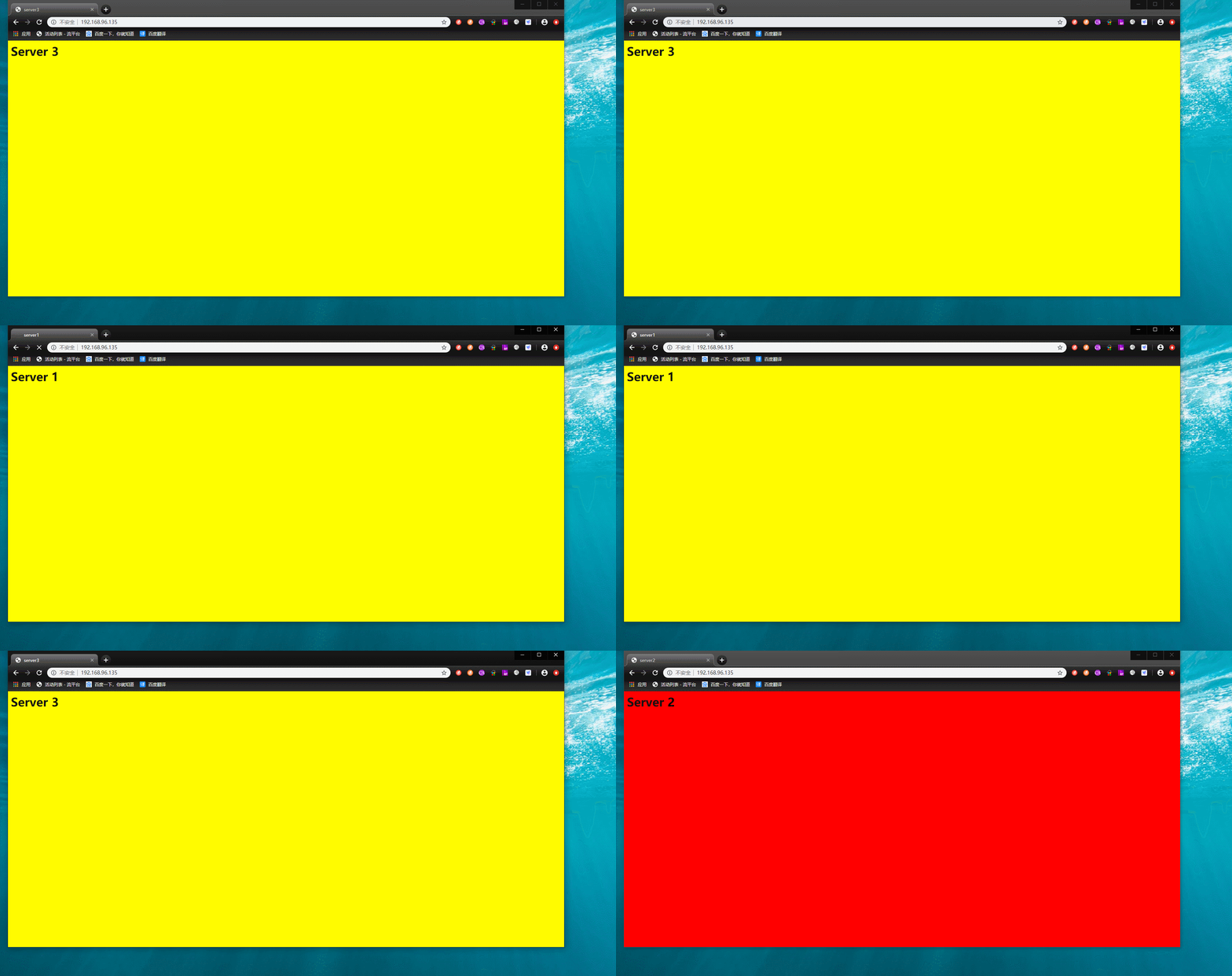
这是关闭主机188的8002端口
iptables -I INPUT -p tcp --dport 8002 -j DROP
再次本地浏览器访问192.168.96.135,按F5刷新。这时候就不会有server2访问页面了
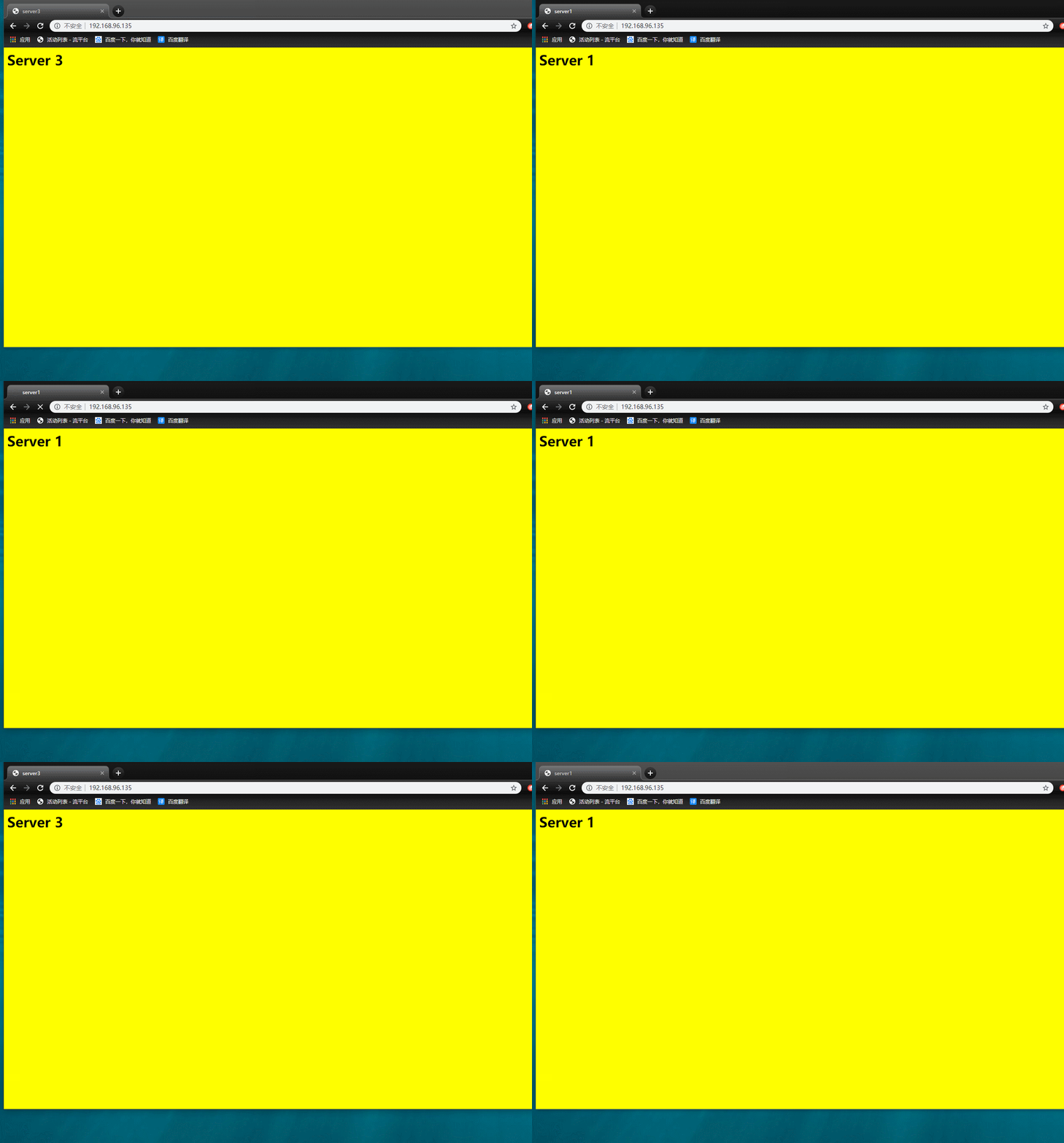
现实场景中,三台主机有一台主机宕机了,没有做负载均衡,会导致其他主机也无法访问。
有做负载均衡,一台主机宕机了,其他主机照样也能访问
Nginx作为负载均衡——实战演练的更多相关文章
- ASP.NET Core使用Docker-Swarm集群部署实现负载均衡实战演练
一.需求背景 人生苦短,我用.NET Core!阿笨对Docker是这样评价的:Docker在手,环境我有!Docker出手,集群我有!前面的Doc基础课程我们学习了如何使用Docker来部署搭建单机 ...
- nginx+tomcat负载均衡
最近练习nginx+tomcat负载均衡.根据一些资料整理了大体思路,最终实现了1个nginx+2个tomcat负载均衡. 安装JDK 1>进入安装目录,给所有用户添加可执行的权限 #chmod ...
- 使用Nginx实现负载均衡
使用Nginx实现负载均衡 一.nginx简介 nginx是一个高性能的HTTP服务器和反向代理服务器.它起初是俄罗斯人Igor Sysoev开发的,至今支撑者俄罗斯的很多大型的网站. 二.nginx ...
- nginx作为负载均衡服务器——测试
i. 需求 nginx作为负载均衡服务器,用户请求先到达nginx,再由nginx根据负载配置将请求转发至 tomcat服务器. nginx负载均衡服务器:192.168.101.3 tomcat1服 ...
- windows配置nginx实现负载均衡集群
windows配置nginx实现负载均衡集群2014-08-20 09:44:40 来源:www.abcde.cn 评论:0 点击:617 网上大部分关于nginx负载均衡集群的教程都是lin ...
- 使用nginx做负载均衡的session共享问题
查了一些资料,看了一些别人写的文档,总结如下,实现nginx session的共享PHP服务器有多台,用nginx做负载均衡,这样同一个IP访问同一个页面会被分配到不同的服务器上,如果session不 ...
- 【Nginx】配置Nginx的负载均衡
参考的优秀文章 tomcat配置文件server.xml详解 AJP协议总结与分析 Using nginx as HTTP load balancer 在本机运行2个Tomcat 现需要运行两个Tom ...
- Nginx的负载均衡 - 整体架构
Nginx的负载均衡 - 整体架构 Nginx版本:1.9.1 我的博客:http://blog.csdn.net/zhangskd Nginx目前提供的负载均衡模块: ngx_http_upstre ...
- Nginx作为负载均衡服务器(Windows环境)
一个最简单的负载均衡测试,不涉及到session复制,只是将请求分配到不同的服务器上去而已. 1.创建一个简单的web应用.只有一个index.jsp页面,,内容如下. <%@ page lan ...
随机推荐
- while循环&CPU占用率高问题深入分析与解决方案
直接上一个工作中碰到的问题,另外一个系统开启多线程调用我这边的接口,然后我这边会开启多线程批量查询第三方接口并且返回给调用方.使用的是两三年前别人遗留下来的方法,放到线上后发现确实是可以正常取到结果, ...
- margin为负值的几种情况
1.margin-top为负值像素 margin-top为负值像素,偏移值相对于自身,其后元素受影响,见如下代码: 1 <!DOCTYPE html> 2 <html lang=&q ...
- javascript中的offsetWidth、clientWidth、innerWidth及相关属性方法
* offsetWidth 水平方向 width + 左右padding + 左右border-width * offsetHeight 垂直方向 height + 上下padding + 上下bor ...
- 正则&转义字符&特殊字符
正则 正则表达式是对字符串操作的一种逻辑公式,就是用事先定义好的一些特定字符.及这些特定字符的组合,组成一个“规则字符串”,这个“规则字符串”用来表达对字符串的一种过滤逻辑. 由于正则表达式主要应用对 ...
- jQuery 工具类函数-使用$.extend()扩展Object对象
除使用$.extend扩展工具函数外,还可以扩展原有的Object对象,在扩展对象时,两个对象将进行合并,当存在相同属性名时,后者将覆盖前者,调用格式为: $. extend (obj1,obj2,… ...
- 2018-8-10-win10-uwp-获得缩略图
title author date CreateTime categories win10 uwp 获得缩略图 lindexi 2018-08-10 19:16:51 +0800 2018-2-13 ...
- 土旦:移动端 Vue+Vant 的Uploader 实现 :上传、压缩、旋转图片
面向百度开发 html <van-uploader :after-read="onRead" accept="image/*"> <img s ...
- JQuery仿购物网站放大镜特效所遇问题及思考
JQuery仿购物网站放大镜特效所遇问题及思考 先贴下效果图,然后描述起来也就不会不知道我在说什么了. 我碰到的问题一: 一开始我自己总结了是因为两个小原因导致的①使用了mouseover,mouse ...
- win7下Oracle库imp导入dmp
第一步:创建备份文件存储目录 create or replace directory back_file as 'F:\APP\ADMINISTRATOR\ORADATA\ORCL'; create ...
- 9.python入门
借鉴:https://www.cnblogs.com/wupeiqi/articles/5433925.html 一.HelloWorld print("HelloWorld") ...