
CentOS 7安装Splunk
| 导读 | Splunk是探索和搜索数据的最有力工具,从收集和分析应用程序、Web服务器、数据库和服务器平台的实时可视化海量数据流,分析出IT企业产生的海量数据,安全系统或任何商业应用,给你一个总的见解获得结果的最佳运营绩效和业务。 |
没有官方的安装必须条件,但为服务器安装防火墙和网络配置之前,我推荐一个合适的域名。该软件只支持64位服务器架构,在这篇文章中,我指导你如何在CentOS 7服务器安装Splunk的企业版。让我们用一个一个步骤的安装。
Splunk总是建议使用专用用户为此应用程序运行,而不是根用户。我创建了一个用户运行该应用程序,并创建了一个文件夹安装应用程序。
[root@server1 tmp]# groupadd splunk

[root@server1 tmp]# useradd -d /opt/splunk -m -g splunk splunk

[root@server1 tmp]# su - splunk

[splunk@server1 ~]$ id

uid=1001(splunk) gid=1001(splunk) groups=1001(splunk)

Confirm the server architecture

[splunk@server1 ~]$ getconf LONG_BIT

64
从Splunk官方网站下载Splunk软件,创建一个账户。
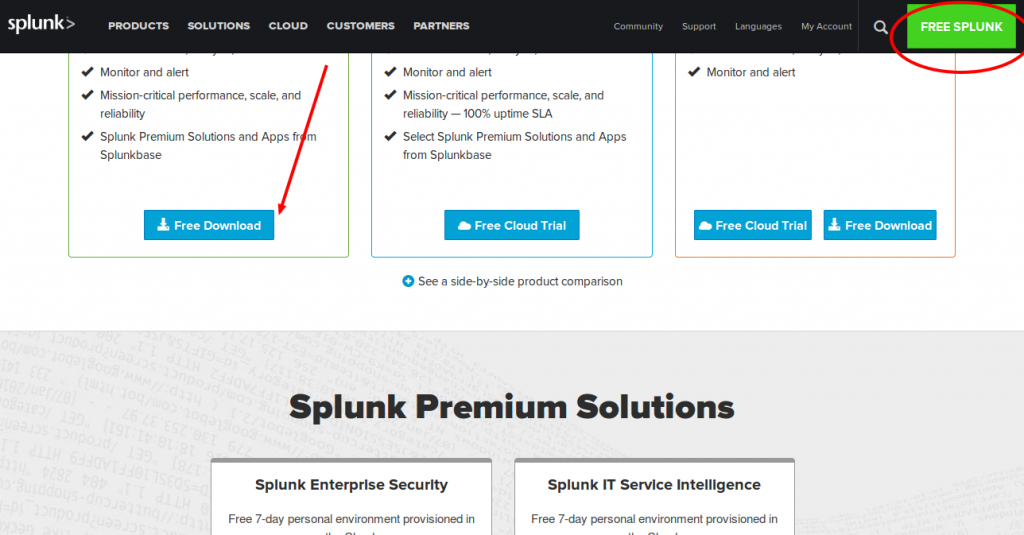
现在解压tar文件,将文件复制到/opt/splunk下已经创建splunk的应用程序文件夹下面。
root@server1 tmp]# tar -xvf splunk-6.4.0-f2c836328108-Linux-x86_64.tgz

[root@server1 tmp]# cp -rp splunk/* /opt/splunk/

[root@server1 tmp]# chown -R splunk: /opt/splunk/
Splunk软件下载之后,您可以用您的Splunk用户登录运行安装脚本。我选择试用许可证,所以它会默认。
root@server1 tmp]# su - splunk

Last login: Fri Apr 29 08:14:12 UTC 2016 on pts/0

[splunk@server1 ~]$ cd bin/

[splunk@server1 bin]$ ./splunk start --accept-license

This appears to be your first time running this version of Splunk.

Copying '/opt/splunk/etc/openldap/ldap.conf.default' to '/opt/splunk/etc/openldap/ldap.conf'.

Generating RSA private key, 1024 bit long modulus

.++++++

..................++++++

e is 65537 (0x10001)

writing RSA key

Generating RSA private key, 1024 bit long modulus

................++++++

..++++++

e is 65537 (0x10001)

writing RSA key

Moving '/opt/splunk/share/splunk/search_mrsparkle/modules.new' to '/opt/splunk/share/splunk/search_mrsparkle/modules'.

Splunk> Australian for grep.

Checking prerequisites...

Checking http port [8000]: open

Checking mgmt port [8089]: open

Checking appserver port [127.0.0.1:8065]: open

Checking kvstore port [8191]: open

Checking configuration... Done.

Creating: /opt/splunk/var/lib/splunk

Creating: /opt/splunk/var/run/splunk

Creating: /opt/splunk/var/run/splunk/appserver/i18n

Creating: /opt/splunk/var/run/splunk/appserver/modules/static/css

Creating: /opt/splunk/var/run/splunk/upload

Creating: /opt/splunk/var/spool/splunk

Creating: /opt/splunk/var/spool/dirmoncache

Creating: /opt/splunk/var/lib/splunk/authDb

Creating: /opt/splunk/var/lib/splunk/hashDb

Checking critical directories... Done

Checking indexes...

Validated: _audit _internal _introspection _thefishbucket history main summary

Done

New certs have been generated in '/opt/splunk/etc/auth'.

Checking filesystem compatibility... Done

Checking conf files for problems...

Done

Checking default conf files for edits...

Validating installed files against hashes from '/opt/splunk/splunk-6.4.0-f2c836328108-linux-2.6-x86_64-manifest'

All installed files intact.

Done

All preliminary checks passed.

Starting splunk server daemon (splunkd)...

Generating a 1024 bit RSA private key

.....................++++++

...........................++++++

writing new private key to 'privKeySecure.pem'

-----

Signature ok

subject=/CN=server1.centos7-test.com/O=SplunkUser

Getting CA Private Key

writing RSA key

Done

[ OK ]

Waiting for web server at http://127.0.0.1:8000 to be available.... Done

If you get stuck, we're here to help.

Look for answers here: http://docs.splunk.com

The Splunk web interface is at http://server1.centos7-test.com:8000
现在您可以访问您的Splunk Web界面http://IP:8000 /或http://hostname:8000,您需要确保这个端口8000在您服务器防火墙上面开放。
我已经完成Splunk的安装,Splunk服务在我的服务器中正常运行。现在我需要设置我Splunk Web界面,使用我设置的管理员密码访问Splunk web界面。
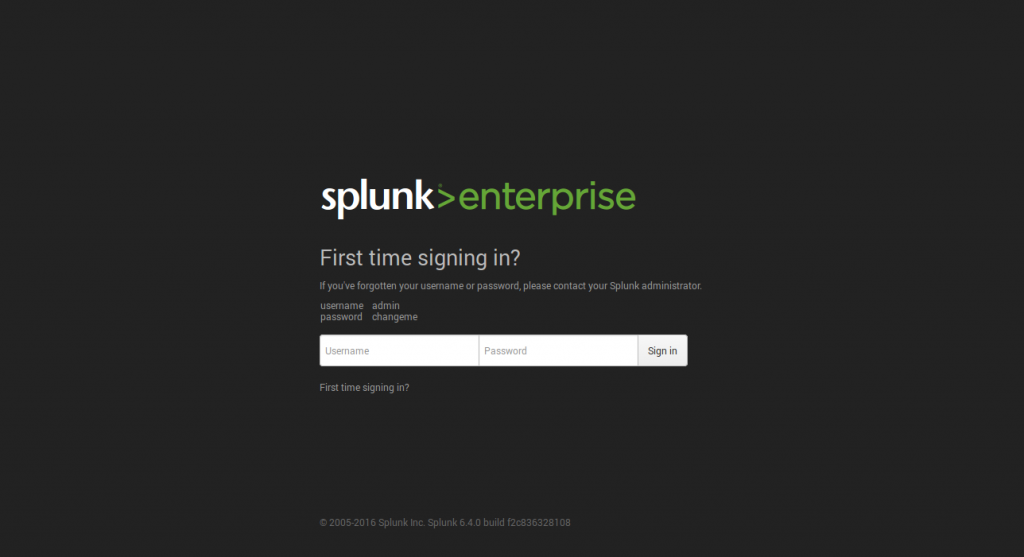
第一次当您访问Splunk的界面,你在页面中使用的是管理员用户和密码。一旦登录,就在下一页,它会要求更改和确认您的新密码。
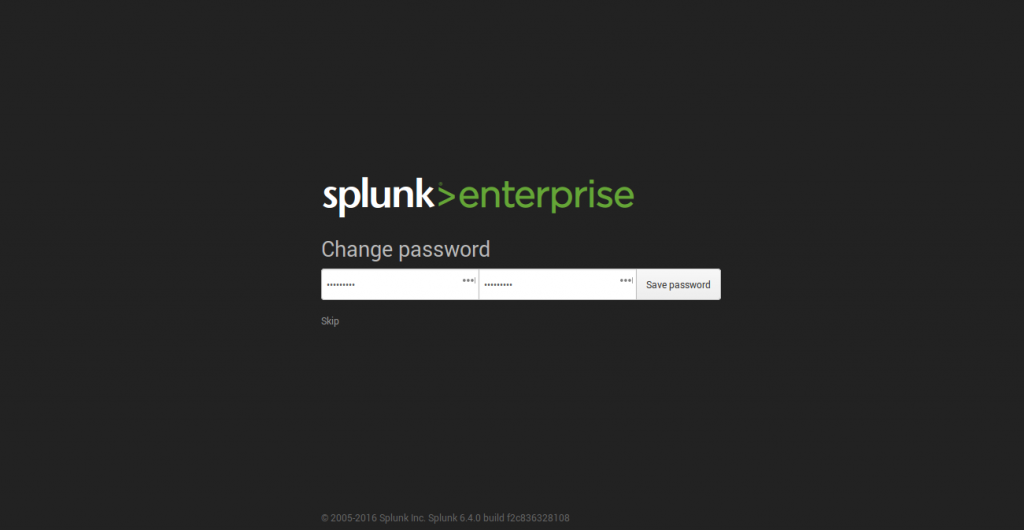
现在,您已经设置新的管理员密码。一旦您使用新密码登录,您将有准备使用的Splunk仪表板。
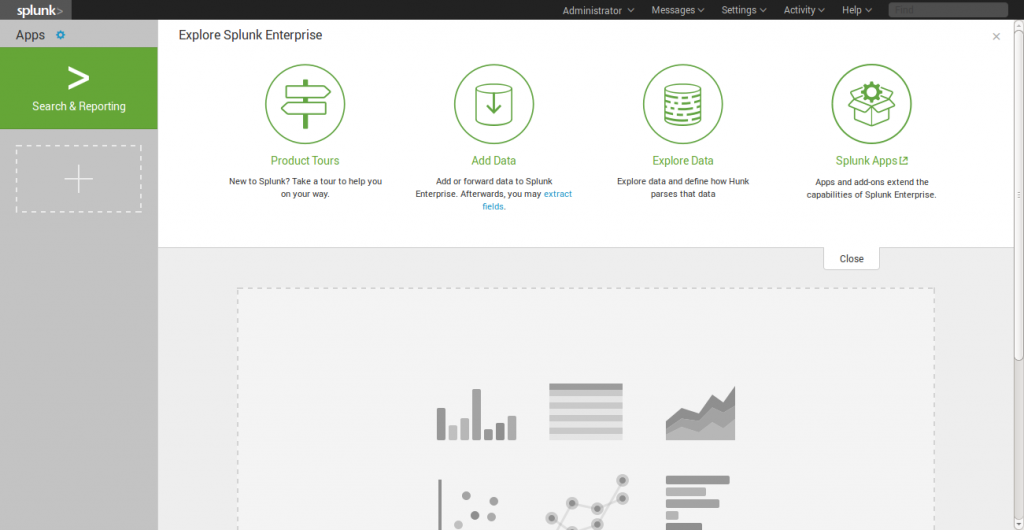
在主页上列出了不同的类别,您可以选择所需的一个开始splunking。
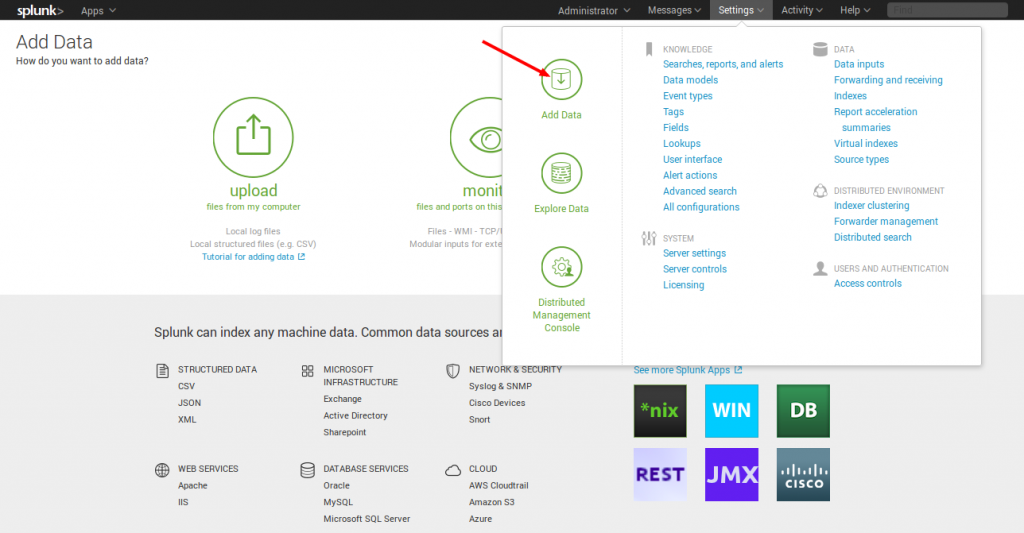
我要加入一个例子为一个简单的任务,它被添加到 Splunk 系统。只是看到我的快照,以了解我将如何添加它。我的任务是将 /var/log文件夹添加到Splunk系统的监测。
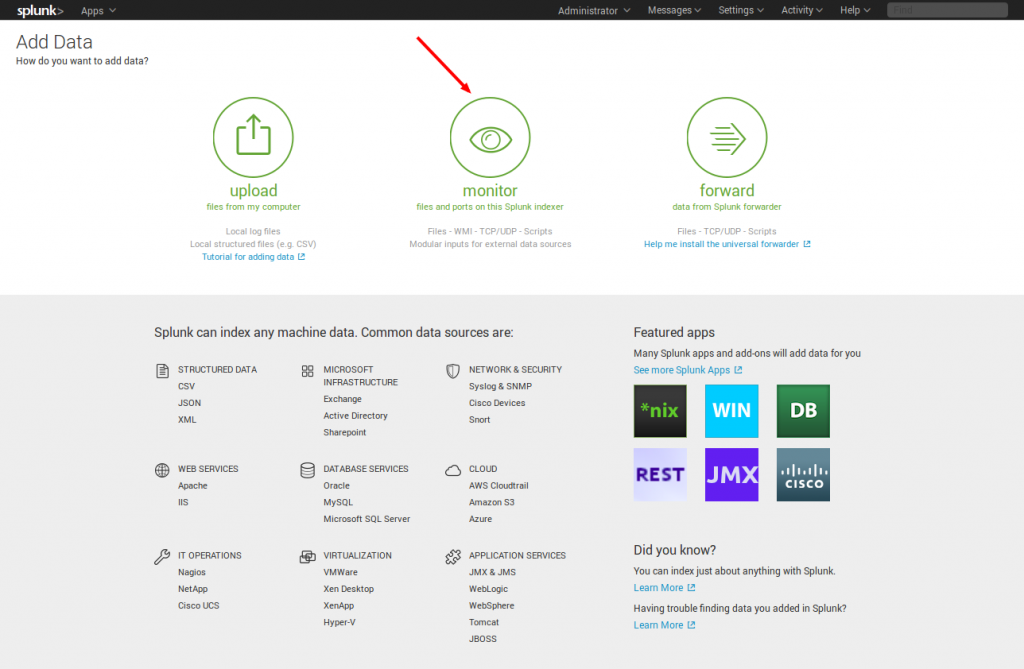
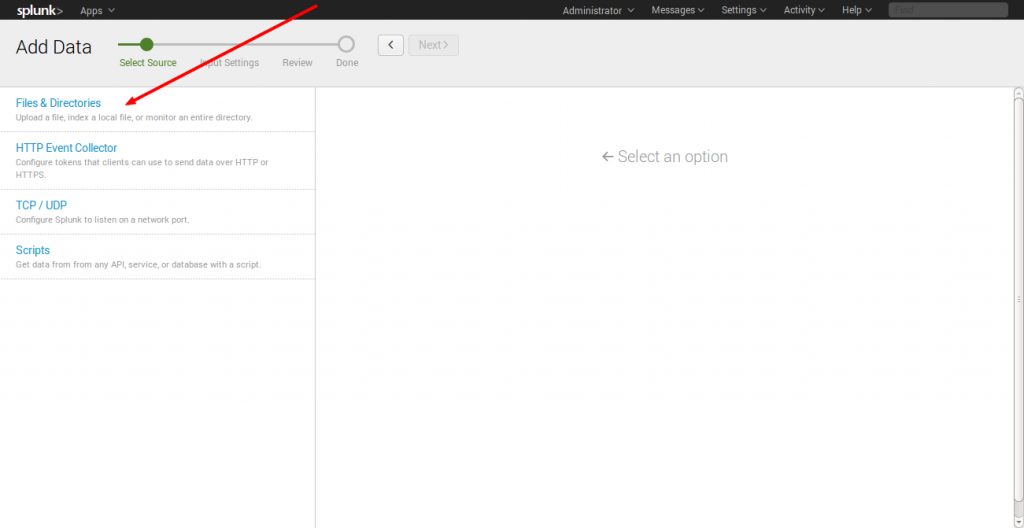
在监视器选项,有下图所示的四个类别:
文件与目录:监视文件/文件夹
HTTP事件收集器:监视通过HTTP的数据流
TCP/UDP:监视服务端口
脚本:监控脚本
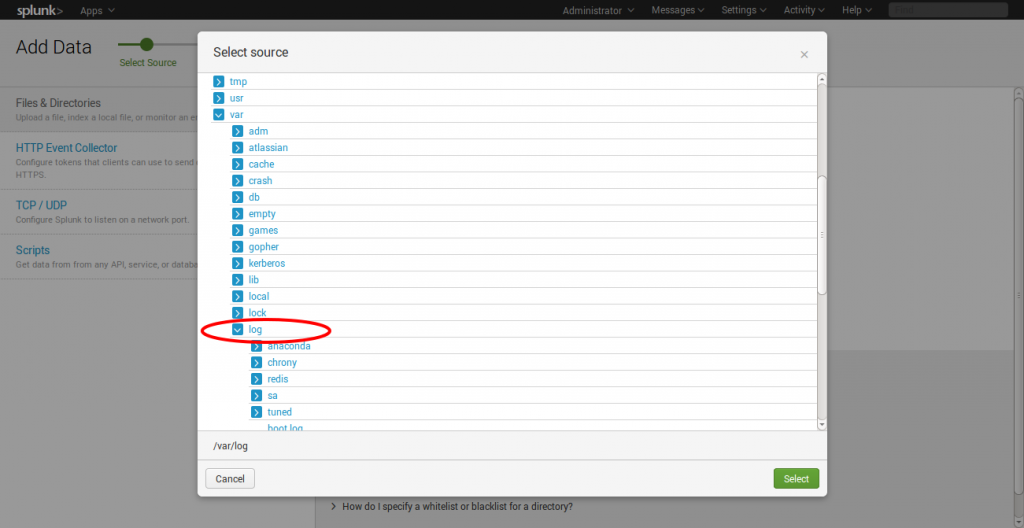
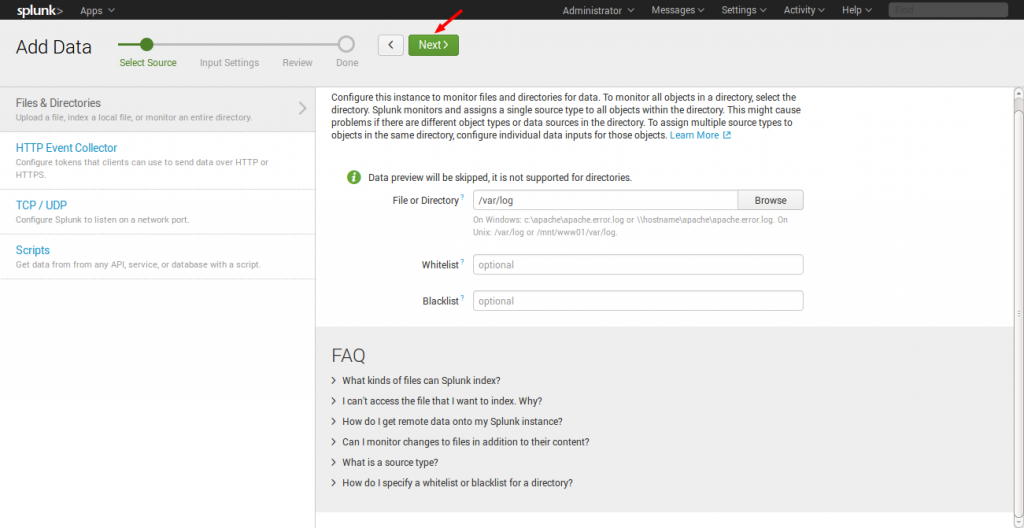
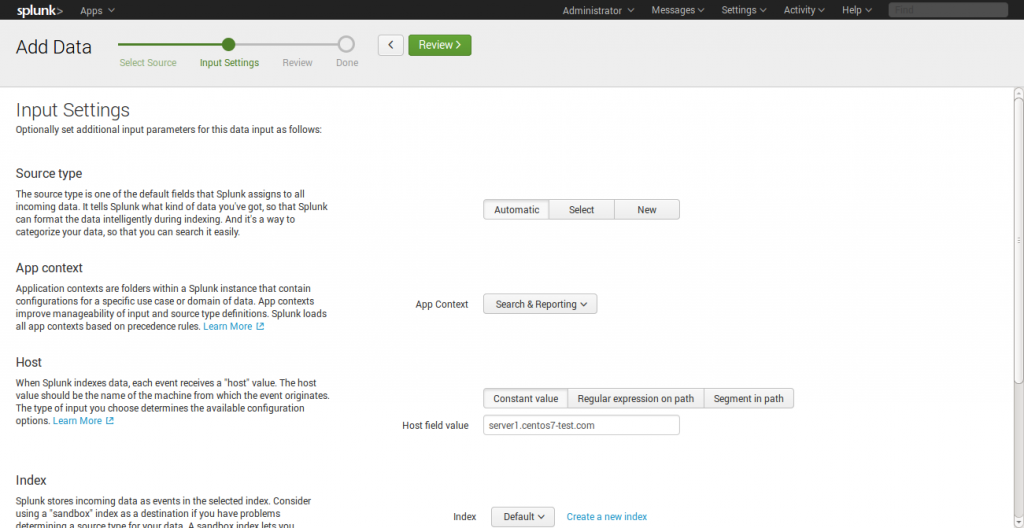
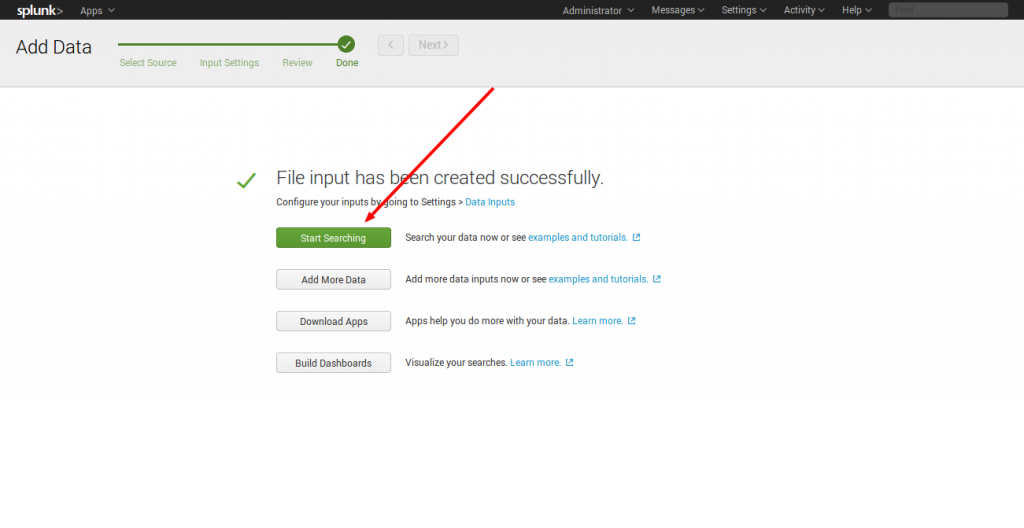
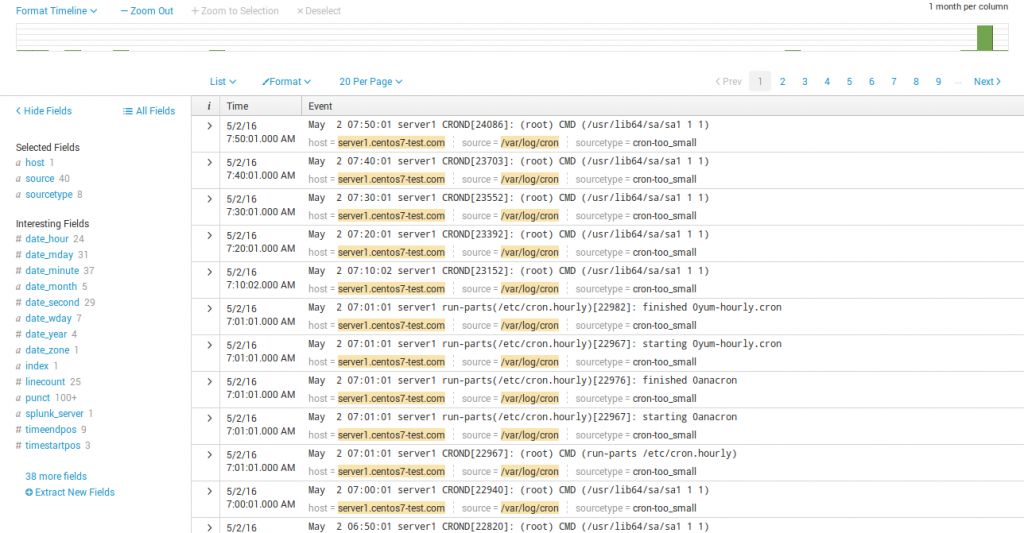
在服务器上你可以看到我的日志被缩小到一个应用程序。
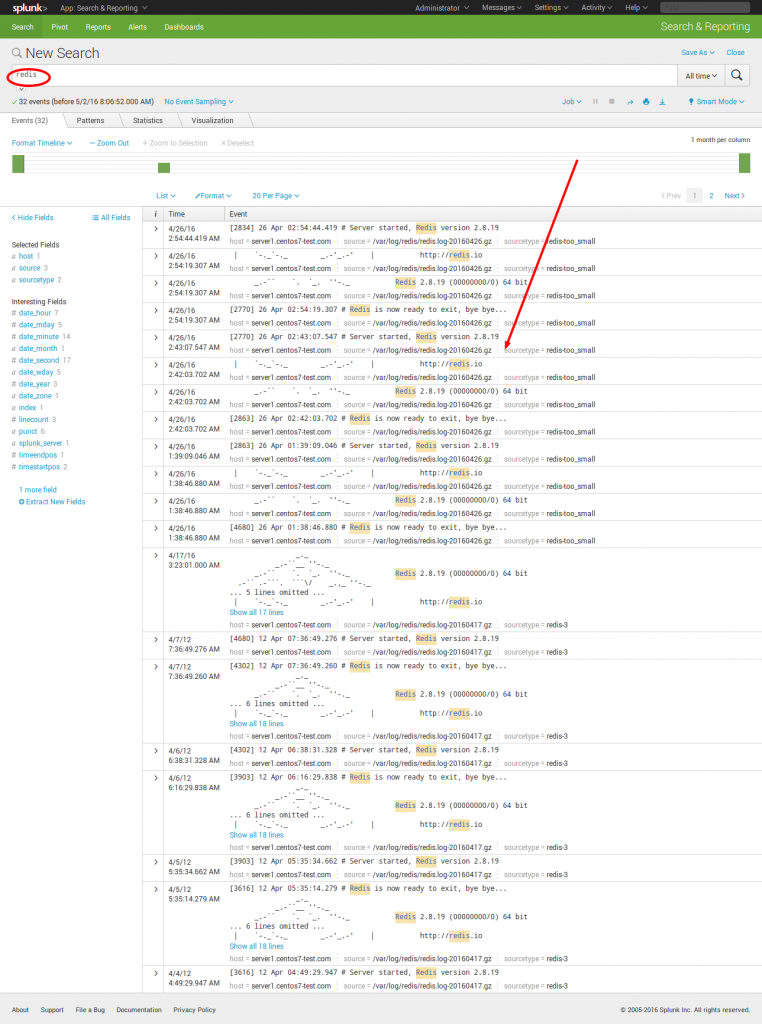
这只是Splunking一个简单的例子,您可以将尽可能多的任务添加到这,浏览您的服务器数据。我希望这篇文章是丰富的頩对你有用的。感谢您阅读到这里,请您提出宝贵的建议和意见。现在试着使用Splunk吧!!
CentOS 7安装Splunk的更多相关文章
- NoSql1 在Linux(CentOS)上安装memcached及使用
前言: 今天是初五,生活基本要从过年的节奏中回归到正常的生活了,所以想想也该想想与工作有关的事情了.我之前在工作中会经常使用memcached和redis,但是自己一直没有时间系统的好好看 ...
- 在Ubuntu|CentOS上安装Shutter截图工具及快捷键设置
简介 Shutter前身叫GScrot,它是一款相当棒的截图软件. 通过Shutter,你可以截取包括选定区域.全屏幕.窗口.窗口内的控件甚至网页的图像.通过内置的强大插件机制,你可以在截图后,对图像 ...
- CentOS下安装hadoop
CentOS下安装hadoop 用户配置 添加用户 adduser hadoop passwd hadoop 权限配置 chmod u+w /etc/sudoers vi /etc/sudoers 在 ...
- CentOS下安装使用start-stop-daemon
CentOS下安装使用start-stop-daemon 在centos下下了个自启动的服务器脚本 执行的时候发现找不到start-stop-daemon命令 好吧 执行手动编译一下 加上这个命令 w ...
- CentOS 7 安装 Docker
CentOS 7 安装 Docker 这里介绍 ContOS 7 的安装 docker V1.2+,包括阿里云加速 docker 镜像下载的设置,这对提升使用 docker 体验至关重要.其他系统安装 ...
- centos在线安装svn
centos在线安装svn 用下列命令安装svn服务 yum install subversion 创建svn版本库目录 mkdir -p /var/svn/svnrepos 创建版本库 svnadm ...
- CentOS 7 安装 配置 MySQL
第一部分:CentOS 7安装MySQL 5.7 1.下载YUM库 shell > wget http://dev.mysql.com/get/mysql57-community-release ...
- 从零开始学 Java - CentOS 下安装 Nginx
早上下起了暴雨 闹钟还未响起就听到雨滴哗啦啦击打窗户的声音,被吵醒了.起床上班,在楼下的十字路口,暴雨大到完全看不清对面,两个穿着雨衣的交警站在路口中间指挥着过往的车辆,大家都慌慌张张.急急忙忙的打着 ...
- 从零开始学 Java - CentOS 下安装 Tomcat
生活以痛吻我,我仍报之以歌 昨天晚上看到那个冯大辉老师的微信公众号,「小道消息」上的一篇文章,<生活以痛吻我,我仍报之以歌>.知乎一篇匿名回答,主题为<冯大辉到底是不是技术大牛,一个 ...
随机推荐
- Ztree异步加载自动展开节点
在Ztree的官网Demo中,有自动展开的例子,是通过设置节点属性open:true来实现自动展开的,但是在异步加载中,这个属性设置为true也不会自动展开,因为open:true是指在有子节点的情况 ...
- Coding the Matrix (2):向量空间
1. 线性组合 概念很简单: 当然,这里向量前面的系数都是标量. 2. Span 向量v1,v2,.... ,vn的所有线性组合构成的集合,称为v1,v2,... ,vn的张成(span).向量v1, ...
- AngularJS——grunt神器的安装
前言: 刚开始学 angularJS,在慕课网上看的大漠老师的视频(http://www.imooc.com/learn/156),里面刚开始讲述了前端开发-调试-测试所使用的手段和工具,本人对前端开 ...
- 解决 pathForResource 返回 nil的问题
点击(此处)折叠或打开 NSString* path = [[NSBundle mainBundle] pathForResource:@"sample" ofType:@&quo ...
- redmine慢---提速方法
最近readmine速度越来越慢.网上查了一下,把其自带的服务器webrick 换成为mongrel,可以解决这个问题,具体操作方法如下,方法: gem install mongrel 如果提示类似“ ...
- 解决系统打开CHM文件无法正常显示
最近学习servlet下载了一个CHM的帮助手册但是打开后右侧却时空白.试了各种方法都没有成功最后终于找到原因所在. 一般情况下无法显示网页:右键 chm文件属性里最下面有个“解除锁定”,点击“解除锁 ...
- c# 多线程 调用带参数函数
线程操作主要用到Thread类,他是定义在System.Threading.dll下.使用时需要添加这一个引用.该类提供给我们四个重载的构造函数(以下引自msdn). Thread (Pa ...
- ActiveRecord中andFilterWhere使用
查询数据库时 $model; if(!empty($name)) { $model->andWhere(['name'=>$name]); } 可以用andFilterWhere,自动的把 ...
- Oracle创建主外键
-创建表格语法: create table 表名( 字段名1 字段类型(长度) 是否为空, 字段名2 字段类型 是否为空); -增加主键 alt ...
- 5.Android之image控件学习
Android中经常用到图片,比如图片浏览.图标等等,今天学习下image控件,image控件主要有ImageButton和ImageView两种. (1)ImageButton 在布局文件增加: & ...