
(转)解决NSMutableAttributedString富文本,不同文字大小水平轴对齐问题(默认底部对齐)
iOS晋级技术文章,请关注 hehuoya.com 合伙呀
默认是底部对齐,其实对的也不齐,
目标效果:
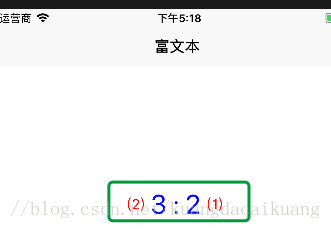
代码:
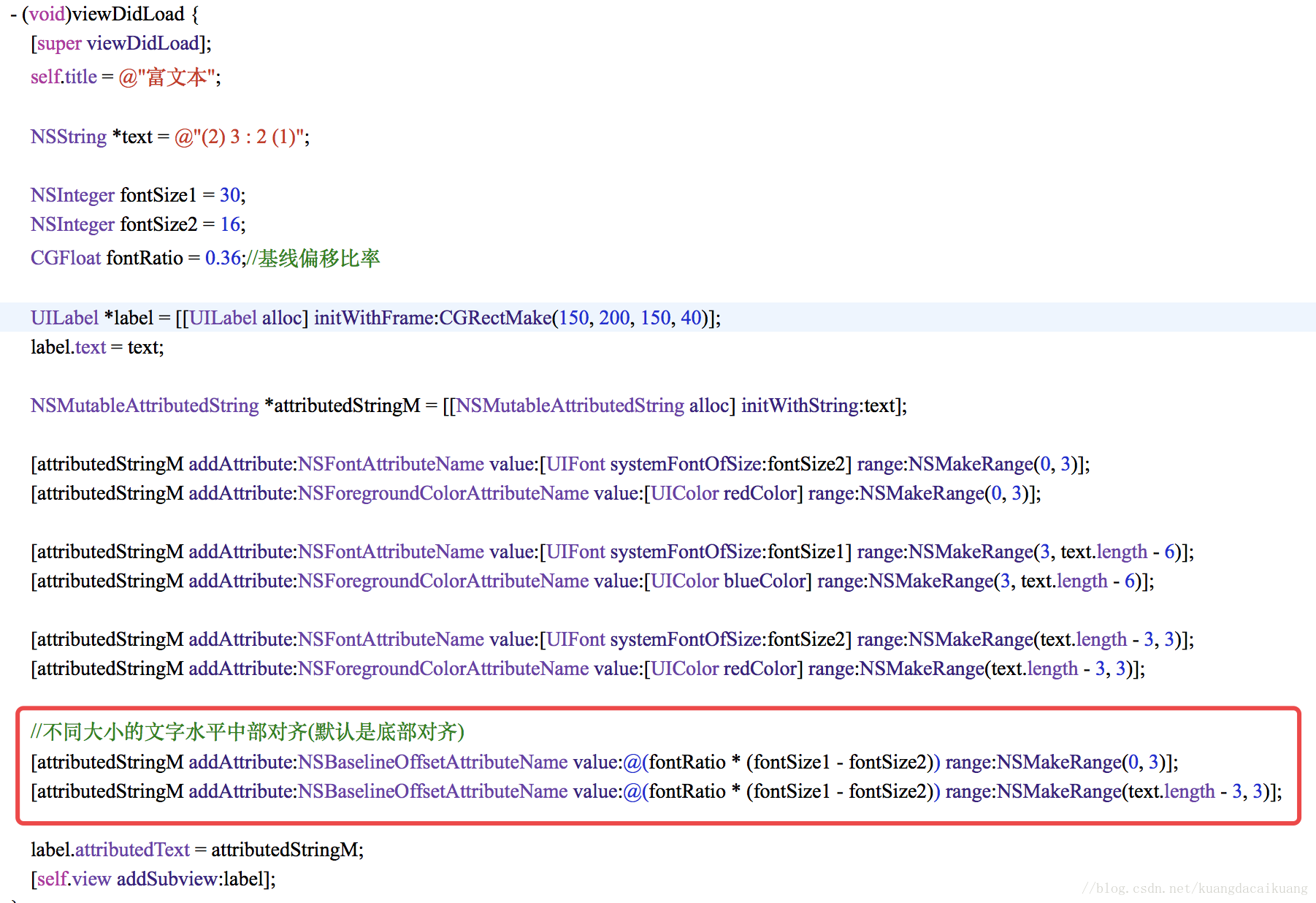
NSBaselineOffsetAttributeName
基线偏移量:
调整: NSBaselineOffsetAttributeName的值得大小,就可以得到不同的对齐位置
CGFloat fontRatio = 0.16;//基线偏移比率- 1
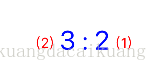
CGFloat fontRatio = 0.66;//基线偏移比率- 1
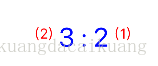
- (void)viewDidLoad {

    [super viewDidLoad];

    self.title = @"富文本";

    NSString *text = @"(2) 3 : 2 (1)";

    NSInteger fontSize1 = 30;

    NSInteger fontSize2 = 16;

    CGFloat fontRatio = 0.66;//基线偏移比率

    UILabel *label = [[UILabel alloc] initWithFrame:CGRectMake(150, 200, 150, 40)];

    label.text = text;

    NSMutableAttributedString *attributedStringM = [[NSMutableAttributedString alloc] initWithString:text];

    [attributedStringM addAttribute:NSFontAttributeName value:[UIFont systemFontOfSize:fontSize2] range:NSMakeRange(0, 3)];

    [attributedStringM addAttribute:NSForegroundColorAttributeName value:[UIColor redColor] range:NSMakeRange(0, 3)];

    [attributedStringM addAttribute:NSFontAttributeName value:[UIFont systemFontOfSize:fontSize1] range:NSMakeRange(3, text.length - 6)];

    [attributedStringM addAttribute:NSForegroundColorAttributeName value:[UIColor blueColor] range:NSMakeRange(3, text.length - 6)];

    [attributedStringM addAttribute:NSFontAttributeName value:[UIFont systemFontOfSize:fontSize2] range:NSMakeRange(text.length - 3, 3)];

    [attributedStringM addAttribute:NSForegroundColorAttributeName value:[UIColor redColor] range:NSMakeRange(text.length - 3, 3)];

    //不同大小的文字水平中部对齐(默认是底部对齐)

    [attributedStringM addAttribute:NSBaselineOffsetAttributeName value:@(fontRatio * (fontSize1 - fontSize2)) range:NSMakeRange(0, 3)];

    [attributedStringM addAttribute:NSBaselineOffsetAttributeName value:@(fontRatio * (fontSize1 - fontSize2)) range:NSMakeRange(text.length - 3, 3)];

    label.attributedText = attributedStringM;

    [self.view addSubview:label];

}
(转)解决NSMutableAttributedString富文本,不同文字大小水平轴对齐问题(默认底部对齐)的更多相关文章
- Axure 文本框去掉边框 富文本 粘贴文字图标
在今天做原型的过程中,碰到两个问题: 1 文本框该如何去掉边框 2 富文本粘贴文字图标 第一个问题:首先是思路错了,又跑到元件上面找边框,跑到style里面去border的线,结果是不成功. 正解:属 ...
- iOS - 富文本直接设置文字的字体大小和颜色
富文本效果图: 富文本实现代码: UILabel *orderSureLabel = [Common lableFrame:CGRectZero title:] textColor:[UIColor ...
- iOS - NSMutableAttributedString富文本的实现
NSMutableAttributedString继承于NSAttributedString(带属性的字符串)能够简单快速实现富文本的效果;不多说直接上效果图和代码,通俗易懂: (一)效果图: (二) ...
- NSMutableAttributedString 富文本的使用
//富文本的使用 UILabel *testLabel = [[UILabel alloc]initWithFrame:CGRectMake(, , , )]; testLabel.backgroun ...
- NSMutableAttributedString(富文本)的简单使用
#import "ViewController.h" @interface ViewController () @end @implementation ViewControlle ...
- NSMutableAttributedString 富文本删除线的用法
#import <UIKit/UIKit.h> //价格 NSString *priceStr = @"99元 剁手价66元"; NSMutableAttributed ...
- 富文本 文字图片点击,(TextView)
textview上的富文本支持 文字,图片的点击事件 - (void)protocolIsSelect:(BOOL)select { NSMutableAttributedString *attrib ...
- 【代码笔记】iOS-获得富文本设置以后的文字高度
一,效果图. 二,工程图. 三,代码. RootViewController.h #import <UIKit/UIKit.h> @interface RootViewController ...
- (转)淘淘商城系列——KindEditor富文本编辑器的使用
http://blog.csdn.net/yerenyuan_pku/article/details/72809794 通过上文的学习,我们知道了怎样解决KindEditor富文本编辑器上传图片时的浏 ...
随机推荐
- 正则-关于一个结果不确定现象怪的研究(reg.test(‘-1’))
先看下边代码 var value = '-1'; var reg = /^-{0,1}\d+$/g; debugger; if (reg.test(value)||reg2.test(value)) ...
- Python3+Requests-HTML+Requests-File解析本地html文件
一.说明 解析html文件我喜欢用xpath不喜欢用BeautifulSoup,Requests的作者出了Requests-HTML后一般都用Requests-HTML. 但是Requests-HTM ...
- Spring IoC和AOP使用扩展
Spring提供了设值注入,构造注入等依赖注入方式. 使用p命令空间可以简化属性注入的配置. Spring提供的增强处理类型包括前置增强,异常抛出增强,环绕增强,最终增强等. 通过Schema形式将P ...
- NumberFormatException: Invalid int类型不匹配异常——使用SQL数据库查询语句select * from blacknumber order by _id desc limit ?,20;出现
异常:类型不匹配 05-06 08:12:38.151: E/AndroidRuntime(14904): java.lang.NumberFormatException: Invalid int: ...
- 字符编码 ASCII、Unicode和UTF-8的关系
摘抄自廖雪峰 教程 字符编码 我们已经讲过了,字符串也是一种数据类型,但是,字符串比较特殊的是还有一个编码问题. 因为计算机只能处理数字,如果要处理文本,就必须先把文本转换为数字才能处理.最早的计算机 ...
- sed命令总结-Linux
sed命令总结-Linux linuxsed 2018年02月08日 19时27分57秒 命令语法经常忘记,每次总是看笔记不切实际,记不起来的要多查manual,本次总结按照manual总结,希望下次 ...
- python基础之作业1---用户登录
作业:编写登陆接口 输入用户名密码 认证成功后显示欢迎信息 输错三次后锁定 import sys, os, getpass os.system('clear')i = 0while i < 3: ...
- 如何用EFCore Lazy Loading实现Entity Split
α角 与 β角 支持 现实生活 的 计算机系统,总有着两大偏差,第一个是 现实生活 与 计算机系统 的α角,另外一个是计算机系统的 逻辑设计 与 物理设计 的β角.举个栗子: α角:假设某个公司的商业 ...
- Eclipse使用技巧--自动提示
window->Preferences->java->Editor->Content Assist 一:Auto activation delay 智能提示反应时间(毫秒) 二 ...
- intptr_t 指针(转)
reference:http://muchong.com/bbs/ 对于64为系统: typedef signed char int8_t; typedef short int int16_t; ty ...