
docker-Gitlab、GitLab Runner安装
以下操作均在CentOs下操作
1、Gitlab install
① 启动gitlab
docker run --detach \

  --hostname 115.30.149.35 \

  --publish 8888:8888 --publish 24:22 \

  --name gitlab \

  --restart always \

  --volume /data/docker/gitlab/config:/etc/gitlab \

  --volume /data/docker/gitlab/logs:/var/log/gitlab \

  --volume /data/docker/gitlab/data:/var/opt/gitlab \

  --privileged=true \

  gitlab/gitlab-ce:latest
--hostname 当前服务器的域名
--publish 24:22 SSH访问端口 默认22:22
--publish 8888:8888 http访问的端口 默认是80:80
--publish 443:443 https访问的端口
--privileged=true 授权
--volume 三个卷挂载gitlab的数据,需要提前创建好
443是https端口 80默认是http端口 根据官网文档,更改端口需要更改对应的配置文件。所在的配置信息存放在
/etc/gitlab/gitlab.rb。映射在主机的/data/docker/gitlab/config。
② 配置GitLab
由于我们没用使用默认的暴露端口,因此需要修改 /data/docker/gitlab/config/gitlab.rb。
Ⅰ、修改external_url:
# For HTTP external_url "http://115.30.149.35:8888"
or
For HTTPS (notice the https)
external_url "http://115.30.149.35:8888"
Ⅱ、修改gitlab_shell_ssh_port:
itlab_rails['gitlab_shell_ssh_port'] = 24
更多配置信息可以参考官方文档。
③ 重启gitlab
docker restart gitlab
④ 访问gitlab
浏览器输入 http://115.30.149.35:8888
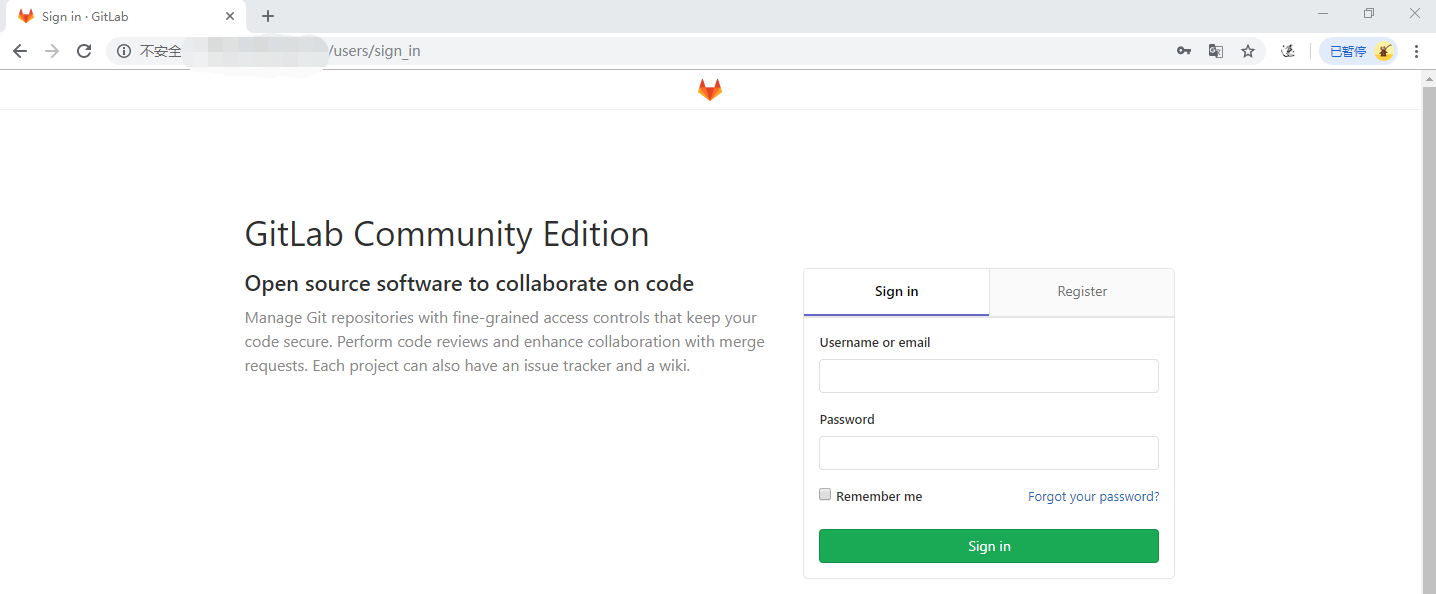
官方建议4G内存,启动gitlab很吃CPU。
1核2G gitlab启动服务器卡死。解决方案:
https://yq.aliyun.com/articles/52098
2、Gitlab Runner Install
①安装gitlab-runnner rpm包
在这里选择适合你系统的gitlab runner包https://gitlab-runner-downloads.s3.amazonaws.com/latest/index.html
curl -LJO https://gitlab-runner-downloads.s3.amazonaws.com/latest/rpm/gitlab-runner_amd64.rpm
②安装rpm 包
rpm -i gitlab-runner_amd64.rpm
③注册Runner
Ⅰ、Run the following command
gitlab-runner register
Ⅱ、Enter your GitLab instance URL:(GitLab实例地址,上面GitLab的地址)
Please enter the gitlab-ci coordinator URL (e.g. https://gitlab.com )

http://115.30.149.35:8888
Ⅲ、Enter the token you obtained to register the Runner(输入注册Runner的token):
Please enter the gitlab-ci token for this runner

hUCad4cXYPEKTt
token所在地方:
1、登入GitLabhttp://115.30.149.35:8888
2、点击工具刀
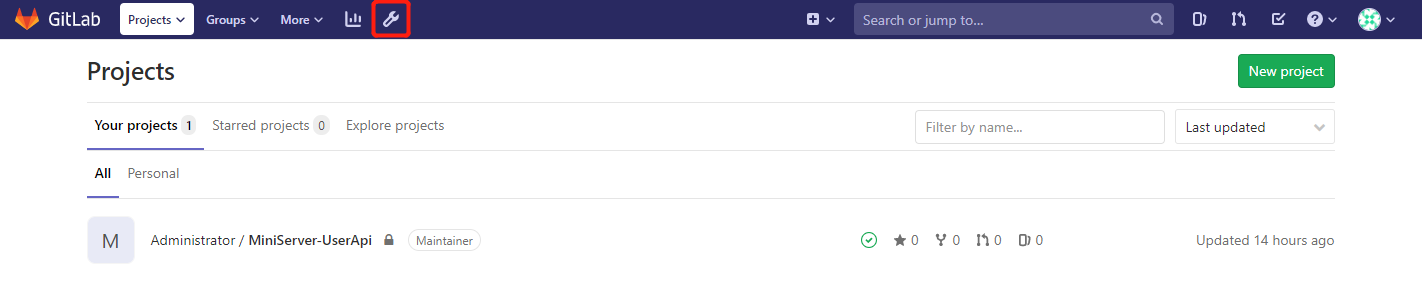
3、Overview->Runners
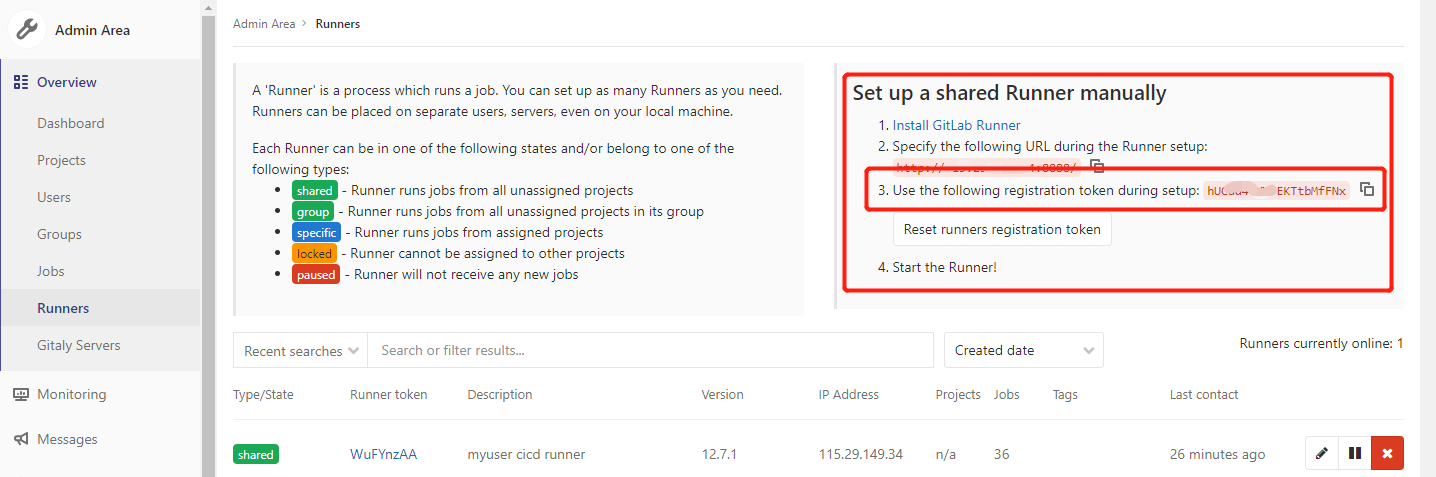
红色框里面即为token。
Ⅳ、Enter a description for the Runner, you can change this later in GitLab’s UI(添加Runner描述):
Please enter the gitlab-ci description for this runner

my-runner
Ⅴ、Add a Tag
Please enter the gitlab-ci tags for this runner (comma separated):
Ⅵ、Enter the Runner executor:
Please enter the executor: ssh, docker+machine, docker-ssh+machine, kubernetes, docker, parallels, virtualbox, docker-ssh, shell:

shell
④刷新GitLab页面
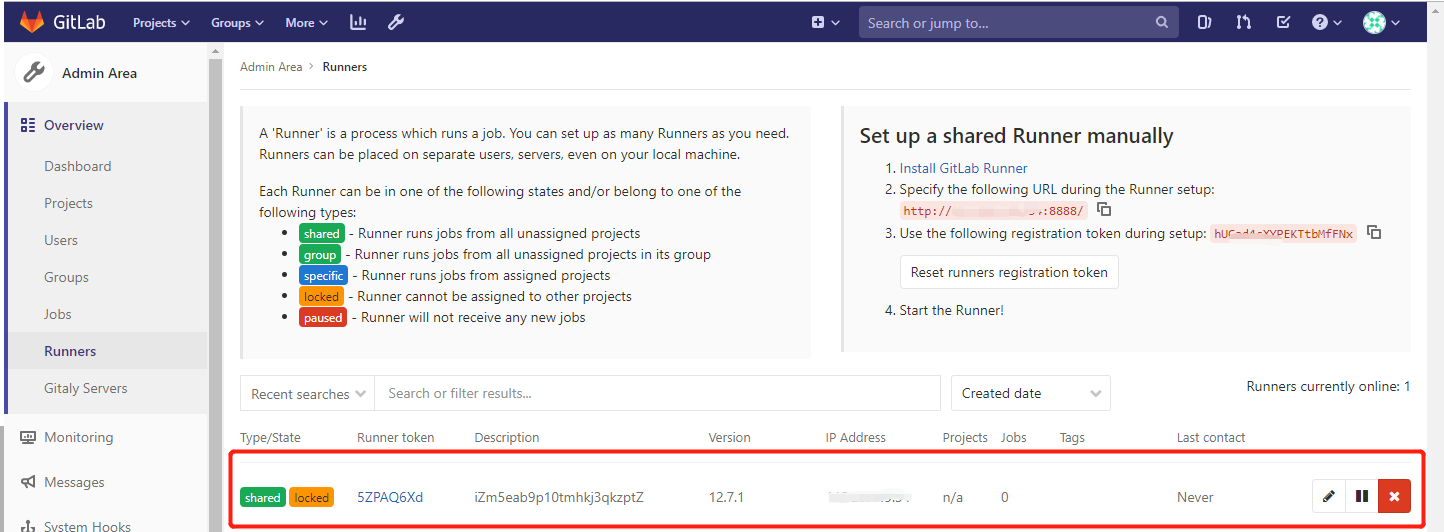
可看到注册的Runner。
3、提交项目到gitlab
1、创建一个项目
2、按照提示将我们的项目提交到gitlab上(Push an existing folder)
git remote add origin http://115.30.149.35:8888/root/miniserver-userapi.git

关闭VS
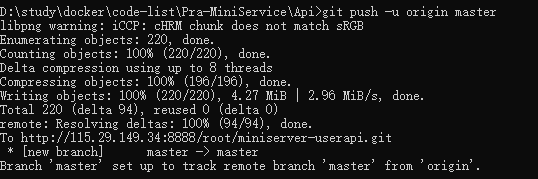
git push 的提示要输入gitlab的用户名和密码
编写以下.gitlab-ci.yml文件(需要放在整个项目的根目录)
提交 在具体的project 的CICD下即可看到项目在跑
4、问题集合
问题一、

docker gitlab 的用户组没有加入docker
usermod -aG docker gitlab-runner

sudo service docker restart
问题二、某次CI失败后再启动
fatal: git fetch-pack: expected shallow list
fatal: The remote end hung up unexpectedly
原因是git版本太老不持之新API,需要升级一下git:
#安装源

yum install http://opensource.wandisco.com/centos/7/git/x86_64/wandisco-git-release-7-2.noarch.rpm

#安装git

yum install git

#更新git

yum update git
参考资料:
Gitlab:https://docs.gitlab.com/omnibus/docker/
GitLab Runner:https://docs.gitlab.com/runner/install/linux-manually.html
docker-Gitlab、GitLab Runner安装的更多相关文章
- Docker搭建自己的Gitlab CI Runner
转载自:https://cloud.tencent.com/developer/article/1010595 1.Gitlab CI介绍 CI:持续集成,我们通常使用CI来做一些自动化工作,比如程序 ...
- Docker安装GitLab与Runner(网关),常规设置,自动化用到k8s+token
[转]图文详解k8s自动化持续集成之GitLab CI/CD Windows里面使用Debian命令行工具完成 和Docker网络相关的命令 查看某一个容器的网络 docker inspect 容器I ...
- docker搭建gitlab,设置邮件提醒,并运行runner
接着http://www.cnblogs.com/wsy1030/p/8431837.html 在另一台机子运行gitlab: docker run --name='gitlab' -d -p 222 ...
- 在 Kubernetes 上安装 Gitlab CI Runner Gitlab CI 基本概念以及 Runner 的安装
简介 从 Gitlab 8.0 开始,Gitlab CI 就已经集成在 Gitlab 中,我们只要在项目中添加一个.gitlab-ci.yml文件,然后添加一个Runner,即可进行持续集成.在介绍 ...
- 3.在 Kubernetes 上安装 Gitlab CI Runner
结合文章:1. 在 Kubernetes 上安装 Gitlab ,地址:https://www.cnblogs.com/sanduzxcvbnm/p/13852854.html 总结: 结合开头的文章 ...
- 利用docker compose启动gitlab及runner
添加docker compose配置文件 新建文件docker-compose.yml,输入如下内容: gitlab: image: 'gitlab/gitlab-ce:latest' contain ...
- [转] Gitlab 8.x runner安装与配置
[From]http://muchstudy.com/2018/07/13/Gitlab-8-x-runner%E5%AE%89%E8%A3%85%E4%B8%8E%E9%85%8D%E7%BD%AE ...
- Gitlab CI持续集成 - GitLab Runner 安装与注册
GitLab Runner安装 需要添加gitlab官方库: # For Debian/Ubuntu/Mint curl -L https://packages.gitlab.com/install/ ...
- Linux下GitLab的快速安装以及备份
源码安装 GitLab 步骤繁琐:需要安装依赖包,Mysql,Redis,Postfix,Ruby,Nginx……安装完毕还得一个个手动配置这些软件,容易出错 一.安装 在Ubuntu 14上 修改/ ...
随机推荐
- ffmpeg 转码并截图的命令分析
一.转码并截图的命令分析: 1.转码并截图,将码率转换为900Kffmpeg -i E:\\1.MOV -i E:\\123.jpg -filter_complex overlay=W-w -b:v ...
- 超简单本地mock假数据测试,模拟后台数据返回必杀技
温馨提示:急性子可以直接拉到最后观看方法步骤. 什么是mock? mock就是在开发过程中,对于某些不容易构造或者不容易获取的对象,用一个虚拟的对象来创建以便测试开发的方法. 使用mock有什么好处? ...
- JavaScript DOM事件对象的两个小练习 | 学习内容分享
Event 对象 Event 对象代表事件的状态,比如事件在其中发生的元素.键盘按键的状态.鼠标的位置.鼠标按钮的状态. 事件通常与函数结合使用,函数不会在事件发生前被执行! 本文用于记录个人学习过程 ...
- javascript DOM 编程艺术 札记2 平稳退化
定义 指的是即便浏览器不支持javascript,页面的基础展示功能也不会受到影响的做法. 不能平稳退化的实例 javascript:这种伪协议,它可以通过链接调用javascript函数.比如< ...
- 【题解】有标号的DAG计数4
[HZOI 2015] 有标号的DAG计数 IV 我们已经知道了\(f_i\)表示不一定需要联通的\(i\)节点的dag方案,考虑合并 参考[题解]P4841 城市规划(指数型母函数+多项式Ln),然 ...
- 洛谷$P2570\ [ZJOI2010]$贪吃的老鼠 网络流+二分
正解:网络流+二分 解题报告: 传送门$QwQ$ 和上一题有点儿像,,,?$QwQ$但是比上一题要有趣很多$QwQ$ 首先把大致思路捋下?依然是.二分出每个奶酪的开始和结束时间,然后check下最大流 ...
- 利用selenium库自动执行滑动验证码模拟登陆
破解流程 #1.输入账号.密码,然后点击登陆 #2.点击按钮,弹出没有缺口的图 #3.针对没有缺口的图片进行截图 #4.点击滑动按钮,弹出有缺口的图 #5.针对有缺口的图片进行截图 #6.对比两张图片 ...
- TCP状态机:当服务端主动发FIN进TIME_WAIT,客户端源端口复用会发生什么
0X01 正常情况下TCP连接会通过4次挥手进行拆链(也有通过RST拆除连接的可能,见为什么服务器突然回复RST--小心网络中的安全设备),下图TCP状态机展示了TCP连接的状态变化过程: 我们重点看 ...
- sql函数实用——字符函数(sqlserver与mysql对比)
1.获取长度 sqlserver写法:关键字:len() 获取参数的字符数量 select Len('aksjdhh') 输出结果 7 select len('张无忌ooo') 输出 ...
- js动态改变下拉框内容
今天为大家分享一篇js动态设置select下拉菜单的默认选中项实例,具有很好的参考价值,希望对大家有所帮助. 代码实例如下: <!DOCTYPE html> <html lang=& ...