
搭建LAMP环境部署Ecshop电商网站
实战-部署Ecshop电商网站
实验环境
Centos7

ip:192.168.121.17
一、关闭防火墙和selinux
[root@localhost ~]# systemctl stop firewalld

[root@localhost ~]# sed -i 's/SELINUX=enforcing/SELINUX=disabled/' /etc/selinux/config

[root@localhost ~]# setenforce 0

[root@localhost ~]# iptables -F
二、安装 LAMP 环境
[root@localhost ~]# yum install -y httpd mariadb-server mariadb php php-mysql php-gd php-mbstring
注释:

httpd              #web服务器←

mariadb-server     #MariaDB数据库

mariadb            #MariaDB服务器Linux下客户端

php                #php相关文件

php-mysql          #php程序连接MySQL使用的模块

php-gd             #php图像处理函数

php-mbstring       #php语言扩展编码
三、启动服务
[root@localhost ~]# systemctl enable --now httpd

Created symlink /etc/systemd/system/multi-user.target.wants/httpd.service → /usr/lib/systemd/system/httpd.service.

[root@localhost ~]# systemctl enable --now mariadb

Created symlink /etc/systemd/system/mysql.service → /usr/lib/systemd/system/mariadb.service.

Created symlink /etc/systemd/system/mysqld.service → /usr/lib/systemd/system/mariadb.service.

Created symlink /etc/systemd/system/multi-user.target.wants/mariadb.service → /usr/lib/systemd/system/mariadb.service.
四、给数据库去除安全隐患
[root@localhost ~]# mysql_secure_installation

NOTE: RUNNING ALL PARTS OF THIS SCRIPT IS RECOMMENDED FOR ALL MariaDB

      SERVERS IN PRODUCTION USE!  PLEASE READ EACH STEP CAREFULLY!

In order to log into MariaDB to secure it, we'll need the current

password for the root user.  If you've just installed MariaDB, and

you haven't set the root password yet, the password will be blank,

so you should just press enter here.

Enter current password for root (enter for none):

OK, successfully used password, moving on...

Setting the root password ensures that nobody can log into the MariaDB

root user without the proper authorisation.

Set root password? [Y/n] y

New password:

Re-enter new password:

Password updated successfully!

Reloading privilege tables..

 ... Success!

By default, a MariaDB installation has an anonymous user, allowing anyone

to log into MariaDB without having to have a user account created for

them.  This is intended only for testing, and to make the installation

go a bit smoother.  You should remove them before moving into a

production environment.

Remove anonymous users? [Y/n] y

 ... Success!

Normally, root should only be allowed to connect from 'localhost'.  This

ensures that someone cannot guess at the root password from the network.

Disallow root login remotely? [Y/n] y

 ... Success!

By default, MariaDB comes with a database named 'test' that anyone can

access.  This is also intended only for testing, and should be removed

before moving into a production environment.

Remove test database and access to it? [Y/n] y

 - Dropping test database...

 ... Success!

 - Removing privileges on test database...

 ... Success!

Reloading the privilege tables will ensure that all changes made so far

will take effect immediately.

Reload privilege tables now? [Y/n] y

 ... Success!

Cleaning up...

All done!  If you've completed all of the above steps, your MariaDB

installation should now be secure.

Thanks for using MariaDB!
五、测试Apache是否支持PHP解析
- 在 httpd 工作目录下写测试首页
[root@localhost ~]# vi /var/www/html/test.php

[root@localhost ~]# cat /var/www/html/test.php

<?php

	phpinfo();

?>
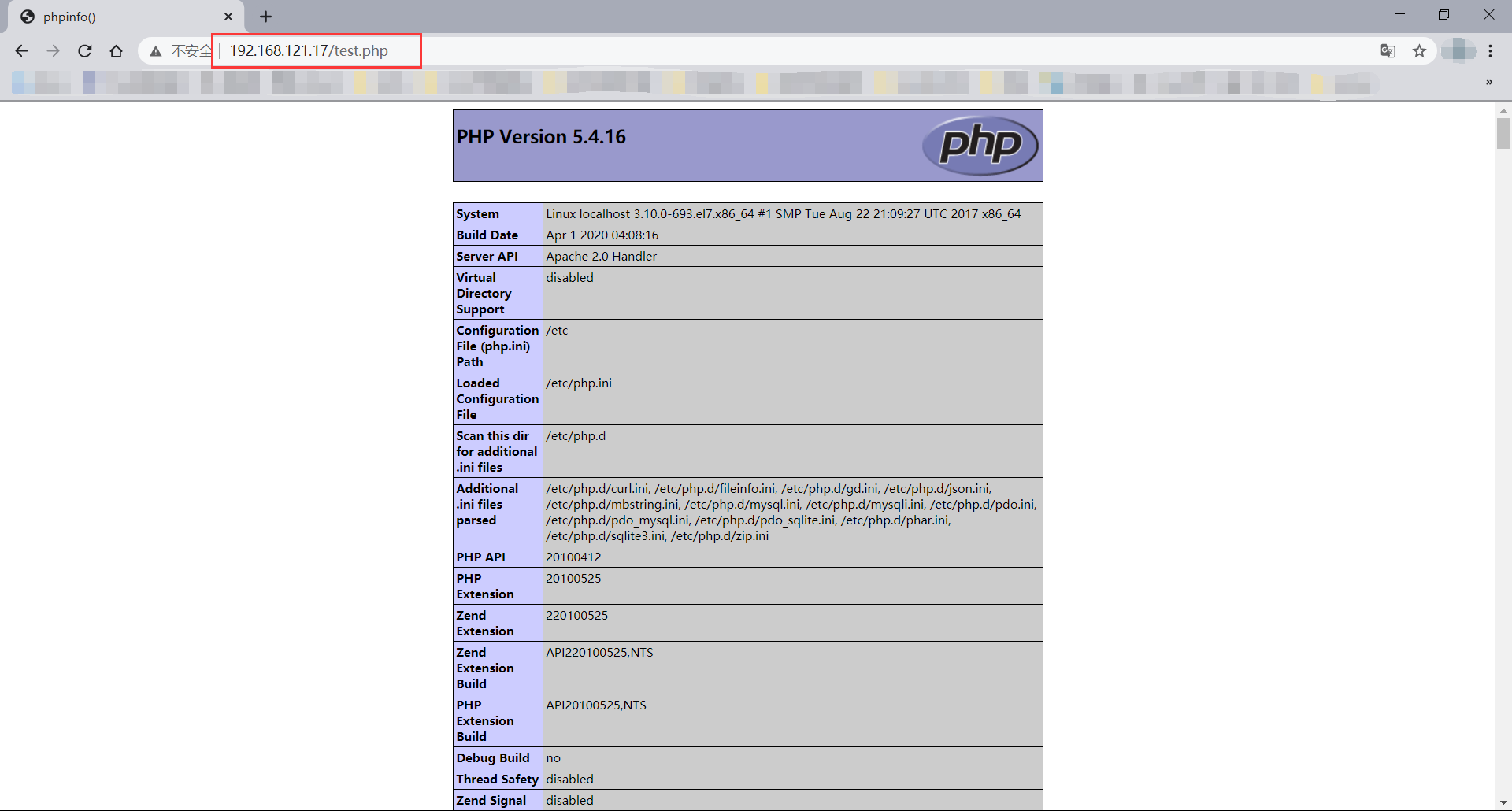
- 测试浏览器是否可以访问 PHP 测试页面
六、上传Eschop电商网站
- 首先上传到服务器
[root@localhost ~]# ls

anaconda-ks.cfg  ecshop.zip
- 将 ecshop.zip 解压到 /var/www/html/ 目录下
[root@localhost ~]# unzip ecshop.zip -d /var/www/html/

[root@localhost ~]# ls /var/www/html/

ecshop
七、授权
[root@localhost ~]# ps -aux |grep http

root       50481  0.0  0.6 275920 11328 ?        Ss   22:22   0:00 /usr/sbin/httpd -DFOREGROUND

apache     50487  0.0  0.4 289792  8380 ?        S    22:22   0:00 /usr/sbin/httpd -DFOREGROUND

apache     50488  0.0  0.8 1806364 16184 ?       Sl   22:22   0:00 /usr/sbin/httpd -DFOREGROUND

apache     50489  0.0  0.8 1806364 16184 ?       Sl   22:22   0:00 /usr/sbin/httpd -DFOREGROUND

apache     50490  0.0  0.8 1937492 16192 ?       Sl   22:22   0:00 /usr/sbin/httpd -DFOREGROUND

root       51347  0.0  0.0  12112  1112 pts/0    R+   22:30   0:00 grep --color=auto http

[root@localhost ~]# chown -R apache.apache /var/www/html/ecshop/

[root@localhost ~]# chmod -R 755 /var/www/html/ecshop/
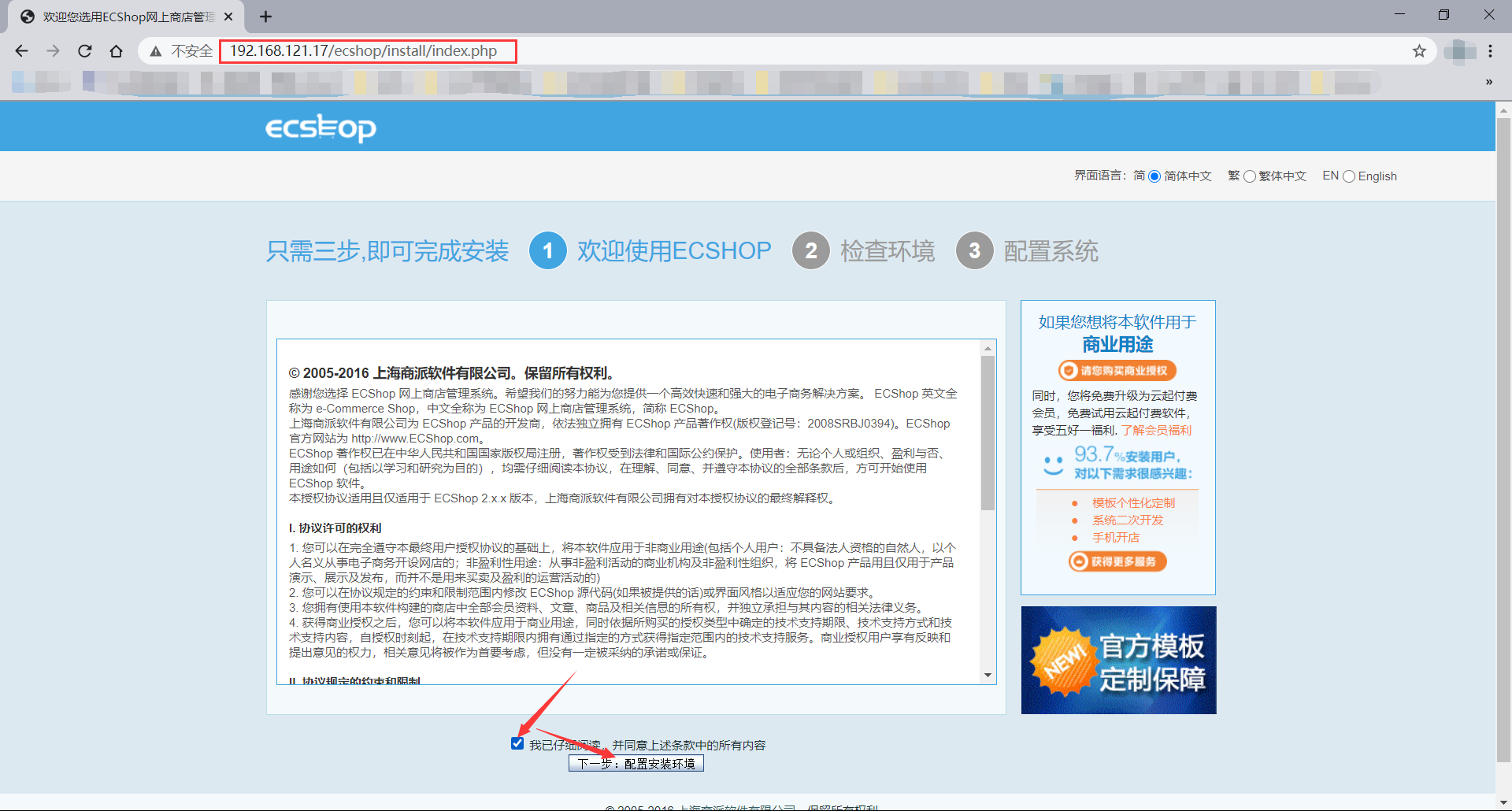
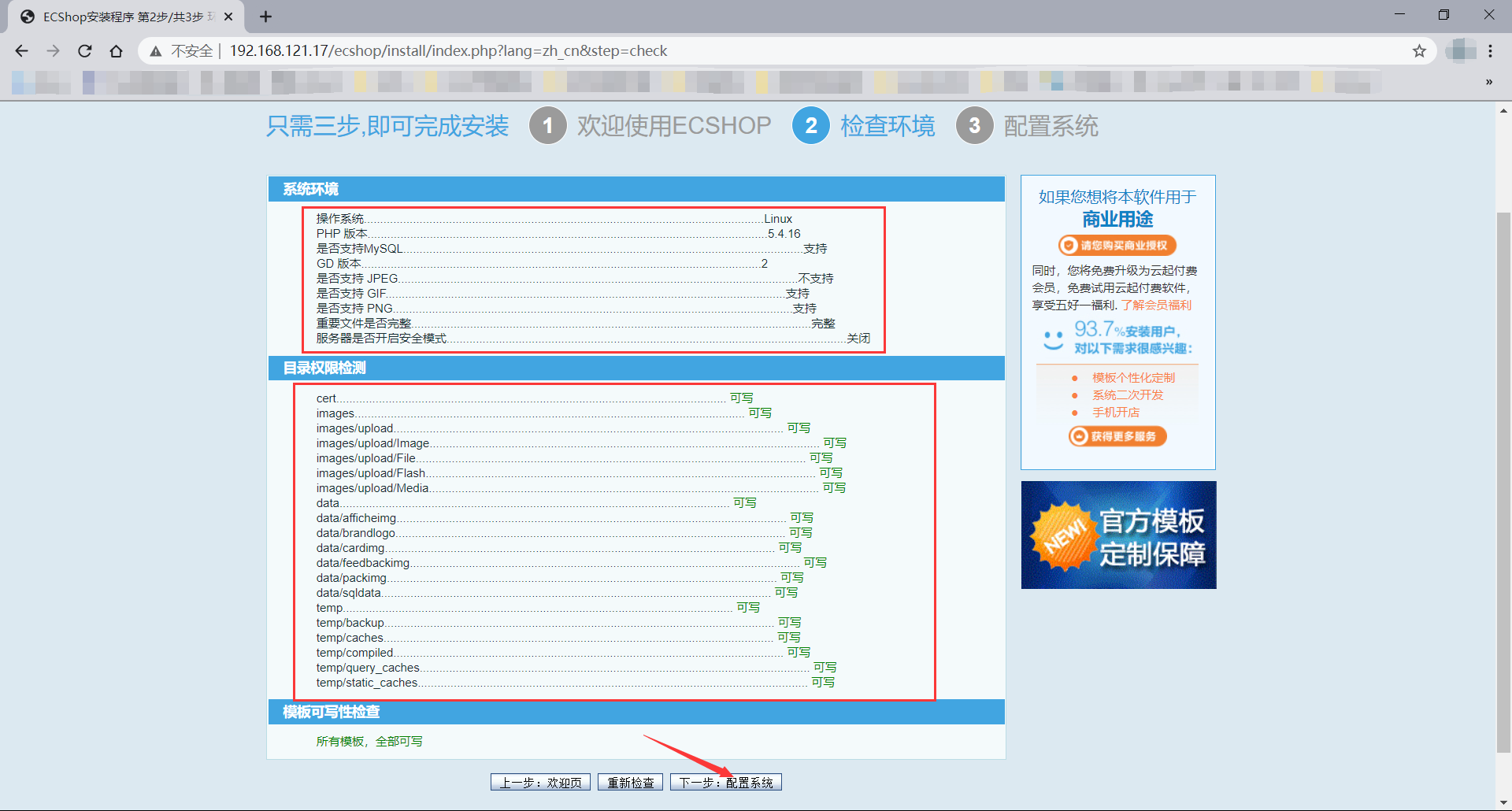
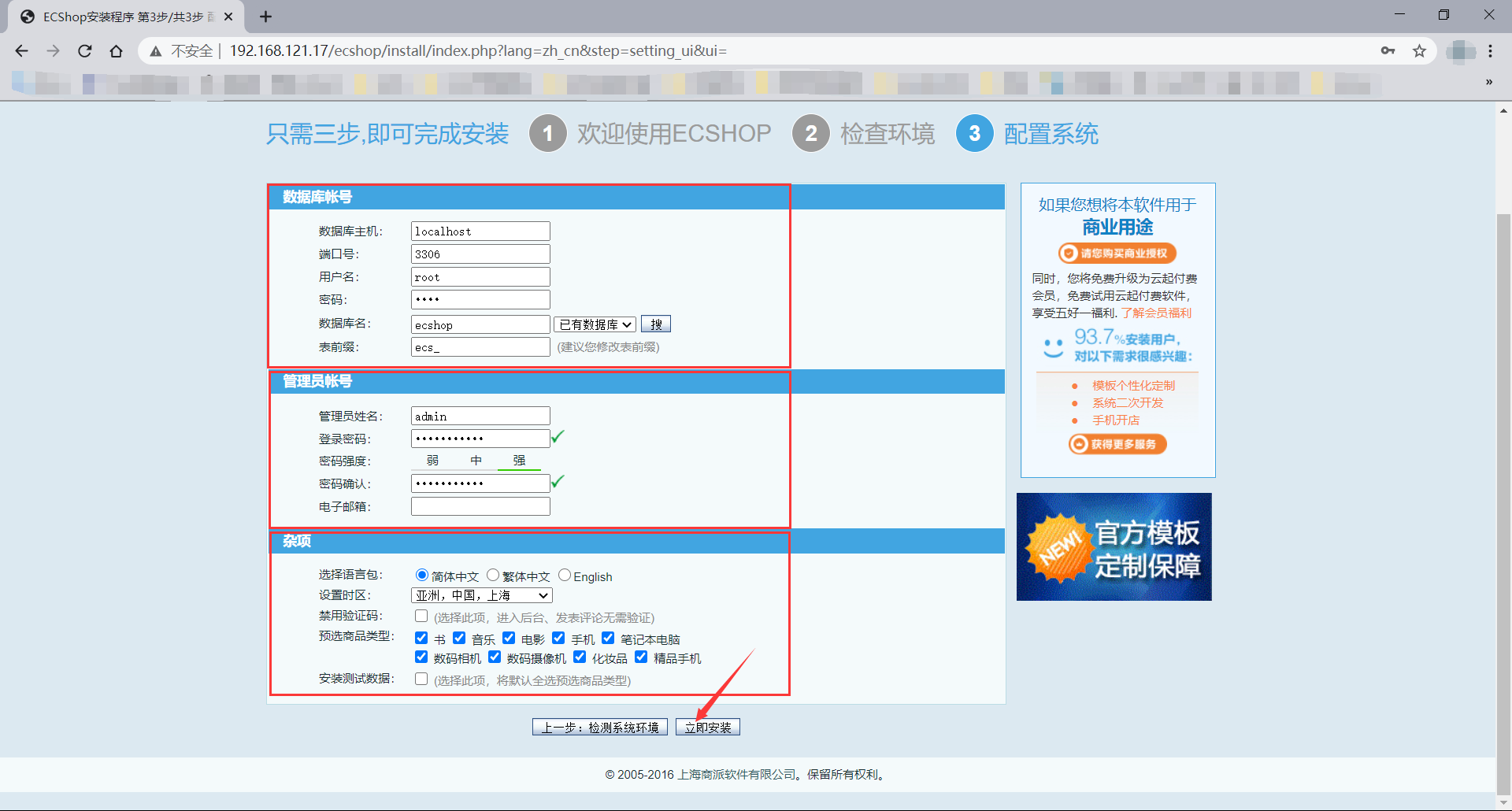
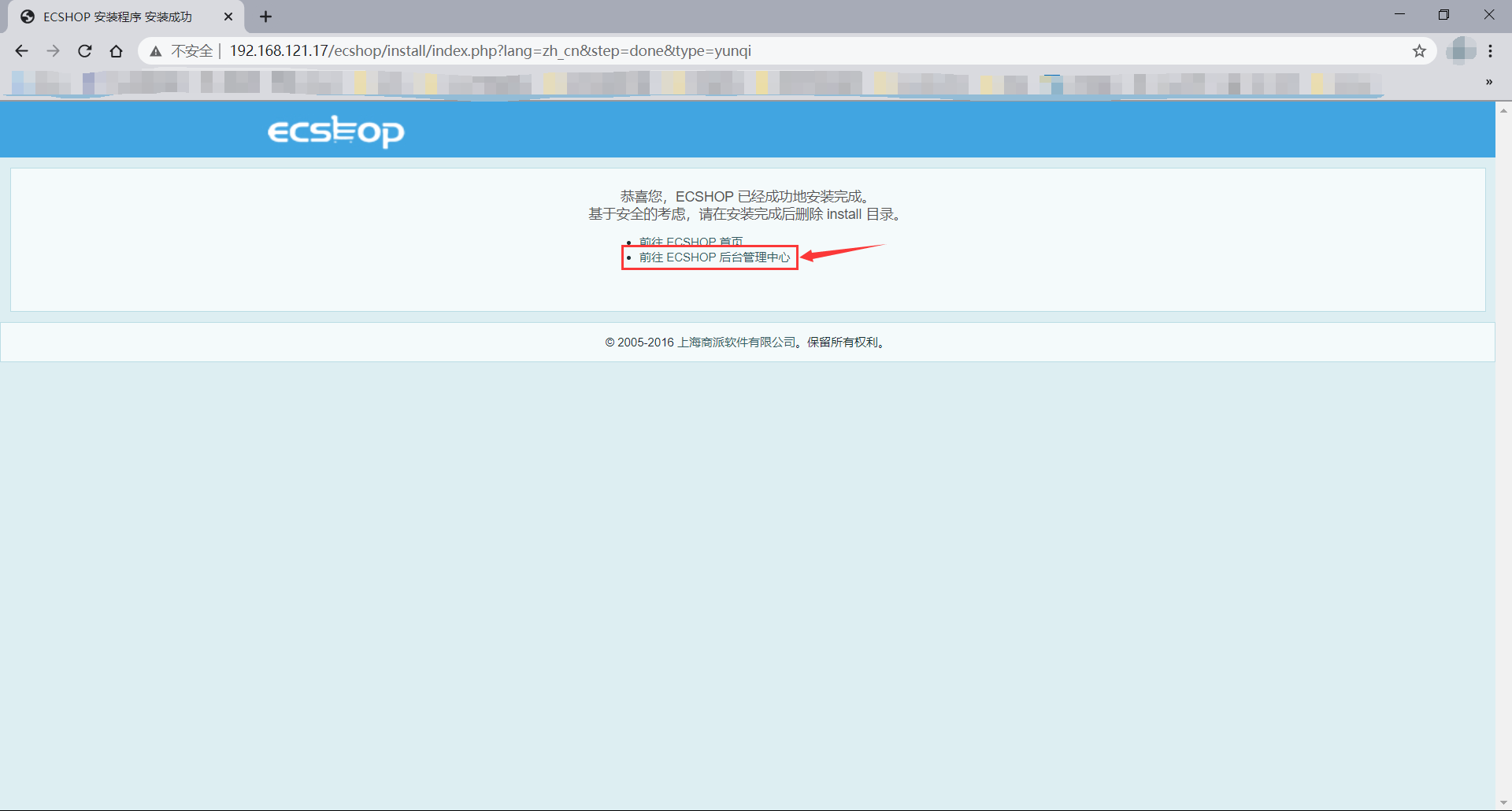
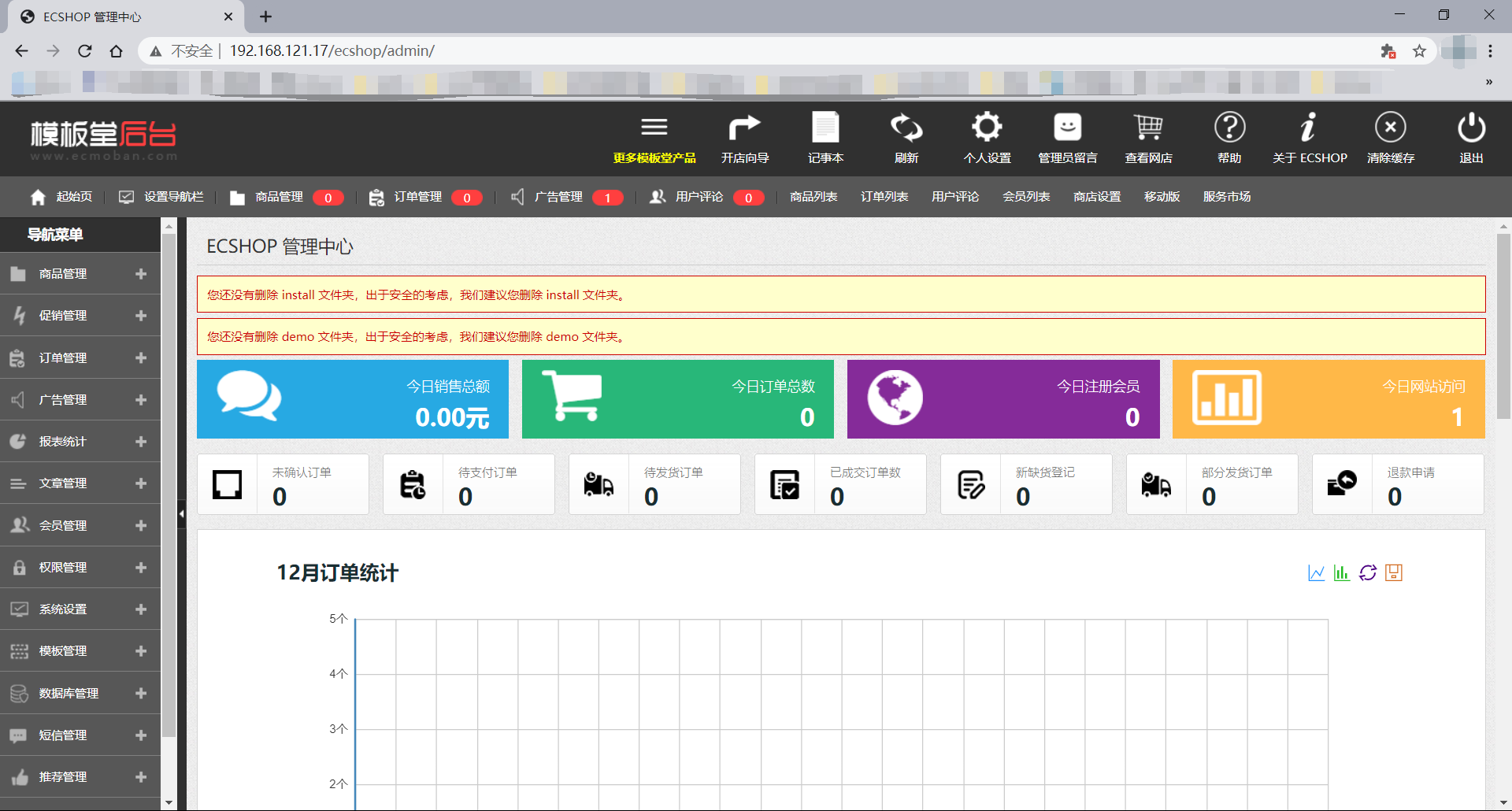
八、浏览器访问页面并初始化设置

搭建LAMP环境部署Ecshop电商网站的更多相关文章
- 搭建LAMP环境部署opensns微博网站
搭建LAMP环境部署opensns微博网站 实验环境 centos7 ip: 192.168.121.17 一.关闭防火墙和selinux [root@localhost ~]# systemctl ...
- 搭建LAMP环境部署GLPI资源管理系统
搭建LAMP环境部署GLPI资源管理系统 一.关闭防火墙和Selinux [root@localhost ~]# systemctl disable --now firewalld [root@loc ...
- 搭建LAMP环境部署Nextcloud私人网盘
搭建 LAMP 环境部署 Nextcloud 私人网盘 前言 Nextcloudd 是一个开源的.基于本地的文件共享和协作平台,它允许您保存文件并通过多个设备(如PC.智能手机和平板电脑)访问它们. ...
- 搭建LAMP环境部署discuz论坛
!!!什么是LAMP: LAMP是指一组通常一起使用来运行动态网站或者服务器的自由软件名称首字母缩写: Linux,操作系统 Apache,网页服务器 MariaDB或MySQL,数据库管理系统(或者 ...
- •搭建LAMP环境及快速部署双网站并实现基于域名的虚拟主机
本节所讲内容: 实战:搭建LAMP环境及快速部署双网站并实现基于域名的虚拟主机 LAMP架构:??? Linux+Apache+Mysql+PHP Linux+Apache+Mysql/MariaDB ...
- Django项目之Web端电商网站的实战开发(一)
说明:该篇博客是博主一字一码编写的,实属不易,请尊重原创,谢谢大家! 目录 一丶项目介绍 二丶电商项目开发流程 三丶项目需求 四丶项目架构概览 五丶项目数据库设计 六丶项目框架搭建 一丶项目介绍 产品 ...
- Linux-某电商网站流量劫持案例分析与思考
[前言] 自腾讯与京东建立了战略合作关系之后,笔者网上购物就首选京东了.某天在家里访问京东首页的时候突然吃惊地发现浏览器突然跳到了第三方网站再回到京东,心里第一个反应就是中木马了. 竟然有这样的事,一 ...
- Ubuntu实现电商网站+Mysql主从复制+NFS
Ubuntu实现电商网站+Mysql主从复制+NFS 1.环境准备 提前准备:Mysql8.0.30安装包.Mysql安装脚本.shopxo2.3.0安装包.DNS脚本 服务器 IP地址 作用 系统版 ...
- 在ubuntu上搭建开发环境4---ubuntu简单的搭建LAMP环境和配置
最近重新安装了Ubuntu,但是之前的LAMP环境自然也就没有了,实在是不想再去编译搭建LAMP环境(这种方法实在是太费时间,而且太容易遇到各种不知道为什么的错误),所以,就去查查有没有什么简单的搭建 ...
随机推荐
- 【Visual Studio调教小记录】C++指针靠前靠后??
本文地址:https://www.cnblogs.com/oberon-zjt0806/p/14631149.html 甜咸之争 经常写C++的基本上避不开使用指针,而且C++中指针类型的写法大体上有 ...
- python工业互联网应用实战11—客户端UI
这个章节我们将演示用户端界面的开发,当前演示界面还是采用先实现基本功能再逐步完善的"敏捷"模式.首先聚焦在功能逻辑方面实现普通用户与系统的交互,普通用户通过url能查看到当前任务的 ...
- SQL语句练习(进阶版)
学生数据库中有三个基本表(关系)如下: 学生表S(Sno,Sname,Age,Sex,SD) 课程表C(Cno,Cname, Teacher) 选课表SC(Sno,Cno,Grade) 请用SQL语言 ...
- arthas使用
博客原地址:https://blog.csdn.net/u013076044/article/details/83626202 arthas使用 文章目录 准备 启动Demo 进入arthas控制台 ...
- OO_Unit4_Summary暨课程总结
初始oo,有被往届传言给吓到:oo进行中,也的确有时会被作业困扰(debug到差点放弃):而oo即将结束的此刻,却又格外感慨这段oo历程. 一.单元架构设计 本单元任务是设计一个UML解析器,能够支持 ...
- Hadoop完整搭建过程(一):本地模式
1 本地模式 本地模式是最简单的模式,所有模块都运行在一个JVM进程中,使用本地文件系统而不是HDFS. 本地模式主要是用于本地开发过程中的运行调试用,下载后的Hadoop不需要设置默认就是本地模式. ...
- Git简单操作及原理
设置签名: 用户名:tom Email地址:goodMorning@atguigu.com git config user.name tom_pro git config user.e ...
- 10. Vue-Vue 的{{}}、v-html、v-text
{{ }} 将元素当成纯文本输出 v-html v-html会将元素当成HTML标签解析后输出 v-text v-text会将元素当成纯文本输出 代码: <!DOCTYPE html> & ...
- 2021S软件工程——结对项目第三阶段
2021S软件工程--结对项目第三阶段 2021春季软件工程(罗杰 任健) 项目地址 1020 1169 1 实践反思 1.1 问题分析 两人习惯不一致 没有具体制定时间节点 写完代码才开始" ...
- 详解JavaScript中的正则表达式
实际工作中,JavaScript正则表达式还是经常用到的.所以这部分的知识是非常重要的. 一.基础语法: 第一种:字面量语法 var expression=/pattern/flags; 第二种:Re ...