
IDEA+Hadoop2.10.1+Zookeeper3.4.10+Hbase 2.3.5 操作JavaAPI
在此之前要配置好三节点的hadoop集群,zookeeper集群,并启动它们,然后再配置好HBase环境
本文只是HBase2.3.5API操作作相应说明,如果前面环境还没有配置好,可以翻看我之前的博客,欢迎留言交流
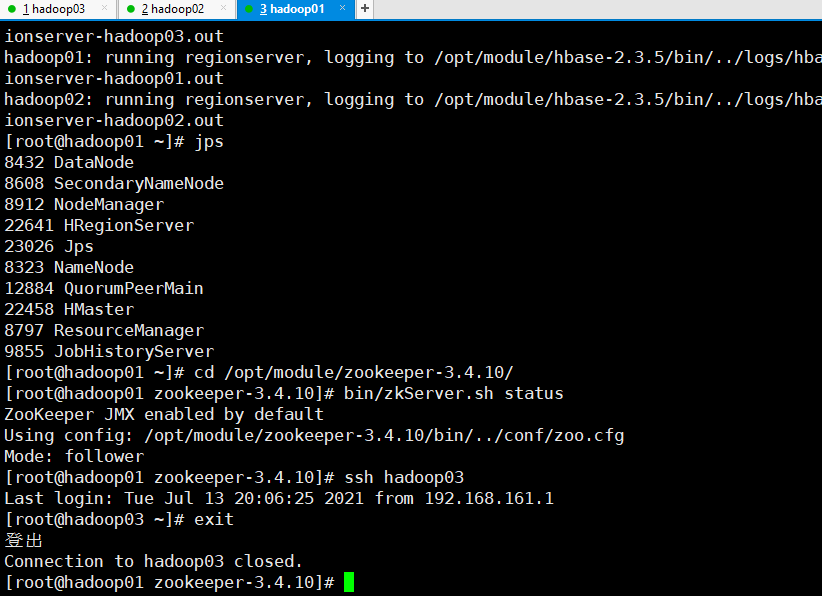
节点hadoop01
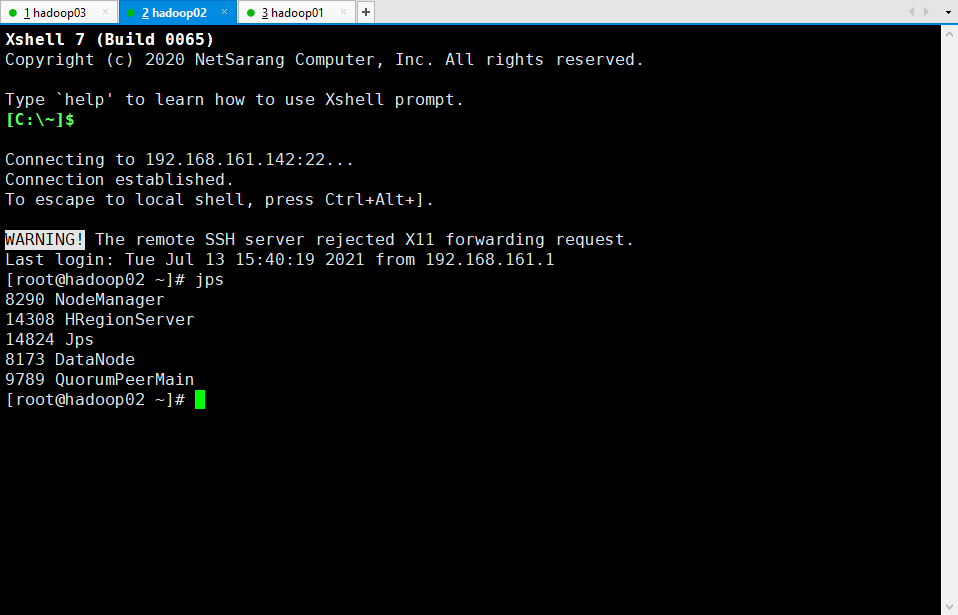
节点hadoop02
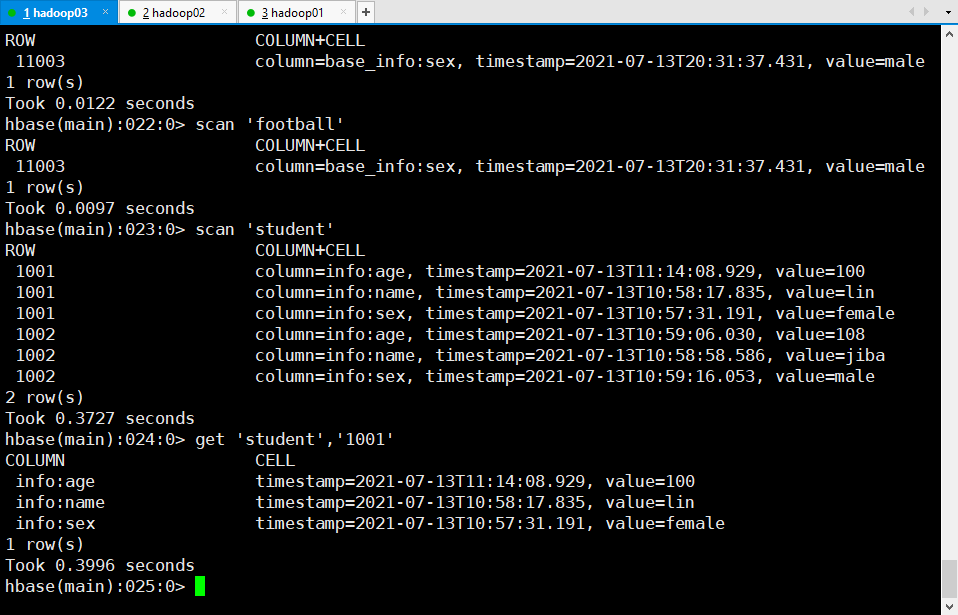
节点hadoop03
1 maven依赖
<dependency>

            <groupId>org.apache.hbase</groupId>

            <artifactId>hbase-server</artifactId>

            <version>2.3.5</version>

        </dependency>

        <dependency>

            <groupId>org.apache.hbase</groupId>

            <artifactId>hbase-client</artifactId>

            <version>2.3.5</version>

        </dependency>

        <dependency>

            <groupId>jdk.tools</groupId>

            <artifactId>jdk.tools</artifactId>

            <version>1.8</version>

            <scope>system</scope>

            <systemPath>C:/Program Files/Java/jdk1.8.0_261/lib/tools.jar</systemPath>

        </dependency>
2 API操作
package com.hbase;

import org.apache.hadoop.conf.Configuration;

import org.apache.hadoop.hbase.*;

import org.apache.hadoop.hbase.client.*;

import org.apache.hadoop.hbase.util.Bytes;

import org.stringtemplate.v4.ST;

import scala.util.control.Exception;

import java.io.IOException;

import java.util.ArrayList;

import java.util.List;

public class ConfigulationHBase {

    private static Configuration configuration;

    private static Connection connection;

    private static Admin admin;

    static {

        configuration = HBaseConfiguration.create();

        configuration.set("hbase.zookeeper.quorum", "192.168.161.141");

        configuration.set("hbase.zookeeper.property.clientPort", "2181");

        try {

            connection = ConnectionFactory.createConnection(configuration);

            admin = connection.getAdmin();

        } catch (IOException e) {

            e.printStackTrace();

        }

    }

    /**

     * 判斷表是否存在

     * <br>存在則返回true

     * @param tableName

     * @return

     * @throws IOException

     */

    public static boolean isTableExist(String tableName) throws IOException {

        boolean b = admin.tableExists(TableName.valueOf(tableName));

        return b;

    }

    /**

     * 創建表

     *

     * 参数tableName为表的名称,字符串数组fields为存储记录各个域名称的数组。<br>

     * 要求当HBase已经存在名为tableName的表时,先删除原有的表,然后再<br>

     * 创建新的表  field:列族<br>

     * @param tableName 表名

     * @param fields    列族名

     * @throws IOException

     */

    public static void createTable(String tableName,String[] fields) throws IOException {

        if(isTableExist(tableName)){

            System.out.println(tableName + " table is alreadly exist...");

            admin.disableTable(TableName.valueOf(tableName));

            admin.deleteTable(TableName.valueOf(tableName));

            System.out.println(tableName + " table is deleted...");

        }

        HTableDescriptor hTableDescriptor = new HTableDescriptor(TableName.valueOf(tableName));

        for(String str:fields){

            HColumnDescriptor hColumnDescriptor = new HColumnDescriptor(str);

            hTableDescriptor.addFamily(hColumnDescriptor);

        }

        admin.createTable(hTableDescriptor);

        System.out.println(tableName + " table is created!");

        admin.close();

    }

    /**

     * 添加数据

     *

     * 向表tableName,行键rowKey和fields字段指定的单元格中添加对应的值values<br>

     * 例如:表名:student,行键:1001,添加的字段:info:name,添加的值:Janna<br>

     * put 'student','1001','info:name','Janna'<br>

     *

     * @param tableName 表名

     * @param rowKey    行键

     * @param family    列族

     * @param qualifier 列族值

     * @param value     值

     * @throws IOException

     */

    public static void addRow(String tableName, String rowKey, String family, String qualifier, String value) throws IOException {

        Table table = connection.getTable(TableName.valueOf(tableName));

        byte[] rowKeyAsBytes = rowKey.getBytes();

        Put put = new Put(rowKeyAsBytes);

        put.addColumn(family.getBytes(), qualifier.getBytes(), value.getBytes());

        table.put(put);

        table.close();

        admin.close();

    }

    /**

     * 删除一行或者多行数据

     * @param tableName

     * @param rows

     * @throws IOException

     */

    public static void deleteMultiRow(String tableName, String... rows) throws IOException {

        Table table = connection.getTable(TableName.valueOf(tableName));

        List<Delete> deleteList = new ArrayList<Delete>();

        for (int i = 0; i < rows.length; i++) {

            Delete delete = new Delete(rows[i].getBytes());

            deleteList.add(delete);

        }

        table.delete(deleteList);

        table.close();

        admin.close();

    }

    /**

     *

     * 查询某tableName所有的数据

     * @param tableName 表名

     * @throws IOException

     */

    public static void getAllRows(String tableName) throws IOException {

        Table table = connection.getTable(TableName.valueOf(tableName));

        Scan scan = new Scan();

        ResultScanner scanner = table.getScanner(scan);

        for (Result result:scanner){

            Cell[] cells = result.rawCells();

            for (Cell cell:cells){

                System.out.println("RowKey:" + Bytes.toString(CellUtil.cloneRow(cell)));

                System.out.println("Famliy:" + Bytes.toString(CellUtil.cloneFamily(cell)));

                System.out.println("qualifier:" + Bytes.toString(CellUtil.cloneQualifier(cell)));

                System.out.println("value:" + Bytes.toString(CellUtil.cloneValue(cell)));

                System.out.println("--------------------------------------");

            }

            System.out.println("=======================================");

        }

        table.close();

    }

    /**

     * 查询tableName表的rowKey行键的数据

     * get 'student','1001'

     * @param tableName 表名

     * @param rowKey    行键

     */

    public static void getRow(String tableName, String rowKey) throws IOException {

        Table table = connection.getTable(TableName.valueOf(tableName));

        Get get = new Get(rowKey.getBytes());

        Result result = table.get(get);

        for (Cell cell:result.rawCells()){

            System.out.println("RowKey:" + Bytes.toString(CellUtil.cloneRow(cell)));

            System.out.println("Famliy:" + Bytes.toString(CellUtil.cloneFamily(cell)));

            System.out.println("qualifier:" + Bytes.toString(CellUtil.cloneQualifier(cell)));

            System.out.println("value:" + Bytes.toString(CellUtil.cloneValue(cell)));

            System.out.println("--------------------------------------");

        }

    }

    /**

     * 获取某表某行键某列族的值

     *

     * @param tableName 表名

     * @param rowKey    行键

     * @param famliy    列族

     * @param qualifier 列族值

     * @throws IOException

     */

    public static void getRowQualifier(String tableName, String rowKey, String famliy, String qualifier) throws IOException {

        Table table = connection.getTable(TableName.valueOf(tableName));

        Get get = new Get(rowKey.getBytes());

        get.addColumn(famliy.getBytes(), qualifier.getBytes());

        Result result = table.get(get);

        for (Cell cell:result.rawCells()){

            System.out.println("RowKey:" + Bytes.toString(CellUtil.cloneRow(cell)));

            System.out.println("Famliy:" + Bytes.toString(CellUtil.cloneFamily(cell)));

            System.out.println("qualifier:" + Bytes.toString(CellUtil.cloneQualifier(cell)));

            System.out.println("value:" + Bytes.toString(CellUtil.cloneValue(cell)));

            System.out.println("timestamp:" + cell.getTimestamp());

            System.out.println("--------------------------------------");

        }

    }

    /**

     * main 程序入口

     * @param args

     * @throws IOException

     */

    public static void main(String[] args) throws IOException {

        // 創建表

//        String[] fileds = {"base_info","other_info"};

//        createTable("football", fileds);

        // 添加数据

//        addRow("football", "11002", "base_info", "name", "lin");

//        addRow("football", "11002", "base_info", "sex", "female");

//        addRow("football", "11003", "base_info", "sex", "male");

        //  删除数据

//        deleteMultiRow("football", new String[]{"11002"});

        //  得到所有的数据

//        getAllRows("student");

        //  查询某表某行键数据

//        getRow("student","1001");

        //  查询某表某行键某列族数据

         getRowQualifier("student", "1001", "info", "name");

    }

}
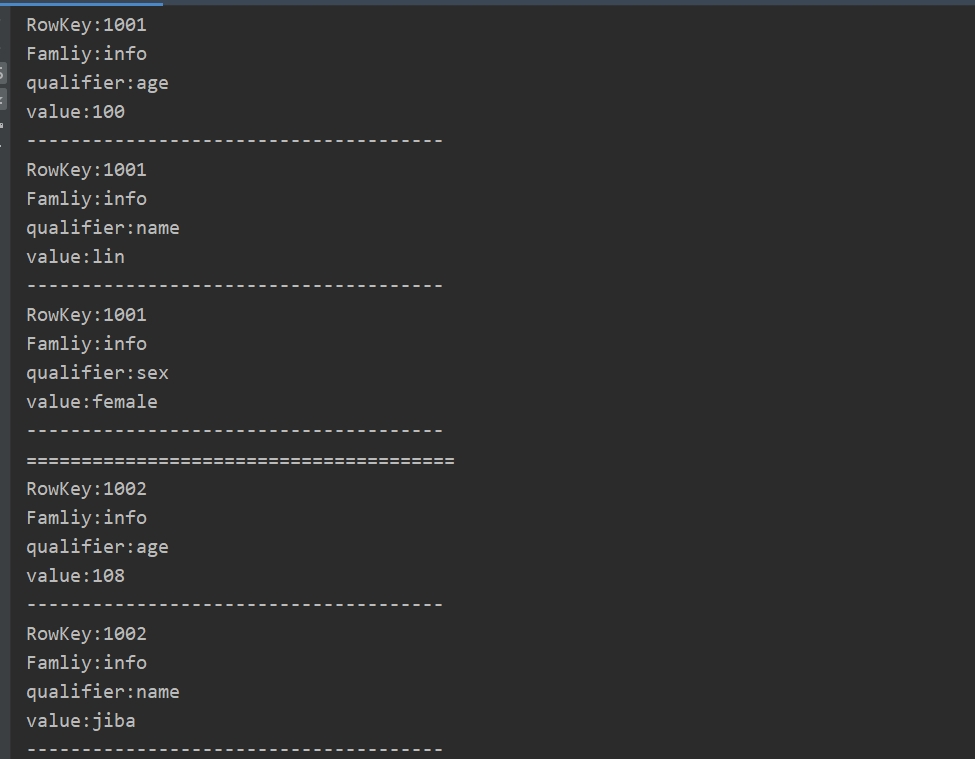
3 部分结果截图

仅供参考,有错误还请指出!
有什么想法,评论区留言,互相指教指教。
IDEA+Hadoop2.10.1+Zookeeper3.4.10+Hbase 2.3.5 操作JavaAPI的更多相关文章
- ZooKeeper-3.4.10分布式安装指南
目录 目录 1 1. 前言 1 2. 约定 1 3. 安装步骤 2 3.1. 配置/etc/hosts 2 3.2. 设置myid 2 3.3. 修改conf/zoo.cfg 2 3.4. 修改/bi ...
- Ubuntu16.4 zookeeper-3.4.10 单机多实例部署
上传 zookeeper-3.4.10.tar.gz 到服务器 root@temple-:/usr/local/temple/jar# ll total drwxr-xr-x root root 8月 ...
- linux安装配置zookeeper-3.4.10
此文是基于上一篇文章:hadoop集群搭建 安装zookeeper: [在各个slave节点安装zookeeper] 下载地址:http://mirror.bit.edu.cn/apache/zook ...
- Linux上安装ZooKeeper并设置开机启动(CentOS7+ZooKeeper3.4.10)
1下载Zookeeper 2安装启动测试 2.1上载压缩文件并解压 2.2新建 zookeeper配置文件 2.3安装JDK 2.4启动zookeeper 2.5查看zookeeper的状态 3将Zo ...
- Linux CentOS7下安装Zookeeper-3.4.10服务(最新)
Linux CentOS7下安装Zookeeper-3.4.10服务(最新) 2017年10月27日 01:25:26 极速-蜗牛 阅读数:1933 版权声明:本文为博主原创文章,未经博主允许不得 ...
- shell脚本部署zookeeper-3.4.10 [含注释]
文章目录 zk_install.sh conf/config conf/zoo_template.cfg package zk_install.sh #!/bin/bash base_path=$(c ...
- Hadoop-2.6.0 + Zookeeper-3.4.6 + HBase-0.98.9-hadoop2环境搭建示例
1 基本信息 1.1 软件信息 hadoop-2.6.0 zookeeper-3.4.6 hbase-0.98.9-hadoop2 (以下示例中使用的操作系统是Centos 6.5,请将 ...
- ubuntu12.04+hadoop2.2.0+zookeeper3.4.5+hbase0.96.2+hive0.13.1伪分布式环境部署
目录: 一.hadoop2.2.0.zookeeper3.4.5.hbase0.96.2.hive0.13.1都是什么? 二.这些软件在哪里下载? 三.如何安装 1.安装JDK 2.用parallel ...
- SQL 2008升级SQL 2008 R2完全教程或者10.00.1600升级10.50.1600
http://blog.csdn.net/feng19821209/article/details/8571571 SQL 2008升级SQL 2008 R2完全教程或者10.00.1600升级10. ...
随机推荐
- STM32F4 SD卡升级程序
http://www.openedv.com/posts/list/65104.htm
- 友盟+U-APM应用性能报告:Android崩溃率达0.32%,OPPO 、华为、VIVO 崩溃表现良好
随着信息技术高速发展,移动互联几乎已成为了一种生活方式的代名词,在全民上网的数字热潮中,如何能最大程度保障产品服务的稳定性,提供良好的用户体验,是当前企业都需要思考和亟待解决的问题.App的应用性能 ...
- Redis SWAPDB 命令背后做了什么
Redis SWAPDB 命令背后做了什么 目录 Redis SWAPDB 命令背后做了什么 0x00 摘要 0x01 SWAPDB 基础 1.1 命令说明 1.2 演示 0x02 预先校验 0x03 ...
- flink的checkpoint页面监控
flink web页面中提供了针对Job Checkpoint相关的监控信息.Checkpoint监控页面共有overview.history.summary和configuration四个页签,分别 ...
- 文字闪烁效果 CSS + HTML
文字闪烁效果 CSS 写在前面 好好学习,天天向上! 效果图 绝美的效果 实现过程 先给没字体添加一些普通的样式,颜色设置为透明 给文字设置一个动画效果,通过text-shadow属性来实现变亮的效果 ...
- oepncv实现——图像去水印
功能简介:通过拖动鼠标实现指定区域水印或是斑点的去除. 实现原理:利用opencv鼠标操作setMouseCallback函数框选(左上到右下)需要处理的区域,按下鼠标开始选中,松开鼠标结束,对选中区 ...
- 鸿蒙 Android iOS 应用开发对比02
个人理解,不抬杠 转载请注明原著:博客园老钟 https://www.cnblogs.com/littlecarry/ IOS 把界面抽象成 "控制" Controller:And ...
- GO语言面向对象02---继承
package main import ( "fmt" ) type Dog struct { Name string Age int } func (d *Dog)bite() ...
- 用OpenCV4实现图像的超分别率
用OpenCV4实现图像的超分别率 本实验原文链接:· https://arxiv.org/pdf/1807.06779.pdf 原文摘要 单图像超分辨率(SISR)的主要挑战是如何恢复微小纹理等高频 ...
- C++ OP相关注意事项
C++ OP相关注意事项 Paddle中Op的构建逻辑 1.Paddle中Op的构建逻辑 Paddle中所有的Op都继承自OperatorBase,且所有的Op都是无状态的,每个Op包含的成员变量只有 ...