
Google Maps API的使用
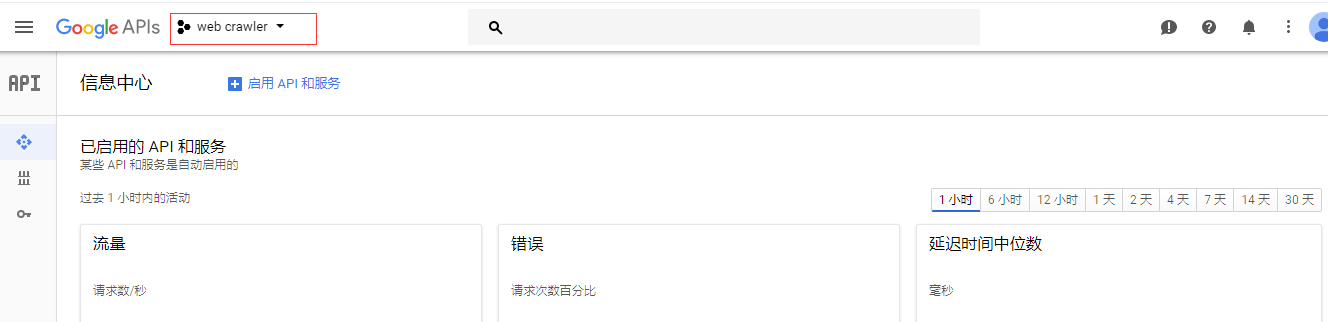

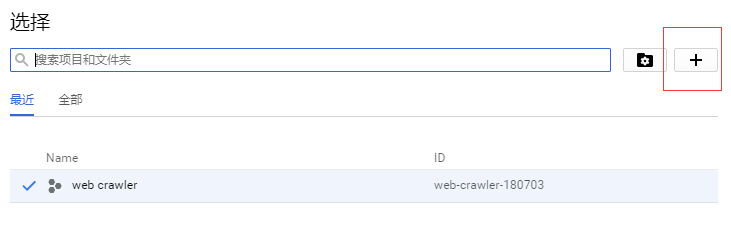
.png)
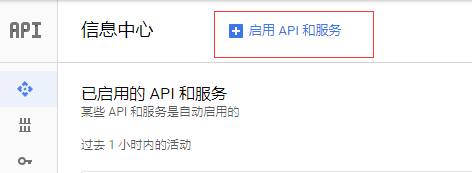
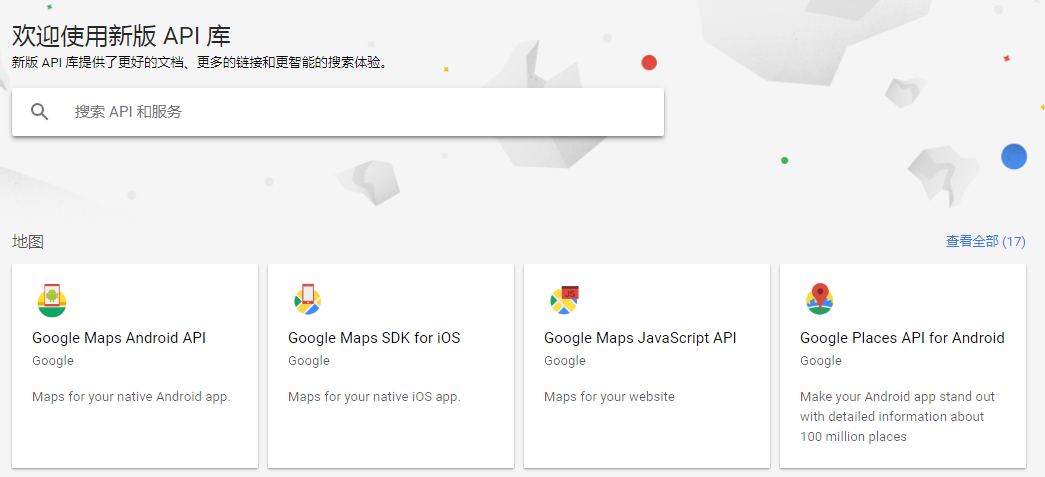
.png)
.png)
.png)
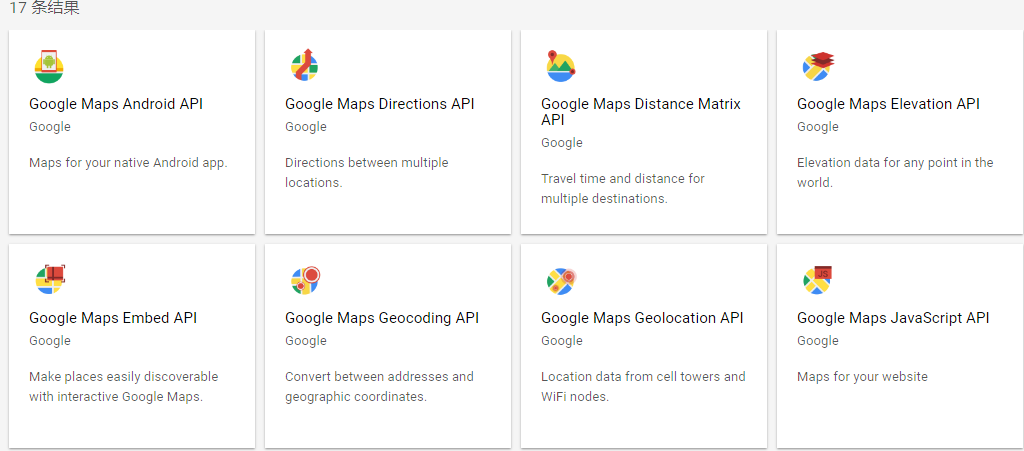
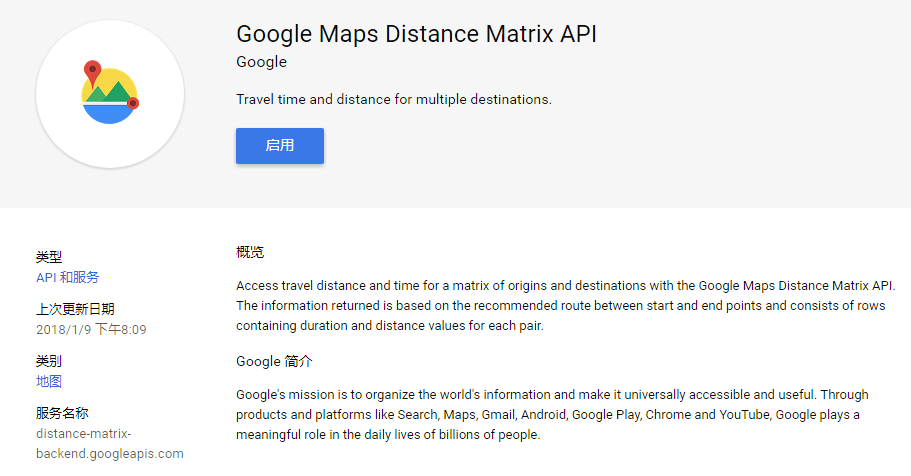
.png)
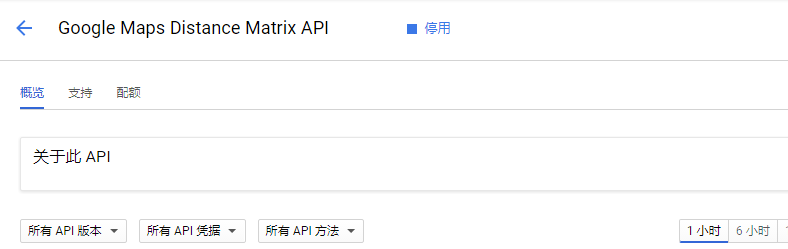
.png)
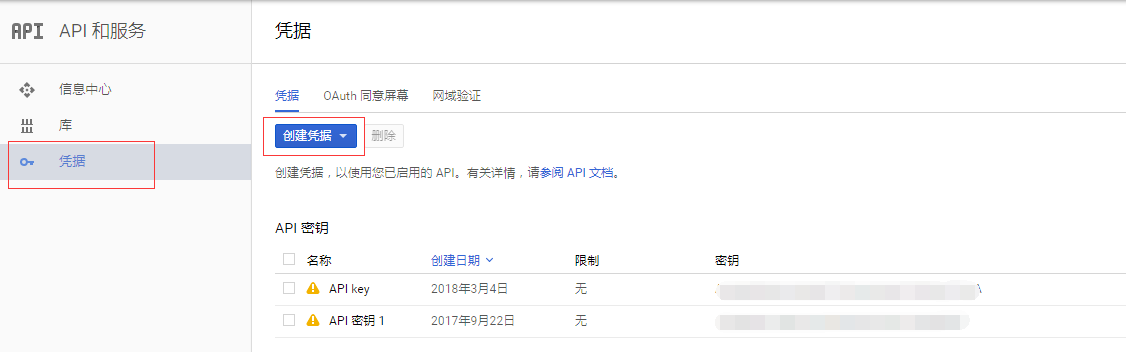
.png)
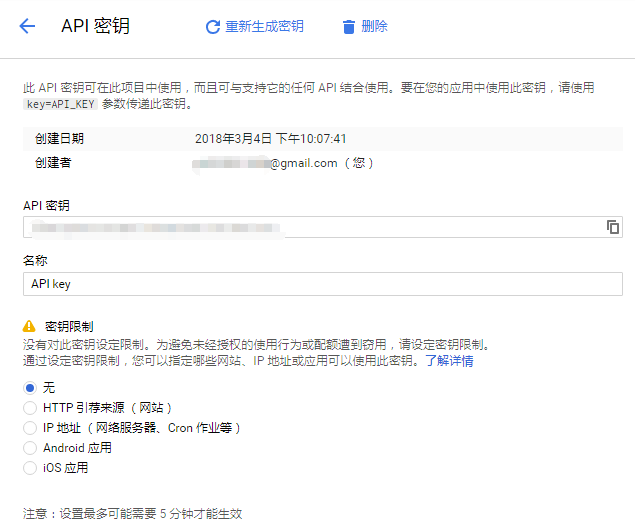
.png)
import googlemaps

from datetime import datetime

gmaps = googlemaps.Client(key='Add Your Key here')

# Geocoding an address

geocode_result = gmaps.geocode('1600 Amphitheatre Parkway, Mountain View, CA')

print(geocode_result[0]['geometry']['location'])

# Look up an address with reverse geocoding

reverse_geocode_result = gmaps.reverse_geocode((40.714224, -73.961452))

print(reverse_geocode_result[0]['address_components'][1]['long_name'])
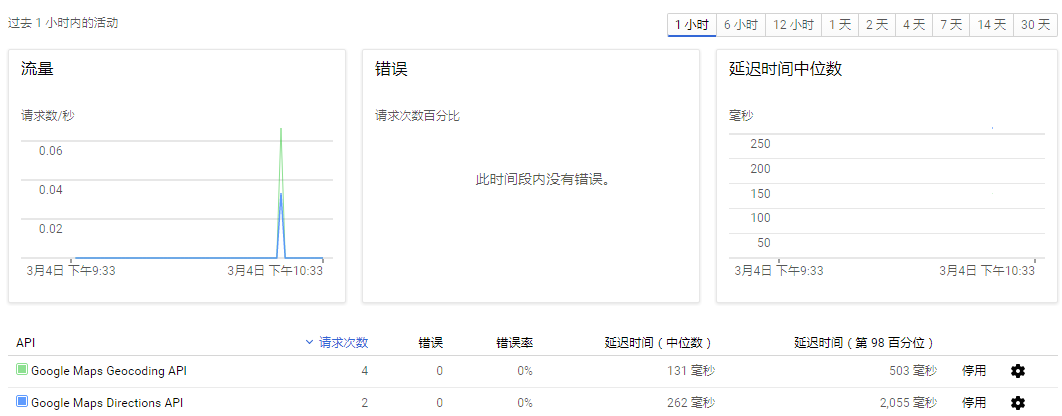
.png)
import googlemaps

from datetime import datetime

gmaps = googlemaps.Client(key='Add Your Key here')

# Request directions via public transit

now = datetime.now()

directions_result = gmaps.directions("Sydney Town Hall",

                                     "Parramatta, NSW",

                                     mode="transit",

                                     departure_time=now)

print(directions_result)
import googlemaps

from datetime import datetime

import os

import csv

import pandas as pd

import matplotlib.pyplot as plt

import math

# 将已知的多个txt文件中的内容放到一个CSV文件下

def txt2Csv(dataPath, csvname):

    fileList = os.listdir(dataPath)

    csvFile = open(dataPath + '\\' + csvname, 'w+')

    writer = csv.writer(csvFile)

    for fileName in fileList:

        with open(dataPath + '\\' + fileName) as fileObj:

            lines = fileObj.readlines()

            for line in lines:

                line = line.split(',')

                line[-1] = line[-1][0:-1]

                writer.writerow((line))

    csvFile.close()

# 根据经纬度获取两地之间的距离及花费的时间

def getDistanceDuration(key, path, csvName):

    gmaps = googlemaps.Client(key=key)

    df = pd.read_csv(path + '\\' + csvName)

    df.columns = ['id', 'time', 'longitude', 'latitude']

    durationList = []

    distanceList = []

    try:

        for i in range(1, 1000):

            now = datetime.now()

            # 调取google API的directions:

            directions_result = gmaps.directions((df.iloc[i, 3], df.iloc[i, 2]),

                                                 (df.iloc[i+1, 3], df.iloc[i+1, 2]),

                                                 mode="driving",

                                                 departure_time=now)

            # 按照返回的格式,找出distance及duration,追加到列表中并返回

            distanceList.append(directions_result[0]['legs'][0]['distance']['value'])

            durationList.append(directions_result[0]['legs'][0]['duration']['value'])

    except googlemaps.exceptions._RetriableRequest:

        pass

    return distanceList, durationList

path = 'D:\\Learnning\\python\\scrape\\taxiData\\T-drive Taxi Trajectories\\release\\taxi_log_2008_by_id'

txt2Csv(path, 'geodata.csv')

distanceList, durationList = getDistanceDuration('AIzaSyD8X6tJx6Ap5TVHlqwSso8iTwZfDWcFsOA', path, 'geodata.csv')

# 对返回数据的单位做转换, 并使用math.ceil对数据向上取整

distanceList = [math.ceil(dis/1000) for dis in distanceList]

durationList = [math.ceil(dis/60) for dis in durationList]

totalDistance = 0

totalDuration = 0

# 计算总路程,并画出每段路程的距离在总路程中的占比:

for distance in distanceList:

    totalDistance += distance

distancePropo = [distance/totalDistance for distance in distanceList]

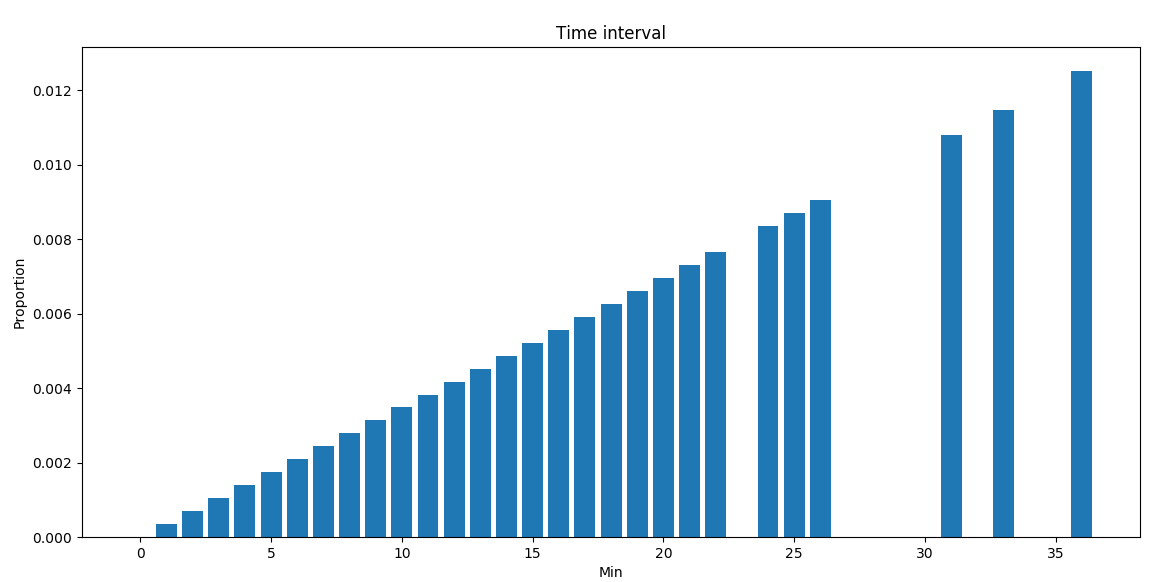
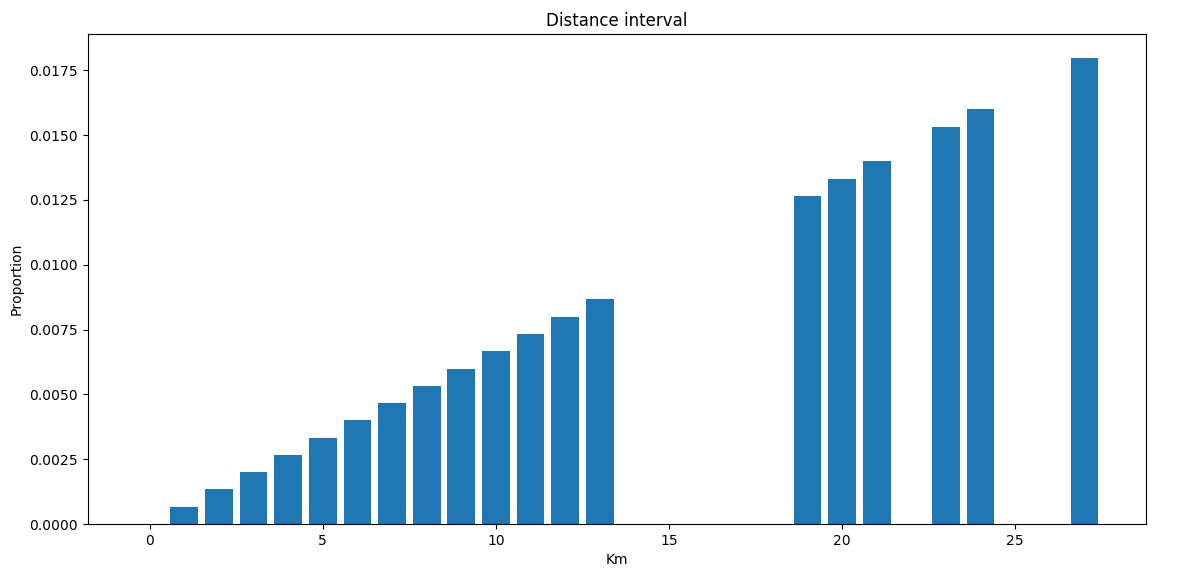
plt.bar(distanceList, distancePropo)

plt.title("Distance interval")

plt.xlabel("Km")

plt.ylabel("Proportion")

plt.show()

# 计算总时间,并画出每段路程花费的时间在总时间中的占比:

for duration in durationList:

    totalDuration += duration

durationPropo = [duration/totalDuration for duration in durationList]

plt.bar(durationList, durationPropo)

plt.title("Time interval")

plt.xlabel("Min")

plt.ylabel("Proportion")

plt.show()
.png)
按行驶距离分布:
.png) 具体的使用文档可参考:
具体的使用文档可参考:Google Maps API的使用的更多相关文章
- Google Maps API V3 之绘图库 信息窗口
Google官方教程: Google 地图 API V3 使用入门 Google 地图 API V3 针对移动设备进行开发 Google 地图 API V3 之事件 Google 地图 API V3 ...
- Google Maps API V3 之 图层
Google官方教程: Google 地图 API V3 使用入门 Google 地图 API V3 针对移动设备进行开发 Google 地图 API V3 之事件 Google 地图 API V3 ...
- Google Maps API V3 之 路线服务
Google官方教程: Google 地图 API V3 使用入门 Google 地图 API V3 针对移动设备进行开发 Google 地图 API V3 之事件 Google 地图 API V3 ...
- google maps api申请的问题
现在已经改由统一的GOOGLE API控制台进行所有GOOGLE API的管理了. 方法是使用Google帐号登入 https://code.google.com/apis/console. 然后在所 ...
- Google maps API开发(一)(转)
一.加载Google maps API <script type="text/javascript" src="http://ditu.google.com/map ...
- Google maps API开发(二)(转)
这一篇主要实现怎么调用Google maps API中的地址解析核心类GClientGeocoder: 主要功能包括地址解析.反向解析.本地搜索.周边搜索等, 我这里主要有两个实例: 实例一.当你搜索 ...
- Google Maps API Web Services
原文:Google Maps API Web Services 摘自:https://developers.google.com/maps/documentation/webservices/ Goo ...
- Google maps API开发
原文:Google maps API开发 Google maps API开发(一) 最近做一个小东西用到google map,突击了一下,收获不小,把自己学习的一些小例子记录下来吧 一.加载Googl ...
- Google Maps API Key申请办法(最新)
之前的Google Maps Api的API Key很容易申请,只需要按照一个简单的表单提交部署的网站地址即可,自动生成API Key并给出引用的路径. 但是最近在处理另外一个项目的时候发现之前的这种 ...
- 如何插入谷歌地图并获取javascript api 秘钥--Google Maps API error: MissingKeyMapError
参考:https://blog.csdn.net/klsstt/article/details/51744866 Google Maps API error: MissingKeyMapError h ...
随机推荐
- Angular4图片上传预览路径不安全问题
在Angular4中,通过input:file上传选择图片本地预览的时候,通过window.URL.createObjectURL获取的url赋值给image的src出现错误: WARNING: sa ...
- Mysql数据库建立索引的优缺点有哪些?
索引是对数据库表中一列或多列的值进行排序的一种结构,使用索引可快速访问数据库表中的特定信息. 什么是索引 数据库索引好比是一本书前面的目录,能加快数据库的查询速度. 例如这样一个查询:select * ...
- ICQ
我一直都想编一个自己的聊天软件,像QQ那种:最近有时间我就自己编了一个.编写的过程中收获很大…… 现在拿出来跟大家分享,有兴趣的朋友可以和我交流交流. 先给大家看一下效果: 启动服务器: 再给大家看一 ...
- 《android开发艺术探索》读书笔记(二)--IPC机制
接上篇<android开发艺术探索>读书笔记(一) No1: 在android中使用多进程只有一种方法,那就是给四大组件在AndroidMenifest中指定android:process ...
- nyoj135 取石子(二) Nimm博弈
思路:计算每堆石子的SG值,然后异或得到总的SG值,如果SG=0则输,否则赢. 每堆石子的SG值等于m%(n+1),可以自己推算一下. AC代码 #include <cstdio> #in ...
- hexo持续更新记录
port:50187
- Java--JDBC连接数据库(二)
本篇文章接着上篇文章,还剩下一个知识点是,可滚动的结果接集和可更新的结果集.一般默认情况之下,多结果集是不可以显式滚动,移动选择的.如果想要做到,需要指定一些参数,那么本篇就接着介绍如何操作可滚动的结 ...
- Ubuntu上搭建Hadoop环境(单机模式+伪分布模式)
首先要了解一下Hadoop的运行模式: 单机模式(standalone) 单机模式是Hadoop的默认模式.当首次解压Hadoop的源码包时,Hadoop无法了解硬件安装环境,便保守地选 ...
- Minicom串口工具安装及配置
Minicom串口工具安装及配置 1. 简述 嵌入式开发多采用串口线连接电脑进行开发及调试. 2 安装及配置串口工具(以Minicom为例) Tiny4412开发板提供的有RS232电平的DB9公头接 ...
- PaddlePaddle︱开发文档中学习情感分类(CNN、LSTM、双向LSTM)、语义角色标注
PaddlePaddle出教程啦,教程一部分写的很详细,值得学习. 一期涉及新手入门.识别数字.图像分类.词向量.情感分析.语义角色标注.机器翻译.个性化推荐. 二期会有更多的图像内容. 随便,帮国产 ...