
20155338 2016-2017-2《Java程序设计》实验四Android程序开发实验报告
2016-2017-2 20155338 《Java程序设计》实验四Android程序开发实验报告
实验过程及成果展示
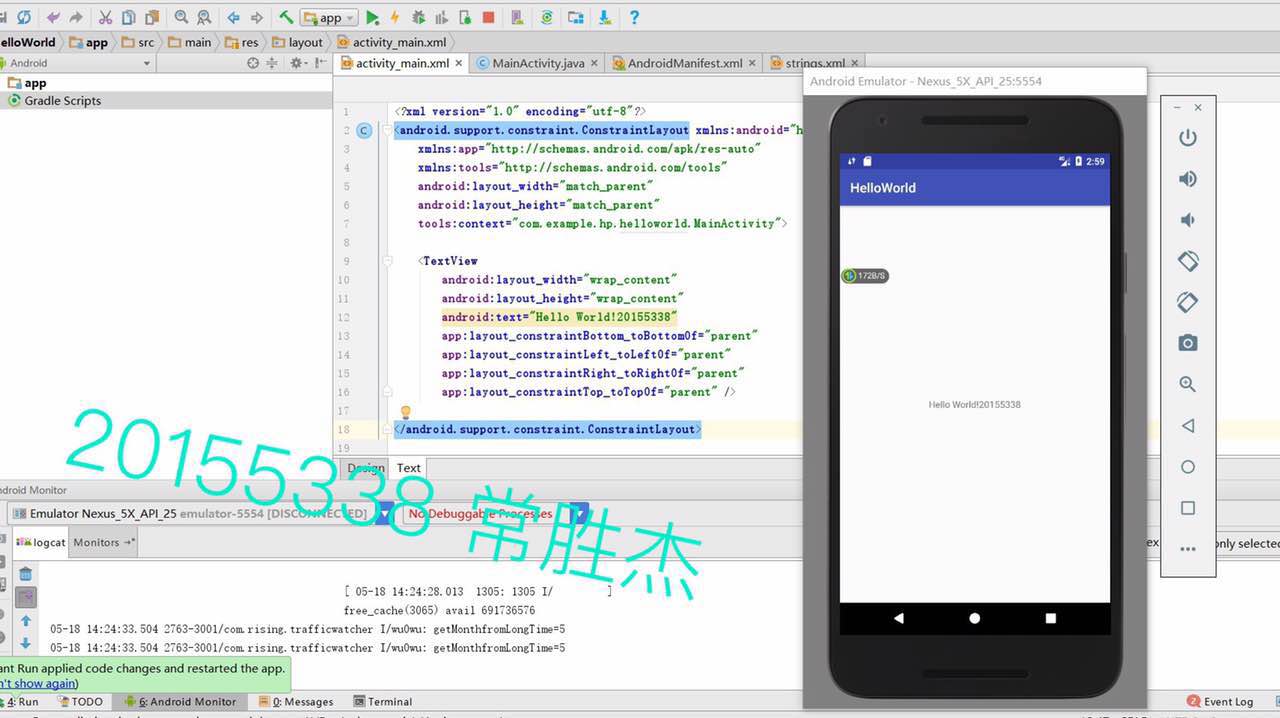
1、修改res目录下的layout文件夹中的activity_main.xml布局文件,使得在模拟机上显示出自己的学号信息。
代码如下:
<?xml version="1.0" encoding="utf-8"?>

<android.support.constraint.ConstraintLayout

    xmlns:android="http://schemas.android.com/apk/res/android"

    xmlns:tools="http://schemas.android.com/tools"

    xmlns:app="http://schemas.android.com/apk/res-auto"

    android:layout_width="match_parent"

    android:layout_height="match_parent"

    tools:context="com.example.dell1.helloworld.MainActivity">

    <TextView

        android:layout_width="wrap_content"

        android:layout_height="wrap_content"

        android:text="20155312!"

        app:layout_constraintBottom_toBottomOf="parent"

        app:layout_constraintLeft_toLeftOf="parent"

        app:layout_constraintRight_toRightOf="parent"

        app:layout_constraintTop_toTopOf="parent" />

</android.support.constraint.ConstraintLayout>
截图如下:
2、在MainActivity.java中利用Intent类,调用 startActivity方法,使其启动ThirdActivity ,搞清楚ThirdAvtivity是如何利用其它文件设定的“message”显示自己学号的。
MainActivity.java代码如下:
package com.example.dell1.activitydemo;

//import android.support.v7.app.AppCompatActivity;

import android.os.Bundle;

import android.app.Activity;

import android.content.Intent;

import android.view.Menu;

import android.view.MotionEvent;

import android.view.View;

import android.view.View.OnTouchListener;

import android.widget.TextView;

public class MainActivity extends Activity implements

    OnTouchListener {

    @Override

    protected void onCreate(Bundle savedInstanceState) {

        super.onCreate(savedInstanceState);

        setContentView(R.layout.activity_main);

        TextView tv = (TextView) findViewById(R.id.textView1);

        tv.setOnTouchListener(this);

    }

    @Override

    public boolean onCreateOptionsMenu(Menu menu) {

// Inflate the menu; this adds items to the action bar if it

// is present.

        getMenuInflater().inflate(R.menu.menu_main, menu);

        return true;

    }

    @Override

    public boolean onTouch(View arg0, MotionEvent event) {

        Intent intent = new Intent(this, ThirdActivity.class);

        intent.putExtra("message", "20155312张竞予");

        startActivity(intent);

        return true;

    }

}
截图如下:

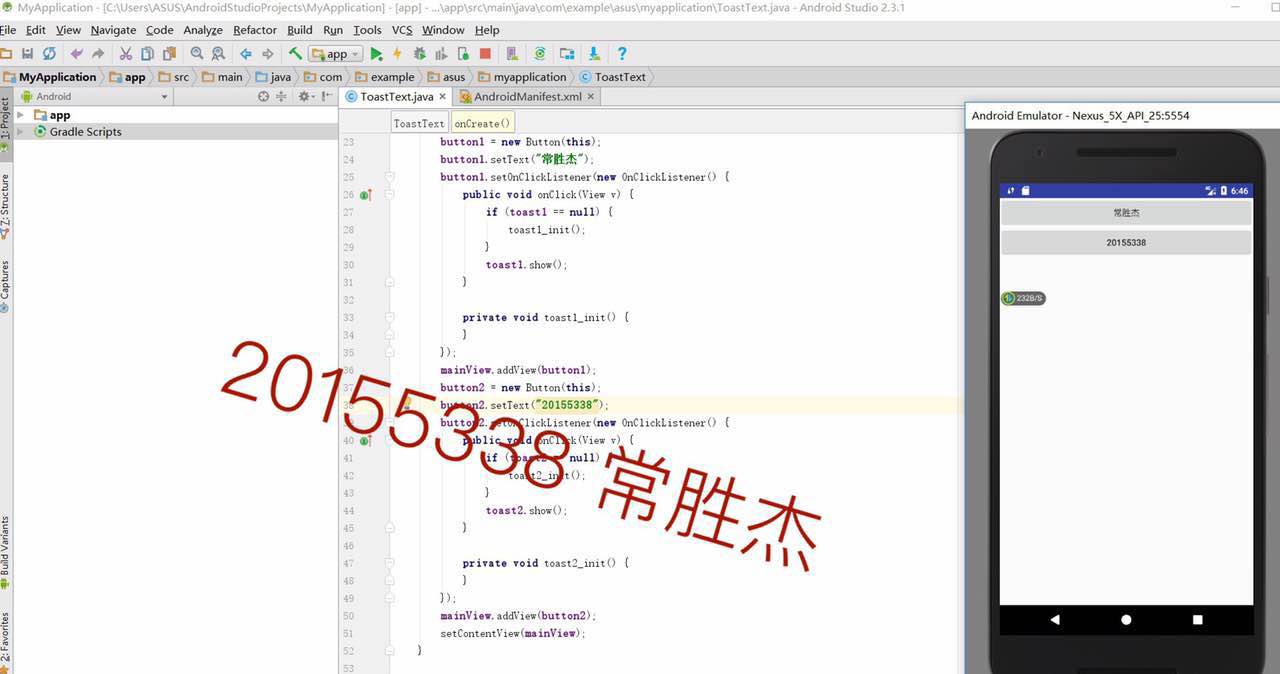
3、导入Toast包,让虚拟机显示默认位置的Toast消息。
运行截图如下:
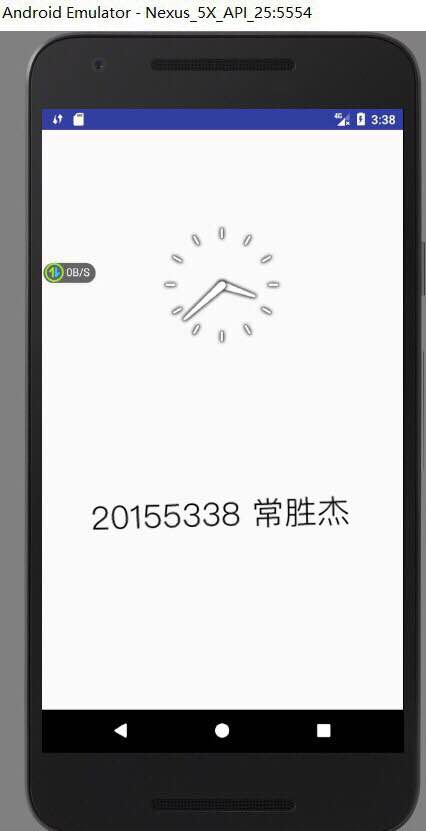
4、探索图形化界面,改变其界面方式。
运行截图如下:

5、AndroidManifest
.xml文件代码如下:
<?xml version="1.0" encoding="utf-8"?>

<manifest xmlns:android="http://schemas.android.com/apk/res/android"

    package="com.example.dell1.helloworld"

    android:versionCode="1"

    android:versionName="1.0">

    <uses-sdk

        android:minSdkVersion="8"

        android:targetSdkVersion="17" />

    <application

        android:allowBackup="true"

        android:label="@string/app_name"

        android:theme="@style/AppTheme">

        <activity

            android:name="com.example.dell1.helloworld.MainActivity"

            android:label="@string/app_name">

            <intent-filter>

                <action android:name="android.intent.action.MAIN" />

                <category android:name="android.intent.category.LAUNCHER" />

            </intent-filter>

        </activity>

    </application>

</manifest>
运行截图如下:
20155338 2016-2017-2《Java程序设计》实验四Android程序开发实验报告的更多相关文章
- # 2016-2017-2 20155319 《Java程序设计》实验四Android程序开发实验报告
2016-2017-2 20155319 <Java程序设计>实验四Android程序开发实验报告 实验一 实验内容 Android Stuidio的安装测试: 参考<Java和An ...
- 20155305 2016-2017-2 《Java程序设计》实验四 Android程序开发基础
实验四 Android开发基础 实验内容 基于Android Studio开发简单的Android应用并部署测试; 了解Android.组件.布局管理器的使用: 掌握Android中事件处理机制 实验 ...
- 20145308刘昊阳 《Java程序设计》实验四 Android环境搭建 实验报告
20145308刘昊阳 <Java程序设计>实验四 Android环境搭建 实验报告 实验名称 Android环境搭建 实验内容 搭建Android环境 运行Android 修改代码,能输 ...
- 20145213 《Java程序设计》实验四 Android开发基础
20145213 <Java程序设计>实验四 Android开发基础 说在前面的话 不同以往实验,对于这次实验具体内容我是比较茫然的.因为点我,打开实验四的链接居然能飘出一股熟悉的味道,这 ...
- 20145225《Java程序设计》 实验四 Android开发基础
20145225<Java程序设计> 实验四 Android开发基础 实验报告 实验内容 安装Android Studio 运行安卓AVD模拟器 使用安卓运行出虚拟手机并显示HelloWo ...
- 20155324 《Java程序设计》实验四 Android开发基础
20155324 <Java程序设计>实验四 Android开发基础 实验内容 1.基于Android Studio开发简单的Android应用并部署测试; 2.了解Android.组件. ...
- 20165205 2017-2018-2 《Java程序设计》实验四 Android程序设计
20165205 2017-2018-2 <Java程序设计>实验四 Android程序设计 实验内容 实验四 Android程序设计-1 Android Stuidio的安装测试: 参考 ...
- 20155205 《Java程序设计》实验四 Android程序设计
20155205 <Java程序设计>实验四 Android程序设计 一.实验内容及步骤 (一) Android Stuidio的安装测试 参考<Java和Android开发学习指南 ...
- 20155314 2016-2017-2 《Java程序设计》实验四 Android程序设计
20155314 2016-2017-2 <Java程序设计>实验四 Android程序设计 实验任务 基于Android Studio开发简单的Android应用并部署测试 了解Andr ...
随机推荐
- PDF文件如何转成markdown格式
百度上根据pdf转makrdown为关键字进行搜索,结果大多数是反过来的转换,即markdown文本转PDF格式. 但是PDF转markdown的解决方案很少. 正好我工作上有这个需求,所以自己实现了 ...
- 创建工程支持scala代码开发
第一步:idea当中创建创建普通maven工程 File ==> New ==> Project 第二步:修改pom.xml添加scala的版本以及打包插件 <dependencie ...
- python30 excel修改模块xlutils
xlrd只读,xlwt只写,xlutils模块则将读写功能结合起来.https://pypi.org/project/xlutils/ 修改excel通过xlutils的copy函数将<clas ...
- Burnside引理和Polya定理
转载自:https://blog.csdn.net/whereisherofrom/article/details/79631703 Burnside引理 笔者第一次看到Burnside引理那个公式的 ...
- python沙箱逃逸的几道题
第一道 from __future__ import print_function print("Welcome to my Python sandbox! Enter commands b ...
- 【jQuery mobile】启程跨平台开发之旅
APICloud创建跨平台应用有两种方法,一种在云端直接创建,一种是在APICloud Studio中创建. 创建一个应用 1.注册账号 2.创建HelloApp应用 3.留意应用的ID . 4.下载 ...
- ps基础练习
1. 直接把图片拖进来 2. F 键 视窗全屏快捷键 3. 此时的图片是“背景”层,不能直接编辑,双击该背景层,就变成了“图层”,就可以编辑了 4. 5. 6. 7. 魔棒工具,在需要去掉的点一下, ...
- Dubbo实践(五)扩展Spring Schema
先回顾Dubbo实践(一)中定义的dubbo-provider.xml: <?xml version="1.0" encoding="UTF-8"?> ...
- 二叉查找树(二叉排序树)(C语言)
#include<stdio.h> #include "fatal.h" struct TreeNode; typedef struct TreeNode *Posit ...
- git提交代码到码云
日常代码一般提交到github比较多,但我还是钟爱马爸爸,没错就是码云. 码云是中文版的代码托管的网站,不存在打开网速问题,使用也蛮方便的,日常自己保存托管代码已经足够,平时使用git提交代码到码云是 ...