
1.3 Quick Start中 Step 7: Use Kafka Connect to import/export data官网剖析(博主推荐)
不多说,直接上干货!
一切来源于官网
http://kafka.apache.org/documentation/
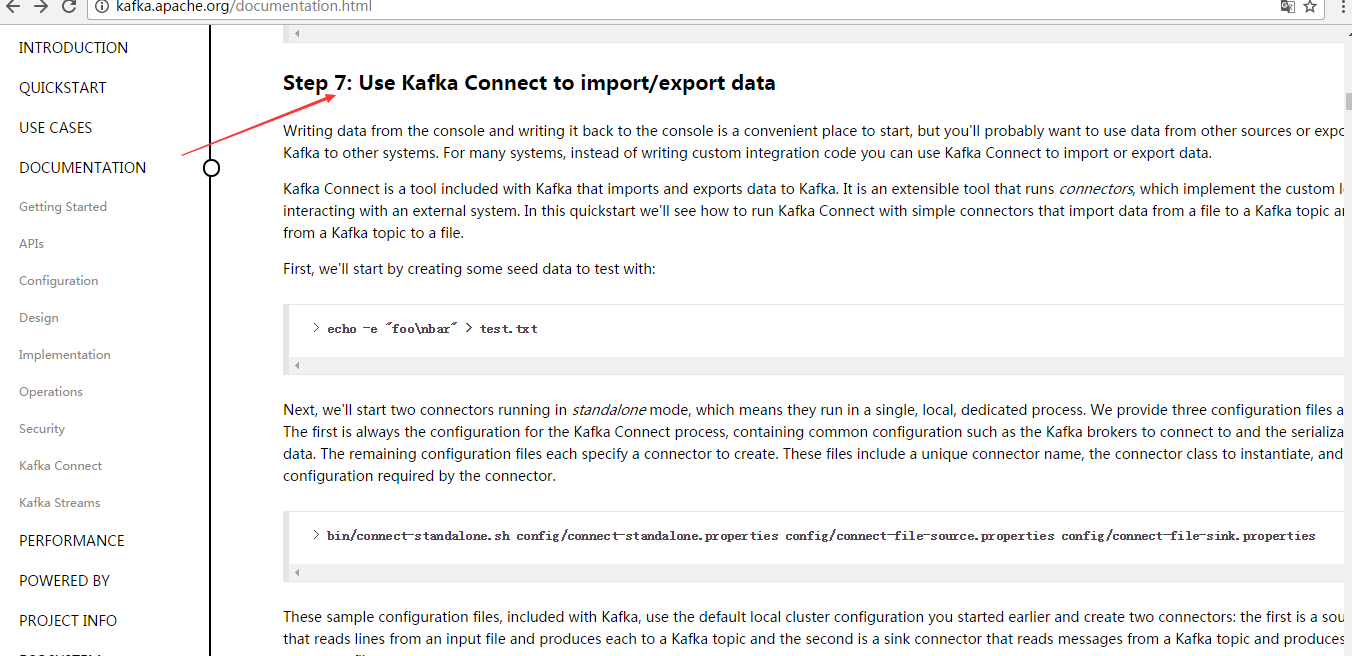
Step 7: Use Kafka Connect to import/export data
Step : 使用 Kafka Connect 来 导入/导出 数据
Writing data from the console and writing it back to the console is a convenient place to start, but you'll probably want to use data from other sources or export data from Kafka to other systems. For many systems, instead of writing custom integration code you can use Kafka Connect to import or export data.
从控制台写入和写回数据是一个方便的开始,但你可能想要从其他来源导入或导出数据到其他系统。
对于大多数系统,可以使用kafka Connect,而不需要编写自定义集成代码。
Kafka Connect is a tool included with Kafka that imports and exports data to Kafka. It is an extensible tool that runs connectors, which implement the custom logic for interacting with an external system. In this quickstart we'll see how to run Kafka Connect with simple connectors that import data from a file to a Kafka topic and export data from a Kafka topic to a file.
Kafka Connect是导入和导出数据的一个工具。它是一个可扩展的工具,运行连接器,实现与自定义的逻辑的外部系统交互。
在这个快速入门里,
我们将看到如何运行Kafka Connect用简单的连接器从文件导入数据到Kafka主题,
再从Kafka主题导出数据到文件
First, we'll start by creating some seed data to test with:
首先,我们首先创建一些种子数据用来测试:
> echo -e "foo\nbar" > test.txt
Next, we'll start two connectors running in standalone mode, which means they run in a single, local, dedicated process. We provide three configuration files as parameters. The first is always the configuration for the Kafka Connect process, containing common configuration such as the Kafka brokers to connect to and the serialization format for data. The remaining configuration files each specify a connector to create. These files include a unique connector name, the connector class to instantiate, and any other configuration required by the connector.
接下来,我们开启2个连接器运行在独立的模式,这意味着它们运行在一个单一的,本地的,专用的进程。
我们提供3个配置文件作为参数。
第一个始终是kafka Connect进程,如kafka broker连接和数据库序列化格式,
剩下的配置文件每个指定的连接器来创建,这些文件包括一个独特的连接器名称,连接器类来实例化和任何其他配置要求的。
> bin/connect-standalone.sh config/connect-standalone.properties config/connect-file-source.properties config/connect-file-sink.properties
These sample configuration files, included with Kafka, use the default local cluster configuration you started earlier and create two connectors: the first is a source connector that reads lines from an input file and produces each to a Kafka topic and the second is a sink connector that reads messages from a Kafka topic and produces each as a line in an output file.
这是示例的配置文件,使用默认的本地集群配置并创建了2个连接器:
第一个是导入连接器,从导入文件中读取并发布到Kafka主题,
第二个是导出连接器,从kafka主题读取消息输出到外部文件
During startup you'll see a number of log messages, including some indicating that the connectors are being instantiated. Once the Kafka Connect process has started, the source connector should start reading lines from test.txt and producing them to the topic connect-test, and the sink connector should start reading messages from the topic connect-test and write them to the file test.sink.txt. We can verify the data has been delivered through the entire pipeline by examining the contents of the output file:
在启动过程中,你会看到一些日志消息,包括一些连接器实例化的说明。
一旦kafka Connect进程已经开始,导入连接器应该读取从test.txt和写入到topicconnect-test,导出连接器从主题connect-test读取消息写入到文件test.sink.txt
. 我们可以通过验证输出文件的内容来验证数据数据已经全部导出:
> cat test.sink.txt

foo

bar
Note that the data is being stored in the Kafka topic connect-test, so we can also run a console consumer to see the data in the topic (or use custom consumer code to process it):
注意,导入的数据也已经在Kafka主题connect-test里,所以我们可以使用该命令查看这个主题:
> bin/kafka-console-consumer.sh --bootstrap-server localhost:9092 --topic connect-test --from-beginning

{"schema":{"type":"string","optional":false},"payload":"foo"}

{"schema":{"type":"string","optional":false},"payload":"bar"}

...
The connectors continue to process data, so we can add data to the file and see it move through the pipeline:
连接器继续处理数据,因此我们可以添加数据到文件并通过管道移动:
> echo "Another line" >> test.txt
You should see the line appear in the console consumer output and in the sink file.
你应该会看到出现在消费者控台输出一行信息并导出到文件。
1.3 Quick Start中 Step 7: Use Kafka Connect to import/export data官网剖析(博主推荐)的更多相关文章
- 1.3 Quick Start中 Step 8: Use Kafka Streams to process data官网剖析(博主推荐)
不多说,直接上干货! 一切来源于官网 http://kafka.apache.org/documentation/ Step 8: Use Kafka Streams to process data ...
- 1.3 Quick Start中 Step 6: Setting up a multi-broker cluster官网剖析(博主推荐)
不多说,直接上干货! 一切来源于官网 http://kafka.apache.org/documentation/ Step 6: Setting up a multi-broker cluster ...
- 1.3 Quick Start中 Step 4: Send some messages官网剖析(博主推荐)
不多说,直接上干货! 一切来源于官网 http://kafka.apache.org/documentation/ Step 4: Send some messages Step : 发送消息 Kaf ...
- 1.3 Quick Start中 Step 2: Start the server官网剖析(博主推荐)
不多说,直接上干货! 一切来源于官网 http://kafka.apache.org/documentation/ Step 2: Start the server Step : 启动服务 Kafka ...
- 1.3 Quick Start中 Step 5: Start a consumer官网剖析(博主推荐)
不多说,直接上干货! 一切来源于官网 http://kafka.apache.org/documentation/ Step 5: Start a consumer Step : 消费消息 Kafka ...
- 1.3 Quick Start中 Step 3: Create a topic官网剖析(博主推荐)
不多说,直接上干货! 一切来源于官网 http://kafka.apache.org/documentation/ Step 3: Create a topic Step 3: 创建一个主题(topi ...
- 1.1 Introduction中 Kafka for Stream Processing官网剖析(博主推荐)
不多说,直接上干货! 一切来源于官网 http://kafka.apache.org/documentation/ Kafka for Stream Processing kafka的流处理 It i ...
- 1.1 Introduction中 Kafka as a Storage System官网剖析(博主推荐)
不多说,直接上干货! 一切来源于官网 http://kafka.apache.org/documentation/ Kafka as a Storage System kafka作为一个存储系统 An ...
- 1.1 Introduction中 Kafka as a Messaging System官网剖析(博主推荐)
不多说,直接上干货! 一切来源于官网 http://kafka.apache.org/documentation/ Kafka as a Messaging System kafka作为一个消息系统 ...
随机推荐
- C#读写共享目录
C#读写共享目录 该试验分下面步骤: 1.在server设置一个共享目录.在这里我的serverip地址是10.80.88.180,共享目录名字是test,test里面有两个文件:good.txt和b ...
- Java 实现状态(State)模式
/** * @author stone */ public class WindowState { private String stateValue; public WindowState(Stri ...
- Protocol Buffers的基础说明和使用
我们開始须要使用protobuf的原因是,在处理OJ的contest模块的时候,碰到一个问题就是生成contestRank的时候.须要存储非常多信息. 假设我们採用model存储的话,那么一方面兴许假 ...
- Understanding IIS Bindings, Websites, Virtual Directories, and lastly Application Pools
In a recent meeting, some folks on my team needed some guidance on load testing the Web application ...
- CORS support in Spring Framework--官方
原文地址:https://spring.io/blog/2015/06/08/cors-support-in-spring-framework For security reasons, browse ...
- 最长回文子串 hihocode 1032 hdu 3068
最长回文 Time Limit: 4000/2000 MS (Java/Others) Memory Limit: 32768/32768 K (Java/Others) Total Submi ...
- Ubuntu16.04+Gnome3 锁定屏幕快捷键无效解决办法
Ubuntu16.04 桌面环境通过Ubuntu server和后安装的Gnome3 桌面环境实现,安装完以后发现锁定屏幕快捷键无效,系统设置=>键盘=>快捷中 锁屏快捷键已经存在Supe ...
- 联想 U410 超极本启用加速硬盘方法
安装步骤: 方法一: 使用raid1方法 (此方法未安装过) 方法二: 普通安装后,使用RST加速 1.改BIOS , 为AHCI启动 , 2.安装好系统后,下载RST软件并安装 3.改BIO ...
- C++入门之HelloWorld
1.在VS2017上新建一个C++空白项目,命名为hello 2.在资源文件下新建添加新建项main.cpp 3.在main.cpp中编写hello world输出代码 #include<std ...
- 【使用uWSGI和Nginx来设置Django和你的Web服务器】
目录 安装使用uWSGI 配置Nginx结合uWSGI supervisor Django静态文件与Nginx配置 @ *** 所谓WSGI . WSGI是Web服务器网关接口,它是一个规范,描述了W ...