
[原创]CI持续集成系统环境---部署Gitlab环境完整记录
Gitlab是一个代码托管平台,在实际工作中,对代码管理十分有用。
废话不多说,下面是对我自己搭建的Gitlab环境做一记录:
(1)安装
------------------------------------------------------------------------
或者直接下载bitnami-gitlab-7.1.1-0-linux-x64-installer.run
下载地址:http://pan.baidu.com/s/1i4RaCKH
提取密码:tcia
-------------------------------------------------------------------------
Gitlab的安装采用的是一键安装方式
[root@115 ~]#cd /opt
[root@115 ~]#wget https://bitnami.com/redirect/to/39039/bitnami-gitlab-8.8.4-0-linux-x64-installer.run
[root@115 ~]#chmod 755 bitnami-gitlab-8.8.4-0-linux-x64-installer.run
[root@115 ~]#./bitnami-gitlab-7.1.1-0-linux-x64-installer.run 一路回车
---------------------------------------------------------------------
Welcome to the Bitnami Gitlab Stack Setup Wizard.
---------------------------------------------------------------------
Select the components you want to install; clear the components you do
not want
to install. Click Next when you are ready to continue.
GitLab : Y (Cannot be edited)
GitLab CI [Y/n] :Y
Is the selection above correct? [Y/n]: Y
---------------------------------------------------------------------
Installation folder
Please, choose a folder to install Bitnami Gitlab Stack
Select a folder [/opt/gitlab-7.4.3-0]:
---------------------------------------------------------------------
Create Admin account
Bitnami Gitlab Stack admin user creation
Email Address [xschao@xxx.com]:
Login [xschao]:
Password :xxxxxxxxxxx
Please confirm your password :
---------------------------------------------------------------------
-------
Hostname that will be used to create internal URLs. If this value is
incorrect,
you may be unable to access your Gitlab installation from other computers.
It is
advisable to use a Domain instead of an IP address for compatibility with
different browsers.
Domain [127.0.0.1]: 这里最好写外网 ip 或者域名
Do you want to configure mail support? [y/N]: y
---------------------------------------------------------------------
Configure SMTP Settings
This is required so your application can send notifications via email.
Default email provider:
[1] GMail
[2] Custom
Please choose an option [1] : 1
---------------------------------------------------------------------
Configure SMTP Settings
This data is stored in the application configuration files and may be
visible to
others. For this reason, it is recommended that you do not use your
personal
account credentials.
GMail address []: xschao.test@gmail.com
GMail password :
Re-enter :
---------------------------------------------------------------------
Setup is now ready to begin installing Bitnami Gitlab Stack on your
computer.
Do you want to continue? [Y/n]: Y
---------------------------------------------------------------------
-------
Please wait while Setup installs Bitnami Gitlab Stack on your computer.
Installing
0% ______________ 50% ______________ 100%
(2)启动命令
[root@115 ~]#/opt/gitlab-8.8.4-0/ctlscript.sh start/restart/stop
(3)访问
http://ip:端口
在远程可以使用ssh方式连接gitlab并clone代码
需要先将远程客户端机器的公钥放到Gitlab的SSH Keys里面,做成无密码的信任关系
------------------------------------------------------------------------------------------------------------------------------------------
修改gitlab的访问端口,需要修改下面几个文件:
/opt/gitlab-8.8.4-0/apache2/conf/httpd.conf
/opt/gitlab-8.8.4-0/apache2/conf/bitnami/bitnami.conf
/opt/gitlab-8.8.4-0/apps/gitlab/gitlab-shell/config.yml
/opt/gitlab-8.8.4-0/apps/gitlab/htdocs/config/gitlab.yml
------------------------------------------------------------------------------------------------------------------------------------------
修改gitlab访问的ip或域名
/opt/gitlab-8.8.4-0/apps/gitlab/gitlab-shell/config.yml
/opt/gitlab-8.8.4-0/apps/gitlab/htdocs/config/gitlab.yml
例如我测试机上修改如下:之前是ip访问(假设ip为111.112.113.45),现在改为域名访问(假设域名为git.huanqiu.net)
[root@115 ~]# vim /opt/gitlab-8.8.4-0/apps/gitlab/gitlab-shell/config.yml
.......
gitlab_url: http://git.xqshijie.net:8081/
[root@115 ~]# vim /opt/gitlab-8.8.4-0/apps/gitlab/htdocs/config/gitlab.yml
.......
gitlab:
## Web server settings (note: host is the FQDN, do not include http://)
host: git.huanqiu.net
port: 8081 # Set to 443 if using HTTPS, see installation.md#using-https for additional HTTPS configuration details
https: false
最后重启服务
[root@115 gitlab-8.8.4-0]# pwd
/opt/gitlab-8.8.4-0
[root@115 gitlab-8.8.4-0]# ./ctlscript.sh restart
最好在/etc/hosts文件里做下映射(此步骤不是必须)
[root@115 ~]# vim /etc/hosts
111.112.113.45 git.huanqiu.net
------------------------------------------------------------------------------------------------------------------------------------------
linux客户端使用ssh方式连接gitlab
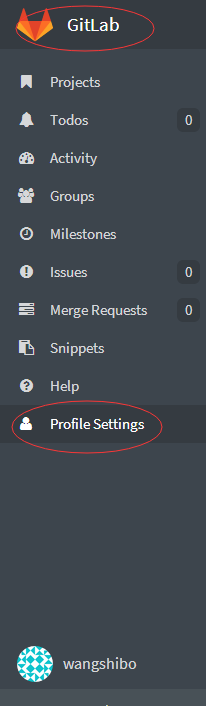
其实只需要将linux客户机的公钥内容拷贝到gitlab的“Profile Settings”->"SSH Keys"里
比如:
使用“王士博”账号登陆gitlab
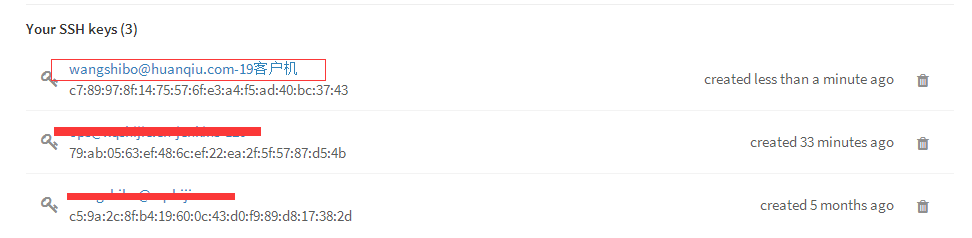
同一个gitlab账号下可以添加多个Keys,也就是可以对应多台客户机的Keys,也可以是同一台客户机的不同账号下的Keys;
注意Keys中公钥内容可以通过邮件去识别,也可以不跟邮件识别(比如在linux客户机和windows本地都产生公私钥,公钥内容中的邮件可以都用wangshibo@huanqiu.com)。特别注意一点:添加不同客户机上的相关账号公钥后,就只能在这个账号状态下进行git代码下载。比如下面添加了客户机的wangshibo账号下的公钥,就只能在这台主机的wangshibo账号下进行git代码下载,在root账号下是下载不了的,会一直提示输入密码.....
1)首先需要在linux客户机上生成公私钥
[root@test-huanqiu ~]# useradd wangshibo
[root@test-huanqiu ~]# su - wangshibo
[wangshibo@redmine ~]$ ssh-keygen -t rsa -C “wangshibo@huanqiu.com" //也可以不跟-C进行后面的邮件识别,一路回车
......
......
[wangshibo@test-huanqiu ~]$ cd .ssh/
[wangshibo@test-huanqiu .ssh]$ ls
id_rsa id_rsa.pub
[wangshibo@test-huanqiu .ssh]$ cp id_rsa.pub authorized_keys
[wangshibo@localhost .ssh]$ cat id_rsa.pub
ssh-rsa AAAAB3NzaC1yc2EAAAABIwAAAQEAmMF2BG6uDnPYukynYfvWT7jbwYlaqEOEuN2Z3CKvIX0WhiM0mRwsRYXpR2snUXrXhki6CTR3frUzgbdIe+KMN9f9LxsnEeyWWheiGdNj6nm4UgondFA0rW6N5zGXHbDz7Q/clr/jX6K7ChhLd4iH7yKsZFCwo827xIVD0D+oFTQKRaC/eXS5FVFgsEE8FlGOt9hOwBT85dwaNBaSJ2+xfc9CADGYdyVE06FAGbbM+76QAvxllvIr8RJmVamd3dME1fi8lXgn7CLQKZE/4lTfOFNTw3BGtcgD9MwQfE2pwdrLK92tHaaaZ28kYChkAdNrlDnWL6e7ady9IkPQwGaUMw== wangshibo@huanqiu.com
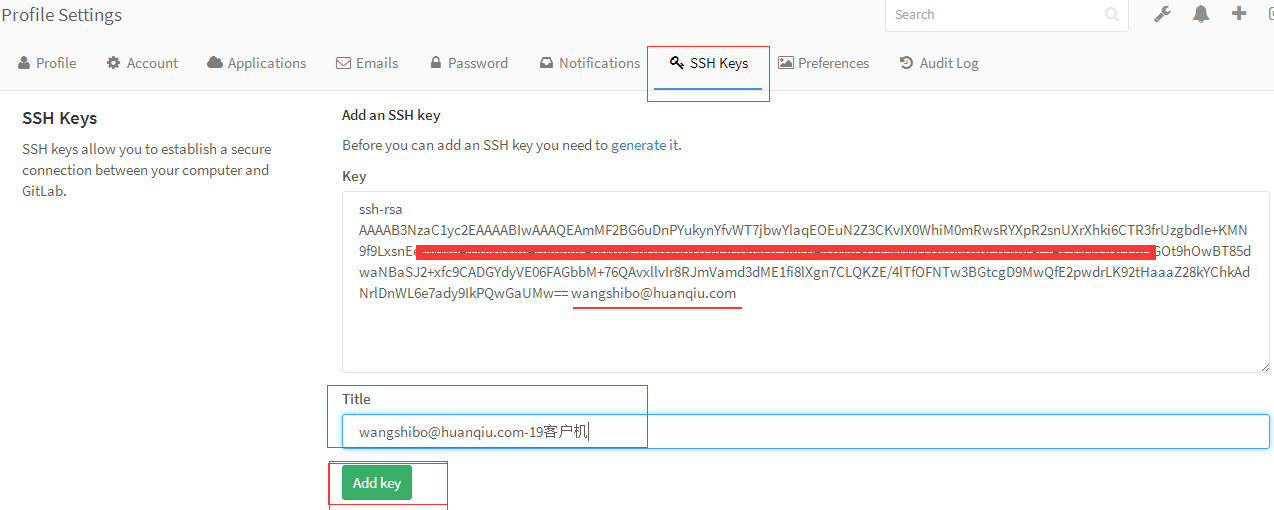
2)将上面产生的公钥内容添加到gitlab上,如下:

可以在下面的“Title”处注明公钥信息,方便管理
查看已添加的Keys
3)在客户机通过ssh连接gitlab,比如下载gitlab的test工程代码,进行操作。操作步骤如下:
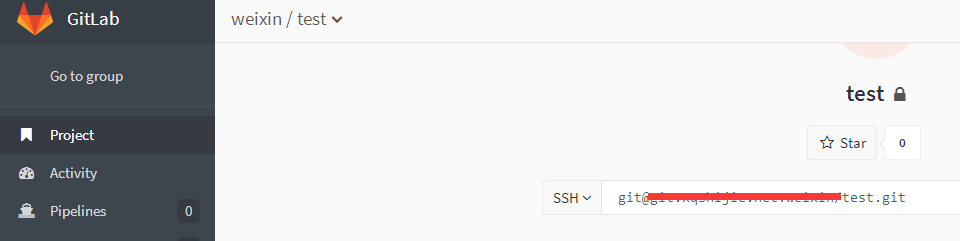
注意下面在git clone代码前进行的”Git global setup“全局设置:
第一行对应的是gitlab的用户名
第二行对应的是这个用户下的Keys的名称(如果创建公私钥时,用-C “邮箱”方式进行秘钥识别,那么这里就用邮箱;如果创建公私钥时没有用-C “邮箱”识别,那么这里对应的就只是单纯的Keys的名称了,在gitlab控制台的SSH-Keys里能查看到)

----------------------------------------------------------------------------------------------------------------------------------------------
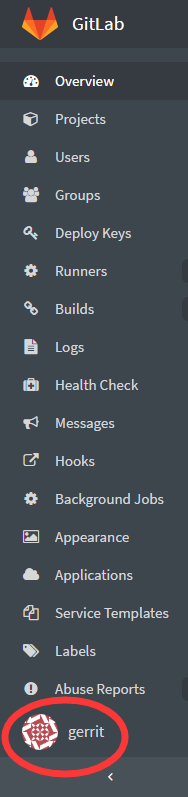
解决Gitlab的Gravatar头像无法显示的问题,如下:
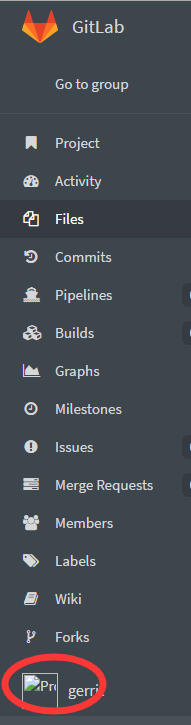
解决办法:
修改/opt/gitlab-8.8.4-0/apps/gitlab/htdocs/config/gitlab.yml文件的下面两行
.........
gravatar:
# gravatar urls: possible placeholders: %{hash} %{size} %{email}
#plain_url: "http://..." # default: http://www.gravatar.com/avatar/%{hash}?s=%{size}&d=identicon
plain_url: "http://gravatar.duoshuo.com/avatar/%{hash}?s=%{size}&d=identicon" 【添加这一行】
# ssl_url: "https://..." # default: https://secure.gravatar.com/avatar/%{hash}?s=%{size}&d=identicon
.........
gravatar:
enabled: false 【由true改为false】
重启服务
/opt/gitlab-8.8.4-0/ctlscript.sh restart
再次访问,gravatar图片就显示出来了
<<<<<<<<<<<<<<<<<<<<<<<<<<<<<<<<<<<
*************************************************************************************
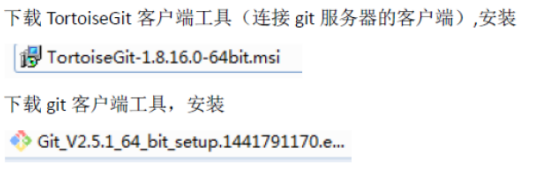
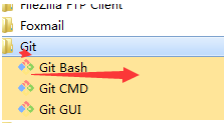
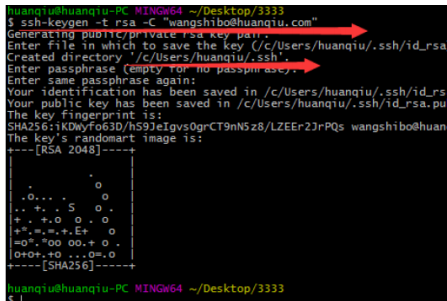
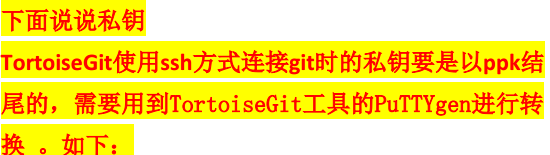
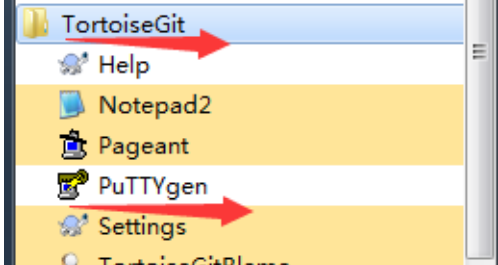
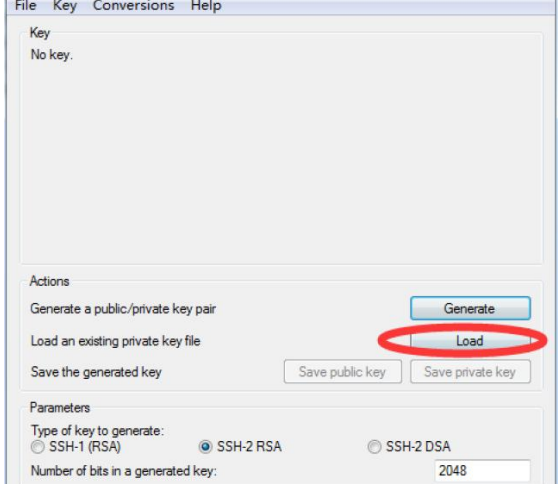
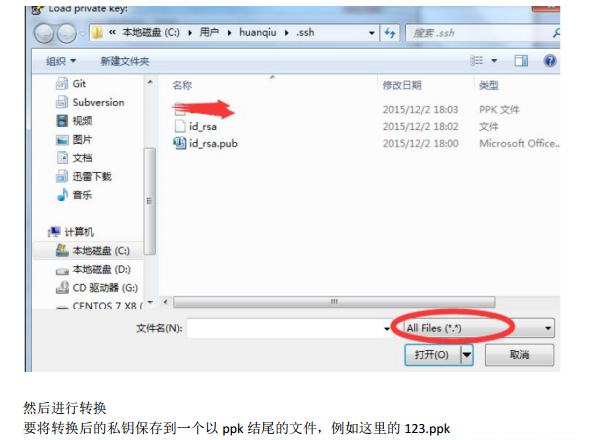
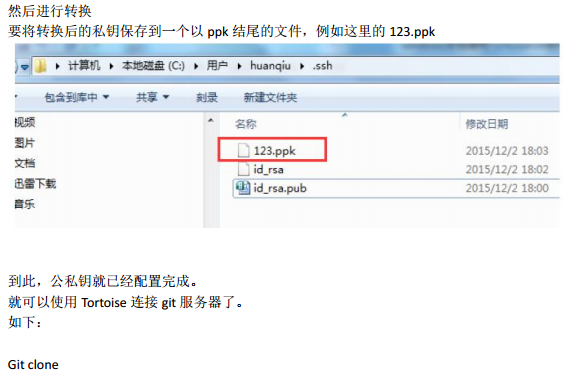
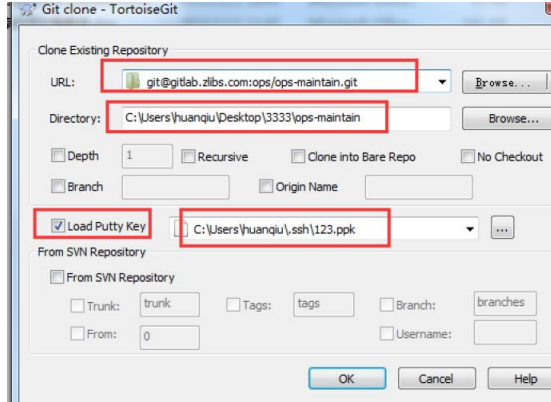
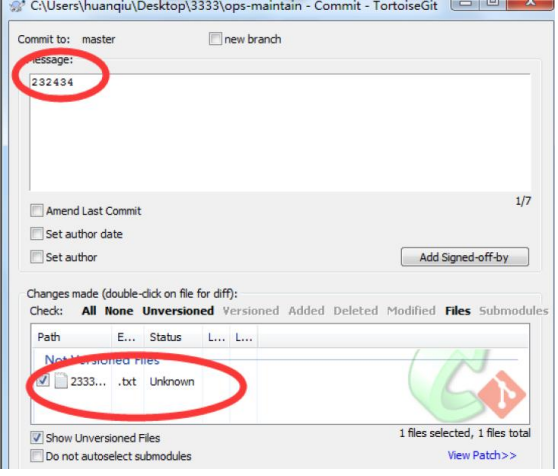
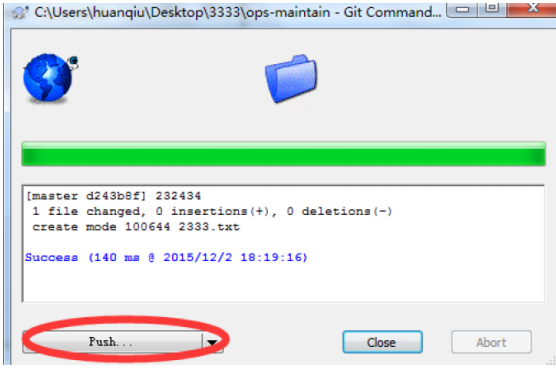
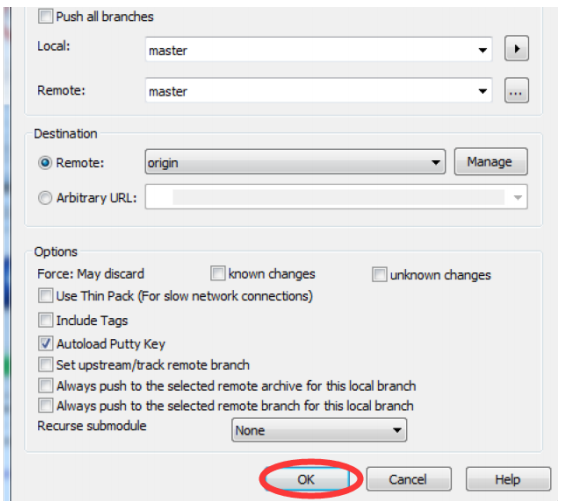
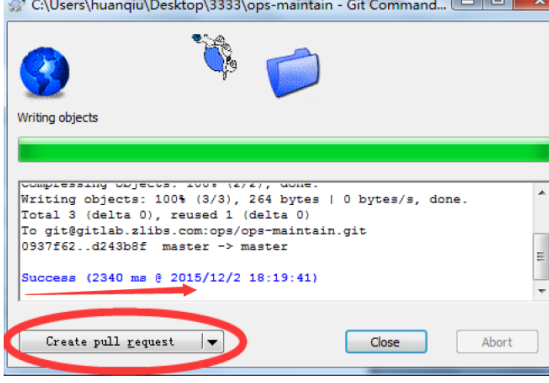
下面记录在windows客户端使用TortoiseGit的ssh方式连接gitlab的记录
下面两个客户端软件的下载地址是:
http://pan.baidu.com/s/1slqxcMp (提取密码:keks)




[原创]CI持续集成系统环境---部署Gitlab环境完整记录的更多相关文章
- [原创]CI持续集成系统环境---部署gerrit环境完整记录
开发同事提议在线上部署一套gerrit代码审核环境,不用多说,下面就是自己部署gerrit的操作记录. 提前安装好java环境,mysql环境,nginx环境 测试系统:centos6.5 下载下面三 ...
- [原创]CI持续集成系统环境---部署Jenkins完整记录
Jenkins通过脚本任务触发,实现代码的自动化分发,是CI持续化集成环境中不可缺少的一个环节. 下面对Jenkins环境的部署做一记录. ------------------------------ ...
- [原创]CI持续集成系统环境--Gitlab+Gerrit+Jenkins完整对接
近年来,由于开源项目.社区的活跃热度大增,进而引来持续集成(CI)系统的诞生,也越发的听到更多的人在说协同开发.敏捷开发.迭代开发.持续集成和单元测试这些拉风的术语.然而,大都是仅仅听到在说而已,国内 ...
- [原创]CI持续集成系统环境--Gitlab+Gerrit+Jenkins完整对接https://www.cnblogs.com/kevingrace/p/5651447.html
近年来,由于开源项目.社区的活跃热度大增,进而引来持续集成(CI)系统的诞生,也越发的听到更多的人在说协同开发.敏捷开发.迭代开发.持续集成和单元测试这些拉风的术语.然而,大都是仅仅听到在说而已, ...
- CI持续集成系统环境--Gitlab+Gerrit+Jenkins完整对接
原文地址https://www.cnblogs.com/kevingrace/p/5651447.html 近年来,由于开源项目.社区的活跃热度大增,进而引来持续集成(CI)系统的诞生,也越发的听到更 ...
- 部署gerrit环境完整记录【转】
开发同事提议在线上部署一套gerrit代码审核环境,废话不多说,部署gerrit的操作记录如下:提前安装好java环境,mysql环境,nginx环境测试系统:centos6.5下载下面三个包,放到/ ...
- CI持续集成 -- git 与 gitlab
版本控制系统概述 git Git基本概述 Git是一个免费的开源分布式版本控制系统,旨在快速高效地处理从小型到大型项目的所有内容. Git安装配置 #安装Git yum install -y git ...
- 【补充】Gitlab 部署 CI 持续集成
上一篇:<劈荆斩棘:Gitlab 部署 CI 持续集成> 上一篇所配置的.gitlab-ci.yml: stages: - build - test before_script: - ec ...
- GitLab CI持续集成配置方案
目录 1. 持续集成介绍 1.1 概念 1.2 持续集成的好处 2. GitLab持续集成(CI) 2.1 简介 2.2 GitLab简单原理图 2.3 GitLab持续集成所需环境 2.4 需要了解 ...
随机推荐
- GP的使用心得
在ArcEngine时,GP无疑是GIS开发者的神器.自ArcEngine9.2开始新增一个程序集ESRI.ArcGIS.Geoprocessor,它能调用包含扩展模块在内的所有Geoprocessi ...
- Failed to upgrade AX 2012 R3 Retail channel database from CU9 to CU11 if SQL Server version was lower than 2012
I tried to upgrade AX 2012 R3 Retail channel database from CU9 to CU11 for client. after generated n ...
- 微信支付redirect_uri参数错误
在做微信支付的时候,点击提交,出现“redirect_uri参数错误”.经过查找,需要在后台正确设置授权域名.大致步骤如下:1.首先登录微信公众号管理后台2.点击开发者中心3.找到 网页账号—> ...
- 转:Eclipse 一直不停 building workspace... 完美解决总结
原文地址: Eclipse 一直不停 building workspace... android开发论坛 juapk 完美解决总结 一.产生这个问题的原因多种 1.自动升级 2.未正确关闭 3.ma ...
- HDFS主要特性和体系结构
引言 Hadoop分布式文件系统(HDFS)被设计成适合运行在通用硬件(commodity hardware)上的分布式文件系统.它和现有的分布式文件系统有很多共同点.但同时,它和其他的分布式文件系统 ...
- iOS开发笔记8:Remote Notification远程消息推送处理
远程消息推送处理场景有三种:分别是app还没有运行.app在前台运行以及app在后台运行,下面介绍相关流程及三种场景下处理步骤 1.流程 (1)注册通知 首先是在注册远程消息推送,需要注意的是iOS8 ...
- UIActionSheet 修改字体颜色
-(void)willPresentActionSheet:(UIActionSheet *)actionSheet { SEL selector = NSSelectorFromString(@&q ...
- android 显示意图
//显示意图 public void enter(View view) { Intent intent = new Intent();//创建一个空的意图 intent.setClassName(ge ...
- Jmeter组件执行顺序与作用域
一.Jmeter重要组件: 1)配置元件---Config Element: 用于初始化默认值和变量,以便后续采样器使用.配置元件大其作用域的初始阶段处理,配置元件仅对其所在的测试树分支有效,如,在同 ...
- mysql由浅入深探究(一)----数据库简介与mysql安装
mysql简介: 首先谈到mysql,我们要知道这是一个开源的数据库,与开源对应的就是free,但这并不意味着其性能会比很差,mysql同样能支持千万级以上的大数据量,甚至更多.同时mysql还支持许 ...