
asp.net core 多端口监听&日志服务
1 配置多个端口监听
HostingAbstractionsWebHostBuilderExtensions.
public static IWebHostBuilder UseUrls(this IWebHostBuilder hostBuilder, params string[] urls);
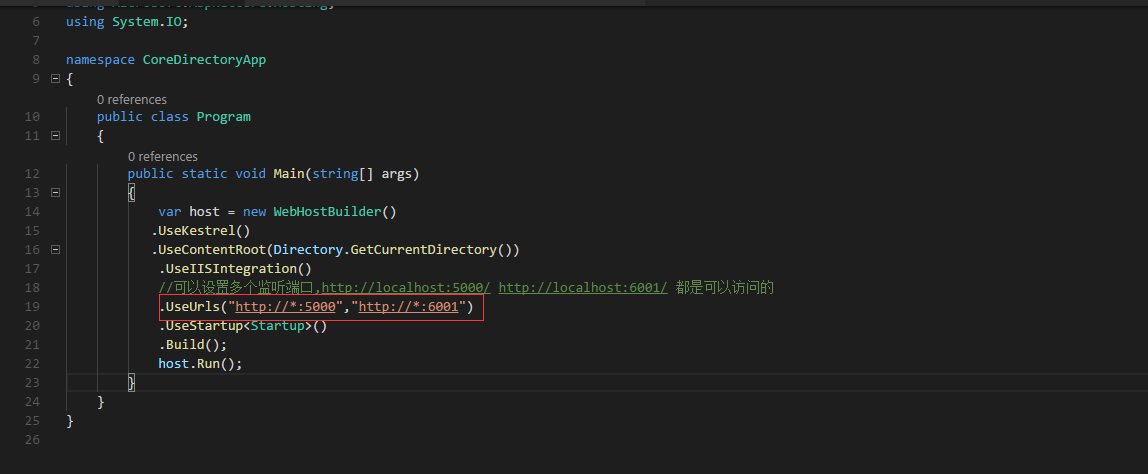
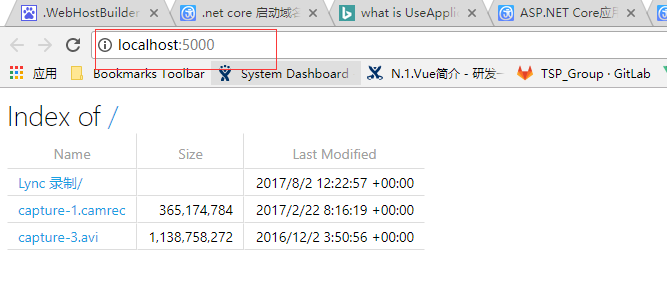
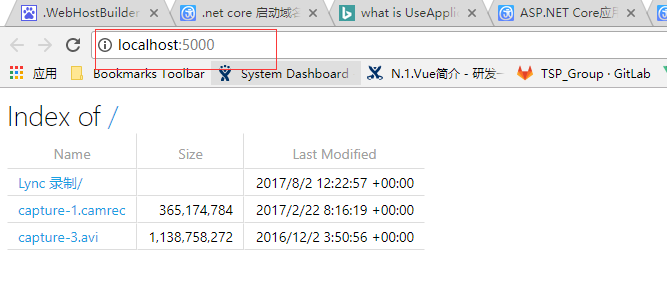
运行结果:
2 使用配置把多端口放到配置文件中
添加配置文件
hosting.json
{
"server.urls": "http://localhost:6001;http://localhost:5000"
}
读取配置

var config = new ConfigurationBuilder()

.SetBasePath(Directory.GetCurrentDirectory())

.AddJsonFile("hosting.json", optional:true)

.Build();

设置配置:

var host = new WebHostBuilder()

.UseKestrel()

.UseContentRoot(Directory.GetCurrentDirectory())

.UseIISIntegration()

//可以设置多个监听端口,http://localhost:5000/ http://localhost:6001/ 都是可以访问的

//.UseUrls("http://*:5000","http://*:6001")

//添加的多端口设置放到配置中

.UseConfiguration(config)

.UseStartup < Startup > ()

.Build();

host.Run();
3 .net Core 日志服务
Telemetry 日志服务
public void ConfigureServices(IServiceCollection services)

{

// Add framework services.

services.AddApplicationInsightsTelemetry(Configuration);

}

public void Configure(IApplicationBuilder app, IHostingEnvironment env, ILoggerFactory loggerFactory)

{

loggerFactory.AddConsole(Configuration.GetSection("Logging"));

loggerFactory.AddDebug();

app.UseApplicationInsightsRequestTelemetry();

}
只要有访问就会记录下日志
Log 日志
Application Insights Telemetry (unconfigured): {"name":"Microsoft.ApplicationInsights.Dev.Request","time":"2017-08-05T09:11:22.6148689Z","tags":{"ai.device.roleInstance":"lihongbo-pc","ai.internal.sdkVersion":"aspnet5c:1.0.0","ai.operation.name":"GET /","ai.operation.id":"oUbk/2mD5Ns=","ai.user.userAgent":"Mozilla/5.0 (Windows NT 10.0; WOW64) AppleWebKit/537.36 (KHTML, like Gecko) Chrome/60.0.3112.78 Safari/537.36"},"data":{"baseType":"RequestData","baseData":{"ver":2,"id":"oUbk/2mD5Ns=","name":"GET /","startTime":"2017-08-05T09:11:22.6148689+00:00","duration":"00:00:00.1031536","success":true,"responseCode":"200","url":"http://localhost:6001/","httpMethod":"GET","properties":{"DeveloperMode":"true"}}}}
Microsoft.AspNetCore.Hosting.Internal.WebHost:Information: Request finished in 343.1286ms 200 text/html; charset=utf-8
=
关闭 Telemetry 日志服务
自带的Log服务
Microsoft.AspNetCore.Hosting.Internal.WebHost:Information: Request starting HTTP/1.1 GET http://localhost:6001/
Microsoft.AspNetCore.Hosting.Internal.WebHost:Information: Request finished in 8.2399ms 200 text/html; charset=utf-8
Microsoft.AspNetCore.Hosting.Internal.WebHost:Information: Request starting HTTP/1.1 GET http://localhost:6001/
Microsoft.AspNetCore.Hosting.Internal.WebHost:Information: Request finished in 4.3987ms 200 text/html; charset=utf-8
// This method gets called by the runtime. Use this method to configure the HTTP request pipeline.
public void Configure(IApplicationBuilder app, IHostingEnvironment env, ILoggerFactory loggerFactory)
{
//配置ConsoleLog服务

loggerFactory.AddConsole(Configuration.GetSection("Logging"));

//设置服务输出级别

//Debug 级别会输出包括Information级别的所有日志

loggerFactory.AddDebug();

}
asp.net core 多端口监听&日志服务的更多相关文章
- ASP.NET Core中配置监听URLs的五种方式
原文: 5 ways to set the URLs for an ASP.NET Core app 作者: Andrew Lock 译者: Lamond Lu 默认情况下,ASP. NET Core ...
- ORACLE清理、截断监听日志文件(listener.log)
在ORACLE数据库中,如果不对监听日志文件(listener.log)进行截断,那么监听日志文件(listener.log)会变得越来越大,想必不少人听说过关于"LISTENER.LOG日 ...
- ZooKeeper(二):多个端口监听的建立逻辑解析
ZooKeeper 作为优秀的分布系统协调组件,值得一探究竟.它的启动类主要为: 1. 单机版的zk 使用 ZooKeeperServerMain 2. 集群版的zk 使用 QuorumPeerMai ...
- nodejs 80端口监听失败及NODE_PATH不起作用的问题
nodejs做web服务器,打开80时报错:Error: listen EACCES 0.0.0.0:80 80端口监听失败,是因为1024以下的端口需要root权限,需要sudo或su之后执行.但这 ...
- ORACLE 监听日志文件太大停止写监听日志引起数据库连接不上问题
生产库监听日志文件太大(达到4G多),发现oracle停止写监听日志,检查参数log_file,log_directory,log_status 均正常,数据库运行也正常. 经确认确实为监听日志过大引 ...
- ORACLE的监听日志太大,客户端无法连接
数据库sqlplus能连接,plsql连接失败,也不报错,就定位到了是不是监听出了什么问题,删除监听,重建监听,重启监听,各种尝试都没解决问题. 却是监听日志太大导致的问题,一下是处理步骤: 查看监听 ...
- oracle 登录数据库时报 无监听 的一种解决方式(监听日志文件达到4g默认上限)
问题:登录服务器时 报无监听服务 检查步骤: 1.进入sqlplus查看数据库的状态,显示当前数据库的状态为OPEN 脚本:select status from v$Instance; 2.检查数据库 ...
- asp.Net Core免费开源分布式异常日志收集框架Exceptionless安装配置以及简单使用图文教程
最近在学习张善友老师的NanoFabric 框架的时了解到Exceptionless : https://exceptionless.com/ !因此学习了一下这个开源框架!下面对Exceptionl ...
- asp.net core自定义端口
asp.net Core 自定义端口 官方文档 aspnet内库源码: https://github.com/aspnet dotnet系统内库源码:https://github.com/dotnet ...
随机推荐
- C#:将.csv格式文件转换成.xlsx格式文件
using System; using System.Collections.Generic; using System.ComponentModel; using System.Data; usin ...
- SQL_Server 常用语句以及语法整理
下列语句部分是Mssql语句,不可以在access中使用. SQL分类: DDL—数据定义语言(CREATE,ALTER,DROP,DECLARE) DML—数据操纵语言(SELECT,DELETE, ...
- Python环境以及编辑器
1.Python环境搭建 http://blog.csdn.net/qq_29663071/article/details/70158204 备注:a.个人感觉 安装路径为自己选择的 位置和特性 b. ...
- 小白的Python之路 PEP8 代码风格
转载自http://www.douban.com/note/134971609/ Python 的代码风格由 PEP 8 描述.这个文档描述了 Python 编程风格的方方面面.在遵守这个文档的条件下 ...
- 【python】函数闭包
列表时可以改
- xamarin android打开拍照
xamarin android打开摄像头 Intent intentBrowser = new Intent("android.media.action.IMAGE_CAPTURE" ...
- vue入坑总结
1.Do not mount Vue to <html> or <body> - mount to normal elements instead. Vue2.x之后不推荐挂载 ...
- Python函数篇(7)-正则表达式
1.正则表达式 正则表达式为高级的文本模式匹配,抽取,与/或文本形式的搜索和替换功能提供了基础,简单的来说,正则表达式是由一些字符和特殊符号组成的字符串.Python通过标准库中的re模块来支持正 ...
- java环境配置教程jde,jre
控制面板--所有控制面板项--系统--高级系统设置--环境变量 JAVA_HOME = D:\java\jdk CLASSPATH = .;%JAVA_HOME%\lib;%JAVA_HOME%\li ...
- F和弦大横按
用食指手掌关节顶住. 靠近品柱往上压 右手压住琴尾,这样就很轻松试下C跟F不停转换就快找到感觉 等熟练了,食指自然不会按太上 练得差不多了,手指向琴头倾压,有两个好处 1.手指后面的肉不会碰到弦 2. ...