
Windows10内嵌Ubuntu子系统初始化设置
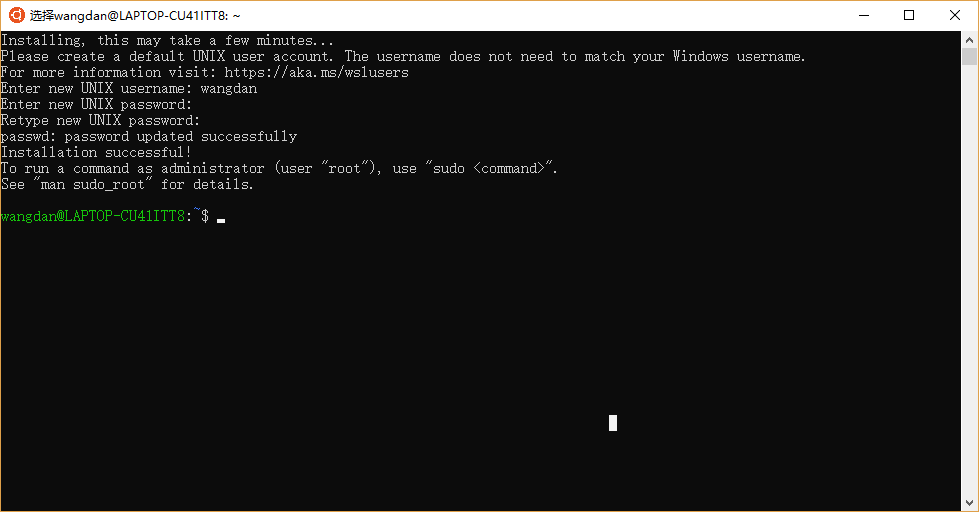
第一次启动
重启ubuntu
Since Windows 10 version 1803, closing all WSL terminal windows won't kill background processes by default, unless the file /var/run/reboot-required is present. This file will be automatically created by apt on Ubuntu when an update requires a reboot, but if you want to manually reboot the subsystem, you can create the file yourself:
sudo touch /var/run/reboot-required
然后关闭ubuntu的shell框就相当于关机。
I haven't tested this on other distributions available in the Microsoft Store. An alternative solution is to kill all processes yourself:
sudo killall -r '.*'
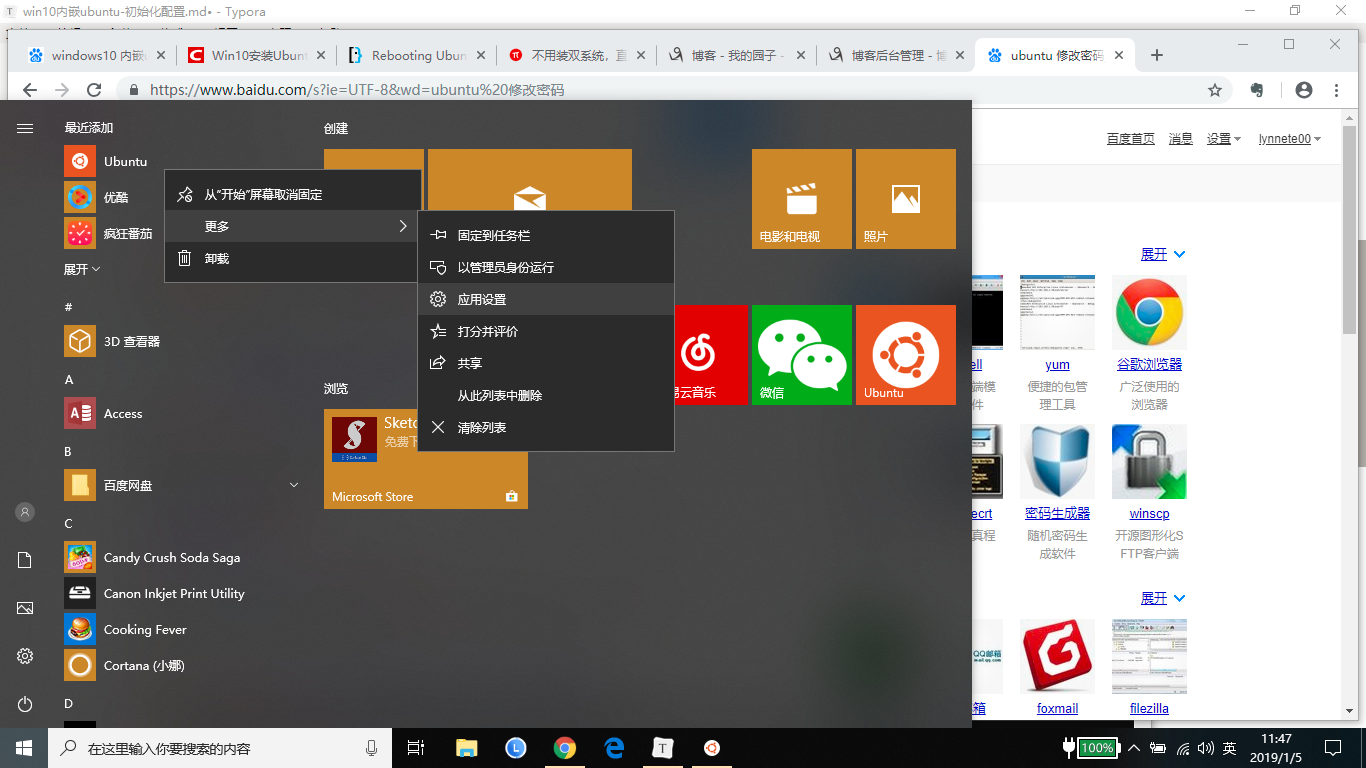
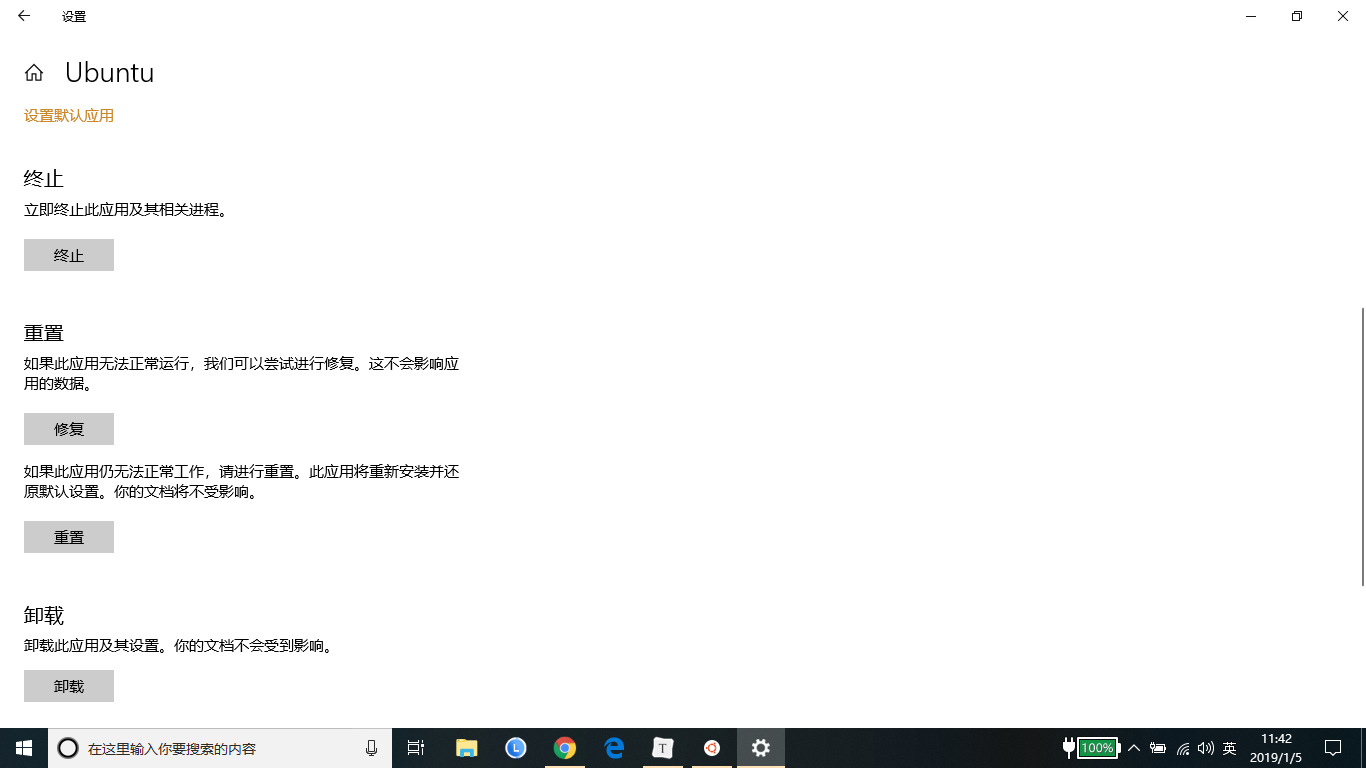
重置ubuntu,相当于重新安装
配置ubuntu镜像源
阿里源地址为:https://opsx.alibaba.com/mirror?lang=zh-CN,找到ubuntu镜像的帮助,根据提示修改/etc/apt/sources.list,然后执行sudo apt-get update。
deb http://mirrors.aliyun.com/ubuntu/ bionic main restricted universe multiverse

deb-src http://mirrors.aliyun.com/ubuntu/ bionic main restricted universe multiverse

deb http://mirrors.aliyun.com/ubuntu/ bionic-security main restricted universe multiverse

deb-src http://mirrors.aliyun.com/ubuntu/ bionic-security main restricted universe multiverse

deb http://mirrors.aliyun.com/ubuntu/ bionic-updates main restricted universe multiverse

deb-src http://mirrors.aliyun.com/ubuntu/ bionic-updates main restricted universe multiverse

deb http://mirrors.aliyun.com/ubuntu/ bionic-proposed main restricted universe multiverse

deb-src http://mirrors.aliyun.com/ubuntu/ bionic-proposed main restricted universe multiverse

deb http://mirrors.aliyun.com/ubuntu/ bionic-backports main restricted universe multiverse

deb-src http://mirrors.aliyun.com/ubuntu/ bionic-backports main restricted universe multiverse
图形化界面
更新
sudo apt-get update
开始安装图形化界面
sudo apt-get install xorg

sudo apt-get install xfce4

sudo apt-get install xrdp
配置远程端口为3390
sudo sed -i 's/port=3389/port=3390/g' /etc/xrdp/xrdp.ini
向xsession中写入xfce4-session
sudo echo xfce4-session >~/.xsession
重启xrdp服务
sudo service xrdp restart
如果有防火墙,允许就好了。
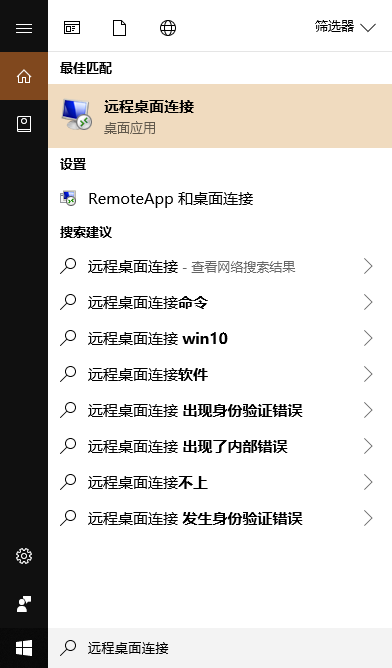
在Cortana中搜索远程桌面连接,点击进入,输入本机IP:端口,以及子系统用户名(在步骤2中,终端窗口@符号之前)
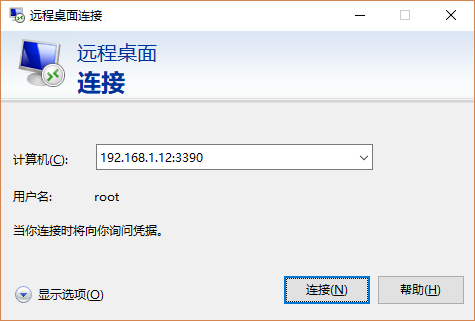
- 登陆成功,显示Ubuntu的图形界面。
踩过的坑:我的win10和ubuntu的用户名相同,都是我的姓名全拼。使用远程桌面登陆时,连接成功后闪退,后来改用root登陆就可以了。
安装docker
ubuntu版本为16.04
- 使用阿里云的镜像
- 使用阿里云的docker镜像
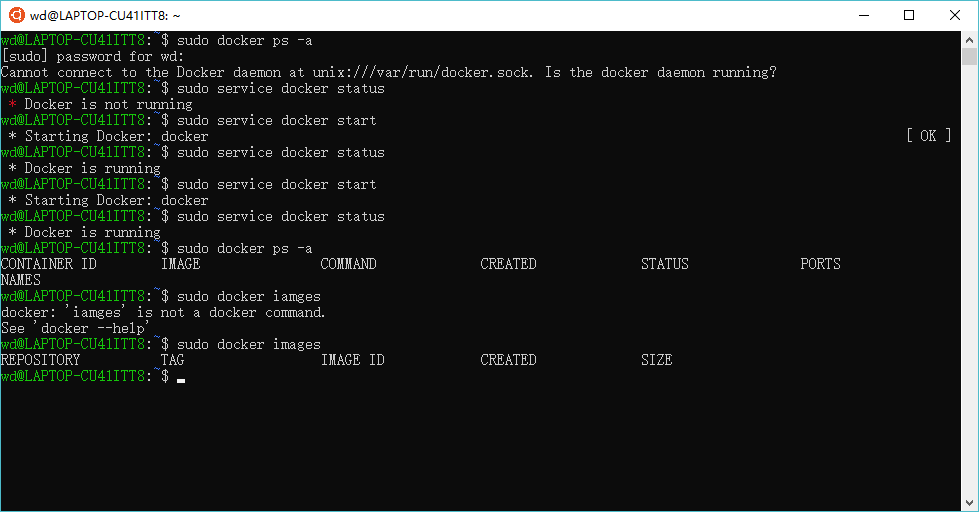
- 安装后,使用sudo service docker start启动docker服务失败了,重启之后有start了两次就可以了。
   # step 1: 安装必要的一些系统工具

   sudo apt-get update

   sudo apt-get -y install apt-transport-https ca-certificates curl software-properties-common

   # step 2: 安装GPG证书

   curl -fsSL http://mirrors.aliyun.com/docker-ce/linux/ubuntu/gpg | sudo apt-key add -

   # Step 3: 写入软件源信息

   sudo add-apt-repository "deb [arch=amd64] http://mirrors.aliyun.com/docker-ce/linux/ubuntu $(lsb_release -cs) stable"

   # Step 4: 更新并安装 Docker-CE

   sudo apt-get -y update

   sudo apt-get -y install docker-ce

   # 安装指定版本的Docker-CE:

   # Step 1: 查找Docker-CE的版本:

   # apt-cache madison docker-ce

   #   docker-ce | 17.03.1~ce-0~ubuntu-xenial | http://mirrors.aliyun.com/docker-ce/linux/ubuntu xenial/stable amd64 Packages

   #   docker-ce | 17.03.0~ce-0~ubuntu-xenial | http://mirrors.aliyun.com/docker-ce/linux/ubuntu xenial/stable amd64 Packages

   # Step 2: 安装指定版本的Docker-CE: (VERSION 例如上面的 17.03.1~ce-0~ubuntu-xenial)

   # sudo apt-get -y install docker-ce=[VERSION]
磁盘映射
在ubuntu内部,可以进入/mnt/c等目录,操作windows10的多个磁盘。
Windows10内嵌Ubuntu子系统初始化设置的更多相关文章
- Windows10内嵌Ubuntu子系统配置python开发环境
Windows10内嵌Ubuntu子系统配置python开发环境 安装pycharm. 到intellij idea网站下载Linux环境下载免费的pycharm,通过ubuntu子系统内部的/mnt ...
- Windows10内置ubuntu子系统安装后中文环境设置
原文:Windows10内置ubuntu子系统安装后中文环境设置 第一开启相关设置,使用小娜(Win键+c)直接查找关键字打开更快. ①设置→查找"针对开发人员"→开发人员模式 ...
- [转]Windows10内置Linux子系统初体验
Windows10内置Linux子系统初体验 https://www.jianshu.com/p/bc38ed12da1d
- spring-boot内嵌三大容器https设置
spring-boot内嵌三大容器https设置 spring-boot默认的内嵌容器为tomcat,除了tomcat之前还可以设置jetty和undertow. 1.设置https spring-b ...
- Windows10内置Linux子系统
WSL 前言 前段时间,机子上的win10又偷偷摸摸升级到了一周年正式版,比较无奈.不过之前听闻这个版本已经支持内置的linux子系统,于是就怀着好奇心试玩了一把.虽然期间遇到了很多问题,但总体来 ...
- Windows10内置Linux子系统初体验
http://www.jianshu.com/p/bc38ed12da1dhttp://www.jianshu.com/p/bc38ed12da1d WSL 前言 前段时间,机子上的win10又偷偷摸 ...
- windows10开启内置ubuntu系统,使用xshell连接
windows安装配置ubuntu系统内置子系统 官方文档:https://docs.microsoft.com/zh-cn/windows/wsl/about https://www.jianshu ...
- 系统 (一) Windows10安装Ubuntu子系统
前言 本文将基于 Windows10专业版 安装 Ubuntu子系统 1.控制面板 -> 程序 -> 选择启用或关闭Windows功能 -> 勾上 适用Linux的Windwos子系 ...
- Windows10 下运行Linux子系统
关于Windows10 下运行Linux子系统: Windows10内置Linux子系统初体验:http://www.jianshu.com/p/bc38ed12da1d Win10运行Ubuntu版 ...
随机推荐
- C# 使用转换语义版本号
本文告诉大家如何转换语义版本号,那么什么是语义版本号,语义版本号(semantic version)就是版本号带 alpha 等的版本号 在以前的版本号都是这样 1.2.1 的格式,这个格式可以使用微 ...
- tensorflow在文本处理中的使用——skip-gram & CBOW原理总结
摘自:http://www.cnblogs.com/pinard/p/7160330.html 先看下列三篇,再理解此篇会更容易些(个人意见) skip-gram,CBOW,Word2Vec 词向量基 ...
- H3C创建本地用户
[H3C]Local-user wang //创建本地用户--对应上面scheme的 [H3C-luser-wang]Password cipher 456 ...
- dotnet core 发布只带必要的依赖文件
在使用 dotnet core 发布独立项目的时候,会带上大量依赖的库,但是通过微软提供的工具可以去掉一些在代码没有用到的库. 本文介绍的工具是 Microsoft.Packaging.Tools.T ...
- Realm 配置
快速入门 本文档介绍了如何借助一个“数据库”来配置 Tomcat ,从而实现容器管理安全性.所要连接的这种数据库含有用户名.密码以及用户角色.你只需知道的是,如果使用的 Web 应用含有一个或多个 & ...
- 微信小程序获取多个input和textarea的值(es6加微信小程序APi)
wxml js 俩行即可解决,money1,money2,money3
- 图解Go里面的互斥锁mutex了解编程语言核心实现源码
1. 锁的基础概念 1.1 CAS与轮询 1.1.1 cas实现锁 在锁的实现中现在越来越多的采用CAS来进行,通过利用处理器的CAS指令来实现对给定变量的值交换来进行锁的获取 1.1.2 轮询锁 在 ...
- vue(axios)封装,content-type由application/json转换为application/x-www-form-urlencoded
现在主流的http请求头的content-type有三种(不讨论xml): application/x-www-form-urlencoded 最常见的提交数据方式,与原生form表单数据一致,在c ...
- 013 CephFS文件系统
一.Ceph文件系统简介 CephFS提供兼容POSIX的文件系统,将其数据和与那数据作为对象那个存储在Ceph中 CephFS依靠MDS节点来协调RADOS集群的访问 元数据服务器 MDS管理元数据 ...
- 分析CPU使用率不断增加的原因
工程中发现引起的问题: 结合别的朋友的意见,我的优化思路是: 1.排查是否内存泄漏 经过反复查询代码,未发现有内存泄漏(可以自己百度搜索C#内存泄漏的原因).可以通过任务管理器分析是否有内存泄漏,打开 ...