
SQLite支持的并发访问数
SQLite objects created in a thread can only be used in that same thread.The object was created in thread id 62332 and this is thread id 53032
sqlite支持的并发访问数??
import xlrd
import time
import sys
import os
import requests
import sqlite3
import threading curPath = os.path.abspath(os.path.dirname(__file__))
rootPath = os.path.split(curPath)[0]
sys.path.append(rootPath) MAX_USED_TIMES, overrun_str, DB_KEY_EXHAUST = 1980, '天配额超限,限制访问', 'DB_KEY_EXHAUST' db = 'py_bdspider_status.db' def db_init_key_table():
conn = sqlite3.connect(db)
c = conn.cursor()
sql = 'DELETE FROM baidu_map_key_used'
c.execute(sql)
conn.commit()
pcity_file = '%s\\%s' % (curPath, 'bdmap_key.txt')
with open(pcity_file, 'r', encoding='utf-8') as pf:
c_ = 0
for i in pf:
if len(i) < 4:
continue
author, key = i.replace('\n', '').split('\t')
localtime_ = time.strftime("%y%m%d%H%M%S", time.localtime())
sql = 'INSERT INTO baidu_map_key_used (author,key,update_time,today_used) VALUES ("%s","%s","%s",%s) ' % (
author, key, localtime_, 0)
c.execute(sql)
conn.commit()
conn.close() # db_init_key_table() def db_get_one_effective():
conn = sqlite3.connect(db)
c = conn.cursor()
sql = 'SELECT key FROM baidu_map_key_used WHERE today_used<=%s ' % (MAX_USED_TIMES)
res = c.execute(sql).fetchone()
if res is None:
return DB_KEY_EXHAUST
else:
return res[0]
conn.close def db_update_one_today_used(key):
conn = sqlite3.connect(db)
c = conn.cursor()
localtime_ = time.strftime("%y%m%d%H%M%S", time.localtime())
sql = 'UPDATE baidu_map_key_used SET today_used = today_used+1 ,update_time=%s WHERE key="%s" ' % (
localtime_, key)
c.execute(sql)
conn.commit()
conn.close() dir_, dir_exception = 'baidu_map_uid', 'baidu_map_uid_exception'
requested_file_list = []
requested_file_dir_str, requested_file_dir_exception_str = '%s\\%s\\' % (curPath, dir_), '%s\\%s\\' % (
curPath, dir_exception)
requested_file_dir = os.listdir(requested_file_dir_str) def chk_if_requested_file():
for f in requested_file_dir:
to_in = f.split('.txt')[0]
if to_in not in requested_file_list:
requested_file_list.append(to_in) def write_requested_res(request_name, str_, type_='.txt'):
fname = '%s%s%s' % (requested_file_dir_str, request_name, type_)
with open(fname, 'w', encoding='utf-8') as ft:
ft.write(str_)
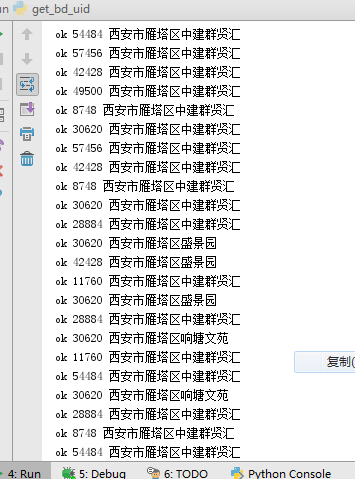
print('ok', threading.get_ident(), request_name) def write_requested_exception_res(request_name, str_, type_='.txt'):
fname = '%s%s%s' % (requested_file_dir_exception_str, request_name, type_)
with open(fname, 'w', encoding='utf-8') as ft:
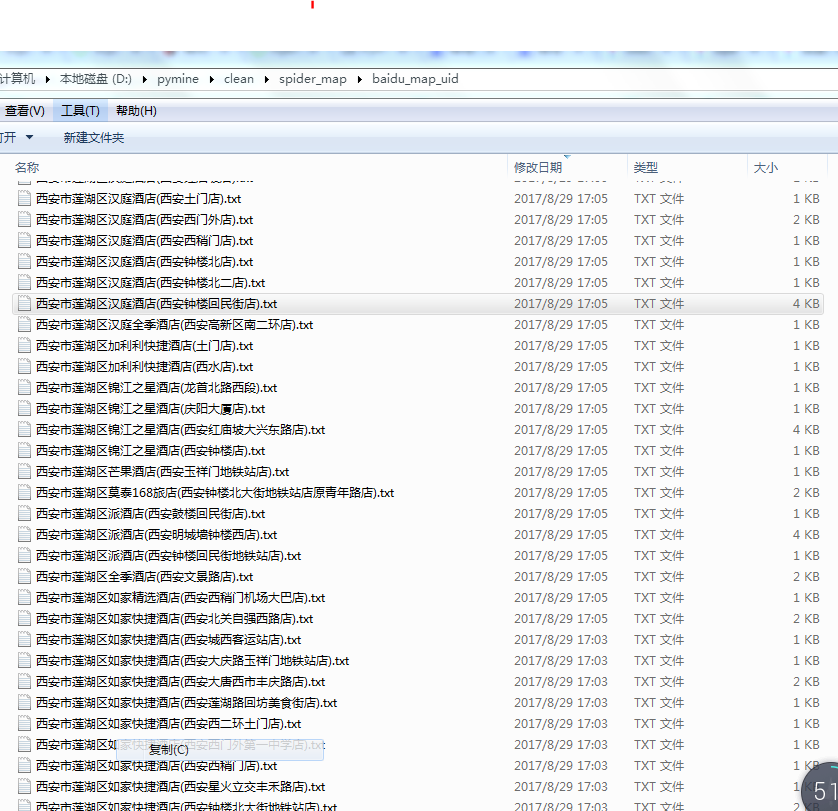
ft.write(str_) fname_source = '官方上传任务.csv_py170829093808-BD_request_name-REDUCTION170829142821' def fun_():
fname_open = '%s\\%s' % (curPath, fname_source)
FEXCEL = '%s%s' % (fname_open, '.xlsx')
data = xlrd.open_workbook(FEXCEL)
table = data.sheets()[0]
nrows, ncols = table.nrows, table.ncols
# http://api.map.baidu.com/place/v2/suggestion?query=瀛嘉天下®ion=重庆市&city_limit=true&output=json&ak=oy2Q7IluhhwTGlz6l8pXYv6a0m6hXxr1
base_url = 'http://api.map.baidu.com/place/v2/suggestion?query=R-QUERY®ion=R-CITY&city_limit=true&output=json&ak=R-AK'
for i in range(1, nrows):
l = table.row_values(i)
dbid, area_code, name_, request_name, type_, city, district, addr, street = l
request_name_chk = '%s%s%s' % (city, district, request_name)
chk_if_requested_file()
if request_name_chk in requested_file_list:
continue
ak = db_get_one_effective()
if ak == DB_KEY_EXHAUST:
print(DB_KEY_EXHAUST)
break
else:
url_ = base_url.replace('R-QUERY', request_name).replace('R-CITY', city).replace('R-AK', ak)
try:
bd_res_json_str = requests.get(url_).text
db_update_one_today_used(ak)
write_requested_res(request_name_chk, bd_res_json_str)
except Exception:
bd_res_json_str = '请求百度-异常'
write_requested_exception_res(request_name_chk, bd_res_json_str)
print(bd_res_json_str) class MyThread(threading.Thread):
def __init__(self, func):
threading.Thread.__init__(self)
self.func = func def run(self):
self.func() thread_sum = 16 def main():
threads_list = []
for nloop in range(0, thread_sum, 1):
thread_instance = MyThread(fun_)
threads_list.append(thread_instance)
for t in threads_list:
t.setDaemon = False
t.start()
for t in threads_list:
t.join() if __name__ == '__main__':
main()


import xlrd
import time
import sys
import os
import requests
import sqlite3
import threading curPath = os.path.abspath(os.path.dirname(__file__))
rootPath = os.path.split(curPath)[0]
sys.path.append(rootPath) MAX_USED_TIMES, overrun_str, DB_KEY_EXHAUST = 1980, '天配额超限,限制访问', 'DB_KEY_EXHAUST' db = 'py_bdspider_status.db' def db_init_key_table():
conn = sqlite3.connect(db)
c = conn.cursor()
sql = 'DELETE FROM baidu_map_key_used'
c.execute(sql)
conn.commit()
pcity_file = '%s\\%s' % (curPath, 'bdmap_key.txt')
with open(pcity_file, 'r', encoding='utf-8') as pf:
c_ = 0
for i in pf:
if len(i) < 4:
continue
author, key = i.replace('\n', '').split('\t')
localtime_ = time.strftime("%y%m%d%H%M%S", time.localtime())
sql = 'INSERT INTO baidu_map_key_used (author,key,update_time,today_used) VALUES ("%s","%s","%s",%s) ' % (
author, key, localtime_, 0)
c.execute(sql)
conn.commit()
conn.close() # db_init_key_table() def db_get_one_effective():
conn = sqlite3.connect(db)
c = conn.cursor()
sql = 'SELECT key FROM baidu_map_key_used WHERE today_used<=%s ' % (MAX_USED_TIMES)
res = c.execute(sql).fetchone()
if res is None:
return DB_KEY_EXHAUST
else:
return res[0]
conn.close def db_update_one_today_used(key):
conn = sqlite3.connect(db)
c = conn.cursor()
localtime_ = time.strftime("%y%m%d%H%M%S", time.localtime())
sql = 'UPDATE baidu_map_key_used SET today_used = today_used+1 ,update_time=%s WHERE key="%s" ' % (
localtime_, key)
c.execute(sql)
conn.commit()
conn.close() dir_, dir_exception = 'baidu_map_uid', 'baidu_map_uid_exception'
requested_file_list = []
requested_file_dir_str, requested_file_dir_exception_str = '%s\\%s\\' % (curPath, dir_), '%s\\%s\\' % (
curPath, dir_exception)
requested_file_dir = os.listdir(requested_file_dir_str) def chk_if_requested_file():
for f in requested_file_dir:
to_in = f.split('.txt')[0]
if to_in not in requested_file_list:
requested_file_list.append(to_in) def write_requested_res(request_name, str_, type_='.txt'):
fname = '%s%s%s' % (requested_file_dir_str, request_name, type_)
with open(fname, 'w', encoding='utf-8') as ft:
ft.write(str_)
print('ok', threading.get_ident(), request_name) def write_requested_exception_res(request_name, str_, type_='.txt'):
fname = '%s%s%s' % (requested_file_dir_exception_str, request_name, type_)
with open(fname, 'w', encoding='utf-8') as ft:
ft.write(str_) fname_source = '官方上传任务.csv_py170829093808-BD_request_name-REDUCTION170829142821' def fun_():
fname_open = '%s\\%s' % (curPath, fname_source)
FEXCEL = '%s%s' % (fname_open, '.xlsx')
data = xlrd.open_workbook(FEXCEL)
table = data.sheets()[0]
nrows, ncols = table.nrows, table.ncols
# http://api.map.baidu.com/place/v2/suggestion?query=瀛嘉天下®ion=重庆市&city_limit=true&output=json&ak=oy2Q7IluhhwTGlz6l8pXYv6a0m6hXxr1
base_url = 'http://api.map.baidu.com/place/v2/suggestion?query=R-QUERY®ion=R-CITY&city_limit=true&output=json&ak=R-AK'
i_counter = 0
for i in range(1, nrows):
l = table.row_values(i)
i_counter += 1
dbid, area_code, name_, request_name, type_, city, district, addr, street = l
request_name_chk = '%s%s%s' % (city, district, request_name)
chk_if_requested_file()
if request_name_chk in requested_file_list:
continue
ak = db_get_one_effective()
if ak == DB_KEY_EXHAUST:
print(DB_KEY_EXHAUST)
break
else:
url_ = base_url.replace('R-QUERY', request_name).replace('R-CITY', city).replace('R-AK', ak)
try:
bd_res_json_str = requests.get(url_).text
db_update_one_today_used(ak)
write_requested_res(request_name_chk, bd_res_json_str)
except Exception:
bd_res_json_str = '请求百度-异常'
write_requested_exception_res(request_name_chk, bd_res_json_str)
print(bd_res_json_str) class MyThread(threading.Thread):
def __init__(self, func):
threading.Thread.__init__(self)
self.func = func def run(self):
self.func() thread_sum = 100 def main():
threads_list = []
for nloop in range(0, thread_sum, 1):
thread_instance = MyThread(fun_)
threads_list.append(thread_instance)
for t in threads_list:
t.setDaemon = False
t.start()
for t in threads_list:
t.join() if __name__ == '__main__':
main()
import xlrd
import time
import sys
import os
import requests
import sqlite3
import threading curPath = os.path.abspath(os.path.dirname(__file__))
rootPath = os.path.split(curPath)[0]
sys.path.append(rootPath) db = 'py_bdspider_status.db'
conn = sqlite3.connect(db)
c = conn.cursor()
MAX_USED_TIMES, overrun_str, DB_KEY_EXHAUST = 1980, '天配额超限,限制访问', 'DB_KEY_EXHAUST' def db_init_key_table():
sql = 'DELETE FROM baidu_map_key_used'
c.execute(sql)
conn.commit()
pcity_file = '%s\\%s' % (curPath, 'bdmap_key.txt')
with open(pcity_file, 'r', encoding='utf-8') as pf:
c_ = 0
for i in pf:
if len(i) < 4:
continue
author, key = i.replace('\n', '').split('\t')
localtime_ = time.strftime("%y%m%d%H%M%S", time.localtime())
sql = 'INSERT INTO baidu_map_key_used (author,key,update_time,today_used) VALUES ("%s","%s","%s",%s) ' % (
author, key, localtime_, 0)
c.execute(sql)
conn.commit() # db_init_key_table() def db_get_one_effective():
sql = 'SELECT key FROM baidu_map_key_used WHERE today_used<=%s ' % (MAX_USED_TIMES)
res = c.execute(sql).fetchone()
if res is None:
return DB_KEY_EXHAUST
else:
return res[0] def db_update_one_today_used(key):
localtime_ = time.strftime("%y%m%d%H%M%S", time.localtime())
sql = 'UPDATE baidu_map_key_used SET today_used = today_used+1 ,update_time=%s WHERE key="%s" ' % (
localtime_, key)
c.execute(sql)
conn.commit() dir_, dir_exception = 'baidu_map_uid', 'baidu_map_uid_exception'
requested_file_list = []
requested_file_dir_str, requested_file_dir_exception_str = '%s\\%s\\' % (curPath, dir_), '%s\\%s\\' % (
curPath, dir_exception)
requested_file_dir = os.listdir(requested_file_dir_str) def chk_if_requested_file():
for f in requested_file_dir:
to_in = f.split('.txt')[0]
if to_in not in requested_file_list:
requested_file_list.append(to_in) def write_requested_res(request_name, str_, type_='.txt'):
fname = '%s%s%s' % (requested_file_dir_str, request_name, type_)
with open(fname, 'w', encoding='utf-8') as ft:
ft.write(str_)
print('ok', threading.get_ident(), request_name) def write_requested_exception_res(request_name, str_, type_='.txt'):
fname = '%s%s%s' % (requested_file_dir_exception_str, request_name, type_)
with open(fname, 'w', encoding='utf-8') as ft:
ft.write(str_) fname_source = '官方上传任务.csv_py170829093808-BD_request_name-REDUCTION170829142821' def fun_():
fname_open = '%s\\%s' % (curPath, fname_source)
FEXCEL = '%s%s' % (fname_open, '.xlsx')
data = xlrd.open_workbook(FEXCEL)
table = data.sheets()[0]
nrows, ncols = table.nrows, table.ncols
# http://api.map.baidu.com/place/v2/suggestion?query=瀛嘉天下®ion=重庆市&city_limit=true&output=json&ak=oy2Q7IluhhwTGlz6l8pXYv6a0m6hXxr1
base_url = 'http://api.map.baidu.com/place/v2/suggestion?query=R-QUERY®ion=R-CITY&city_limit=true&output=json&ak=R-AK'
i_counter = 0
for i in range(1, nrows):
l = table.row_values(i)
i_counter += 1
print(i_counter)
if i_counter > 60:
break
dbid, area_code, name_, request_name, type_, city, district, addr, street = l
request_name_chk = '%s%s%s' % (city, district, request_name)
chk_if_requested_file()
if request_name_chk in requested_file_list:
continue
ak = db_get_one_effective()
if ak == DB_KEY_EXHAUST:
print(DB_KEY_EXHAUST)
break
else:
url_ = base_url.replace('R-QUERY', request_name).replace('R-CITY', city).replace('R-AK', ak)
print(url_)
try:
bd_res_json_str = requests.get(url_).text
db_update_one_today_used(ak)
write_requested_res(request_name_chk, bd_res_json_str)
except Exception:
bd_res_json_str = '请求百度-异常'
write_requested_exception_res(request_name_chk, bd_res_json_str)
print(bd_res_json_str) class MyThread(threading.Thread):
def __init__(self, func):
threading.Thread.__init__(self)
self.func = func def run(self):
self.func() thread_sum = 4 def main():
threads_list = []
for nloop in range(0, thread_sum, 1):
thread_instance = MyThread(fun_)
threads_list.append(thread_instance)
for t in threads_list:
t.setDaemon = False
t.start()
for t in threads_list:
t.join() conn.close() if __name__ == '__main__':
main()
SQLite支持的并发访问数的更多相关文章
- 查看apache当前并发访问数和进程数
1.查看apache当前并发访问数: netstat -an | grep ESTABLISHED | wc -l 对比httpd.conf中MaxClients的数字差距多少. 2.查看有多少个进程 ...
- 高效解决「SQLite」数据库并发访问安全问题,只这一篇就够了
Concurrent database access 本文译自:https://dmytrodanylyk.com/articles/concurrent-database/ 对于 Android D ...
- Socket支持多用户并发访问的解决办法
//创建线程池,池中具有(cpu个数*50)条线程 ExecutorService executorService = Executors.newFixedThreadPool(Runtime.get ...
- 查看 Apache并发请求数及其TCP连接状态
查看 Apache并发请求数及其TCP连接状态 (2011-06-27 15:08:36) 服务器上的一些统计数据: 1)统计80端口连接数 netstat -nat|grep -i "80 ...
- 查看 并发请求数及其TCP连接状态【转】
服务器上的一些统计数据: 1)统计80端口连接数netstat -nat|grep -i "80"|wc -l 2)统计httpd协议连接数ps -ef|grep httpd|wc ...
- 查看 并发请求数及其TCP连接状态
服务器上的一些统计数据: 1)统计80端口连接数netstat -nat|grep -i "80"|wc -l 2)统计httpd协议连接数ps -ef|grep httpd|wc ...
- 查看 Apache并发请求数及其TCP连接状态【转】
查看 Apache并发请求数及其TCP连接状态 (2011-06-27 15:08:36) 服务器上的一些统计数据: 1)统计80端口连接数netstat -nat|grep -i "80& ...
- Java并发工具类(三):控制并发线程数的Semaphore
作用 Semaphore(信号量)是用来控制同时访问特定资源的线程数量,它通过协调各个线程,以保证合理的使用公共资源. 简介 Semaphore也是一个线程同步的辅助类,可以维护当前访问自身的线程个数 ...
- 查看http的并发请求数及其TCP连接状态
统计80端口的连接数据 netstat -nat | grep -i "80" | wc -l 统计httpd协议连接数 ps -ef | grep httpd | wc -l 统 ...
随机推荐
- mvn 更改打包的名称
在pom.xml中加入以下代码 <build> <finalName>moon</finalName> <pluginManagement> <p ...
- eclipse maven项目导入Intellij问题处理
1.maven打包编译时后台一直输出警告信息 [WARNING] File encoding has not been set, using platform encoding GBK, i.e. b ...
- Android NDK生成共享库和静态库
Date: 2014-03-14 Title: Compile Android Native Binary And Library Published: true Type: post Tags: A ...
- 《深入理解Android 卷III》第七章 深入理解SystemUI
<深入理解Android 卷III>即将公布,作者是张大伟.此书填补了深入理解Android Framework卷中的一个主要空白,即Android Framework中和UI相关的部分. ...
- 推荐系统学习(2)——基于TF-IDF的改进
使用用户打标签次数*物品打标签次数做乘积的算法尽管简单.可是会造成热门物品推荐的情况.物品标签的权重是物品打过该标签的次数,用户标签的权重是用户使用过该标签的次数.从而导致个性化的推荐减少,而造成热门 ...
- eclispe查看jdk源码后特别卡顿导致未响应解决
第一步:Eclipse -> Preferences -> General -> Startup and Shutdown.不要勾选 RSE UI. 第二步:Eclipse -> ...
- POJ2536 Gopher II【二分图最大匹配】
题目链接: http://poj.org/problem? id=2536 题目大意: 有N仅仅鼹鼠和M个洞穴,假设鼹鼠在S秒内不可以跑到洞穴,就会被老鹰捉住吃掉. 鼹鼠跑的速度为V米/秒. 已知一个 ...
- SQL的四种连接
SQL的四种连接-内连接.左外连接.右外连接.全连接 今天在看一个遗留系统的数据表的时候发现平时查找的视图是FULL OUT JOIN的,导致平时的数据记录要进行一些限制性处理,其实也可以设置视图 ...
- Docker Push 镜像到公共仓库
首选需要在https://hub.docker.com/上注册用户. 1.登录docker账号主要命令:docker login sudo docker login 2.推送镜像主要命令:docker ...
- sklearn--feature extract--人脸识别
1.原始数据加载 import matplotlib.pyplot as plt from sklearn.datasets import fetch_lfw_people people=fetch_ ...