
ObjectAnimator属性动画应用demo
感谢慕课网--eclipse_xu
布局文件:activity_main.xml
 <FrameLayout xmlns:android="http://schemas.android.com/apk/res/android"

     xmlns:tools="http://schemas.android.com/tools"

     android:layout_width="match_parent"

     android:layout_height="match_parent"

     tools:context="com.example.animationapp.MainActivity" >

     <ImageView

         android:id="@+id/im0"

         android:layout_width="wrap_content"

         android:layout_height="wrap_content"

         android:paddingLeft="3dp"

         android:paddingTop="3dp"

         android:src="@drawable/b" />

     <ImageView

         android:id="@+id/im1"

         android:layout_width="wrap_content"

         android:layout_height="wrap_content"

         android:paddingLeft="3dp"

         android:paddingTop="3dp"

         android:src="@drawable/c" />

     <ImageView

         android:id="@+id/im2"

         android:layout_width="wrap_content"

         android:layout_height="wrap_content"

         android:paddingLeft="3dp"

         android:paddingTop="3dp"

         android:src="@drawable/d" />

     <ImageView

         android:id="@+id/im3"

         android:layout_width="wrap_content"

         android:layout_height="wrap_content"

         android:paddingLeft="3dp"

         android:paddingTop="3dp"

         android:src="@drawable/e" />

     <ImageView

         android:id="@+id/im4"

         android:layout_width="wrap_content"

         android:layout_height="wrap_content"

         android:paddingLeft="3dp"

         android:paddingTop="3dp"

         android:src="@drawable/f" />

     <ImageView

         android:id="@+id/im5"

         android:layout_width="wrap_content"

         android:layout_height="wrap_content"

         android:paddingLeft="3dp"

         android:paddingTop="3dp"

         android:src="@drawable/g" />

     <ImageView

         android:id="@+id/im6"

         android:layout_width="wrap_content"

         android:layout_height="wrap_content"

         android:paddingLeft="3dp"

         android:paddingTop="3dp"

         android:src="@drawable/h" />

     <ImageView

         android:id="@+id/im7"

         android:layout_width="wrap_content"

         android:layout_height="wrap_content"

         android:src="@drawable/a" />

 </FrameLayout>
图片资源
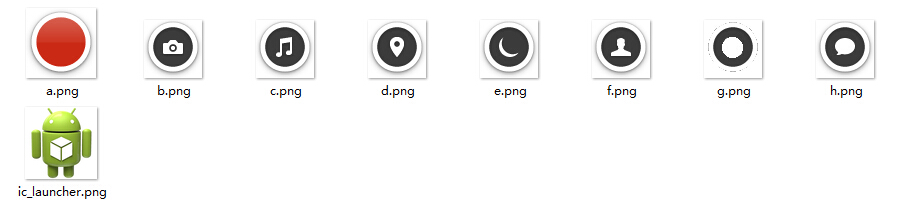
MainActivity.java
 package com.example.animationapp;

 import java.util.ArrayList;

 import java.util.List;

 import android.support.v7.app.ActionBarActivity;

 import android.animation.ObjectAnimator;

 import android.os.Bundle;

 import android.view.Menu;

 import android.view.MenuItem;

 import android.view.View;

 import android.view.View.OnClickListener;

 import android.view.animation.BounceInterpolator;

 import android.widget.ImageView;

 import android.widget.Toast;

 public class MainActivity extends ActionBarActivity implements OnClickListener {

     private int[] res = {R.id.im0, R.id.im1,R.id.im2,

             R.id.im3,R.id.im4,R.id.im5,R.id.im6,R.id.im7};

     private List<ImageView>  list = new ArrayList<ImageView>();

     private boolean flag = true;

     @Override

     protected void onCreate(Bundle savedInstanceState) {

         super.onCreate(savedInstanceState);

         setContentView(R.layout.activity_main);

         initView();

     }

     private void initView() {

         for(int i = 0; i < res.length; i++){

             ImageView im = (ImageView) findViewById(res[i]);

             im.setOnClickListener(this);

             list.add(im);

         }

     }

     @Override

     public void onClick(View v) {

         switch(v.getId()){

         //im7最后布局,叠加在最上面

         case R.id.im7:{

             if(flag){

                 startAnimation();

                 flag = false;

             }else{

                 closeAnimation();

                 flag = true;

             }

             break;

         }

         default:

             Toast.makeText(MainActivity.this, v.getId()+"OK", Toast.LENGTH_SHORT).show();

             break;

         }

     }

     private void closeAnimation() {

         for(int i = 0 ;i<res.length-1; i++){

             ObjectAnimator oa = ObjectAnimator.ofFloat(list.get(i),

                     "translationY",i*200F, 0F );

             oa.setDuration(100);

             //oa.setStartDelay(50*i);

             oa.start();

         }

     }

     private void startAnimation() {

         //此处只需要弹出其余7个图标,最上边的图标im7不动

         for(int i = 0 ;i<res.length-1; i++){

             //属性动画操作类

             ObjectAnimator oa = ObjectAnimator.ofFloat(list.get(i),

                     "translationY", 0F, i*200F);

             oa.setDuration(200);

             //oa.setInterpolator(new BounceInterpolator());

             //oa.setStartDelay(200*i);

             oa.start();

         }

     }

 }
ObjectAnimator属性动画应用demo的更多相关文章
- ObjectAnimator属性动画示例代码
import android.animation.AnimatorSet; import android.animation.ObjectAnimator; import android.app.Ac ...
- Android属性动画之第一重修炼总结
经过这两天对ObjectAnimator属性动画的学习,基本对Android提供的属性动画有了一定的认识,现在就为大家以一个类似扇形打开的效果做总结. 效果图: 下面就让我们用刚刚学到的属性动画效果, ...
- Android 属性动画框架 ObjectAnimator、ValueAnimator ,这一篇就够了
前言 我们都知道 Android 自带了 Roate Scale Translate Alpha 多种框架动画,我们可以通过她们实现丰富的动画效果,但是这些宽家动画却有一个致命的弱点,它们只是改变了 ...
- Android基础夯实--重温动画(五)之属性动画 ObjectAnimator详解
只有一种真正的英雄主义 一.摘要 ObjectAnimator是ValueAnimator的子类,它和ValueAnimator一样,同样具有计算属性值的功能,但对比ValueAnimator,它会更 ...
- 【转】android 属性动画之 ObjectAnimator
原文网址:http://blog.csdn.net/feiduclear_up/article/details/39255083 前面一篇博客讲解了 android 简单动画之 animtion,这里 ...
- Android属性动画之ObjectAnimator
相信对于Android初学者,对于Android中的动画效果一定很感兴趣,今天为大家总结一下刚刚学到的属性动画案例. 首先和一般的Android应用一样,我们先建一个工程,为了方便,我们的布局文件中就 ...
- Android属性动画完全解析(中),ValueAnimator和ObjectAnimator的高级用法
转载请注明出处:http://blog.csdn.net/guolin_blog/article/details/43536355 大家好,在上一篇文章当中,我们学习了Android属性动画的基本用法 ...
- android 开发 View _2_ View的属性动画ObjectAnimator ,动画效果一览
支持:https://www.cnblogs.com/whoislcj/p/5738478.html translationX的效果: protected void onCreate(Bundle s ...
- Android 属性动画ObjectAnimator和ValueAnimator讲解
区别: ObjectAnimator 是直接对某个view进行更改. ValueAnimator 根据 TimeInterpolator 在不断产生相应的数据,来传进view ,view自己做改变. ...
随机推荐
- IE内核发送ajax请求时不会将url中的参数编码
有一次用户遇到创建文件,名称为中文时乱码的问题. 经调查,发现用户使用的是国产浏览器ie模式 抓取请求发现 IE: 键 值请求 POST /Handlers/CreateTxtFile.ashx?fi ...
- 在Linux客户机与Windows宿主机之间建立共享(VitrualBox)
VirtualBox中,如果客户机和宿主机都是Windows的话,共享相对是比较方便的.一般是通过\\vboxsvr\shared 这样的路径访问即可. 但是如果客户机是Linux的话,就略微麻烦一点 ...
- 关于Checbox的操作,已选,未选,判断
checkbox: $("#chk1").attr("checked",'');//不打勾 $("#chk2" ...
- ASP.NET网站优化(转自一位博友的文章,写的非常好)
不修改代码就能优化ASP.NET网站性能的一些方法 阅读目录 开始 配置OutputCache 启用内容过期 解决资源文件升级问题 启用压缩 删除无用的HttpModule 其它优化选项 本文将介绍一 ...
- [python]CentOS 6下安装Python2.7
安装方法 如果在CentOS上自己编译安装过python2.7,使用过程中会发现有些标准库没有安装之类的问题. 逛别人博客的时候发现,一个便捷的方法:使用RHSCL的全称是Red Hat Softwa ...
- ztree + ashx +DataTable +Oracle
问题描述 好久没有使用ztree了,刚才在使用ztree做导航时遇到了几个小问题: 1.返回数据源是undefined . 2.数据出现后树结构没有出现(pIdKey单词拼写错误). 3.在使用Ora ...
- Eclipse与Android源码中ProGuard工具的使用
由于工作需要,这两天和同事在研究android下面的ProGuard工具的使用,通过查看android官网对该工具的介绍以及网络上其它相关资料,再加上自己的亲手实践,算是有了一个基本了解.下面将自己的 ...
- 如何访问facebook (转)
对于普通大众,访问facebook需要两个条件:1)使用代理 2)翻译网页内容.本文将介绍怎样安全高速地访问诸如facebook之类的国外网站,并提供相关软件下载. 工具/原料 chromeGAE软件 ...
- FreeRTOS 中断优先级嵌套错误引发HardFault异常解决(转)
最近在使用FreeRTOS的时候,突然发现程序在运行了几分钟之后所有的任务都不再调用了,只有几个中断能正常使用,看来是系统挂掉了,连续测试了几次想找出问题,可是这个真的有点不知所措. 我 ...
- Js apply方法详解
我在一开始看到javascript的函数apply和call时,非常的模糊,看也看不懂,最近在网上看到一些文章对apply方法和call的一些示例,总算是看的有点眉目了,在这里我做如下笔记,希望和大家 ...