
React-FlipOver-Counter(日历翻页)
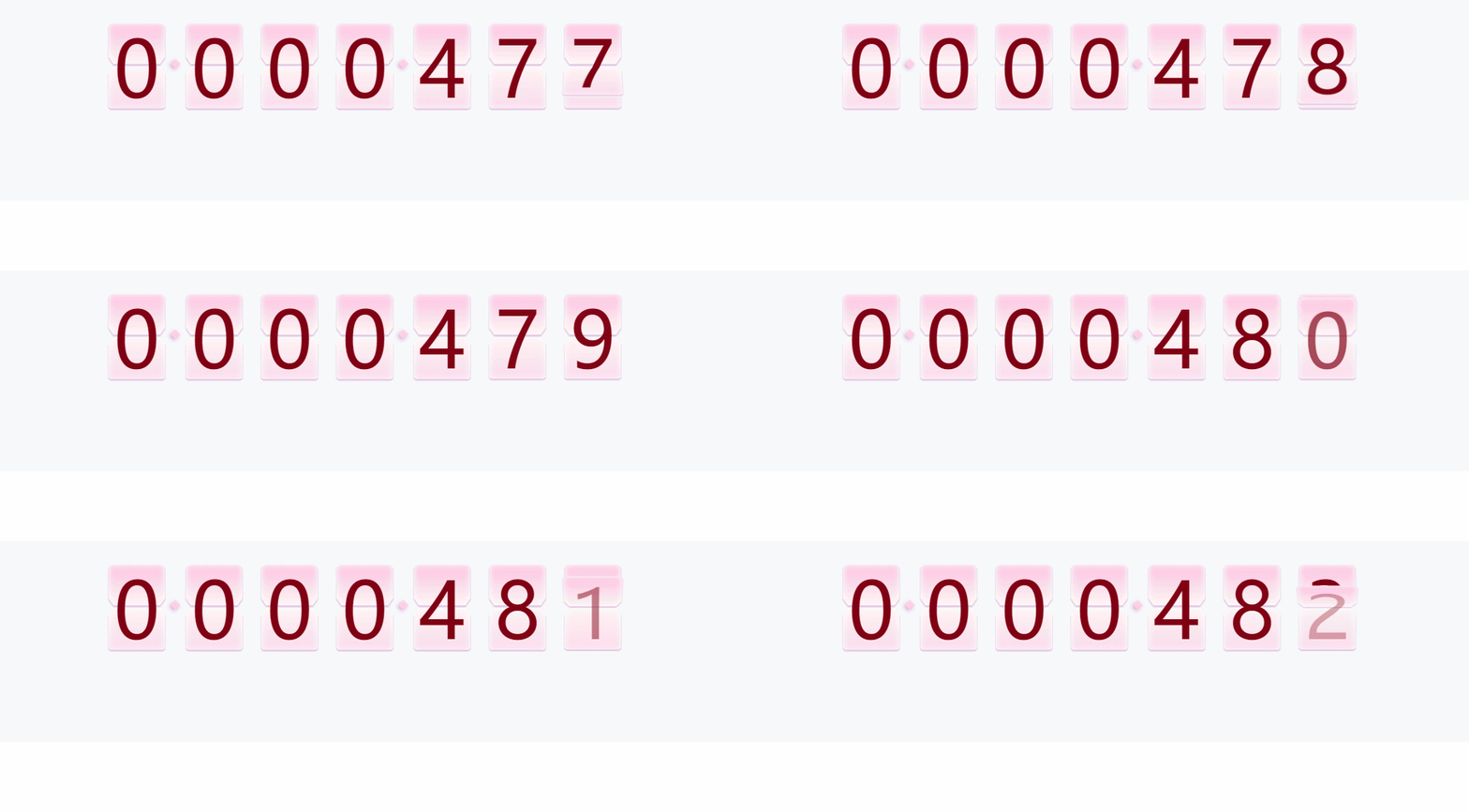
跟窝一起学习鸭~~
//index.js

import React from 'react';

import ReactDOM from 'react-dom';

import './index.css';

import App from './App.jsx';

import registerServiceWorker from './registerServiceWorker';

ReactDOM.render( < App / > , document.getElementById('root'));

registerServiceWorker();
//app.jsx根App

import React, {

    Component

} from 'react';

import TotalQty from './components/TotalQty'

class App extends Component {

    render() {

        return (

            <TotalQty />

        )

    }

}

export default App;
//TotalQty.jsx

import React, { Component } from 'react'

import './totalQty.less'

import FlipOverCounter from './flipOver/FlipOverCounter'

export class TotalQty extends Component {

// 父组件先定义state通过props传值

    constructor(props) {

        super(props)

        //定义初始的值最小为50 长度这个日历是7位数

        // 时间是60000ms更新一次吗?

        this.state = {

            min: 50,

            max: 0,

            time: 60000,

            len: 7

        }

    }

    componentDidMount() {

        const a = 100;

        //a是什么东西,为了设置最大值为50+100吗?

        const ths = this;

        ths.setState({

            max: ths.state.max + a

        })

        //每这个时间60000就清除一次定时器

        this.time1 = setInterval(function () {

            ths.setState({

                max: ths.state.max + a,

                min: ths.state.max

            })

        }, 60000)

    }

    render() {

        const { min, max, time, len } = this.state;

        return (

            <div className='totalQty'>

                <div className='box'>

                    <FlipOverCounter

                        min={min}

                        max={max}

                        time={time}

                        len={len}

                    />

                </div>

            </div>

        )

    }

}

export default TotalQty
//翻页FlipOverCounter.jsx

//有些代码不是很懂,但是小姐姐很赞,我很喜欢写这个代码的小姐姐

//FlipOverCounter.jsx

import React, { Component } from 'react'

import PropTypes from 'prop-types'

import './flipOverCounter.less'

export class FlipOverCounter extends Component {

    constructor(props) {

        super(props)

        //通过props接收父组件传过来的值

        this.state = {

            min: props.min,

            max: props.max,

            time: props.time,

            len: props.len,

            currentNums: this.zfill(props.min)

        }

        this.resetNo = this.resetNo.bind(this)

        this.run = this.run.bind(this)

    }

    componentDidMount() {

        //页面挂载就挂载resetNo

        this.resetNo()

    }

    //补0zfill传入值

    zfill(num) {

        var s = "000000000" + num;

        // 当长度到什么的时候就传入的值?

        return s.toString().substr(s.length - this.props.len).split("");

    }

    //初始化数值填入

    resetNo() {

        const { min } = this.state;

        // 当前的值

        const currentNums = this.zfill(min)

        this.setState({ currentNums }, function () {

            this.run()

        })

    }

    //初始化执行

    run() {

        const { min, max, time, currentNums } = this.state;

        const difference = max - min;

        if (difference < 1) return;

        //每次要执行动画的时间

        let t = Math.round(time / difference);

        let speedTyp = 'normal'

        //执行速度class  定义了2种不同程度的速度控制样式

        if (t >= 300) {

            if (t > 1500) t = 1500;

            speedTyp = 'normal'

        } else {

            if (t < 100) t = 100;

            speedTyp = 'quick'

        }

        let newCount = min;

        //翻页

        function increase() {

            if (newCount === max || newCount > max) {

                clearInterval(this.timer1);

                return false;

            }

            //慢速一页页翻

            if (speedTyp === 'normal') {

                newCount++;

            } else {

                if (difference > 800 && t <= 200) {

                    t = 200;

                    //直接设置数字

                    newCount = newCount + Math.floor(difference / (time / 200))

                } else {

                    //快速翻

                    newCount = newCount + 2

                }

            }

            const newNums = this.zfill(newCount)

            this.setState({ speedTyp, currentNums: newNums })

        }

        //执行翻页

        if (this.timer1) clearInterval(this.timer1);

        this.timer1 = setInterval(increase.bind(this), t);

    }

    componentWillReceiveProps(props) {

        //resetNo()重新

        if (Object.keys(props)) {

            //props值改变,重新在setState

            if (props.max !== this.state.max) {

                this.setState({

                    min: props.min,

                    max: props.max,

                    time: props.time,

                    len: props.len

                }, function () {

                    this.resetNo()

                })

            }

        }

    }

    render() {

        const { len, currentNums } = this.state;

         // 这边看不懂

        const flipItems = currentNums.map((value, idx) => {

            let preIndx = value === "0" ? 9 : value * 1 - 1;

            return (

                <div key={idx} className='focount_box'>

                    <div className="focount_set" >

                        {Array.from({ length: 10 }, (key, j) => j.toString()).map((sval, sdx) => {

                            return (

                                <div key={sdx} className={value === sval ? 'active focount' : sval === preIndx.toString() ? 'previous focount' : 'focount'}>

                                    <div className="focount_top">

                                        <span className="focount_wrap">{sdx}</span>

                                    </div>

                                    <div className="shadow_top"></div>

                                    <div className="focount_bottom">

                                        <span className="focount_wrap">{sdx}</span>

                                    </div>

                                    <div className="shadow_bottom"></div>

                                </div>

                            )

                        })

                        }

                    </div>

                    {

                        (len - idx - 1) % 3 === 0 && (len - idx - 1) !== 0 ?

                            <div className='dotBox'>

                                <div className='dot'>

                                </div>

                            </div> : ''

                    }

                </div>)

        })

        return (

            <div className='flipOverCounter normal'>

                {flipItems}

            </div>

        )

    }

}

//静态类型检验

FlipOverCounter.propTypes = {

    min: PropTypes.number, //初始数值

    max: PropTypes.number, //最大数字

    time: PropTypes.number, //翻页总时长

    len: PropTypes.number //数字是几位数

}

FlipOverCounter.defaultProps = {

    min: 0,

    max: 0,

    time: 120000,

    len: 6

}

export default FlipOverCounter
这个是我很喜欢的小姐姐的github地址,大家快快关注小姐姐哇~~
React-FlipOver-Counter(日历翻页)的更多相关文章
- jq数字翻页效果,随机数字显示,实现上下翻动效果
最近在做一个项目,需要实时展示一串数字,要有类似于日历翻页的效果,在网上找寻了一番,发现dataStatistics这个插件http://www.jq22.com/jquery-info8141能实现 ...
- vue10行代码实现上拉翻页加载更多数据,纯手写js实现下拉刷新上拉翻页不引用任何第三方插件
vue10行代码实现上拉翻页加载更多数据,纯手写js实现下拉刷新上拉翻页不引用任何第三方插件/库 一提到移动端的下拉刷新上拉翻页,你可能就会想到iScroll插件,没错iScroll是一个高性能,资源 ...
- webapp应用--模拟电子书翻页效果
前言: 现在移动互联网发展火热,手机上网的用户越来越多,甚至大有超过pc访问的趋势.所以,用web程序做出仿原生效果的移动应用,也变得越来越流行了.这种程序也就是我们常说的单页应用程序,它也有一个英文 ...
- jquery css3问卷答题卡翻页动画效果
这个选项调查的特效以选项卡的形式,每答完一道题目自动切换到下一条,颇具特色.使用jQuery和CSS3,适合HTML5浏览器. 效果展示 http://hovertree.com/texiao/jqu ...
- 采用cocos2d-x lua 的listview 实现pageview的翻页效果之上下翻页效果
--翻页滚动效果local function fnScrollViewScrolling( sender,eventType) -- body if eventType == 10 the ...
- HTML5翻页电子书
体验效果:http://hovertree.com/texiao/jquery/60/ 图片请用正方形的 参考:http://hovertree.com/h/bjaf/d339euw9.htmhttp ...
- [原创]纯CSS3打造的3D翻页翻转特效
刚接触CSS3动画,心血来潮实现了一个心目中自己设计的翻页效果的3D动画,页面纯CSS3,目前只能在Chrome中玩,理论上可以支持Safari. 1. 新建HTML,代码如下(数据和翻页后的数据都是 ...
- Web jquery表格组件 JQGrid 的使用 - 5.Pager翻页、搜索、格式化、自定义按钮
系列索引 Web jquery表格组件 JQGrid 的使用 - 从入门到精通 开篇及索引 Web jquery表格组件 JQGrid 的使用 - 4.JQGrid参数.ColModel API.事件 ...
- css实现翻页效果
如图,鼠标移动到图上,实现右上角翻页的效果,本例主要border边框的设置. 一.基本概念 <html> <head> <style> #demo{ width:0 ...
随机推荐
- day65-test
目录 一.点击事件控制标签颜色 二.实现点击次数,变换页面标签的颜色 三.周期性实现颜色的旋转变色 练习题 一.点击事件控制标签颜色 1.有 红.黄.蓝 三个按钮,以及一个200x200矩形框box, ...
- 利用TensorFlow识别手写的数字---基于两层卷积网络
1 为什么使用卷积神经网络 Softmax回归是一个比较简单的模型,预测的准确率在91%左右,而使用卷积神经网络将预测的准确率提高到99%. 2 卷积网络的流程 3 代码展示 # -*- coding ...
- git pull拉取远程分支时出现冲突
现象:在git clone一个项目后,默认是master分支,但是如果想要切换到另一个已经存在的dev分支,那么不要先在本地创建dev分支再拉取远程的dev分支,而是应该直接切换到dev分支,然后再拉 ...
- leetcode 665
665. Non-decreasing Array Input: [4,2,3] Output: True Explanation: You could modify the first 4 to 1 ...
- 数据库迁移工具DBMigration
- 元素 XXXX 的前缀 "mvc" 未绑定
这个问题是由于spring-servlet配置不全 在上边部分添加一句 xmlns:mvc="http://www.springframework.org/schema/mvc" ...
- java.lang.NoSuchMethodError: org.apache.commons.io.FileUtils.copyInputStreamToFile(Ljava/io/InputStream;Ljava/io/File;)V
昨天用的好好的,今天就不行了 也懒得搞 具体原因就是引用的问题 找了个能用的pom 直接贴过去完事儿
- XML解析器之JAXP与DOM4J
XML是一种数据格式,那么需要对XML文件进行操作就需要用到XML解析器---------针对dom方式和sax方式提供了不同的解析技术-----需要不同的XML解析器 dom方式:会把文档中所有元素 ...
- Asio与Boost.Asio
译自http://think-async.com/Asio/AsioAndBoostAsio Asio有两种变体:(非Boost)Asio和Boost.Asio.本文概要描述二者的不同. 1. 源代码 ...
- 2019.9.17 csp-s模拟测试45 反思总结
来了来了,垃圾二连.[指两次发博客] 看了一下题就匆匆回去上课,在课上一边听课一边水oi,大概用1h40min的时间想完三道题.最后回到机房只剩下40min的时间敲代码,于是T1骗了70分就走了… 这 ...