
深入剖析tomcat之一个简单的web服务器
这个简单的web服务器包含三个类
- HttpServer
- Request
- Response
在应用程序的入口点,也就是静态main函数中,创建一个HttpServer实例,然后调用其await()方法。顾名思义,await方法会在制定的端口上等待http请求,并对其进行处理,然后发送相应的消息回客户端。在接收到命令之前,它会一直保持等待的状态。
- HttpServer类
package simpleHttpServer;

import java.io.File;
import java.io.IOException;
import java.io.InputStream;
import java.io.OutputStream;
import java.net.InetAddress;
import java.net.ServerSocket;
import java.net.Socket;

public class HttpServer {

    public static final String WEB_ROOT = System.getProperty("user.dir") + File.separator
            + "webroot";

    private static final String SHUTDOWN_COMMAND = "/SHUTDOWN";

    private boolean shudown = false;

    public static void main(String[] args){
        HttpServer server = new HttpServer();
        server.await();
    }

    public void await(){
        ServerSocket serverSocket = null;
        int port = 8080;

        try{
            serverSocket = new ServerSocket(port,1,InetAddress.getByName("127.0.0.1"));
        }
        catch (IOException e){
            e.printStackTrace();
            System.exit(1);
        }

        while(!this.shudown){
            Socket socket = null;
            InputStream input = null;
            OutputStream output = null;

            try{

                socket = serverSocket.accept();
                input = socket.getInputStream();
                output = socket.getOutputStream();

                Request request = new Request(input);
                request.parse();

                Response response = new Response(output);
                response.setRequest(request);
                response.sendStaticResource();

                socket.close();

                this.shudown = request.getUri().equals(SHUTDOWN_COMMAND);

            }
            catch (Exception e){
                e.printStackTrace();
                continue;
            }
        }

    }

}
这个简单的web服务器,可以处理指定目录中的静态资源请求;用WEB_ROOT表示制定的目录
public static final String WEB_ROOT = System.getProperty("user.dir") + File.separator + "webroot";这里是指当前目录下的webroot文件夹下面的资源。
我们通过在游览器中输入这样的内容,进行资源的请求:
http://127.0.0.1:8080/index.html
- Request类
Request类表示一个Http请求,可以传递InputStream对象来创建Request对象,调用InputStream对象的read进行Http请求数据的读取。
package simpleHttpServer;

import java.io.InputStream;

public class Request {
    private InputStream input;
    private String uri;

    public Request(InputStream input){
        this.input = input;
    }

    public void parse(){
        StringBuffer request = new StringBuffer(2048);

        int i;
        byte[] buffer = new byte[2048];
        try{
            i = input.read(buffer);
        }
        catch (Exception e){
            e.printStackTrace();
            i = -1;
        }

        for(int j=0;j<i;j++){
            request.append((char)buffer[j]);
        }

        System.out.print(request.toString());
        this.uri = this.parseUri(request.toString());

    }

    private String parseUri(String requestString){
        int index1,index2;
        index1 = requestString.indexOf(' ');
        if(index1 != -1){
            index2 = requestString.indexOf(' ', index1 + 1);
            if(index2 > index1){
                return requestString.substring(index1 + 1,index2 );
            }
        }
        return null;
    }

    public String getUri(){
        return this.uri;
    }

}
Request类最重要的两个函数是parse和ParseUri;parse()方法会调用私有方法parseUri来解析HTTP请求的uri,初次之外,并没有做太多的工作。parseuri会将解析的URI存储在变量uri中。
我们以 http://127.0.0.1:8080/index.html 请求为例,HTTP请求的请求行为
GET /index.html HTTP/1.1
parse()方法从传入的Request对象的InputStream对象中读取整个字节流,并且将字节数组存入缓冲区。然后用缓存区的数组初始化StringBuffer对象request。 这样再解析StringBuffer就可以解析到Uri。
*Response类
Response类表示Http相应。其定义如下
package simpleHttpServer;

import java.io.File;
import java.io.FileInputStream;
import java.io.IOException;
import java.io.OutputStream;

public class Response {

    private static final int BUFFER_SIZE = 1024;
    private Request request;
    private OutputStream output;

    public Response(OutputStream output){
        this.output = output;
    }

    public void setRequest(Request request){
        this.request = request;
    }

    public void sendStaticResource()throws IOException{

        byte[] bytes = new byte[BUFFER_SIZE];
        FileInputStream fis = null;

        try{

            File file = new File(HttpServer.WEB_ROOT,request.getUri());
            if(file.exists()){
                fis = new FileInputStream(file);
                int ch = fis.read(bytes, 0, BUFFER_SIZE);
                while(ch != -1){
                    output.write(bytes, 0, ch);
                    ch = fis.read(bytes, 0, BUFFER_SIZE);
                }
            }
            else{
                String errorMessage = "HTTP/1.1 404 File Not Found\r\n" +
                            "Content-Type: text/html\r\n" +
                            "Content-Length:23\r\n" +
                            "\r\n" +
                            "<h1>File Not Found</h1>";
                output.write(errorMessage.getBytes());
            }

        }
        catch (Exception e){
            e.printStackTrace();
        }
        finally{
            if(fis != null){
                fis.close();
            }
        }

    }

}
使用OutputStream和Request来初始化Reponse,Response比较简单,得到Request的Uri,然后读取对应的file,如果file存在,则将file中的数据读取到缓存中,并且发送给游览器;如果file不存在,那么就发送
"HTTP/1.1 404 File Not Found\r\n" +
                            "Content-Type: text/html\r\n" +
                            "Content-Length:23\r\n" +
                            "\r\n" +
                            "<h1>File Not Found</h1>";
错误信息给游览器。
我们在eclipse中将代码跑起来,在游览器中输入
http://127.0.0.1:8080/index.html

http://127.0.0.1:8080/index.php
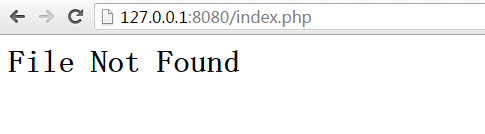
一个简单的额web服务器就跑起来了!
深入剖析tomcat之一个简单的web服务器的更多相关文章
- Tomcat剖析(一):一个简单的Web服务器
Tomcat剖析(一):一个简单的Web服务器 1. Tomcat剖析(一):一个简单的Web服务器 2. Tomcat剖析(二):一个简单的Servlet服务器 3. Tomcat剖析(三):连接器 ...
- Tomcat学习笔记(一)一个简单的Web服务器
内容为<深入剖析Tomcat>第一章重点,以及自己的总结,如有描述不清的,可查看原书. 一.HTTP协议: 1.定义:用于服务器与客户端的通讯的协议,允许web服务器和浏览器通过互联网进行 ...
- 《深度解析Tomcat》 第一章 一个简单的Web服务器
本章介绍Java Web服务器是如何运行的.从中可以知道Tomcat是如何工作的. 基于Java的Web服务器会使用java.net.Socket类和java.net.ServerSocket类这两个 ...
- Tomcat源码学习记录--web服务器初步认识
Tomcat作为开源的轻量级WEB服务器,虽然不是很适合某些大型项目,但是它开源,读其源代码可以很好的提高我们的编程功底和设计思维.Tomcat中用到了很多比较好的设计模式,其中代码风格也很值得我们去 ...
- 自己模拟的一个简单的web服务器
首先我为大家推荐一本书:How Tomcat Works.这本书讲的很详细的,虽然实际开发中我们并不会自己去写一个tomcat,但是对于了解Tomcat是如何工作的还是很有必要的. Servlet容器 ...
- 一个简单的Web服务器-支持Servlet请求
上接 一个简单的Web服务器-支持静态资源请求,这个服务器可以处理静态资源的请求,那么如何处理Servlet请求的呢? 判断是否是Servlet请求 首先Web服务器需要判断当前请求是否是Servle ...
- 一个简单的Web服务器-支持静态资源请求
目标 实现一个简单的Web服务器,能够根据HTTP请求的URL响应对应的静态资源,如果静态资源不存在则响应404. HttpServer 使用ServerSocket实现的一个服务器,request根 ...
- 使用 Nodejs 搭建简单的Web服务器
使用Nodejs搭建Web服务器是学习Node.js比较全面的入门教程,因为要完成一个简单的Web服务器,你需要学习Nodejs中几个比较重要的模块,比如:http协议模块.文件系统.url解析模块. ...
- 20145216 20145330 《信息安全系统设计基础》 实验五 简单嵌入式WEB 服务器实验
20145216 20145330 <信息安全系统设计基础> 实验五 简单嵌入式WEB 服务器实验 实验报告封面 实验步骤 1.阅读理解源码 进入/arm2410cl/exp/basic/ ...
随机推荐
- IOAPIC重定位中断处理函数思路整理
因为小可并非硬件编程出身,汇编基础又比较差...所以刚开始理解利用IOAPIC重定位技术的时候相当困难. 何为IOAPIC? 首先,必须认识到它是一个硬件,可编程的硬件.我理解的它在整个流程中的作用如 ...
- Android课程---关于数据存储的学习之总结
- CSS 重设文章
CSS 重设 http://blog.bingo929.com/css-reset-collection.html
- C#基础_单例模式
控制某个类型的实例数量-唯一一个 class Program { static void Main(string[] args) { test t1 = test.GetInstance(); tes ...
- Code First开发系列实战之使用EF搭建小型博客平台
返回<8天掌握EF的Code First开发>总目录 本篇目录 理解应用需求 数据库设计 创建实体数据模型 创建实体类 创建关系和导航属性 实现DbContext类 执行数据访问 理解仓储 ...
- UI控件(UIWebView)
本文主要记录UIWebView三方面内容: 1.基本的加载网页链接或文件: 2.网页js调用原生,也就是Cordova混合架构的原理: 3.原生调用js程序: 原生部分主要代码: @implement ...
- .NET垃圾回收(GC)原理
作为.NET进阶内容的一部分,垃圾回收器(简称GC)是必须了解的内容.本着“通俗易懂”的原则,本文将解释CLR中垃圾回收器的工作原理. 基础知识 托管堆(Managed Heap) 先来看MSDN的解 ...
- 从Undo,Redo谈命令模式
一般的应用软件中,通常会提供Redo和Undo的操作,比如Paint.NET中的动作面板,Word中的撤销重做,一般我们按Ctrl-Z即可回退到上次操作. 要实现上面的这一功能,最直观的想法就是,我们 ...
- spring事务管理器设计思想(一)
在最近做的一个项目里面,涉及到多数据源的操作,比较特殊的是,这多个数据库的表结构完全相同,由于我们使用的ibatis框架作为持久化层,为了防止每一个数据源都配置一套规则,所以重新实现了数据源,根据线程 ...
- MySQL数据库数据存放位置修改
MySQL数据库数据存放位置修改 MySQL是一个关系型数据库管理系统,由瑞典MySQL AB 公司开发,目前属于 Oracle 旗下产品.MySQL 最流行的关系型数据库管理系统,在 WEB 应用方 ...