
tomcat热启动没问题, 访问项目报500解决办法
新建maven项目
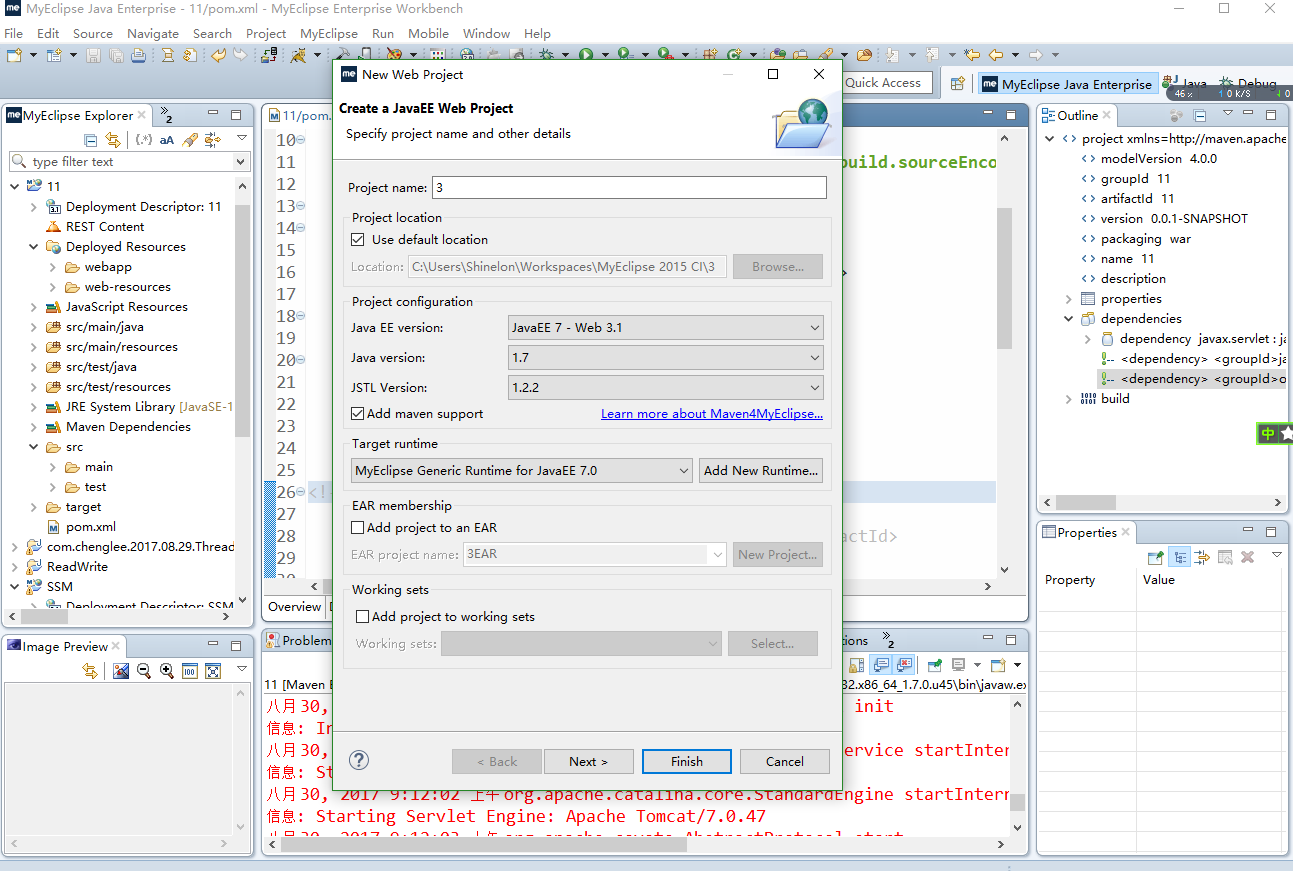
添加热启动
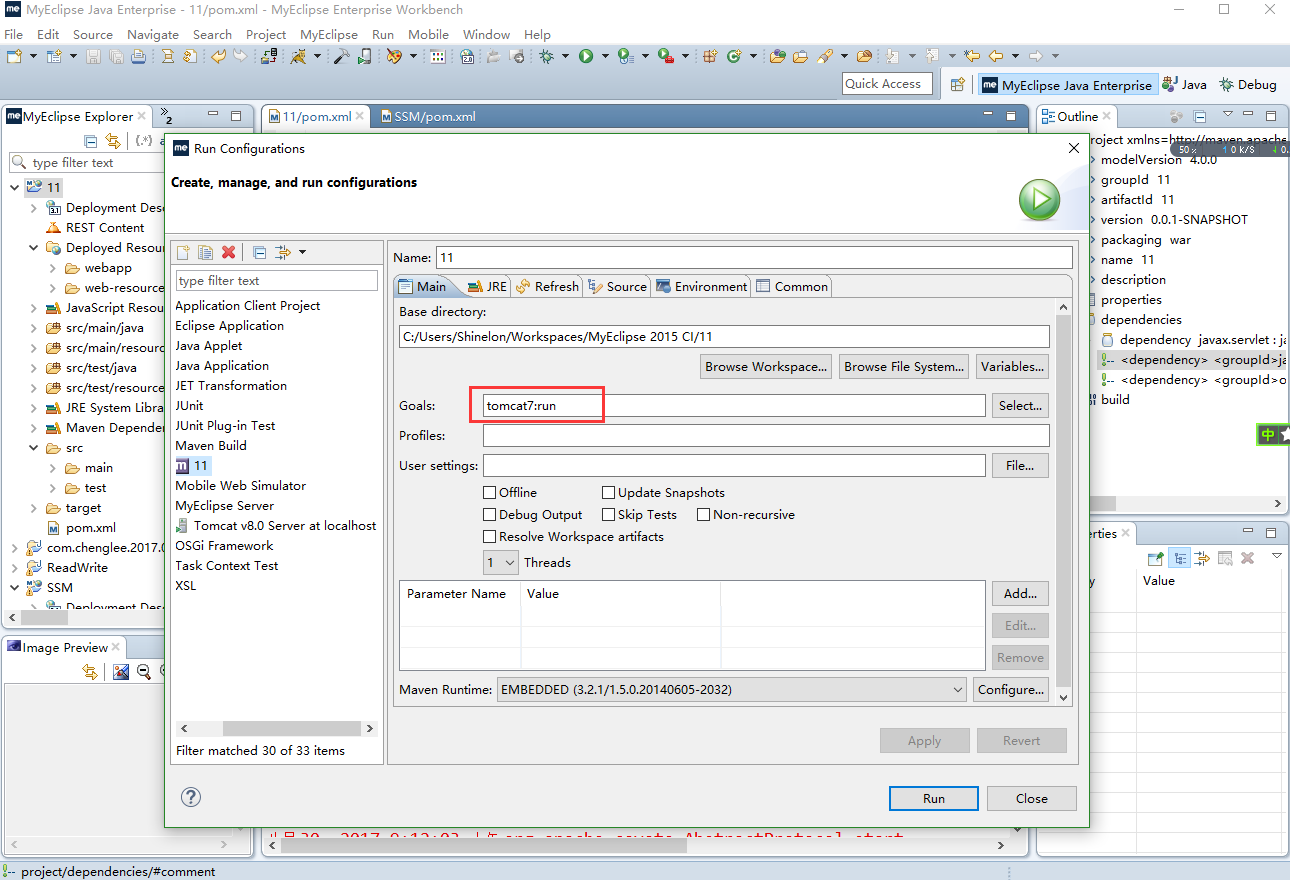
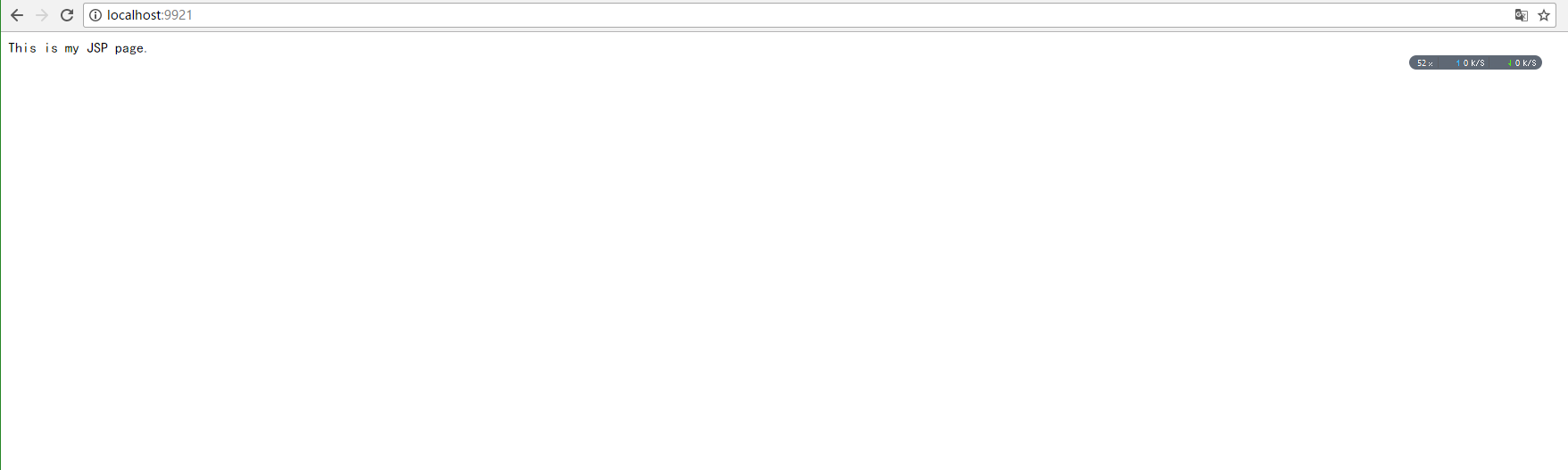
启动访问项目报错

报错提示

解决办法
思路:包冲突
在pom.xml中添加servlet

<dependency>

	<groupId>javax.servlet</groupId>

	<artifactId>javax.servlet-api</artifactId>

	<version>3.0.1</version>

	<scope>provided</scope>

</dependency>
注释
		<!-- <dependency>

			<groupId>javax</groupId>

			<artifactId>javaee-api</artifactId>

			<version>7.0</version>

			<scope>provided</scope>

		</dependency> -->

        <!-- 	 <dependency>

			<groupId>org.glassfish.web</groupId>

			<artifactId>javax.servlet.jsp.jstl</artifactId>

			<version>1.2.2</version>

		</dependency> -->
完整的pom.xml
<project xmlns="http://maven.apache.org/POM/4.0.0" xmlns:xsi="http://www.w3.org/2001/XMLSchema-instance"

	xsi:schemaLocation="http://maven.apache.org/POM/4.0.0 http://maven.apache.org/xsd/maven-4.0.0.xsd">

	<modelVersion>4.0.0</modelVersion>

	<groupId>11</groupId>

	<artifactId>11</artifactId>

	<version>0.0.1-SNAPSHOT</version>

	<packaging>war</packaging>

	<name>11</name>

	<description />

	<properties>

		<project.build.sourceEncoding>UTF-8</project.build.sourceEncoding>

	</properties>

	<dependencies>

		<dependency>

			<groupId>javax.servlet</groupId>

			<artifactId>javax.servlet-api</artifactId>

			<version>3.0.1</version>

			<scope>provided</scope>

		</dependency>

		<!-- <dependency> <groupId>javax</groupId> <artifactId>javaee-api</artifactId>

			<version>7.0</version> <scope>provided</scope> </dependency> -->

		<!-- <dependency> <groupId>org.glassfish.web</groupId> <artifactId>javax.servlet.jsp.jstl</artifactId>

			<version>1.2.2</version> </dependency> -->

	</dependencies>

	<build>

		<plugins>

			<plugin>

				<artifactId>maven-compiler-plugin</artifactId>

				<version>2.3.2</version>

				<configuration>

					<source>1.7</source>

					<target>1.7</target>

				</configuration>

			</plugin>

			<plugin>

				<artifactId>maven-war-plugin</artifactId>

				<version>2.2</version>

				<configuration>

					<version>3.1</version>

					<failOnMissingWebXml>false</failOnMissingWebXml>

				</configuration>

			</plugin>

			<plugin>

				<groupId>org.apache.tomcat.maven</groupId>

				<artifactId>tomcat7-maven-plugin</artifactId>

				<configuration>

					<port>9921</port>

					<path>/</path>

				</configuration>

			</plugin>

		</plugins>

	</build>

</project>
tomcat热启动没问题, 访问项目报500解决办法的更多相关文章
- IDEA新建SpringMVC项目报错解决办法
网页运行的错误: HTTP Status 500 - Handler processing failed; nested exception is java.lang.NoClassDefFoundE ...
- tomcat配置通过域名访问项目
tomcat配置通过域名访问项目,是修改conf/server.xml里面的配置信息实现.具体如下: (1)修改Connector节点的port属性值 <Connector port=" ...
- IDEA maven 项目报警告解决(自己的maven配置记录)
IDEA maven 项目报警告解决 应该是JDK版本太低 虽然你装的高但是默认使用maven 默认的 这里要配一下JDK版本 理解不深入只为 自己记录使用 1 配置 仓库为阿里云 配置本地储存j ...
- Sqlserver2005附加数据库时出错提示操作系统错误5(拒绝访问)错误5120的解决办法
Sqlserver2005附加数据库时出错提示操作系统错误5(拒绝访问)错误5120的解决办法 最近几天从网上找了几个asp.net的登录案例想要研究研究代码,结果在用 Sql Server2005附 ...
- sphinx :undefined reference to `libiconv' 报错解决办法
sphinx :undefined reference to `libiconv' 报错解决办法 2013-11-30 21:45:39 安装sphinx时不停报错...郁闷在make时报错,错误 ...
- SQLServer2005+附加数据库时出错提示操作系统错误5(拒绝访问)错误5120的解决办法
SQLServer2005+ 附加数据库时出错提示操作系统错误5(拒绝访问)错误5120的解决办法 我们在用Sql SQLServer2005+附加数据库文件时弹出错误信息如下图的处理办法: 方案一: ...
- 小账本APP——软件项目风险管理及解决办法案例
小账本APP——软件项目风险管理及解决办法案例 摘要 软件项目风险是指在软件开发过程中遇到的预算和进度等方面的问题以及这些问题对软件项目的影响.软件项目风险会影响项目计划的实现,如果项目风险变成现实, ...
- [经使用有效]Sqlserver2005附加数据库时出错提示操作系统错误5(拒绝访问)错误5120的解决办法
sqlserver2005附加数据库时出错提示操作系统错误5(拒绝访问)错误5120的解决办法 最近几天从网上找了几个asp.net的登录案例想要研究研究代码,结果在用 Sql Server2005附 ...
- 运行OpenGL红宝书第9版源码时Visual Studio提示“无法启动程序...ALL_BUILD。拒绝访问“的问题的解决办法
问题描述: OpenGL红宝书第9版源码采用CMake编译后,用相应的Visual Studio(如VS2012)打开“vermilion9.sln”解决方案,并运行时Visual Studio提示“ ...
随机推荐
- 最长回文 HDU - 3068 manacher 模板题
题意:找串的最长回文字串(连续) 题解:manacher版题 一些理解:首位加上任意两个字符是为了判断边界. 本算法主要是为了 1.省去奇偶分类讨论. 2.防止形如aaaaaaa的串使得暴力算法蜕化为 ...
- Linux 程序后台运行
例子: shadowsocks 程序后台运行: sslocal -c /etc/shadowsocks-libev/config.json > /dev/>& & 参考: ...
- ssm框架整合shiro
1.导入shiro相应jar包,也可下载shiro-all.jar; 2.web.xml添加shiroFilter配置,类似于mvc <!-- shiro 安全过滤器--> <fil ...
- google浏览器mac上跨域问题解决
open -n /Applications/Google\ Chrome.app/ --args --disable-web-security --user-data-dir=/Users/ /Use ...
- 论存储IOPS和Throughput吞吐量之间的关系
论存储IOPS和Throughput吞吐量之间的关系 http://www.csdn.net/article/2015-01-14/2823552 IOPS和Throughput吞吐量两个参数是衡量存 ...
- [kx]人眼结构&凹/凸透镜成像及生活应用
物理学中的lamba光谱: http://www.cnblogs.com/iiiiiher/diary/2018/04/05/8724339.html 思路: 电磁光谱-->可见光-->人 ...
- R语言学习笔记:基础知识
1.数据分析金字塔 2.[文件]-[改变工作目录] 3.[程序包]-[设定CRAN镜像] [程序包]-[安装程序包] 4.向量 c() 例:x=c(2,5,8,3,5,9) 例:x=c(1:100) ...
- loadrunner获取接口返回参数(包括body,headers等)
Action() { web_set_max_html_param_len("); // 默认最大长度为256 web_reg_save_param("ResponseBody&q ...
- Jmeter接口自动化测试 (四)(持续构建)
本文转载至http://www.cnblogs.com/chengtch/p/6145867.html Jmeter是压力测试.接口测试工具,Ant是基于Java的构建工具,具有跨平台的作用,jen ...
- iOS UI基础-3.0图片浏览器及plist使用
需求: 1.显示当前图片序号/总图片数 2.显示图片 3.上一张图片.下一张图片转换 4.显示图片描述 下面用代码来实现 // // UYViewController.m // 3.0图片查看器 // ...