
使用bareos备份
bareos主要由主控端和客户端构成:
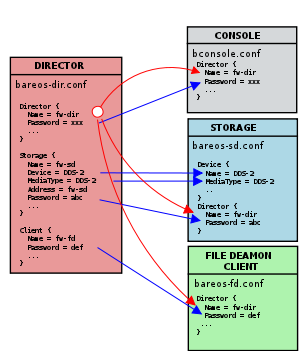
包含的重要的服务有:
bareos-director
bareos-storage
bareos-filedaemon
bareos-bconsole
bareos-database
bareos安装
安装bareos yum源:
wget -O /etc/yum.repos.d/bareos.repo http://download.bareos.org/bareos/release/latest/CentOS_6/bareos.repo
yum install bareos bareos-database-mysql
/usr/lib/bareos/scripts/create_bareos_database/usr/lib/bareos/scripts/make_bareos_tables/usr/lib/bareos/scripts/grant_bareos_privileges
/etc/init.d/bareos-dir start # Director进程,逻辑控制/etc/init.d/bareos-sd start # Storage Daemon/etc/init.d/bareos-fd start # File Daemon
bconsole
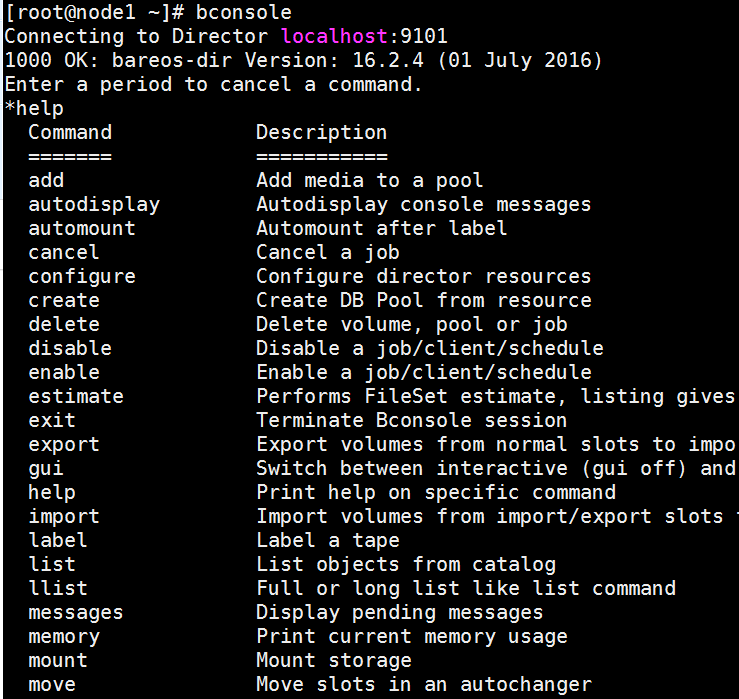
- 常用的命令有:
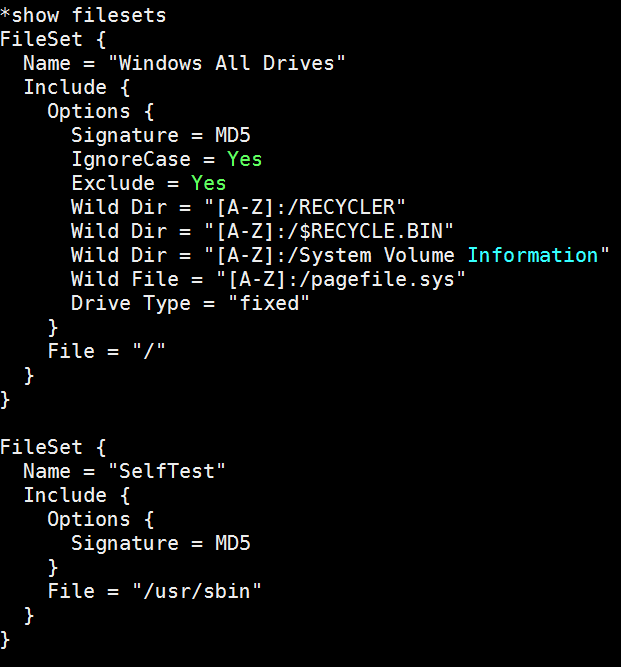
show filesetsstatus dirstatus clientstatus storagestatus schedulerun #运行run命令开始执行备份任务quit
安装Bareos Webui
- CentOS 7上安装可参考:http://blog.topspeedsnail.com/archives/8404
System requirements
- A working Bareos environment, Bareos >= 16.2. The Bareos Director and Bareos Webui should have the same version.
- You can install Bareos Webui on any host it does not have to be installed on the same as the Bareos Director.
- An Apache 2.x Webserver with mod-rewrite, mod-php5 and mod-setenv enabled.
- PHP >= 5.5
yum install httpd php php-cli php-common
cd /var/www/html/wget https://codeload.github.com/bareos/bareos-webui/zip/master -O bareos-webui.zipunzip bareos-webui.zip
mv bareos-webui-master bareos-webuicp bareos-webui/install/apache/bareos-webui.conf /etc/httpd/conf.d/
修改bareos-webui.conf文件
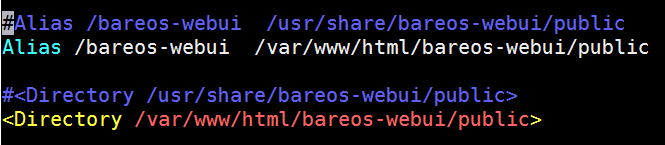
/etc/init.d/httpd restart
onfigure the directors
mkdir /etc/bareos-webui

cp /var/www/html/bareos-webui/install/directors.ini /etc/bareos-webui/
Configure the webui
cp /var/www/html/bareos-webui/install/configuration.ini /etc/bareos-webui/
Create restricted named consoles
cp /var/www/html/bareos-webui/install/bareos/bareos-dir.d/console/admin.conf.example /etc/bareos-webui/admin.conf
cp /var/www/html/bareos-webui/install/bareos/bareos-dir.d/profile/webui-admin.conf /etc/bareos-webui/
console配置文件/etc/bareos-webui/admin.conf
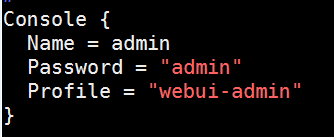
profile resource配置文件/etc/bareos-webui/webui-admin.conf
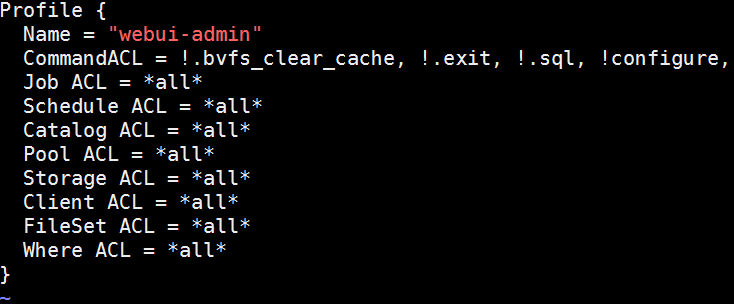
修改/etc/bareos/bareos-dir.d/director/bareos-dir.conf文件,在最后添加如下两行
@/etc/bareos-webui/admin.conf
@/etc/bareos-webui/webui-admin.conf
/etc/init.d/bareos-dir restart
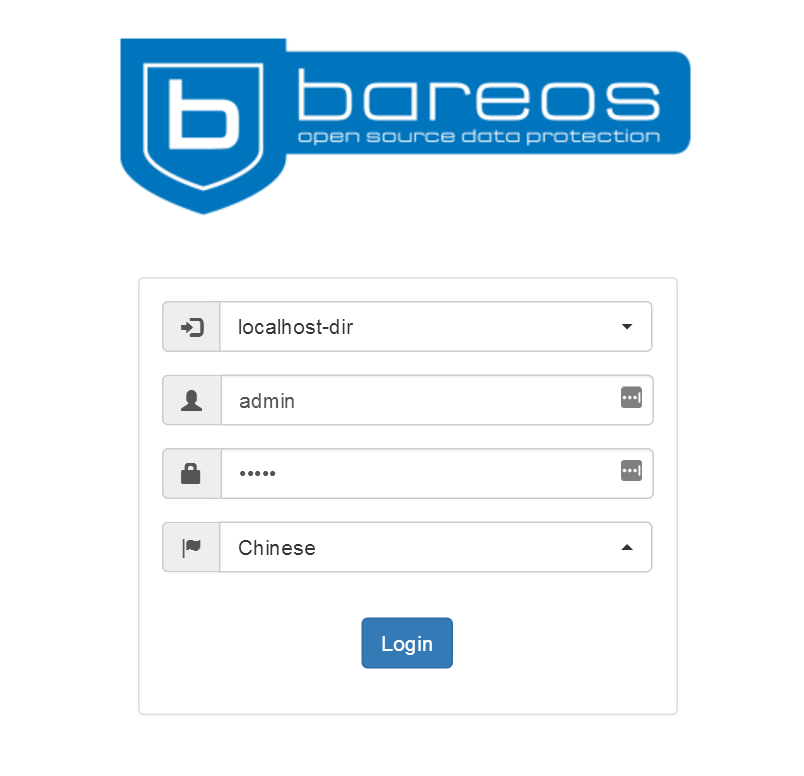
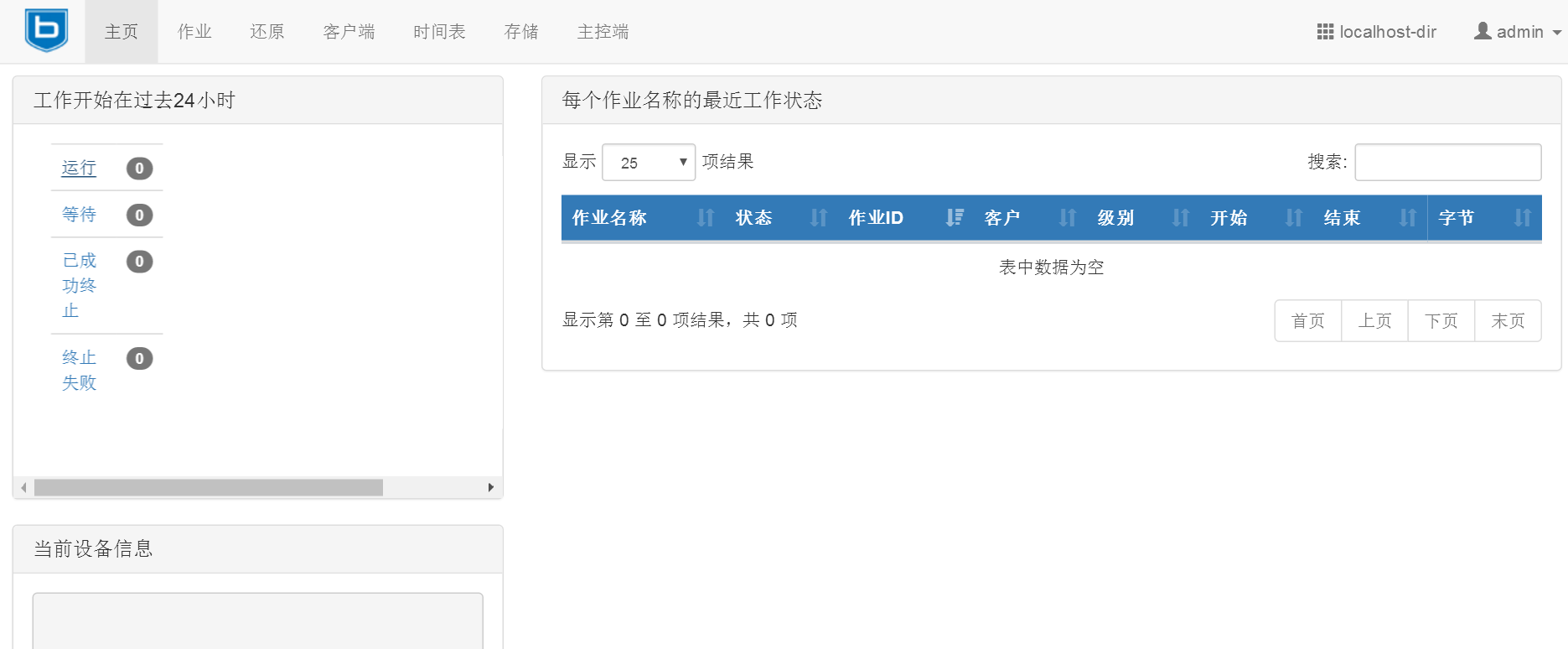
登录web页面:http://IP/bareos-webui
手动测试备份任务
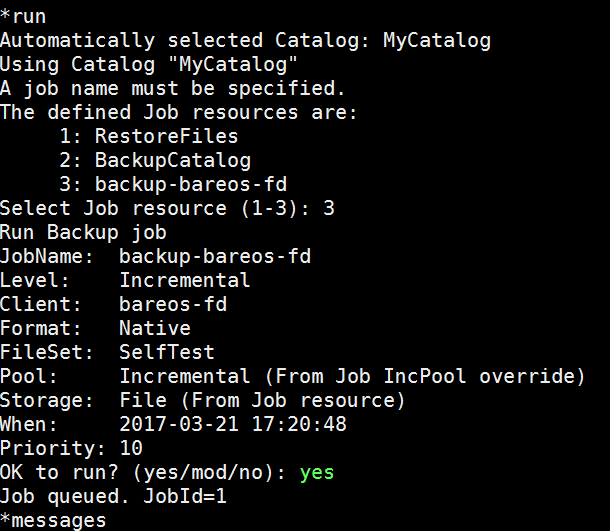
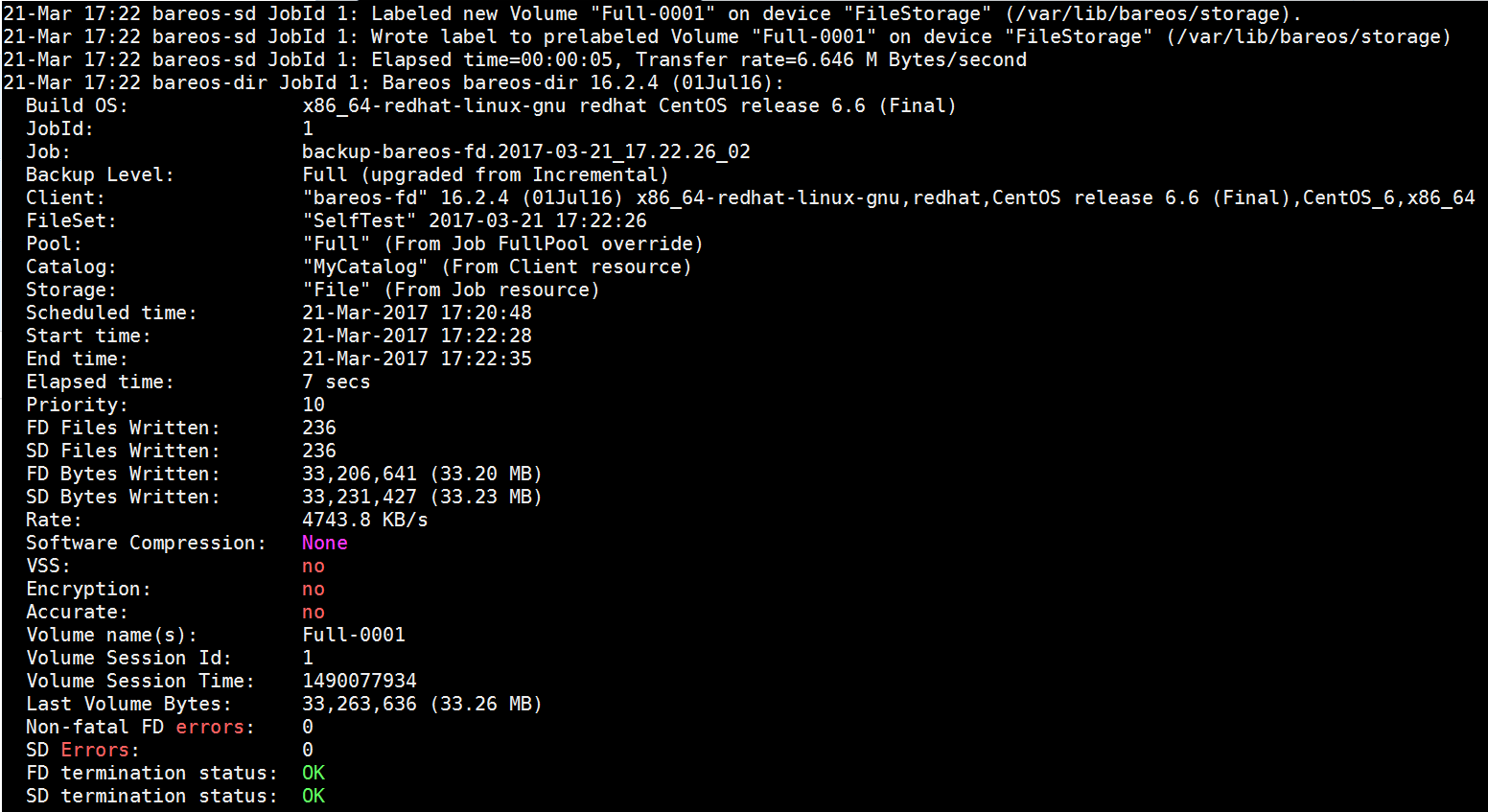
查看备份文件

测试恢复
默认恢复到/tmp/bareos-restores,可以输入mod自定义位置
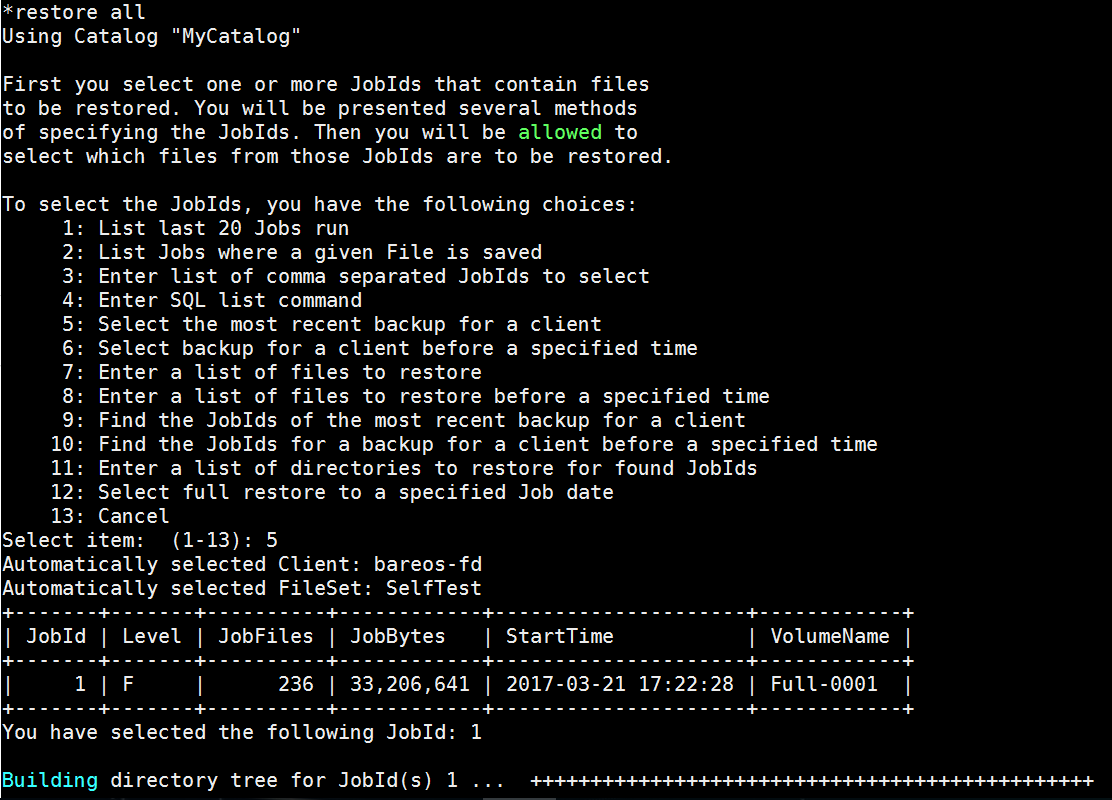
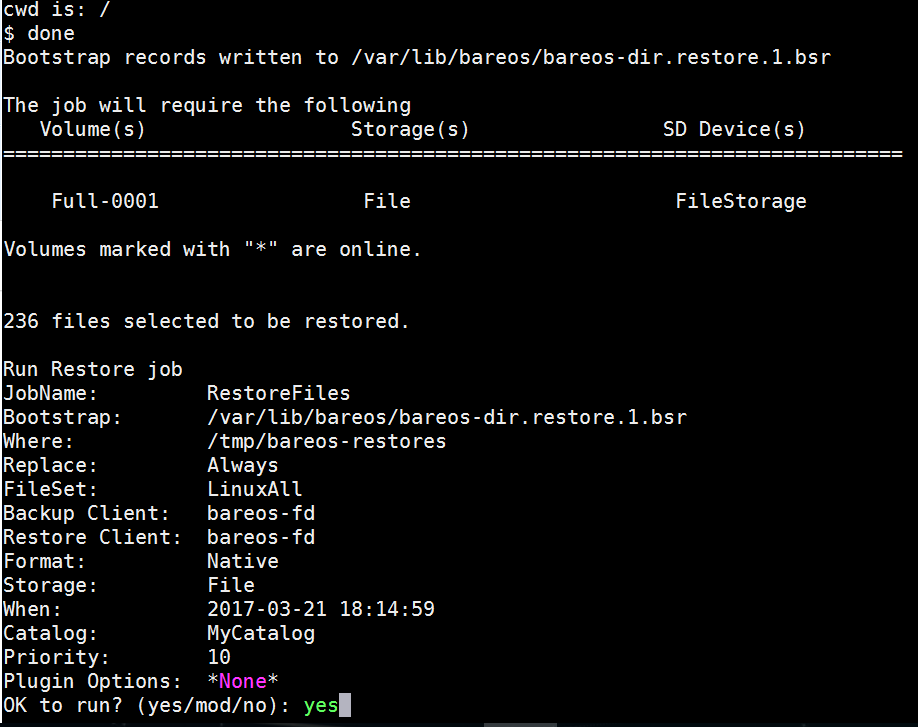
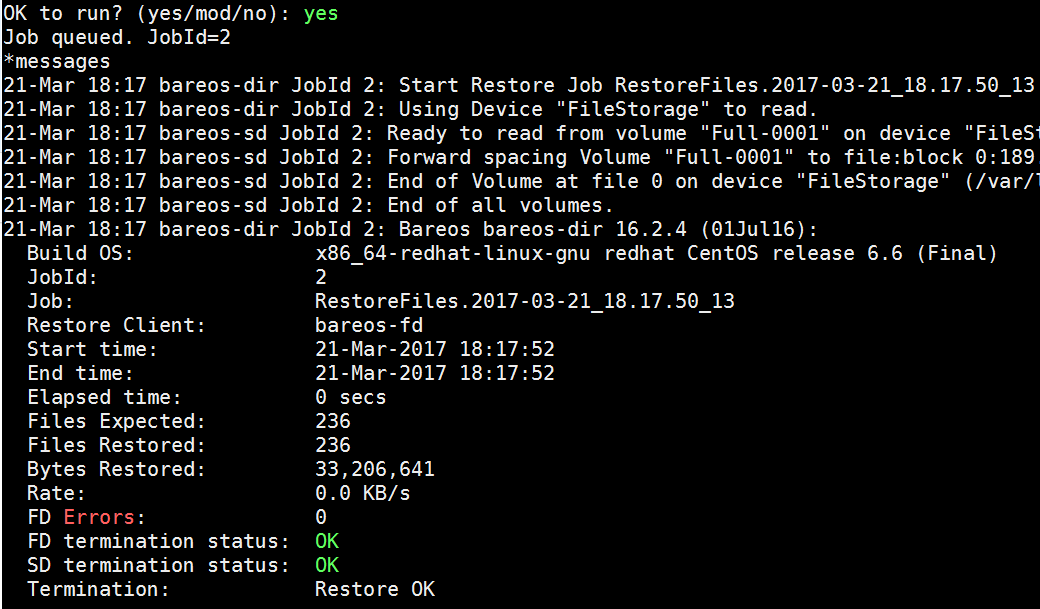
查看恢复的文件

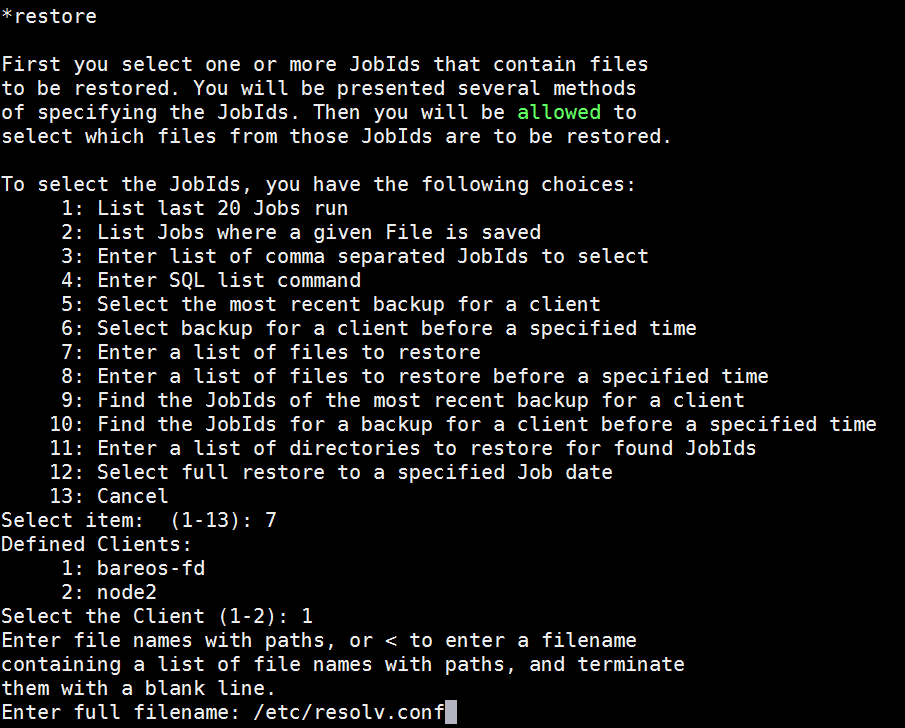
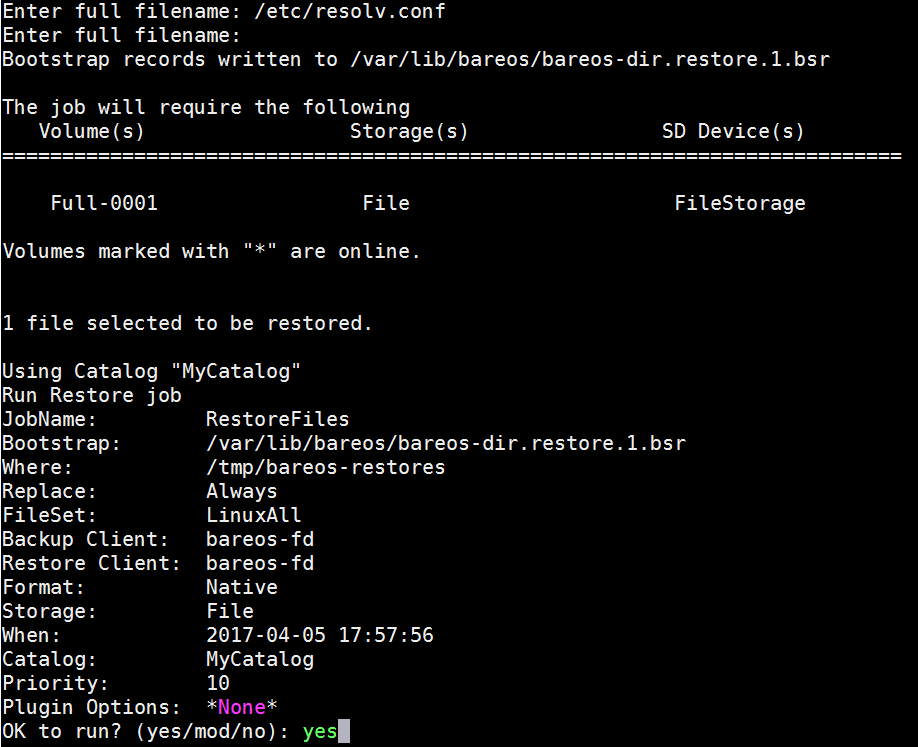
恢复单个文件
如果有多个文件可以写个列表,使用<符号导入
restore client=client1 file=</tmp/file-list
增加bareos-filedaemon客户端
在新的服务安装bareos-filedaemon
yum install -y bareos-filedaemon
在bareos-director服务器执行如下命令
bconsole
*configure add client name=node2 address=172.17.20.124 password=secret
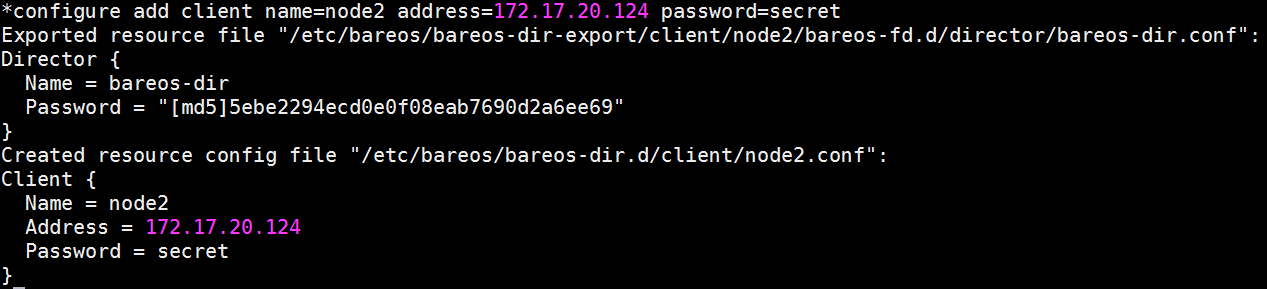
会创建如下两个文件
/etc/bareos/bareos-dir-export/client/node2/bareos-fd.d/director/bareos-dir.conf
/etc/bareos/bareos-dir.d/client/node2.conf
从bareos-director上拷贝文件到新的bareos-filedaemon服务器
scp /etc/bareos/bareos-dir-export/client/node2/bareos-fd.d/director/bareos-dir.conf node2:/etc/bareos/bareos-fd.d/director/
scp /etc/bareos/bareos-dir.d/client/node2.conf node2:/etc/bareos/bareos-dir.d/client/
在bareos-director服务器上执行
*reload
在新的bareos-client启动服务
service bareos-fd start
查看bareos-fd命令
bareos-fd -xc
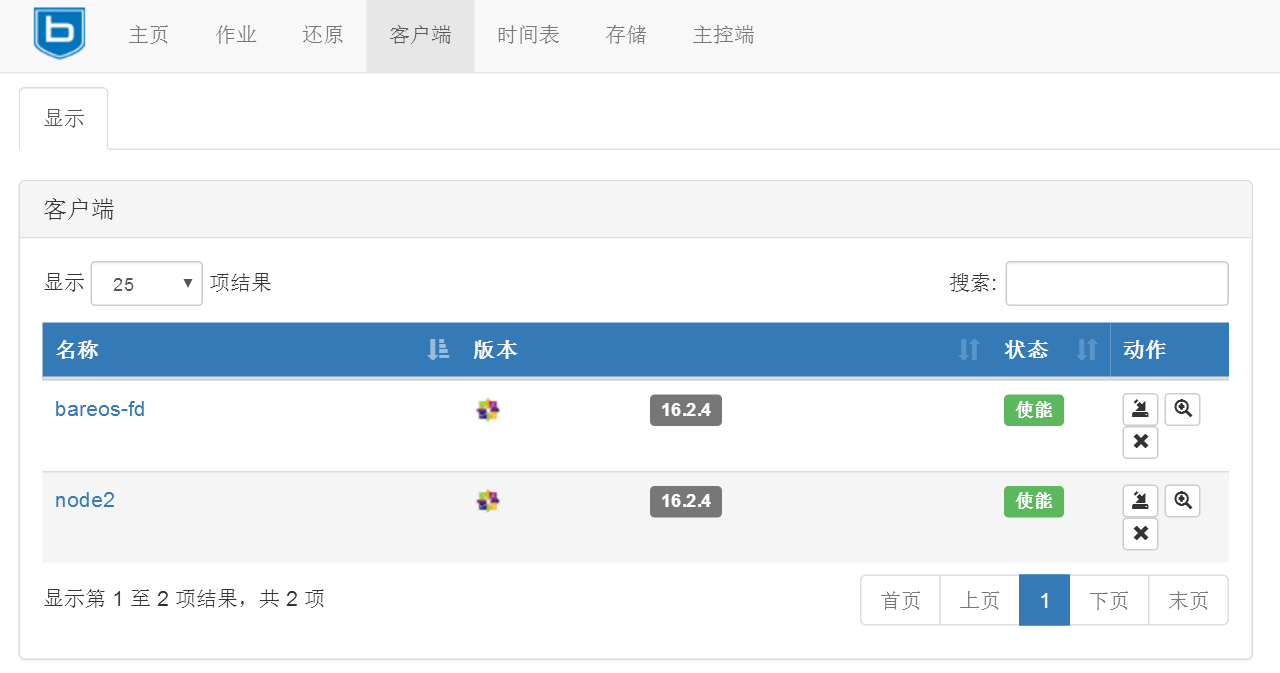
在web页面上查看客户端
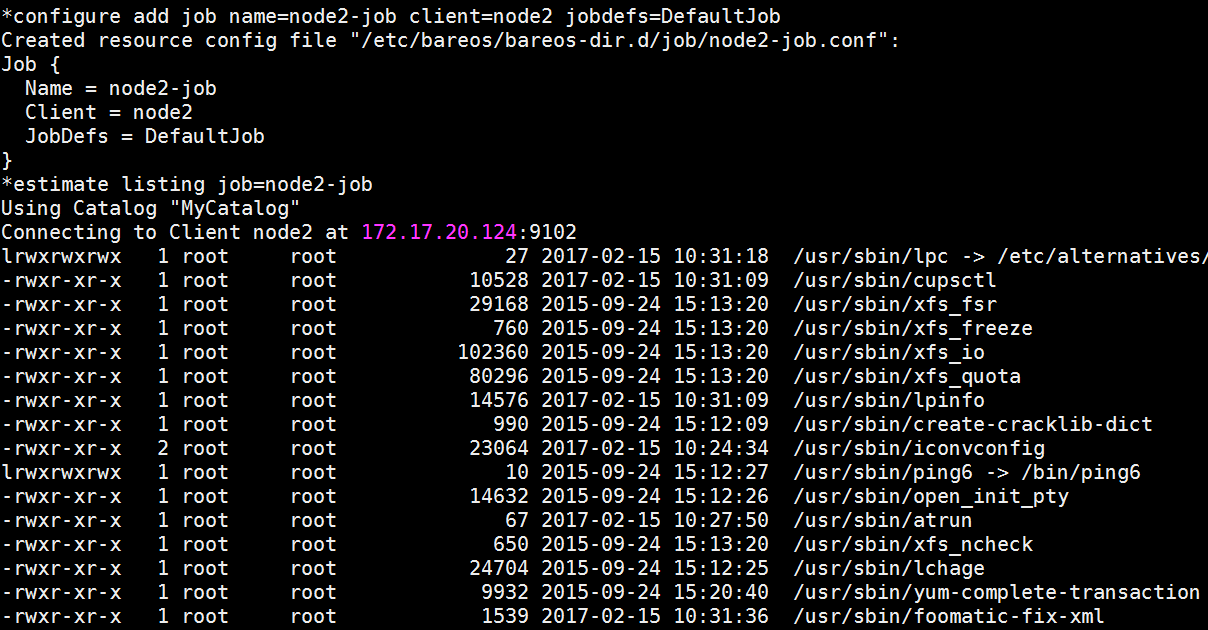
使用新的client运行一个job
查看node2的状态

预估备份情况
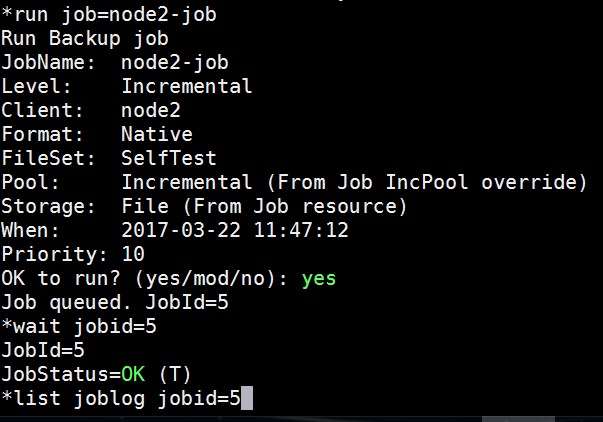
运行备份job
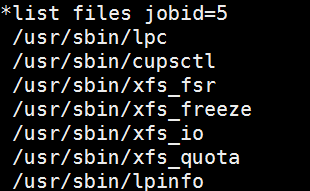
列出备份的文件
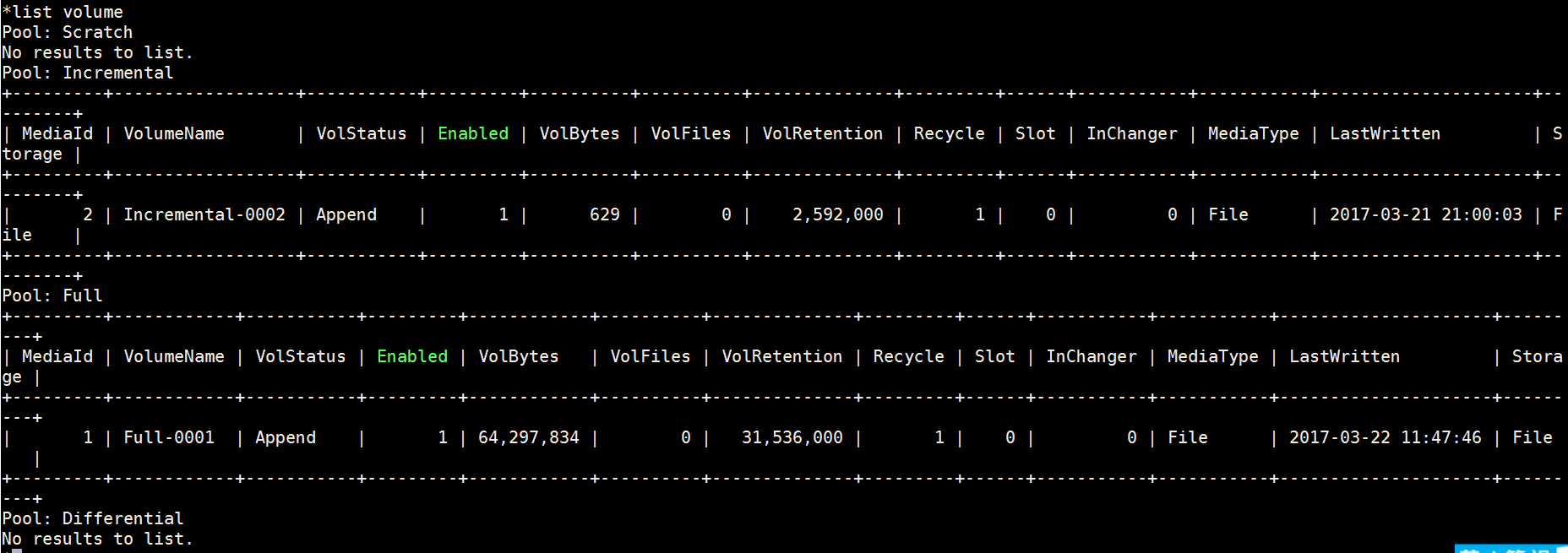
查看存储卷
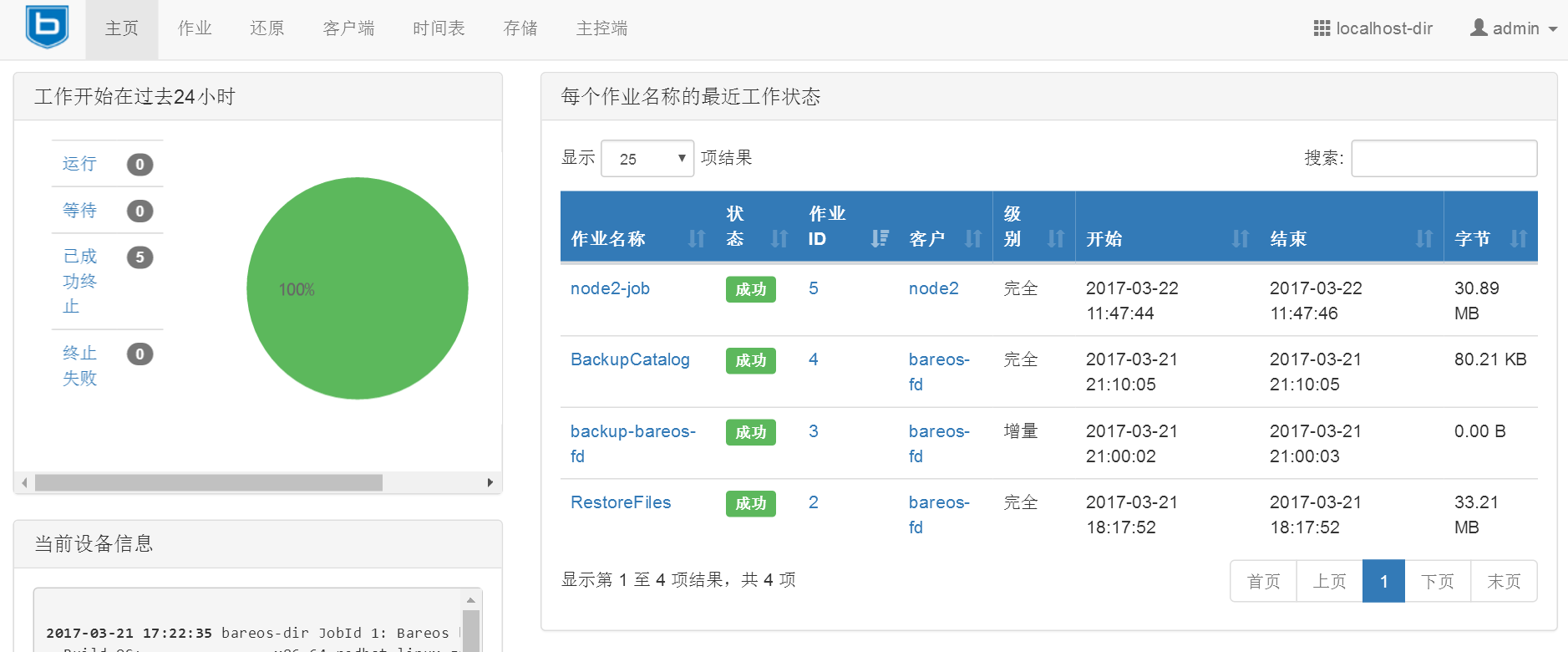
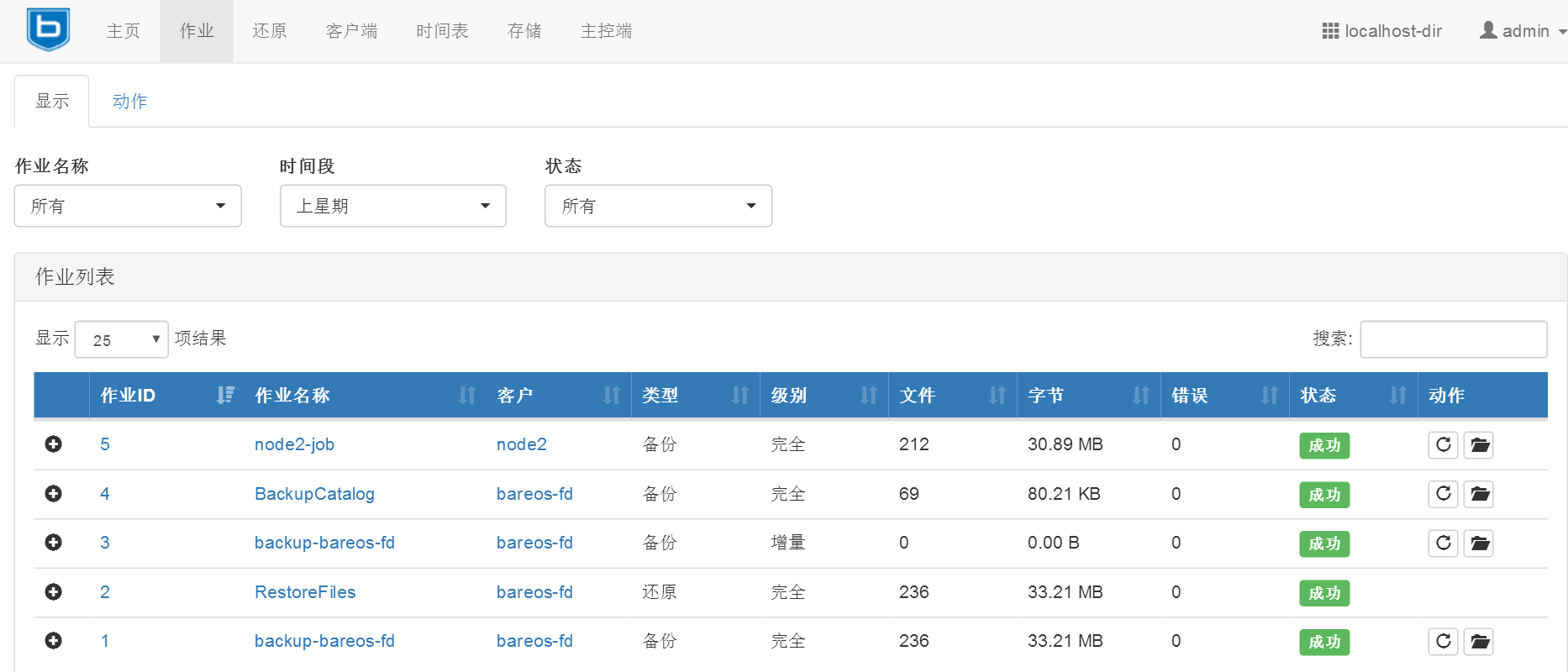
在web页面上查看所做的操作
备份相关配置
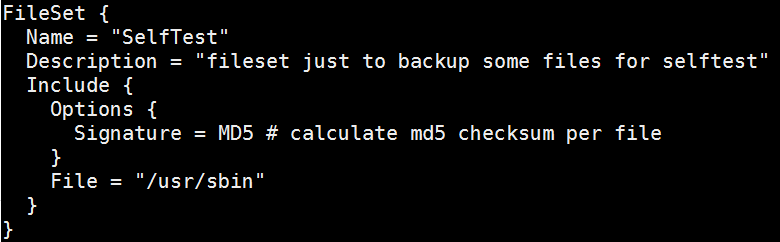
定义要备份的文件或目录(高级的定义写法请参考官方文档)
/etc/bareos/bareos-dir.d/fileset/SelfTest.conf配置文件
例如:
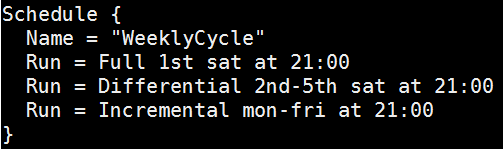
定义备份的时间表(高级的时间表写法可以参考官方文档)
/etc/bareos/bareos-dir.d/schedule/WeeklyCycle.conf配置文件
例如:
AfterBackup时间表
/etc/bareos/bareos-dir.d/schedule/WeeklyCycleAfterBackup.conf配置文件
例如:

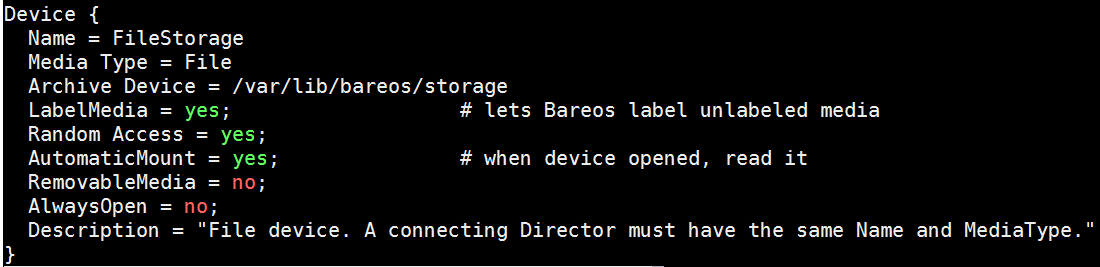
定义备份存放的路径
/etc/bareos/bareos-sd.d/device/FileStorage.conf配置文件
例如:
Job和Jobdefs路径
/etc/bareos/bareos-dir.d/job/
/etc/bareos/bareos-dir.d/jobdefs/DefaultJob.conf #默认job定义
存储定义的路径
/etc/bareos/bareos-dir.d/storage/
console和profile权限路径
/etc/bareos/bareos-dir.d/console/
/etc/bareos/bareos-dir.d/profile/
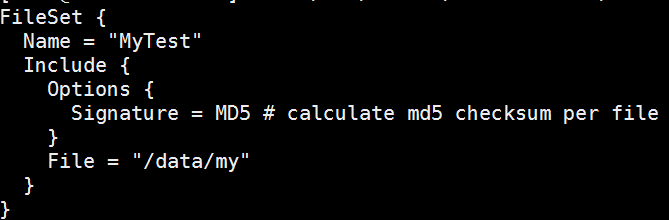
添加自定义fileset
/etc/bareos/bareos-dir.d/fileset/my.conf
使用命令行*configure add fileset name=my,或者重启/etc/init.d/bareos-dir restart使其生效。
使用show fileset查看
添加自定义jobdefs
/etc/bareos/bareos-dir.d/jobdefs/My.conf
使用命令行*configure add jobdefs name=My,或者重启/etc/init.d/bareos-dir restart使其生效。
使用show jobdefs查看

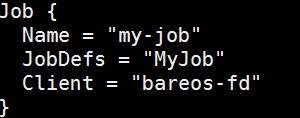
添加自定义job
/etc/bareos/bareos-dir.d/job/my-job.conf
重启/etc/init.d/bareos-dir restart
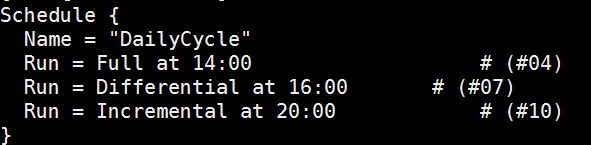
添加自定义schedule
/etc/bareos/bareos-dir.d/schedule/DailyCycle.conf
重启/etc/init.d/bareos-dir restart
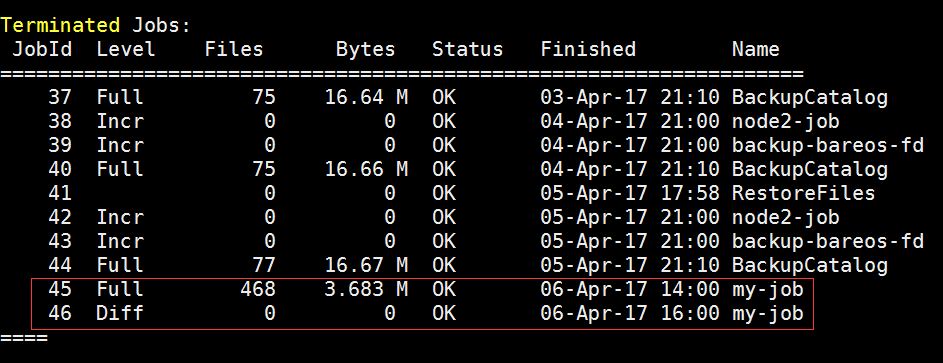
查看自定义备份是否运行成功
定义备份保留时间
/etc/bareos/bareos-dir.d/pool/Full.conf
Volume Retention = 365 days
添加备份情况邮件提醒
/etc/bareos/bareos-dir.d/messages/Standard.conf
重启/etc/init.d/bareos-dir restart

Copy or Migration
迁移数据,从一个Volume移动到另一个Volume。(具体用法可参考官方文档)
安装 bareos-storage-tape
相关配置文件:
/etc/bareos/mtx-changer.conf
/etc/bareos/bareos-sd.d/autochanger/autochanger-0.conf
/etc/bareos/bareos-sd.d/device/tapedrive-0.conf
插件使用
可以配合一些插件备份数据
例如:
MySQL Plugin
Backup of MySQL Databases using the Bareos MySQL Percona xtrabackup Plugin
1.Install the xtrabackup tool from Percona
2.Install the files BareosFdPercona.py and bareos-fd-percona.py in your Bareos plugin directory
https://github.com/bareos/bareos-contrib/tree/master/fd-plugins/bareos_percona
3.Configuration Activate your plugin directory in the fd resource conf on the client
编辑bareos-fd.d/client/mysql-fd.conf
Client {
   Name = mysql-fd
   #...
   Plugin Directory = /usr/lib64/bareos/plugins
   Plugin Name = "python"
 }
编辑bareos-dir.d/fileset/mysql.conf
FileSet {
     Name = "mysql"
     Include  {
         Options {
             compression=GZIP
             signature = MD5
         }
         File = /etc
         #...
         Plugin = "python:module_path=/usr/lib64/bareos/plugins:module_name=bareos-fd-percona"
     }
 }
其他插件 bpipe plugin,LDAP Plugin,VMware Plugin等用法可参考官方文档。
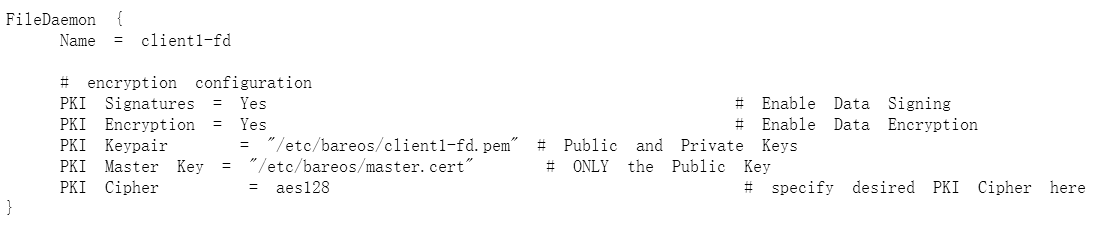
加密(具体可参考官方文档)
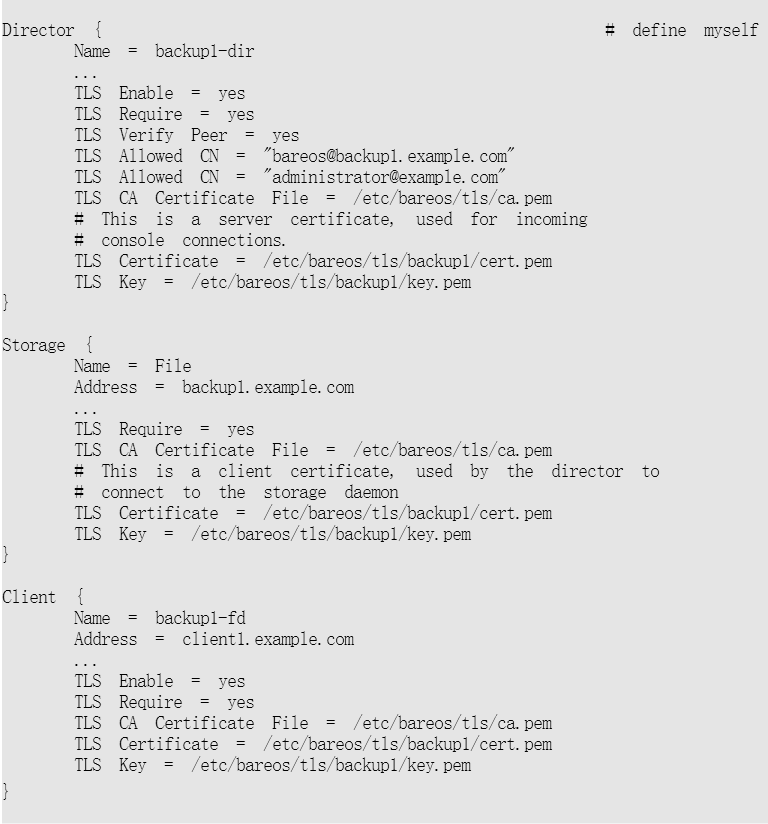
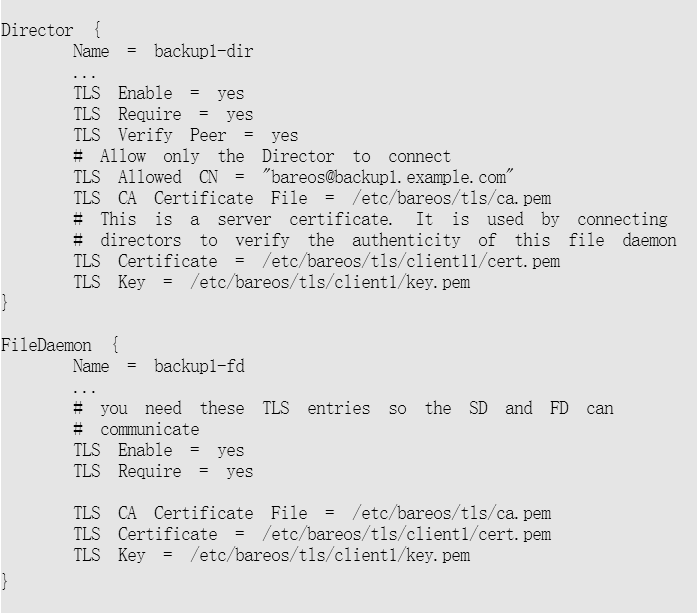
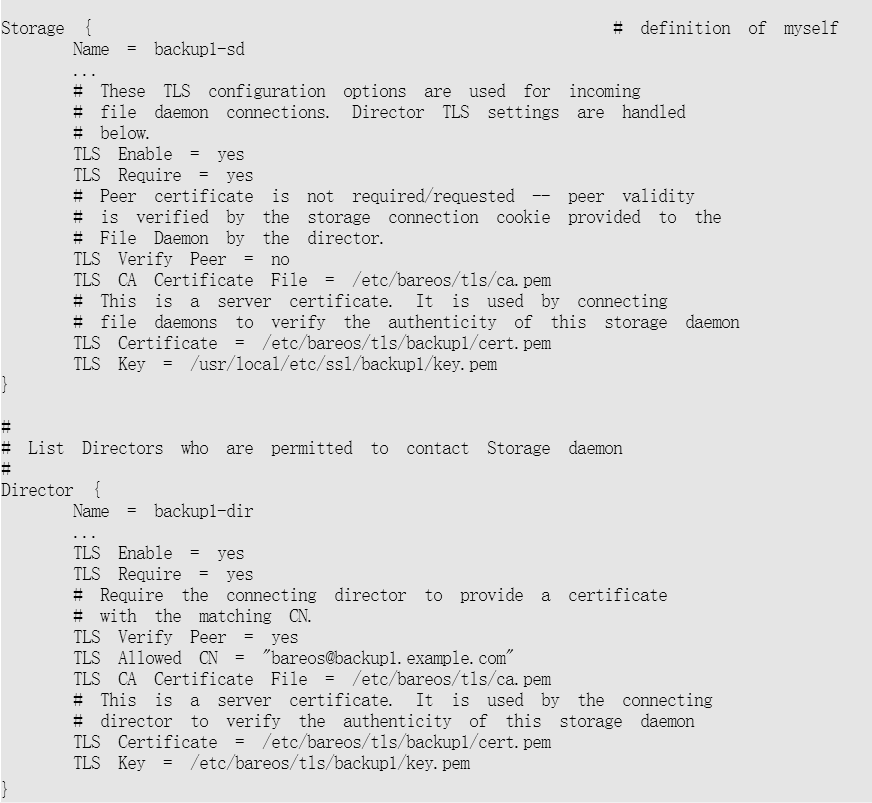
传输加密
修改bareos-dir.conf
修改bareos-fd.conf
修改bareos-sd.conf
数据加密
修改bareos-fd.conf
由于图片地址用的公司的,现提供PDF文件:
https://files.cnblogs.com/files/wsl222000/%E4%BD%BF%E7%94%A8bareos%E5%A4%87%E4%BB%BD.pdf
使用bareos备份的更多相关文章
- SQL Server 大数据搬迁之文件组备份还原实战
一.本文所涉及的内容(Contents) 本文所涉及的内容(Contents) 背景(Contexts) 解决方案(Solution) 搬迁步骤(Procedure) 搬迁脚本(SQL Codes) ...
- MySQL 系列(四)主从复制、备份恢复方案生产环境实战
第一篇:MySQL 系列(一) 生产标准线上环境安装配置案例及棘手问题解决 第二篇:MySQL 系列(二) 你不知道的数据库操作 第三篇:MySQL 系列(三)你不知道的 视图.触发器.存储过程.函数 ...
- MongoDB备份(mongodump)和恢复(mongorestore)
MongoDB提供了备份和恢复的功能,分别是MongoDB下载目录下的mongodump.exe和mongorestore.exe文件 1.备份数据使用下面的命令: >mongodump -h ...
- 分享一个MySQL分库分表备份脚本(原)
分享一个MySQL分库备份脚本(原) 开发思路: 1.路径:规定备份到什么位置,把路径(先判断是否存在,不存在创建一个目录)先定义好,我的路径:/mysql/backup,每个备份用压缩提升效率,带上 ...
- 数据库备份并分离日志表(按月)sh 脚本
#!/bin/sh year=`date +%Y` month=`date +%m` day=`date +%d` hour=`date +%H` dir="/data/dbbackup/f ...
- 我的MYSQL学习心得(十四) 备份和恢复
我的MYSQL学习心得(十四) 备份和恢复 我的MYSQL学习心得(一) 简单语法 我的MYSQL学习心得(二) 数据类型宽度 我的MYSQL学习心得(三) 查看字段长度 我的MYSQL学习心得(四) ...
- Linux 中我该如何备份系统
系统备份概述 在前面的一些文章中,我反复提到经常会把系统搞崩溃,所以备份系统就是一件不容忽视的事情.由于 Linux 系统本身的优越性,系统的备份和还原还是比较容易的.主要表现在以下方面: Linux ...
- Atitit.每月数据采集与备份 v4
Atitit.每月数据采集与备份 v4 备份检查表 r12 00cate 00item im Inputmethod ok ok Log Log ok cyar Cyar log ... ok c ...
- Atitit 知识管理的重要方法 数据来源,聚合,分类,备份,发布 搜索
Atitit 知识管理的重要方法 数据来源,聚合,分类,备份,发布 搜索 1.1. Rss 简易信息聚合(也叫聚合内容 Really Simple Syndication1 1.1. Rss 简易信息 ...
随机推荐
- CentOS 7运维管理笔记(12)----PHP页面失去焦点后变成空白的解决方法
昨天搭建好了LAMP服务器,可以正常看到PHP页面了.后来发现每当把鼠标从浏览器中移开而点击其他地方时,PHP页面就变成一片空白.即PHP页面失去焦点后就变空白,不知为何. 今天网上搜索解决方案,终于 ...
- Codeforces Round #413 A. Carrot Cakes
A. Carrot Cakes time limit per test 1 second memory limit per test 256 megabytes In some game ...
- Linux 虚拟机的计划维护
Azure 定期执行更新,以提高虚拟机的主机基础结构的可靠性.性能及安全性. 此类更新包括修补宿主环境(例如操作系统.虚拟机监控程序以及主机上部署的各种代理)中的软件组件.升级网络组件以及硬件解除授权 ...
- SQL Server ->> T-SQL查询面试题之实例版
1 - 3 题: 数据表结构: OrderID ProductID OrderDate SaleAmount 1 1 2015-01-01 100 2 6 2015-02-01 900 3 1 ...
- Grunt 使用(二)uglify插件压缩javascript代码
本文在配置grunt基本环境的基础下,讲解如何使用grunt-contrib-uglify进行javascript压缩 本文只介绍了grunt-contrib-uglify插件的一种压缩方式适用于大部 ...
- shell----删除文件中的^M
在Linux下使用vi来查看一些在Windows下创建的文本文件,有时会发现在行尾有一些“^M”.有几种方法可以处理. 1.使用vi的替换功能.启动vi,进入命令模式,输入以下命令: :%s/^M$/ ...
- 我不 大冰2017新书pdf免费下载
善意能消戾,善意能得缘,善意能带业往生,善意能回头是岸.善意能够帮人捕捉并建立起独特的幸福感. “我不”是一种善意坦然,也是一种善意的随缘,更是一句善意的自省. <我不>——百万级畅销书作 ...
- EOF及相关函数
结论:EOF是在头文件stdio.h中预定义的一个宏,而eof(end of file)是一个与标准输入/输出流相关联的标志位.当文件指针已经指向文件尾且再次尝试读取时,eof标志会被设置.同时,某些 ...
- HDU 5677 ztr loves substring(Manacher+dp+二进制分解)
题目链接:HDU 5677 ztr loves substring 题意:有n个字符串,任选k个回文子串,问其长度之和能否等于L. 题解:用manacher算法求出所有回文子串的长度,并记录各长度回文 ...
- UVa 1637 - Double Patience(概率DP)
链接: https://uva.onlinejudge.org/index.php?option=com_onlinejudge&Itemid=8&page=show_problem& ...