
java将doc文件转换为pdf文件的三种方法
http://feifei.im/archives/93
——————————————————————————————————————————————
项目要用到doc转pdf的功能,一番google之后总结出了三种方法(免费方案),于是一一试了一下,做个总结记录,下次要用直接查,省的忘了……
方法1.poi读取doc + itext生成pdf (实现最方便,效果最差,跨平台)
方法2.jodconverter + openOffice (一般格式实现效果还行,复杂格式容易有错位,跨平台)
方法3.jacob + msOfficeWord + SaveAsPDFandXPS (完美保持原doc格式,效率最慢,只能在windows环境下进行)
方法1:使用jdoctopdf来实现,这是一个封装好的包,可以把doc转换成pdf,html,xml等格式,调用很方便
地址:http://www.maxstocker.com/jdoctopdf/downloads.php
需要自己导入poi包与itext包,需要注意的是itext要导入itext-2.1.5版本,新版本由于包名不同,会出错
也可以自己根据网上的其他教程根据需要自己写方法来实现。
用jdoctopdf的实现方法如下:
public void doc2pdf(String docFileName) throws Exception{

        String path =  this.getSession().getServletContext().getRealPath("/")+"attachment/";

        Parser p = new DocParser();// create a new parser instance

        FileInputStream fis = new FileInputStream(path+"/doc/"+ docFileName + ".doc");// creating InputStream for use with parser

        DocumentElement mydoc = p.parse(fis,true,false);// parse document from input stream

        DocWriter w = new PDFWriter();// create PDF writer

        w.writeDocument(mydoc,new FileOutputStream(path+"/pdf/"+docFileName + ".pdf"));// write document as pdf using writer

        w = new XHTMLWriter();

        w.writeDocument(mydoc,new FileOutputStream(path+"/pdf/"+docFileName + ".html"));// write document as xhtml

    }

public String materialUpload(){

        try {

            doc2pdf("ttt");

        } catch (Exception e) {

            // TODO Auto-generated catch block

            e.printStackTrace();

        }

        return SUCCESS;

    }
方法1转化后pdf截图:(itext转中文需要额外配置,所以。。。一片空白,格式也错位了)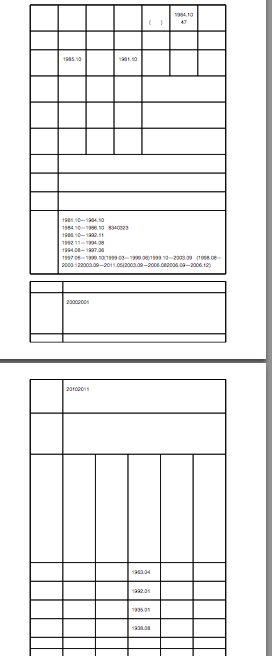
方法2:使用jodconverter来调用openOffice的服务来转换,openOffice有个各个平台的版本,所以这种方法跟方法1一样都是跨平台的。
jodconverter的下载地址:http://www.artofsolving.com/opensource/jodconverter
首先要安装openOffice,下载地址:http://www.openoffice.org/download/index.html
安装完后要启动openOffice的服务,具体启动方法请自行google,
mac下的启动方法为终端输入
/Applications/OpenOffice.org.app/Contents/MacOS/soffice "-accept=socket,host=localhost,port=8100;urp;StarOffice.ServiceManager" -nologo -headless
准备工作完成后在项目里导入下载下来的包,然后加个方法就OK:
public void createPdf(String docFileName) throws IOException{

        String path =  this.getSession().getServletContext().getRealPath("/")+"attachment/";

        File inputFile = new File(path+"/doc/"+ docFileName + ".doc");

        File outputFile = new File(path+"/pdf/"+docFileName + ".pdf");

        // connect to an OpenOffice.org instance running on port 8100

        OpenOfficeConnection connection = new SocketOpenOfficeConnection(8100);

        connection.connect();

        // convert

        DocumentConverter converter = new OpenOfficeDocumentConverter(connection);

        converter.convert(inputFile, outputFile);

        // close the connection

        connection.disconnect();

    }
方法2的截图(格式基本一致,有错位)
方法3:效果最好的一种方法,但是需要window环境,而且速度是最慢的需要安装msofficeWord以及SaveAsPDFandXPS.exe(word的一个插件,用来把word转化为pdf)
Office版本是2007,因为SaveAsPDFandXPS是微软为office2007及以上版本开发的插件
SaveAsPDFandXPS下载地址:http://www.microsoft.com/zh-cn/download/details.aspx?id=7
jacob 包下载地址:http://sourceforge.net/projects/jacob-project/
我下的是jacob-1.17-M2.zip
下载下来的jacob里的jar包导入到项目里,
jacob的dll文件放到到你的jdk/jre/bin下面(不放会报错:java.lang.NoClassDefFoundError: Could not initialize class com.jacob.com.Dispatch)
网上还有一种是把dll放在放在以下代码输出的路径里的任意一个路径目录
System.getProperty("java.library.path");
这个我没试过,应该也是可以的
然后添加方法:
static final int wdFormatPDF = 17;// PDF 格式

    public void wordToPDF(String docFileName){

        System.out.println("启动Word...");

        long start = System.currentTimeMillis();

        ActiveXComponent app = null;

        Dispatch doc = null;

        try {

            app = new ActiveXComponent("Word.Application");

            app.setProperty("Visible", new Variant(false));

            Dispatch docs = app.getProperty("Documents").toDispatch();

            String path =  this.getSession().getServletContext().getRealPath("/")+"attachment/";

            String sfileName = path+"/doc/"+ docFileName + ".doc";

            String toFileName = path+"/pdf/"+ docFileName + ".pdf";

            doc = Dispatch.call(docs,  "Open" , sfileName).toDispatch();

            System.out.println("打开文档..." + sfileName);

            System.out.println("转换文档到PDF..." + toFileName);

            File tofile = new File(toFileName);

            if (tofile.exists()) {

                tofile.delete();

            }

            Dispatch.call(doc,

                          "SaveAs",

                          toFileName, // FileName

                          wdFormatPDF);

            long end = System.currentTimeMillis();

            System.out.println("转换完成..用时:" + (end - start) + "ms.");

        } catch (Exception e) {

            System.out.println("========Error:文档转换失败:" + e.getMessage());

        } finally {

            Dispatch.call(doc,"Close",false);

            System.out.println("关闭文档");

            if (app != null)

                app.invoke("Quit", new Variant[] {});

            }

          //如果没有这句话,winword.exe进程将不会关闭

           ComThread.Release();

    }
需要注意的是,如果没有安装SaveAsPDFandXPS.exe的话会提示
========Error:文档转换失败:Invoke of: SaveAs

Source: Microsoft Word

Description:
方法3pdf最终转换效果(格式完全一致):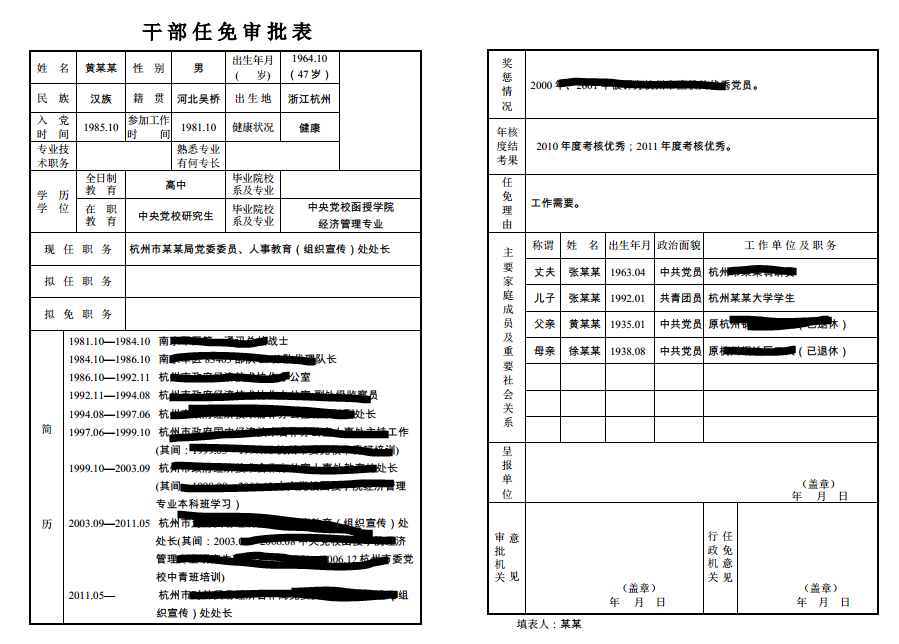
java将doc文件转换为pdf文件的三种方法的更多相关文章
- 007——转载——C#将字符串转换为整型的三种方法的总结
(一)转载——C#将字符串转换为整型的三种方法的总结 在C#中,要将一个字符串或浮点数转换为整数,基本上有三种方法: (1)使用强制类型转换:(int)浮点数 (2)使用Convert.ToInt32 ...
- openoffice启动服务并将office文件转换为pdf文件
1.首先下载最新版的openoffice工具,安装完成之后安装服务,, win+r打开命令提示符 输入cmd,cd C:\Program Files (x86)\OpenOffice 4\progra ...
- Java Web开发中用Tomcat部署项目的三种方法
第一种方法:在tomcat中的conf目录中,在server.xml中的,<host/>节点中添加: <Context path="/hello" docBase ...
- Java/JSP获得客户端网卡MAC地址的三种方法解析
java/jsp获得客户端(IE)网卡MAC地址的方法大概有三种. 1.通过命令方式,在客户端执行Ipconfig 等等.(java/jsp) 2.通过ActiveX的方法.(jsp) 3.通过向13 ...
- 如何将知网下载的caj文件转换为pdf文件
一.问题描述: 最近在知网搜索论文的时候,经常遇到有的论文没有pdf文件的情况,但不得不吐槽我觉得知网做的阅读器确实是有点烂.所以想将caj文件转化为pdf文件,找到了一个比较好的方法,所以希望记录一 ...
- Python 文件行数读取的三种方法
Python三种文件行数读取的方法: #文件比较小 count = len(open(r"d:\lines_test.txt",'rU').readlines()) print c ...
- QML中文件的加载(三种方法)
在这里小小总结一下QML文件中如何加载QML文件与JavaScript文件. 1.QML文件中加载JavaScript文件 语法: import <ModuleIdentifier> &l ...
- Java多线程:向线程传递参数的三种方法
在传统的同步开发模式下,当我们调用一个函数时,通过这个函数的参数将数据传入,并通过这个函数的返回值来返回最终的计算结果.但在多线程的异步开发模式下,数据的传递和返回和同步开发模式有很大的区别.由于线程 ...
- Android解析xml文件-采用DOM,PULL,SAX三种方法解析
解析如下xml文件 <?xml version="1.0" encoding="UTF-8"?> <persons> <perso ...
随机推荐
- JS两日期相减
JS两日期相减,主要用到下面两个方法 dateObject.setFullYear(year,month,day) 方法 stringObject.split(separator) 方法 functi ...
- 解决Maven->update project 恢复为默认jdk1.5以及One or more constraints have not been satisfied问题
使用maven架构创建dynamic web 项目之后,默认指定的jdk 和compilerVersion都非常古老,而且即便你手动更新了版本之后,每次update project都会复位,非常不爽. ...
- 网页与APP中那些优美的登陆表单
我从Dribbble收集了20个漂亮的登陆表单案例.希望你看后能从中受益,并对你以后的登陆表单设计有帮助.设计一个登陆表单是非常容易,但大多设计都很糟糕.毫无亮点.无论如何,这篇Dribbble案例集 ...
- iOS 基础-----关于UIView 的 frame 与 bounds
首先,对于frame 大家都很熟悉,是当前view ,相对于其父视图view 的坐标,例如: UIView *view1 = [[UIView alloc] initWithFrame:CGRectM ...
- GitBash: 右键添加 Git Bash Here 菜单
步骤: 1.通过在“运行”中输入‘regedit’,打开注册表. 2.找到[HKEY_CLASSES_ROOT\Directory\Background]. 3.在[Background]下如果没有[ ...
- window函数 resetAccumulator
/* * Licensed to the Apache Software Foundation (ASF) under one * or more contributor license agreem ...
- 评价linux协议栈tcp实现中的prequeue
https://blog.csdn.net/dog250/article/details/5464513 https://wiki.aalto.fi/download/attachments/7078 ...
- DBeaver利用方式简介
当攻击者能够进入内网,同时发现某台服务器装有弱口令的数据库时,除了在console中查看数据库信息外, 还可以利用第三方工具进行数据库读取,本例中使用DBeaver进行查看. 1. 下载DBeaver ...
- (原创)谈谈boost.asio的异步发送
在上一篇博文中提到asio的异步发送稍微复杂一点,有必要单独拿出来说说.asio异步发送复杂的地方在于: 不能连续调用异步发送接口async_write,因为async_write内部是不断调用asy ...
- Android 编程下通过 Theme 和 Style 避免 APP 启动闪黑屏
之前在做 APP 的时候不太关注这个问题,因为自己在使用其他 APP 的时候也会在应用启动的初始有一个黑屏闪过后才会出现应用的欢迎页.直到最近开发过程中发现自己在欢迎页启动的线程由于请求和处理的数据量 ...