
基于aws api gateway的asp.net core验证
本文是介绍aws 作为api gateway,用asp.net core用web应用,.net core作为aws lambda function。
api gateway和asp.net core的用处不废话,直接上操作步骤。
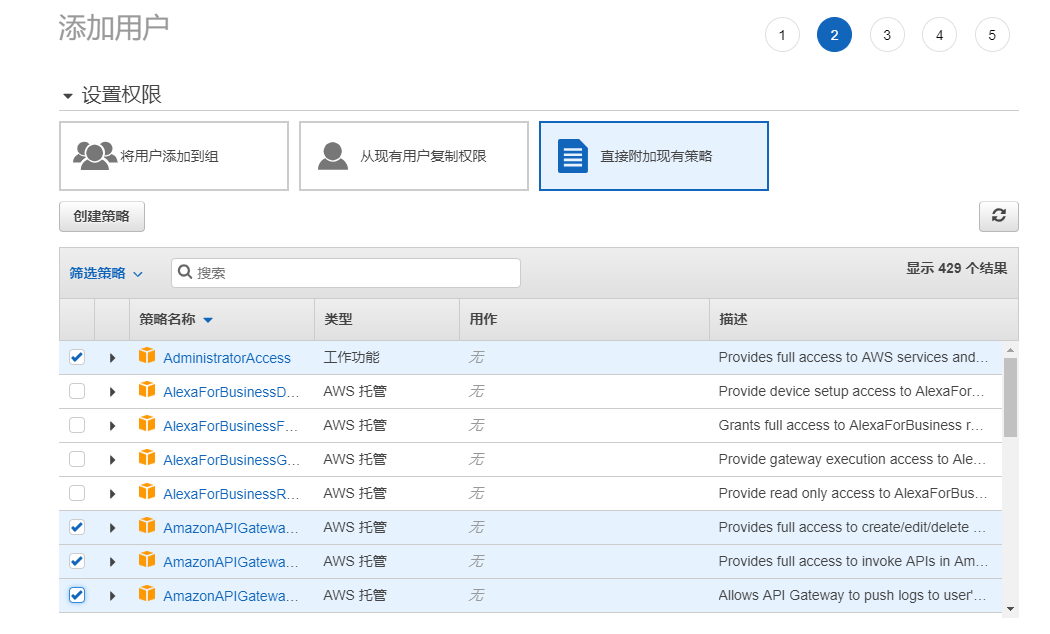
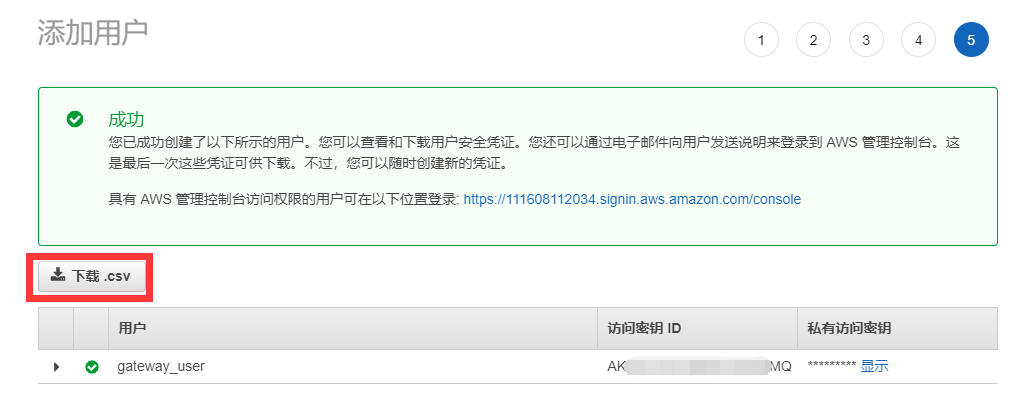
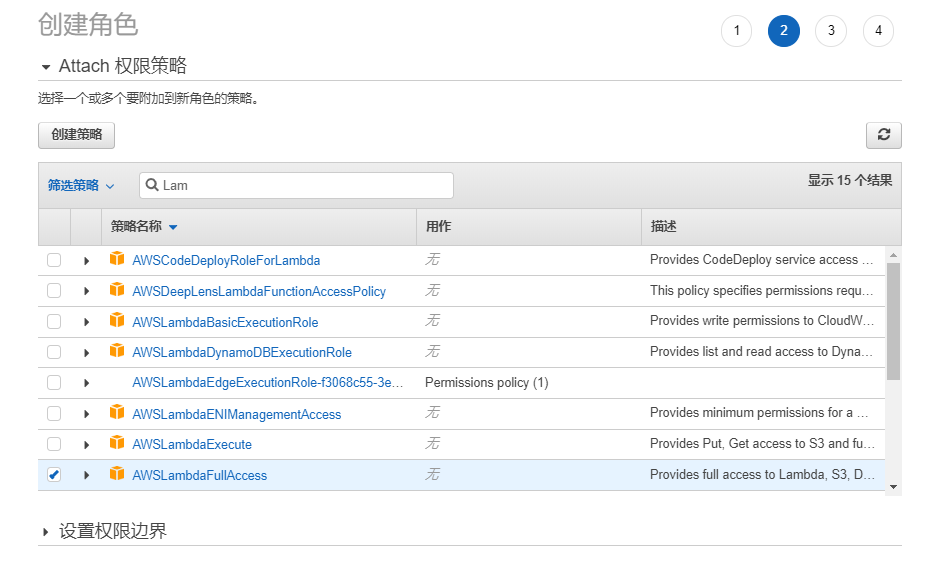
首先在asw的凭据管理中添加操作的用户和角色,步骤如下:
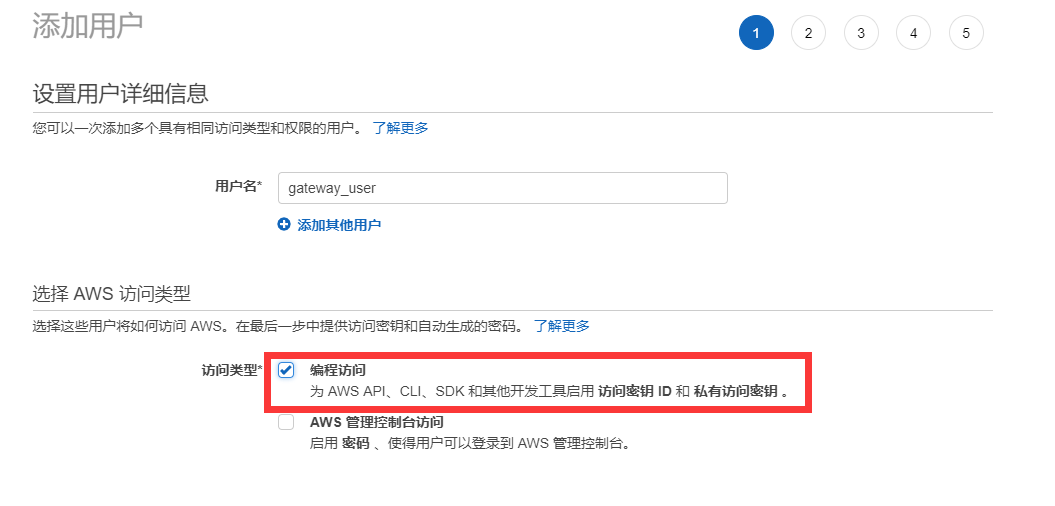
注意选择的策略名称
下载csv备用
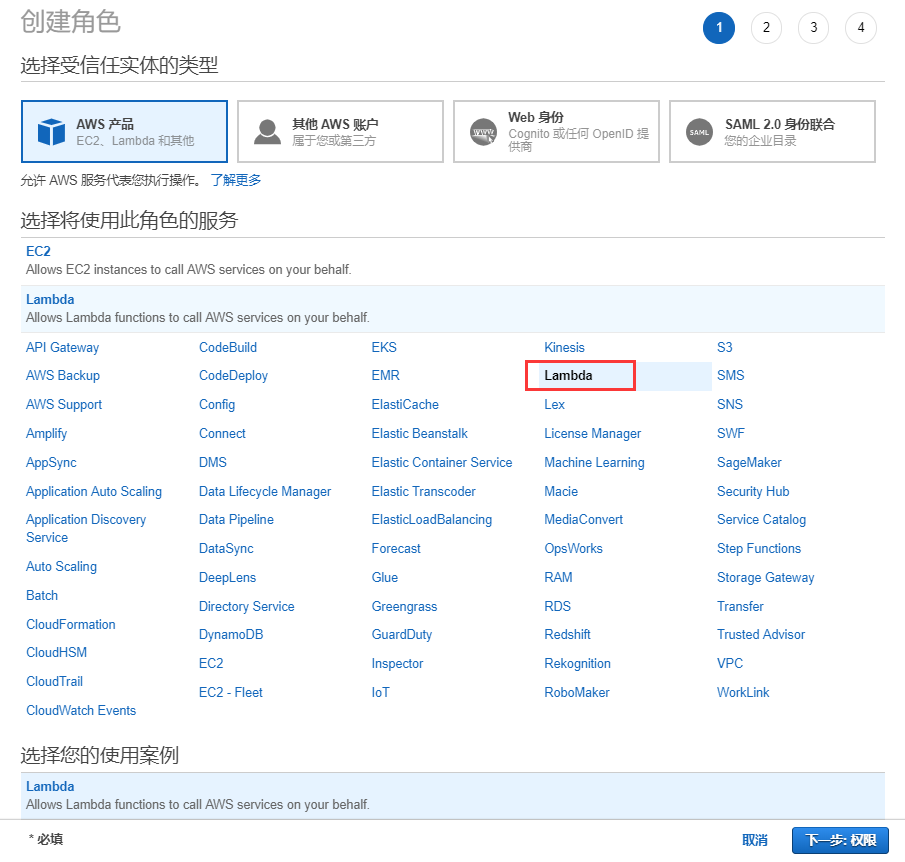
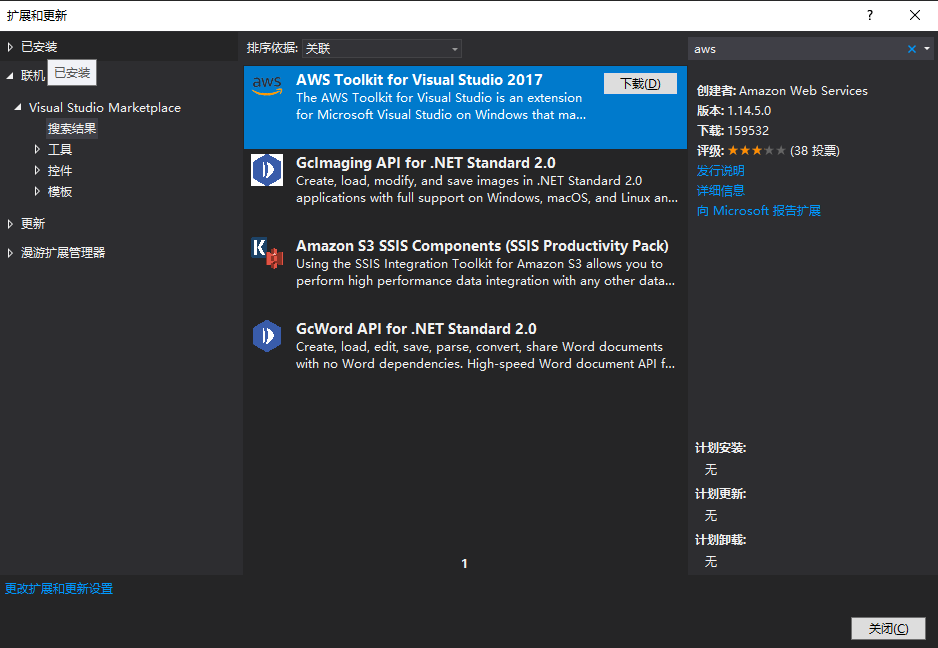
安装aws的visual studio插件
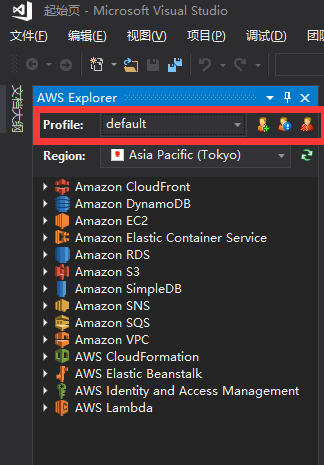
加载备用csv文件

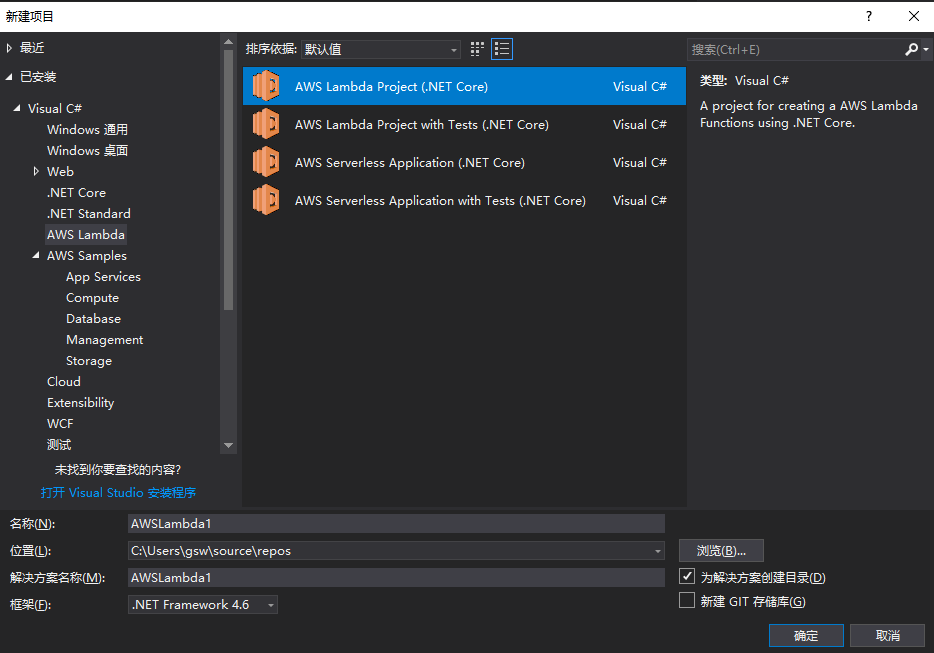
创建asw lambda funcation项目
代码如下:
 using System;

 using Amazon.Lambda.APIGatewayEvents;

 using Amazon.Lambda.Core;

 using Microsoft.IdentityModel.Tokens;

 using System.Collections.Generic;

 using System.IdentityModel.Tokens.Jwt;

 using System.Linq;

 using System.Security.Claims;

 using System.Text;

 [assembly: LambdaSerializer(typeof(Amazon.Lambda.Serialization.Json.JsonSerializer))]

 namespace API01AWSLambda

 {

     public class Function

     {

         /// <summary>

         ///验证Token的Lambda函数

         /// </summary>

         /// <param name="apigAuthRequest">请求</param>

         /// <param name="context">上下文</param>

         /// <returns></returns>

         public APIGatewayCustomAuthorizerResponse FunctionHandler(APIGatewayCustomAuthorizerRequest apigAuthRequest, ILambdaContext context)

         {

             LambdaLogger.Log($"AWS Lambda函数验证Token开始");

             var TokenValidationParameters = new TokenValidationParameters

             {

                 ValidateIssuer = true,

                 ValidateIssuerSigningKey = true,

                 ValidIssuer = SecurityConstants.Issuer,

                 ValidateAudience = true,

                 ValidAudience = SecurityConstants.Audience,

                 ValidateLifetime = true,

                 IssuerSigningKey = new SymmetricSecurityKey(Encoding.ASCII.GetBytes(SecurityConstants.SecurityKey)),

                 ClockSkew = TimeSpan.Zero,

             };

             var authorized = false;

             //删除Bearer再来验证

             var token = apigAuthRequest.AuthorizationToken?.Replace("Bearer ", "");

             if (!string.IsNullOrWhiteSpace(token))

             {

                 try

                 {

                     SecurityToken validatedToken;

                     var handler = new JwtSecurityTokenHandler();

                     var user = handler.ValidateToken(token, TokenValidationParameters, out validatedToken);

                     var claim = user.Claims.FirstOrDefault(c => c.Type == ClaimTypes.Name);

                     if (claim != null)

                     {

                         authorized = claim.Value == SecurityConstants.ClaimName;

                     }

                 }

                 catch (Exception ex)

                 {

                     LambdaLogger.Log($"Error occurred validating token: {ex.Message}");

                 }

             }

             var policy = new APIGatewayCustomAuthorizerPolicy

             {

                 Version = "2012-10-17",

                 Statement = new List<APIGatewayCustomAuthorizerPolicy.IAMPolicyStatement>(),

             };

             policy.Statement.Add(new APIGatewayCustomAuthorizerPolicy.IAMPolicyStatement

             {

                 Action = new HashSet<string>(new string[] { "execute-api:Invoke" }),

                 Effect = authorized ? "Allow" : "Deny",

                 Resource = new HashSet<string>(new string[] { apigAuthRequest.MethodArn })

             });

             var contextOutput = new APIGatewayCustomAuthorizerContextOutput();

             contextOutput["User"] = authorized ? SecurityConstants.ClaimName : "User";

             contextOutput["Path"] = apigAuthRequest.MethodArn;

             LambdaLogger.Log($"AWS Lambda函数验证Token结束");

             return new APIGatewayCustomAuthorizerResponse

             {

                 PrincipalID = authorized ? SecurityConstants.ClaimName : "User",

                 Context = contextOutput,

                 PolicyDocument = policy,

             };

         }

     }

     /// <summary>

     /// 测试用,正式环境可以放在云配置中

     /// </summary>

     public class SecurityConstants

     {

         public const string Issuer = "gsw";

         public const string SecurityKey = "ABCDEFGHIJKLMNOPQRSTUVWXYZ1234567890";

         public const string Audience = "everone";

         public const string Password = "";

         public const string ClaimName = "gsw";

     }

 }
发布asw lambda funcation

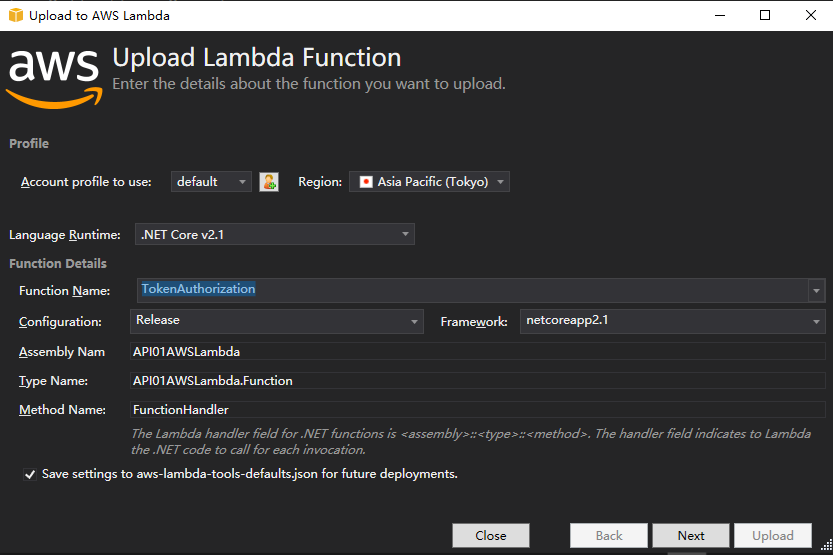
选择创建的asw角色
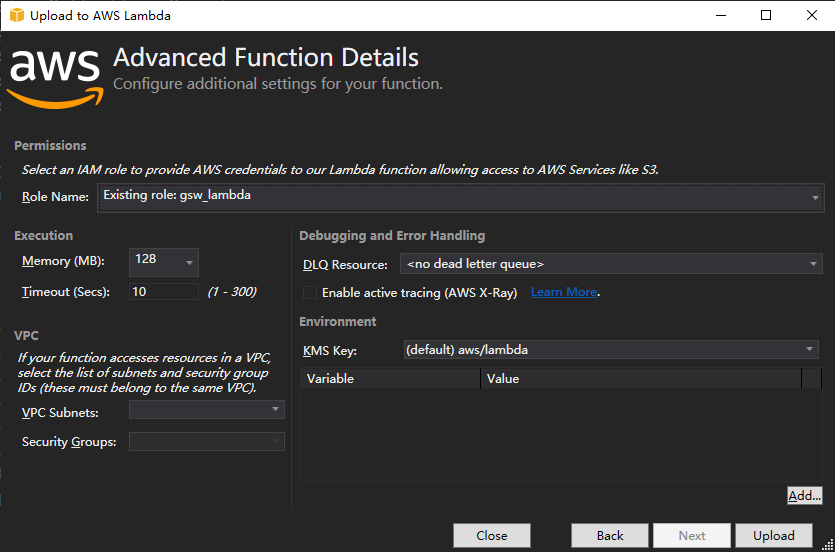

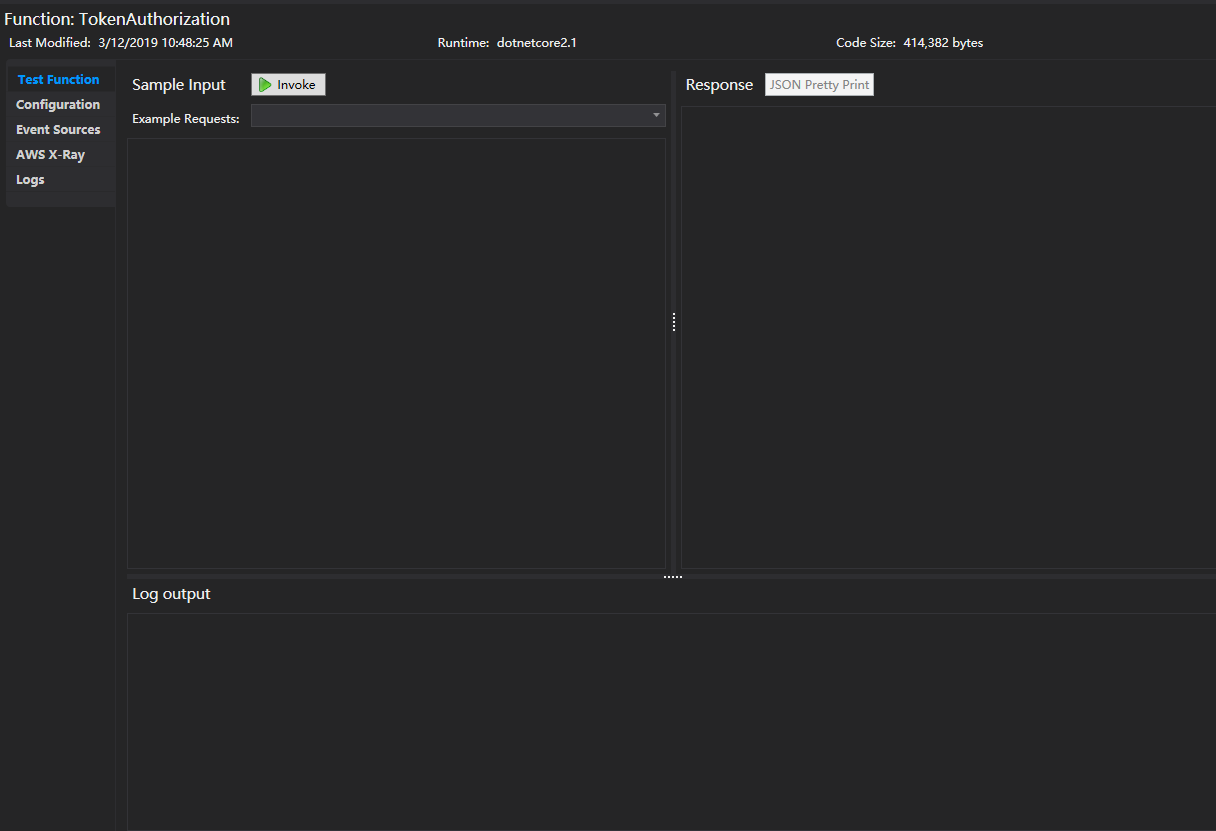
在管理平台上查看上传的lambda funcation
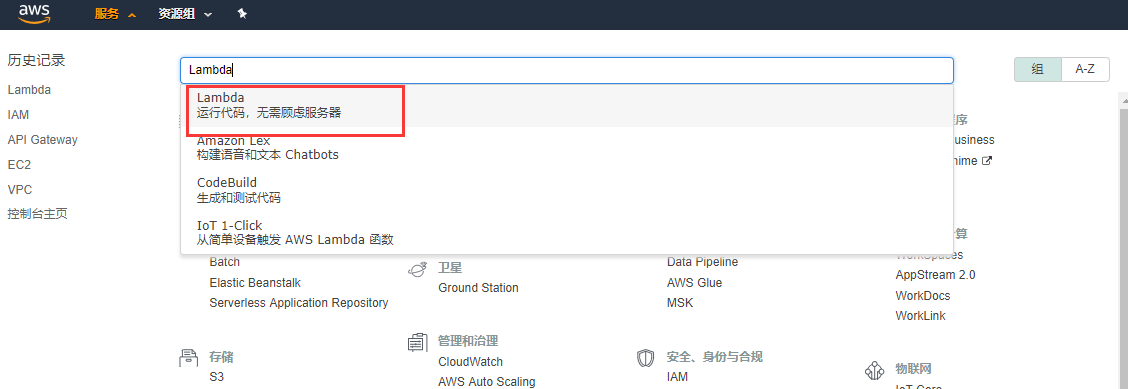

api gatewayr后台被访问的web api应用有两个:api01,api02,他们最终发布到aws api gateway能访问到的地方,我的api01是:http://helpyou.cloudapp.net:4567/abc,pai02是:http://helpyou.cloudapp.net:4568/abc,源码见https://github.com/axzxs2001/Asp.NetCoreExperiment/tree/master/Asp.NetCoreExperiment/AWS,AuthenticationService项目是用来产生Token的,关于这部门参看我之前的博文。
创建asw api gateway
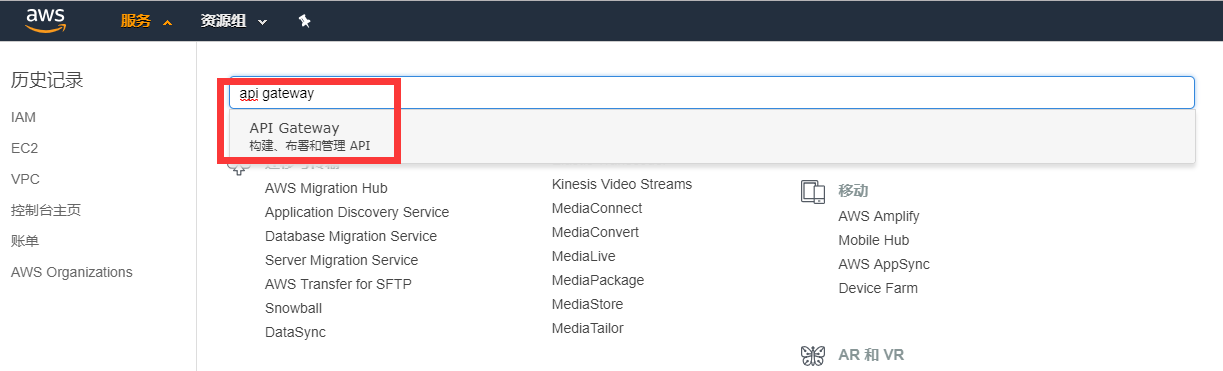

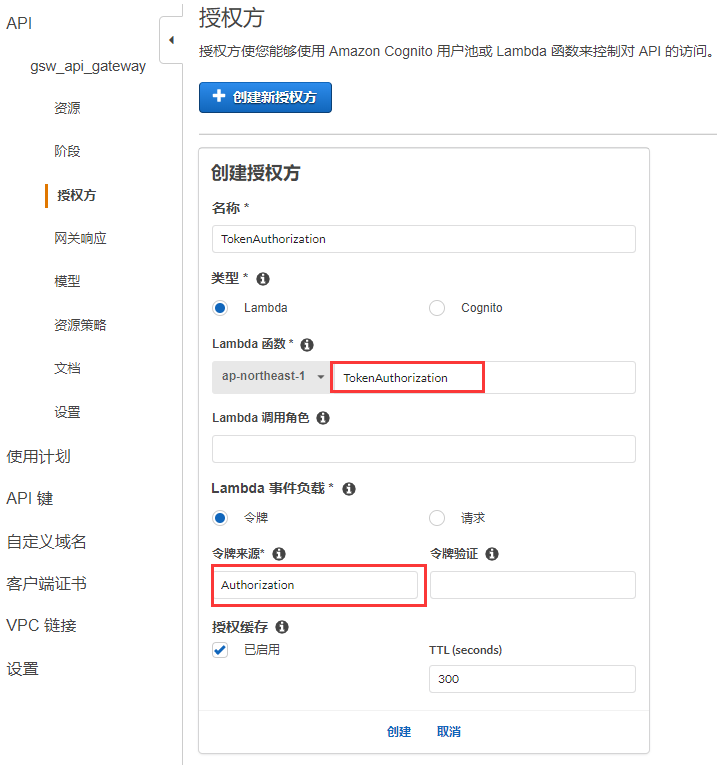
创建授权
关联api01项目和api02项目的资源文件
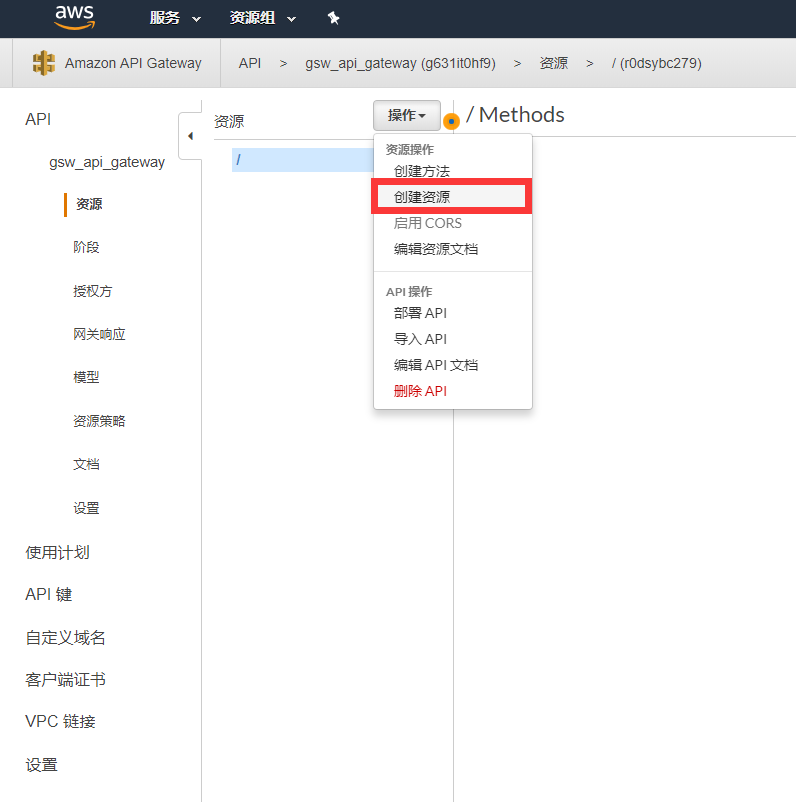
给资源添加访问方法,并关联api01的url
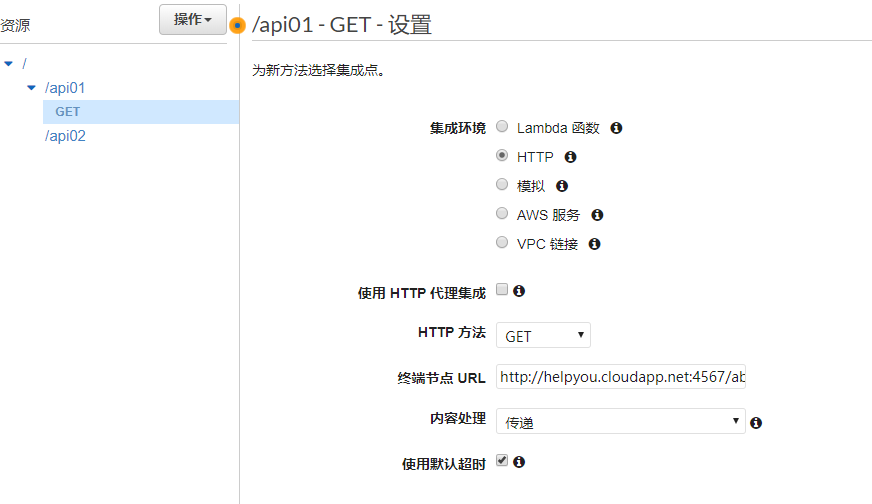
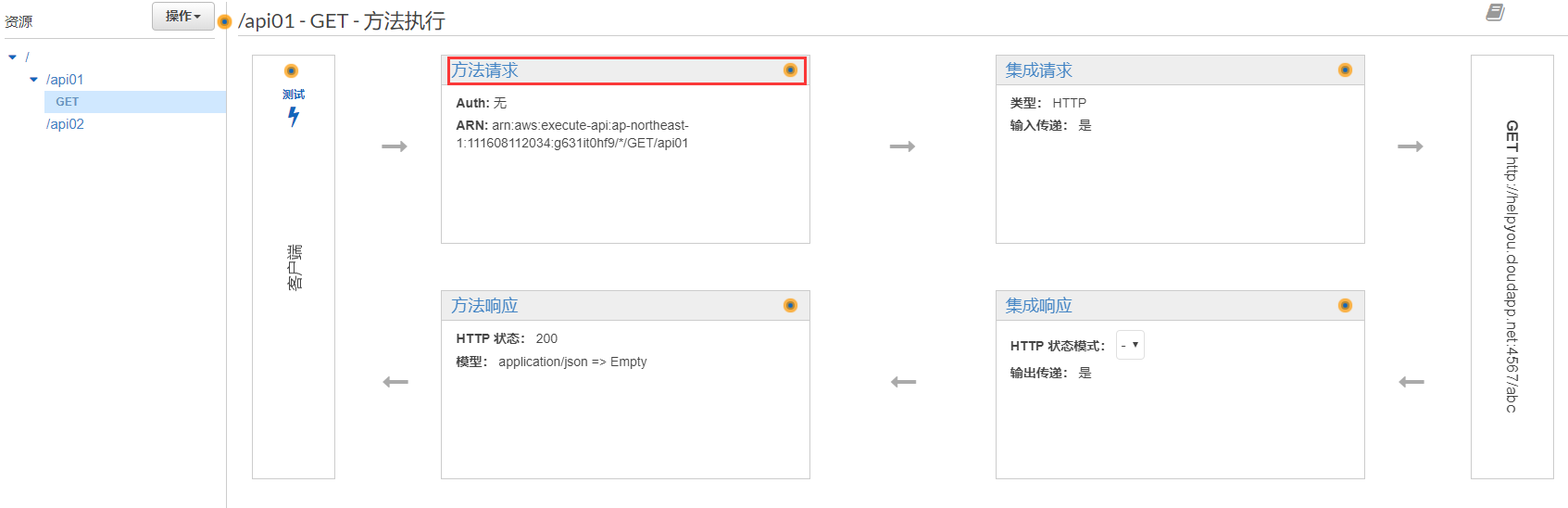
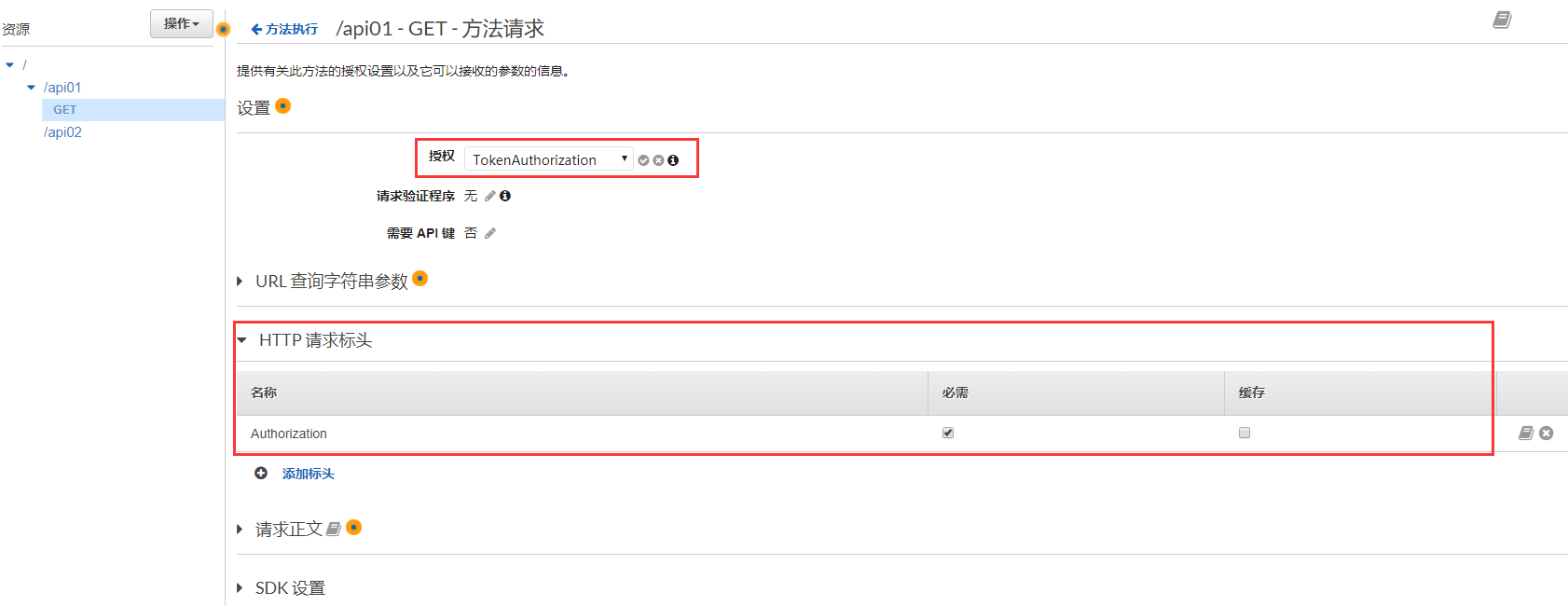
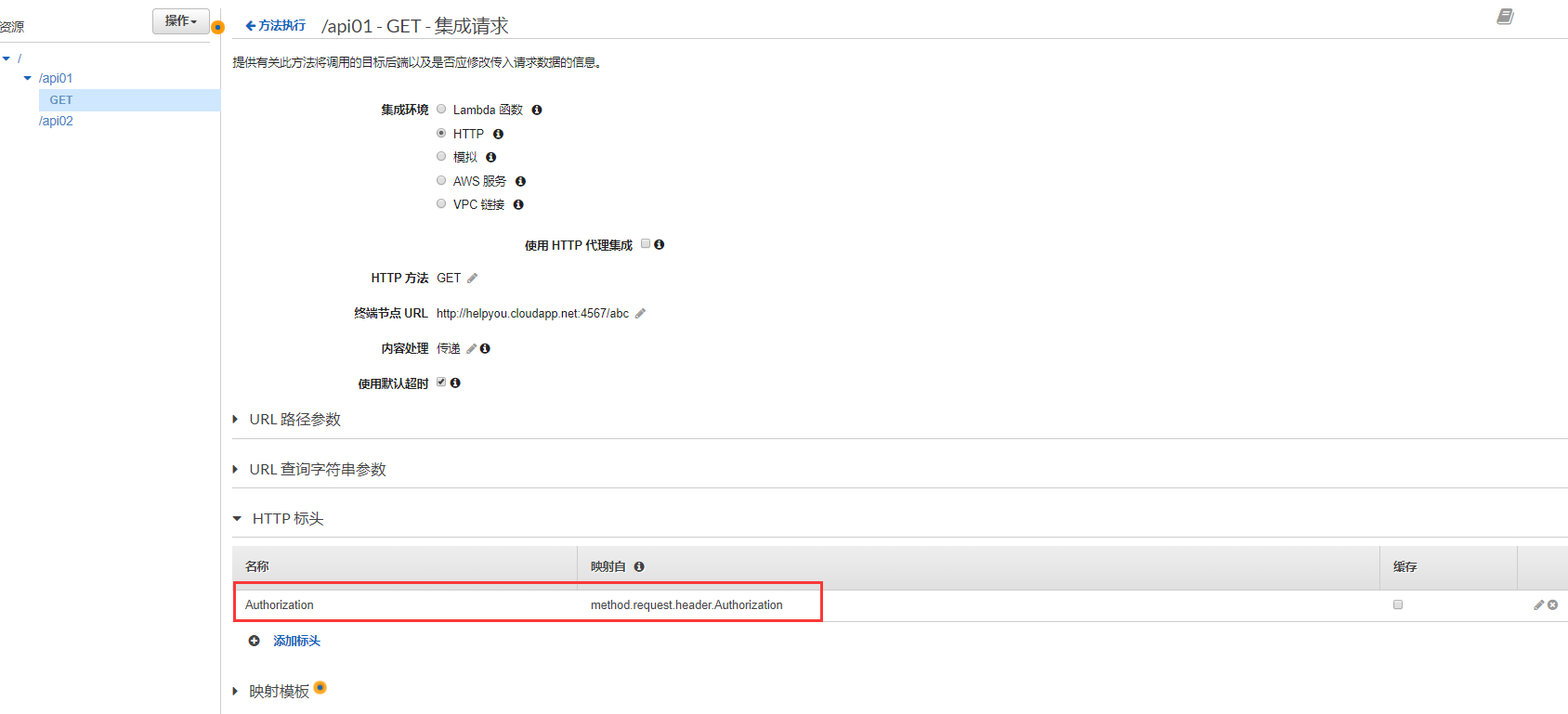
添加Token的键Authorzation
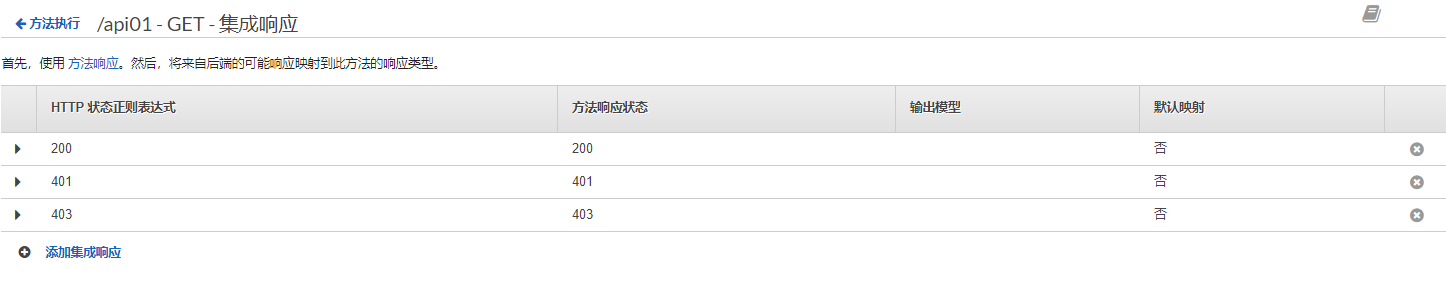
添加返回状态码

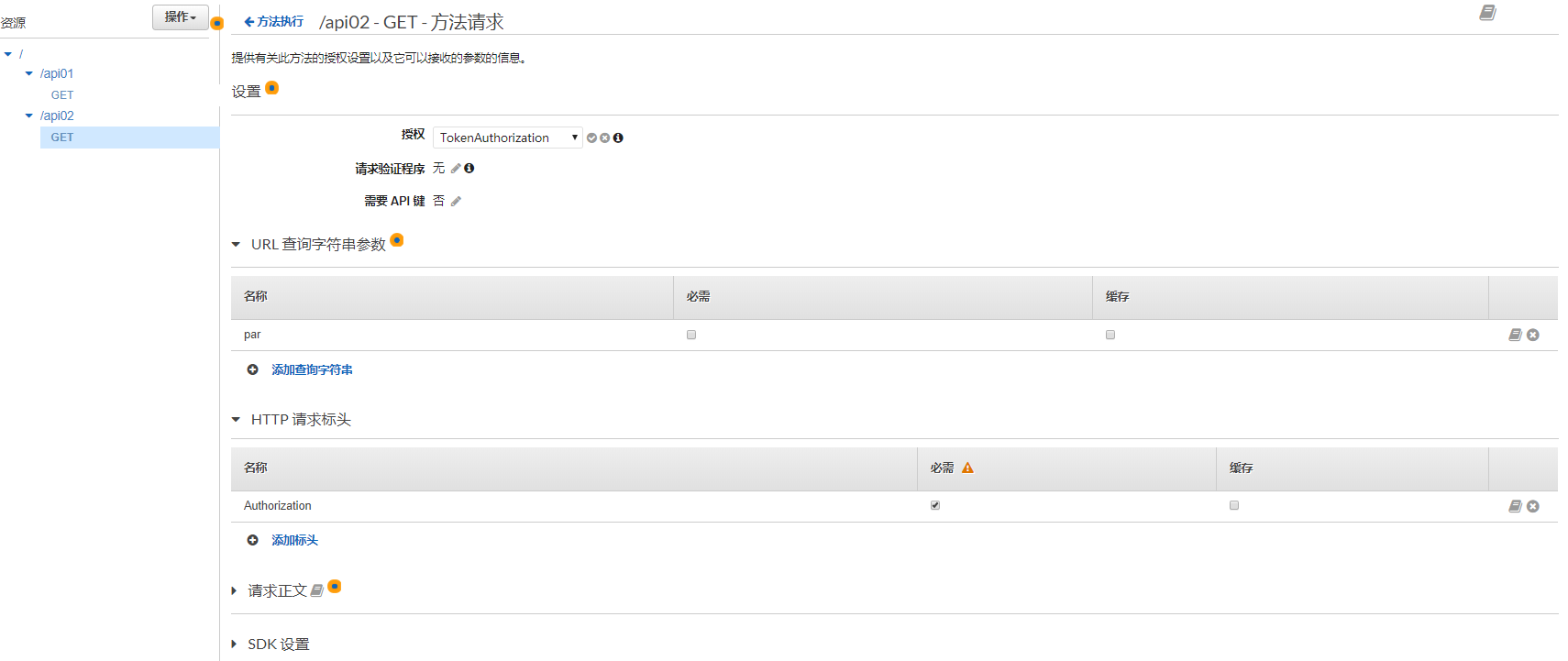
添加api02的查询参数和header
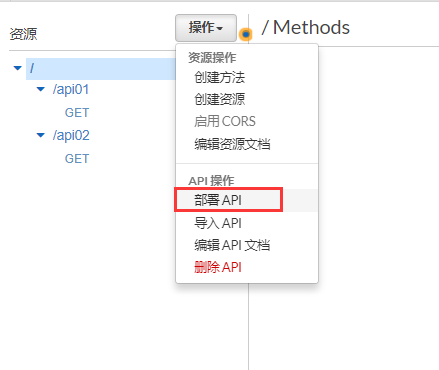
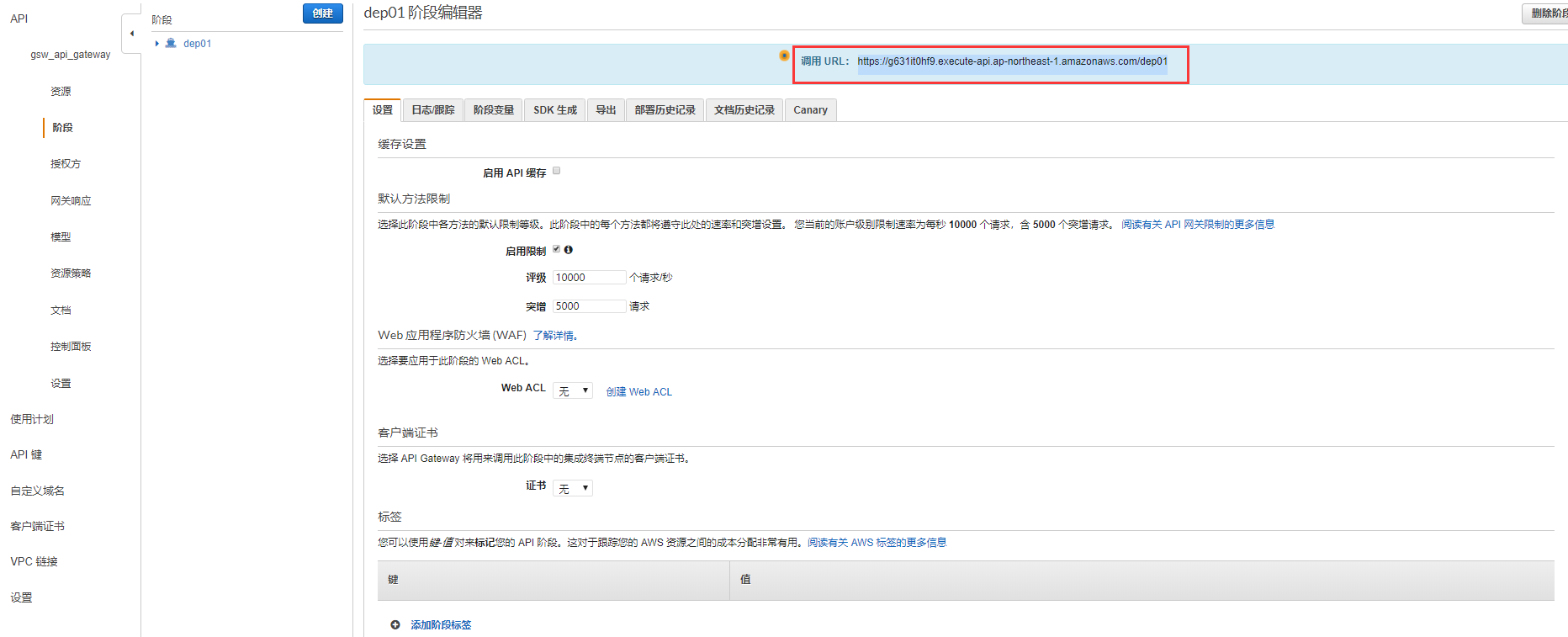
部署API(如果资源和方法变更后,一定要重新部署API)
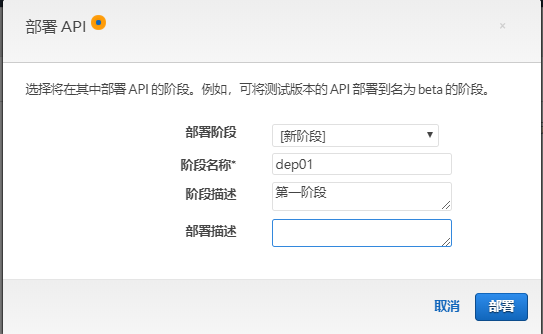
复制调用URL(api gateway是有限流的作用的)
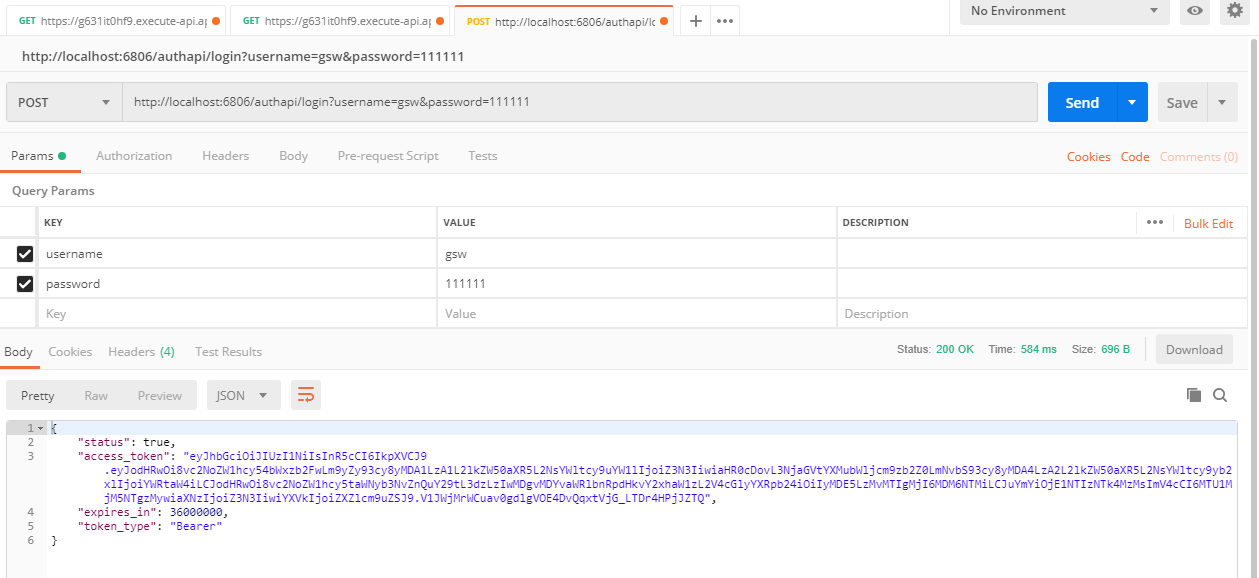
本地启动AuthenticationService,用户名gsw,密码111111,这个用户的角色是能访问api01,和api01的
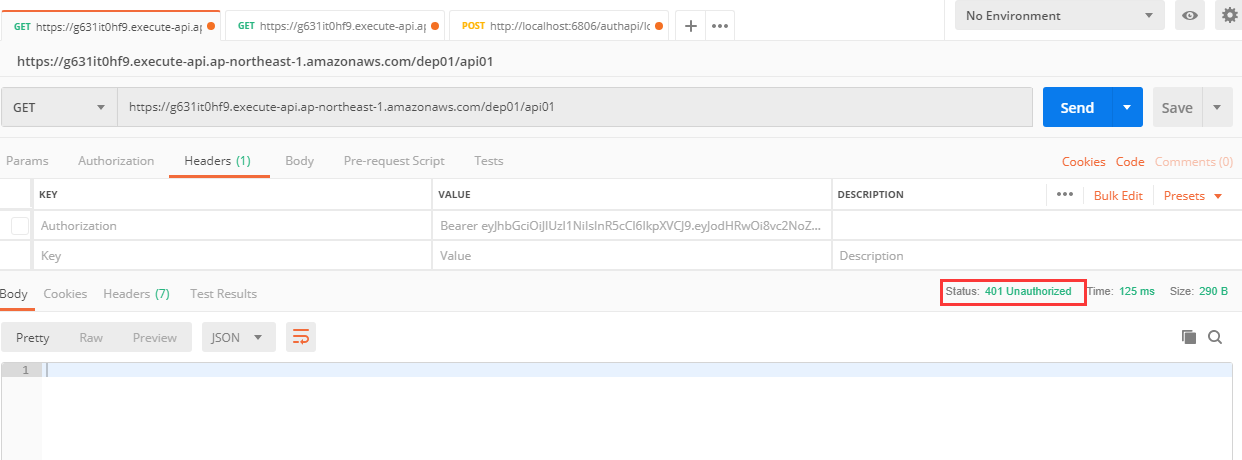
测试访问无token的api01,完整地址是部署的url加上资源名字,结果是401返回码
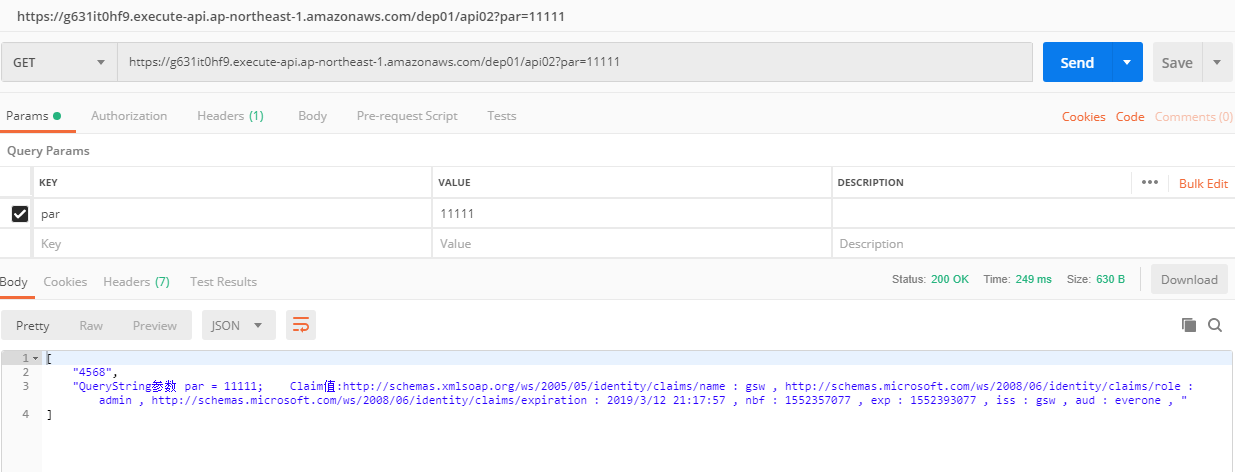
访问正确token的api02,结果正确返回
更多asw api gateway功能请参考官方文档。
基于aws api gateway的asp.net core验证的更多相关文章
- AWS API Gateway Swagger定义
导出Swagger接口定义文件 在AWS API Gateway界面上,可以导出swagger接口定义文件. 而后利用Node js swagger-ui 依赖,生成swagger接口地址 Cloud ...
- Aws api gateway Domain name
Set Up a Custom Domain Name for an API Gateway API The following procedure describes how to set up a ...
- 理解ASP.NET Core验证模型(Claim, ClaimsIdentity, ClaimsPrincipal)不得不读的英文博文
这篇英文博文是 Andrew Lock 写的 Introduction to Authentication with ASP.NET Core . 以下是简单的阅读笔记: -------------- ...
- 【转】理解ASP.NET Core验证模型(Claim, ClaimsIdentity, ClaimsPrincipal)不得不读的英文博文
这篇英文博文是 Andrew Lock 写的 Introduction to Authentication with ASP.NET Core . 以下是简单的阅读笔记: -------------- ...
- Asp.net core验证类ModelStateDictionary的bug
在使用.net core 3.1 时发现明明没有验证请求类属性,甚至已经加了默认值 但是验证类时依然会报错 经过网上百度等搜索,尝试使用可空类型赋值默认值 果然验证类没有报错 不清楚是微软的bug还是 ...
- 理解ASP.NET Core验证模型 Claim, ClaimsIdentity, ClaimsPrincipal
Claim, ClaimsIdentity, ClaimsPrincipal: Claim:姓名:xxx,领证日期:xxx ClaimsIdentity:身份证/驾照 ClaimsPrincipal: ...
- ASP.NET Core 6 Minimal API的模拟实现
Minimal API仅仅是在基于IHost/IHostBuilder的服务承载系统上作了小小的封装而已,它利用WebApplication和WebApplicationBuilder这两个类型提供了 ...
- 支持多个版本的ASP.NET Core Web API
基本配置及说明 版本控制有助于及时推出功能,而不会破坏现有系统. 它还可以帮助为选定的客户提供额外的功能. API版本可以通过不同的方式完成,例如在URL中添加版本或通过自定义标头和通过Accept- ...
- ASP.NET Core的身份认证框架IdentityServer4(7)- 使用客户端证书控制API访问
前言 今天(2017-9-8,写于9.8,今天才发布)一口气连续把最后几篇IdentityServer4相关理论全部翻译完了,终于可以进入写代码的过程了,比较累.目前官方的文档和Demo以及一些相关组 ...
随机推荐
- C++STL模板库适配器之queue队列
目录 适配器之队列 一丶队列简介 二丶队列(queue)代码操作 1.常用方法 适配器之队列 一丶队列简介 队列是先进先出的数据结构. 在STL中使用 queue表示. 底层使用的是序列容器deque ...
- .Net语言 APP开发平台——Smobiler学习日志:如何在手机中调用邮件发送接口
最前面的话:Smobiler是一个在VS环境中使用.Net语言来开发APP的开发平台,也许比Xamarin更方便 一.目标样式 我们要实现上图中的效果,需要如下的操作: 二.发送邮件代码 VB: Pr ...
- JQuery官方学习资料(译):遍历JQuery对象和非JQuery对象
JQuery提供了一个对象遍历的Utility方法$.each()和一个JQuery集合遍历方法.each(). $.each() $.each()是一个通用的方法用来遍历对象和数组, ...
- JDK8新特性:default方法的应用实践
背景: 最近维护一个老旧工程,遇到集团层面的数据安全改造,需要在DAO层做加解密改造.而这个老旧工程的DAO层是用的JdbcTemplate实现的,尽管template方式实现起来可自由发挥的空间很大 ...
- Java学习笔记之——LinkedList
LinkedList 底层结构:链表 1. API: 除了ArrayList中有的方法以外,LinkedList还有几个扩展方法 void addFirst(E e) 在该列表开头插入指定的元素. v ...
- 调用EntityManagerFactory错误:The import javax.persistence cannot be resolved
缺少jar包:hibernate-jpa-2.0-api-1.0.0.Final.jar
- qduoj前端二次开发简略流程
为缩减篇幅,已略去nodejs.git等软件安装操作,若有疑问请搜索相关教程. 为区分win和ubuntu的命令,作如下约定: $ cd //以$标记win下命令 # cd //以#标记linux命令 ...
- 外媒评李开复的《AI·未来》:四大浪潮正在席卷全球
外媒评李开复的<AI·未来>:四大浪潮正在席卷全球 https://mp.weixin.qq.com/s/oElub0QOYjOROhqN3ULUkg [网易智能讯 9月17日消息]李开复 ...
- 算法: 整数中1出现的次数(从1到n整数中1出现的次数)
问题: 整数中1出现的次数(从1到n整数中1出现的次数) 问题:求出1~13的整数中1出现的次数,并算出100~1300的整数中1出现的次数? 为此他特别数了一下1~13中包含1的数字有1.10.11 ...
- Anaconda安装sasl,thrift,thrift-sasl,PyHive连接Hive
一.安装sasl 安装失败,前往:https://www.lfd.uci.edu/~gohlke/pythonlibs/#sasl下载对应自己python版本的sasl 本地安装: 二.安装thrif ...