
Unity3D常用网络框架与实战解析 学习
Socket
 using System;

 using System.Collections.Generic;

 using System.Net;

 using System.Net.Sockets;

 using System.Text;

 namespace Socket服务端 {

     class Program {

         static void Main(string[] args) {

             //1.创建一个Socket对象

             Socket tcpServer = new Socket(AddressFamily.InterNetwork,SocketType.Stream,ProtocolType.Tcp);

             //2.绑定一个IP和端口

             //IPAddress ipAddress = new IPAddress(new byte[] { 127,0,0,1 });

             IPAddress ipAddress = IPAddress.Parse("127.0.0.1");

             EndPoint endPoint = new IPEndPoint(ipAddress,);

             tcpServer.Bind(endPoint);

             //3.开始监听客户端的连接请求

             tcpServer.Listen();

             Console.WriteLine("服务器启动完成");

             Socket clientSocket =  tcpServer.Accept();

             Console.WriteLine("接收到客户端的连接请求!");

             //4.发送/接收消息

             string sendMessage = "Hello Client";

             //将字符串转换为字节数组

             byte[] sendData = Encoding.UTF8.GetBytes(sendMessage);

             clientSocket.Send(sendData);

             Console.WriteLine("服务器向客户端发送了一条消息:" + sendMessage);

             //接收客户端消息

             byte[] receiveData = new byte[];

             int length = clientSocket.Receive(receiveData);

             string receiveMessage = Encoding.UTF8.GetString(receiveData);

             Console.WriteLine("服务器接收到客户端发送过来的消息:" + receiveMessage);

             Console.Read();

         }

     }

 }
SocketServer
 /*

 脚本名称:

 脚本作者:

 建立时间:

 脚本功能:

 版本号:

 */

 using UnityEngine;

 using System.Collections;

 using System.Net.Sockets;

 using System.Net;

 using System.Text;

 namespace VoidGame {

     public class SocketClient : MonoBehaviour {

         private Socket tcpClient;

         private string serverIP = "127.0.0.1";

         private int serverPort = ;

         void Start() {

             //1.创建一个Socket;

             tcpClient = new Socket(AddressFamily.InterNetwork,SocketType.Stream,ProtocolType.Tcp);

             //2.建立连接请求

             IPAddress ipAddress = IPAddress.Parse(serverIP);

             EndPoint endPoint = new IPEndPoint(ipAddress,serverPort);

             tcpClient.Connect(endPoint);

             Debug.Log("请求服务器连接");

             //3.接受/发送消息

             byte[] receiveData = new byte[];

             int length = tcpClient.Receive(receiveData);

             string receiveMessage = Encoding.UTF8.GetString(receiveData,,length);

             Debug.Log("客户端接收到服务器发来的消息:" + receiveMessage);

             //发送消息

             string sendMessage = "Client Say To Server Hello";

             tcpClient.Send(Encoding.UTF8.GetBytes(sendMessage));

             Debug.Log("客户端向服务器发送消息:" + sendMessage);

         }

     }

 }
SocketClient
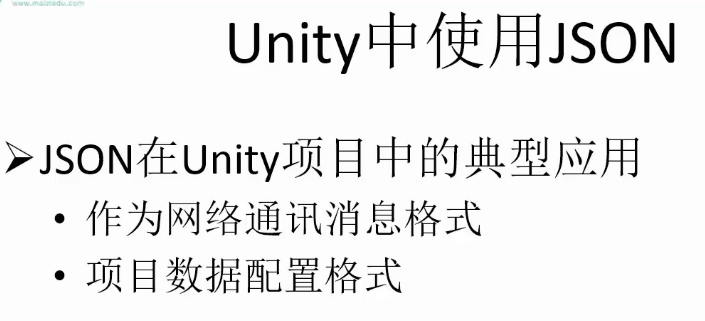
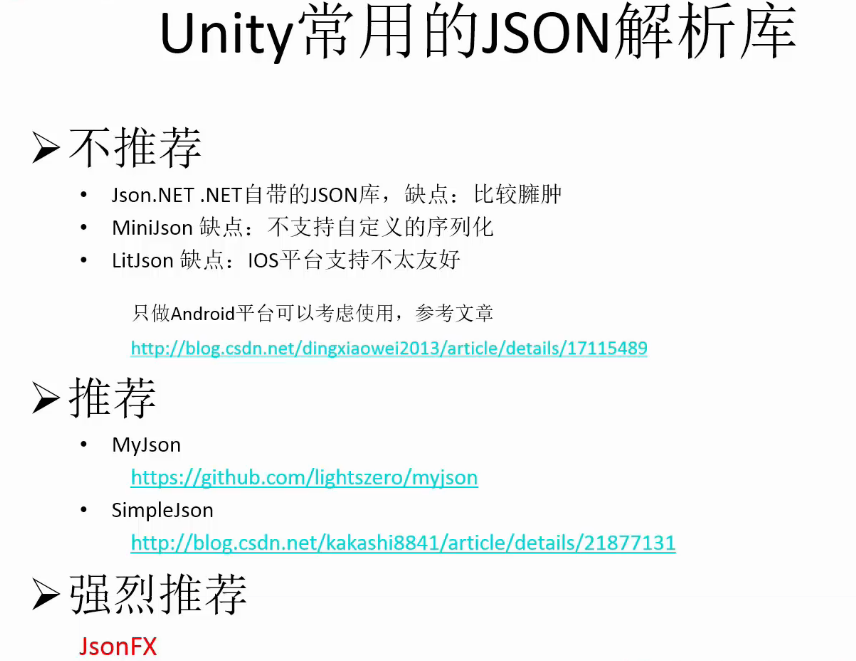
Json
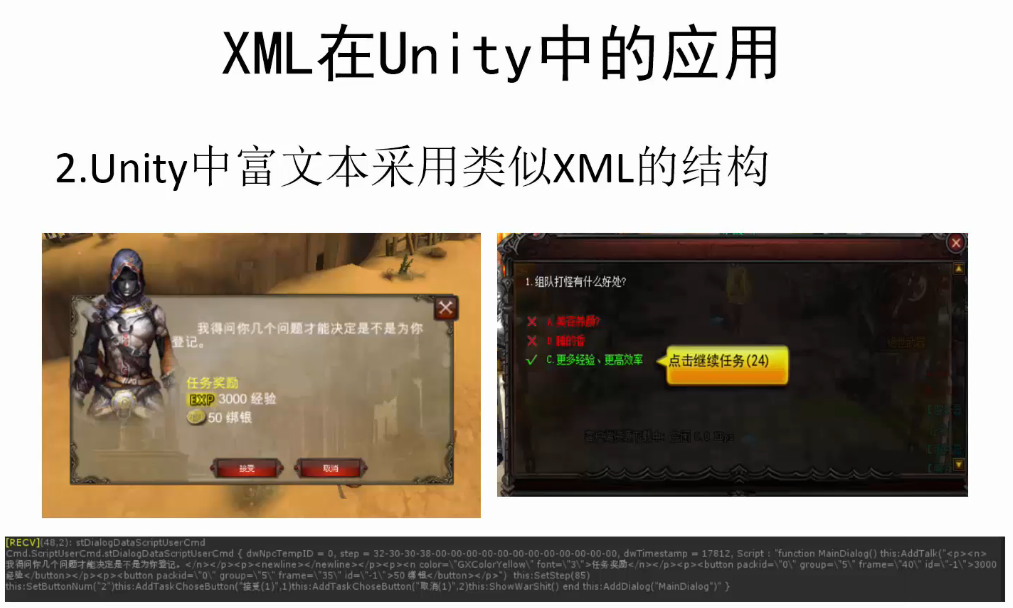
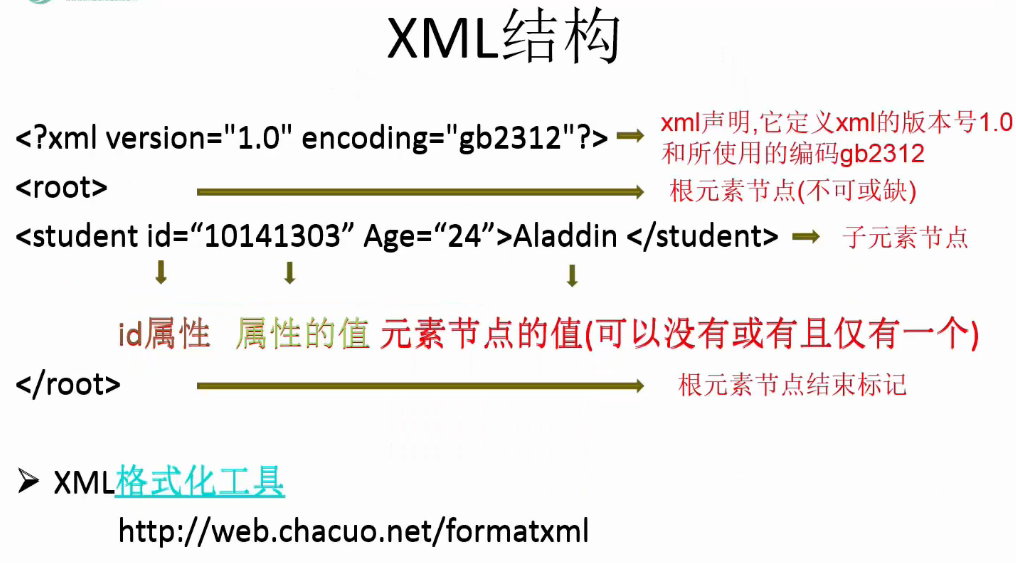
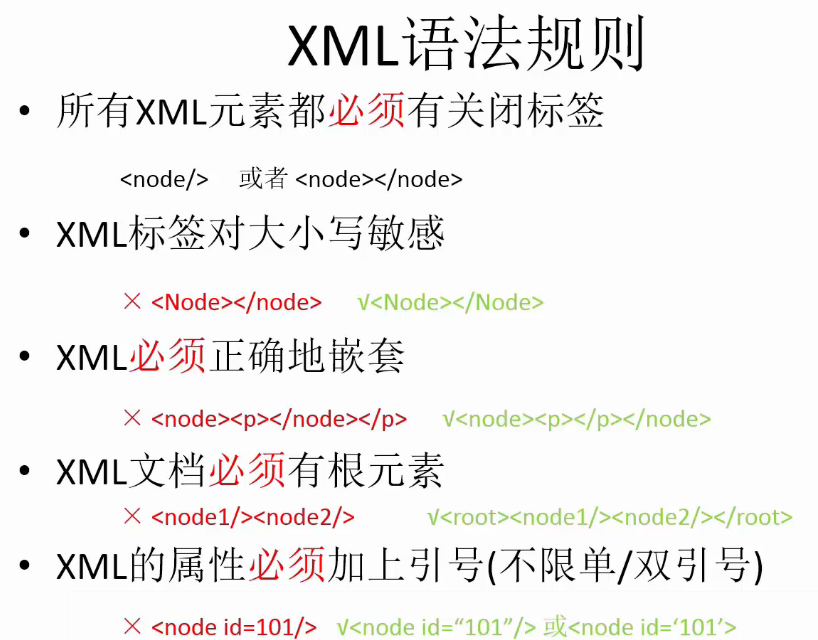
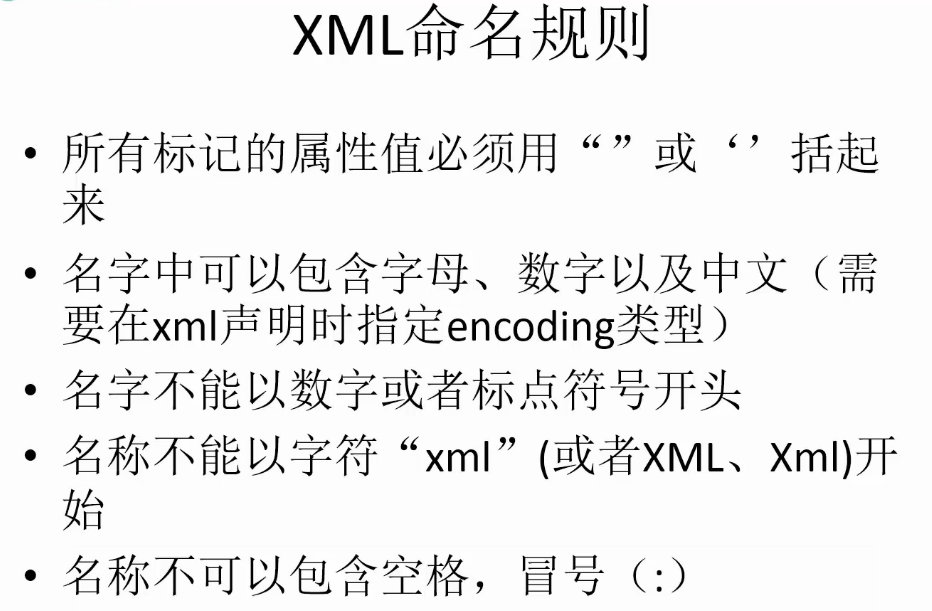
xml
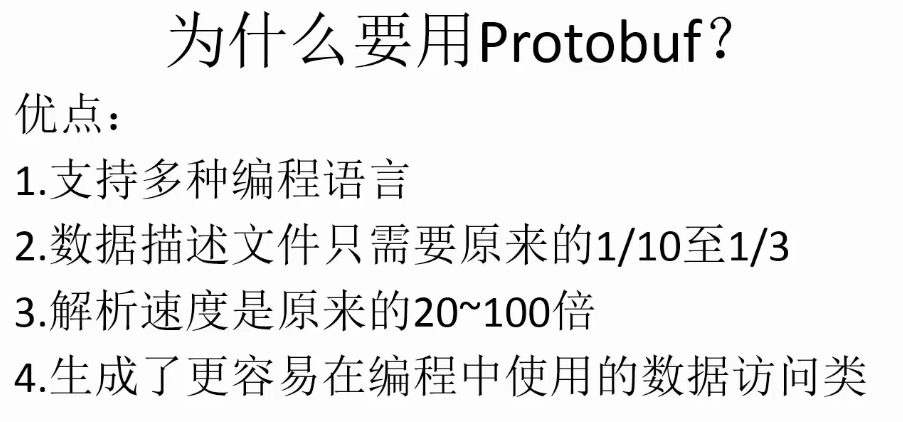
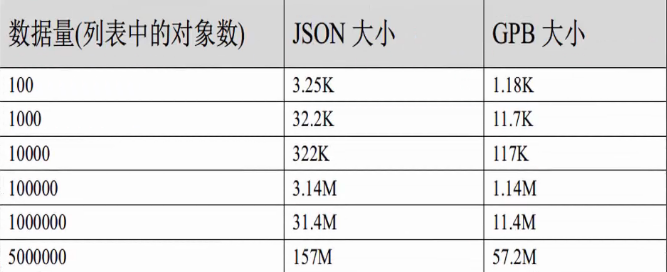
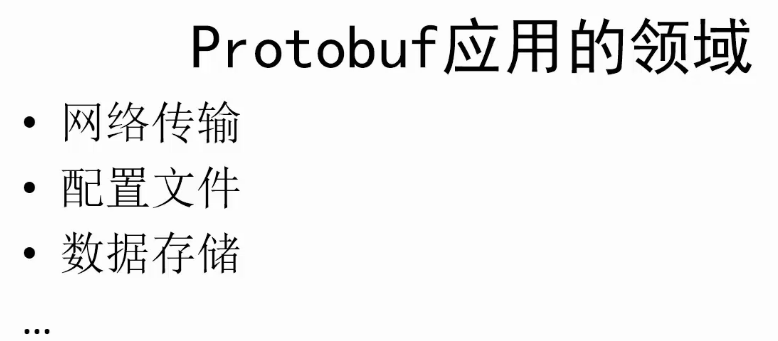
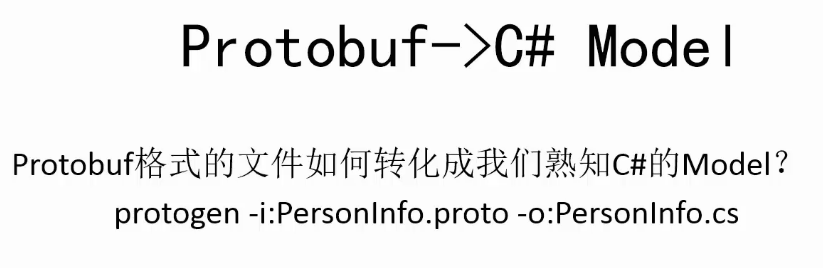
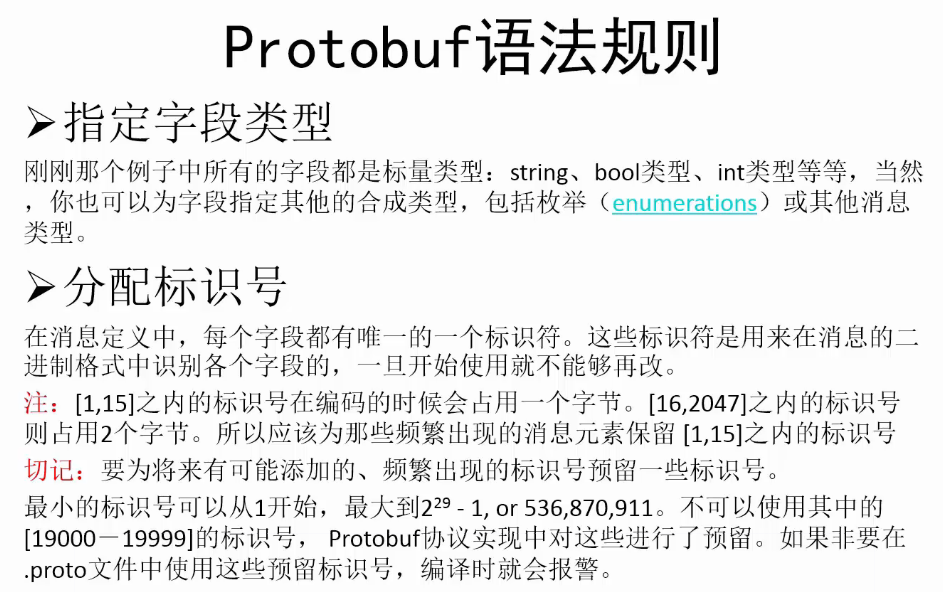
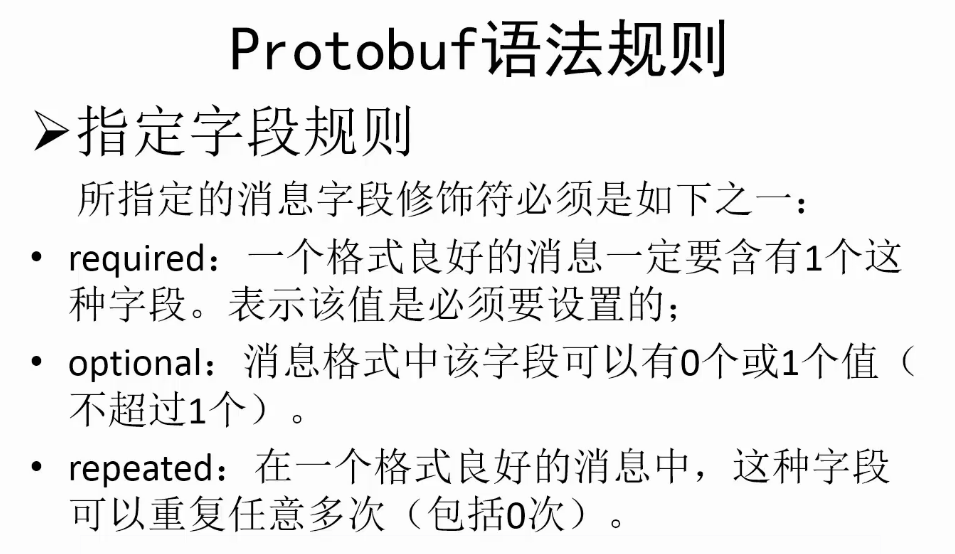
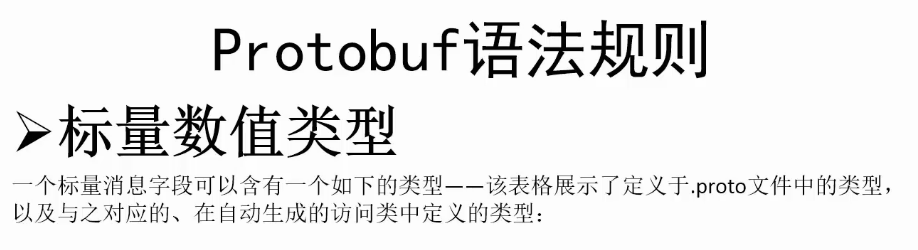
protobuf


www
 /*

 脚本名称:

 脚本作者:

 建立时间:

 脚本功能:

 版本号:

 */

 using UnityEngine;

 using System.Collections;

 using System.IO;

 namespace VoidGame {

     public enum GetPicType {

         Download = ,

         LocalLoad =

     }

     public class Picture : MonoBehaviour {

         private string url = "https://ss1.bdstatic.com/70cFvXSh_Q1YnxGkpoWK1HF6hhy/it/u=3525821899,4147777390&fm=21&gp=0.jpg";

         /// <summary>

         /// 从网络下载的图片

         /// </summary>

         private Texture2D img = null;

         /// <summary>

         /// 从本地读取的图片

         /// </summary>

         private Texture2D img2 = null;

         private bool downloadOK = false;

         void OnGUI() {

             if(img != null) {

                 GUI.DrawTexture(new Rect(,,,),img);

             }

             if(img2 != null) {

                 GUI.DrawTexture(new Rect(,,,),img2);

             }

             if(GUI.Button(new Rect(,,,),"从网络加载图片")) {

                 StartCoroutine(DownloadTexture(url,GetPicType.Download));

             }

             if(GUI.Button(new Rect(,,,),"从本地加载图片")) {

                 if(downloadOK) {

                     StartCoroutine(DownloadTexture("file://"+Application.streamingAssetsPath+"/dota2.png",GetPicType.LocalLoad));

                 } else {

                     Debug.LogError("没有下载的图片");

                 }

             }

         }

         IEnumerator DownloadTexture(string url,GetPicType getPicType) {

             WWW www = new WWW(url);

             yield return www;

             Texture2D tempImage = null;

             if(www.isDone && www.error == null) {

                 switch(getPicType) {

                 case GetPicType.Download:

                     img = www.texture;

                     tempImage = img;

                     Debug.Log(tempImage.width + " " + tempImage.height);

                     break;

                 case GetPicType.LocalLoad:

                     img2 = www.texture;

                     tempImage = img2;

                     Debug.Log(tempImage.width + " " + tempImage.height);

                     break;

                 default:

                     tempImage = null;

                     break;

                 }

             }

             if(tempImage != null) {

                 byte[] data = tempImage.EncodeToPNG();

                 File.WriteAllBytes(Application.streamingAssetsPath + "/dota2.png",data);

                 downloadOK = true;

             }

         }

     }

 }
Picture
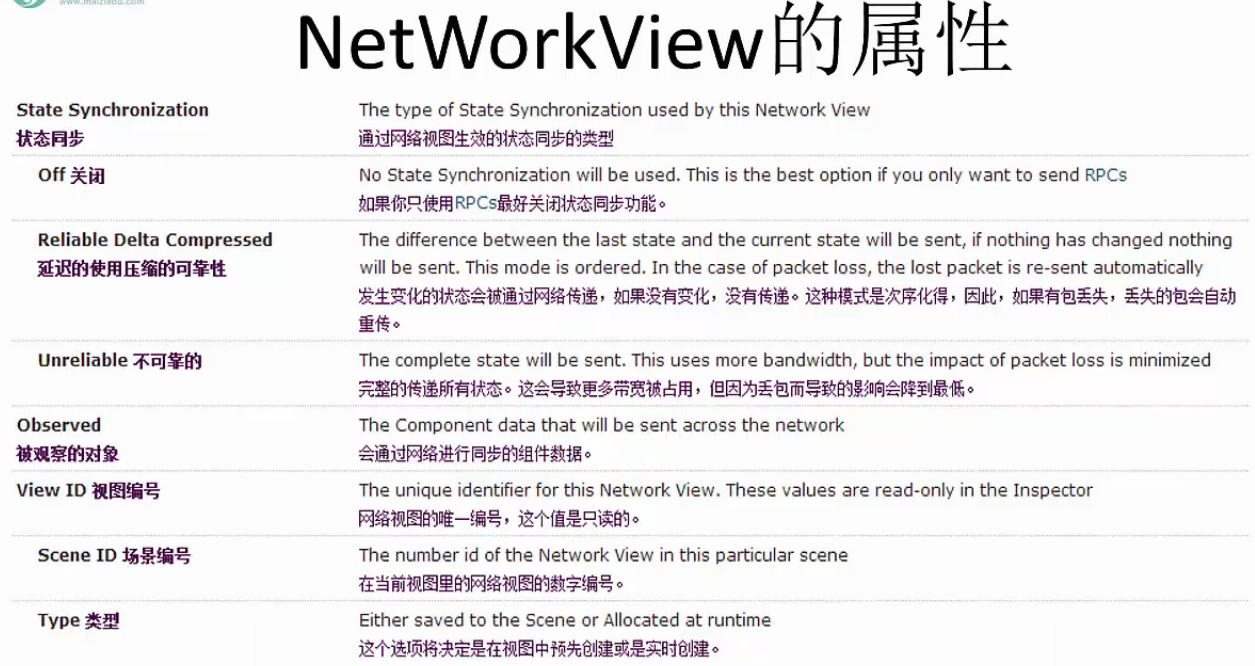
NetWorkView
 /*

 脚本名称:

 脚本作者:

 建立时间:

 脚本功能:

 版本号:

 */

 using UnityEngine;

 using System.Collections;

 namespace VoidGame {

     public class Server : MonoBehaviour {

         private int port = ;

         private string message = "";

         private Vector2 sc;

         private void OnGUI() {

             switch(Network.peerType) {

             case NetworkPeerType.Disconnected:

                 StartServer();

                 break;

             case NetworkPeerType.Server:

                 OnServer();

                 break;

             case NetworkPeerType.Client:

                 break;

             case NetworkPeerType.Connecting:

                 break;

             default:

                 break;

             }

         }

         /// <summary>

         /// 启动服务器

         /// </summary>

         private void StartServer() {

             if(GUILayout.Button("创建服务器")) {

                 NetworkConnectionError error = Network.InitializeServer(,port,false);

                 switch(error) {

                 case NetworkConnectionError.NoError:

                     break;

                 default:

                     Debug.LogError("启动服务器失败");

                     break;

                 }

             }

         }

         /// <summary>

         /// 服务器正在运行

         /// </summary>

         private void OnServer() {

             GUILayout.Label("服务器已经运行,等待客户端连接");

             int length = Network.connections.Length;

             for(int i = ;i < length;i++) {

                 GUILayout.Label("客户端:" + i);

                 GUILayout.Label("客户端IP::" + Network.connections[i].ipAddress);

                 GUILayout.Label("客户端端口:" + Network.connections[i].port);

                 GUILayout.Label("===========");

             }

             if(GUILayout.Button("断开服务器")) {

                 Network.Disconnect();

             }

             sc = GUILayout.BeginScrollView(sc,GUILayout.Width(),GUILayout.Height());

             GUILayout.Box(message);

             GUILayout.EndScrollView();

         }

         [RPC]

         void ReceiveMessage(string msg,NetworkMessageInfo info) {

             message = "发送端:" + info.sender + " 消息:" + msg;

         }

     }

 }
Server
 /*

 脚本名称:

 脚本作者:

 建立时间:

 脚本功能:

 版本号:

 */

 using UnityEngine;

 using System.Collections;

 namespace VoidGame {

     public class Client : MonoBehaviour {

         private string IP = "127.0.0.1";

         int port = ;

         string message = "";

         Vector2 sc;

         void OnGUI() {

             switch(Network.peerType) {

             case NetworkPeerType.Disconnected:

                 StartConnect();

                 break;

             case NetworkPeerType.Server:

                 break;

             case NetworkPeerType.Client:

                 OnClient();

                 break;

             case NetworkPeerType.Connecting:

                 break;

             default:

                 break;

             }

         }

         void StartConnect() {

             if(GUILayout.Button("连接服务器")) {

                 NetworkConnectionError error = Network.Connect(IP,port);

                 switch(error) {

                 case NetworkConnectionError.NoError:

                     break;

                 default:

                     Debug.Log("客户端错误" + error);

                     break;

                 }

             }

         }

         void OnClient() {

             sc = GUILayout.BeginScrollView(sc,GUILayout.Width(),GUILayout.Height());

             GUILayout.Box(message);

             message = GUILayout.TextArea(message);

             if(GUILayout.Button("发送")) {

                 GetComponent<NetworkView>().RPC("ReceiveMessage",RPCMode.All,message);

             }

             GUILayout.EndScrollView();

         }

         [RPC]

         void ReceiveMessage(string msg,NetworkMessageInfo info) {

             message = "发送端" + info.sender + "消息" + msg;

         }

     }

 }
Client
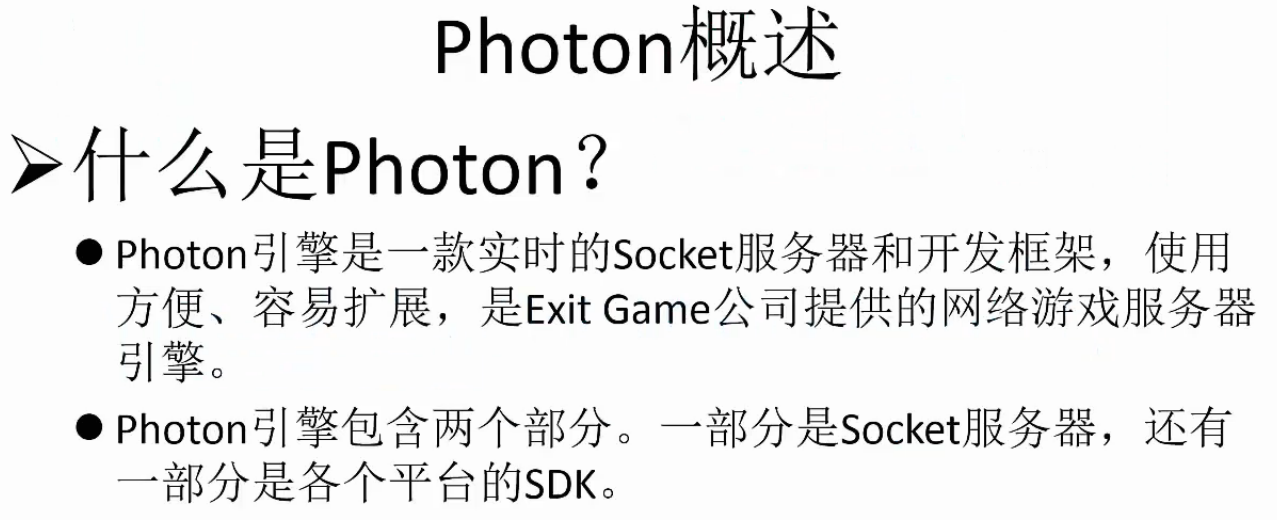
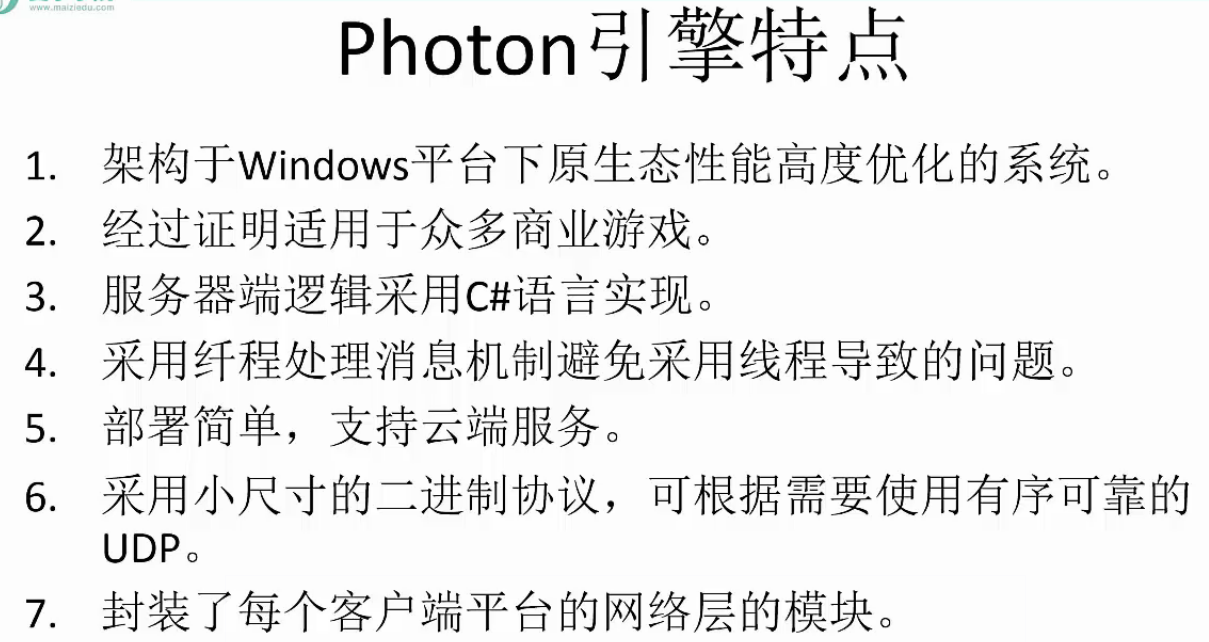
photon
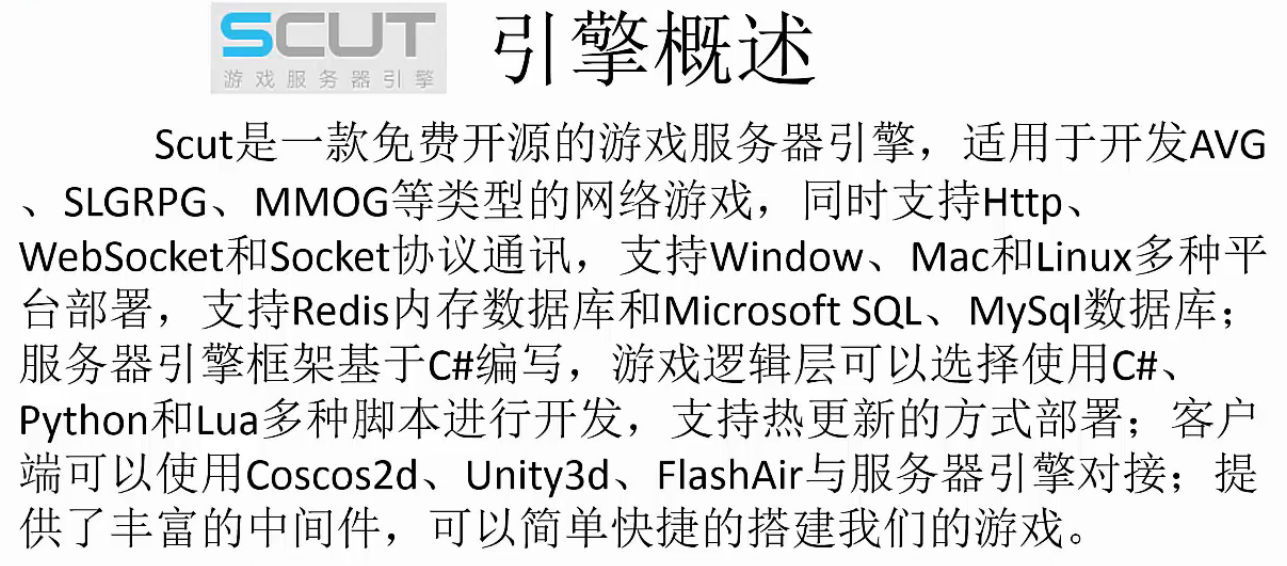
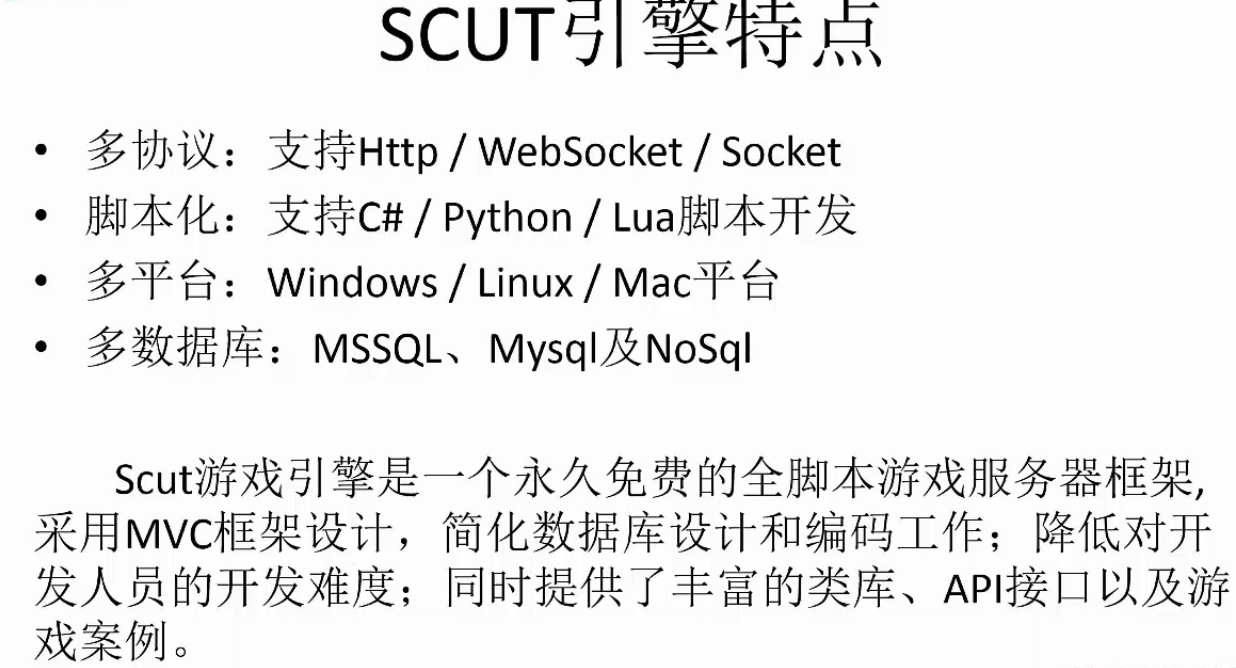
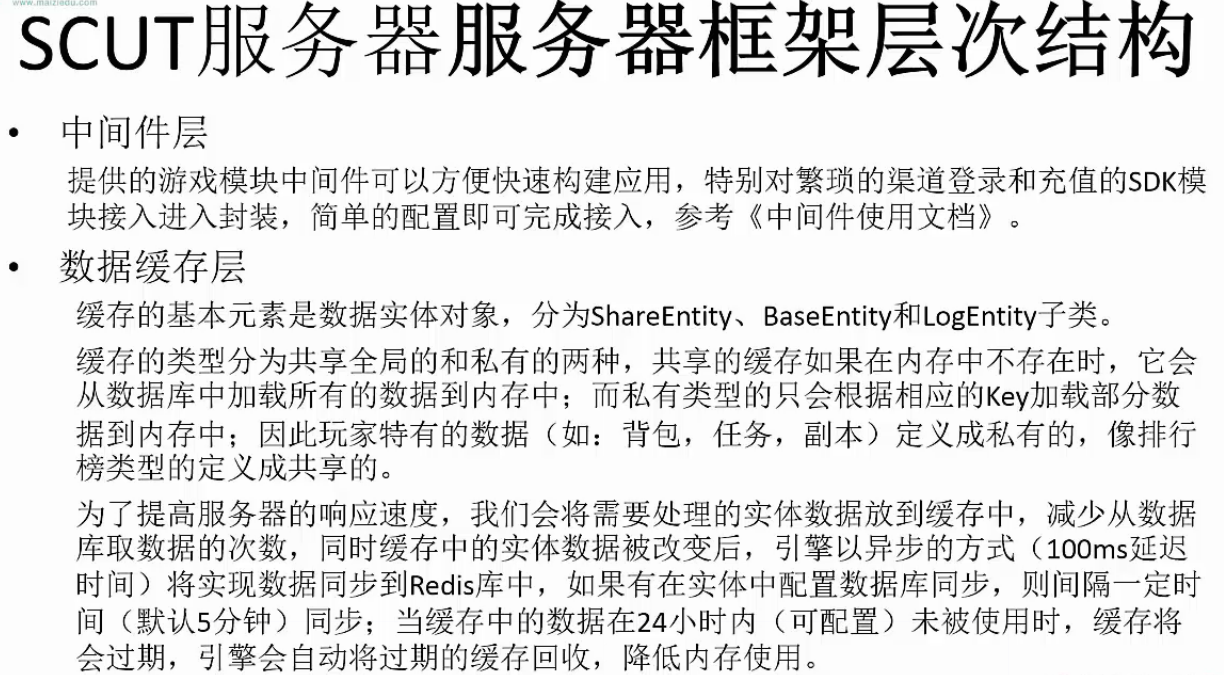
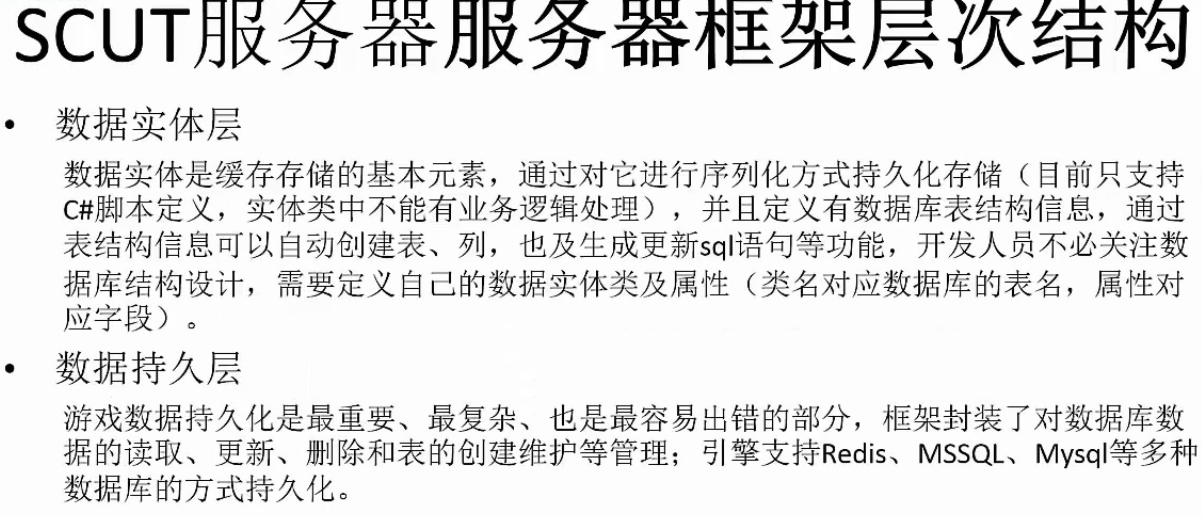
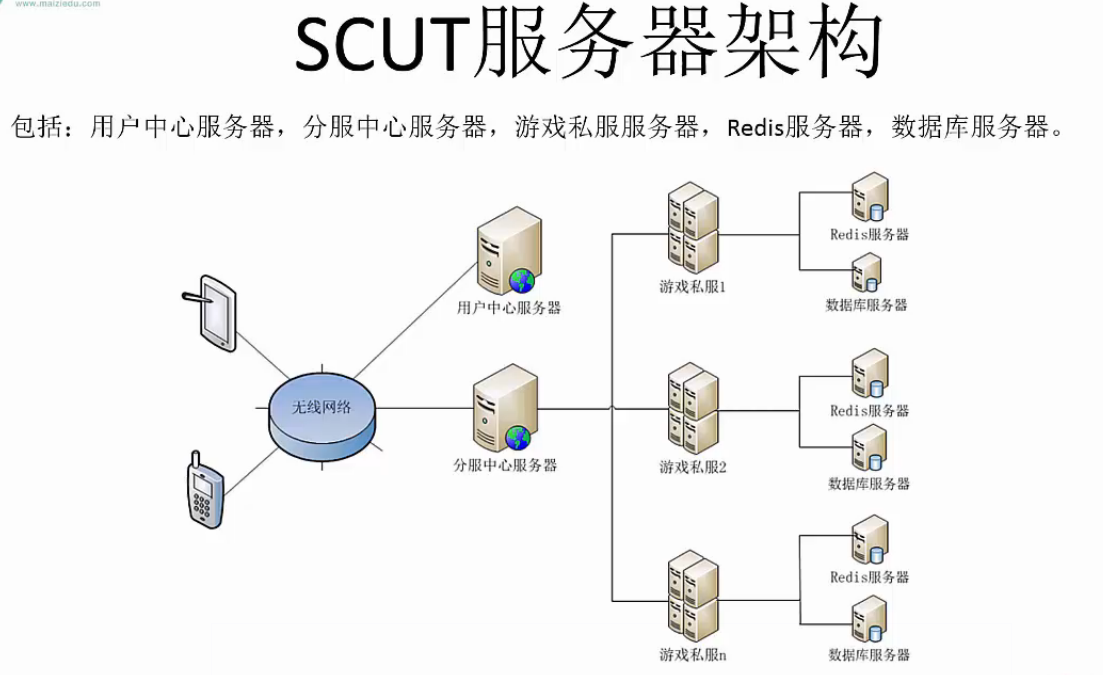
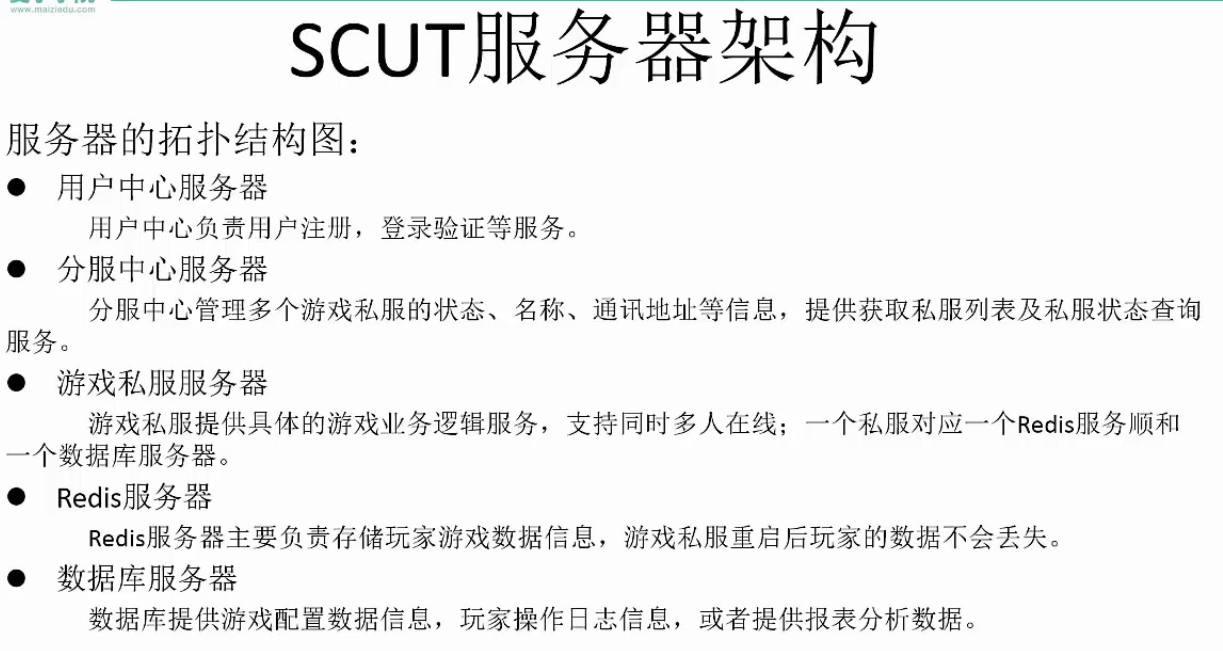
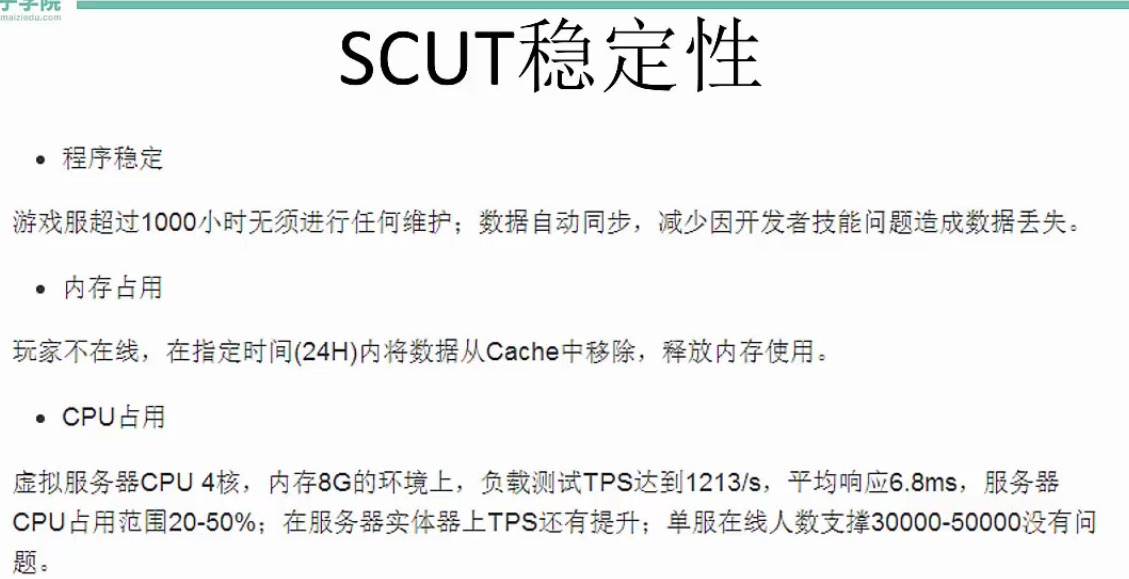
scut


Unity3D常用网络框架与实战解析 学习的更多相关文章
- GJM : Unity3D 常用网络框架与实战解析 【笔记】
Unity常用网络框架与实战解析 1.Http协议 Http协议 存在TCP 之上 有时候 TLS\SSL 之上 默认端口80 https 默认端口 ...
- Google官方网络框架Volley实战——QQ吉凶测试,南无阿弥陀佛!
Google官方网络框架Volley实战--QQ吉凶测试,南无阿弥陀佛! 这次我们用第三方的接口来做一个QQ吉凶的测试项目,代码依然是比较的简单 无图无真相 直接撸代码了,详细解释都已经写在注释里了 ...
- 《Python3 网络爬虫开发实战》学习资料
<Python3 网络爬虫开发实战> 学习资料 百度网盘:https://pan.baidu.com/s/1PisddjC9e60TXlCFMgVjrQ
- Android网络框架Volley(实战篇)
之前讲了ym—— Android网络框架Volley(体验篇),大家应该了解了volley的使用,接下来我们要看看如何把volley使用到实战项目里面,我们先考虑下一些问题: 从上一篇来看 mQu ...
- 「2020 新手必备 」极速入门 Retrofit + OkHttp 网络框架到实战,这一篇就够了!
老生常谈 什么是 Retrofit ? Retrofit 早已不是什么新技术了,想必看到这篇博客的大家都早已熟知,这里就不啰嗦了,简单介绍下: Retrofit 是一个针对 Java 和 Androi ...
- Android网络框架Volley(体验篇)
Volley是Google I/O 2013推出的网络通信库,在volley推出之前我们一般会选择比较成熟的第三方网络通信库,如: android-async-http retrofit okhttp ...
- ym—— Android网络框架Volley(终极篇)
转载请注明本文出自Cym的博客(http://blog.csdn.net/cym492224103).谢谢支持! 没看使用过Volley的同学能够,先看看Android网络框架Volley(体验篇)和 ...
- 《Python3 网络爬虫开发实战》开发环境配置过程中踩过的坑
<Python3 网络爬虫开发实战>学习资料:https://www.cnblogs.com/waiwai14/p/11698175.html 如何从墙内下载Android Studio: ...
- python 网络框架twisted基础学习及详细讲解
twisted网络框架的三个基础模块:Protocol, ProtocolFactory, Transport.这三个模块是构成twisted服务器端与客户端程序的基本.Protocol:Protoc ...
随机推荐
- Toy Factory
Factory is a design pattern in common usage. Please implement a ToyFactory which can generate proper ...
- SQL-18 查找当前薪水(to_date='9999-01-01')排名第二多的员工编号emp_no、薪水salary、last_name以及first_name,不准使用order by
题目描述 查找当前薪水(to_date='9999-01-01')排名第二多的员工编号emp_no.薪水salary.last_name以及first_name,不准使用order byCREATE ...
- JSP组件Telerik UI for JSP发布R1 2019 SP1|附下载
Telerik UI for JSP拥有由Kendo UI for jQuery支持的40+ JSP组件,同时通过Kendo UI for jQuery的支持能使用JSP封装包构建现代的HTML5和J ...
- Problem A 你会定义类吗?
Description 定义一个类Demo,有构造函数.析构函数和成员函数show(),其中show()根据样例的格式输出具体属性值.该类只有一个int类型的成员. Input 输入只有一个整数,in ...
- requests保持登录session ,cookie 和 token
一.request提供了一个一个叫做session的类,来实现客户端和服务端的会话保持 # coding:utf-8 import requests url = "https://passp ...
- 'autocomplete="off"'在Chrome中不起作用解决方案
1.正确的姿势是: <input type="password" name="password" autocomplete="new-passw ...
- idea【取消多行】
有时间把idea总结一下 idea打开很多文件时默认收起来就很烦. 这样可以取消多行 效果大概是这样 .酥服哒.
- js获取当天零点的时间戳
var now_date = new Date();//获取Date对象now_date.setHours(0);//设置小时now_date.setMinutes(0);//设置分钟now_date ...
- 【linux基础】V4L2介绍
参考 1. https://www.cnblogs.com/hzhida/archive/2012/05/29/2524351.html 2. https://www.cnblogs.com/hzhi ...
- [LeetCode&Python] Problem 860. Convert BST to Greater Tree
Given a Binary Search Tree (BST), convert it to a Greater Tree such that every key of the original B ...