
OpenCV 之 基本绘图
OpenCV 虽是开源的计算机视觉库,但里面也有一些基础的绘图函数,本文将介绍几种常用绘图函数:直线、圆、椭圆、长方形、多边形等。
1 数据结构
1.1 二维向量
cv::Point 代表的是二维点 (int 型),可用来表示图像坐标 (x, y)
// one way

Point pt;

pt.x = ;

pt.y = ;

// another way

Point pt = Point(, );
OpenCV 中,二维点类型可分为 Point2i, Point2l, Point2f, Point2d 四种,各自定义如下:
// 4 type of Point

typedef Point_<int>    cv::Point2i

typedef Point_<int64>  cv::Point2l

typedef Point_<float>  cv::Point2f

typedef Point_<double> cv::Point2d

// cv::Point

typedef Point2i cv::Point
1.2 四维向量
cv::Scalar 代表的是四维向量,常用来传递像素值,尤其是 BGR 通道的像素值 (最后一个元素不用,则不定义)
$\texttt{Scalar} (blue \_ component, green \_ component, red \_ component)$
2 绘图函数
2.1 line()
OpenCV 中,绘制直线段较简单,就是过两点画一条直线,函数为 line()
// pt1, first point
// pt2, second point

void cv::line ( InputOutputArray img, Point pt1, Point pt2, const Scalar& color, int thickness = , int lineType = LINE_8, int shift = )
2.2 circle() 和 ellipse()
知道圆心和半径,就可以绘制圆了,函数为 circle()
void cv::circle (

       InputOutputArray   img,

       Point  center,         // center of the circle

               int         radius,                       // radius of the circle

               const Scalar &     color,

       int      thickness = ,

       int      lineType = LINE_8,

       int      shift =

)
椭圆稍微复杂,椭圆中心,长、短轴半径,以及椭圆弧的旋转角度,则可得到一段椭圆弧 ellipse()
void cv::ellipse (

    InputOutputArray   img,

    Point       center,         // center of the ellipse

    Size        axes,           // half size of the main axes

    double      angle,          // ellipse rotation angle in degrees

    double      startAngle,

    double      endAngle,

    const Scalar &   color,

    int      thickness = ,

    int      lineType = LINE_8,

    int      shift =

)
2.3 rectangle()
长方形的绘制,主要是靠其对角线上的两个点 pt1 和 pt2,函数为 rectangle()
void cv::rectangle (

    InputOutputArray  img,

    Point      pt1,          // vertex of the rectangle

    Point      pt2,          // vertex of the rectangle opposite to pt1

    const Scalar &    color,

    int      thickness = ,

    int      lineType = LINE_8,

    int      shift =

)
2.4 fillpoly()
void cv::fillPoly (

    InputOutputArray  img,

    const Point **   pts,   //

    const int *      npts,  //

    int      ncontours,

    const Scalar &  color,

    int      lineType = LINE_8,

    int      shift = ,

    Point    offset = Point()

)
3 代码示例
3.1 直线和长方形
#include <opencv2/core.hpp>

#include <opencv2/imgproc.hpp>

#include <opencv2/highgui.hpp>

using namespace cv;

#define w 300

int main()

{

    // creat a white background image

    Mat img;

    img.create(w,w,CV_8UC3);

    img.setTo(Scalar(,,));

    // draw lines

    line(img, Point(w/,w/), Point(*w/, w/), Scalar(, , ));

    line(img, Point(w/,w/), Point(*w/, w/), Scalar(, , ));

    line(img, Point(w/,*w/), Point(*w/, *w/), Scalar(, , ));

    // draw rectangle

    rectangle(img,Point(w/,w/),Point(*w/,*w/),Scalar(,,));

    // show lines in the image

    imshow("line and rectangle", img);

    waitKey();

}
3.2 圆和椭圆
// draw circle and ellipse

circle(img, Point(w/,w/), , Scalar(, , ));

ellipse(img, Point(w/,w/), Size(,), , , , Scalar(, , ));
3.3 多边形
Point rook_points[][];

rook_points[][]  = Point(    w/,   *w/ );

rook_points[][]  = Point(  *w/,   *w/ );

rook_points[][]  = Point(  *w/,  *w/ );

rook_points[][]  = Point( *w/, *w/ );

rook_points[][]  = Point( *w/,  *w/ );

rook_points[][]  = Point(  *w/,   *w/ );

rook_points[][]  = Point(  *w/,     w/ );

rook_points[][]  = Point( *w/,    w/ );

rook_points[][]  = Point( *w/,    w/ );

rook_points[][]  = Point( *w/,    w/ );

rook_points[][] = Point( *w/,    w/ );

rook_points[][] = Point( *w/,    w/ );

rook_points[][] = Point( *w/,    w/ );

rook_points[][] = Point( *w/,    w/ );

rook_points[][] = Point( *w/,    w/ );

rook_points[][] = Point(    w/,     w/ );

rook_points[][] = Point(    w/,   *w/ );

rook_points[][] = Point( *w/,  *w/ );

rook_points[][] = Point(  *w/, *w/ );

rook_points[][] = Point(    w/,  *w/ );

const Point* ppt[] = { rook_points[]};

int npt[] = {  };

// draw polygon

fillPoly(img, ppt, npt, , Scalar(, ,  ));
3.4 显示效果
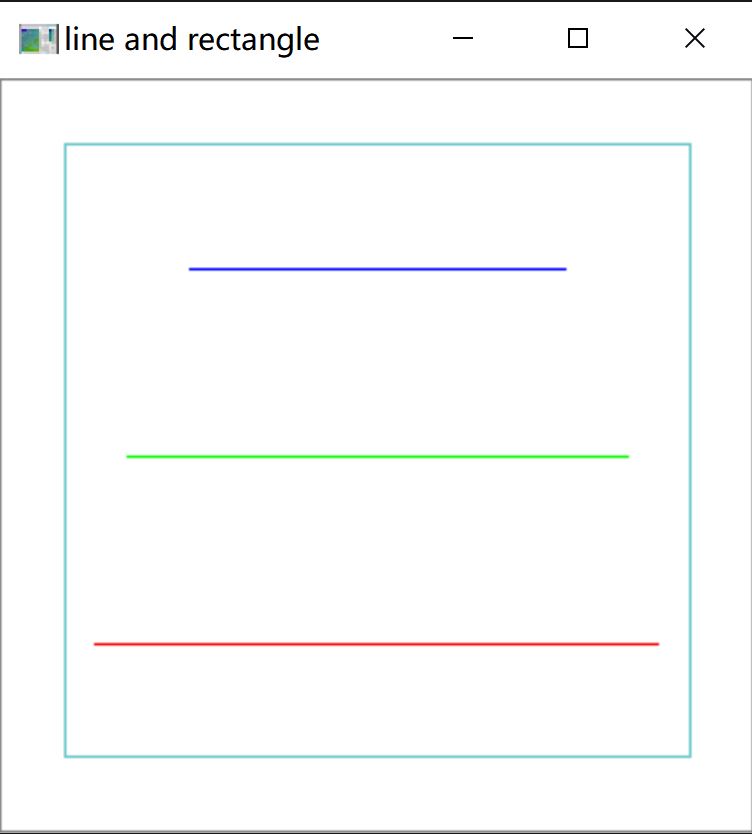
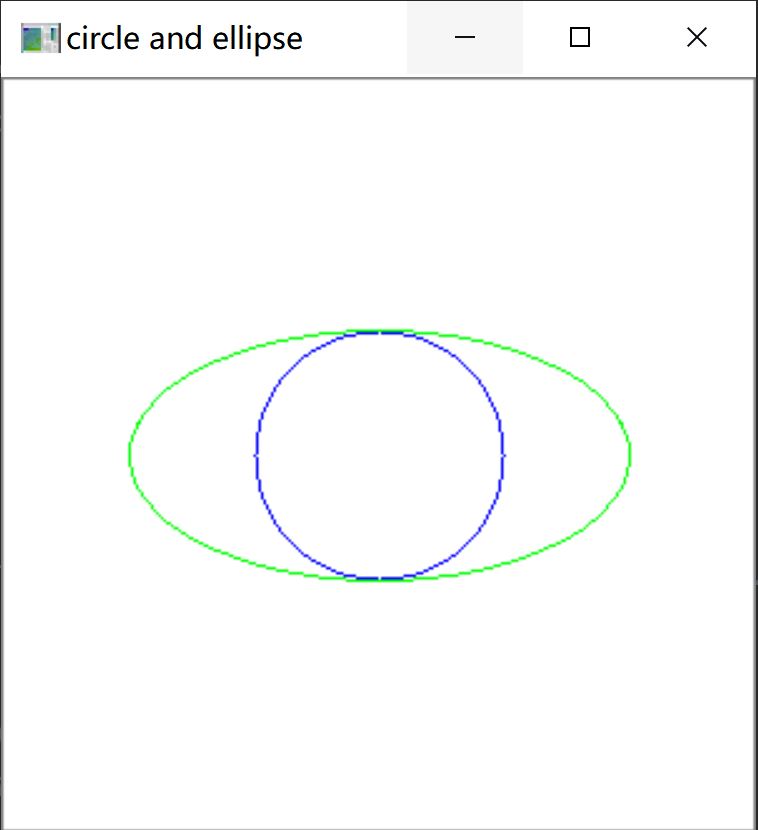
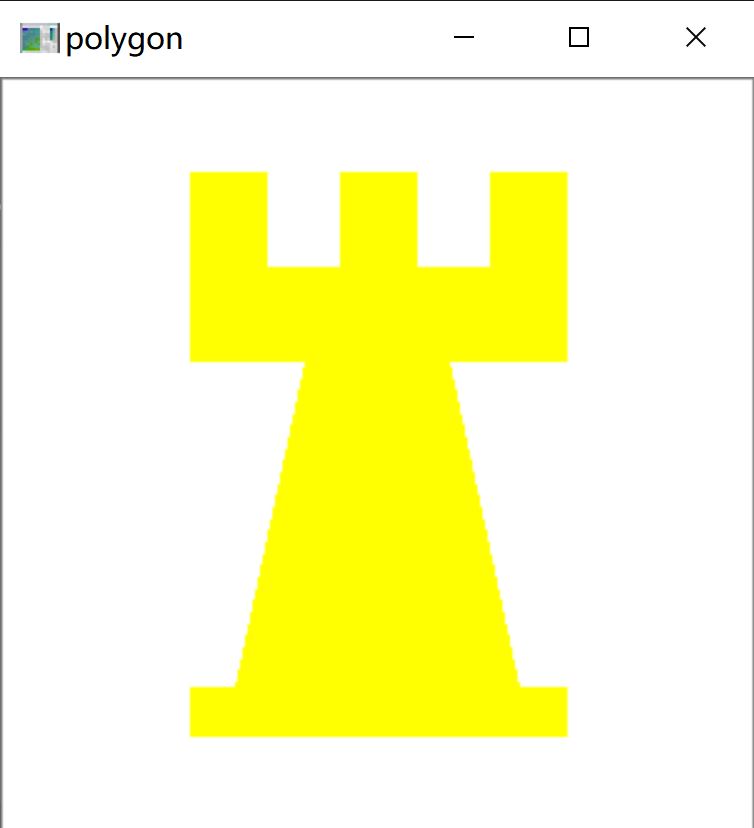
参考资料:
OpenCV Tutorials / imgproc module / Basic Drawing
OpenCV 之 基本绘图的更多相关文章
- OpenCV中的绘图函数-OpenCV步步精深
OpenCV 中的绘图函数 画线 首先要为画的线创造出环境,就要生成一个空的黑底图像 img=np.zeros((512,512,3), np.uint8) 这是黑色的底,我们的画布,我把窗口名叫做i ...
- python之OpenCv(三)---基本绘图
opencv 提供了绘制直线.圆形.矩形等基本绘图的功能 1.绘直线 cv2.line(画布,起点坐标,终点坐标,颜色,宽度) 例如: cv2.line(image,(20,60),(300,400) ...
- 5、opencv中的绘图函数
1.目标 a.学习使用 OpenCV 绘制不同几何图形 b. 你将会学习到这些函数: cv2.line(), cv2.circle(), cv2.rectangle(),cv2.ellipse(),c ...
- OpenCV中的绘图函数
OpenCV可以用来绘制不同的集合图形,包括直线,矩形,圆,椭圆,多边形以及在图片上添加文字.用到的绘图函数包括 cv2.line(),cv2.circle(),cv2.rectangle() ,cv ...
- opencv学习(三)——绘图功能
绘图功能 我们将学习以下函数:cv.line(),cv.circle(),cv.rectangle(),cv.ellipse(),cv.putText()等. 在这些功能中,有一些相同的参数: img ...
- OpenCV绘图
OpenCV绘图 rectangle(Mat& img,Point pt1, Point pt2, const Scalar&color, int thickness=1,int li ...
- OpenCV绘图函数
OpenCV几个绘图函数 矩形 rectangle(Mat& img,Point pt1, Point pt2, const Scalar&color, int thickness=1 ...
- OpenCV之响应鼠标(四):在图像上绘制出矩形并标出起点的坐标
涉及到两方面的内容:1. 用鼠标画出矩形.2.在图像上绘制出点的坐标 用鼠标绘制矩形,涉及到鼠标的操作,opencv中有鼠标事件的介绍.需要用到两个函数:回调函数CvMouseCallback和注册回 ...
- OpenCV中cv2的用法
一.读入图像 使用函数cv2.imread(filepath,flags)读入一副图片 filepath:要读入图片的完整路径 flags:读入图片的标志 cv2.IMREAD_COLOR:默认参数 ...
随机推荐
- redis中setbit bitcount命令详解
bitmap,位图,即是使用bit. redis字符串是一个字节序列. 1 Byte = 8 bit SETBIT key offset value 设置或者清空key的value(字符串)在offs ...
- 从数据结构分析mysql为何使用B+tree
理解mysql为何选择升级版的二叉树,就需要对各种常用的二叉树进行对比.B+Tree是一种特殊的二叉树,本质上也算二叉树.自然会满足二叉树的一般特性. 比如,比节点数据大的在右边,节点数据小的在左边. ...
- SpannableStringBuilder实现TextView华丽变身
前言 想要在TextView 的文本添加一些突出文字,然后点击可以进行跳转,首先想到的就是TextView拼接,但是考虑到换行后的显示又不是很合适,一番查询后发现了SpannableStringBui ...
- 超图iserver登录密码忘记,重置密码
如果大家在用超图iserver发布服务的过程中将登录密码忘记,大家不要慌,iserver自带的有密码重置功能. 1.首先在登录过程中提示密码错误,具体内容如下图所示: 2.首先先停止iserver服务 ...
- 常见Web安全漏洞--------CSRF
1,CSRF (Cross Site Request Forgery, 跨站域请求伪造),也可以说是模拟请求. 2,黑客获取到了token 令牌,发送恶意模拟请求,攻击网站,防御方法可以参考api 接 ...
- [vijos]1083小白逛公园<线段树>
描述 小新经常陪小白去公园玩,也就是所谓的遛狗啦…在小新家附近有一条“公园路”,路的一边从南到北依次排着n个公园,小白早就看花了眼,自己也不清楚该去哪些公园玩了. 一开始,小白就根据公园的风景给每个公 ...
- 了解PCI Express的Posted传输与Non-Posted传输
0.写在前面 本文首发于公众号[两猿社],后续将在公众号内持续更新~ 其实算下来接触PCIe很久了,但是由于之前换工作,一直没有系统的学习和练手项目,现在新项目买了Synopsys的PCIe IP,总 ...
- UITextFiled-集合目录
键盘弹起遮挡输入输入框(UITextFiled或者UITextView) 对于键盘弹起遮挡输入框的问题以前也想过解决办法比如:监听系统键盘弹出通知.根据每个控件所在 ...
- Codeforces Global Round 7
A. Bad Ugly Numbers 思路 题意: 给我们一个k,让我们用 0-9 之间的数字构成一个 k位数a,a不能被组成a的每一位数字整除. 分析:首先 k等于1,无论我们怎么配都会被整除:当 ...
- 如何让Java应用成为杀不死的小强?(下篇)
各位坐稳扶好,我们要开车了.不过在开车之前,我们还是例行回顾一下上期分享的要点. 经过前两期的铺垫及烧脑的分享,我们大概对「如何实现 Java 应用进程的状态监控,如果被监控的进程 down 掉,是否 ...