
React Native开发之expo中camera的基本使用
之前做RN项目没调用过本地摄像头,今天下班早,做了一个简单的小demo:主要实现的功能:点击拍照按钮进入拍照界面,点击flip进行前后摄像头转换,点击开始拍照实现拍照功能(没写保存到本地的功能,大家可以自主开发),代码是参照expo官网的Camera写的一个小demo,大家可以结合的expo官网来看,该加注释的地方都在代码中加了,希望能对你有所帮助。
import React from 'react'

import {

    View,

    Text,

    TouchableOpacity,

    Button,

    Image

} from 'react-native'

import { Camera, Permissions } from 'expo';

interface Props{

}

//定义Camera的两个属性

interface State{

    hasCameraPermission?:any,

    type?:any,

    isShowCamera: Boolean,

    uri:string

}

export default class componentName extends React.Component<Props,State> {

    public camera:any              //定义一个camera来拿到Camera节点

    constructor(props:Props) {

        super(props)

        this.state = {

            hasCameraPermission: null,              //照相机权限

            type: Camera.Constants.Type.back,       //照相机类型

            isShowCamera: false,                    //是否开启照相机

            uri: ''

        }

    }

    async componentWillMount() {

        const { status } = await Permissions.askAsync(Permissions.CAMERA);

        this.setState({ hasCameraPermission: status === 'granted' });

    }

    //把官网里面的render粘过来

    render() {

        const { hasCameraPermission } = this.state;

        if (hasCameraPermission === null) {

          return <View />;

        } else if (hasCameraPermission === false) {

          return <Text>没有权限打开照相机</Text>;

        } else {

          return (

            <View style={{ flex: 1, paddingTop: 20 }}>

              {

                  !this.state.isShowCamera ?

                  <View>

                      <View>

                          <Image source={{uri:this.state.uri}} style={{width: 200, height: 200}}></Image>

                      </View>

                      <Button

                        onPress={this.takePicture.bind(this)}

                        title='拍照'

                    ></Button>

                  </View>:

                  <Camera

                    style={{ flex: 1 }}

                    type={this.state.type}

                    ref={(el:any)=>this.camera=el}      //参照官网的Methods

                  >

                    <View

                        style={{

                            flex: 1,

                            backgroundColor: 'transparent',

                            flexDirection: 'row',

                        }}>

                        <TouchableOpacity

                            style={{

                            flex: 1,

                            alignSelf: 'flex-end',

                            alignItems: 'center',

                            }}

                            onPress={() => {

                            this.setState({

                                type: this.state.type === Camera.Constants.Type.back

                                ? Camera.Constants.Type.front

                                : Camera.Constants.Type.back,

                            });

                            }}>

                            <Text

                            style={{ fontSize: 18, marginBottom: 10, color: 'white' }}>

                            {' '}Flip{' '}

                            </Text>

                        </TouchableOpacity>

                        {/* 复制一个开始拍照的点击按钮 */}

                        <TouchableOpacity

                            style={{

                            flex: 1,                    //flex为0.1改成flex为1

                            alignSelf: 'flex-end',

                            alignItems: 'center',

                            }}

                            //参照官网的Methods

                            onPress={async () => {

                                if (this.camera) {

                                    let photo = await this.camera.takePictureAsync();

                                    console.log(photo)

                                    this.setState({

                                        isShowCamera: false,

                                        uri: photo.uri

                                    })

                                }

                            }}>

                            <Text

                            style={{ fontSize: 18, marginBottom: 10, color: 'white' }}>

                            {' '}开始拍照{' '}

                            </Text>

                        </TouchableOpacity>

                    </View>

                </Camera>

              }

            </View>

          );

        }

    }

    takePicture(){

        this.setState({

            isShowCamera: true

        })

    }

}
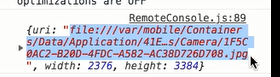
控制台打印的photo结果:
React Native开发之expo中camera的基本使用的更多相关文章
- React Native开发之npm start加速
在Windows下好不容易安装好React Native环境之后,运行npm start,结果就是无限被等待,快的话160秒(将近3分钟啊....) 而Mac下因为有watchman所以是飞一样的速度 ...
- 转 : React Native 开发之 IDE 选型和配置
转:https://mp.weixin.qq.com/s?__biz=MzA3ODg4MDk0Ng==&mid=2651112392&idx=1&sn=135e29ddde30 ...
- React Native开发之IDE(Atom+Nuclide)安装,运行,调试
版权声明:本文为博主原创文章,如需转载请注明出处 目录(?)[-] 前言 MacWindowsLinux 准备工作 安装Atom 安装Nuclide 新建一个工程 自动补全 类型标注 语法检查 跳 ...
- React—Native开发之 Could not connect to development server(Android)解决方法
作为初学者昨天还好好能跑的项目今天就会遇到突然爆红出错是经常的事,让我们来看下是什么错吧 先来翻译: 连接不到开发的服务器. 请按照以下的步骤来修复此问题: 确保包服务器在运行确保你的设备或者模拟器连 ...
- Android安全开发之WebView中的地雷
Android安全开发之WebView中的地雷 0X01 About WebView 在Android开发中,经常会使用WebView来实现WEB页面的展示,在Activiry中启动自己的浏览器,或者 ...
- JavaEE开发之Spring中Bean的作用域、Init和Destroy方法以及Spring-EL表达式
上篇博客我们聊了<JavaEE开发之Spring中的依赖注入以及AOP>,本篇博客我们就来聊一下Spring框架中的Bean的作用域以及Bean的Init和Destroy方法,然后在聊一下 ...
- JavaEE开发之Spring中的多线程编程以及任务定时器详解
上篇博客我们详细的聊了Spring中的事件的发送和监听,也就是常说的广播或者通知一类的东西,详情请移步于<JavaEE开发之Spring中的事件发送与监听以及使用@Profile进行环境切换&g ...
- JavaEE开发之Spring中的条件注解组合注解与元注解
上篇博客我们详细的聊了<JavaEE开发之Spring中的多线程编程以及任务定时器详解>,本篇博客我们就来聊聊条件注解@Conditional以及组合条件.条件注解说简单点就是根据特定的条 ...
- JavaEE开发之SpringMVC中的自定义拦截器及异常处理
上篇博客我们聊了<JavaEE开发之SpringMVC中的路由配置及参数传递详解>,本篇博客我们就聊一下自定义拦截器的实现.以及使用ModelAndView对象将Controller的值加 ...
随机推荐
- notepad ++ 编辑 powershell profile 文件时的诡异问题
使用notepad 编辑 C:\Windows\System32\WindowsPowerShell\v1.0\profile.ps1 时,记事本打开和用notepad++打开显示的内容居然不一样. ...
- Grunt 使用(一)基础搭建
jQuery在使用grunt,bootstrap在使用grunt,百度UEditor在使用grunt,你没有理由不学.不用!废话不多说,直接上干货. 1.安装node.js并检查node -v 和 n ...
- CefSharp 浏览器核心,爬虫
CefSharp是什么 A framework for embedding web-browsing-like capabilities to a standard .NET application ...
- ego network的概念
转:http://greatpowerlaw.wordpress.com/2013/01/05/ego-network/ 所谓的ego network,它的节点是由唯一的一个中心节点(ego),以及这 ...
- SAP S/4HANA生产订单创建时使用的工厂数据是从什么地方带出来的
大家如果使用我github上的这段代码创建S/4HANA的生产订单时,一定会发现,我在代码里并没有硬编码来指定生产订单的ID,然而运行时会发现我在系统里配置的这个2800被自动使用了,这是怎么做到的呢 ...
- copy "xxxxx\xx.dll xxxxxxx\ ” 已退出,代码为1 错误解决方法
右键=>属性=>生成事件里面,查看预先生成事件命令行和后期生成事件命令行,查看复制的Dll是否存在已经路径是否正确
- 魅族首页导航效果(不兼容IE)
<!DOCTYPE html> <html> <head lang="en"> <meta charset="UTF-8&quo ...
- PopupWindow学习笔记
最近写程序第一次用到了PopupWindow,便简单了学习了一下.特此记下自己的收获.PopupWindow是一种悬浮框,比AlertDialog要灵活的多.先简单了实现一个PopWindow的效果, ...
- Mongod启动失败修复方法
可能的原因:上次服务未正常关闭 1.删除data/db目录下的mongo.lock文件 2.删除/tmp/mongodb-27017.sock文件
- JS中confirm弹出框
if(confirm("确定要删除该任务吗?")){ $.post("findTaskById.action",{taskId:taskId},function ...