
8.Query Documents-官方文档摘录
总结
1 先插入数据
db.inventory.insertMany([

   { item: "journal", qty: 25, size: { h: 14, w: 21, uom: "cm" }, status: "A" },

   { item: "notebook", qty: 50, size: { h: 8.5, w: 11, uom: "in" }, status: "A" },

   { item: "paper", qty: 100, size: { h: 8.5, w: 11, uom: "in" }, status: "D" },

   { item: "planner", qty: 75, size: { h: 22.85, w: 30, uom: "cm" }, status: "D" },

   { item: "postcard", qty: 45, size: { h: 10, w: 15.25, uom: "cm" }, status: "A" }

])
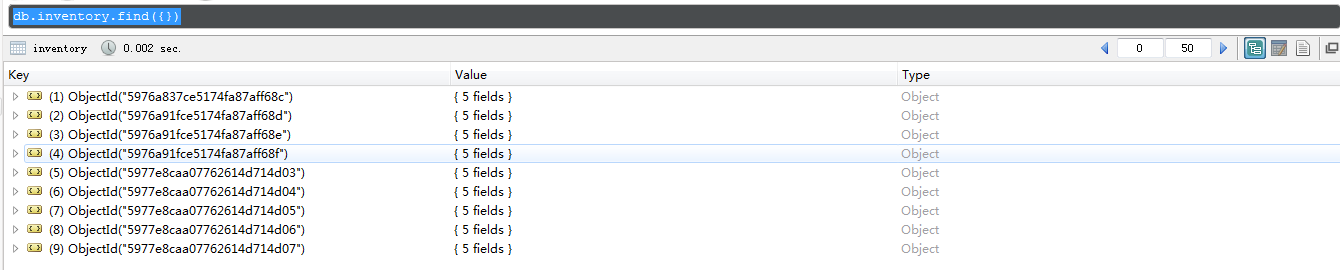
2 查询所有数据
db.inventory.find({})
3 指定相等条件
db.inventory.find({

    status:"D"

    })

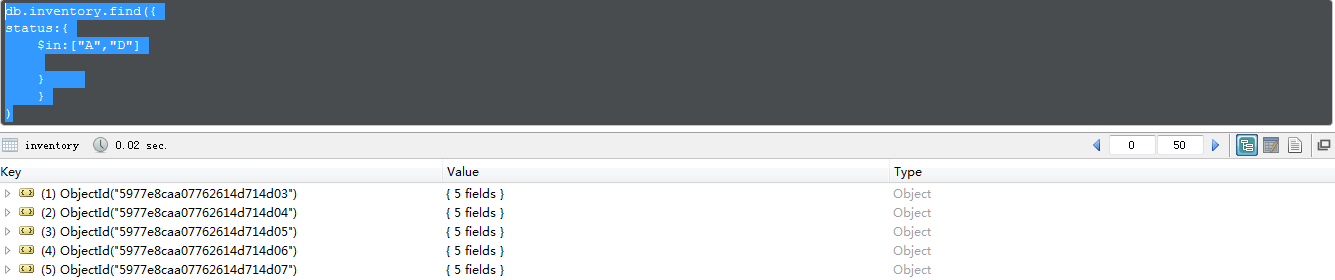
4 指定查询运算条件
db.inventory.find({

status:{

    $in:["A","D"]

    }

    }

)
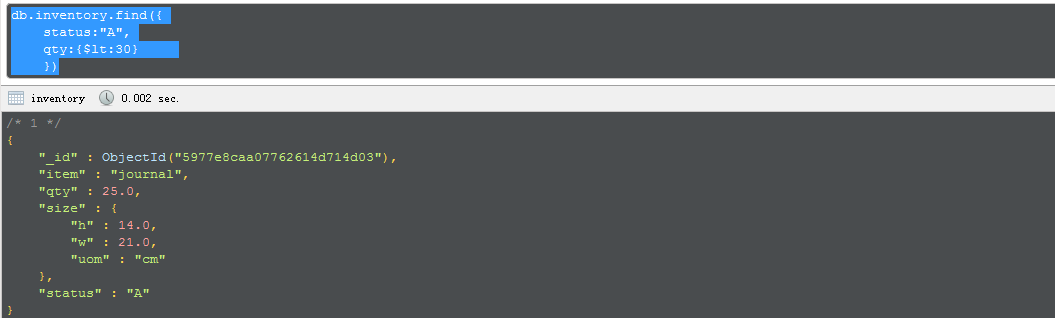
5 指定and的条件
db.inventory.find({

    status:"A",

    qty:{$lt:30}

    })
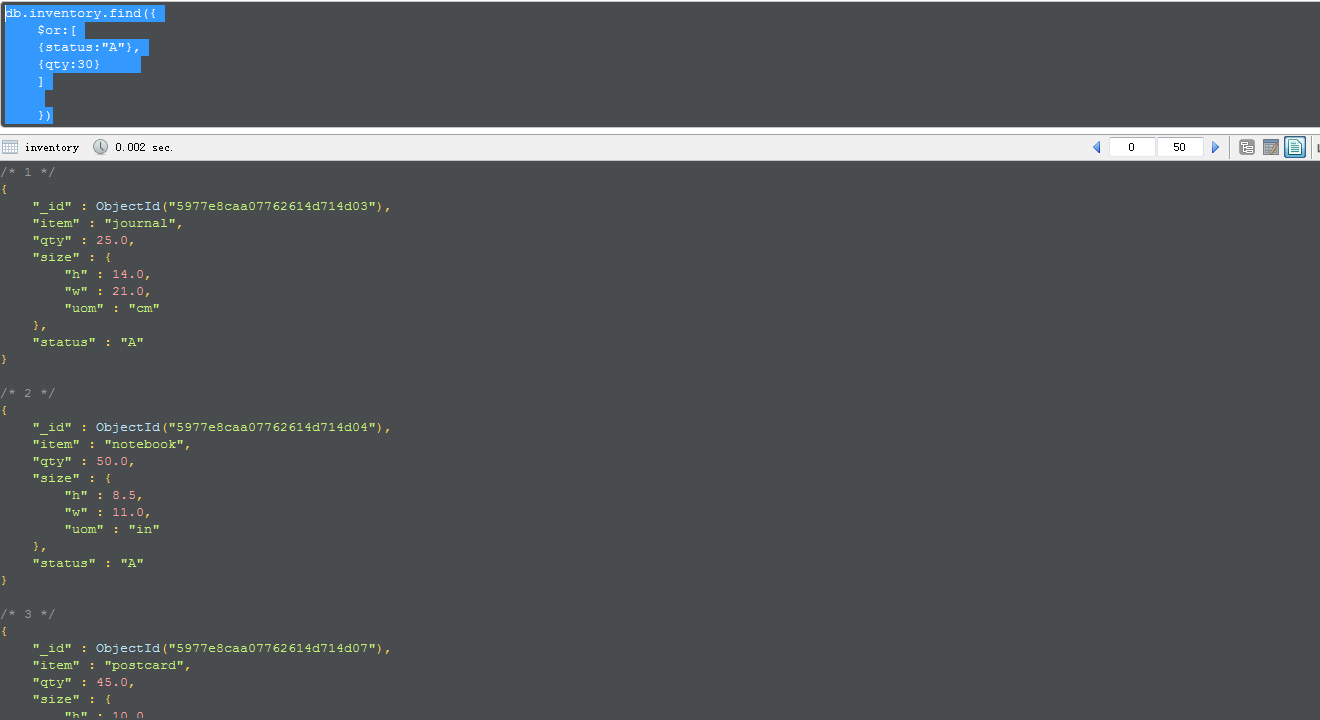
6 指定or条件
db.inventory.find({

    $or:[

    {status:"A"},

    {qty:30}

    ]

    })
7 指定and和or的条件
db.inventory.find({

    status:"A",

    $or:[

    {qty:{

        $lt:30

        }},

    {item:/^p/}

    ]

    })

This page provides examples of query operations using the db.collection.find() method in the mongoshell. The examples on this page use the inventory collection. To populate the inventory collection, run the following:
db.inventory.insertMany([

   { item: "journal", qty: 25, size: { h: 14, w: 21, uom: "cm" }, status: "A" },

   { item: "notebook", qty: 50, size: { h: 8.5, w: 11, uom: "in" }, status: "A" },

   { item: "paper", qty: 100, size: { h: 8.5, w: 11, uom: "in" }, status: "D" },

   { item: "planner", qty: 75, size: { h: 22.85, w: 30, uom: "cm" }, status: "D" },

   { item: "postcard", qty: 45, size: { h: 10, w: 15.25, uom: "cm" }, status: "A" }

]);
You can run the operation in the web shell below:
Select All Documents in a Collection
To select all documents in the collection, pass an empty document as the query filter parameter to the find method. The query filter parameter determines the select criteria:
db.inventory.find( {} )
These operation corresponds to the following SQL statement:
SELECT * FROM inventory
For more information on the syntax of the method, see find().
Specify Equality Condition
To specify equality conditions, use <field>:<value> expressions in the query filter document:
{ <field1>: <value1>, ... }
The following example selects from the inventory collection all documents where the status equals "D":
db.inventory.find( { status: "D" } )
This operation corresponds to the following SQL statement:
SELECT * FROM inventory WHERE status = "D"
Specify Conditions Using Query Operators
A query filter document can use the query operators to specify conditions in the following form:
{ <field1>: { <operator1>: <value1> }, ... }
The following example retrieves all documents from the inventory collection where status equals either"A" or "D":
db.inventory.find( { status: { $in: [ "A", "D" ] } } )
Although you can express this query using the $or operator, use the $in operator rather than the $oroperator when performing equality checks on the same field.
The operation corresponds to the following SQL statement:
SELECT * FROM inventory WHERE status in ("A", "D")
Refer to the Query and Projection Operators document for the complete list of MongoDB query operators.
Specify AND Conditions
A compound query can specify conditions for more than one field in the collection’s documents. Implicitly, a logical AND conjunction connects the clauses of a compound query so that the query selects the documents in the collection that match all the conditions.
The following example retrieves all documents in the inventory collection where the status equals "A"and qty is less than ($lt) 30:
db.inventory.find( { status: "A", qty: { $lt: 30 } } )
The operation corresponds to the following SQL statement:
SELECT * FROM inventory WHERE status = "A" AND qty < 30
See comparison operators for other MongoDB comparison operators.
Specify OR Conditions
Using the $or operator, you can specify a compound query that joins each clause with a logical ORconjunction so that the query selects the documents in the collection that match at least one condition.
The following example retrieves all documents in the collection where the status equals "A" or qty is less than ($lt) 30:
db.inventory.find( { $or: [ { status: "A" }, { qty: { $lt: 30 } } ] } )
The operation corresponds to the following SQL statement:
SELECT * FROM inventory WHERE status = "A" OR qty < 30
NOTE
Queries which use comparison operators are subject to Type Bracketing.
Specify AND as well as OR Conditions
In the following example, the compound query document selects all documents in the collection where thestatus equals "A" and either qty is less than ($lt) 30 or item starts with the character p:
db.inventory.find( {

     status: "A",

     $or: [ { qty: { $lt: 30 } }, { item: /^p/ } ]

} )
The operation corresponds to the following SQL statement:
SELECT * FROM inventory WHERE status = "A" AND ( qty < 30 OR item LIKE "p%")
NOTE
MongoDB supports regular expressions $regex queries to perform string pattern matches.
Additional Query Tutorials
For additional query examples, see:
Behavior
Cursor
The db.collection.find() method returns a cursor to the matching documents.
Read Isolation
New in version 3.2.
For reads to replica sets and replica set shards, read concern allows clients to choose a level of isolation for their reads. For more information, see Read Concern.
Additional Methods
The following methods can also read documents from a collection:
db.collection.findOne- In aggregation pipeline, the
$matchpipeline stage provides access to MongoDB queries.
NOTE
The db.collection.findOne() method also performs a read operation to return a single document. Internally, the db.collection.findOne() method is the db.collection.find() method with a limit of 1.
8.Query Documents-官方文档摘录的更多相关文章
- Cocos Creator 加载和切换场景(官方文档摘录)
Cocos Creator 加载和切换场景(官方文档摘录) 在 Cocos Creator 中,我们使用场景文件名( 可以不包含扩展名)来索引指代场景.并通过以下接口进行加载和切换操作: cc.dir ...
- ng的概念层次(官方文档摘录)
官方文档是这么说的: You write Angular applications by: composing HTML templates with Angularized markup, writ ...
- 10.Query an Array-官方文档摘录
1.插入 db.inventory.insertMany([ { item: "journal", qty: 25, tags: ["blank", " ...
- Cocos Creator 使用计时器(官方文档摘录)
在 Cocos Creator 中,我们为组件提供了方便的计时器,这个计时器源自于 Cocos2d-x 中的 cc.Scheduler,我们将它保留在了 Cocos Creator 中并适配了基于组件 ...
- Cocos Creator 生命周期回调(官方文档摘录)
Cocos Creator 为组件脚本提供了生命周期的回调函数.用户通过定义特定的函数回调在特定的时期编写相关 脚本.目前提供给用户的声明周期回调函数有: onLoad start update la ...
- angular 模板语法(官方文档摘录)
https://angular.cn/guide/template-syntax {{}} 和"" 如果嵌套,{{}}里面求完值,""就是原意 <h3&g ...
- Qt元类型(MetaType)注册入门(附一些官方文档的关键摘录)
昨天调试项目时,突然发现如下消息: QObject::connect: Cannot queue arguments of type 'ERROR_LEVEL' (Make sure 'ERROR_L ...
- Spring Data Commons 官方文档学习
Spring Data Commons 官方文档学习 -by LarryZeal Version 1.12.6.Release, 2017-07-27 为知笔记版本在这里,带格式. Table o ...
- [翻译]PyMongo官方文档
PyMongo官方文档翻译 周煦辰 2016-06-30 这是本人翻译的PyMongo官方文档.现在网上分(抄)享(袭)的PyMongo博客文章很多,一方面这些文章本就是抄袭的,谈不上什么格式美观,另 ...
- 【AutoMapper官方文档】DTO与Domin Model相互转换(中)
写在前面 AutoMapper目录: [AutoMapper官方文档]DTO与Domin Model相互转换(上) [AutoMapper官方文档]DTO与Domin Model相互转换(中) [Au ...
随机推荐
- c++11 on Android
C++11 on Android The latest Andoird NDK r8e finally supports some of the most important C++11 librar ...
- 使用Nginx Lua实现redis高性能http接口
使用Nginx Lua实现redis高性能http接口 时间 -- :: 峰云就她了 原文 http://xiaorui.cc/2015/01/27/使用nginx-lua实现redis高性能http ...
- sdut Mountain Subsequences 2013年山东省第四届ACM大学生程序设计竞赛
Mountain Subsequences 题目描述 Coco is a beautiful ACMer girl living in a very beautiful mountain. There ...
- html 基本标签 ---短语
<em> </em> 着重 <strong> </strong> 强调 <dfn> </dfn> 定义 <code> ...
- JavaScript绘图类 (DIV绘图)
主要的图形算法抄自一个叫w_jsGraphics.js的类库,第一次看到那个库的时候,感觉那是十分神奇的存在.不过估计现在那个库早就已经找不到了. 这是很早之前的一个DIV绘图类,那时候VML+SVG ...
- 交叉编译移植openssl
交叉编译openssl静态库步骤: 1.解压源码 tar xf openssl-1.1.1a.tar.gz 2.进入到解压后的源码目录 cd openssl-1.1.1a/ 3.配置Makefile ...
- shiro添加注解@RequiresPermissions无效
在学习和使用shiro中,需要整合shiro框架,然后可以在spring中中使用有三种方法,我用的是注解开发这种方式,但是,我加入注解后发现,没什么作用,然后想着肯定是没有注解成功,然后查找资料,发现 ...
- sql server 订阅发布的配置
网上sql server 的发布订阅功能的教程很多,但是很多东西写的不是很详细,常常给人误解,现在根据自己的情况从新整理一下: 1.服务器端 然后一路下一步, 2.订阅端(重点) 给服务器在本地取一 ...
- Tensorflow之改变tensor形状
https://www.tensorflow.org/versions/r0.12/api_docs/python/array_ops.html#reshape 例子: # tensor 't' is ...
- 【BZOJ】3399: [Usaco2009 Mar]Sand Castle城堡(贪心)
http://www.lydsy.com/JudgeOnline/problem.php?id=3399 贪心就是将两组排序,然后直接模拟即可.. 如果我们用a去匹配一个绝对值和它差不多的值,那么去匹 ...