
TextView两种显示link的方法
TextView两种显示link的方法
一、简介
也是TextView显示文本控件两种方法
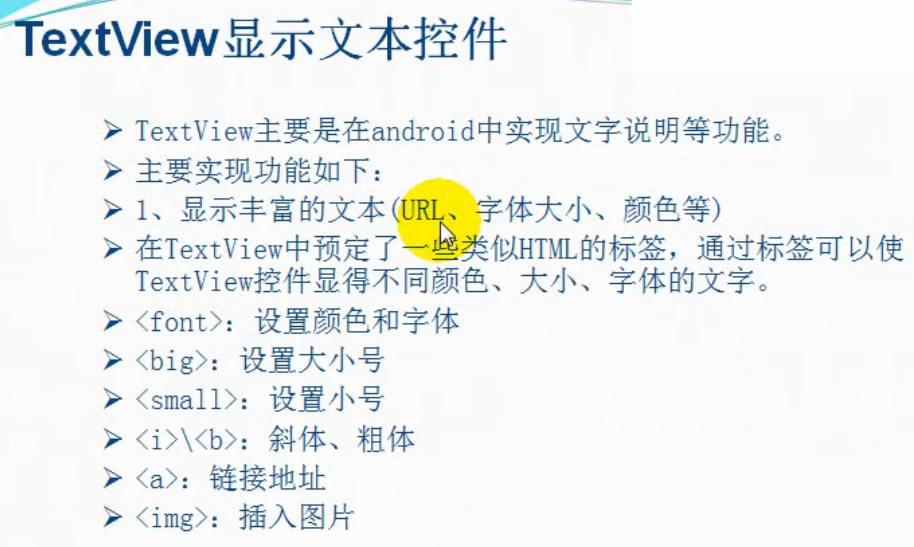
也是显示丰富的文本
二、方法
TextView两种显示link的方法
1)通过TextView里面的类html标签
* 1、设置好html标签的文本
String text1="<font color='red'><i>你好啊,陌生人</i></font><br/>";
text1+="<a href='http://www.baidu.com'>百度</a><br />";
* 2、为之前的文本声明Html.fromHtml,方便TextView解析为html标签
tv_one.setText(Html.fromHtml(text1));
* 3、设置link点击事件
tv_one.setMovementMethod(LinkMovementMethod.getInstance());
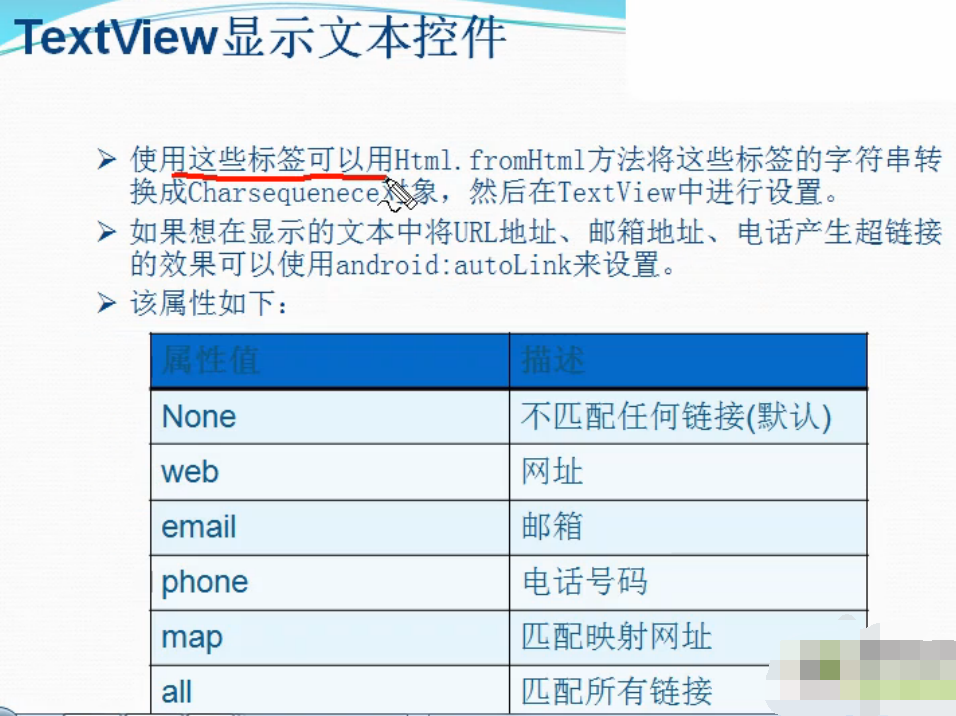
2)通过android:autoLink属性
* 1、添加普通文本
String text2="我的网站:http://www.baidu.com \n";
text2+="我的电话:18883306749";
tv_two.setText(text2);
* 2、在layout的textView中设置android:autoLink属性
android:autoLink="all"
三、代码实例
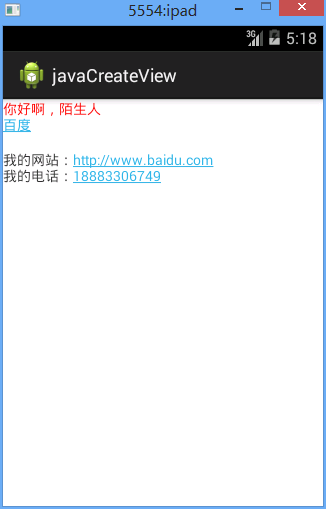
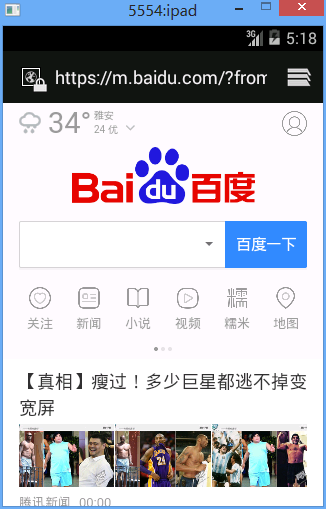
点击上面的百度和下面的百度链接。出现
点击电话号码。出现
代码:
fry.Activity01
 package fry;

 import com.example.textViewDemo1.R;

 import android.app.Activity;

 import android.os.Bundle;

 import android.text.Html;

 import android.text.method.LinkMovementMethod;

 import android.widget.TextView;

 public class Activity01 extends Activity{

     private TextView tv_one;

     private TextView tv_two;

     @Override

     protected void onCreate(Bundle savedInstanceState) {

         // TODO Auto-generated method stub

         super.onCreate(savedInstanceState);

         setContentView(R.layout.activity01);

         tv_one=(TextView) findViewById(R.id.tv_one);

         tv_two=(TextView) findViewById(R.id.tv_two);

         /*

          * TextView两种显示link的方法

          * 1)通过TextView里面的类html标签

          * 1、设置好html标签的文本

          * 2、为之前的文本声明Html.fromHtml,方便TextView解析为html标签

          * 3、设置link点击事件

          *

          * 2)通过android:autoLink属性

          * 1、添加普通文本

          * 2、在layout的textView中设置android:autoLink属性

          *

          */

         //通过TextView里面的类html标签来实现显示效果

         String text1="<font color='red'><i>你好啊,陌生人</i></font><br/>";

         text1+="<a href='http://www.baidu.com'>百度</a><br />";


         tv_one.setText(Html.fromHtml(text1));

         //设置鼠标移动事件,产生链接显示,没有这句话,进不去百度

         tv_one.setMovementMethod(LinkMovementMethod.getInstance());

         //tv_two里面设置了android:autoLink="all",也就是自动显示所有link

         String text2="我的网站:http://www.baidu.com \n";

         text2+="我的电话:18883306749";

         tv_two.setText(text2);

         //因为我设置了android:autoLink属性,故不需要下面这句也可以进百度页面,进电话页面

         //tv_two.setMovementMethod(LinkMovementMethod.getInstance());

     }

 }
/textViewDemo1/res/layout/activity01.xml
 <?xml version="1.0" encoding="utf-8"?>

 <LinearLayout xmlns:android="http://schemas.android.com/apk/res/android"

     android:layout_width="match_parent"

     android:layout_height="match_parent"

     android:orientation="vertical" >

     <TextView

         android:id="@+id/tv_one"

         android:layout_width="match_parent"

         android:layout_height="wrap_content" />

     <TextView

         android:id="@+id/tv_two"

         android:layout_width="match_parent"

         android:layout_height="wrap_content"

         android:autoLink="all"

         />

 </LinearLayout>
TextView两种显示link的方法的更多相关文章
- Eclipse中SVN的安装步骤(两种)和使用方法
Eclipse中SVN的安装步骤(两种)和使用方法 一.给Eclipse安装SVN,最常见的有两种方式:手动方式和使用安装向导方式.具体步骤如下: 方式一:手动安装 1.下载最新的Eclipse,我的 ...
- C#两种创建快捷方式的方法
C#两种创建快捷方式的方法http://www.cnblogs.com/linmilove/archive/2009/06/10/1500989.html
- HTTP/HTTPS GET&POST两种方式的实现方法
关于GET及POST方式的区别请参照前面文章:http://www.cnblogs.com/hunterCecil/p/5698604.html http://www.cnblogs.com/hunt ...
- iOS - UITableView中有两种重用Cell的方法
UITableView中有两种重用Cell的方法: - (id)dequeueReusableCellWithIdentifier:(NSString *)identifier; - (id)dequ ...
- 两种ps切图方法(图层/切片)
两种Ps切图方法 一. 基础操作: a) Ctrl++ 放大图片,ctrl - -缩小图片 b) 按住空格键space+,点击鼠标左键,拖动图片. c) 修改单位,点击编辑 ...
- Python_两种导入模块的方法异同
Python中有两种导入模块的方法 1:import module 2:from module import * 使用from module import *方法可以导入独立的项,也可以用from m ...
- Tomcat下载安装并部署到IDEA(附带idea两种热部署设置方法)
目录 Tomcat下载教程 Tomcat安装教程 Tomcat热部署到IDEA idea两种热部署设置方法 使用Idea的时候,修改了代码,需要反复的重启Tomcat,查看效果,是不是贼烦?还记得刚上 ...
- 接口测试中GET和POST两种基本HTTP请求方法的区别
面试时,可以回答(一般答前4条就行): GET参数通过url传递,POST放在request body中 GET请求在url中传递的参数是有长度限制的,而POST没有 GET比POST更不安全,因为参 ...
- SSH简介及两种远程登录的方法
出处 https://blog.csdn.net/li528405176/article/details/82810342 目录 SSH的安全机制 SSH的安装 启动服务器的SSH服务 SSH两种级别 ...
随机推荐
- 推荐10 个短小却超实用的 JavaScript 代码段
1. 判断日期是否有效 JavaScript中自带的日期函数还是太过简单,很难满足真实项目中对不同日期格式进行解析和判断的需要.jQuery也有一些第三方库来使日期相关的处理变得简单,但有时你可能只需 ...
- pug.compile() will compile the Pug source code into a JavaScript function that takes a data object (called “locals”) as an argument.
Getting Started – Pug https://pugjs.org/api/getting-started.html GitHub - Tencent/wepy: 小程序组件化开发框架 h ...
- InnoDB缓存读命中率、使用率、脏块率(%) 缓冲池的读命中率(%) 缓冲池的利用率(%) 缓冲池脏块的百分率(%)
InnoDB缓存读命中率.使用率.脏块率(%) 缓冲池的读命中率(%) 缓冲池的利用率(%) 缓冲池脏块的百分率(%)
- IO流入门-第十章-DataInputStream_DataOutputStream
DataInputStream和DataOutputStream基本用法和方法示例 /* java.io.DataOutputStream 数据字节输出流,带着类型写入 可以将内存中的“int i = ...
- 使用electron进行原生应用的打包
因为信奉一句话:JavaScript 终将一统天下,所以要想方设法开疆扩土. 今天介绍的这个electron就是一大神器,可以很方便的将网页应用打包为Mac, Win, Linux下的可执行文件,只需 ...
- 利用kubeadm部署kubernetes 1.7 with flannel
一.Installation 1.安装环境为CentOS 7 2.安装Docker yum install -y docker systemctl enable docker systemctl st ...
- Linux上free命令的输出及其他
一.明确概念 A buffer is something that has yet to be "written" to disk. A cache is something t ...
- Tflearn的安装
scipy-doc安装 sudo apt-get install python-scipy-doc安装python-scipy-doc h5py安装 sudo pip install h5py sci ...
- Angular学习笔记—路由(转载)
创建路由 1.首先安装 Angular Router.你可以通过运行以下任一操作来执行此操作: yarn add @angular/router # OR npm i --save @angular/ ...
- ceshi1
图片素材