
[Xamarin] 透過 intent-filter 來接管 http ,製作偽瀏覽器 (转帖)
使用Android 的朋友一定對這畫面不陌生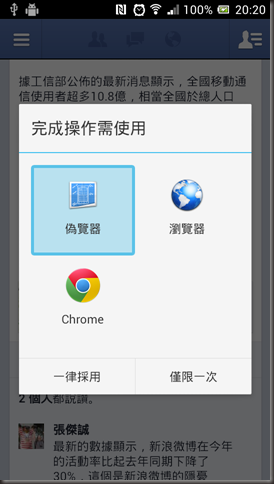
在開啟網址的時候,或是Youtube連結的時候,因為Android 發現,你手機安裝的App有哪些可以支援這些東西的瀏覽
所以,就可以使用甚麼東西來進行開啟,上面那個一個'偽瀏覽器'就是透過這方法做到的,當然這篇目的不是要做瀏覽器
所以只會在開啟後取得該連結網址,首先我們來看看AndroidManifest.xml (加入AndroidManifest.xml可以參考這篇)
<?xml version="1.0" encoding="utf-8"?>
<manifest xmlns:android="http://schemas.android.com/apk/res/android" android:installLocation="auto" package="com.donma.test">
<uses-sdk android:targetSdkVersion="8" />
<application>
<activity android:name=".Activity123" android:label="偽覽器">
<intent-filter>
<action android:name="android.intent.action.VIEW" />
<category android:name="android.intent.category.DEFAULT" />
<data android:scheme="http" />
</intent-filter>
</activity>
</application>
</manifest>
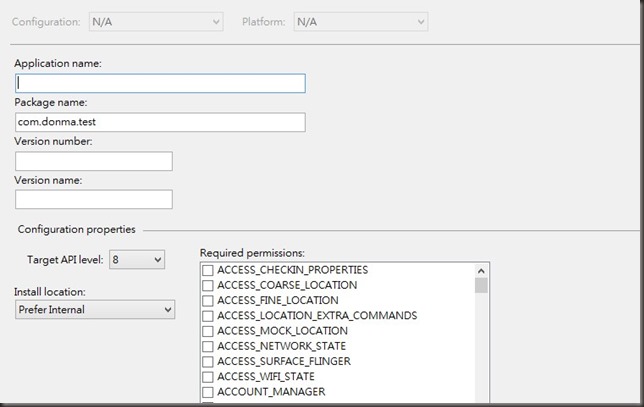
請注意,上面的Package name 一定要設,並且至少要有一個 . (dot) 以上,之前案例都沒有設定都可以順利執行但是這在裡面一定要設定
不然會發生他會找不到對應的Activity 產生 Android java.lang.RuntimeException: Unable to instantiate activity ComponentInfo
這地方花debug花了一小點時間
在這AndroidManifest.xml 中我指定了我有意圖會接官http 並且指定為.Activity123 來開啟
關於 AndroidManifest.xml 這博大精深的設定可以參考Android 官方網站
我們來看看 Activity123 Code 的部分
using Android.App;
using Android.Widget;
using Android.OS;
namespace CallActivity
{
[Activity(Name = "com.donma.test.Activity123", Label = "CallActivity1", MainLauncher = true, Icon = "@drawable/icon")]
public class Activity123 : Activity
{
protected override void OnCreate(Bundle bundle)
{
base.OnCreate(bundle);
SetContentView(Resource.Layout.Main);
var textView1 = FindViewById<TextView>(Resource.Id.textView1);
//透過this.Intent 取得由系統發過來的Intent的文字資料
textView1.Text = Intent.DataString;
}
}
}
其中,紅色文字的那一段Name一定要設定,讓系統可以抓到他,再來就是接到指令後可以透過this.Intent 來去抓到Intent中的資料(等於在java 開發中
getIntent() )
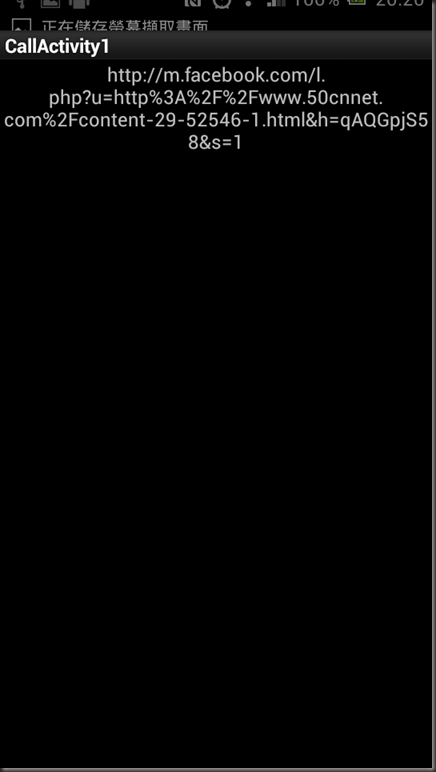
結果: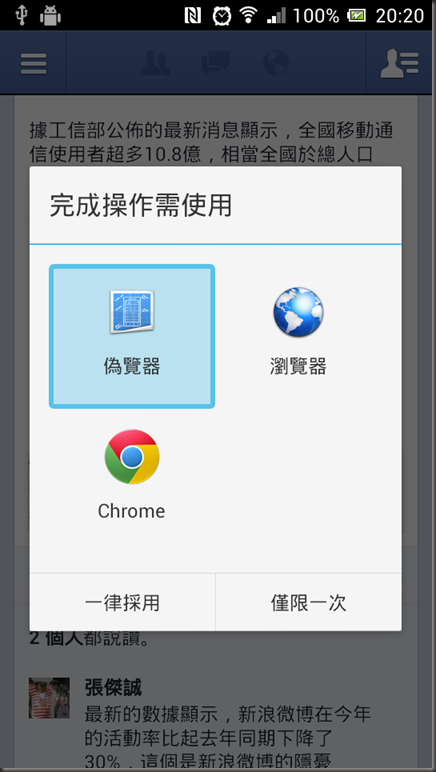
開啟後抓取到觸發的網址
這樣就可以做到很多事情,程式不難,設定比較許多枚枚角角.
參考文章: http://www.vogella.com/articles/AndroidIntent/
[Xamarin] 透過 intent-filter 來接管 http ,製作偽瀏覽器 (转帖)的更多相关文章
- [Xamarin] 透過StartActivityForResult傳值回來(转贴)
上一篇文章(開啟另外一個Activity 並且帶資料),提到了開啟一個新的Activity ,我們將值透過intent 帶到下個Activity 但是,如果我們開啟的Actrivity其實是有一個任務 ...
- [Xamarin] 透過Native Code呼叫 JavaScript function (转帖)
今天我們來聊聊關於如何使用WebView 中的Javascript 來呼叫 Native Code 的部分 首先,你得先來看看這篇[Xamarin] 使用Webview 來做APP因為這篇文章至少講解 ...
- [Xamarin] 透過WebClient跟網路取得資料 (转帖)
之前寫過一篇文章,關於在Android上面取得資料 透過GET方式傳資料給Server(含解決中文編碼問題) 我們來回顧一下 Android 端的Code: 有沒有超多,如果是在Xaramin下面,真 ...
- [Xamarin] 透過 IsolatedStorageFile儲存資料(转帖)
開發手機App通常都會遇到想要儲存資料的,舉個例來說,像是 (圖片來源:http://docs.xamarin.com/guides/android/application_fundamentals/ ...
- [SQL]透過redgate SQL Monitor 來找出 ASYNC_NETWORK_IO 問題
原文:[SQL]透過redgate SQL Monitor 來找出 ASYNC_NETWORK_IO 問題 最近因為在查一個SQL的效能問題,透過 sys.dm_os_wait_stats 來取得To ...
- [Xamarin] 製作Options Menu、Intent 呼叫網址和Market (转帖)
Android的設計如果沒意外的話通常有三棵按鈕,BACK,HOME,OPTION (圖片來源:http://developer.android.com/design/index.html) 在OPT ...
- [Xamarin] 用Service 來製作一個Notification的時鐘 (转帖)
這篇利用來製作一個會出現在Notification的時鐘,來敘述一下 Service,在你製作的App被關閉時,可以透過Service繼續運行你想處理的部分,當然Service 也有其生命周期 接下來 ...
- [Xamarin] 調用JSON.net 來解析JSON (转帖)
上一篇文章我們提到了透過WebClient從Facebook 拿到我的JSON資料 再來我們要怎麼解析JSON格示呢?在.net 中,我們很孰悉的JSON.net,沒錯,我們依然可以在Xamarin中 ...
- [C#] 與Android共舞–透過GET方式傳資料給Server(含解決中文編碼問題) (转帖)
上一篇文章分享了透過POST 方式傳資料回Server,這一篇來談談有關於透過GET的方式傳遞 首先,如我預期的一樣,透過網址傳遞,會產生編碼問題,這邊我就順代解掉,希望有碰到的人 可以不用為此煩惱. ...
随机推荐
- COM的永久接口
COM的永久接口
- Jmeter外部函数引用
Jmeter外部函数引用 1.Beanshell引用Jmeter变量 添加用户自定义变量,输入变量名称和变量值,添加Debug sampler,用于输出初始变量值.
- C++STL算法速查
非变易算法 /* 第21章 非变易算法 Non-modifying sequence operations 21.0 advance, distance 为了了解模板,先了解一下这两个迭代器操作函 ...
- 深入理解js——继承
JavaScript中继承是通过原型链来体现的. function Foo(){} var f1=new Foo(); f1.a=10; Foo.prototype.a=100; Foo.protot ...
- 通过xcode或xcodebuild进行打包
在实际应用中需要用到debug的安装包,所以决定自己学习一下打包,打包过程中遇到了各种问题,下面记录了一下我在打包中用到的步骤,当然我还有很多不明白的地方,如果有不对的地方,希望可以大家可以指出 ...
- js alert重写,适用于手机端,改自于网上的代码
<!DOCTYPE html> <html> <head> <meta name="viewport" content="wid ...
- python-->基础-->002-->input & raw_input
一.input与raw_input的区别 1.raw_input()说明 a = raw_input("input content:")print a,type(a) 输出结果: ...
- 小甲鱼python视频第十讲(课后习题)
1.list1[0]与list1[0:1]的区别 2.分片的步长 3关于列表的copy(注意list2与list3的区别) list1 = [,,,,,,] list2 = list1[:] list ...
- TortoiseSVN汉化包装了,不管用,仍然是英文菜单
TortoiseSVN装了后,把对应的汉化包也装了,但不管用,仍然是英文菜单. 想着是因为没有重启的原因,但是重启了再装,仍然看不到中文工菜单. 想了一下,TortoiseSVN汉化包在装的时候,没有 ...
- hdu 5666 (大数乘法) Segment
题目:这里 题意:在线段x+y=q与坐标轴围成的三角形中,求有多少个坐标为整数的点,答案模上p. 很容易就想到最后答案就是((q-1)*(q-2))/2然后模上p就是了,但是这个数字比较大,相乘会爆l ...