
web 项目添加 x86 的dll 引用,模块 DLL c:\WINDOWS\system32\inetsrv\aspnetcore.dll 未能加载。
最近的项目要添加一个 x86 编译的dll,
首先添加引用,编译,报错:
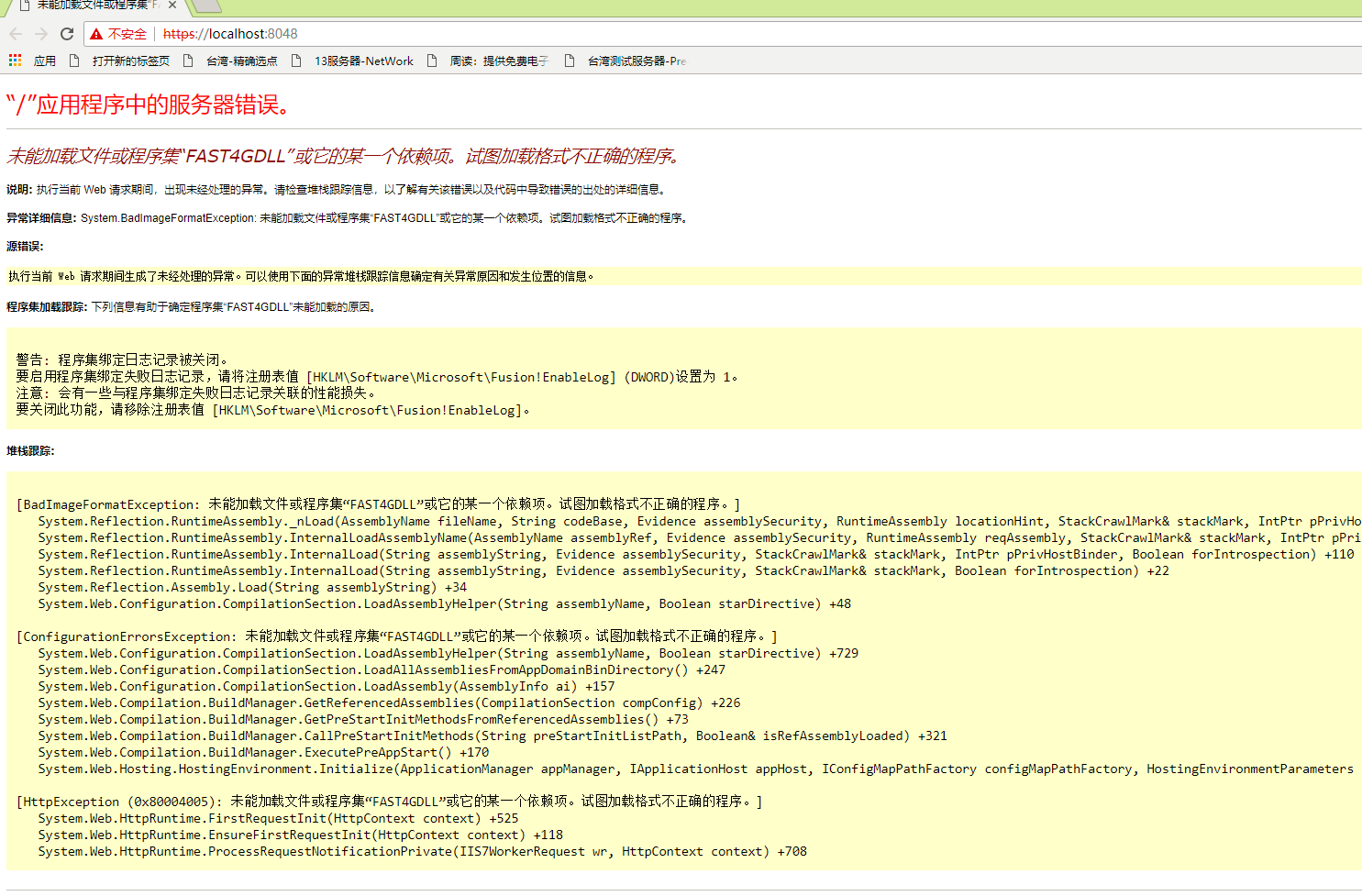
首先判断是 项目中不能添加 x86 的引用,所以把所有的项目都按照 x86 的方式编译一遍,同时对应IIS 的应用池,也修改为启用32位。
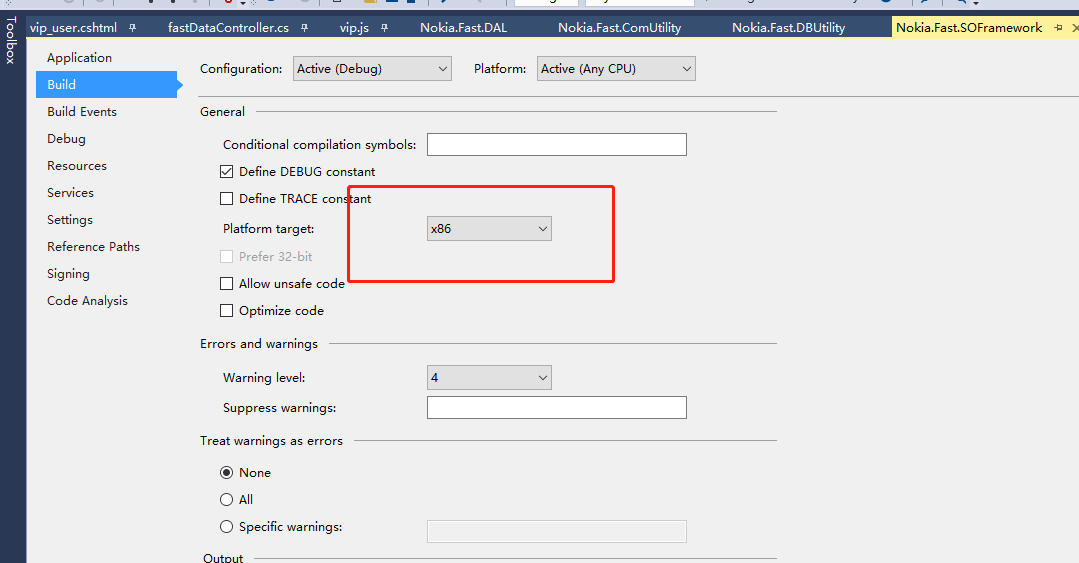
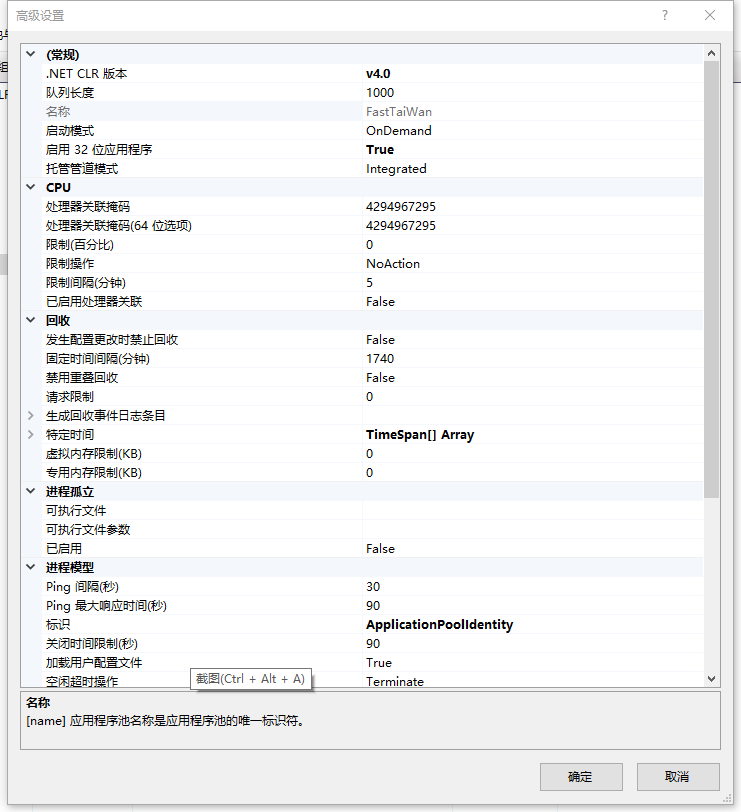
本以为可以顺利显示,但是却报错。报错的是本机开发环境,但是部署到服务器测试却能够正常显示。
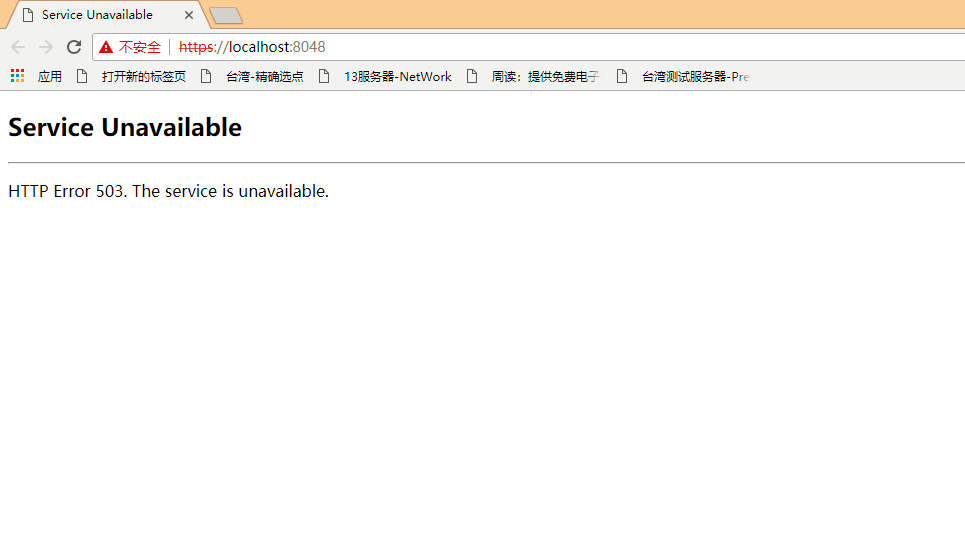
根据网上的提示,查看 系统日志里的应用程序日志,
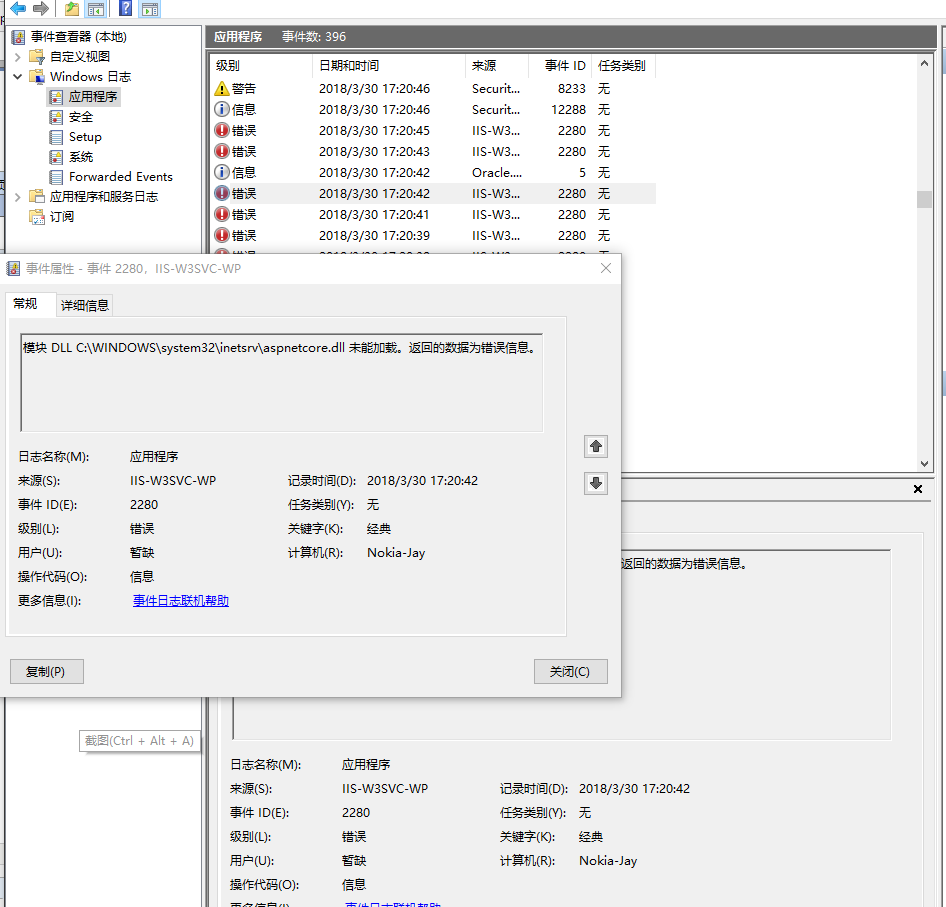
再根据此错误信息,网上搜索,终于找到了解决方法。
1. 如果报错是 rewrite.dll , 则在程序-应用和管理 中修复 对应的IIS URL Rewrite Module 2。
2. 如果报错是 aspnetcore.dll ,则在程序-应用和管理中修复 Microsoft .NET Core 1.0.0 - VS 2015 Tooling ...
在搜到该解决方案之前, 我已经把所有的.netcore 的程序卸载了,再重新按章 .Net Core SDK 依然无效,最后根据方案中的方法,搜索到了
DotNetCore.1.0.1-VS2015Tools.Preview2.0.3.exe, 重新安装修复。
看来是必需要修复一次。而且说是 windows10 的anniversary更新引起的错误,至此终于明白为啥服务器部署可以正常了。
Installing the recently released Anniversary Update (version 1607) of Windows 10 seems to destabilize IIS by shutting down Application Pools, thus resulting in a 503 error when trying to run an application, which is caused by some DLLs failing to load when the worker process starts. Fortunately, the lovely folks of the interwebz are coming to the rescue!
First, check out the Windows Event Viewer (Win+X, V) to see what you need to fix: Open "Windows Logs", then "Application" and look for "Error" level entries with the source "IIS-W3SVC-WP" (may be different if the name of your IIS instance is not the default one). In the details, you will see a short message, like this:
The Module DLL <path-to-DLL> failed to load. The data is the error.
Depending on your configuration, there may be different DLLs causing this kind of problem and they will occur one by one, so you will need to keep checking the Event Logs and fix the issues until your application properly starts up. To be sure, before every attempt, stop IIS and close IIS Manager.
Here are two specific issues we've experienced so far and how to fix them, but you may bump into completely different ones:
- "C:\WINDOWS\system32\inetsrv\rewrite.dll" (reference)
- Go to "Programs and Features" (Win+X, F) and repair "IIS URL Rewrite Module 2".
- "C:\WINDOWS\system32\inetsrv\aspnetcore.dll" (reference)
- Go to "Programs and Features" (Win+X, F) and repair "Microsoft .NET Core 1.0.0 - VS 2015 Tooling ...".
Happy updating!
Hi paramesh,
I don't know from the top of my head, but you can try (re)installing them from PS using Web Platform Installer. Or if you have installed those from Web Platform Installer in the first place, then you probably still have the .msi installers on your machine (for example on my machine they are under "C:\Users\Benedek\AppData\Local\Microsoft\Web Platform Installer\installers") - in that case you can repair them from PS using "msiexec" with the "fa" switch (which runs a forced repair).
This command works on my machine for URL Rewrite 2, for you the path might be different:
msiexec /fa "C:\Users\Benedek\AppData\Local\Microsoft\Web Platform Installer\installers\UrlRewrite2\6A98B994ADCC2E8D21507BF2B8BAFFB402C17395\rewrite_amd64.msi"
For "Microsoft .NET Core 1.0.0 - VS 2015 Tooling", the installer (at least on my machine) is in one of the subfolders of "C:\ProgramData\Package Cache", so for example the latest version I have installed (differs from what's in the blogpost) is "C:\ProgramData\Package Cache\{da280276-4f5b-4918-8d40-20ca56dfa535}\DotNetCore.1.0.1-VS2015Tools.Preview2.0.3.exe". "msiexec" won't be able to handle this, since it's an exe, but you might be able to just run it from PS, although I'm not sure if that'll work without GUI.
Please let me know if it helped and if they work, then I'll add them to the blogpost.
web 项目添加 x86 的dll 引用,模块 DLL c:\WINDOWS\system32\inetsrv\aspnetcore.dll 未能加载。的更多相关文章
- 记一次排错,windows日志 模块 DLL C:\Windows\system32\inetsrv\aspnetcore.dll 未能加载。返回的数据为错误信息。
这个错误是在我本地开发环境,不是生产环境,如果是生产环境我就挂了....开发环境也痛苦啊,重装系统的话,我估计装系统+所有软件,少说也得1天..... 错误产生:重装IIS (尼玛,IIS总有一个小毛 ...
- 模块 DLL C:\WINDOWS\system32\inetsrv\aspnetcore.dll 未能加载。返回的数据为错误信息。
更新了win10的版本后,就启动原来的iis发布的程序 程序池就自动关闭.后来 启动网站 iis程序池自动关闭. 在为应用程序池“.NET v4.5”提供服务的工作进程“21908”中,协议“http ...
- 【IIS】模块 DLL C:\Windows\System32\inetsrv\authcert.dll 未能加载。返回的数据为错误信息。
解决方案,check IIS --Client Certificate Mapping Authentication installed?
- Windows7 安装vs2015 之后 调试Web项目IIS启动不了 aspnetcore.dll未能加载
安装windows企业版,整整折腾了两天了,一个本身家里网络环境不好,时不时掉线,终于披荆斩棘,克服了所有困难,结果VS2015 EnterPrise 版本在调试Web环境的时候,始终在任务栏里找不到 ...
- maven 如何给web项目添加jar包依赖
maven 如何给web项目添加jar包依赖 CreateTime--2018年4月19日19:06:21 Author:Marydon 开发工具:eclipse 1.打开pom.xml文件--& ...
- 当重装eclipse后,给现有web项目添加tomcat的构建路径
在eclipse“首选项”-“service environment”中配置好tomcat后,给现有web项目添加构建路径: 1.选中一个web项目右键选中“构建路径”-“配置构建路径”
- .Net Framework 下运行项目提示.dll类库程序集未能加载
咨询个问题..项目可以生成成功,运行时总提示未能加载程序集,而且这个程序集就是当前webApi项目的dll,这是怎么回事.. 还一个奇怪的现象,刚开始报缺失xxx.dll, 那个dll是本解决方案里 ...
- visual studio2017 无法添加引用 未能加载包ReferenceManagerPackage not such interface support 解决方法
安装完visual studio 2017 后添加引用总是提示 未能加载包ReferenceManagerPackage, 这个问题困扰了两天,直到在网上看到了下面这一段 I just got thi ...
- MVC中未能加载程序集System.Web.Http/System.Web.Http.WebHost
==================================== 需要检查项目的Microsoft.AspNet.WebApi版本是否最新,System.Web.Http 这个命名空间需要更新 ...
随机推荐
- Elasticsearch必知必会的干货知识一:ES索引文档的CRUD
若在传统DBMS 关系型数据库中查询海量数据,特别是模糊查询,一般我们都是使用like %查询的值%,但这样会导致无法应用索引,从而形成全表扫描效率低下,即使是在有索引的字段精确值查找,面对海量数 ...
- linux centos7安装mysql8
一.RPM版安装 查看是否有其他版本的数据库,若有,删除干净 非root用户必须要有sudo权限 1.下载mysql相关安装包 https://mirrors.tuna.tsinghua.edu.cn ...
- 详细讲解Codeforces Round #624 (Div. 3) F. Moving Points
题意:给定n个点的初始坐标x和速度v(保证n个点的初始坐标互不相同), d(i,j)是第i个和第j个点之间任意某个时刻的最小距离,求出n个点中任意一对点的d(i,j)的总和. 题解:可以理解,两个点中 ...
- Charles证书下载报Name lookup failed
背景 1.charles https抓包需要在手机上安装证书. 2.近期疫情影响,通过openVPN远程办公. 问题现象 按照网上教程配置好charles proxy配置,证书安装的时候,iPhone ...
- 秋水逸冰实用Linux脚本收藏
秋水逸冰的脚本非常受欢迎,奈何其本人博客已经不能访问(目前是这样,不知道别的地区是否能访问),实际上GitHub上他本人一直在维护,因为某些原因不放出他本人的GitHub地址.截止到2019年12月1 ...
- Java如何优雅地使用close()?
注:本文出自博主 Chloneda:个人博客 | 博客园 | Github | Gitee | 知乎 本文源链接:https://www.cnblogs.com/chloneda/p/java-clo ...
- 第二章.学习halcon的准备工作
*图片读取 read_image (Test1, 'C:/Users/Administrator/Desktop/new/Test1.jpg') *文件夹读取 list_files ('C:/User ...
- JS_0001:js常用知识点
1,获取常量值 ${} var port = 8080; console.log(`服务器运行在http://${hostName}:${port}`); 2,js中从服务器中获取值,并赋值給ht ...
- python正式学习第二天
用python操作文件 步骤一:找到文件,打开文件 步骤二:修改文件 ,读取文件 步骤三:关闭文件,并保存 用代码演示如下: 1. f = open(file nama)2. f.read(#读取的字 ...
- win10子系统ubuntu忘记密码解决方案
准备部署一个rocket.chat 需要安装mongodb 3.6 准备直接在子系统中安装一下,结果忘记ROOT密码了 找了一下子系统重置密码 记录如下 ubuntu config --defau ...