
nginx+ftp服务器搭建简易文件服务器
在做一些小项目和学习项目过程中,学习了通过 nginx 和 FTP 搭建小型文件服务器,记录下:
1.环境
- 电脑:acer
- 操作系统:windows 10
- ftp服务器
2.下载 nginx, 通过双击图标 nginx.exe 或则启动 cmd 命令行启动
3.运行后,浏览器访问 localhost:80,进入主页,完成

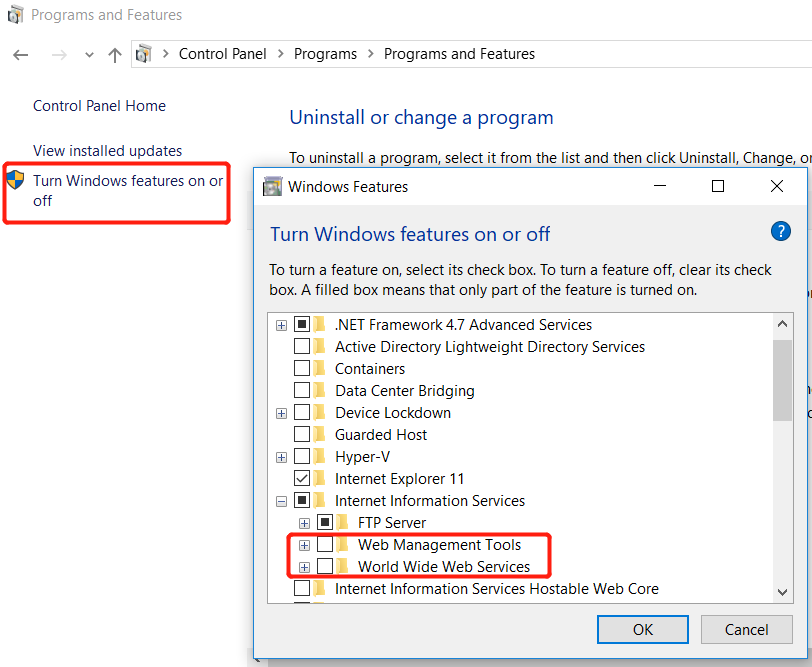
4.无法访问时,可能是 80 端口被占用,可以 kill 掉这个任务,但可能是 IIS 服务每次强制更新后就会监听 80 端口
5.这时候,找到 ‘打开或关闭窗口功能’ ,将勾选 Internet Information Services 去掉,估计能解决吧
6.在准备好一个FTP服务器后,可搭建一个简单的文件服务器,文件设置:
image.cat.com.conf : (创建该文件在 nginx/conf/vhost 文件下,方便 nginx.conf 文件中导入)
E:\ftpfile 为 ftpServer 的文件目录
server {

    listen 80;

    autoindex off;

    server_name image.cat.com;

    access_log c:/access.log combined;

    index index.html index.htm index.jsp index.php;

    #error_page 404 /404.html;

    if ( $query_string ~* ".*[\;'\<\>].*" ){

        return 404;

    }

    location ~ /(mmall_fe|mmall_admin_fe)/dist/view/* {

        deny all;

    }

    location / {

        root E:\ftpfile;

        add_header Access-Control-Allow-Origin *;

    }

}
hosts:(该文件在本机电脑下的路径为 C:\Windows\System32\drivers\etc)
127.0.0.1 image.cat.com
nginx.conf:
include vhost/*.conf;
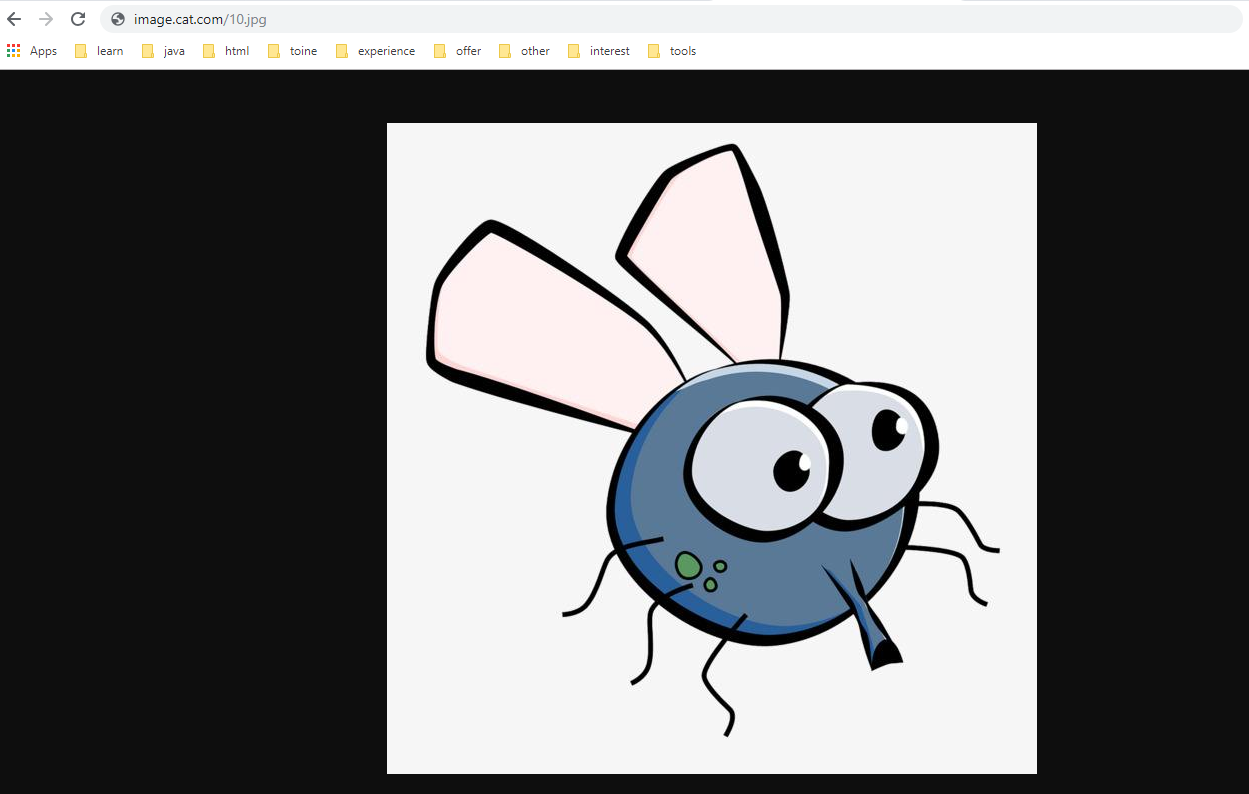
7.这时,浏览器访问 image.cat.com/10.jpg, 完成
8.如果访问提示 403 Forbidden,可以检查下 FTP 服务器文件目录存放的位置!
nginx+ftp服务器搭建简易文件服务器的更多相关文章
- Nginx搭建简易文件服务器
Nginx搭建简易文件服务器 1.安装nginx,此处略过 2.修改nginx配置文件 详细如下 # 此处为部分文件是否有权限,使用root,则不会出现403权限问题 user root; worke ...
- FTP服务器配置http访问(配置nginx+ftp服务器)
一.搭建nginx服务器 先安装nginx服务器 # yum install nginx -y 启动nginx服务 # systemctl start nginx 浏览器访问:http://192.1 ...
- ftp服务器搭建(windows)+实现ftp图片上传对接
ftp服务器搭建(windows): vsftpd简介: vsftpd是“very secure FTP daemon”的缩写,是一个完全免费的.开放源代码的ftp服务器软件. 下载地址: http: ...
- 记一次ftp服务器搭建走过的坑
记一次ftp服务器搭建走过的坑 1.安装 ①下载 wget https://security.appspot.com/downloads/vsftpd-3.0.3.tar.gz #要FQ ②解压 ta ...
- FTP服务器搭建及操作(一)
FTP服务器搭建及操作(一) FTP搭建 PHP FTP操作 搭建方法参照(windows):http://www.cnblogs.com/lidan/archive/2012/06/04/25351 ...
- Linux 安装及配置 Nginx + ftp 服务器
Nginx 安装及配置 一.Nginx 简介: Nginx("engine x") 是一款是由俄罗斯的程序设计师 Igor Sysoev 所开发高性能的 Web和 反向代理服务器, ...
- 《Linux下FTP服务器搭建及FTP使用》
.LOGAndy:mxtd114 <Linux下FTP服务器搭建> 0.root登录 1.安装ftp # yum -y install ftp 2.安装vsftpd # yum -y in ...
- ftp服务器搭建及简单操作
ftp服务器搭建及简单操作 1. 添加一个新用户,使用名useradd testftp,然后使用passwd testftp对新添加的用户设置密码(这里设置为“1234567”). 2. 安装ftp服 ...
- Linux CentOS 6.5 下 vsftpd ftp服务器搭建
Linux CentOS 6.5 下 vsftpd ftp服务器搭建 by:授客 QQ:1033553122 操作系统环境:CentOS 6.5-x86_64 下载地址:http://www.ce ...
随机推荐
- UVA - 558 Wormholes (SPEA算法模板题)
先给出题面:https://vjudge.net/problem/UVA-558 题意描述:给你含n个点以及m条边的图,让你判断在这个图中是否存在负权回路. 首先,我们来介绍什么是SPEA算法 SPF ...
- Go获取美元实时汇率
package main import ( "encoding/json" "fmt" "io/ioutil" "net/http ...
- vue 通知 走马灯效果
封装一个子组件: <template> <div class="container"> <div class="wrap"> ...
- Mysql链接问题
链接MySQL时报错Client does not support authentication protocol requested by server; consider upgrading My ...
- Centos下查看当前目录大小及文件个数
查看目录及其包含的文件的大小 du -ch directory 查看当前目录下文件的个数 ls -l | grep "^-" | wc -l 查看当前目录下以.jpg为后缀文件的个 ...
- nginx配置静态页面访问
server { server_name static.naice.me; // 你的域名或者 ip # 域名:static.naice.me 这里用 "_" 代表获取匹配所有 ...
- python函数之可迭代对象、迭代器的判断
怎么判断一个对象是可迭代对象还是迭代器 例子 from collections import Iterable, Iterator lst = ['Today is Wednesday', 'Tomo ...
- django1.4 简单事例 ,根目录下templates
django发展很快,但是有的是用的老版本,比如我现在看到一个项目,它用的是 Django1.4,而且app不是创建在了项目的根目录下,这样,它的Setting中设置就会不一样,若是设置错误,就会找不 ...
- 使用iSCSI服务部署网络存储
- cellmap 基站查询 for android
cellmap for android 3.6.8.8.1.8 更新日期:2019年4月28日 特别声明:本软件不能进行手机定位,不能对手机号码定位,谨防被骗. 安装说明:请卸载旧版本后,重新下载安装 ...