
<scrapy爬虫>爬取校花信息及图片
1.创建scrapy项目
dos窗口输入:
scrapy startproject xiaohuar
cd xiaohuar
2.编写item.py文件(相当于编写模板,需要爬取的数据在这里定义)
# -*- coding: utf-8 -*-

# Define here the models for your scraped items

#

# See documentation in:

# https://doc.scrapy.org/en/latest/topics/items.html

import scrapy

class XiaohuarItem(scrapy.Item):

    # define the fields for your item here like:

    #名字

    name = scrapy.Field()

    #学校

    info = scrapy.Field()

    #点赞人数

    zan = scrapy.Field()

    #图片链接

    image = scrapy.Field()
3.创建爬虫文件
dos窗口输入:
scrapy genspider myspider www.xiaohuar.com
4.编写myspider.py文件(接收响应,处理数据)
# -*- coding: utf-8 -*-

import scrapy

from xiaohuar.items import XiaohuarItem

class MyspiderSpider(scrapy.Spider):

    name = 'myspider'

    allowed_domains = ['www.xiaohuar.com']

    url = "http://www.xiaohuar.com/list-1-"

    offset = 0

    start_urls = [url+str(offset)+".html"]

    def parse(self, response):

        for each in response.xpath("//div[@class='item masonry_brick']"):

            item = XiaohuarItem()

            #名字

            item['name'] = each.xpath('.//span/text()').extract()[0]

            #学校

            item['info'] = each.xpath('.//a/text()').extract()[0]

            #赞

            item['zan'] = each.xpath('.//em/text()').extract()[0]

            #图片链接

            if each.xpath('.//img/@src').extract()[0].startswith('/d'):

                item['image'] ='http://www.xiaohuar.com'+ each.xpath('.//img/@src').extract()[0]

            else:

                item['image'] = each.xpath('.//img/@src').extract()[0]

            yield item

        if self.offset < 43:

            self.offset += 1

        else:

            raise ("程序结束")

        yield scrapy.Request(self.url+str(self.offset)+'.html',callback=self.parse)
5.编写pipelines.py(存储数据)
# -*- coding: utf-8 -*-

# Define your item pipelines here

#

# Don't forget to add your pipeline to the ITEM_PIPELINES setting

# See: https://doc.scrapy.org/en/latest/topics/item-pipeline.html

import scrapy

#获取setting文件的内容

from scrapy.utils.project import get_project_settings

#导入专门处理图片的包

from scrapy.pipelines.images import ImagesPipeline

import os

import json

#第一个类保存文字描述

class XiaohuarPipeline(object):

    def __init__(self):

        self.filename = open('F:\\xiaohuar\\data.txt', 'wb')

    def process_item(self, item, spider):

        text = json.dumps(dict(item),ensure_ascii=False) + '\n'

        self.filename.write(text.encode('utf-8'))

        return item

    def close_spider(self):

        self.filename.close()

#第二个类保存图片

class ImagePipeline(ImagesPipeline):

    IMAGES_STORE = get_project_settings().get("IMAGES_STORE")

    # 得到图片链接,发送图片请求

    def get_media_requests(self, item, info):

        # 图片链接

        image_url = item["image"]

        # 图片请求

        yield scrapy.Request(image_url)

    def item_completed(self, result, item, info):

        # 图片路径

        image_path = [x["path"] for ok, x in result if ok]

        # 保存路径,改名

        os.rename(self.IMAGES_STORE  + image_path[0], self.IMAGES_STORE + item["name"] + ".jpg")

        # 图片重命名后的名字

        item["imagePath"] = self.IMAGES_STORE + item["name"]

        return item
6.编写settings.py(设置headers,pipelines等)
robox协议
# Obey robots.txt rules

ROBOTSTXT_OBEY = False
headers
DEFAULT_REQUEST_HEADERS = {

    'user-agent': 'Mozilla/5.0 (Windows NT 10.0; Win64; x64) AppleWebKit/537.36 (KHTML, like Gecko) Chrome/68.0.3440.106 Safari/537.36',

    'Accept': 'text/html,application/xhtml+xml,application/xml;q=0.9,*/*;q=0.8',

  # 'Accept-Language': 'en',

}
pipelines
ITEM_PIPELINES = {

   'xiaohuar.pipelines.XiaohuarPipeline': 300,

   'xiaohuar.pipelines.ImagePipeline': 400,

}

IMAGES_STORE = "F:\\xiaohuar\\"
7.运行爬虫
dos窗口输入:
scrapy crawl myspided
查看debug:
KeyError: 'XiaohuarItem does not support field: imagePath'
emmmmm,
查看结果:
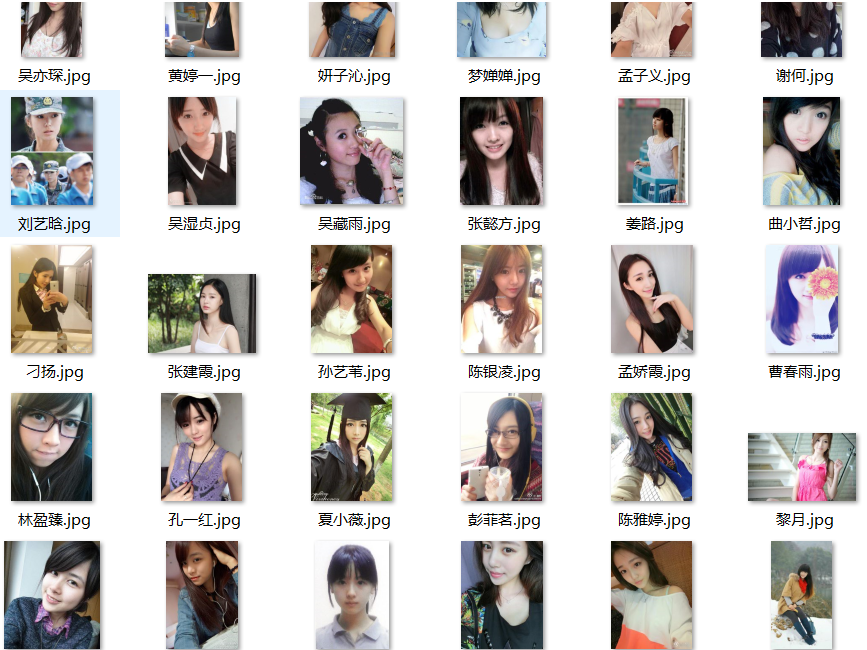
爬取:命名名成功了:1047-2(一个full文件夹,一个txt文档)

在full:+命名失败了73
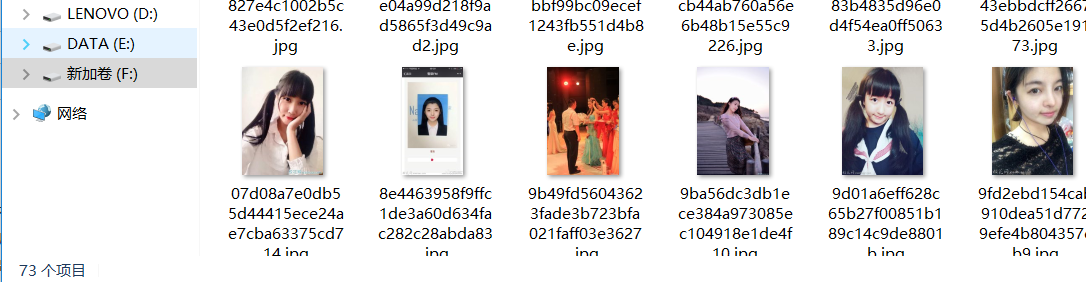
44页,每页25:44*25=1100应该爬完了,至于多出来的,是我最开始指定offset小于44,多爬了一页
最后命名失败我估计是服务器奔溃了

emmmm,反正这次主要是为了试验一下爬取图片,成功了就行

<scrapy爬虫>爬取校花信息及图片的更多相关文章
- python爬虫基础应用----爬取校花网视频
一.爬虫简单介绍 爬虫是什么? 爬虫是首先使用模拟浏览器访问网站获取数据,然后通过解析过滤获得有价值的信息,最后保存到到自己库中的程序. 爬虫程序包括哪些模块? python中的爬虫程序主要包括,re ...
- 简单的python爬虫--爬取Taobao淘女郎信息
最近在学Python的爬虫,顺便就练习了一下爬取淘宝上的淘女郎信息:手法简单,由于淘宝网站本上做了很多的防爬措施,应此效果不太好! 爬虫的入口:https://mm.taobao.com/json/r ...
- Go语言实战-爬取校花网图片
一.目标网站分析 爬取校花网http://www.xiaohuar.com/大学校花所有图片. 经过分析,所有图片分为四个页面,http://www.xiaohuar.com/list-1-0.htm ...
- Scrapy爬虫框架之爬取校花网图片
Scrapy Scrapy是一个为了爬取网站数据,提取结构性数据而编写的应用框架. 其可以应用在数据挖掘,信息处理或存储历史数据等一系列的程序中.其最初是为了页面抓取 (更确切来说, 网络抓取 )所设 ...
- 使用scrapy爬虫,爬取17k小说网的案例-方法一
无意间看到17小说网里面有一些小说小故事,于是决定用爬虫爬取下来自己看着玩,下图这个页面就是要爬取的来源. a 这个页面一共有125个标题,每个标题里面对应一个内容,如下图所示 下面直接看最核心spi ...
- Python爬虫-爬取京东商品信息-按给定关键词
目的:按给定关键词爬取京东商品信息,并保存至mongodb. 字段:title.url.store.store_url.item_id.price.comments_count.comments 工具 ...
- python爬虫---爬取王者荣耀全部皮肤图片
代码: import requests json_headers = { "User-Agent": "Mozilla/5.0 (Windows NT 10.0; Win ...
- scrapy爬取校花网男神图片保存到本地
爬虫四部曲,本人按自己的步骤来写,可能有很多漏洞,望各位大神指点指点 1.创建项目 scrapy startproject xiaohuawang scrapy.cfg: 项目的配置文件xiaohua ...
- <scrapy爬虫>爬取猫眼电影top100详细信息
1.创建scrapy项目 dos窗口输入: scrapy startproject maoyan cd maoyan 2.编写item.py文件(相当于编写模板,需要爬取的数据在这里定义) # -*- ...
随机推荐
- .net 裁剪图片
private void GetImg() { ) { return; } ]; string[] imgsize = Request["imgsize"].Split('& ...
- QT之发布
https://blog.csdn.net/qq_40194498/article/details/79926054打开windows控制台直接输入 windeployqt --help 可以知道想要 ...
- BCZM : 1.8
问题: 所有的员工均在1楼进电梯的时候,选择所要到达的楼层.然后计算出停靠的楼层i,当到达楼层i的时候,电梯停止.所有人走出电梯,步行到所在的楼层中.求所有人爬的楼层数目和的最小值. 解法一 ...
- Liunx下安装Oracle11g时Oracle Grid安装包下载向导
下载Oracel 11g Grid的安装包 Oracle官网 https://www.oracle.com 快捷访问路径:https://www.oracle.com/technetwork/dat ...
- Android App上架流程
想要把APP上架到应用市场都要先注册开发者账号才可以.这里的方法包括注册帐号和后期上架及一些需要注意的问题.注意:首次提交应用绝对不能随便删除,否则后面再提交会显示应用APP冲突,会要求走应用认领流程 ...
- 【JZOJ4811】排队
description analysis 堆\(+\)树上倍增 考虑后序遍历搞出\(dfs\)序,那么要填肯定是从\(dfs\)序开始填 把每个点是序里第几位看成优先级,用小根堆来维护当前空着的优先级 ...
- HashMap 什么时候进行扩容呢
HashMap扩容: 当HashMap中的元素越来越多的时候,碰撞的几率也就越来越高(因为数组的长度是固定的),所以为了提高查询的效率,就要对HashMap的数组进行扩容,数组扩容这个操作也会出现在A ...
- day21 生成器,列表解析,三元表达式
Python之路,Day9 = Python基础9 判断可迭代对象和迭代器 from collections import Iterable, Iterator # 导入模块功能,用来判断对象是否为I ...
- tomcat8乱码问题
1:注册表里修改 1):找到 HKEY_CURRENT_USER\Console\%SystemRoot%_system32_cmd.exe 如果 该项下已存在CodePage项,则把值改为十进制” ...
- manacher/马拉车常用用法一览
因为manacher算法把原来的字符串扩大了两倍,因此在应用时许多二级结论都非常不直观,现场推出来很麻烦,因此笔者在此做个简单整理,如果发现有错误或者有常用的我没有涉及到的,恳请在下方评论区指出,我会 ...