
Flume+HBase+Kafka集成与开发
先把flume1.7的源码包下载
http://archive.apache.org/dist/flume/1.7.0/
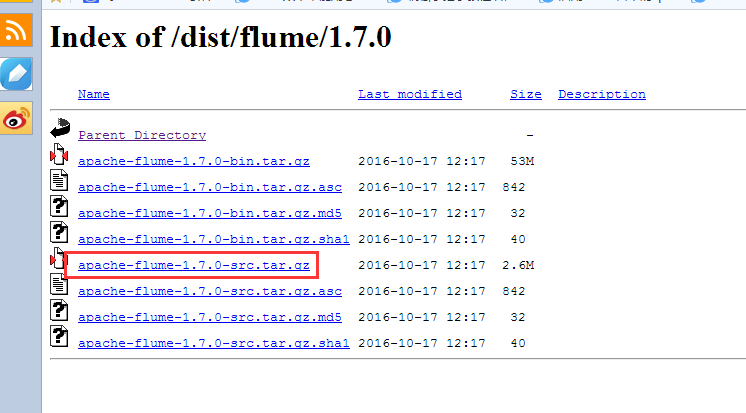
下载解压后

我们通过IDEA这个软件来打开这个工程

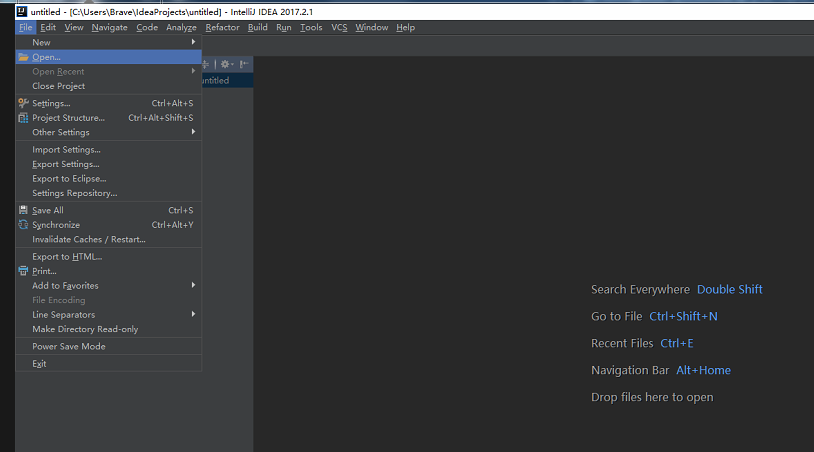
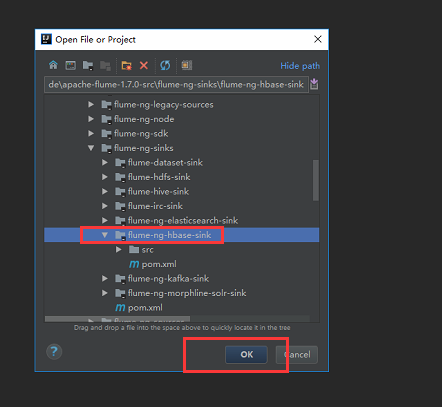
点击ok后我们选择打开一个新的窗口
不过这个默认方式导入加载时间很长,建议大家用maven方式导入。
导入之后我们看这个类
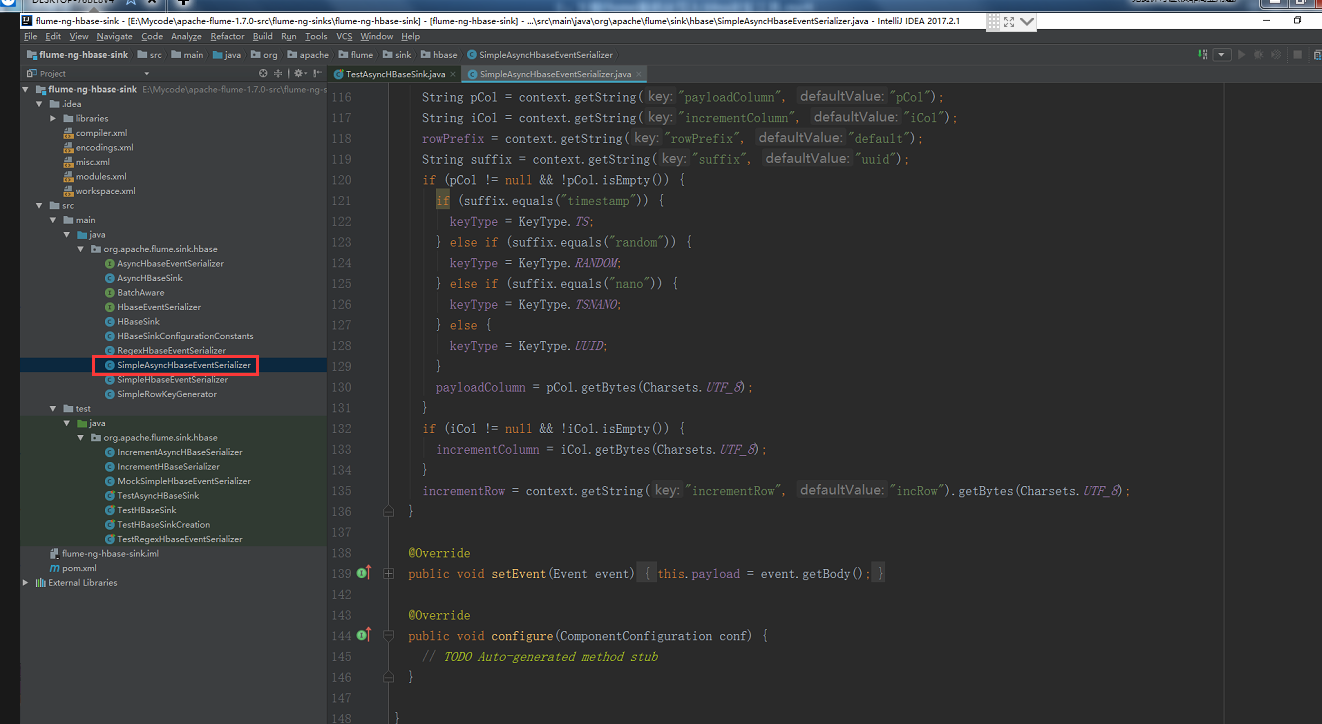
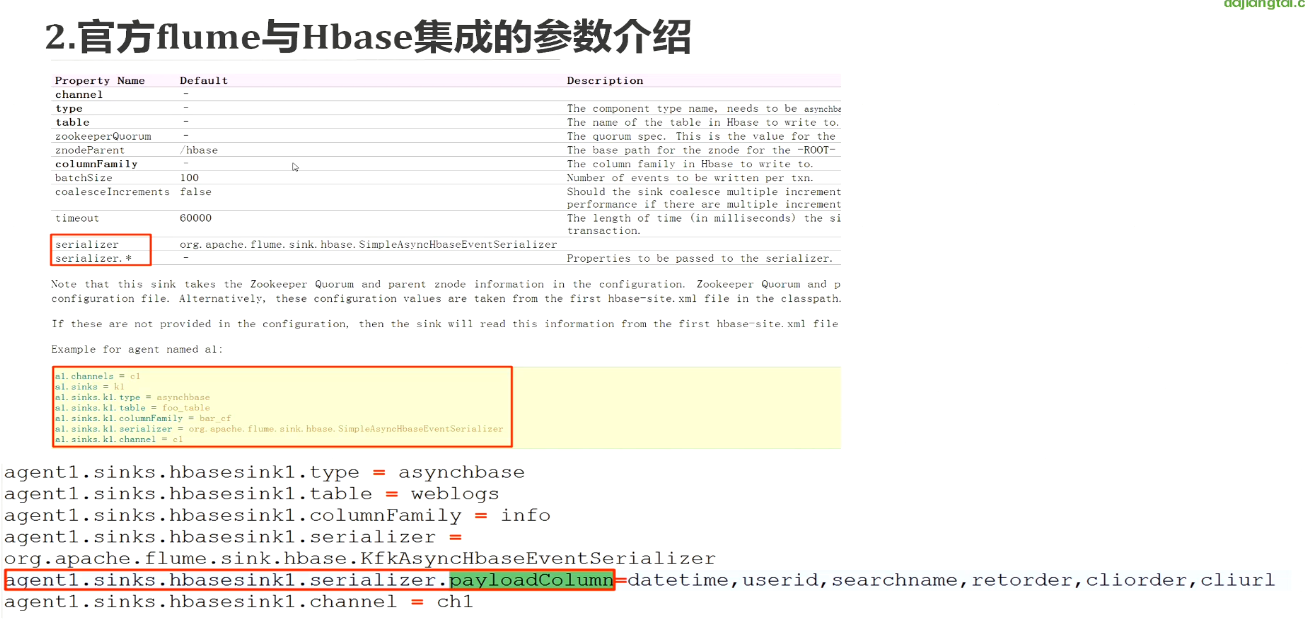
看看我们的数据源,就是我们之前下载好的搜狗实验室的数据,之前已经上传到节点1去了
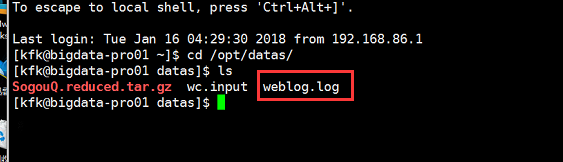
这个是我们要配置flume的模型
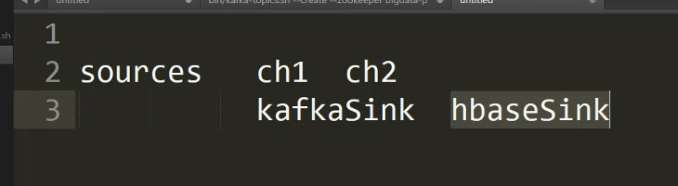
下面我们来配置节点1的flume
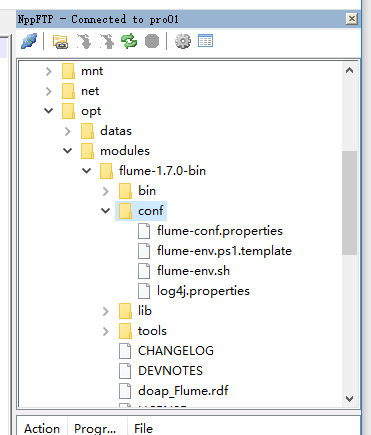
配置jdk的绝对路径
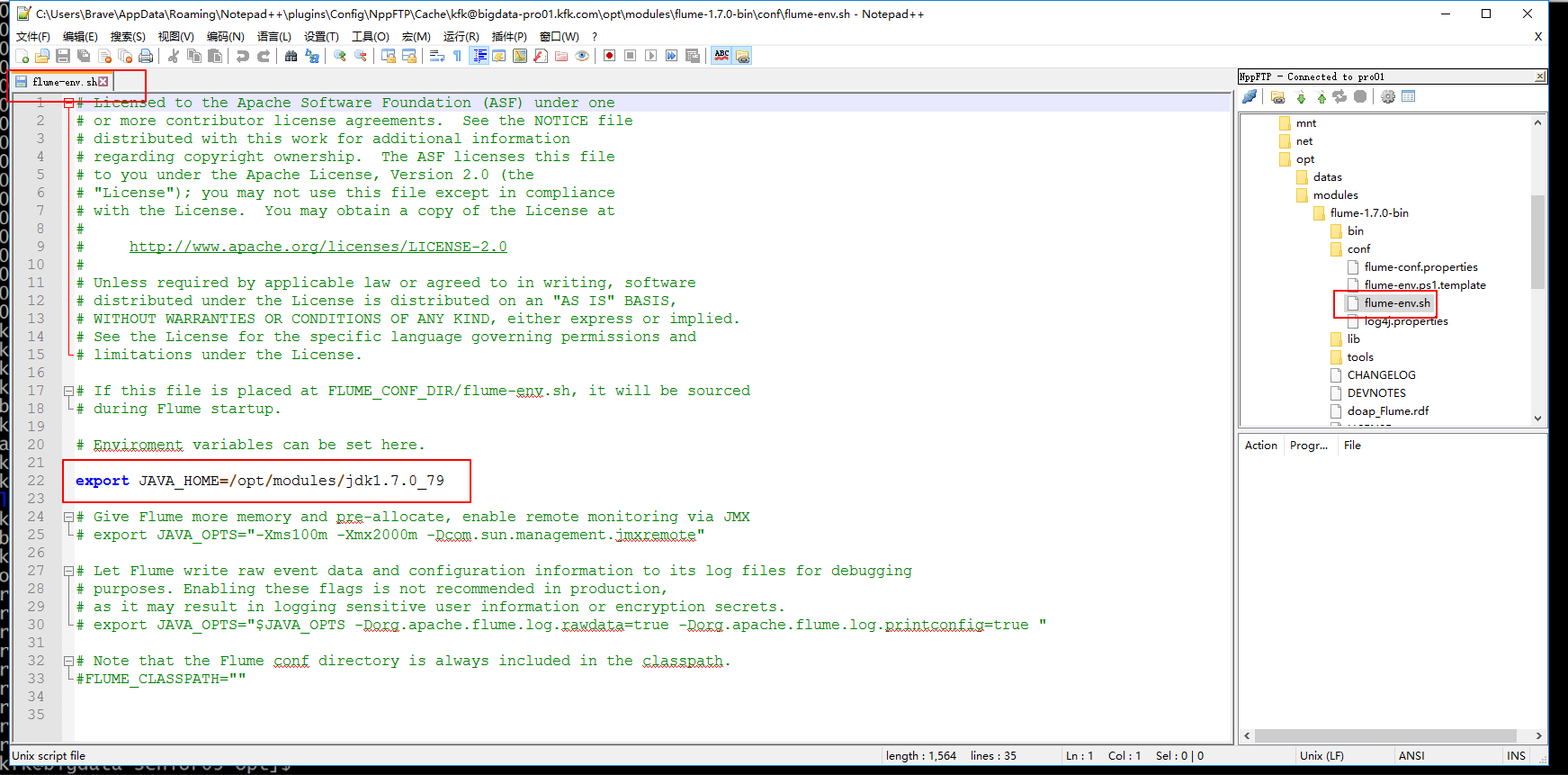
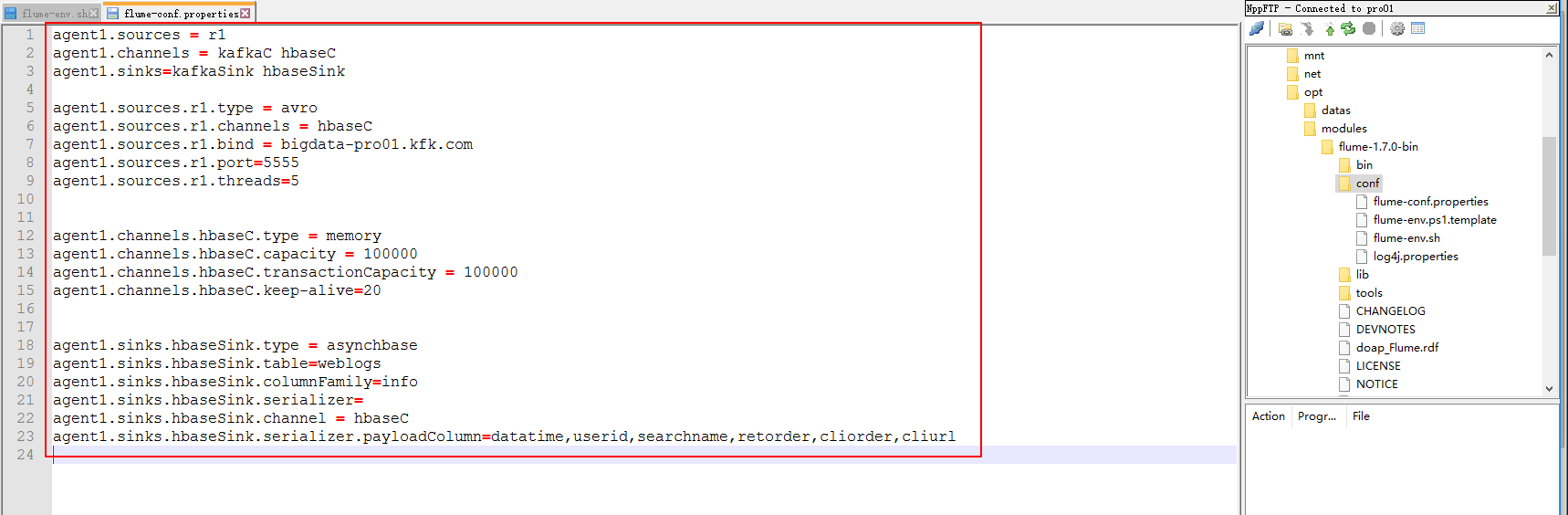
下面这个配置暂时这样配置先,往后可能会修改
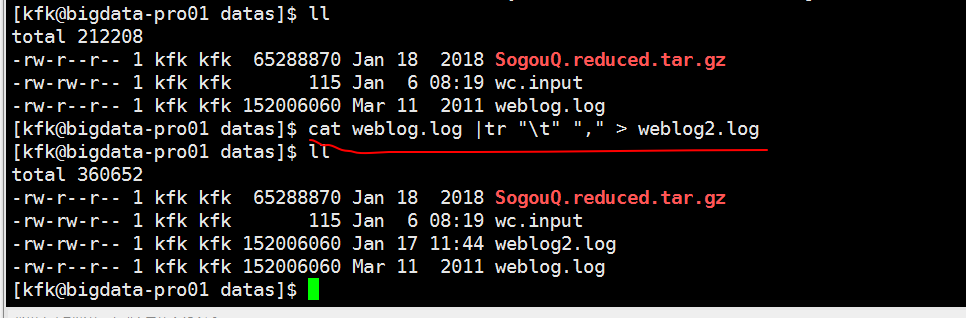
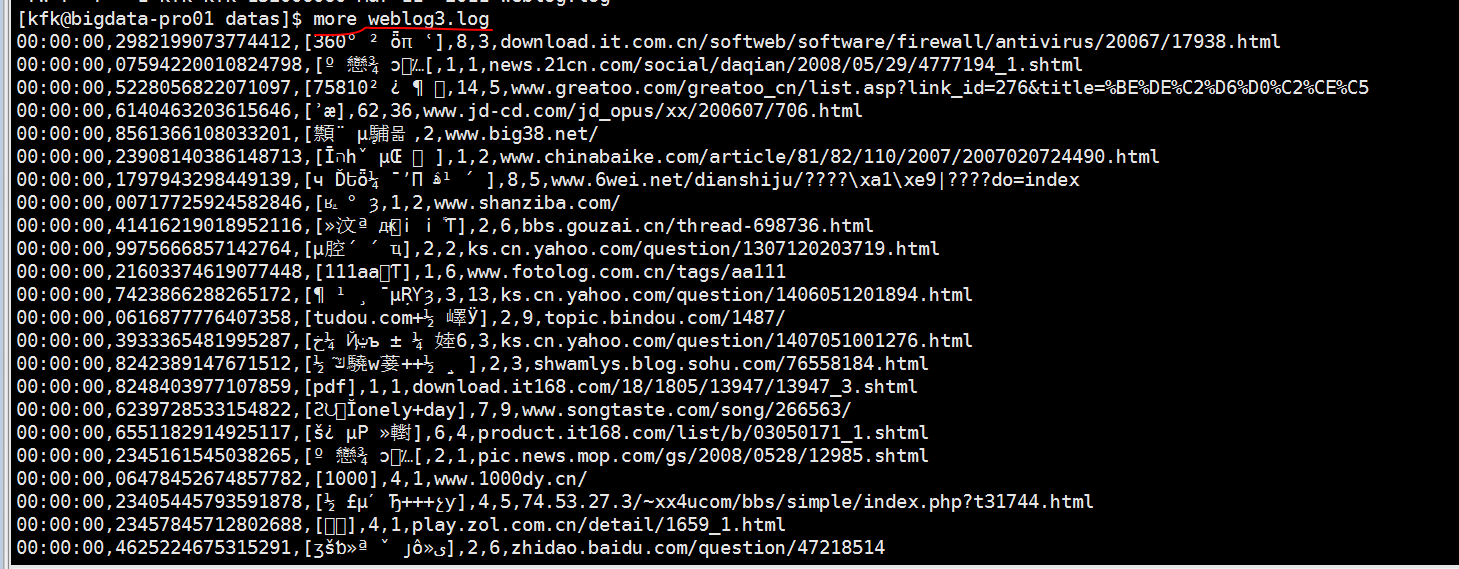
下面对下载好的数据进行预处理一下,因为下载下来的数据格式比较混乱

先是按行来把制表符换成逗号,然后生成weblog2.log
接下来是按行把空格换成逗号生成weblog3.log
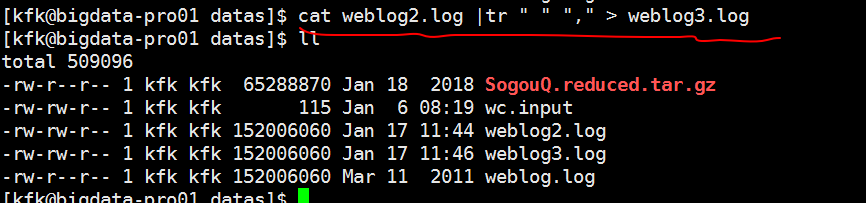
这样子我们就统一用逗号隔开了
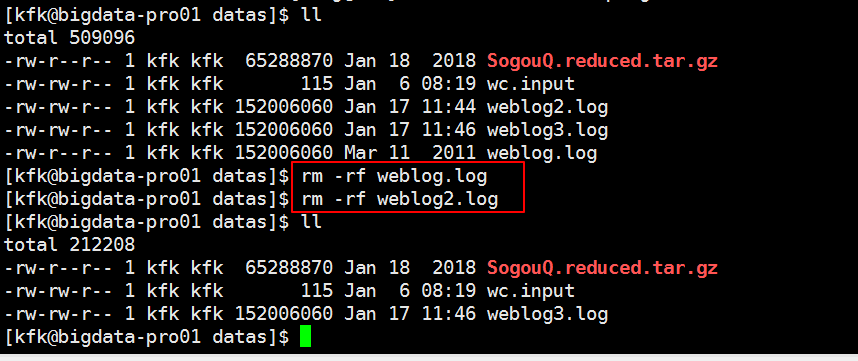
把没用的文件删除掉
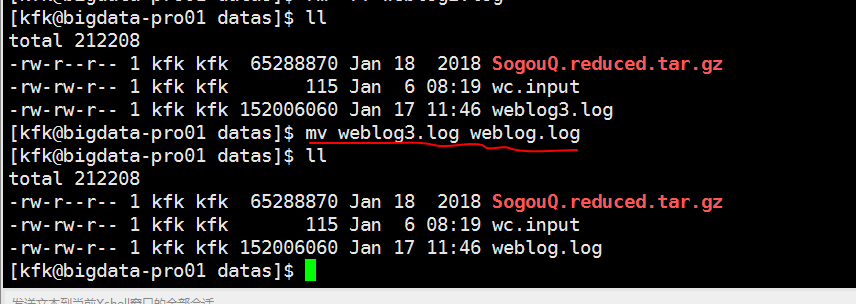
改下名字
把预处理完的weblog.log文件分发到节点2 和节点3上去

我们对导入的flume源码进行二次开发
我们不要动他原来的,我们新建一个类
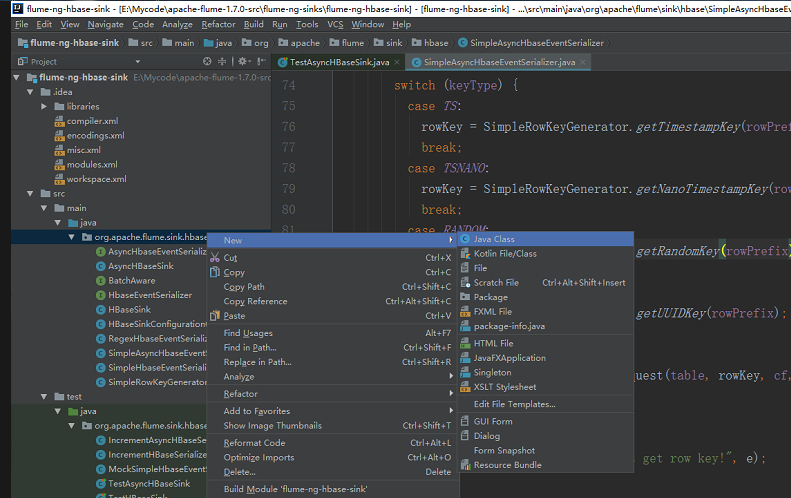
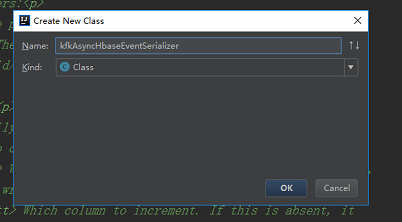
然后把这个类的内容拷过来然后修改文件名和类名
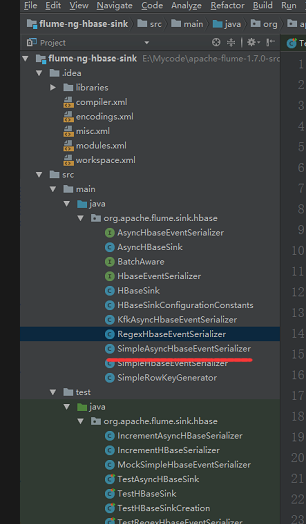
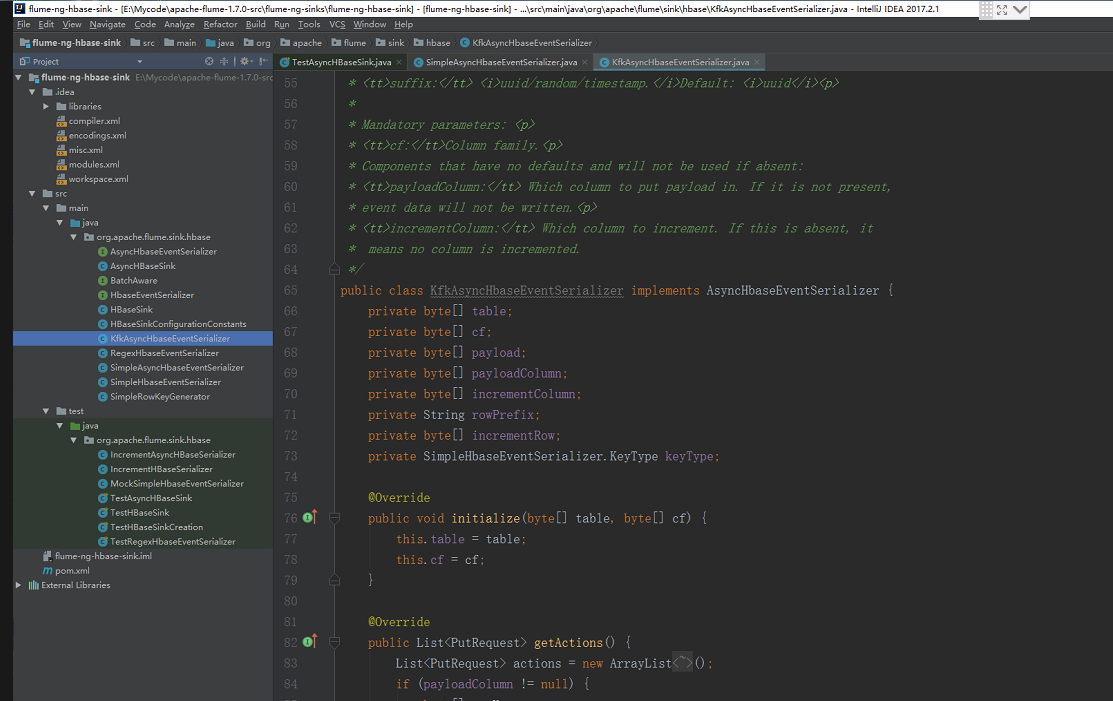
package org.apache.flume.sink.hbase;

/*

 * Licensed to the Apache Software Foundation (ASF) under one

 * or more contributor license agreements.  See the NOTICE file

 * distributed with this work for additional information

 * regarding copyright ownership.  The ASF licenses this file

 * to you under the Apache License, Version 2.0 (the

 * "License"); you may not use this file except in compliance

 * with the License.  You may obtain a copy of the License at

 *

 * http://www.apache.org/licenses/LICENSE-2.0

 *

 * Unless required by applicable law or agreed to in writing,

 * software distributed under the License is distributed on an

 * "AS IS" BASIS, WITHOUT WARRANTIES OR CONDITIONS OF ANY

 * KIND, either express or implied.  See the License for the

 * specific language governing permissions and limitations

 * under the License.

 */

import com.google.common.base.Charsets;

import org.apache.flume.Context;

import org.apache.flume.Event;

import org.apache.flume.FlumeException;

import org.apache.flume.conf.ComponentConfiguration;

import org.hbase.async.AtomicIncrementRequest;

import org.hbase.async.PutRequest;

import java.util.ArrayList;

import java.util.List;

//package org.apache.flume.sink.hbase;

import com.google.common.base.Charsets;

import org.apache.flume.Context;

import org.apache.flume.Event;

import org.apache.flume.FlumeException;

import org.apache.flume.conf.ComponentConfiguration;

import org.apache.flume.sink.hbase.SimpleHbaseEventSerializer.KeyType;

import org.hbase.async.AtomicIncrementRequest;

import org.hbase.async.PutRequest;

import java.util.ArrayList;

import java.util.List;

/**

 * A simple serializer to be used with the AsyncHBaseSink

 * that returns puts from an event, by writing the event

 * body into it. The headers are discarded. It also updates a row in hbase

 * which acts as an event counter.

 *

 * Takes optional parameters:<p>

 * <tt>rowPrefix:</tt> The prefix to be used. Default: <i>default</i><p>

 * <tt>incrementRow</tt> The row to increment. Default: <i>incRow</i><p>

 * <tt>suffix:</tt> <i>uuid/random/timestamp.</i>Default: <i>uuid</i><p>

 *

 * Mandatory parameters: <p>

 * <tt>cf:</tt>Column family.<p>

 * Components that have no defaults and will not be used if absent:

 * <tt>payloadColumn:</tt> Which column to put payload in. If it is not present,

 * event data will not be written.<p>

 * <tt>incrementColumn:</tt> Which column to increment. If this is absent, it

 *  means no column is incremented.

 */

public class KfkAsyncHbaseEventSerializer implements AsyncHbaseEventSerializer {

    private byte[] table;

    private byte[] cf;

    private byte[] payload;

    private byte[] payloadColumn;

    private byte[] incrementColumn;

    private String rowPrefix;

    private byte[] incrementRow;

    private SimpleHbaseEventSerializer.KeyType keyType;

    @Override

    public void initialize(byte[] table, byte[] cf) {

        this.table = table;

        this.cf = cf;

    }

    @Override

    public List<PutRequest> getActions() {

        List<PutRequest> actions = new ArrayList<PutRequest>();

        if (payloadColumn != null) {

            byte[] rowKey;

            try {

                switch (keyType) {

                    case TS:

                        rowKey = SimpleRowKeyGenerator.getTimestampKey(rowPrefix);

                        break;

                    case TSNANO:

                        rowKey = SimpleRowKeyGenerator.getNanoTimestampKey(rowPrefix);

                        break;

                    case RANDOM:

                        rowKey = SimpleRowKeyGenerator.getRandomKey(rowPrefix);

                        break;

                    default:

                        rowKey = SimpleRowKeyGenerator.getUUIDKey(rowPrefix);

                        break;

                }

                PutRequest putRequest =  new PutRequest(table, rowKey, cf,

                        payloadColumn, payload);

                actions.add(putRequest);

            } catch (Exception e) {

                throw new FlumeException("Could not get row key!", e);

            }

        }

        return actions;

    }

    public List<AtomicIncrementRequest> getIncrements() {

        List<AtomicIncrementRequest> actions = new ArrayList<AtomicIncrementRequest>();

        if (incrementColumn != null) {

            AtomicIncrementRequest inc = new AtomicIncrementRequest(table,

                    incrementRow, cf, incrementColumn);

            actions.add(inc);

        }

        return actions;

    }

    @Override

    public void cleanUp() {

        // TODO Auto-generated method stub

    }

    @Override

    public void configure(Context context) {

        String pCol = context.getString("payloadColumn", "pCol");

        String iCol = context.getString("incrementColumn", "iCol");

        rowPrefix = context.getString("rowPrefix", "default");

        String suffix = context.getString("suffix", "uuid");

        if (pCol != null && !pCol.isEmpty()) {

            if (suffix.equals("timestamp")) {

                keyType = SimpleHbaseEventSerializer.KeyType.TS;

            } else if (suffix.equals("random")) {

                keyType = SimpleHbaseEventSerializer.KeyType.RANDOM;

            } else if (suffix.equals("nano")) {

                keyType = SimpleHbaseEventSerializer.KeyType.TSNANO;

            } else {

                keyType = SimpleHbaseEventSerializer.KeyType.UUID;

            }

            payloadColumn = pCol.getBytes(Charsets.UTF_8);

        }

        if (iCol != null && !iCol.isEmpty()) {

            incrementColumn = iCol.getBytes(Charsets.UTF_8);

        }

        incrementRow = context.getString("incrementRow", "incRow").getBytes(Charsets.UTF_8);

    }

    @Override

    public void setEvent(Event event) {

        this.payload = event.getBody();

    }

    @Override

    public void configure(ComponentConfiguration conf) {

        // TODO Auto-generated method stub

    }

}
在原来基础上稍微做修改
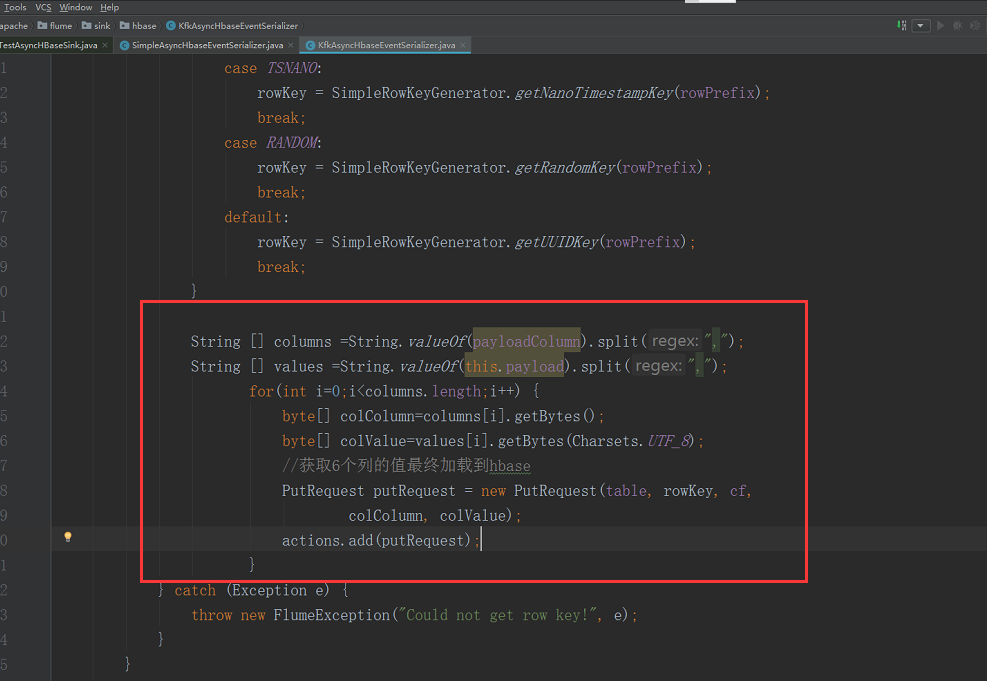
按住ctrl键单机鼠标进去
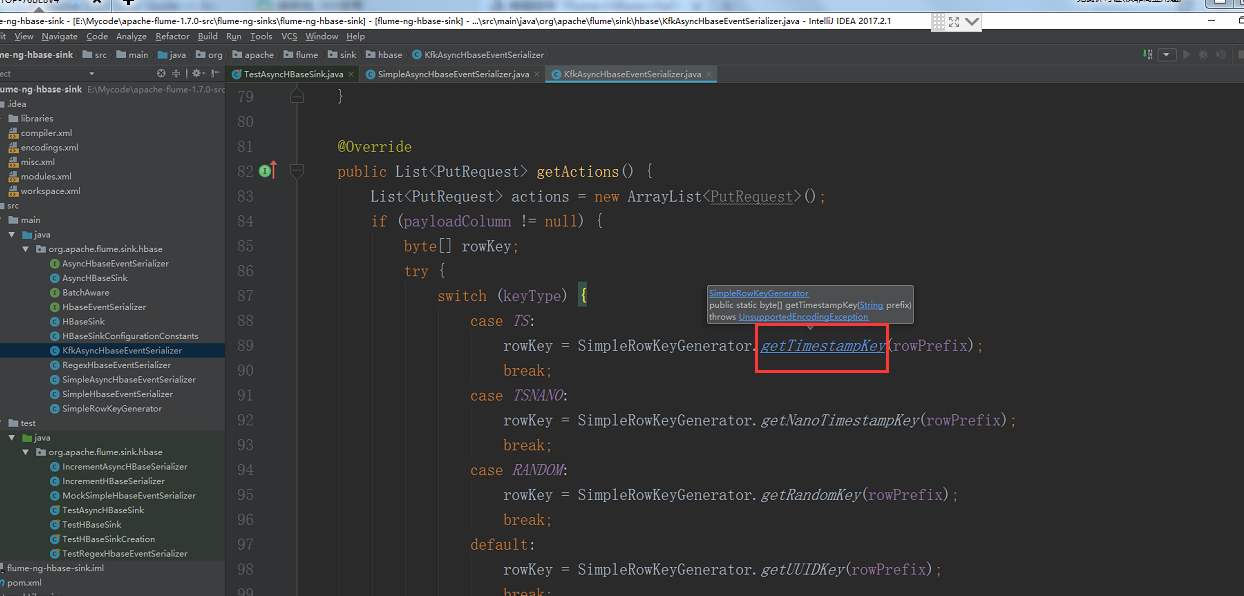
添加以下内容
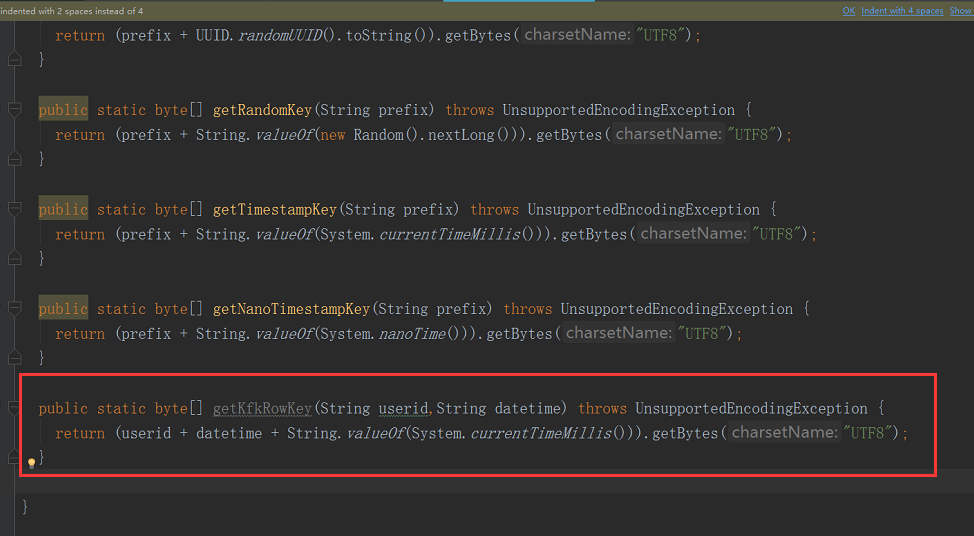
/*

 * Licensed to the Apache Software Foundation (ASF) under one

 * or more contributor license agreements.  See the NOTICE file

 * distributed with this work for additional information

 * regarding copyright ownership.  The ASF licenses this file

 * to you under the Apache License, Version 2.0 (the

 * "License"); you may not use this file except in compliance

 * with the License.  You may obtain a copy of the License at

 *

 * http://www.apache.org/licenses/LICENSE-2.0

 *

 * Unless required by applicable law or agreed to in writing,

 * software distributed under the License is distributed on an

 * "AS IS" BASIS, WITHOUT WARRANTIES OR CONDITIONS OF ANY

 * KIND, either express or implied.  See the License for the

 * specific language governing permissions and limitations

 * under the License.

 */

package org.apache.flume.sink.hbase;

import java.io.UnsupportedEncodingException;

import java.util.Random;

import java.util.UUID;

/**

 * Utility class for users to generate their own keys. Any key can be used,

 * this is just a utility that provides a set of simple keys.

 */

public class SimpleRowKeyGenerator {

  public static byte[] getUUIDKey(String prefix) throws UnsupportedEncodingException {

    return (prefix + UUID.randomUUID().toString()).getBytes("UTF8");

  }

  public static byte[] getRandomKey(String prefix) throws UnsupportedEncodingException {

    return (prefix + String.valueOf(new Random().nextLong())).getBytes("UTF8");

  }

  public static byte[] getTimestampKey(String prefix) throws UnsupportedEncodingException {

    return (prefix + String.valueOf(System.currentTimeMillis())).getBytes("UTF8");

  }

  public static byte[] getNanoTimestampKey(String prefix) throws UnsupportedEncodingException {

    return (prefix + String.valueOf(System.nanoTime())).getBytes("UTF8");

  }

  public static byte[] getKfkRowKey(String userid,String datetime) throws UnsupportedEncodingException {

    return (userid + datetime + String.valueOf(System.currentTimeMillis())).getBytes("UTF8");

  }

}
继续修改,修改后的代码是下面的
KfkAsyncHbaseEventSerializer.java
package org.apache.flume.sink.hbase;

/*

 * Licensed to the Apache Software Foundation (ASF) under one

 * or more contributor license agreements.  See the NOTICE file

 * distributed with this work for additional information

 * regarding copyright ownership.  The ASF licenses this file

 * to you under the Apache License, Version 2.0 (the

 * "License"); you may not use this file except in compliance

 * with the License.  You may obtain a copy of the License at

 *

 * http://www.apache.org/licenses/LICENSE-2.0

 *

 * Unless required by applicable law or agreed to in writing,

 * software distributed under the License is distributed on an

 * "AS IS" BASIS, WITHOUT WARRANTIES OR CONDITIONS OF ANY

 * KIND, either express or implied.  See the License for the

 * specific language governing permissions and limitations

 * under the License.

 */

import com.google.common.base.Charsets;

import org.apache.flume.Context;

import org.apache.flume.Event;

import org.apache.flume.FlumeException;

import org.apache.flume.conf.ComponentConfiguration;

import org.hbase.async.AtomicIncrementRequest;

import org.hbase.async.PutRequest;

import java.util.ArrayList;

import java.util.List;

//package org.apache.flume.sink.hbase;

import com.google.common.base.Charsets;

import org.apache.flume.Context;

import org.apache.flume.Event;

import org.apache.flume.FlumeException;

import org.apache.flume.conf.ComponentConfiguration;

import org.apache.flume.sink.hbase.SimpleHbaseEventSerializer.KeyType;

import org.hbase.async.AtomicIncrementRequest;

import org.hbase.async.PutRequest;

import java.util.ArrayList;

import java.util.List;

/**

 * A simple serializer to be used with the AsyncHBaseSink

 * that returns puts from an event, by writing the event

 * body into it. The headers are discarded. It also updates a row in hbase

 * which acts as an event counter.

 *

 * Takes optional parameters:<p>

 * <tt>rowPrefix:</tt> The prefix to be used. Default: <i>default</i><p>

 * <tt>incrementRow</tt> The row to increment. Default: <i>incRow</i><p>

 * <tt>suffix:</tt> <i>uuid/random/timestamp.</i>Default: <i>uuid</i><p>

 *

 * Mandatory parameters: <p>

 * <tt>cf:</tt>Column family.<p>

 * Components that have no defaults and will not be used if absent:

 * <tt>payloadColumn:</tt> Which column to put payload in. If it is not present,

 * event data will not be written.<p>

 * <tt>incrementColumn:</tt> Which column to increment. If this is absent, it

 *  means no column is incremented.

 */

public class KfkAsyncHbaseEventSerializer implements AsyncHbaseEventSerializer {

    private byte[] table;

    private byte[] cf;

    private byte[] payload;

    private byte[] payloadColumn;

    private byte[] incrementColumn;

    private String rowPrefix;

    private byte[] incrementRow;

    private SimpleHbaseEventSerializer.KeyType keyType;

    @Override

    public void initialize(byte[] table, byte[] cf) {

        this.table = table;

        this.cf = cf;

    }

    @Override

    public List<PutRequest> getActions() {

        List<PutRequest> actions = new ArrayList<PutRequest>();

        if (payloadColumn != null) {

            byte[] rowKey;

            try {

                String [] columns =String.valueOf(payloadColumn).split(",");

                String [] values =String.valueOf(this.payload).split(",");

                       for(int i=;i<columns.length;i++) {

                           byte[] colColumn=columns[i].getBytes();

                           byte[] colValue=values[i].getBytes(Charsets.UTF_8);

                           if(colColumn.length!=colValue.length)  break;  //continue;

                          // if(colValue.length<3) continue;

                           String datetime = values[].toString();

                           String userid = values[].toString();

                           rowKey = SimpleRowKeyGenerator.getKfkRowKey(userid,datetime);

                           //获取6个列的值最终加载到hbase

                           PutRequest putRequest = new PutRequest(table, rowKey, cf,

                                   colColumn, colValue);

                           actions.add(putRequest);

                       }

            } catch (Exception e) {

                throw new FlumeException("Could not get row key!", e);

            }

        }

        return actions;

    }

    public List<AtomicIncrementRequest> getIncrements() {

        List<AtomicIncrementRequest> actions = new ArrayList<AtomicIncrementRequest>();

        if (incrementColumn != null) {

            AtomicIncrementRequest inc = new AtomicIncrementRequest(table,

                    incrementRow, cf, incrementColumn);

            actions.add(inc);

        }

        return actions;

    }

    @Override

    public void cleanUp() {

        // TODO Auto-generated method stub

    }

    @Override

    public void configure(Context context) {

        String pCol = context.getString("payloadColumn", "pCol");

        String iCol = context.getString("incrementColumn", "iCol");

        rowPrefix = context.getString("rowPrefix", "default");

        String suffix = context.getString("suffix", "uuid");

        if (pCol != null && !pCol.isEmpty()) {

            if (suffix.equals("timestamp")) {

                keyType = SimpleHbaseEventSerializer.KeyType.TS;

            } else if (suffix.equals("random")) {

                keyType = SimpleHbaseEventSerializer.KeyType.RANDOM;

            } else if (suffix.equals("nano")) {

                keyType = SimpleHbaseEventSerializer.KeyType.TSNANO;

            } else {

                keyType = SimpleHbaseEventSerializer.KeyType.UUID;

            }

            payloadColumn = pCol.getBytes(Charsets.UTF_8);

        }

        if (iCol != null && !iCol.isEmpty()) {

            incrementColumn = iCol.getBytes(Charsets.UTF_8);

        }

        incrementRow = context.getString("incrementRow", "incRow").getBytes(Charsets.UTF_8);

    }

    @Override

    public void setEvent(Event event) {

        this.payload = event.getBody();

    }

    @Override

    public void configure(ComponentConfiguration conf) {

        // TODO Auto-generated method stub

    }

}
现在把代码打包
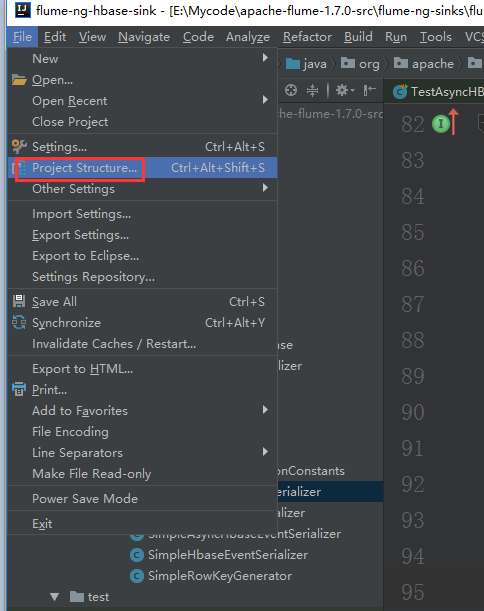
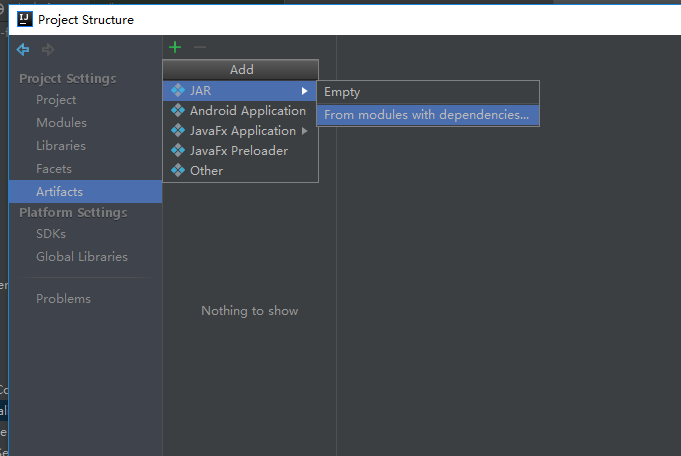
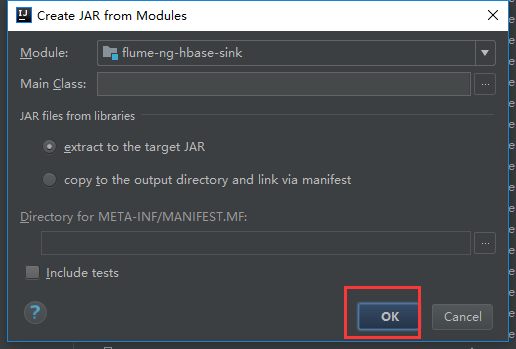
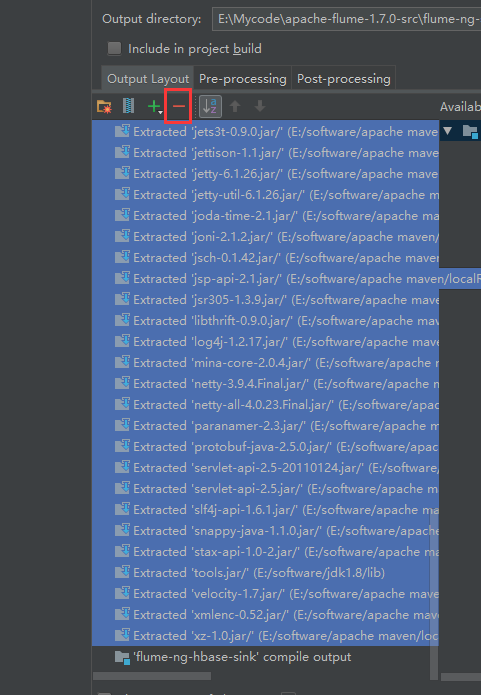
我们可以看到有很多相关的依赖包,我们把不需要的删掉
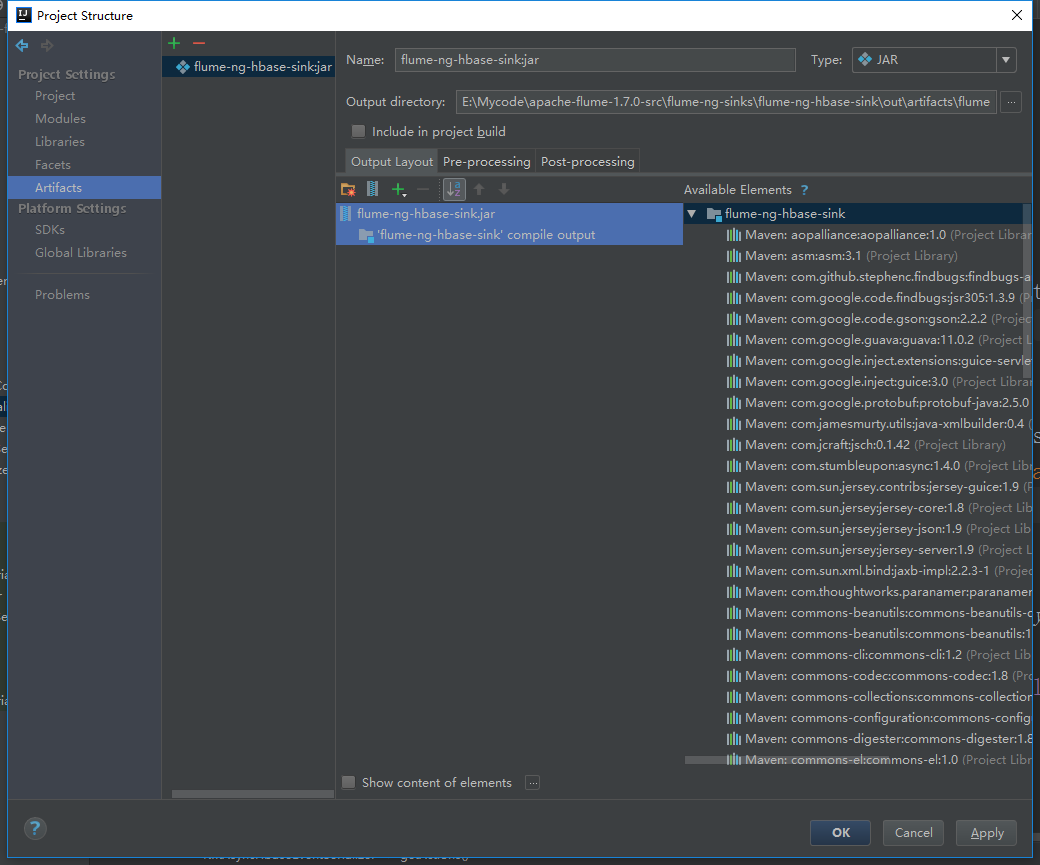
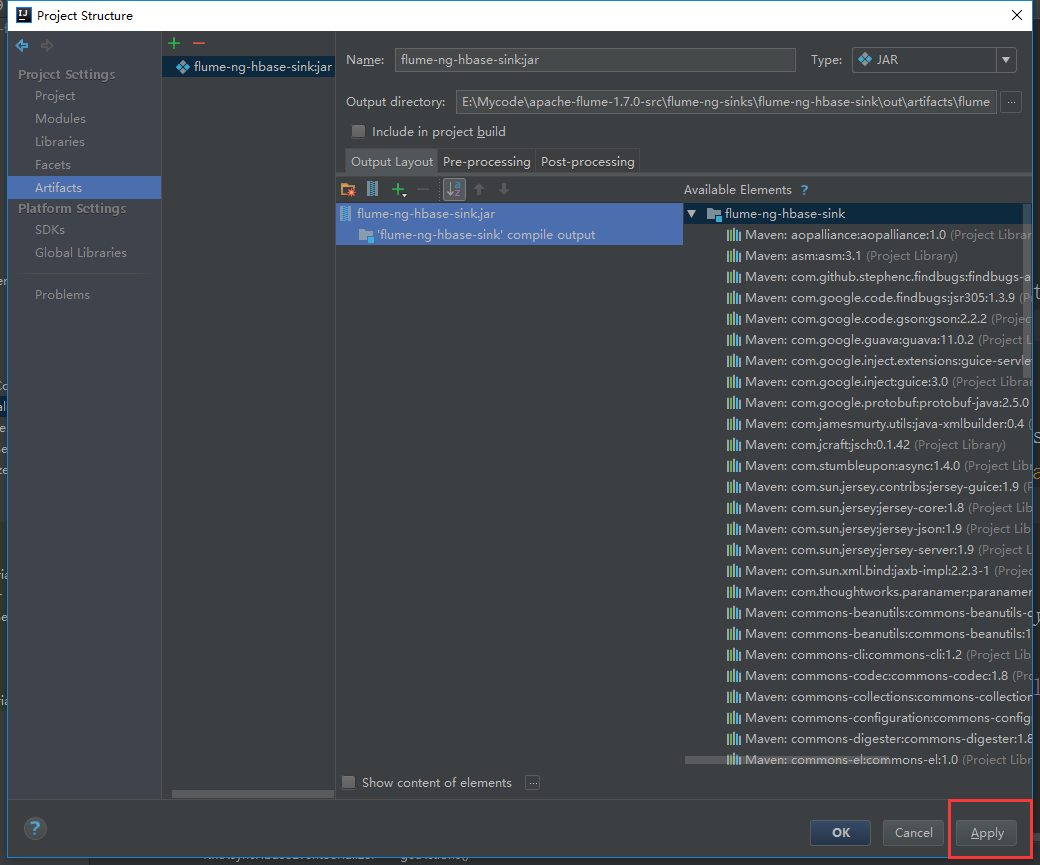
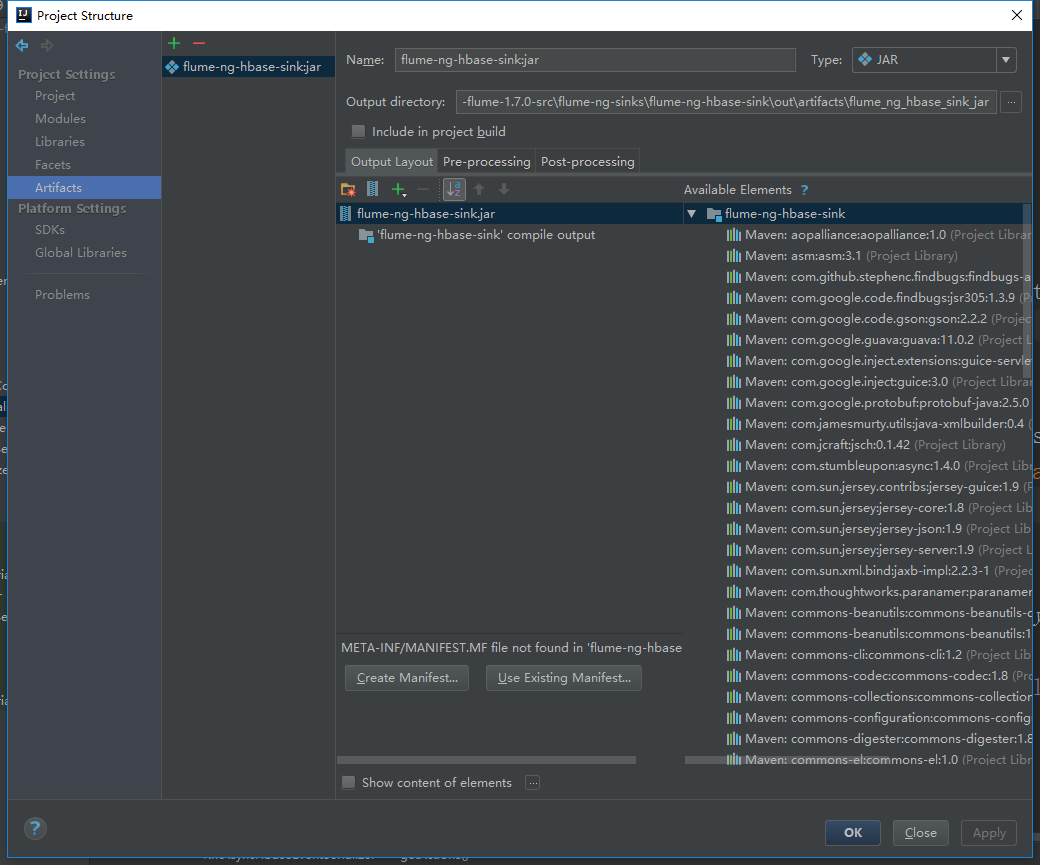
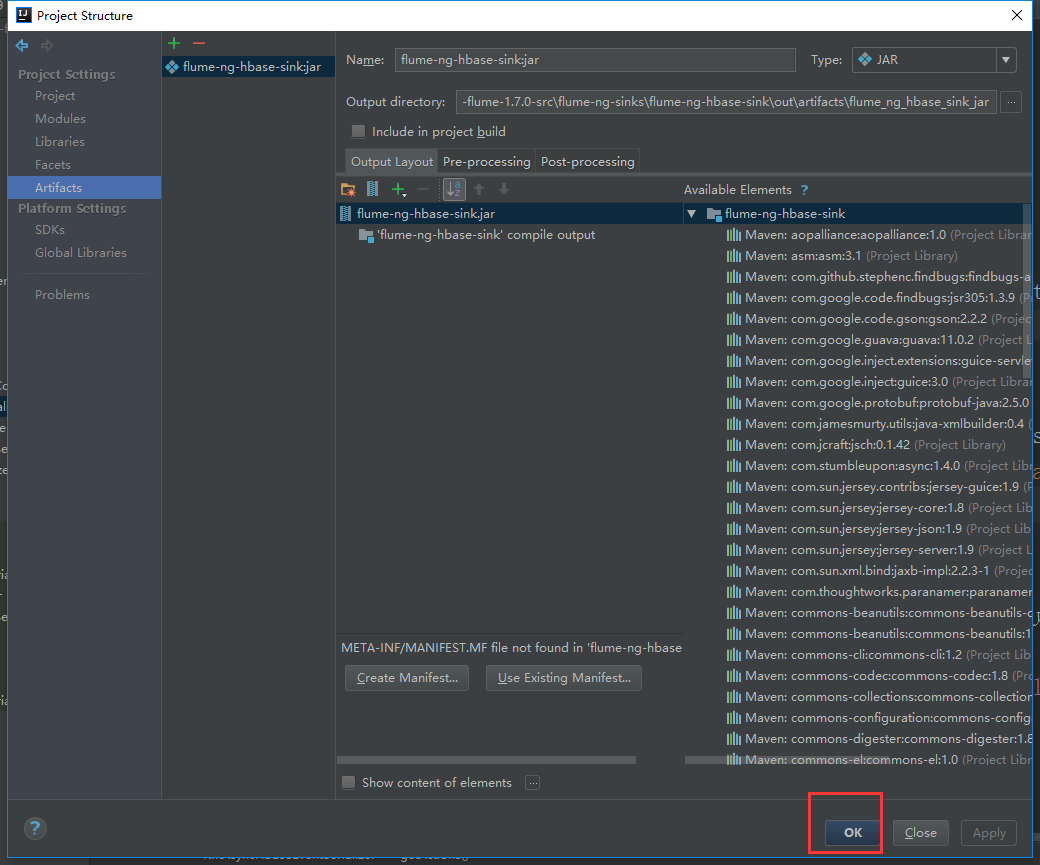
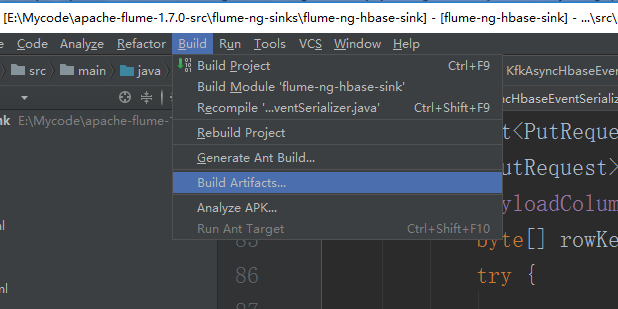
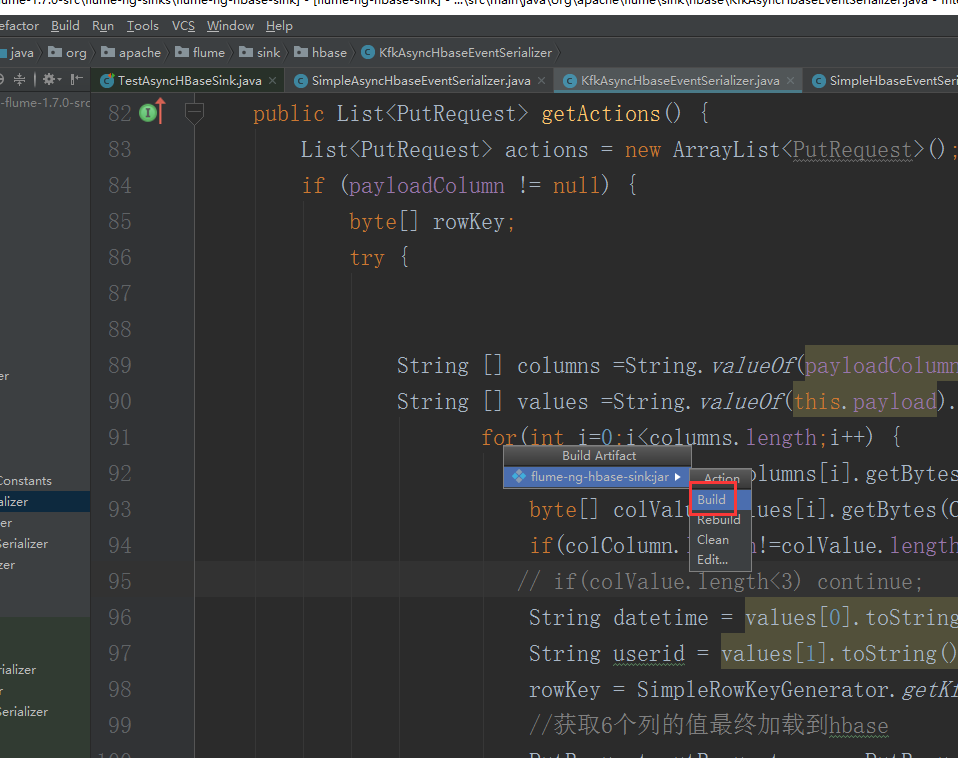
直接点击Build就可以了
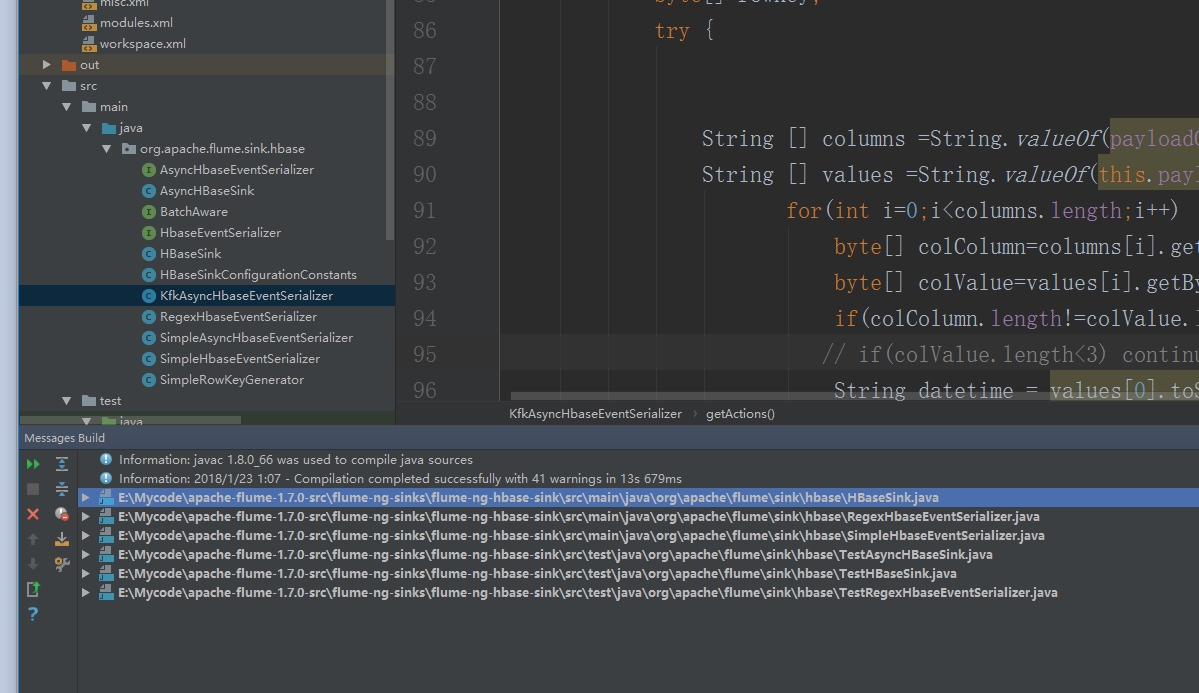
打好的架包在本地的工程路径的这里

现在把这个架包上传到flume的lib目录下

也就是这个目录。
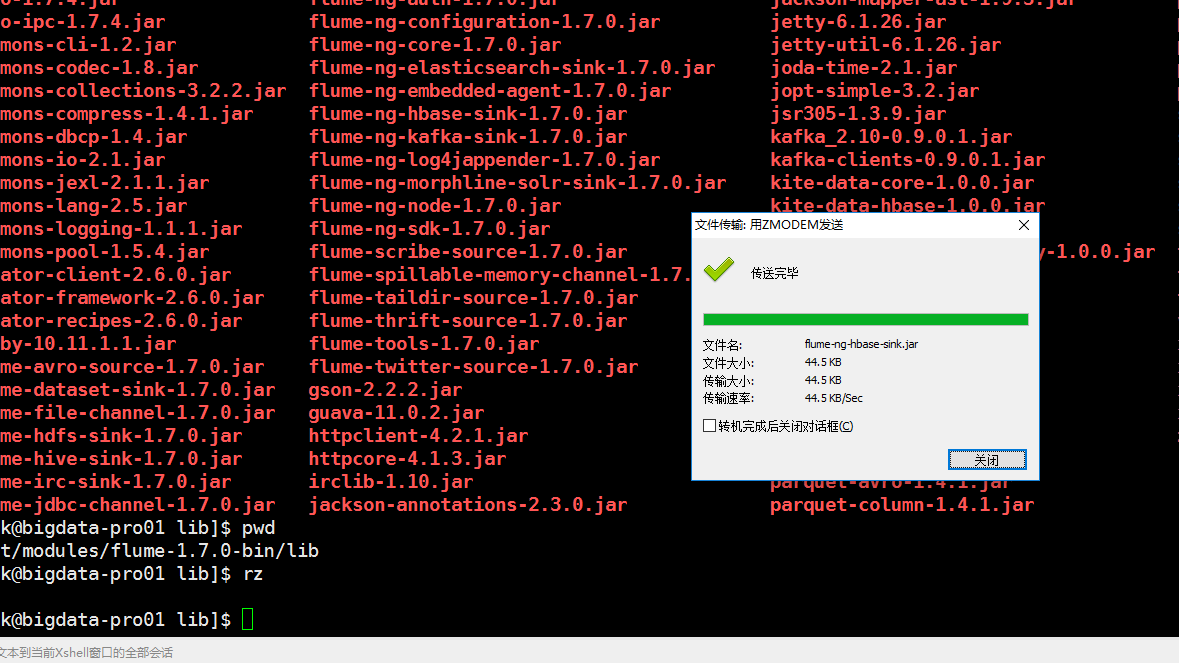
可以看到上传日期,就是今天上传的

下面配置flume + kafka
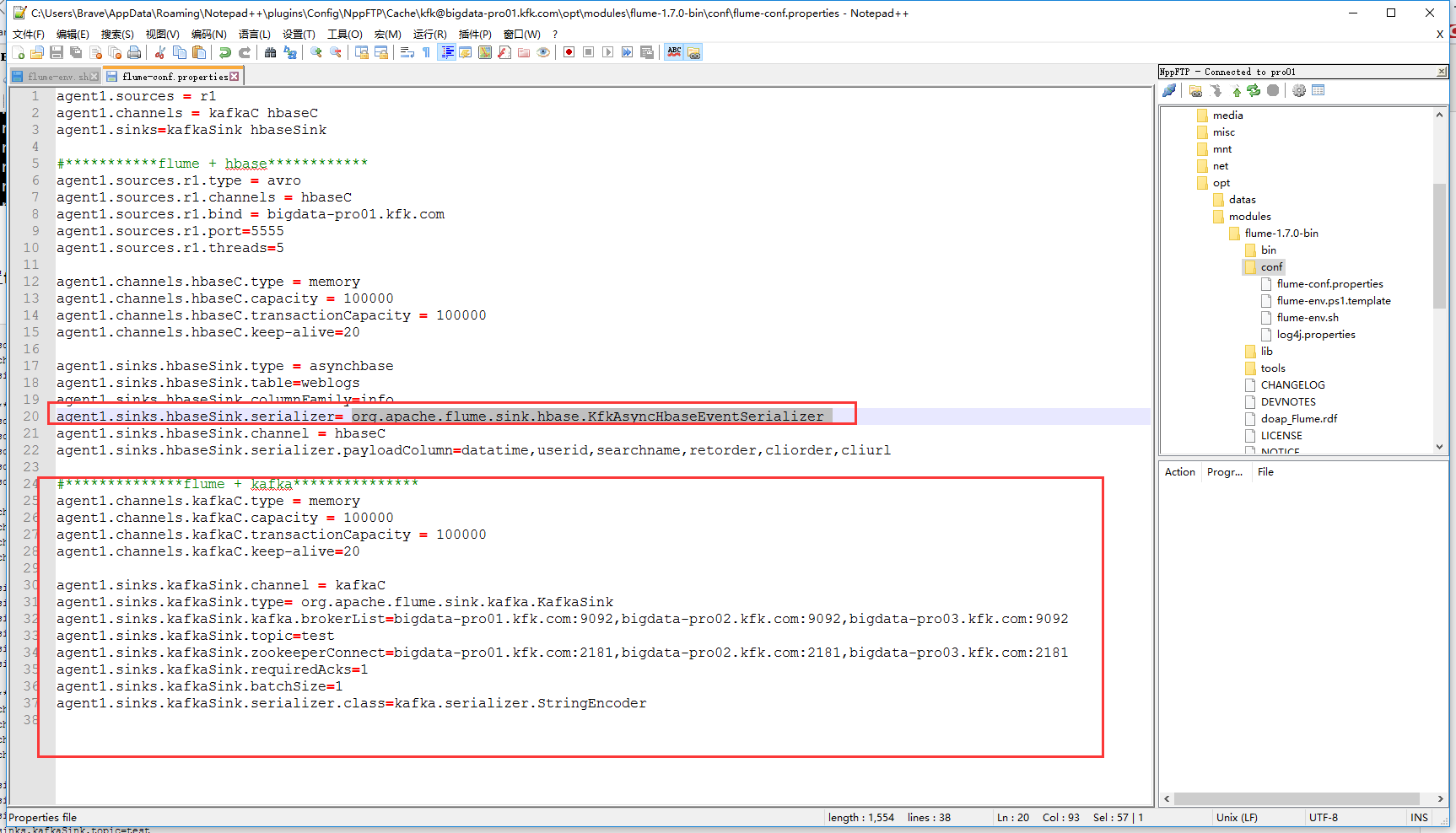
agent1.sources = r1

agent1.channels = kafkaC hbaseC

agent1.sinks=kafkaSink hbaseSink

#***********flume + hbase************

agent1.sources.r1.type = avro

agent1.sources.r1.channels = hbaseC

agent1.sources.r1.bind = bigdata-pro01.kfk.com

agent1.sources.r1.port=

agent1.sources.r1.threads=

agent1.channels.hbaseC.type = memory

agent1.channels.hbaseC.capacity =

agent1.channels.hbaseC.transactionCapacity =

agent1.channels.hbaseC.keep-alive=

agent1.sinks.hbaseSink.type = asynchbase

agent1.sinks.hbaseSink.table=weblogs

agent1.sinks.hbaseSink.columnFamily=info

agent1.sinks.hbaseSink.serializer= org.apache.flume.sink.hbase.KfkAsyncHbaseEventSerializer

agent1.sinks.hbaseSink.channel = hbaseC

agent1.sinks.hbaseSink.serializer.payloadColumn=datatime,userid,searchname,retorder,cliorder,cliurl

#**************flume + kafka***************

agent1.channels.kafkaC.type = memory

agent1.channels.kafkaC.capacity =

agent1.channels.kafkaC.transactionCapacity =

agent1.channels.kafkaC.keep-alive=

agent1.sinks.kafkaSink.channel = kafkaC

agent1.sinks.kafkaSink.type= org.apache.flume.sink.kafka.KafkaSink

agent1.sinks.kafkaSink.kafka.brokerList=bigdata-pro01.kfk.com:,bigdata-pro02.kfk.com:,bigdata-pro03.kfk.com:

agent1.sinks.kafkaSink.topic=test

agent1.sinks.kafkaSink.zookeeperConnect=bigdata-pro01.kfk.com:,bigdata-pro02.kfk.com:,bigdata-pro03.kfk.com:

agent1.sinks.kafkaSink.requiredAcks=

agent1.sinks.kafkaSink.batchSize=

agent1.sinks.kafkaSink.serializer.class=kafka.serializer.StringEncoder
Flume+HBase+Kafka集成与开发的更多相关文章
- 新闻实时分析系统-Flume+HBase+Kafka集成与开发
1.下载Flume源码并导入Idea开发工具 1)将apache-flume-1.7.0-src.tar.gz源码下载到本地解压 2)通过idea导入flume源码 打开idea开发工具,选择File ...
- 新闻网大数据实时分析可视化系统项目——9、Flume+HBase+Kafka集成与开发
1.下载Flume源码并导入Idea开发工具 1)将apache-flume-1.7.0-src.tar.gz源码下载到本地解压 2)通过idea导入flume源码 打开idea开发工具,选择File ...
- Flume与Kafka集成
一.Flume介绍 Flume是一个分布式.可靠.和高可用的海量日志聚合的系统,支持在系统中定制各类数据发送方,用于收集数据:同时,Flume提供对数据进行简单处理,并写到各种数据接受方(可定制)的能 ...
- flume+kafka+hbase+ELK
一.架构方案如下图: 二.各个组件的安装方案如下: 1).zookeeper+kafka http://www.cnblogs.com/super-d2/p/4534323.html 2)hbase ...
- 大数据平台架构(flume+kafka+hbase+ELK+storm+redis+mysql)
上次实现了flume+kafka+hbase+ELK:http://www.cnblogs.com/super-d2/p/5486739.html 这次我们可以加上storm: storm-0.9.5 ...
- flume到kafka和hbase配置
# Flume test file# Listens via Avro RPC on port 41414 and dumps data received to the logagent.channe ...
- 使用flume将kafka数据sink到HBase【转】
1. hbase sink介绍 1.1 HbaseSink 1.2 AsyncHbaseSink 2. 配置flume 3. 运行测试flume 4. 使用RegexHbaseEventSeriali ...
- 数据采集组件:Flume基础用法和Kafka集成
本文源码:GitHub || GitEE 一.Flume简介 1.基础描述 Flume是Cloudera提供的一个高可用的,高可靠的,分布式的海量日志采集.聚合和传输的系统,Flume支持在日志系统中 ...
- 基于Flume+LOG4J+Kafka的日志采集架构方案
本文将会介绍如何使用 Flume.log4j.Kafka进行规范的日志采集. Flume 基本概念 Flume是一个完善.强大的日志采集工具,关于它的配置,在网上有很多现成的例子和资料,这里仅做简单说 ...
随机推荐
- 使用http-server创建本地服务
在很多情况下, 都需要开启本地http服务器来测试, 所以就需要一个简单省事的http服务器, , 以前的时候可以使用express或者webpack-dev-server来启动一个服务, 这未免有点 ...
- linux shell创建目录、遍历子目录
1.创建目录 代码1: #!/bin/bash#如果没有tmp_dir目录则创建static_dir="/web/fyunw.com/static"if [ ! -d $staic ...
- C166-变量和函数指定物理地址之二
按照<RENAMECLASS Compiler Directive>http://www.keil.com/support/man/docs/c166/c166_renameclass.h ...
- 安装mysql时包冲突解决方法
报错信息如下: 解决办法: 在卸载代码上加上不检查关联信息即可(rpm -ev mysql-libs-5.1.73-7.el6.x86_64 --nodeps) 检查服务器是否还有mysql安装包:r ...
- JAVA_HOME 设置为JDK 7无效
场景: Window 10中有Jdk 7和jdk8, 还有Oracle配置 环境变量的配置如下 然后JAVA_HOME 设置为java 7 但是java -version显示为java 8 解决方法 ...
- xcrun: error: invalid active developer path
问题 mac升级到10.12(macOS Sierra),执行命令,出现如下错误: xcrun: error: invalid active developer path (/Library/Deve ...
- 【java】Hello World
class Demo { //程序的主入口,能保证类的独立运行 public static void main(String[] args) { System.out.println("He ...
- Delphi 与 C/C++ 数据类型对照表
Delphi 数据类型 C/C++ ShorInt 8位有符号整数 char Byte 8位无符号整数 BYTE,unsigned short SmallInt 16位有符号整数 short Word ...
- C#中全局处理异常方式
using System; using System.Configuration; using System.Text; using System.Windows.Forms; using ZB.Qu ...
- python的Socket网络编程
计算机网络: 多台独立的计算机用网络通信设备连接起来的网络.实现资源共享和数据传递.比如,我们之前的学过的知识可以将D盘的一个文件传到C盘,但如果你想从你的电脑传一个文件到我的电脑上目前是做不到的; ...