
runloop 和 CFRunLoop - 定时器 - NSTimer 和 GCD定时器
1.
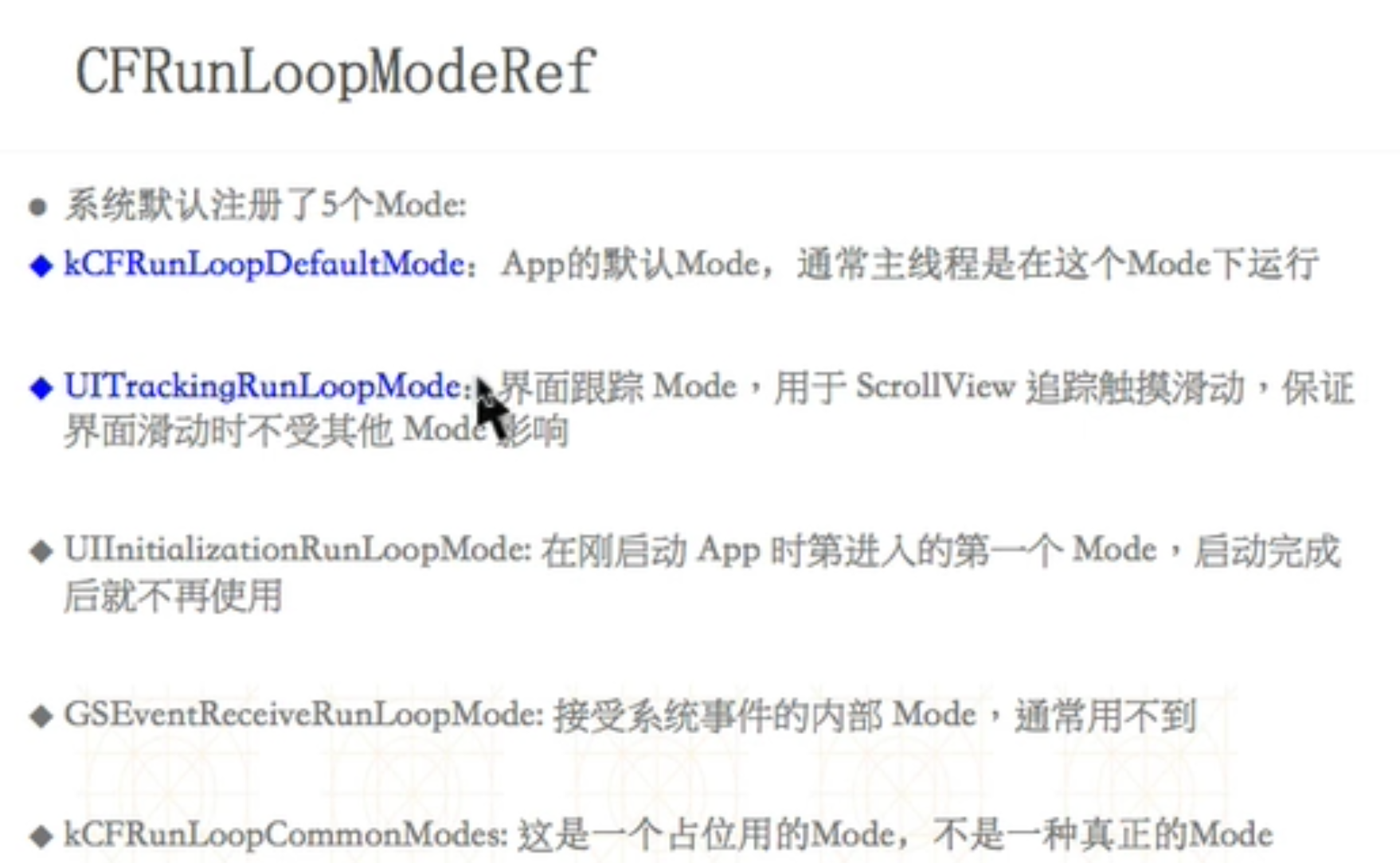
2、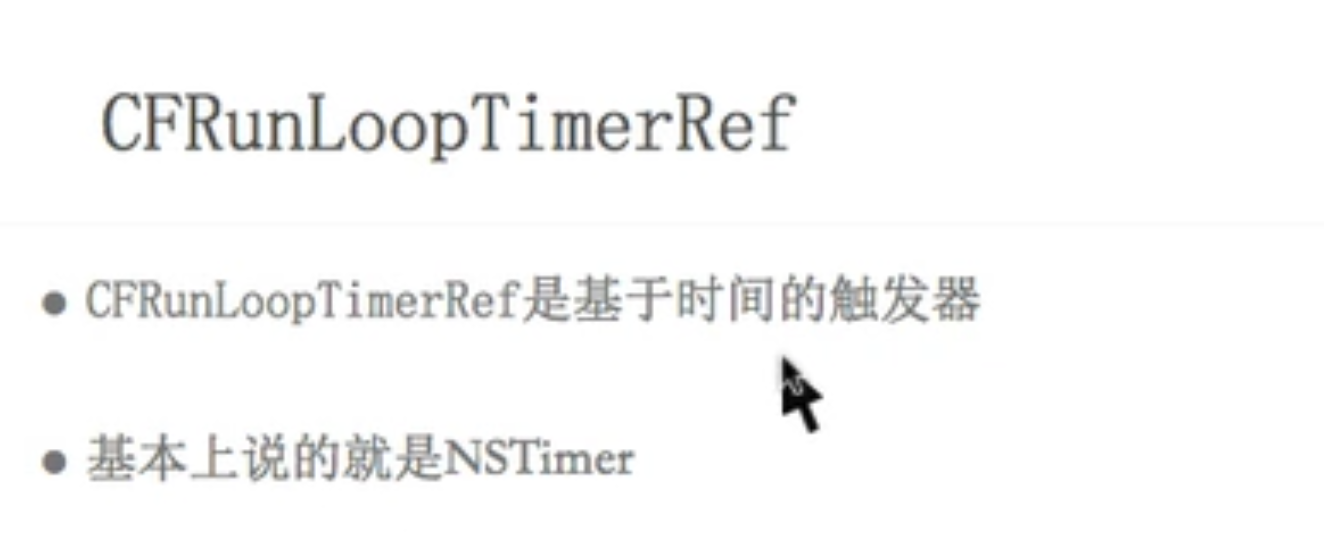
 #import "ViewController.h"

 @interface ViewController ()

 @property (nonatomic, strong) dispatch_source_t timer;

 @end

 @implementation ViewController

 -(void)touchesBegan:(NSSet<UITouch *> *)touches withEvent:(UIEvent *)event{

     [self gcdTimer];

 }

 /**

  GCD定时器

  */

 -(void)gcdTimer{

     /**

       DISPATCH_SOURCE_TYPE_TIMER 定时器

       0 描述信息

       0 更详细的描述信息

       dispatchQueue : 队列决定定时器任务在哪个线程

      */

 //    dispatch_source_t timer = dispatch_source_create(DISPATCH_SOURCE_TYPE_TIMER, 0, 0, dispatch_get_main_queue());

     dispatch_source_t timer = dispatch_source_create(DISPATCH_SOURCE_TYPE_TIMER, , , dispatch_get_global_queue(, ));

     /*

      DISPATCH_TIME_NOW :起始时间

      intervalInSeconds 间隔时间

      leewayInSeconds 精准度, 绝对精准0

      */

     dispatch_source_set_timer(timer, DISPATCH_TIME_NOW,  * NSEC_PER_SEC,  * NSEC_PER_SEC);

     /*

      定时器任务

      */

     dispatch_source_set_event_handler(timer, ^{

         NSLog(@"=== %@", [NSThread currentThread]);

     });

     dispatch_resume(timer);

     /*

      此时 定时器不会工作, 因为定时器有可能被释放掉了,异步线程和主线程都不会执行 ,需要强引用, strong,

      GCD定时器是绝对精准的,拖拽tableview或者textview都会执行,NSTimer 分界面追踪模式和默认模式

      */

     self.timer = timer;

 }

 -(void)runloopTimer{

     NSTimer *timer = [NSTimer scheduledTimerWithTimeInterval: target:self selector:@selector(runTimer) userInfo:nil repeats:YES];// 在主线程

     // NSRunLoopCommonModes:会同时执行默认模式(NSDefaultRunLoopMode)和界面追踪模式(UITrackingRunLoopMode)

     [[NSRunLoop currentRunLoop] addTimer:timer forMode:UITrackingRunLoopMode]; // 等价于 CFRunLoopAddTimer (参数1,参数2,参数3)

 }

 - (void)runloopTimer22{

     NSRunLoop *runloop = [NSRunLoop currentRunLoop];

     /**

      默认是NSDefaultRunLoopMode

      */

     [NSTimer scheduledTimerWithTimeInterval: target:self selector:@selector(runTimer) userInfo:nil repeats:YES];

     [runloop run];

 }

 -(void)runTimer{

     NSLog(@"===%@====",[NSThread currentThread]);

 }

 -(void)runLoop{

     //主线程runloop

     NSRunLoop *mainRunloop = [NSRunLoop mainRunLoop];

     NSLog(@"mainRunloop =========== %p", mainRunloop);

     //    NSLog(@"mainRunloop 是个啥 === %@", mainRunloop);//打印一坨东西看不明白

     //当前线程runloop

     NSRunLoop * currentRunLoop = [NSRunLoop currentRunLoop];

     NSLog(@"currentRunLoop ======== %p", currentRunLoop);

     //core

     NSLog(@"CFRunLoopGetMain ====== %p", CFRunLoopGetMain());

     NSLog(@"CFRunLoopGetCurrent === %p", CFRunLoopGetCurrent());

     //转换

     NSLog(@"mainRunloop.getCFRunLoop  === %p", mainRunloop.getCFRunLoop);

     NSLog(@"currentRunLoop .getCFRunLoop  === %p", currentRunLoop.getCFRunLoop);

     /*

      2018-07-06 13:52:44.552563+0800 10 - runloop[12596:484429] mainRunloop =========== 0x6040000a2be0

      2018-07-06 13:52:44.552908+0800 10 - runloop[12596:484429] currentRunLoop ======== 0x6040000a2be0

      2018-07-06 13:52:44.553043+0800 10 - runloop[12596:484429] CFRunLoopGetMain ====== 0x6000001f3600

      2018-07-06 13:52:44.553121+0800 10 - runloop[12596:484429] CFRunLoopGetCurrent === 0x6000001f3600

      */

 }

 @end
runloop 和 CFRunLoop - 定时器 - NSTimer 和 GCD定时器的更多相关文章
- ios 中定时器:NSTimer, CADisplayLink, GCD
#import "ViewController.h" #import "RunloopViewController.h" @interface ViewCont ...
- IOS GCD定时器
提到定时器,NStimer肯定是我们最为熟悉的. 但是NStimer有着很大的缺点,并不准确. 通俗点说,就是它该做他的事了,但是由于其他事件的影响,Nstimer会放弃他应该做的. 而GCD定时器, ...
- Object-C定时器,封装GCD定时器的必要性!!! (一)
实际项目开发中经常会遇到延迟某件任务的执行,或者让某件任务周期性的执行.然后也会在某些时候需要取消掉之前延迟执行的任务. iOS中延迟操作有三种解决方案: 1.NSObject的方法:(对象方法) p ...
- ios基础篇(二十三)—— 定时器NSTimer与图片的自动切换
一.NSTimer NSTimer是一个能在从现在开始到后面的某一个时刻或者周期性的执行我们指定的方法的对象.可以按照一定的时间间隔,将制定的信息发送给目标对象.并更新某个对象的行为.你可以选择在未来 ...
- 定时器(NSTimer)
iOS中定时器NSTimer的使用 1.初始化 + (NSTimer *)timerWithTimeInterval:(NSTimeInterval)ti target:(id)aTarget sel ...
- iOS定时器NSTimer的使用方法
1.初始化 + (NSTimer *)timerWithTimeInterval:(NSTimeInterval)ti target:(id)aTarget selector:(SEL)aSelect ...
- 【转】iOS中定时器NSTimer的使用
原文网址:http://www.cnblogs.com/zhulin/archive/2012/02/02/2335866.html 1.初始化 + (NSTimer *)timerWithTimeI ...
- iOS中定时器NSTimer的使用-备用
1.初始化 + (NSTimer *)timerWithTimeInterval:(NSTimeInterval)ti target:(id)aTarget selector:(SEL)aSelect ...
- iOS定时器-- NSTimer 和CADisplaylink
iOS定时器-- NSTimer 和CADisplaylink 一.iOS中有两种不同的定时器: 1. NSTimer(时间间隔可以任意设定,最小0.1ms)// If seconds is les ...
随机推荐
- [UE4]蓝图函数库小结
蓝图函数库的功能非常强劲,如果在项目中使用的话有时能达到事半功倍的效果. 蓝图函数库,Blueprint Function Library.可以非常方便的将代码中的函数暴露给所有的蓝图使用,同时也提供 ...
- Linux常见英文报错中文翻译(菜鸟必知)
Linux常见英文报错中文翻译(菜鸟必知) 1.command not found 命令没有找到 2.No such file or directory 没有这个文件或目录 3.Permission ...
- java 泛型中 T 和 问号(通配符)的区别
类型本来有:简单类型和复杂类型,引入泛型后把复杂类型分的更细了: 现在List<Object>, List<String>是两种不同的类型;且无继承关系: 泛型的好处如: 开始 ...
- Bogart SysPwd.vb
Module syspwd Public Const STR_MASK = "MyFunction" '加密用字串 '預定義密碼長度 Public GintCheckPwd As ...
- 玩转laravel5.4的入门动作(二)
做个文章的增删改查 第一步 把数据库的表结构建好,生成迁移 1 怎么建,当然是用php artisan命令了 使用 Artisan 命令 make:migration 来创建一个新的迁移: php ...
- ngnix配置thinkphp5隐藏index.php的方法亲测有效
在需要访问的域名的conf文件中,比如 vim /etc/nginx/.com.conf location / { // …..省略部分代码 if (!-e $request_filename) { ...
- 在Android中把内容写到XML文件中
在Android中把内容写到XML文件中 saveXmlButton.setOnClickListener(new OnClickListener() { @Override public void ...
- HTML5 Canvas ( 文字的书写和样式控制 ) font, fillText, strokeText
<!DOCTYPE html> <html> <head> <meta charset="UTF-8"> <title> ...
- J2SE 8的脚本
1. 引擎工厂的属性 引擎 名字 MIME类型 文件扩展 Nashorn nashorn,Nashornjs,JSJavaScript,javascriptECMAScript,mcmascript ...
- Activity服务类-7 RepositoryService服务类
Activity服务类-1 RepositoryService服务类一共47个接口1.创建部署//开始创建一个新的部署.DeploymentBuilder createDeployment(); 2. ...