
Seata分布式事务框架Sample
前言
阿里官方给出了seata-sample地址,官方自己也对Sample提供了很多类型,可以查看学习。 我这里选择演示SpringBoot+MyBatis。
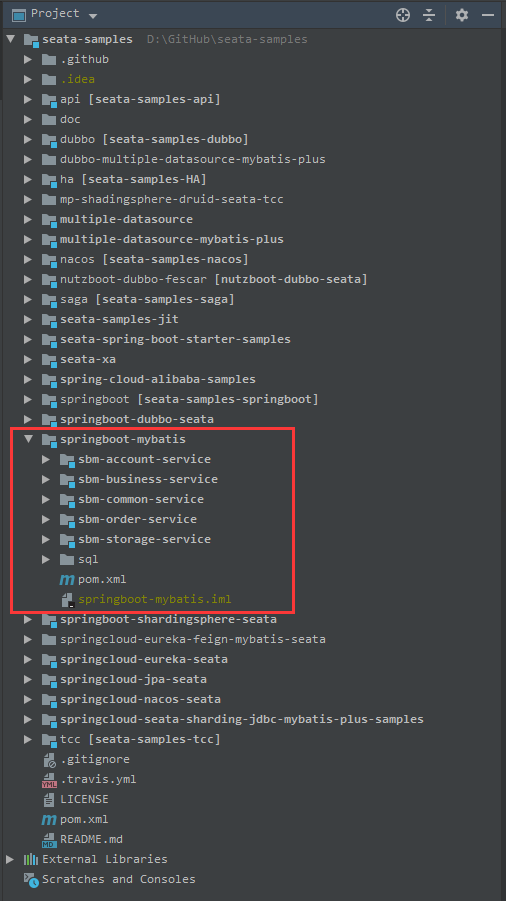
该聚合工程共包括5个module:
- sbm-account-service
- sbm-business-service
- sbm-common-service
- sbm-order-service
- sbm-storage-service
不同Module之间的服务通信使用Rest方式通信。
准备工作
创建数据库
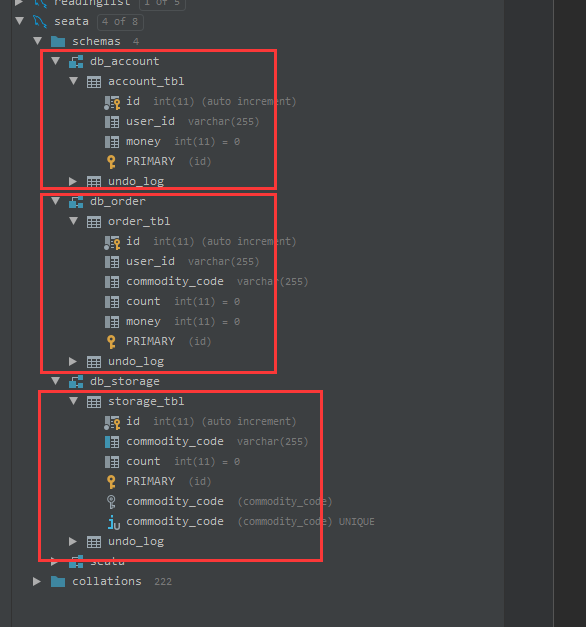
在sql/all_in_one_sql里是演示中需要的sql脚本,共创建了3个schema: db_account, db_order, db_storage, 分别演示三个不同的数据库,每个schema里都有一张undo_log表。
启动Seata-Server
Seata-Server扮演TM的角色,在官网下载http://seata.io/zh-cn/blog/download.html,最新版本为1.4.2。
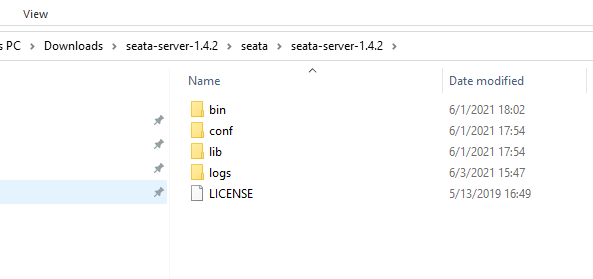
/conf/registry.conf 中有两个大的节点registry - 注册中心配置选项,config - 配置中心配置选项。
# 注册中心配置

registry {

  # file 、nacos 、eureka、redis、zk、consul、etcd3、sofa

  type = "file"

  nacos {

    application = "seata-server"

    serverAddr = "127.0.0.1:8848"

    group = "SEATA_GROUP"

    namespace = ""

    cluster = "default"

    username = ""

    password = ""

  }

  eureka {

    serviceUrl = "http://localhost:8761/eureka"

    application = "default"

    weight = "1"

  }

  redis {

    serverAddr = "localhost:6379"

    db = 0

    password = ""

    cluster = "default"

    timeout = 0

  }

  zk {

    cluster = "default"

    serverAddr = "127.0.0.1:2181"

    sessionTimeout = 6000

    connectTimeout = 2000

    username = ""

    password = ""

  }

  consul {

    cluster = "default"

    serverAddr = "127.0.0.1:8500"

    aclToken = ""

  }

  etcd3 {

    cluster = "default"

    serverAddr = "http://localhost:2379"

  }

  sofa {

    serverAddr = "127.0.0.1:9603"

    application = "default"

    region = "DEFAULT_ZONE"

    datacenter = "DefaultDataCenter"

    cluster = "default"

    group = "SEATA_GROUP"

    addressWaitTime = "3000"

  }

  file {

    name = "file.conf"

  }

}

# 配置中心配置

config {

  # file、nacos 、apollo、zk、consul、etcd3

  type = "file"

  nacos {

    serverAddr = "127.0.0.1:8848"

    namespace = ""

    group = "SEATA_GROUP"

    username = ""

    password = ""

    dataId = "seataServer.properties"

  }

  consul {

    serverAddr = "127.0.0.1:8500"

    aclToken = ""

  }

  apollo {

    appId = "seata-server"

    ## apolloConfigService will cover apolloMeta

    apolloMeta = "http://192.168.1.204:8801"

    apolloConfigService = "http://192.168.1.204:8080"

    namespace = "application"

    apolloAccesskeySecret = ""

    cluster = "seata"

  }

  zk {

    serverAddr = "127.0.0.1:2181"

    sessionTimeout = 6000

    connectTimeout = 2000

    username = ""

    password = ""

    nodePath = "/seata/seata.properties"

  }

  etcd3 {

    serverAddr = "http://localhost:2379"

  }

  file {

    name = "file.conf"

  }

}
/conf/file.conf - 只有当registry.conf下 config.type=file时才加载file.config中的参数。config.type等于其他值的话则不需要file.config。 seata-server也提供了file.conf.example, 详细的参数介绍也可以查看http://seata.io/zh-cn/docs/user/configurations.html。
## transaction log store, only used in seata-server

store {

  ## store mode: file、db、redis

  mode = "file"

  ## rsa decryption public key

  publicKey = ""

  ## file store property

  file {

    ## store location dir

    dir = "sessionStore"

    # branch session size , if exceeded first try compress lockkey, still exceeded throws exceptions

    maxBranchSessionSize = 16384

    # globe session size , if exceeded throws exceptions

    maxGlobalSessionSize = 512

    # file buffer size , if exceeded allocate new buffer

    fileWriteBufferCacheSize = 16384

    # when recover batch read size

    sessionReloadReadSize = 100

    # async, sync

    flushDiskMode = async

  }

  ## database store property

  db {

    ## the implement of javax.sql.DataSource, such as DruidDataSource(druid)/BasicDataSource(dbcp)/HikariDataSource(hikari) etc.

    datasource = "druid"

    ## mysql/oracle/postgresql/h2/oceanbase etc.

    dbType = "mysql"

    driverClassName = "com.mysql.jdbc.Driver"

    ## if using mysql to store the data, recommend add rewriteBatchedStatements=true in jdbc connection param

    url = "jdbc:mysql://127.0.0.1:3306/seata?rewriteBatchedStatements=true"

    user = "mysql"

    password = "mysql"

    minConn = 5

    maxConn = 100

    globalTable = "global_table"

    branchTable = "branch_table"

    lockTable = "lock_table"

    queryLimit = 100

    maxWait = 5000

  }

  ## redis store property

  redis {

    ## redis mode: single、sentinel

    mode = "single"

    ## single mode property

    single {

      host = "127.0.0.1"

      port = "6379"

    }

    ## sentinel mode property

    sentinel {

      masterName = ""

      ## such as "10.28.235.65:26379,10.28.235.65:26380,10.28.235.65:26381"

      sentinelHosts = ""

    }

    password = ""

    database = "0"

    minConn = 1

    maxConn = 10

    maxTotal = 100

    queryLimit = 100

  }

}
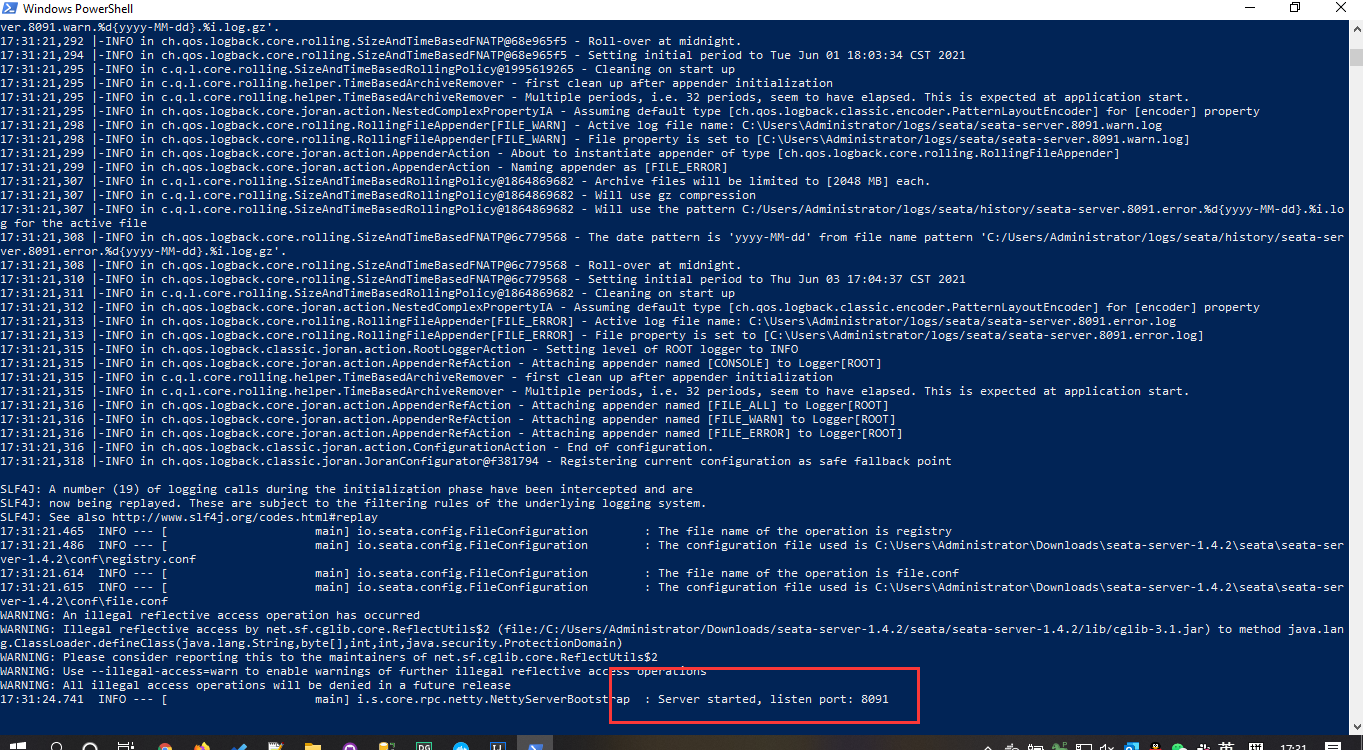
启动服务./bin/seata-server.bat ,默认打开了8091端口。
启动Sample服务
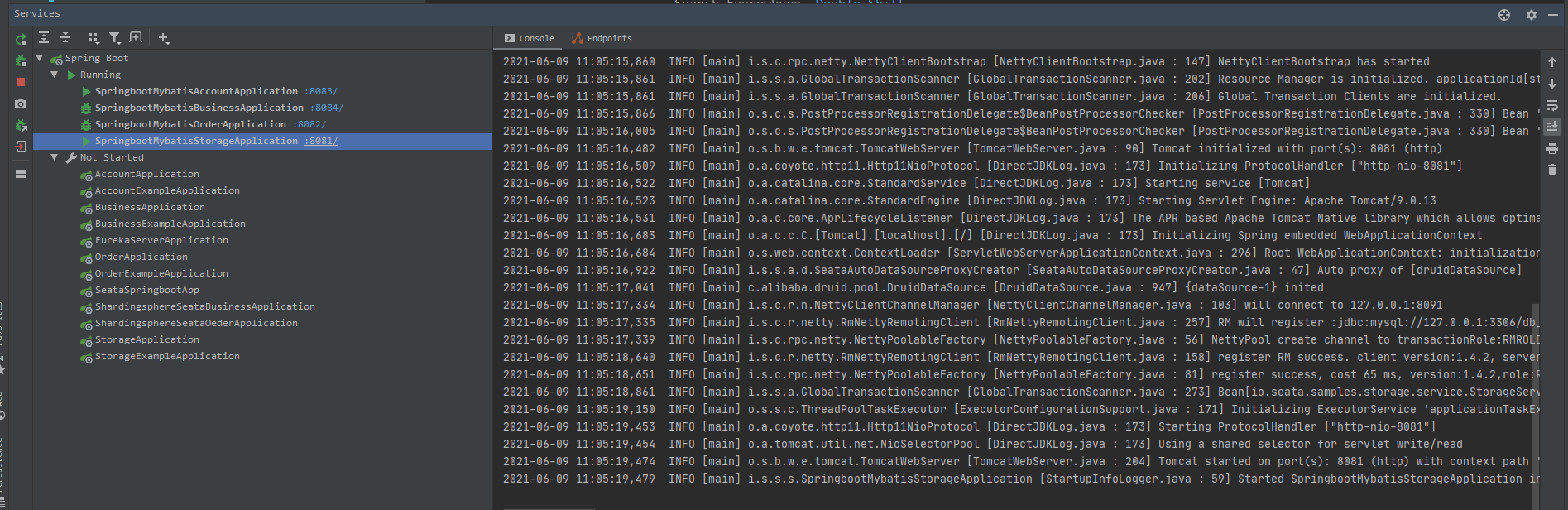
依此启动account-service,business-service,order-service,storage-service。business-service作为业务逻辑的入口分别调用order-service和storage-service。这里就看到了关键注解GlobalTransactional。
4个服务的默认端口分别是8081,8082, 8083,8084。
BusinessService
@Service

public class BusinessService {

    private static final Logger LOGGER = LoggerFactory.getLogger(BusinessService.class);

    @Autowired

    private StorageClient storageClient;

    @Autowired

    private OrderClient orderClient;

    /**

     * 减库存,下订单

     *

     * @param userId

     * @param commodityCode

     * @param orderCount

     */

    @GlobalTransactional

    public void purchase(String userId, String commodityCode, int orderCount) {

        LOGGER.info("purchase begin ... xid: " + RootContext.getXID());

        storageClient.deduct(commodityCode, orderCount);

        orderClient.create(userId, commodityCode, orderCount);

    }

}
OrderClient
@Slf4j

@Component

public class OrderClient {

    @Autowired

    private RestTemplate restTemplate;

    public void create(String userId, String commodityCode, int orderCount) {

        String url = "http://127.0.0.1:8082/api/order/debit?userId=" + userId + "&commodityCode=" + commodityCode + "&count=" + orderCount;

        try {

            restTemplate.getForEntity(url, Void.class);

        } catch (Exception e) {

            log.error("create url {} ,error:", url);

            throw new RuntimeException();

        }

    }

}
StorageClient
@Slf4j

@Component

public class StorageClient {

    @Autowired

    private RestTemplate restTemplate;

    public void deduct(String commodityCode, int orderCount) {

        System.out.println("business to storage " + RootContext.getXID());

        String url = "http://127.0.0.1:8081/api/storage/deduct?commodityCode=" + commodityCode + "&count=" + orderCount;

        try {

            restTemplate.getForEntity(url, Void.class);

        } catch (Exception e) {

            log.error("deduct url {} ,error:", url, e);

            throw new RuntimeException();

        }

    }

}
运行Sample
模拟正常事务提交
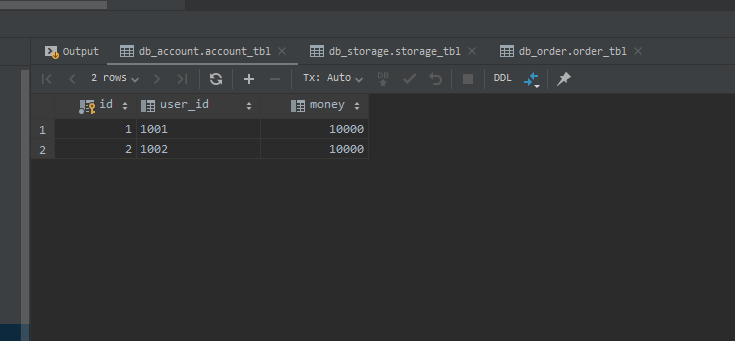
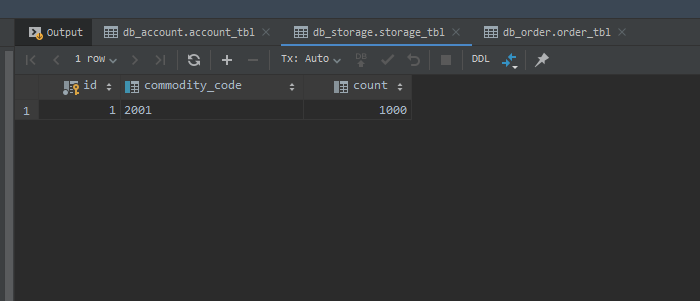
运行Sample前,我们先查看下当前三个服务数据库的数据。
db_account.account_tbl
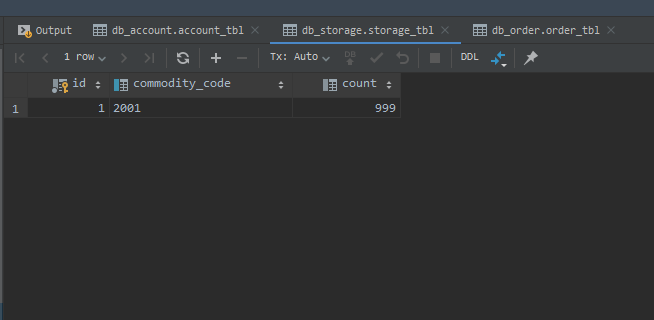
db_storage.storage_tbl
业务接口在business-service/BusinessController里,我们先来执行下购买下单正常的提交流程。
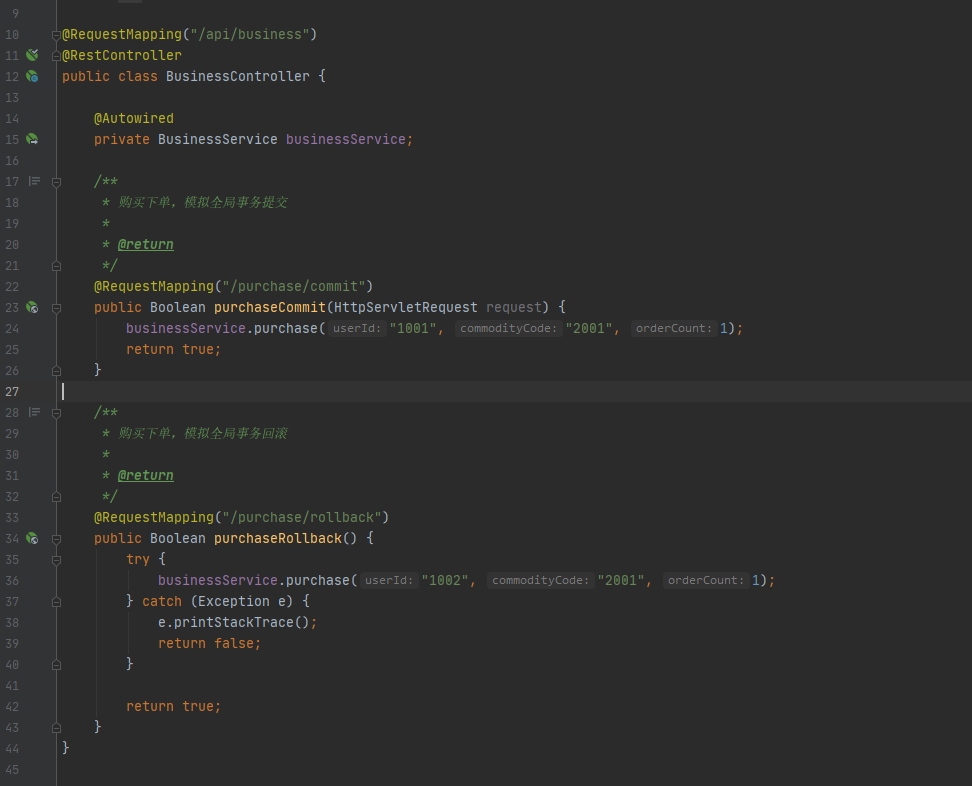
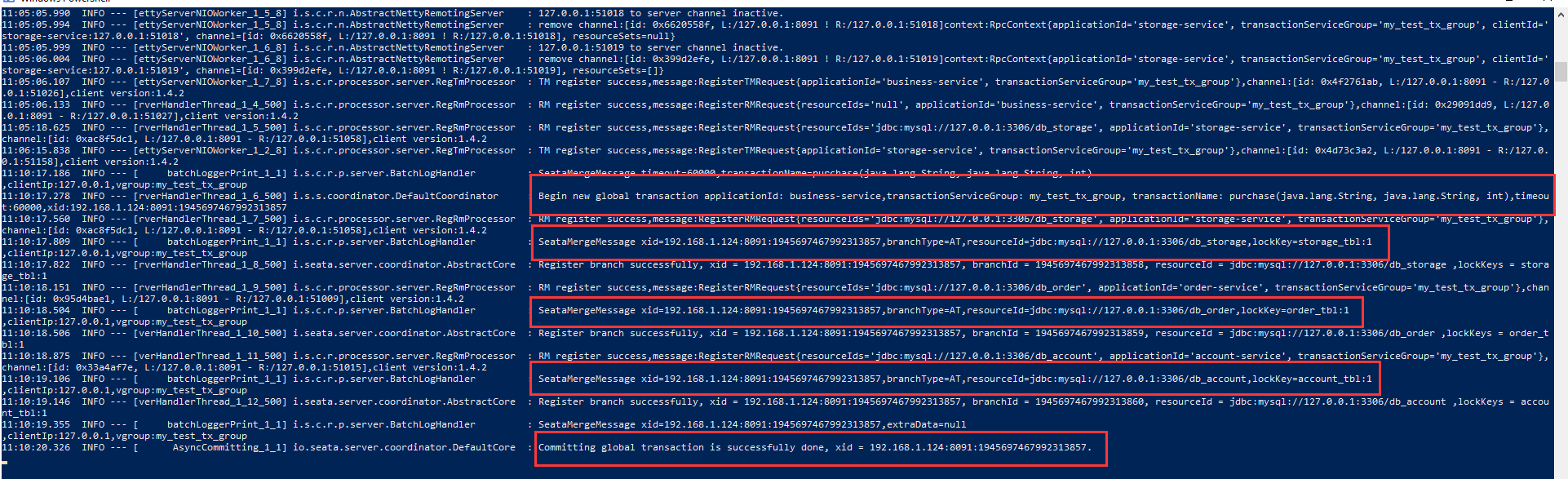
执行接口http://localhost:8094/api/business/purchase/commit/, 执行后,seata-server控制台上会显示全局事务执行的具体日志和执行成功的日志。
执行后我们再查看下数据库。
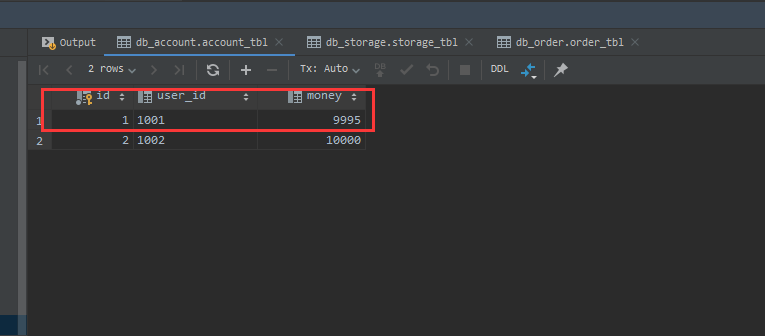
db_account.account_tbl。 user_id对应1001的账户减去了5元(9995)。
db_storage.storage_tbl
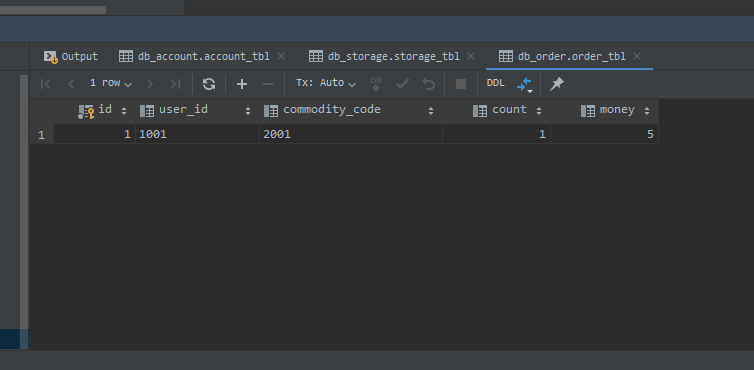
db_order.order_tbl
模拟全局事务回滚
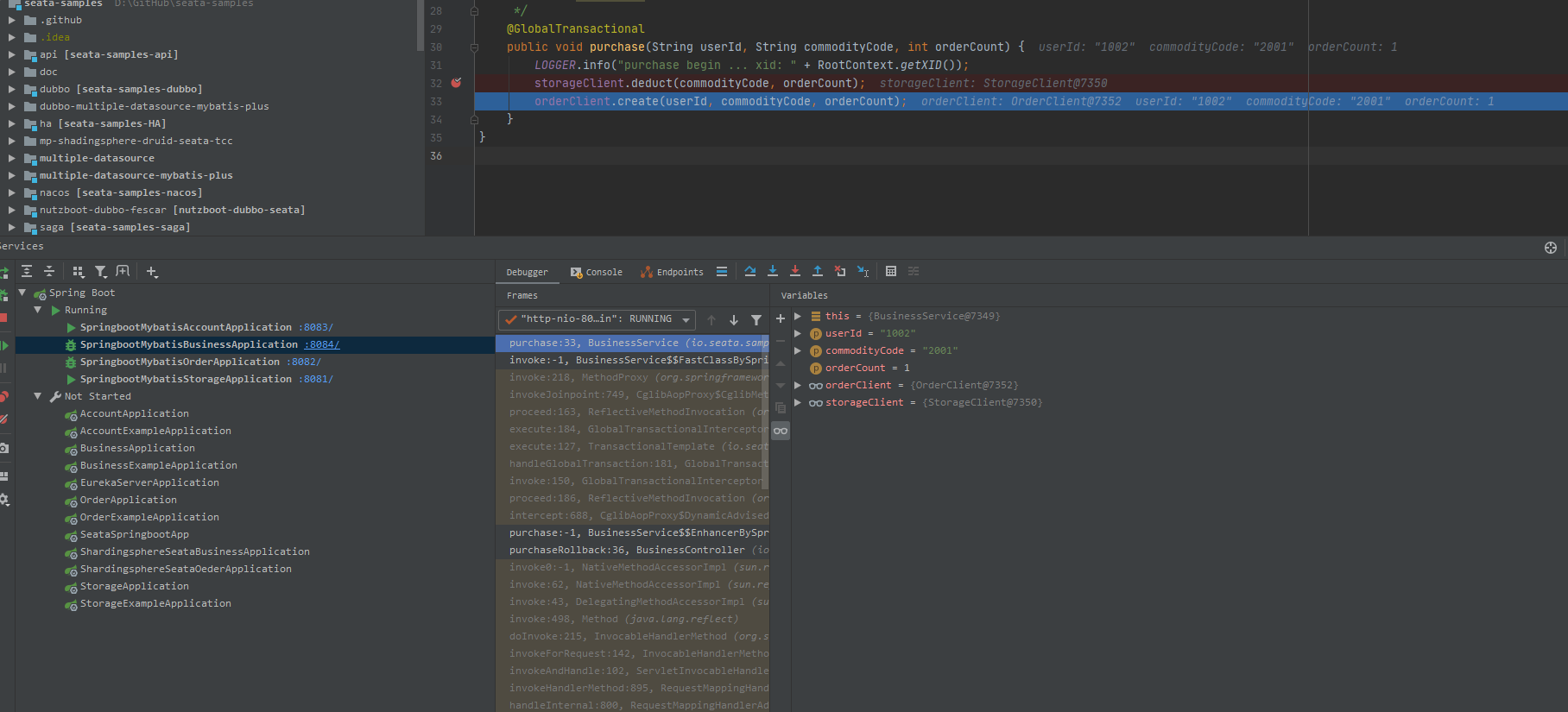
执行接口http://localhost:8084/api/business/purchase/rollback, 这里我们想查看undo_log表的数据,则在BusinessSerivce#purchase断点。
db_storage.undo_log
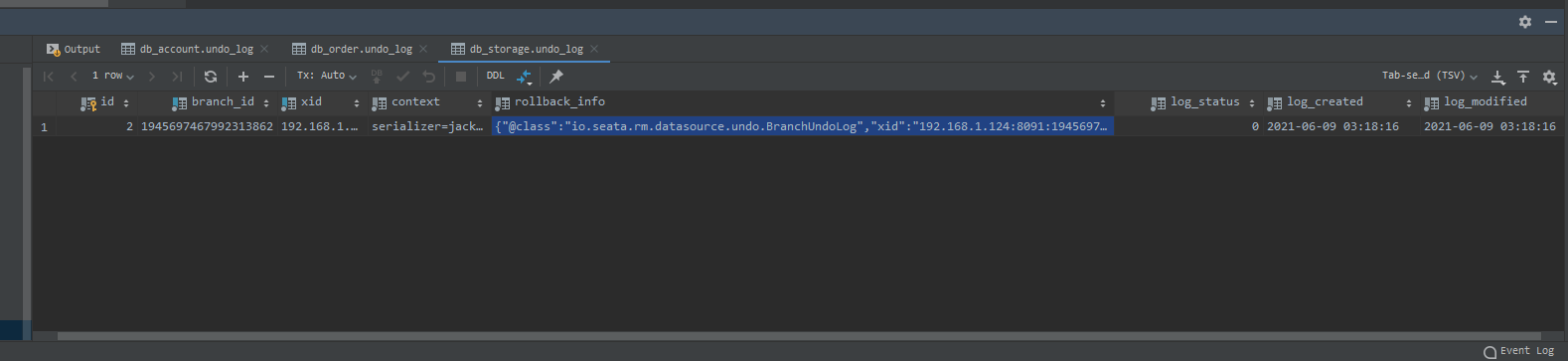
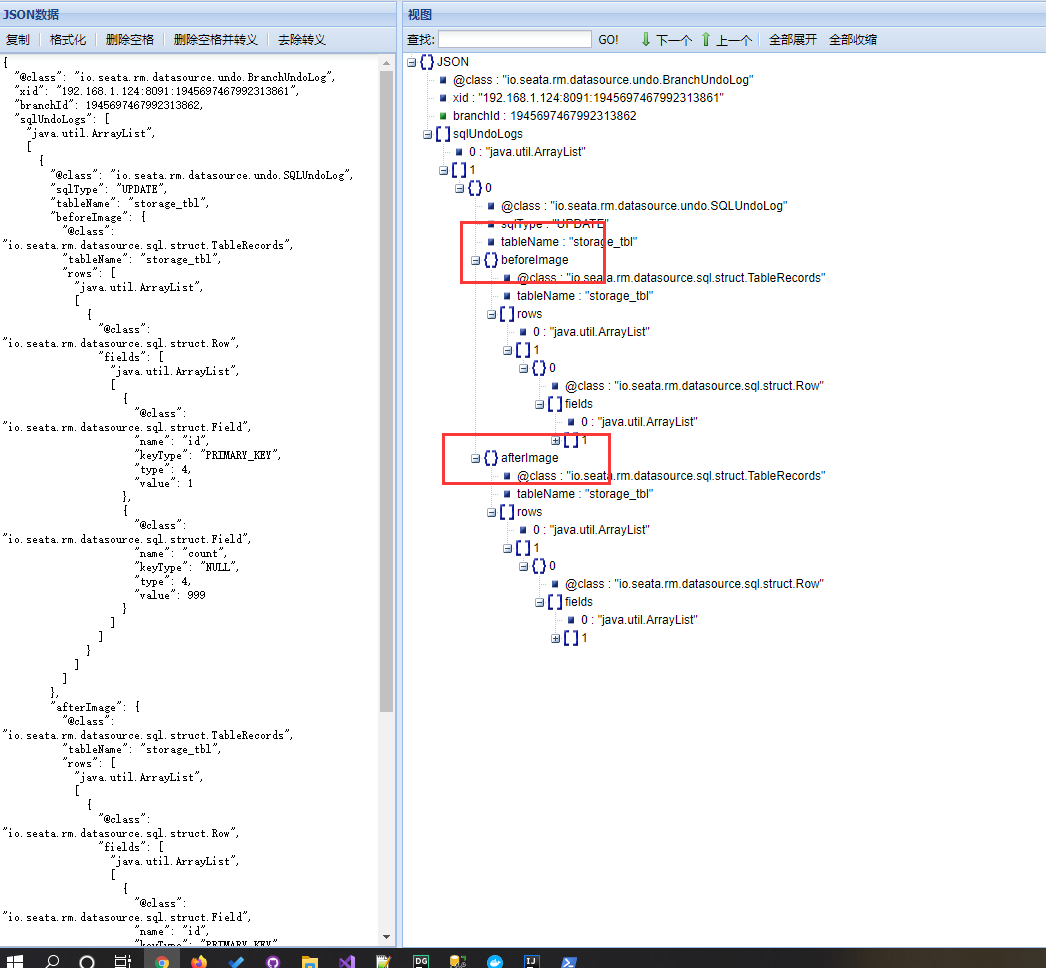
undo_log里最重要的是关注beforeImage和afterImage节点。
全局事务回滚后,undo_log表会清空数据。
Seata分布式事务框架Sample的更多相关文章
- 分布式事务框架Seata及EasyTransaction架构的比对思考
本文将会对比Seata与EasyTransaction两个分布式事务的一些高层设计,相信大家会有收获. Seata的概述 Seata(曾用名Fescar,开源版本GTS)是阿里的开源分布式事务框架,其 ...
- 快速了解阿里微服务热门开源分布式事务框架——Seata
一.Seata 概述 Seata 是 Simple Extensible Autonomous Transaction Architecture 的简写,由 feascar 改名而来. Seata 是 ...
- 开源的分布式事务框架 springcloud Alibaba Seata 的搭建使用 一次把坑踩完。。。
seata的使用 1. Seata 概述 Seata 是 Simple Extensible Autonomous Transaction Architecture 的简写,由 feascar 改名而 ...
- 终于跑通分布式事务框架tcc-transaction的示例项目
1.背景 前段时间在看项目代码的时候,发现有些接口的流程比较长,在各个服务里面都有通过数据库事务保证数据的一致性,但是在上游的controller层并没有对一致性做保证. 网上查了下,还没找到基于Go ...
- Dubbo学习系列之十五(Seata分布式事务方案TCC模式)
上篇的续集. 工具: Idea201902/JDK11/Gradle5.6.2/Mysql8.0.11/Lombok0.27/Postman7.5.0/SpringBoot2.1.9/Nacos1.1 ...
- SpringCloud微服务实战——搭建企业级开发框架(二十七):集成多数据源+Seata分布式事务+读写分离+分库分表
读写分离:为了确保数据库产品的稳定性,很多数据库拥有双机热备功能.也就是,第一台数据库服务器,是对外提供增删改业务的生产服务器:第二台数据库服务器,主要进行读的操作. 目前有多种方式实现读写分离,一种 ...
- 基于Dubbo的分布式事务框架(LCN)
原文地址:http://原文地址:https://github.com/1991wangliang/transaction 基于Dubbo的分布式事务框架(LCN) 该框架依赖Redis/dubbo/ ...
- tcc分布式事务框架解析
前言碎语 楼主之前推荐过2pc的分布式事务框架LCN.今天来详细聊聊TCC事务协议. 2pc实现:https://github.com/codingapi/tx-lcn tcc实现:https://g ...
- 分布式事务框架&解决方案参考
两种开源解决方案框架介绍: https://blog.csdn.net/zyndev/article/details/79604395#_97 LCN: https://www.jianshu.com ...
随机推荐
- Linux下的用户、组和权限
目录 一:用户和组信息的查看 查看用户信息 查看密码信息 查看组信息 特殊组wheel 二:用户和组信息的管理 用户管理 组管理 三:文件权限 文件权限的查看 文件权限的修改 ACL控制权限 setf ...
- Ubuntu20.04安装和配置JDK
首先在官网下载Linux系统的jdk到本地 创建/java目录 sudo mkdir /java 这是直接创建在根目录下的. 3. 将下载的jdk压缩包移动到java文件夹 sudo mv 你的安装包 ...
- Git 无法添加文件夹下的文件
尚未暂存以备提交的变更: (使用 "git add <文件>..." 更新要提交的内容) (使用 "git checkout -- <文件>... ...
- HTML <video>
HTML <video> 元素 用于在HTML或者XHTML文档中嵌入媒体播放器,用于支持文档内的视频播放.你也可以将 <video> 标签用于音频内容,但是 <audi ...
- 想要测试Dubbo接口?测试的关键点在哪里?
Dubbo接口如何测试? 这个dubbo如何测试,dubbo接口测试什么玩意儿? RPC的有一个类型,叫Dubbo接口. 那这个接口如何测试?测试的关键点在哪里? 这个面试问题,我觉得大家可能就有 ...
- C++ scanf_s()函数的用法以及注意事项
前身--scanf() 有的教材里用的scanf(),其实在目前Visual Studio版本中已经弃用了,用scanf_s()函数代替了. 为什么现在要用scanf_s() scanf_s()函数是 ...
- Git 系列教程(9)- 打标签
打标签 一般会给提交历史打个标签,方便后续进行筛选.查看 列出标签 可带上可选的 -l 选项 --list $ git tag v1.0 v2.0 这个命令以字母顺序列出标签 可以按照特定的模式查找标 ...
- Keycloak 13 自定义用户身份认证流程(User Storage SPI)
Keycloak 版本:13.0.0 介绍 Keycloak 是为现代应用程序和服务提供的一个开源的身份和访问管理的解决方案. Keycloak 在测试环境可以使用内嵌数据库,生产环境需要重新配置数据 ...
- 分布式RPC框架Dubbo实现服务治理:集成Kryo实现高速序列化,集成Hystrix实现熔断器
Dubbo+Kryo实现高速序列化 Dubbo RPC是Dubbo体系中最核心的一种高性能,高吞吐量的远程调用方式,是一种多路复用的TCP长连接调用: 长连接: 避免每次调用新建TCP连接,提高调用的 ...
- 爬虫:获取动态加载数据(selenium)(某站)
如果网站数据是动态加载,需要不停往下拉进度条才能显示数据,用selenium模拟浏览器下拉进度条可以实现动态数据的抓取. 本文希望找到某乎某话题下讨论较多的问题,以此再寻找每一问题涉及的话题关键词(侵 ...